
Automate your GitHub workflow with GPT-PR: an OpenAI powered library for streamlined PR generation.

Project description
GPT-PR
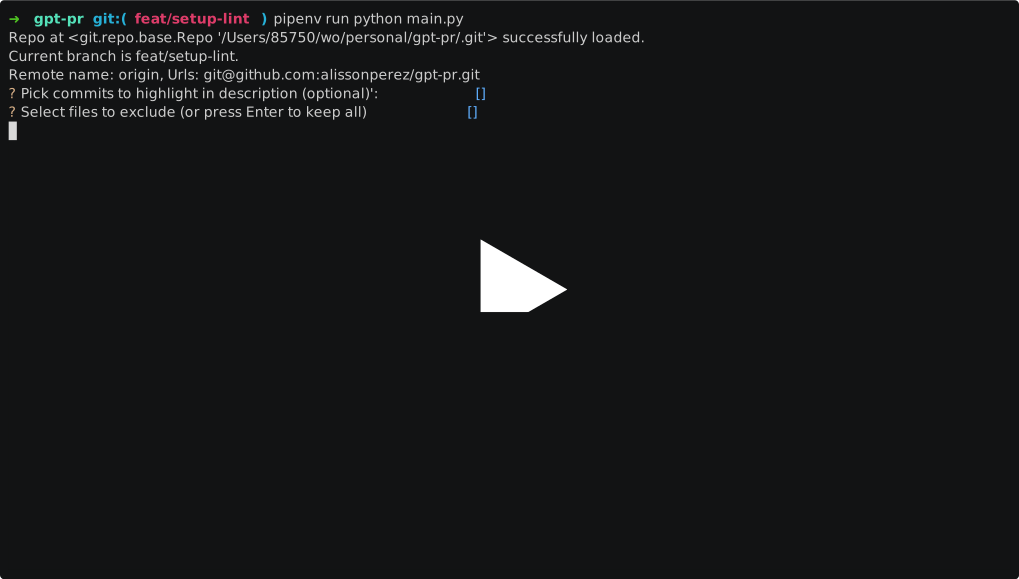
GPT-PR is an open-source command-line tool designed to streamline your GitHub workflow for opening PRs. Leveraging OpenAI's ChatGPT API, it automatically opens a GitHub Pull Request with a predefined description and title directly from your current project directory.
Quick Start
For a more detailed explanation, see Installation and Configuration.
1. Installation
pip install -U gpt-pr
If you don't have the pip command available, follow these instructions to install it on different platforms.
2. Fill OpenAI API Key
- Go to OpenAI API Keys and generate a new key.
- Run the following command to fill your key in GPT-PR (it will be stored in
~/.gpt-pr.ini):
gpt-pr-config set openai_api_key MY-API-KEY-VALUE
3. Generate a GitHub GH Token to Open PRs
- Go to GitHub Settings, choose
Generate new token (classic), and select all permissions underrepo(full control of private repositories). - Run the following command to fill your GH token (it will also be stored in
~/.gpt-pr.ini):
gpt-pr-config set gh_token MY-GH-TOKEN-VALUE
4. Ready to NEVER WRITE A PR AGAIN
- Make your changes, commit them, and push to origin (important!).
- Run the following command in your project directory:
gpt-pr
- Answer the questions. At the end, you'll receive the URL of a freshly opened PR.
Contributing and Feedback
We welcome your contributions and feedback to help improve GPT-PR! Here’s how you can get involved:
Open Issues
- Feature Requests: Have an idea for a new feature? We’d love to hear it! Open an issue to request new features or enhancements.
- Bug Reports: Encountered a bug? Let us know by opening an issue with detailed information so we can fix it.
- General Feedback: Any other suggestions or feedback? Feel free to share your thoughts.
To open an issue, go to the Issues section of our GitHub repository. Your contributions are very welcome and highly appreciated!
More details about it at our CONTRIBUTING guide.
Table of Contents
Features
- Analyzes the diff changes of the current branch against the
mainbranch. - Provides an option to exclude certain file changes from PR generation (for instance, you can ignore a
package.lockfile with 5k lines changed). - Incorporates commit messages into the process.
Prerequisites
Before getting started, make sure you have the following installed:
- Python 3.9 or higher
- Poetry
Installation
You can install and use GPT-PR in one of two ways. Choose the option that best suits your needs.
Option 1: Using pip install (Recommended)
- Install OR Update the package:
pip install -U gpt-pr
-
Setup API keys for GitHub and OpenAI, take a look at Configuration.
-
Inside the Git repository you are working on, ensure you have pushed your branch to origin, then run:
gpt-pr --help
Option 2: Cloning the code (NOT recommended)
- Clone the repository:
git clone https://github.com/alissonperez/gpt-pr.git
- Navigate to the project directory and install dependencies:
cd gpt-pr
poetry install
After setting up API keys (Configuration), you can use GPT-PR within any git project directory. Suppose you've cloned this project to ~/workplace/gpt-pr, here's how you can use it:
poetry run python gpt_pr/main.py --help
Configuration
See all configs available
To print all default configs and what is being used, just run:
gpt-pr-config print
Setting up GitHub Token (GH_TOKEN)
GPT-PR tool will look for a GH_TOKEN in current shell env var OR in gpt-pr config file (at ~/.gpt-pr.ini).
To authenticate with GitHub, generate and export a GitHub Personal Access Token:
- Navigate to GitHub's Personal Access Token page.
- Click "Generate new token."
- Provide a description and select the required permissions
repofor the token. - Click "Generate token" at the bottom of the page.
- Copy the generated token.
- Set
gh_tokenconfig running (supposing your gh token isghp_4Mb1QEr9gY5e8Lk3tN1KjPzX7W9z2V4HtJ2b):
gpt-pr-config set gh_token ghp_4Mb1QEr9gY5e8Lk3tN1KjPzX7W9z2V4HtJ2b
Or just export it as an environment variable in your shell initializer:
export GH_TOKEN=your_generated_token_here
Setting up OpenAI API Key (OPENAI_API_KEY)
GPT-PR tool will look for a OPENAI_API_KEY env var in current shell OR in gpt-pr config file (at ~/.gpt-pr.ini).
This project needs to interact with the ChatGPT API to generate the pull request description. So, you need to generate and export an OpenAI API Key:
- Navigate to OpenAI's API Key page.
- If you don't have an account, sign up and log in.
- Go to the API Keys section and click "Create new key."
- Provide a description and click "Create."
- Copy the generated API key.
- Set
openai_api_keyconfig running (supposing your openai_api_key isQEr9gY5e8Lk3tN1KjPzX7W9z2V4Ht):
gpt-pr-config set openai_api_key QEr9gY5e8Lk3tN1KjPzX7W9z2V4Ht
Or just export it as an environment variable in your shell initializer:
export OPENAI_API_KEY=your_generated_api_key_here
Setting Max Input LLM Tokens
You can adjust the maximum number of input tokens allowed when calling the LLM model by modifying the corresponding setting.
For example, to change the maximum to 20,000 tokens, use the following command:
gpt-pr-config set input_max_tokens 20000
Change OpenAI model
To change OpenAI model, just run:
gpt-pr-config set openai_model gpt-4o-mini
Obs.:
gpt-4o-minialready is the default model of the project
To see a full list of available models, access OpenAI Models Documentation
GPT-PR Library Signature in PRs
To help other developers recognize and understand the use of the GPT-PR library in generating pull requests, we have included an optional signature feature. By default, this feature is enabled and appends the text "Generated by GPT-PR" at the end of each pull request. This transparency fosters better collaboration and awareness among team members about the tools being utilized in the development process.
If you prefer to disable this feature, simply run the following command:
gpt-pr-config set add_tool_signature false
Reset config
To reset any config to default value, just run:
gpt-pr-config reset config_name
Example:
gpt-pr-config reset openai_model
Usage
Generating Github Pull Requests
To create a Pull request from your current branch commits to merge with main branch, just run:
gpt-pr
If you would like to compare with other base branch that is not main, just use -b param:
gpt-pr -b my-other-branch
Usage help
To show help commands:
gpt-pr -h
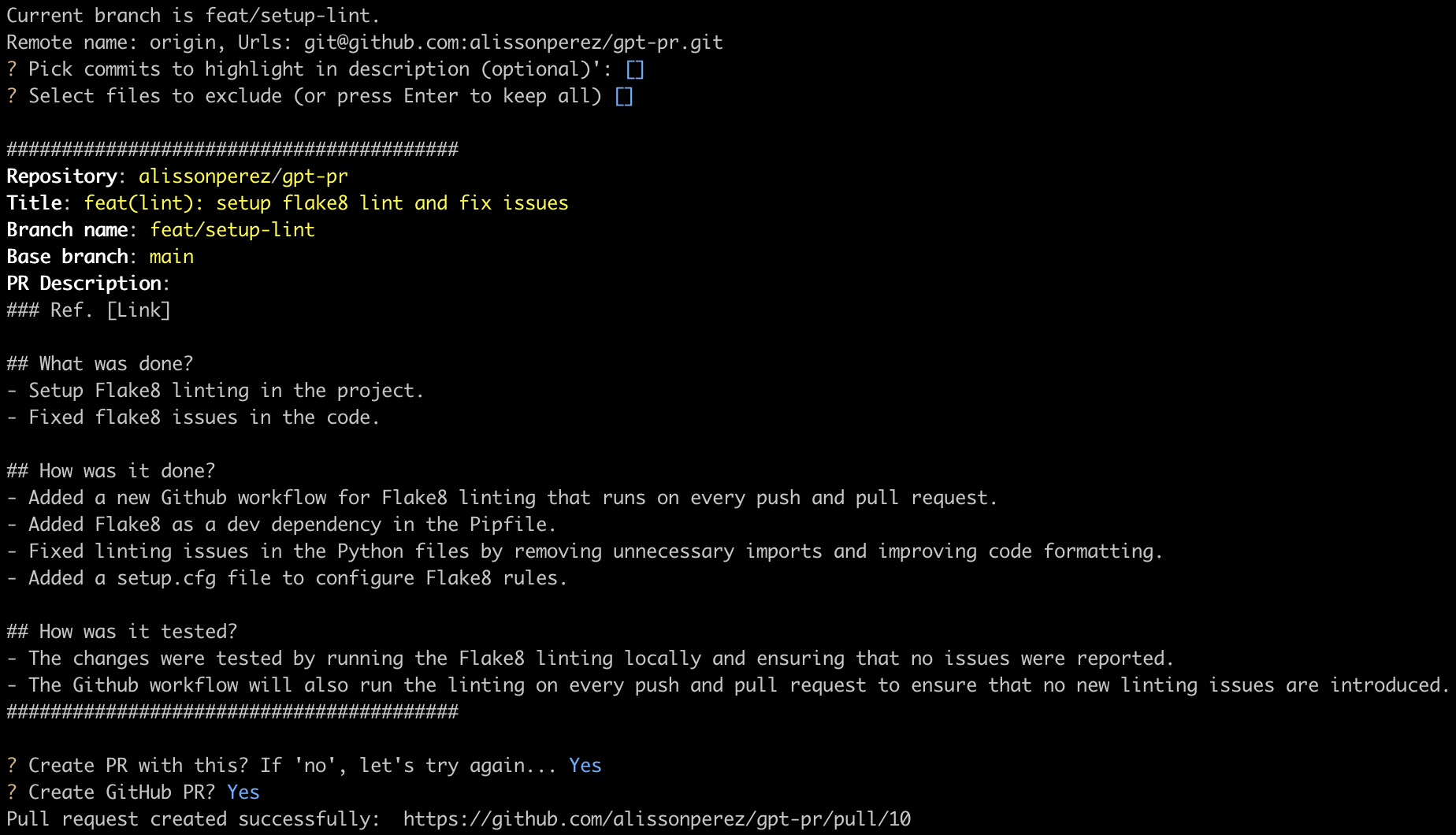
Output:
Roadmap
- Improve execution method, possibly through a shell script or at least an alias in bash rc files.
- Change to use with pip installation and console_scripts entry point.
- Fetch GitHub PR templates from the current project.
- Add configuration to set which LLM and model should be used (OpenAI GPT, Mistral, etc...)
- Add unit tests.
Release history Release notifications | RSS feed


Download files
Download the file for your platform. If you're not sure which to choose, learn more about installing packages.
Source Distribution
Built Distribution
Filter files by name, interpreter, ABI, and platform.
If you're not sure about the file name format, learn more about wheel file names.
Copy a direct link to the current filters
File details
Details for the file gpt_pr-0.7.2.tar.gz.
File metadata
- Download URL: gpt_pr-0.7.2.tar.gz
- Upload date:
- Size: 16.0 kB
- Tags: Source
- Uploaded using Trusted Publishing? No
- Uploaded via: poetry/2.2.1 CPython/3.9.24 Linux/6.11.0-1018-azure
File hashes
| Algorithm | Hash digest | |
|---|---|---|
| SHA256 |
6334e5efc9137f6f2f7dd3d2b46ba396c25dda39e7d04cf1c55c2417ed72444f
|
|
| MD5 |
306d02db5ca0b746f6e48df0c907cf06
|
|
| BLAKE2b-256 |
8e2234da08a3e1793f2dfc144d8abb556a253595aa155d04e4c313b53866865c
|
File details
Details for the file gpt_pr-0.7.2-py3-none-any.whl.
File metadata
- Download URL: gpt_pr-0.7.2-py3-none-any.whl
- Upload date:
- Size: 17.3 kB
- Tags: Python 3
- Uploaded using Trusted Publishing? No
- Uploaded via: poetry/2.2.1 CPython/3.9.24 Linux/6.11.0-1018-azure
File hashes
| Algorithm | Hash digest | |
|---|---|---|
| SHA256 |
254d9b69adbc5f20dbb2f45a465559f6c80b8650551ab5dd5687b5c4c2a73dc9
|
|
| MD5 |
bb0d69be938d93f9988a85d6692afab6
|
|
| BLAKE2b-256 |
5ea267013d1a5fb7dd649c2e7063398120fee64e7ec5686550e2c6832362ccc5
|






