
GPTerm
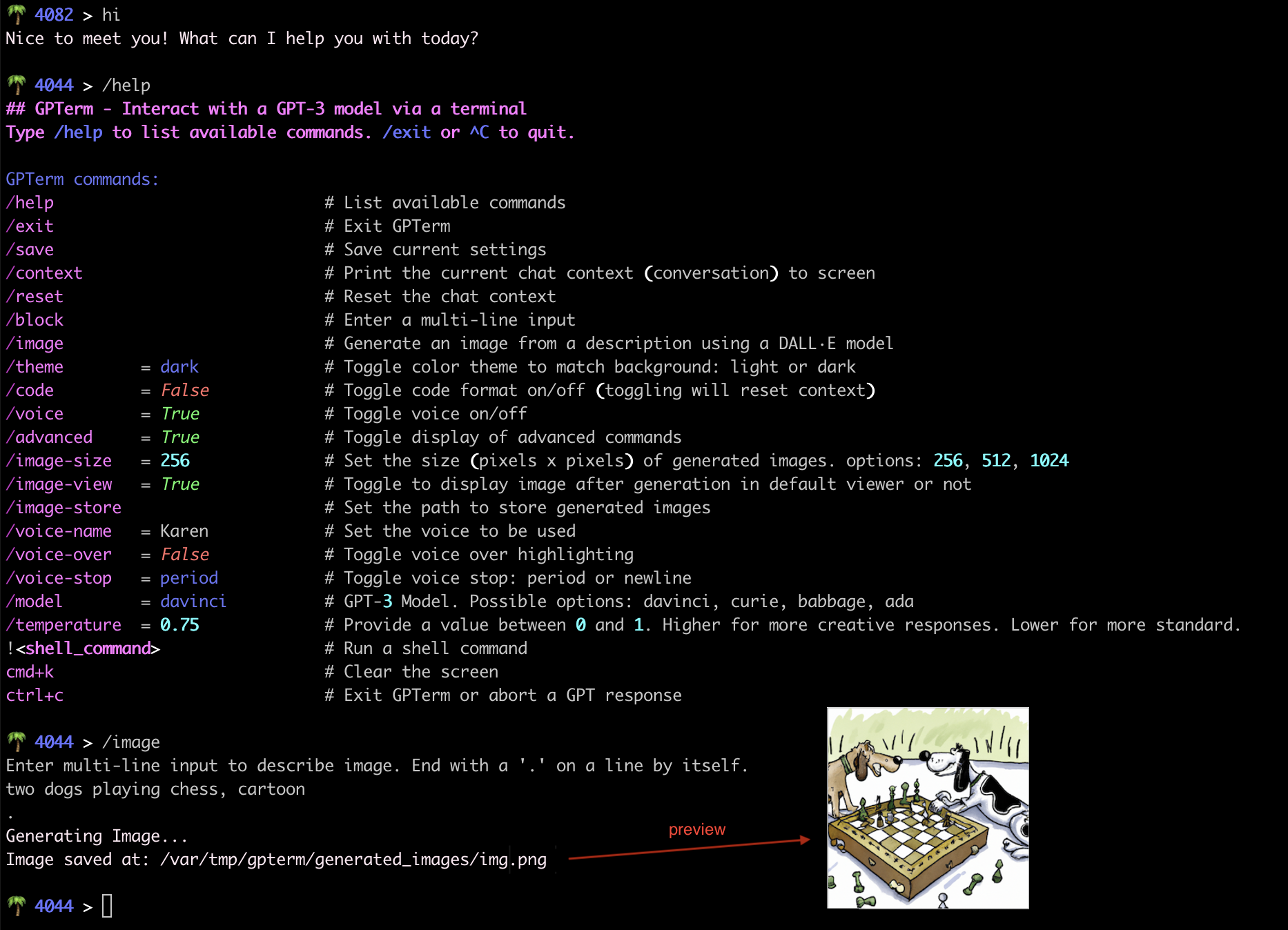
Interact and chat with OpenAI's models via an REPL terminal emulation on macOS. Including voiced output, image generation and model selection.
Installation
To install GPTerm, simply execute the following command in your terminal:
pip3 install --upgrade gpterm
Note: GPTerm works best when installed and run under a Conda environment. See Known Issues
To install under conda (after installing anaconda or miniconda):
conda create --name gpterm python=3.13.0
conda activate gpterm
pip3 install --upgrade gpterm
Usage
gpterm
Note: GPTerm uses the OpenAI API which requires an OpenAI API Key
-
Setting an OpenAI API Key:
You can get your OpenAI API Key from OpenAI
Storing it in the file
~/.openai-api-keywill allow to run GPTerm without manually providing it with the API key. In the command below replace api_key with your OpenAI API Key.echo api_key > ~/.openai-api-key
Alternatively, you can provide your API Key to
gptermby passing it with one of these flags:--api_key <api_key>--api_key_path <path/to/file/containing/api_key>Or by setting a shell environment variable
OPENAI_API_KEYwith your API Key before runninggpterm
-
Setting the Color Theme:
For the best experience a terminal with a dark background theme is recommended. (Like the one provided by iTerm)
However, if you are using a light background terminal start gpterm with the following flag:
--theme lightOptions are light or dark (default)
Features
GPTerm provides the following features as supported by OpenAI's API:
- Streamed output
- Multiline input
- Preserves conversation context including the option to reset it
- Voiced output using text to speech (with a variety of voices to choose from)
- Image Generation using an OpenAI image model (note that as the saying goes an image is worth a thousand tokens...)
- Model selection and parameters (You can set any of the OpenAI available models. Current default: gpt-5-nano)
- Displays number of remaining tokens for current conversation context before it is reset (According to the context window limitations per OpenAI model)
- Code blocks formatted with Syntax highlighting (experimental)
Known Issues
- Tab completion doesn't seem to work well in the readline module that comes with native python. The Conda environment includes a python binary with a readline module that does support it.
1 maintainer

Release files for gpterm 1.0.1
For a detailed explanation of source distributions (sdists) and built distributions (wheels), please see the package formats documentation.
Source distribution (sdist)
| File | Size | Uploaded | |
|---|---|---|---|
| gpterm-1.0.1.tar.gz | 15.3 kB | Details |
Built distribution (wheel)
| File | Interpreter | ABI | Platform | Reset |
|---|---|---|---|---|
| gpterm-1.0.1-py3-none-any.whl | Python 3 | none | any | Details |
Total release size: 31.6 kB
Release files / gpterm-1.0.1.tar.gz
| Download URL | gpterm-1.0.1.tar.gz |
|---|---|
| Size | 15.3 kB |
| Tags | Source |
|
SHA-256 checksum How to use checksums |
312af31e5295f47973707717c5e69ebfaa27d7e01d8d129874b0215bdfa75d32
|
|
BLAKE2b-256 checksum How to use checksums |
f308c9b90cd7d12489f3876729d37eb49236cd882a1b59dd474dcbe0d6ab6ff2
|
| Upload date | |
|
Uploaded using Trusted Publishing? What is trusted publishing? |
No |
| Uploaded via |
twine/7.0.0 CPython/3.13.0
|
Release files / gpterm-1.0.1-py3-none-any.whl
| Download URL | gpterm-1.0.1-py3-none-any.whl |
|---|---|
| Size | 16.3 kB |
| Tags | Python 3 |
|
SHA-256 checksum How to use checksums |
a01392aeaa356d963e02942d61104441ec0e9d1e4e2bdf522564506d1d383c67
|
|
BLAKE2b-256 checksum How to use checksums |
3471af4af062168edcc03f70ebc07f3da2b756b9f359b91627dd7d92bf8c0736
|
| Upload date | |
|
Uploaded using Trusted Publishing? What is trusted publishing? |
No |
| Uploaded via |
twine/7.0.0 CPython/3.13.0
|














