
GPU VRAM Cleaner
Tired of not being able to kill the processes that eat up your GPU? Now you finally can.
A terminal UI (Textual + colorama) for Windows Terminal / PowerShell that shows every NVIDIA GPU in the system and the processes holding its VRAM, and lets you close them to free memory.
Features
-
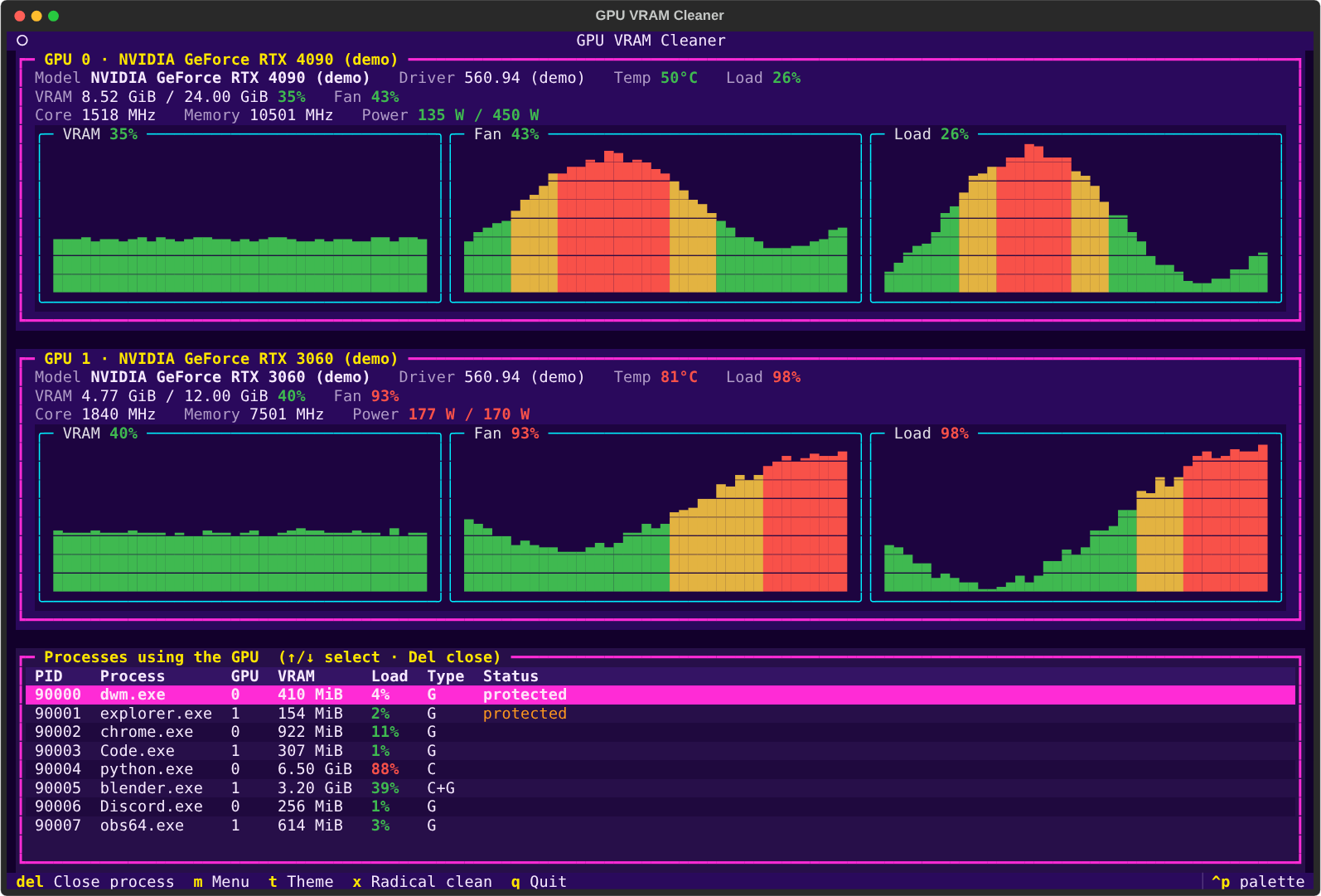
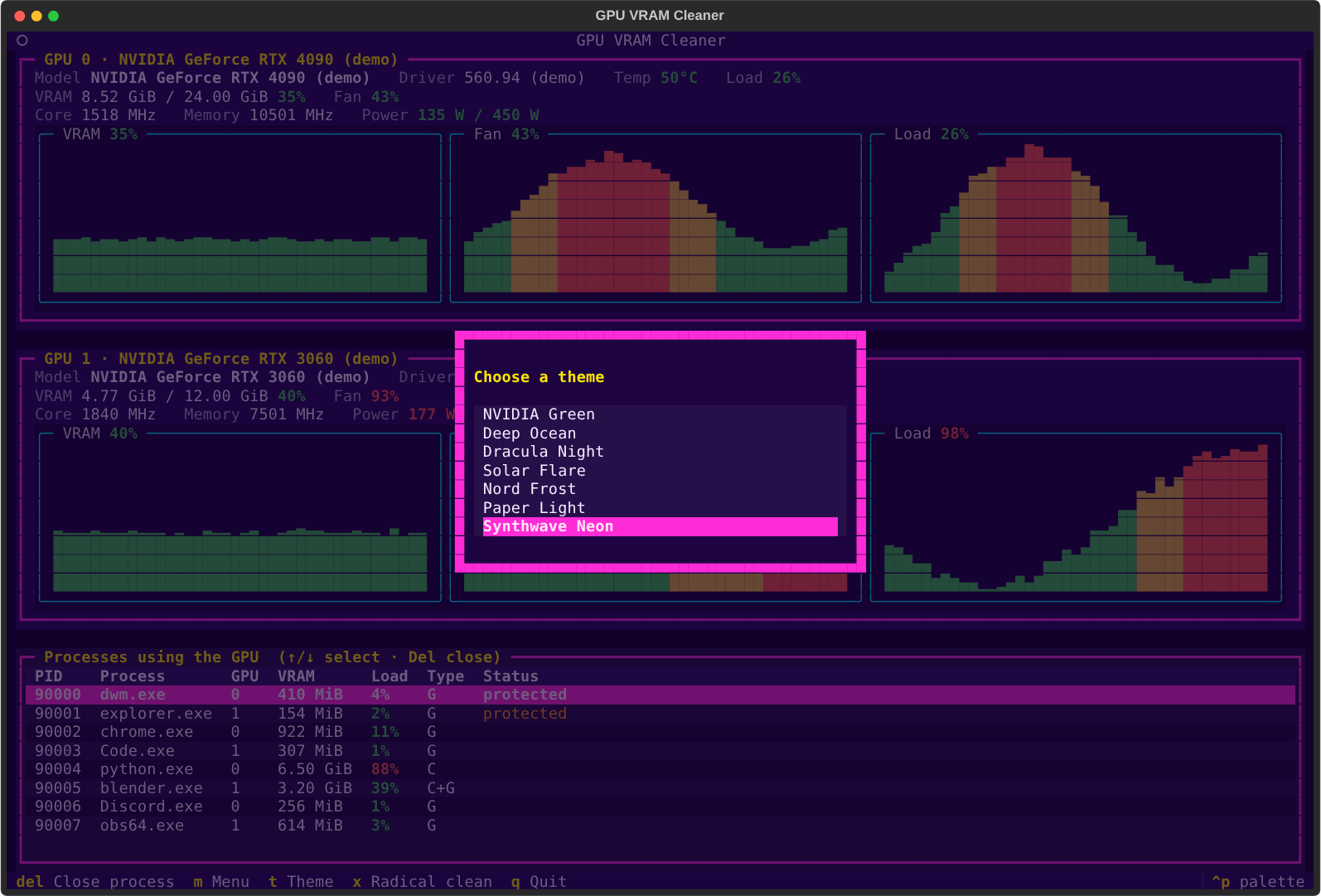
One panel per GPU with model, driver version, temperature (°C), load, VRAM used/total, core and memory clocks (MHz) and power draw against the power limit (W).
-
Three live graphs per GPU, refreshed every second: VRAM %, fan % and load %.
-
Percentages and temperatures change color with their level (green / yellow / red):
Reading Green Yellow Red VRAM, load < 60 % 60–84 % ≥ 85 % Fan < 50 % 50–79 % ≥ 80 % Temperature < 65 °C 65–79 °C ≥ 80 °C -
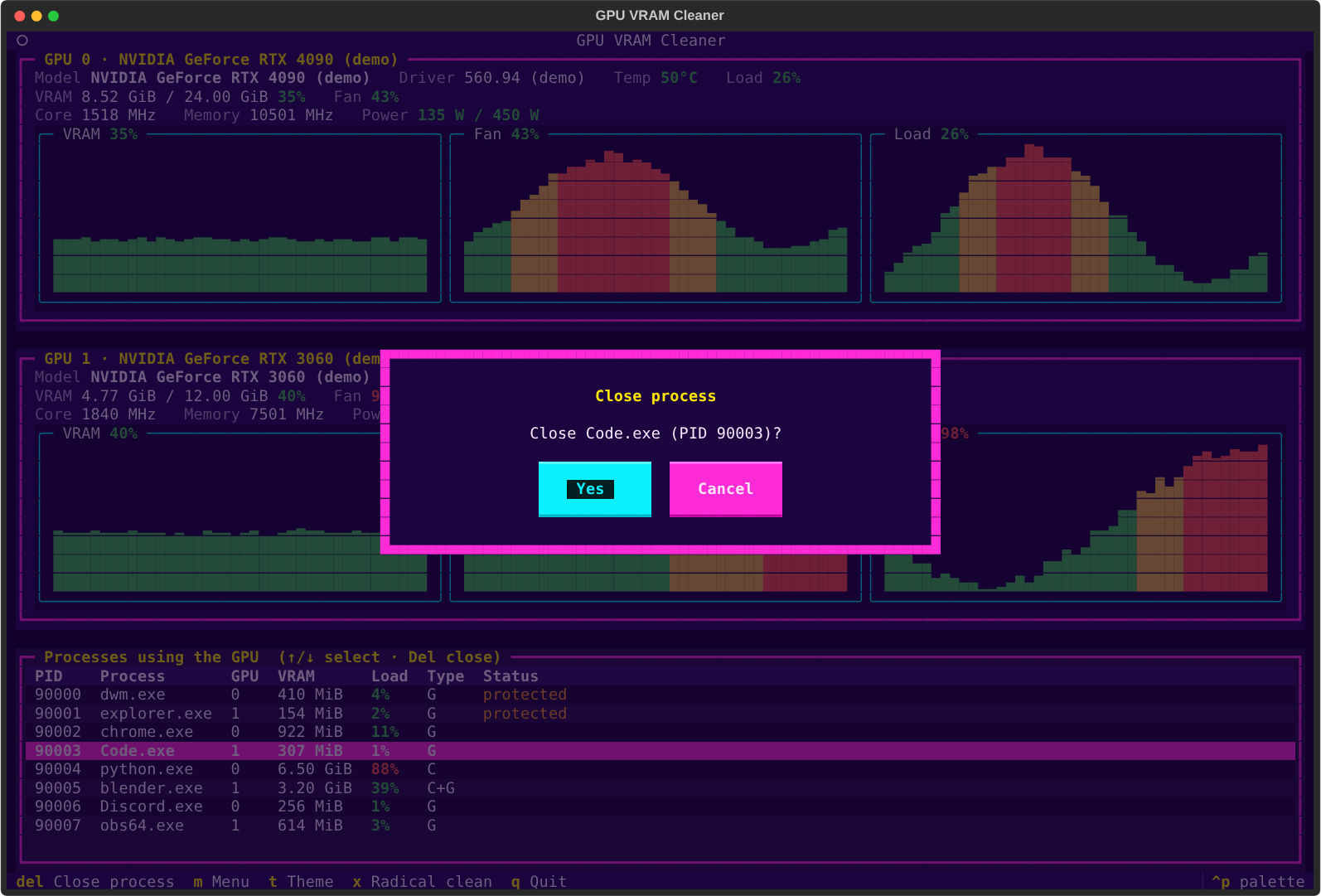
Process list with each process's VRAM and GPU load % (the busiest GPU engine it uses, like Task Manager's GPU column, colored by level). Move with ↑ / ↓, press Del to get a Close process confirmation with Yes (selected by default) and Cancel (use ← / → to switch, Enter to confirm, Esc to cancel).
-
Menu (m) with:
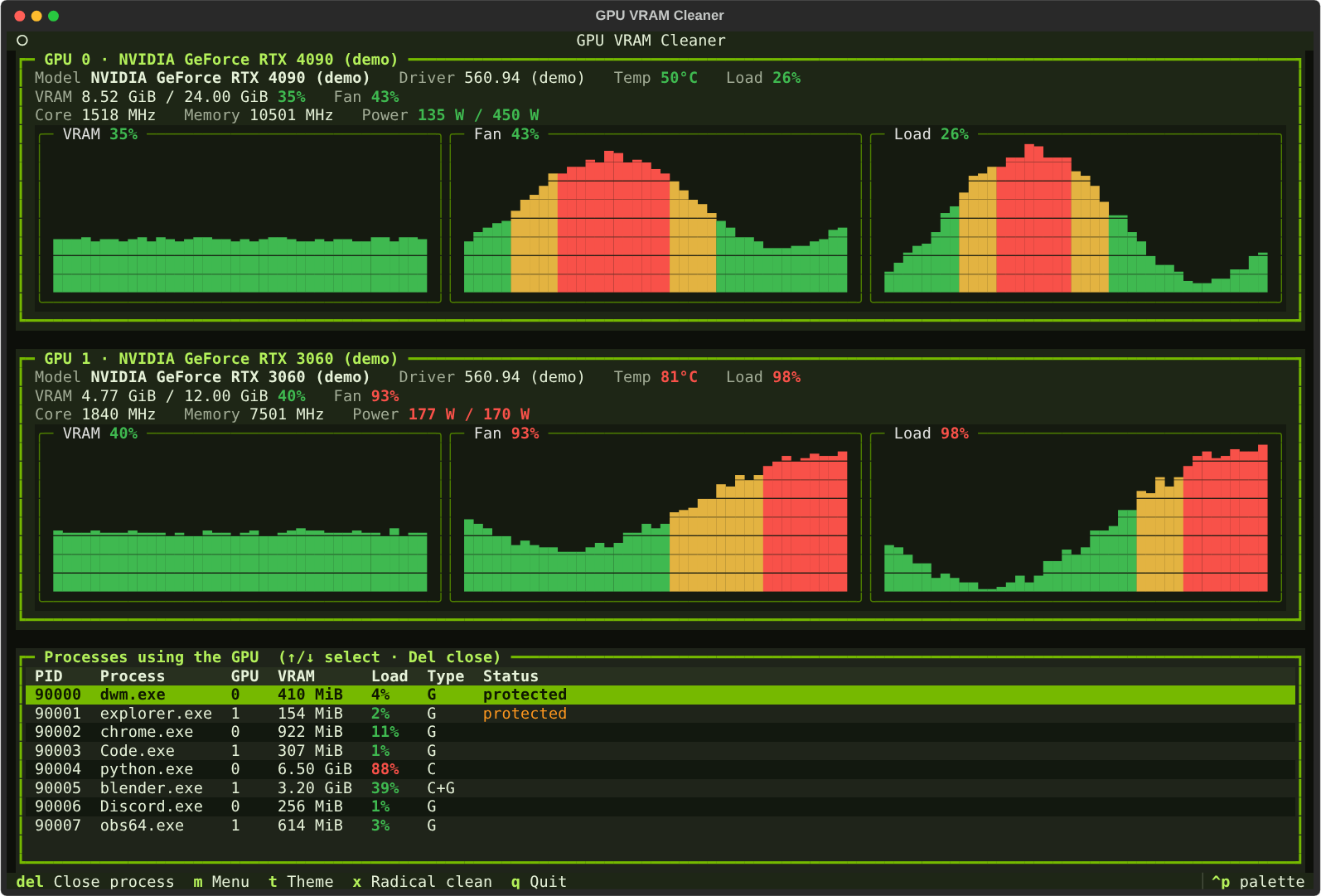
- Change theme: 7 color themes for borders and backgrounds (NVIDIA Green, Deep Ocean, Dracula Night, Solar Flare, Nord Frost, Paper Light and Synthwave Neon, the default). Themes preview live as you move; the choice is saved.
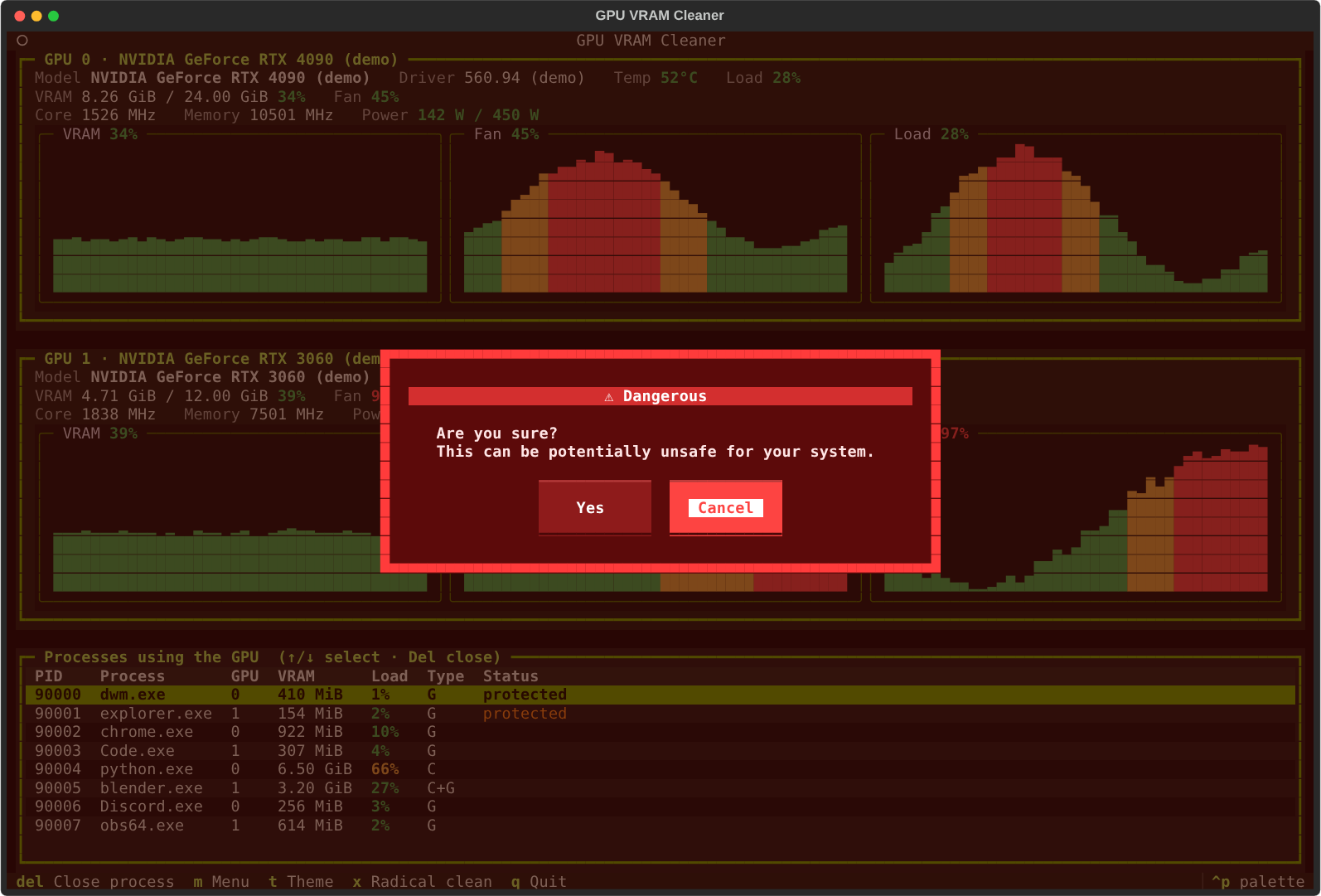
- Radical clean: closes every process using VRAM in one go. It is marked Dangerous: two red confirmation popups, the second one asking "Are you sure? This can be potentially unsafe for your system." (Cancel is the default in both).
| Close process | Radical clean (Dangerous) |
|---|---|
 |
 |
| NVIDIA Green theme | Theme menu |
|---|---|
 |
 |
Keeping Windows safe
Both the single close and the radical clean refuse to touch processes that Windows needs, so the desktop, login session and drivers keep working:
- core system processes (
System,csrss.exe,wininit.exe,winlogon.exe,services.exe,lsass.exe,svchost.exe,dwm.exe,explorer.exe,sihost.exe,ctfmon.exe, shell hosts, NVIDIA display container, ...); - anything running as
SYSTEM,LOCAL SERVICEorNETWORK SERVICE, or that the app cannot inspect; - the app itself and its parent processes (the PowerShell and Windows Terminal running it).
Protected rows are marked protected in the list. Everything else that holds VRAM (games, browsers,
Python/CUDA jobs, Blender, OBS, Discord, ...) is closed: first politely (terminate), then forcefully
(kill) if it does not exit within 3 seconds. Closing processes owned by other users requires running the
terminal as administrator.
Install
gpu-vram-cleaner is on PyPI and works on Windows and Linux
with an NVIDIA GPU and its driver installed (NVML ships with the driver). On macOS, or any machine without
an NVIDIA card, it runs in --demo mode.
System-wide (recommended)
Install gpu-cleaner as a command available from any terminal with uv:
uv tool install gpu-vram-cleaner
uv tool update-shell   # only the first time: adds uv's tool folder to your PATH
If you don't have uv yet, install it first:
# Windows (PowerShell)
powershell -ExecutionPolicy ByPass -c "irm https://astral.sh/uv/install.ps1 | iex"
# Linux / macOS
curl -LsSf https://astral.sh/uv/install.sh | sh
pipx works too: pipx install gpu-vram-cleaner.
Open a new terminal and run:
gpu-cleaner
Update to the latest version with uv tool upgrade gpu-vram-cleaner, and remove it with
uv tool uninstall gpu-vram-cleaner.
Tip: to close processes owned by other users or by system services, open the terminal as administrator (Windows) or run with
sudo(Linux).
From a clone (development)
git clone https://github.com/andriusland/GPU-VRAM-Cleaner
cd GPU-VRAM-Cleaner
uv run gpu-cleaner
Options:
--demo          simulated GPUs and processes (nothing real is closed); handy without an NVIDIA card
--interval S    refresh interval in seconds (default 1)
Keys: ↑/↓ select · Del close process · m menu · t theme · x radical clean · q quit.
On Windows, NVML cannot report per-process VRAM under the WDDM driver model (every GeForce card), so the app reads it from the Windows "GPU Process Memory" performance counters instead, the same source as Task Manager's "Dedicated GPU memory" column. Per-process load comes from the "GPU Engine" counters the same way (it shows
N/Afor the first second while Windows takes its first sample).
Development
The project was built test first (red → green → refactor).
uv run pytest          # tests (core logic + Textual UI driven with a fake GPU provider)
uv run ruff check .    # lint
uv run ruff format .   # format
Layout (src/gpu_vram_cleaner/):
| Module | Responsibility |
|---|---|
provider.py |
NvmlGpuProvider (real GPUs via nvidia-ml-py) and DemoGpuProvider |
models.py |
GpuInfo, GpuProcess |
levels.py |
thresholds and colors for percentages and temperatures |
history.py |
rolling sample buffer for the graphs |
graph.py |
pure text rendering of the bar graphs |
protection.py |
which processes must never be closed |
wincounters.py |
per-process VRAM on Windows from the GPU performance counters |
killer.py |
closing processes with psutil, radical clean planning |
themes.py |
the color themes and saving the chosen one |
app.py |
the Textual app, dialogs and menus |
License
Licensed under the Apache License 2.0.
1 maintainer

Metadata
1 maintainer
Release files for gpu-vram-cleaner 0.1.0
For a detailed explanation of source distributions (sdists) and built distributions (wheels), please see the package formats documentation.
Source distribution (sdist)
| File | Size | Uploaded | |
|---|---|---|---|
| gpu_vram_cleaner-0.1.0.tar.gz | 22.6 kB | Details |
Built distribution (wheel)
| File | Interpreter | ABI | Platform | Reset |
|---|---|---|---|---|
| gpu_vram_cleaner-0.1.0-py3-none-any.whl | Python 3 | none | any | Details |
Total release size: 49.6 kB
Release files / gpu_vram_cleaner-0.1.0.tar.gz
| Download URL | gpu_vram_cleaner-0.1.0.tar.gz |
|---|---|
| Size | 22.6 kB |
| Tags | Source |
|
SHA-256 checksum How to use checksums |
f6828f31b3b84efff1400ca1ff96436a75e410b247a62ffdc57a12b55f836bfc
|
|
BLAKE2b-256 checksum How to use checksums |
db6582e42ddefc5bb600d09b5c5de20dda9ba0282e077af8b08d8b8d21ed00a6
|
| Upload date | |
|
Uploaded using Trusted Publishing? What is trusted publishing? |
Yes |
| Uploaded via |
uv/0.12.23 {"installer":{"name":"uv","version":"0.12.23","subcommand":["publish"]},"python":null,"implementation":{"name":null,"version":null},"distro":{"name":"Ubuntu","version":"24.04","id":"noble","libc":null},"system":{"name":null,"release":null},"cpu":null,"openssl_version":null,"setuptools_version":null,"rustc_version":null,"ci":true}
|
Release files / gpu_vram_cleaner-0.1.0-py3-none-any.whl
| Download URL | gpu_vram_cleaner-0.1.0-py3-none-any.whl |
|---|---|
| Size | 27.0 kB |
| Tags | Python 3 |
|
SHA-256 checksum How to use checksums |
8a9636558f48ae34fc8f86f5fa0911fe830e976bd3dfa854741db6701c7d20b4
|
|
BLAKE2b-256 checksum How to use checksums |
2240f7440e25b50017fa3ab2ffaa6a2e7059d38e05ddedfb47eb124edd9e733a
|
| Upload date | |
|
Uploaded using Trusted Publishing? What is trusted publishing? |
Yes |
| Uploaded via |
uv/0.12.23 {"installer":{"name":"uv","version":"0.12.23","subcommand":["publish"]},"python":null,"implementation":{"name":null,"version":null},"distro":{"name":"Ubuntu","version":"24.04","id":"noble","libc":null},"system":{"name":null,"release":null},"cpu":null,"openssl_version":null,"setuptools_version":null,"rustc_version":null,"ci":true}
|














