
About
Load GPS data from GPX files into Python as a pandas DataFrames. Initial parsing done using the gpxpy package. Trajectory plotting on a map available using folium or mplleaflet (optional).
Quick Start
Install
pip install gpxo
Load Track
import gpxo
track = gpxo.Track('ExampleTrack.gpx')
track.data is a pandas DataFrame containing time, position, elevation etc.; usual pandas methods can be used to analyze, manipulate and plot data.
Detailed Contents
Track class
Load, inspect and plot GPX data using the Track class, with the following methods and attributes.
Methods
smooth(): smooth position and elevation data (seegpxo.smooth()below),plot(): plot trajectory data using a combination of shortnames (see shortnames below); also takesmatplotlib.pyplot.plot()arguments/kwargs,closest_to(): find index of point in trajectory closest to a (lat, long) point.folium_map(): plot trajectory on a map, using thefoliumpackage,mplleaflet_map(): plot trajectory on a map, usingmplleaflet.show(),
Attributes
file:pathlib.Pathfrom which data originatesdata(pandas DataFrame): containing at least the keys'latitude (°)','longitude (°)', and if available'elevation (m)','time'; by default, the table will also include'distance (km)','compass (°)','duration (s)','velocity (km/h)', calculated if possible during instantiation.
Miscellaneous
Outside of the Track class, the following standalone function is also available:
compass(pt1, pt2): compass bearing (°) between pt1 (lat1, long1) and pt2 (lat2, long2),closest_pt(pt, trajectory): index of closest pt in trajectory (latitudes, longitudes) to specified pt (lat, long),smooth(x, n, window): smooth 1-d array with a moving window of size n and type window.
Short names
| Short name | Corresponding data |
|---|---|
| t | time |
| s | duration (s) |
| d | distance (km) |
| v | velocity (km/h) |
| z | elevation (m) |
| c | compass (°) |
| x | longitude (°) |
| y | latitude (°) |
Examples
See Jupyter Notebook Examples.ipynb (https://github.com/ovinc/gpxo/blob/master/Examples.ipynb) for a detailed example using real GPX data.
Quick example 1: Plot distance versus time and velocity versus position for a given track:
import gpxo
track = gpxo.Track('ExampleTrack.gpx')
track.plot('td', '--k')    # matplotlib styles can be given
track.plot('dv', c='red')  # matplotlib kwargs can be passed
track.data  # pandas dataframe with all data
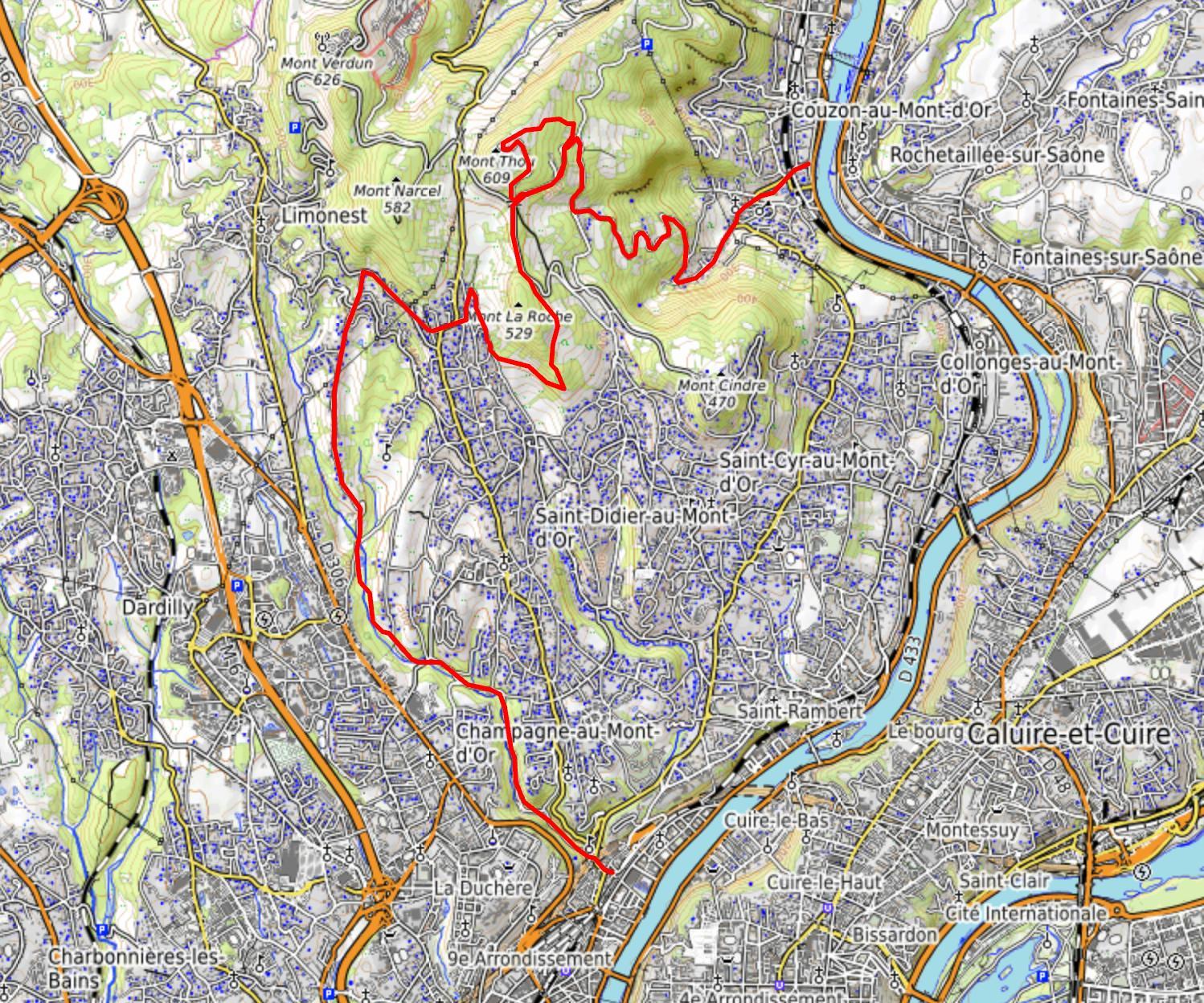
Quick example 2: show the path of a GPX file on a map using the folium package:
import gpxo
track = gpxo.Track('ExampleTrack.gpx')
mymap = track.folium_map(color='red', tiles='OpenTopoMap')
mymap.show_in_browser()
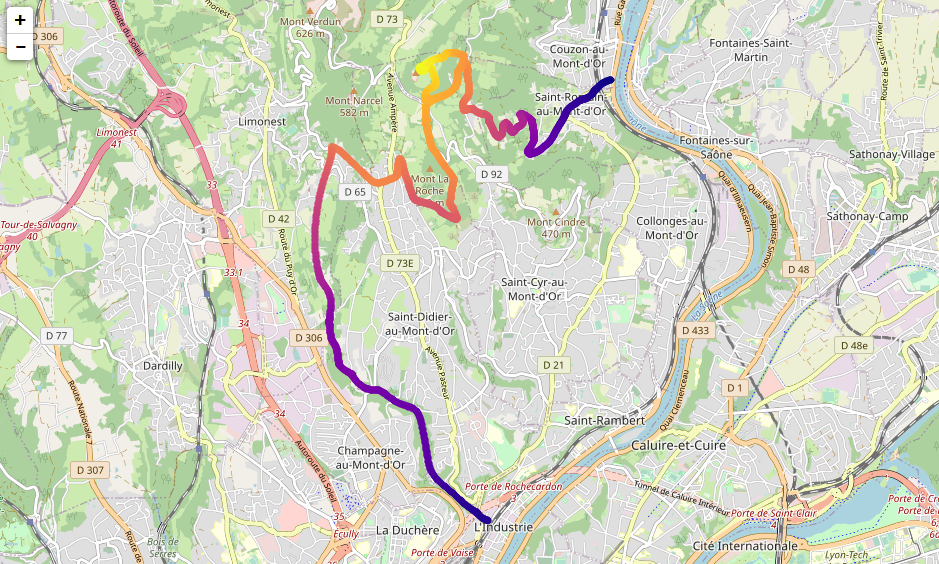
Quick example 3: show the path of a GPX file on a map with color-coding corresponding to elevation, using mplleaflet (see Troubleshooting section below in case of error):
import gpxo
track = gpxo.Track('ExampleTrack.gpx')
track.map(plot='scatter', c=track.elevation, cmap='plasma')
Troubleshooting
In case of the following error:
'XAxis' object has no attribute '_gridOnMajor
when using the mplleaflet_map() method, try downgrading Matplotlib to version <= 3.3.2 or install a forked version of mplleaflet (see https://github.com/jwass/mplleaflet/issues/75).
Information
Requirements
Python >= 3.6
Dependencies
(automatically installed by pip if necessary)
- numpy
- pandas
- matplotlib
- importlib-metadata
- gpxpy (https://github.com/tkrajina/gpxpy)
- vincenty (https://github.com/maurycyp/vincenty)
Optional:
- folium
- mplleaflet (https://github.com/jwass/mplleaflet)
Author
Olivier Vincent
License
BSD 3-Clause (see LICENCE file)
1 maintainer

Metadata
1 maintainer
Release files for gpxo 0.3.0
For a detailed explanation of source distributions (sdists) and built distributions (wheels), please see the package formats documentation.
Source distribution (sdist)
| File | Size | Uploaded | |
|---|---|---|---|
| gpxo-0.3.0.tar.gz | 4.0 MB | Details |
Built distribution (wheel)
| File | Interpreter | ABI | Platform | Reset |
|---|---|---|---|---|
| gpxo-0.3.0-py3-none-any.whl | Python 3 | none | any | Details |
Total release size: 4.0 MB
Release files / gpxo-0.3.0.tar.gz
| Download URL | gpxo-0.3.0.tar.gz |
|---|---|
| Size | 4.0 MB |
| Tags | Source |
|
SHA-256 checksum How to use checksums |
8d0ad998eafa5a4301ea06c0b9951dd590ae888127a7aac2683903caa92ae72b
|
|
BLAKE2b-256 checksum How to use checksums |
d02def90786ee498107a6d970202f02c431b9b54277411e51ac97424eabe029e
|
| Upload date | |
|
Uploaded using Trusted Publishing? What is trusted publishing? |
No |
| Uploaded via |
twine/6.0.1 CPython/3.10.16
|
Release files / gpxo-0.3.0-py3-none-any.whl
| Download URL | gpxo-0.3.0-py3-none-any.whl |
|---|---|
| Size | 10.8 kB |
| Tags | Python 3 |
|
SHA-256 checksum How to use checksums |
3a15facad4be4a04be9b8ffa052bc7624a2da23cf950bfc04711c3620dac326e
|
|
BLAKE2b-256 checksum How to use checksums |
7187a9b5a3b01d3e3a4056610133ad391183c4660ee647950c3a7a7f14171a19
|
| Upload date | |
|
Uploaded using Trusted Publishing? What is trusted publishing? |
No |
| Uploaded via |
twine/6.0.1 CPython/3.10.16
|














