
Graffiti Detection AI Model





YOLOv8-based graffiti detection for Python applications, model training, batch inference, camera monitoring, alerts, and API integration.
App for iPhone and iPad
Prefer a ready-to-use mobile experience? Graffiti Guard runs private, offline detection directly on iPhone and iPad. New images are analysed automatically by default, with an inspection-focused iPad interface and shareable results.

Available for iPhone and iPad. Image analysis stays entirely on-device.
Why I Built It
I built this project because I hate seeing Melbourne and other cities damaged by unwanted graffiti. Earlier image review can help councils and maintenance teams prioritize work before cleanup costs and repeated surface damage escalate.
Operational Value
The problem is measurable: the City of Melbourne allocated $2.8 million to graffiti cleaning in 2025-26 and reports handling more than 5,000 removal requests and 50,000 square metres each year. Graffiti Guard targets the intake and triage step with private image review, consistent evidence, and faster handoff; it does not claim to eliminate removal costs.
Measure a pilot honestly: annual net value = ((manual review minutes - assisted review minutes) * annual reports * loaded hourly cost / 60) - annual deployment cost. Use local workflow data before publishing any savings claim.
What Makes It Useful
- A small Python API for image inference
- End-to-end scripts for dataset preparation, training, evaluation, and video inference
- Multi-camera monitoring with email, SMS, webhook, Discord, Slack, and OneSignal alerts
- FastAPI and Docker deployment options
- Private, offline Core ML inference on iPhone and iPad
- Automatic analysis with shareable, human-reviewable inspection summaries
- Street-scene augmentation for poor lighting, weather, perspective, and CCTV artifacts
Training weights are not bundled. The Apple client includes an MIT-licensed Core ML detector for offline use; see Third-Party Notices.
Model Quality
Model quality is evidence, not a slogan. Evaluation produces a versioned report with model and dataset hashes, accuracy, runtime versions, latency, and optional release gates. Apple CI also runs the actual bundled Core ML model against the included sample. See the Model Card for scope and limitations.
Installation
Python 3.9 or newer is required.
pip install graffiti-detection-ai-model
Install every runtime feature for training, alerts, and the API:
pip install "graffiti-detection-ai-model[all]"
For development from source:
git clone https://github.com/EfficientTools/graffiti-detection-ai-model.git
cd graffiti-detection-ai-model
python -m venv venv
source venv/bin/activate
python -m pip install -e ".[dev]"
Python Usage
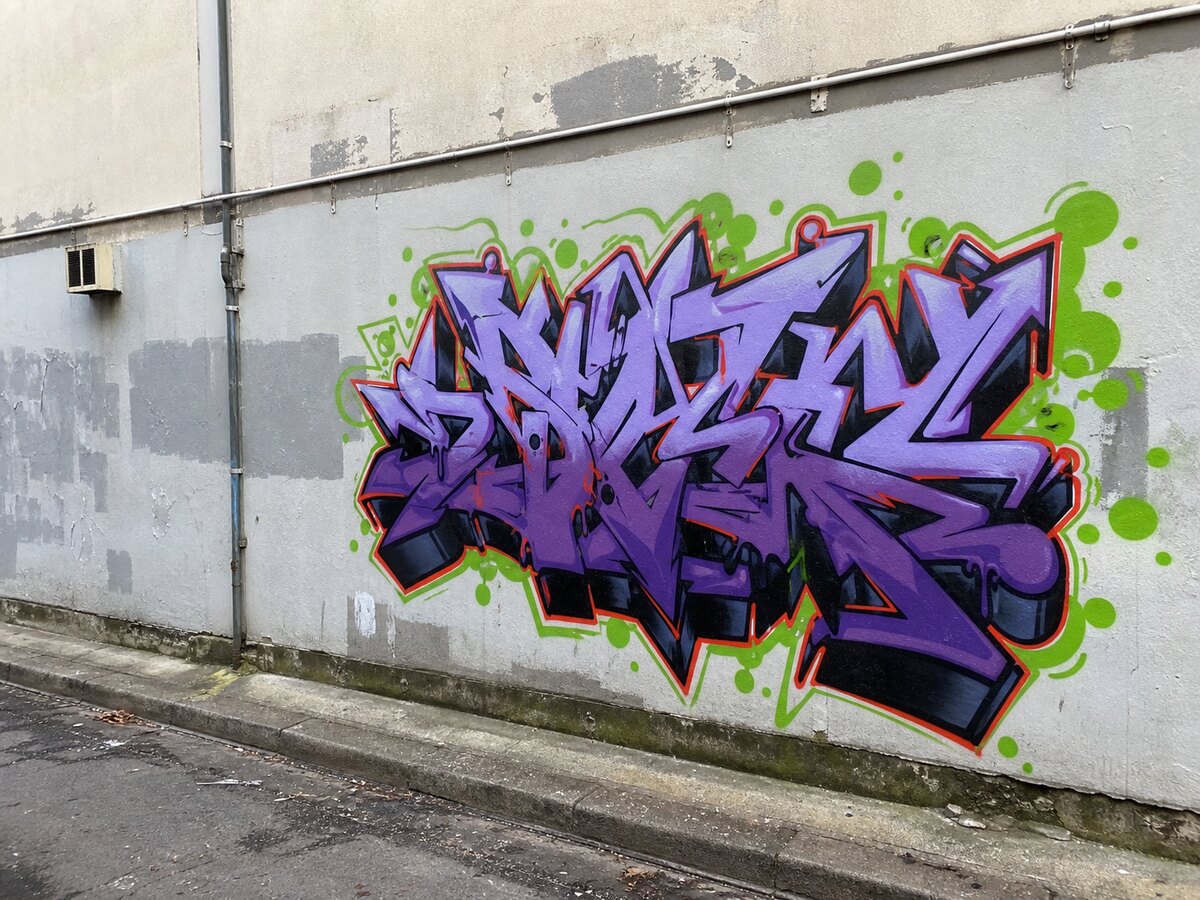
Run a trained model against the included example image:
from graffiti_detection import GraffitiDetector

detector = GraffitiDetector("models/best.pt", conf_threshold=0.25)
example_image = (
    "https://raw.githubusercontent.com/EfficientTools/"
    "graffiti-detection-ai-model/main/assets/examples/graffiti-wall.jpg"
)
detections = detector.predict(example_image)

for detection in detections:
    print(
        f"{detection['class_name']}: {detection['confidence']:.1%} "
        f"at {detection['box']}"
    )
Replace example_image with a local image path for your own detection. Each result contains class_id, class_name, confidence, and an xyxy box.
Measure steady-state performance on your own hardware:
benchmark = detector.benchmark(
    ["street-a.jpg", "street-b.jpg"],
    warmup_runs=1,
    measured_runs=5,
)
print(benchmark.to_dict())
Command Line
Run these operational scripts from a source checkout:
# Prepare a YOLO-format dataset
python scripts/prepare_dataset.py --data-dir data/raw --output-dir data --validate --copy

# Train and evaluate
python scripts/train.py --data configs/dataset.yaml --model yolov8n --epochs 100
python scripts/evaluate.py \
  --model models/best.pt \
  --data configs/dataset.yaml \
  --split test \
  --min-map50 0.80 \
  --min-recall 0.75

# Run image, directory, video, or webcam inference
python scripts/inference.py --model models/best.pt --source image.jpg
For camera monitoring, copy the example camera and alert files, insert your own credentials locally, then run:
python scripts/multi_camera_surveillance.py \
  --model models/best.pt \
  --cameras configs/cameras.json \
  --alert-config configs/alerts.json
Start the API with:
python -m pip install "graffiti-detection-ai-model[api]"
MODEL_PATH=models/best.pt uvicorn graffiti_detection.api:app --host 0.0.0.0 --port 8000
See DEPLOYMENT.md for Docker instructions.
iPhone and iPad
The universal SwiftUI app in ios/GraffitiGuard runs its bundled Core ML detector entirely on-device and overlays likely graffiti regions. Its iPad workflow supports drag-and-drop intake, adjustable confidence, and shareable inspection summaries. To replace it with your own trained weights, export the model and regenerate the Xcode project:
python -m pip install -e ".[apple]"
python scripts/export_coreml.py --weights models/best.pt
xcodegen generate --spec ios/GraffitiGuard/project.yml
See the app README for Xcode and TestFlight instructions.
Development
ruff check .
pytest tests/ -m "not gpu"
python -m build
twine check dist/*
Credits
Creator and lead engineer of Graffiti Guard and the Graffiti Detection AI Model Python library. Pierre-Henry is an AI software engineer and consultant specialising in computer vision, on-device machine learning, privacy-conscious systems, Python, Swift, and production AI deployment.
The open-source Python library on PyPI provides reusable detection, training, evaluation, benchmarking, and deployment patterns.
Work with Pierre-Henry | GitHub | Bluesky | X | Support
License
Distributed under the MIT License.
Apple, the Apple logo, App Store, iPhone, and iPad are trademarks of Apple Inc., registered in the U.S. and other countries.
Responsible Use
Comply with local privacy, surveillance, and data-retention laws. Human review should remain part of any enforcement or response process.
1 maintainer

Metadata
1 maintainer
Release files for graffiti-detection-ai-model 1.6.0
For a detailed explanation of source distributions (sdists) and built distributions (wheels), please see the package formats documentation.
Source distribution (sdist)
| File | Size | Uploaded | |
|---|---|---|---|
| graffiti_detection_ai_model-1.6.0.tar.gz | 36.5 kB | Details |
Built distribution (wheel)
| File | Interpreter | ABI | Platform | Reset |
|---|---|---|---|---|
| graffiti_detection_ai_model-1.6.0-py3-none-any.whl | Python 3 | none | any | Details |
Total release size: 71.5 kB
Release files / graffiti_detection_ai_model-1.6.0.tar.gz
| Download URL | graffiti_detection_ai_model-1.6.0.tar.gz |
|---|---|
| Size | 36.5 kB |
| Tags | Source |
|
SHA-256 checksum How to use checksums |
9b681d3e062f9f9d013a2d9abe70fcdb0b61f89ef843846f75cc39d4d1988d6d
|
|
BLAKE2b-256 checksum How to use checksums |
9a4bfe75e1f9904dc641f6920db61f001fdd4af11d4fe65942ad3d5dd4b57a8d
|
| Upload date | |
|
Uploaded using Trusted Publishing? What is trusted publishing? |
Yes |
| Uploaded via |
twine/6.1.0 CPython/3.13.13
|
Provenance
Provenance describes where a file came from. On PyPI, provenance is shared via attestations, which provide a verifiable record of the build or publishing details. View details, limitations and caveats.


PyPI Publish Attestation
PyPI verified that this artifact, at this checksum, originated from the publisher listed below.
Signed by GitHub Actions, verified by PyPI on Aug 8, 2026.
Transparency logRelease files / graffiti_detection_ai_model-1.6.0-py3-none-any.whl
| Download URL | graffiti_detection_ai_model-1.6.0-py3-none-any.whl |
|---|---|
| Size | 35.0 kB |
| Tags | Python 3 |
|
SHA-256 checksum How to use checksums |
dc4a09f1243eaa287ca57e467c7dbefba9cb9c0b92feed59d339a18a661679d1
|
|
BLAKE2b-256 checksum How to use checksums |
248989a70faadc558c484c026ff0fb64aee117d3c34c49630babe4e77b0bc3c8
|
| Upload date | |
|
Uploaded using Trusted Publishing? What is trusted publishing? |
Yes |
| Uploaded via |
twine/6.1.0 CPython/3.13.13
|
Provenance
Provenance describes where a file came from. On PyPI, provenance is shared via attestations, which provide a verifiable record of the build or publishing details. View details, limitations and caveats.
PyPI Publish Attestation
PyPI verified that this artifact, at this checksum, originated from the publisher listed below.
Signed by GitHub Actions, verified by PyPI on Aug 8, 2026.
Transparency log













