


Graph Job Shop Problem Gym Environment Utils
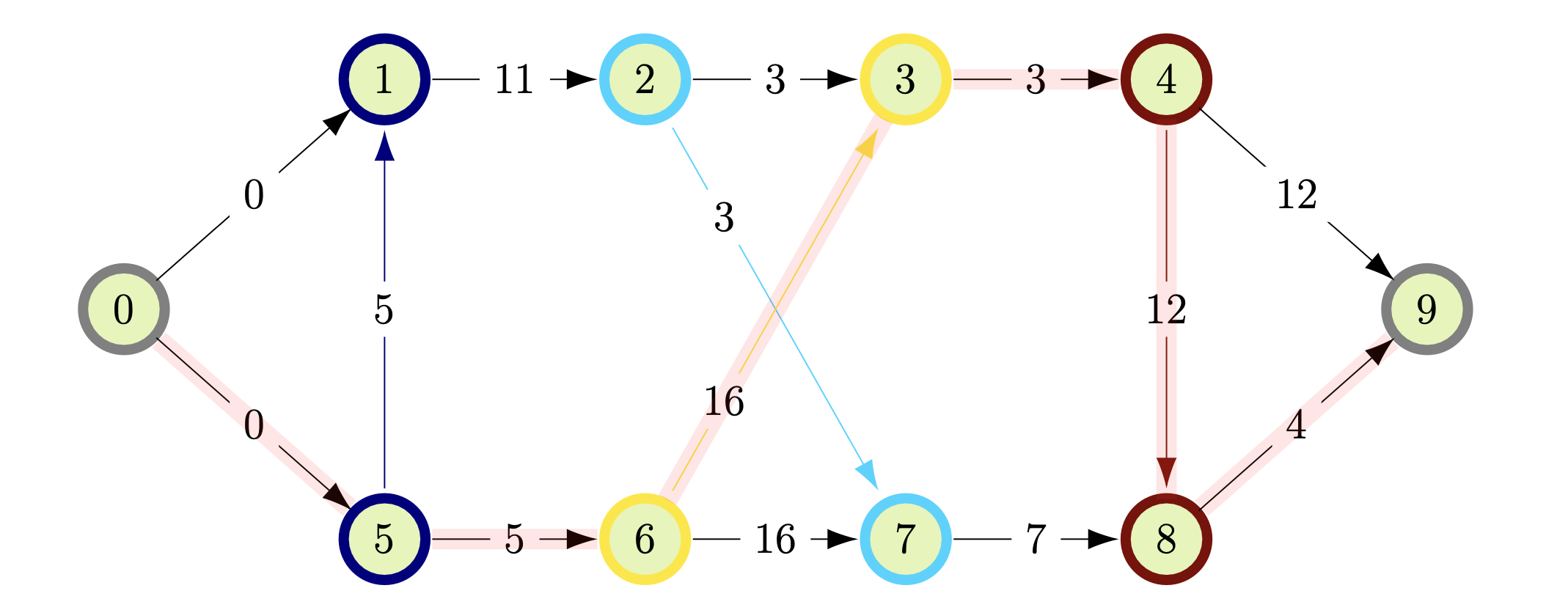
About The Project
todo
Github: https://github.com/Alexander-Nasuta/graph-jsp-utils
PyPi: todo
Quick Start
todo update docs
Install the Package
Install the package with pip:
todo
Project Structure
This project is still in development and will have some significant changes before version 1.0.0. This project ist structured according to James Murphy's testing guide and this PyPi-publishing-guide.
Getting Started
If you just want to use the environment, then only the Usage section is relevant for you. If you want to further develop the environment the follow the instructions in the Development section.
Usage
Install the package with pip:
todo
TODO: present all major features of the env with ray, stb3
Development
To run this Project locally on your machine follow the following steps:
- Clone the repo
git clone https://github.com/Alexander-Nasuta/graph-jsp-env.git
- Install the python requirements_dev packages.
requirements_dev.txtincludes all the packages of specifiedrequirements.txtand some additional development packages likemypy,pytext,toxetc.pip install -r requirements_dev.txt
- Install the modules of the project locally. For more info have a look at
James Murphy's testing guide
pip install -e .
Testing
For testing make sure that the dev dependencies are installed (requirements_dev.txt) and the models of this
project are set up (i.e. you have run pip install -e .).
Then you should be able to run
mypy src
flake8 src
pytest
or everthing at once using tox.
tox
In this Section describes the used Setup and Development tools. This only relevant if you plan on further develop
Hardware
All the code was developed and tested locally on an Apple M1 Max 16" MacBook Pro (16-inch, 2021) with 64 GB Unified Memory.
The code should run perfectly fine on other devices and operating Systems (see Github tests).
Python Environment Management
Mac
On a Mac I recommend using Miniforge instead of more common virtual environment solutions like Anacond or Conda-Forge.
Accelerate training of machine learning models with TensorFlow on a Mac requires a special installation procedure, that can be found here. However, this repository provides only the gym environment and no concrete reinforcement learning agents. Todo: example project with sb3 and rl
Setting up Miniforge can be a bit tricky (especially when Anaconda is already installed). I found this guide by Jeff Heaton quite helpful.
Windows
On a Windows Machine I recommend Anacond, since Anacond and Pycharm are designed to work well with each other.
IDEA
I recommend to use Pycharm. Of course any code editor can be used instead (like VS code or Vim).
This section goes over a few recommended step for setting up the Project properly inside Pycharm.
PyCharm Setup
- Mark the
srcdirectory asSource Root.
right click on the 'src' -> 'Mark directory as' -> `Source Root`
- Mark the
resourcesdirectory asResource Root.
right click on the 'resources' -> 'Mark directory as' -> `Resource Root`
- Mark the
testsdirectory asTest Source Root.
right click on the 'tests' -> 'Mark directory as' -> `Test Source Root`
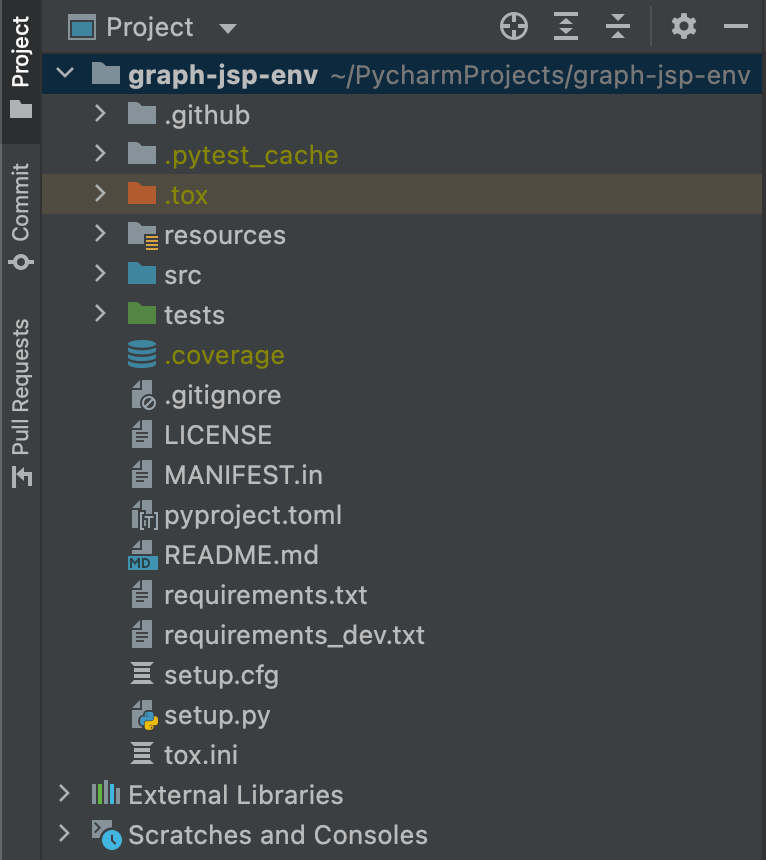
afterwards your project folder should be colored in the following way:
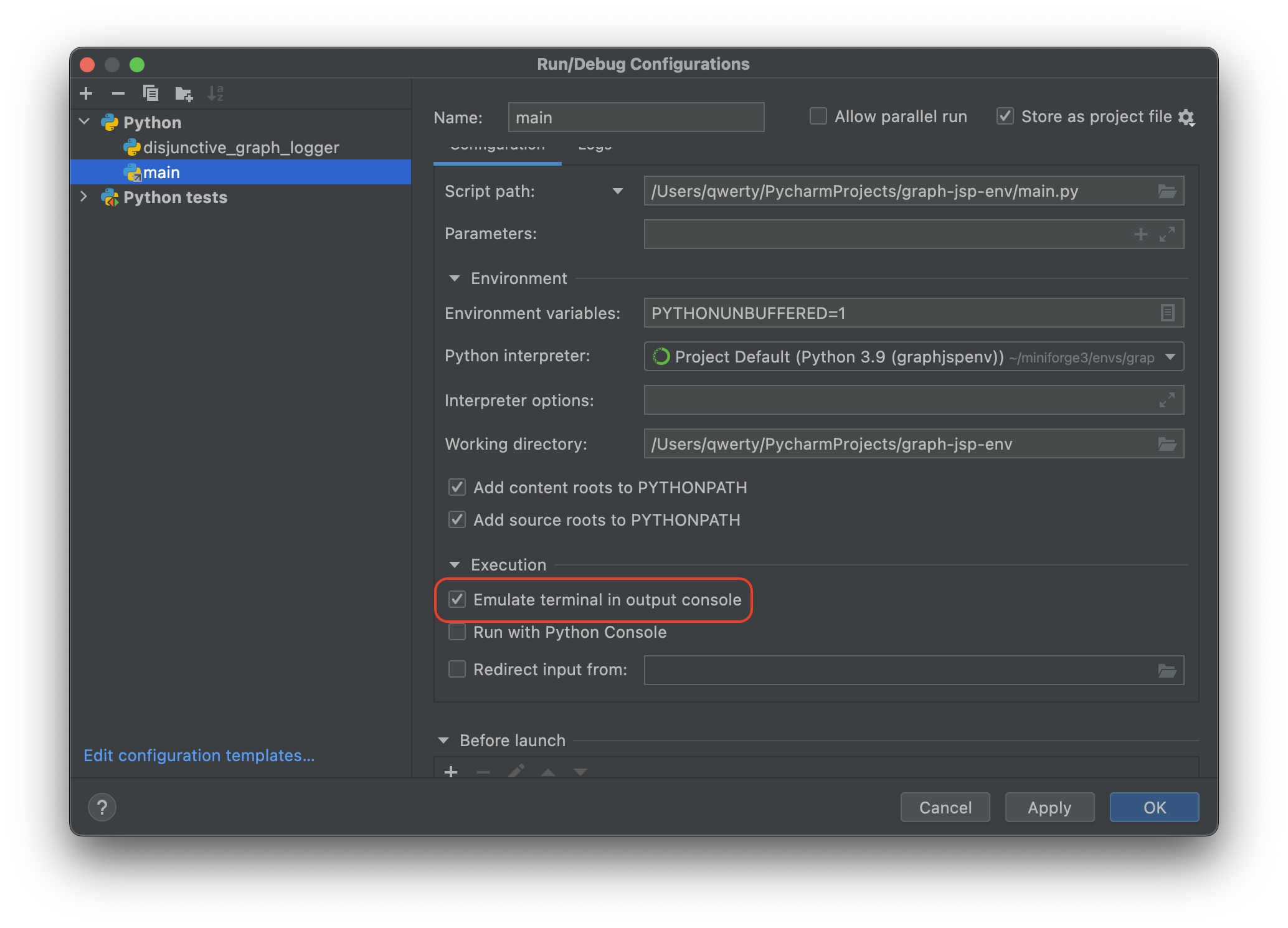
- (optional) When running a script enable
Emulate terminal in output console
Run (drop down) | Edit Configurations... | Configuration | ☑️ Emulate terminal in output console
License
Distributed under the MIT License. See LICENSE.txt for more information.
1 maintainer

Metadata
1 maintainer
Release files for graph-jsp-utils 0.0.1
For a detailed explanation of source distributions (sdists) and built distributions (wheels), please see the package formats documentation.
Source distribution (sdist)
| File | Size | Uploaded | Provenance | Actions |
|---|---|---|---|---|
| graph-jsp-utils-0.0.1.tar.gz | 17.2 kB | Without provenance | Details for graph-jsp-utils-0.0.1.tar.gz |
Built distribution (wheel)
| File | Interpreter | ABI | Platform | Actions Reset |
|---|---|---|---|---|
| graph_jsp_utils-0.0.1-py3-none-any.whl | Python 3 | none | any | Details for graph_jsp_utils-0.0.1-py3-none-any.whl |
Total release size: 34.3 kB
Release files / graph-jsp-utils-0.0.1.tar.gz
| Download URL | graph-jsp-utils-0.0.1.tar.gz |
|---|---|
| Size | 17.2 kB |
| Tags | Source |
|
SHA-256 checksum How to use checksums |
7547c8f710796989acf8dff1c8e287cf47282cd579d46944d67269ca394074dc
|
|
BLAKE2b-256 checksum How to use checksums |
360593e61e9b327fe4be0d5a149d81666b09972df1d88033782adb8ce8cbe821
|
| Upload date | |
|
Uploaded using Trusted Publishing? What is trusted publishing? |
No |
| Uploaded via |
twine/4.0.2 CPython/3.9.15
|
Release files / graph_jsp_utils-0.0.1-py3-none-any.whl
| Download URL | graph_jsp_utils-0.0.1-py3-none-any.whl |
|---|---|
| Size | 17.1 kB |
| Tags | Python 3 |
|
SHA-256 checksum How to use checksums |
836bdd54571e68e5e5be55977c59e9ce17574115df9c98823ea8914ed932196d
|
|
BLAKE2b-256 checksum How to use checksums |
748afe02945e87194d18b0d82cfca662f2a2a302abe85c6f7c31155f37adca6c
|
| Upload date | |
|
Uploaded using Trusted Publishing? What is trusted publishing? |
No |
| Uploaded via |
twine/4.0.2 CPython/3.9.15
|
Security for graph-jsp-utils 0.0.1
Provenance
Provenance describes where a file came from. On PyPI, provenance is shared via attestations, which provide a verifiable record of the build or publishing details. View details, limitations and caveats.
No provenance found
None of the files in this release were uploaded with provenance metadata.
A note on package security
PyPI is a repository for distributing packages, not a service for auditing them. While third-party security researchers and our staff do their best to detect and remove malicious packages, PyPI cannot guarantee the quality, security or suitability of any given package.
To learn more about protecting yourself from malicious actors, visit our package security documentation.













