
RAGU: Retrieval-Augmented Graph Utility
Turn text into a knowledge graph and query it.


Install | Quickstart
Overview
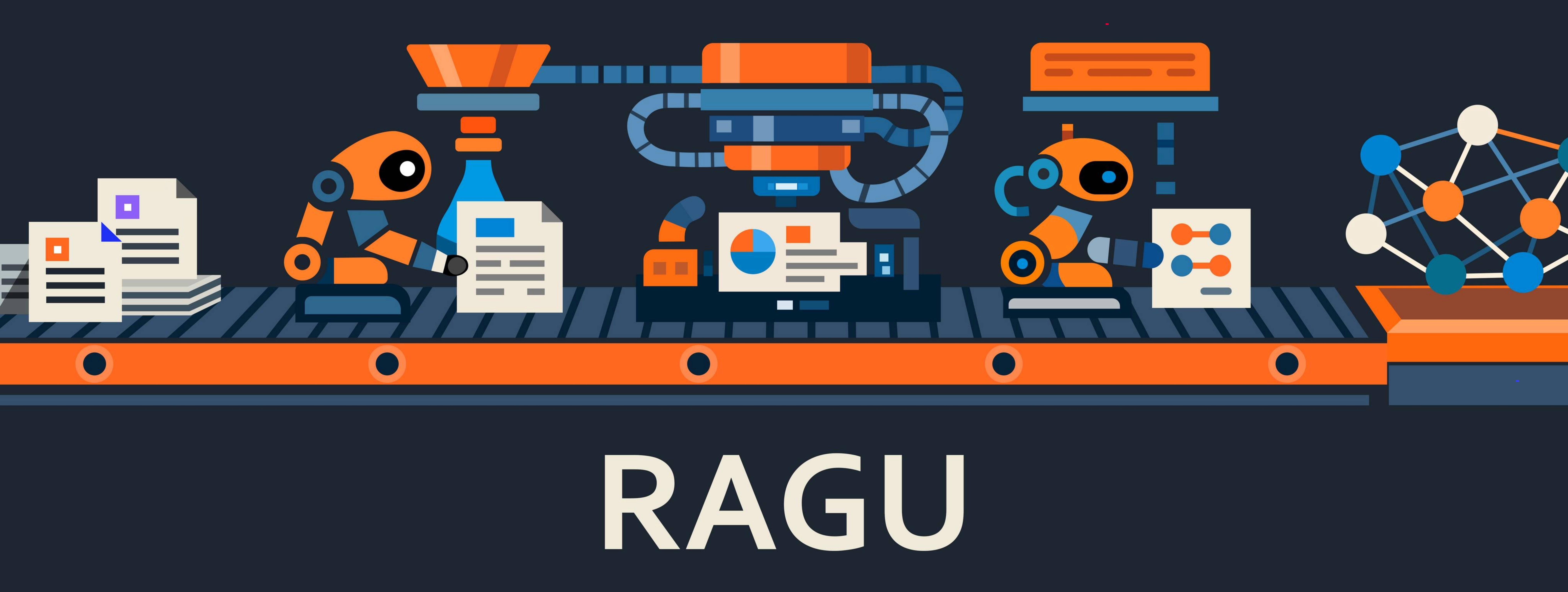
RAGU builds a knowledge graph from raw text and answers questions over it. It is built to move from a laptop to a server without rewrites, and to give you more than one way to retrieve.
- Retrieval that fits the question. Local graph neighborhoods, global community summaries, naive chunk-vector RAG, and a mix engine — with query planning and optional token-by-token streaming.
- Reason over structure, not just chunks. Extraction yields
EntityandRelationtyped by the NEREL ontology (29 entity, 49 relation types), then Leiden community detection clusters the graph — so you can ask broad, thematic questions, not only nearest-neighbor lookups. - Async by design. Batched embeddings, batched vector queries, and rate-limited LLM clients throughout.
Partially based on nano-graphrag
Our huggingface community is here
Conceptual documentation
- RAGU components and methodology (EN) | RU
- NEREL ontology (EN) | RU
- RAGU-lm extraction model (EN) | RU
Module documentation
- Package facade
- Chunking
- Common settings, prompts, and utilities
- Prompt schemas and templates
- Graph construction and index
- Models, embedders, sparse embedders, and rerankers
- Search engines
- Storage contracts and adapters
- Graph storage adapters
- Vector DB adapters
- Triplet/entity-relation extraction
- Utilities
Install
The recommended way is a local build:
git clone https://github.com/AsphodelRem/RAGU.git
cd RAGU
uv pip install -e .
From PyPI:
pip install graph_ragu
If you want to use local models (via transformers etc.), run:
pip install graph_ragu[local]
Quickstart
Simple example of building knowledge graph
import asyncio
import os
import sys
import shutil

from ragu.common.logger import logger
logger.remove()
logger.add(sys.stdout, level="DEBUG")

from ragu import (
    SimpleChunker,
    KnowledgeGraph,
    BuilderArguments,
    Settings,
    TwoStageArtifactsExtractorLLM,
)
from ragu.models.embedder import EmbedderOpenAI
from ragu.models.llm import LLMOpenAI
from ragu.models.openai import CachedAsyncOpenAI
from ragu.utils.ragu_utils import read_text_from_files

client = CachedAsyncOpenAI(
    base_url=os.environ['OPENAI_BASE_URL'],
    api_key=os.environ['OPENAI_API_KEY'],
    rate_min_delay=2,
    rate_max_simultaneous=10,
    retry_times_sec=(2, 2, 2, 2, 2),
    cache='./llm_cache',
    debug_errors_storage='./llm_debug',
)

llm = LLMOpenAI(
    client=client,
    model_name="mistralai/mistral-medium-3",
)
embedder = EmbedderOpenAI(
    client=client,
    model_name="emb-qwen/qwen3-embedding-8b",
    dim=4096,
)

# Configure working directory and language
Settings.storage_folder = "ragu_working_dir"
Settings.language = "english"  # or "russian"

# Remove dir to start building graph from scratch
# shutil.rmtree(Settings.storage_folder, ignore_errors=True)

docs = read_text_from_files("path/to/your/files")

# Initialize chunker
chunker = SimpleChunker(max_chunk_size=1000)

# Set up artifact extractor
from ragu.common.prompts import ICLConfig

icl_config = ICLConfig(
    enabled=True,
    num_examples=2,
)

artifact_extractor = TwoStageArtifactsExtractorLLM(
    llm=llm,
    embedder=embedder,
    icl_config=icl_config,
    do_entity_validation=True,
    do_relation_validation=True,
)

# Configure builder settings
builder_settings = BuilderArguments(
    use_llm_summarization=True,
    use_clustering=False,
    build_only_vector_context=False,
    make_community_summary=True,
    remove_isolated_nodes=True,
)

# Build knowledge graph
knowledge_graph = KnowledgeGraph(
    llm=llm,
    embedder=embedder,
    chunker=chunker,
    artifact_extractor=artifact_extractor,
    builder_settings=builder_settings,
)

asyncio.run(knowledge_graph.build_from_docs(docs))
If you run the code with a storage folder that already contains a knowledge graph, RAGU will automatically load the existing graph.
Example of querying
RAGU ships four retrieval strategies plus a query-planning wrapper. Each engine
exposes a_search() (retrieval only) and a_query() (retrieval + LLM answer);
sync wrappers search() / query() are also available. For the conceptual
workflow of each strategy see docs/en/ragu_components.md;
for full parameters see ragu/search_engine/README.md.
Local search
Graph-neighborhood retrieval: find relevant entities, then expand to their relations, community summaries, and source chunks.
from ragu import LocalSearchEngine

local_search = LocalSearchEngine(llm=llm, knowledge_graph=knowledge_graph, embedder=embedder)
local_answer = await local_search.a_query("Who wrote Romeo and Juliet?", use_summary=True, use_chunks=True)
print(local_answer.response)
Global search
Answers broad, corpus-wide questions from community summaries.
from ragu import GlobalSearchEngine

global_search = GlobalSearchEngine(llm=llm, knowledge_graph=knowledge_graph)
global_answer = await global_search.a_query("Your broad query here")
print(global_answer.response)
Naive search (vector RAG)
Chunk-vector RAG without graph expansion.
from ragu import NaiveSearchEngine

naive_search = NaiveSearchEngine(llm=llm, knowledge_graph=knowledge_graph, embedder=embedder)
naive_answer = await naive_search.a_query("Your query here")
print(naive_answer.response)
Mixed search
Runs several engines and asks the LLM to synthesize a single answer from their responses.
from ragu import MixSearchEngine

mix_search = MixSearchEngine(llm=llm, engines=[local_search, naive_search, global_search])
mixed_answer = await mix_search.a_query("Your query here")
print(mixed_answer.response)
Query planning wrapper
Wraps any engine, decomposes a complex question into dependent subqueries, and feeds intermediate answers forward.
from ragu import QueryPlanEngine

planned_local = QueryPlanEngine(local_search)
result = await planned_local.a_query("Who wrote the novel 'Quo Vadis' and what country was the author from?")
print(result.response)
Advanced Configuration
Builder Settings
Configure the knowledge graph building pipeline using BuilderArguments:
from ragu import BuilderArguments, KnowledgeGraph

builder_arguments = BuilderArguments(
    use_llm_summarization=True,  # Enable LLM-based entity/relation summarization
    use_clustering=False,  # Apply clustering before summarization. Use it if your text contains many similar entities.
    build_only_vector_context=False,  # Skip graph extraction, only chunk embeddings
    make_community_summary=True,  # Generate community summaries
    remove_isolated_nodes=True,  # Remove entities without relations
    cluster_only_if_more_than=10000,  # Minimum entities before clustering kicks in
    summarize_only_if_more_than=7,  # Summarize descriptions only when there are many duplicates
    max_cluster_size=128,  # Maximum entities per cluster
    random_seed=42,
)

knowledge_graph = KnowledgeGraph(
    llm=llm,
    embedder=embedder,
    chunker=chunker,
    artifact_extractor=artifact_extractor,
    builder_settings=builder_arguments,
)
await knowledge_graph.build_from_docs(docs)
Common presets (naive vector RAG only, fast graph extraction without
summarization, full GraphRAG with communities, and large-corpus clustering) with
explanations and ready-to-run scripts are in
ragu/graph/README.md.
Client and Rate Limiting Configuration
CachedAsyncOpenAI is the network-level client shared by LLMOpenAI and EmbedderOpenAI. It controls rate limiting, retries, caching, and timeouts.
client = CachedAsyncOpenAI(
    base_url="https://api.openai.com/v1",
    api_key="sk-...",
    rate_max_simultaneous=10,
    rate_max_per_minute=100,
    cache="./llm_cache",
)

llm = LLMOpenAI(client=client, model_name="gpt-4o-mini")
embedder = EmbedderOpenAI(client=client, model_name="text-embedding-3-large", dim=3072)
For the full parameter tables (rate_*, retry_times_sec, embed_timeout, EmbedderOpenAI batching and tokenizer overrides), the shared vs. separate clients guidance for large corpora, and the debug store, see ragu/models/README.md.
Token Limits and Settings
RAGU centralises token-limit and tokenizer configuration in the Settings singleton. These defaults are used by EmbedderOpenAI (for embedding input truncation) and search engines (for LLM context truncation).
from ragu import Settings

# Embedder truncation (applied automatically inside EmbedderOpenAI)
Settings.embedder_token_limit = 8_192                    # max tokens per embedding input
Settings.tokenizer_embedder_backend = "tiktoken"         # "tiktoken" or "local"
Settings.tokenizer_embedder_name = "text-embedding-3-large"

# LLM context truncation (applied by search engines before answer generation)
Settings.llm_context_token_limit = 30_000                # max tokens for search-engine context
Settings.tokenizer_llm_backend = "tiktoken"              # "tiktoken" or "local"
Settings.tokenizer_llm_name = "gpt-4o"
Per-instance overrides on EmbedderOpenAI take precedence over Settings.
For a local BGE model with a 512-token context, set
Settings.embedder_token_limit = 512, Settings.tokenizer_embedder_backend = "local",
and Settings.tokenizer_embedder_name = "BAAI/bge-large-en-v1.5" (requires
pip install graph_ragu[local]).
Serializing Global Settings
Settings.save(path) writes a JSON snapshot of the configuration;
Settings.load(path) restores it. Serialization is never invoked automatically.
For the list of serialized/excluded fields and the validation behavior, see
ragu/common/README.md.
from ragu import Settings

Settings.save("./runs/exp_42/ragu_settings.json")   # persist
Settings.load("./runs/exp_42/ragu_settings.json")   # restore in a fresh process
In-Context Learning (Few-Shot Examples)
RAGU extractors can use few-shot examples to improve extraction quality. When enabled, the extractor selects relevant examples and includes them in the LLM prompt.
from ragu.common.prompts import ICLConfig

icl_config = ICLConfig(
    enabled=True,                       # Enable/disable ICL
    num_examples=2,                     # Number of examples per extraction call (1-3 recommended)
    selection_strategy="semantic",      # "semantic" | "bm25" | "hybrid" | "random"
)

artifact_extractor = TwoStageArtifactsExtractorLLM(
    llm=llm,
    embedder=embedder,                  # Required for "semantic" and "hybrid"; optional for "bm25" and "random"
    icl_config=icl_config,
)
Four selection strategies are available ("semantic", "bm25", "hybrid", "random"). Pre-built example files ship in ragu/common/prompts/icl_examples/; to generate custom ones, run python scripts/generate_icl_examples.py --config config/icl_generation.yaml. For the strategy comparison table and per-strategy embedder requirements, see ragu/common/prompts/README.md.
Knowledge Graph Construction
Each text in the corpus is processed to extract structured information. It consists of:
- Entities — textual representation, entity type, and a contextual description.
- Relations — textual description of the link between two entities (or a relation class), as well as its confidence/strength.
RAGU uses entity and relation classes from NEREL. The full type tables are available in English and Russian:
docs/en/ontology.md|docs/ru/ontology.md. Pass customentity_types/relation_typesto the extractors to override the defaults.
EntityandRelationare base graph model classes. They can be inherited to create richer domain-specific node and edge types, provided the storageNode/Edgecontract is preserved. See graph docs and storage docs.
Extraction pipelines
1. Single-step LLM pipeline
File: ragu/triplet/llm_artifact_extractor.py.
A baseline pipeline that uses an LLM to extract entities, relations, and their descriptions in a single step. Supports optional in-context learning with few-shot examples and artifact validation.
2. Two-stage LLM pipeline
File: ragu/triplet/two_stage_extractor.py.
Extracts entities first, then extracts relations constrained by the entity list. It can separately validate entity and relation outputs. Supports optional in-context learning with few-shot examples.
3. RAGU-lm (Russian language)
A compact model (Qwen-3-0.6B) fine-tuned on the NEREL dataset. Recognizes and normalizes entities, generates descriptions, and extracts relations. Full prompts, a worked example, and an F1 comparison live in docs/en/ragu_lm.md (RU: docs/ru/ragu_lm.md).
Prompt Customization
All RAGU components that use LLMs inherit from RaguGenerativeModule, which provides get_prompt, get_prompts, and update_prompt to view and override instructions.
from ragu import LocalSearchEngine

search_engine = LocalSearchEngine(
    llm=llm,
    knowledge_graph=knowledge_graph,
    embedder=embedder,
)

all_prompts = search_engine.get_prompts()           # {'local_search': RAGUInstruction(...)}
local_search_prompt = search_engine.get_prompt("local_search")
print(local_search_prompt.messages.to_str())        # rendered prompt text
print(local_search_prompt.pydantic_model)           # response schema
To override an instruction, build a new RAGUInstruction and call
search_engine.update_prompt("local_search", custom_instruction). Do not
edit DEFAULT_PROMPT_TEMPLATES directly — update_prompt scopes the change to a
single module instance. Full examples (including custom messages and few-shot
formatters) are in ragu/common/prompts/README.md.
Contributors
Main Idea & Inspiration
- Ivan Bondarenko — idea, smart_chunker, NER model, ragu-lm
Core Development
- Mikhail Komarov
Benchmarks & Evaluation
- Roman Shuvalov
- Yanya Dement'yeva
- Alexandr Kuleshevskiy
- Nikita Kukuzey
- Stanislav Shtuka
Small Models Pipeline
- Matvey Solovyev
- Ilya Myznikov
Star History

Citation
If you find this work useful, please consider citing our paper:
@misc{komarov2026ragumultistepgraphragengine,
      title={RAGU: A Multi-Step GraphRAG Engine with a Compact Domain-Adapted LLM},
      author={Mikhail Komarov and Ivan Bondarenko and Stanislav Shtuka and Oleg Sedukhin and Roman Shuvalov and Yana Dementyeva and Matvey Solovyov and Nikolay O. Nikitin},
      year={2026},
      eprint={2607.11683},
      archivePrefix={arXiv},
      primaryClass={cs.CL},
      url={https://arxiv.org/abs/2607.11683},
}
1 maintainer

Metadata
1 maintainer
Release files for graph_ragu 0.1.0
For a detailed explanation of source distributions (sdists) and built distributions (wheels), please see the package formats documentation.
Source distribution (sdist)
| File | Size | Uploaded | |
|---|---|---|---|
| graph_ragu-0.1.0.tar.gz | 988.4 kB | Details |
Built distribution (wheel)
| File | Interpreter | ABI | Platform | Reset |
|---|---|---|---|---|
| graph_ragu-0.1.0-py3-none-any.whl | Python 3 | none | any | Details |
Total release size: 2.0 MB
Release files / graph_ragu-0.1.0.tar.gz
| Download URL | graph_ragu-0.1.0.tar.gz |
|---|---|
| Size | 988.4 kB |
| Tags | Source |
|
SHA-256 checksum How to use checksums |
915683b5e0a547f88f49084e238336946b8f05bbd64a0e91e8681b76e3ccdbd7
|
|
BLAKE2b-256 checksum How to use checksums |
93d438212a67d1b7598965e00be6fbce026017bc5d2bfaf8768411786ce1c1a3
|
| Upload date | |
|
Uploaded using Trusted Publishing? What is trusted publishing? |
No |
| Uploaded via |
uv/0.9.17 {"installer":{"name":"uv","version":"0.9.17","subcommand":["publish"]},"python":null,"implementation":{"name":null,"version":null},"distro":{"name":"Ubuntu","version":"24.04","id":"noble","libc":null},"system":{"name":null,"release":null},"cpu":null,"openssl_version":null,"setuptools_version":null,"rustc_version":null,"ci":null}
|
Release files / graph_ragu-0.1.0-py3-none-any.whl
| Download URL | graph_ragu-0.1.0-py3-none-any.whl |
|---|---|
| Size | 1.1 MB |
| Tags | Python 3 |
|
SHA-256 checksum How to use checksums |
5714208d78a755561f39b78ab80935388439f2af6d9ae870f15e66af13de1f0c
|
|
BLAKE2b-256 checksum How to use checksums |
d0ce274897d51252df53abbe9a071d9948225ca87d8f6694da9fdc00593edc47
|
| Upload date | |
|
Uploaded using Trusted Publishing? What is trusted publishing? |
No |
| Uploaded via |
uv/0.9.17 {"installer":{"name":"uv","version":"0.9.17","subcommand":["publish"]},"python":null,"implementation":{"name":null,"version":null},"distro":{"name":"Ubuntu","version":"24.04","id":"noble","libc":null},"system":{"name":null,"release":null},"cpu":null,"openssl_version":null,"setuptools_version":null,"rustc_version":null,"ci":null}
|














