
RAGU: Retrieval-Augmented Graph Utility
Turn text into a knowledge graph and query it.


Install | Quickstart
Overview
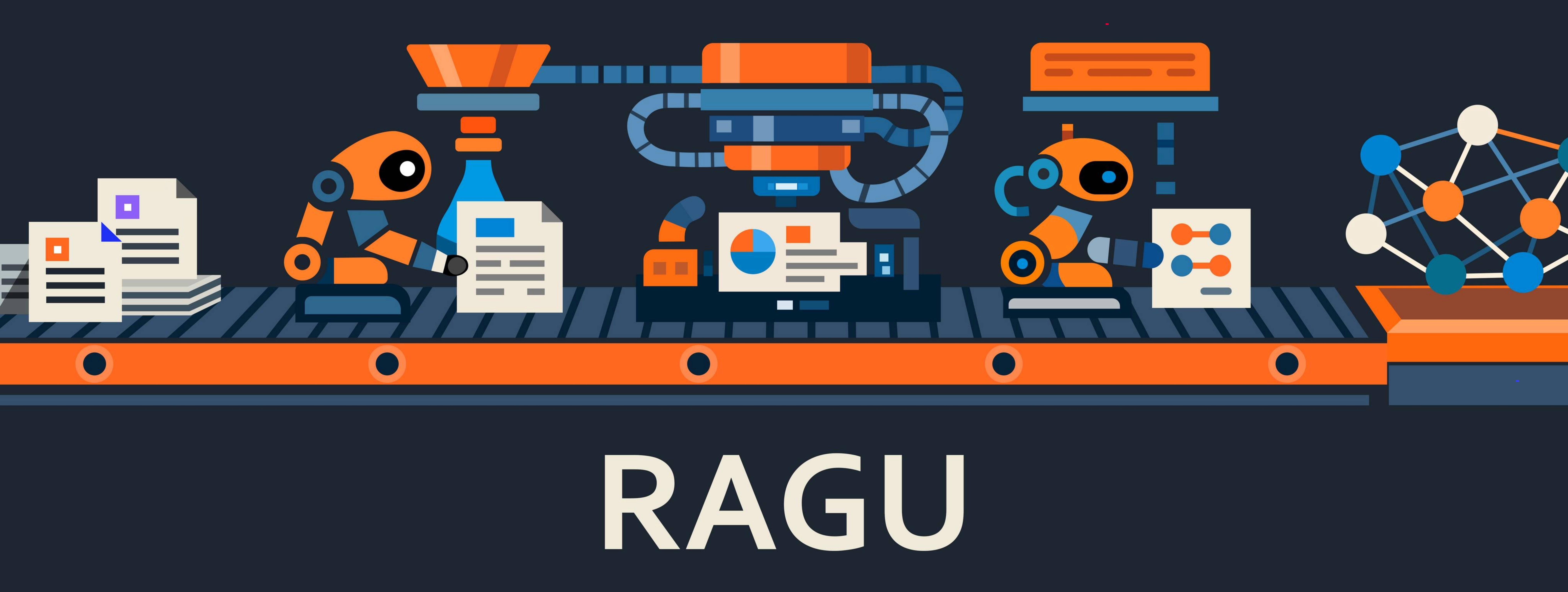
RAGU builds a knowledge graph from raw text and answers questions over it. It is built to move from a laptop to a server without rewrites, and to give you more than one way to retrieve.
- Retrieval that fits the question. Local graph neighborhoods, global community summaries, naive chunk-vector RAG, and a mix engine — with query planning and optional token-by-token streaming.
- Reason over structure, not just chunks. Extraction yields
EntityandRelationtyped by the NEREL ontology (29 entity, 49 relation types), then Leiden community detection clusters the graph — so you can ask broad, thematic questions, not only nearest-neighbor lookups. - Async by design. Batched embeddings, batched vector queries, and rate-limited LLM clients throughout.
Partially based on nano-graphrag
Our huggingface community is here
Conceptual documentation
- RAGU components and methodology (EN) | RU
- NEREL ontology (EN) | RU
- RAGU-lm extraction model (EN) | RU
Module documentation
- Package facade
- Chunking
- Common settings, prompts, and utilities
- Prompt schemas and templates
- Graph construction and index
- Models, embedders, sparse embedders, and rerankers
- Search engines
- Storage contracts and adapters
- Graph storage adapters
- Vector DB adapters
- Triplet/entity-relation extraction
- Utilities
Install
The recommended way is a local build:
git clone https://github.com/AsphodelRem/RAGU.git
cd RAGU
uv pip install -e .
From PyPI:
pip install graph_ragu
If you want to use local models (via transformers etc.), run:
pip install graph_ragu[local]
Quickstart
Simple example of building knowledge graph
import asyncio
import os
import sys
import shutil

from ragu.common.logger import logger
logger.remove()
logger.add(sys.stdout, level="DEBUG")

from ragu import (
    SimpleChunker,
    KnowledgeGraph,
    BuilderArguments,
    Settings,
    TwoStageArtifactsExtractorLLM,
)
from ragu.models.embedder import EmbedderOpenAI
from ragu.models.llm import LLMOpenAI
from ragu.models.openai import CachedAsyncOpenAI
from ragu.utils.ragu_utils import read_text_from_files

client = CachedAsyncOpenAI(
    base_url=os.environ['OPENAI_BASE_URL'],
    api_key=os.environ['OPENAI_API_KEY'],
    rate_min_delay=2,
    rate_max_simultaneous=10,
    retry_times_sec=(2, 2, 2, 2, 2),
    cache='./llm_cache',
    debug_errors_storage='./llm_debug',
)

llm = LLMOpenAI(
    client=client,
    model_name="mistralai/mistral-medium-3",
)
embedder = EmbedderOpenAI(
    client=client,
    model_name="emb-qwen/qwen3-embedding-8b",
    dim=4096,
)

# Configure working directory and language
Settings.storage_folder = "ragu_working_dir"
Settings.language = "english"  # or "russian"

# Remove dir to start building graph from scratch
# shutil.rmtree(Settings.storage_folder, ignore_errors=True)

docs = read_text_from_files("path/to/your/files")

# Initialize chunker
chunker = SimpleChunker(max_chunk_size=1000)

# Set up artifact extractor
from ragu.common.prompts import ICLConfig

icl_config = ICLConfig(
    enabled=True,
    num_examples=2,
)

artifact_extractor = TwoStageArtifactsExtractorLLM(
    llm=llm,
    embedder=embedder,
    icl_config=icl_config,
    do_entity_validation=True,
    do_relation_validation=True,
)

# Configure builder settings
builder_settings = BuilderArguments(
    use_llm_summarization=True,
    use_clustering=False,
    build_only_vector_context=False,
    make_community_summary=True,
    remove_isolated_nodes=True,
)

# Build knowledge graph
knowledge_graph = KnowledgeGraph(
    llm=llm,
    embedder=embedder,
    chunker=chunker,
    artifact_extractor=artifact_extractor,
    builder_settings=builder_settings,
)

asyncio.run(knowledge_graph.build_from_docs(docs))
If you run the code with a storage folder that already contains a knowledge graph, RAGU will automatically load the existing graph.
Example of querying
RAGU ships four retrieval strategies plus a query-planning wrapper. Each engine
exposes a_search() (retrieval only) and a_query() (retrieval + LLM answer);
sync wrappers search() / query() are also available. For the conceptual
workflow of each strategy see docs/en/ragu_components.md;
for full parameters see ragu/search_engine/README.md.
Local search
Graph-neighborhood retrieval: find relevant entities, then expand to their relations, community summaries, and source chunks.
from ragu import LocalSearchEngine

local_search = LocalSearchEngine(llm=llm, knowledge_graph=knowledge_graph, embedder=embedder)
local_answer = await local_search.a_query("Who wrote Romeo and Juliet?", use_summary=True, use_chunks=True)
print(local_answer.response)
Global search
Answers broad, corpus-wide questions from community summaries.
from ragu import GlobalSearchEngine

global_search = GlobalSearchEngine(llm=llm, knowledge_graph=knowledge_graph)
global_answer = await global_search.a_query("Your broad query here")
print(global_answer.response)
Naive search (vector RAG)
Chunk-vector RAG without graph expansion.
from ragu import NaiveSearchEngine

naive_search = NaiveSearchEngine(llm=llm, knowledge_graph=knowledge_graph, embedder=embedder)
naive_answer = await naive_search.a_query("Your query here")
print(naive_answer.response)
Mixed search
Runs several engines and asks the LLM to synthesize a single answer from their responses.
from ragu import MixSearchEngine

mix_search = MixSearchEngine(llm=llm, engines=[local_search, naive_search, global_search])
mixed_answer = await mix_search.a_query("Your query here")
print(mixed_answer.response)
Query planning wrapper
Wraps any engine, decomposes a complex question into dependent subqueries, and feeds intermediate answers forward.
from ragu import QueryPlanEngine

planned_local = QueryPlanEngine(local_search)
result = await planned_local.a_query("Who wrote the novel 'Quo Vadis' and what country was the author from?")
print(result.response)
Advanced Configuration
Builder Settings
Configure the knowledge graph building pipeline using BuilderArguments:
from ragu import BuilderArguments, KnowledgeGraph

builder_arguments = BuilderArguments(
    use_llm_summarization=True,  # Enable LLM-based entity/relation summarization
    use_clustering=False,  # Apply clustering before summarization. Use it if your text contains many similar entities.
    build_only_vector_context=False,  # Skip graph extraction, only chunk embeddings
    make_community_summary=True,  # Generate community summaries
    remove_isolated_nodes=True,  # Remove entities without relations
    cluster_only_if_more_than=10000,  # Minimum entities before clustering kicks in
    summarize_only_if_more_than=7,  # Summarize descriptions only when there are many duplicates
    max_cluster_size=128,  # Maximum entities per cluster
    random_seed=42,
)

knowledge_graph = KnowledgeGraph(
    llm=llm,
    embedder=embedder,
    chunker=chunker,
    artifact_extractor=artifact_extractor,
    builder_settings=builder_arguments,
)
await knowledge_graph.build_from_docs(docs)
Common presets (naive vector RAG only, fast graph extraction without
summarization, full GraphRAG with communities, and large-corpus clustering) with
explanations and ready-to-run scripts are in
ragu/graph/README.md.
Client and Rate Limiting Configuration
CachedAsyncOpenAI is the network-level client shared by LLMOpenAI and EmbedderOpenAI. It controls rate limiting, retries, caching, and timeouts.
client = CachedAsyncOpenAI(
    base_url="https://api.openai.com/v1",
    api_key="sk-...",
    rate_max_simultaneous=10,
    rate_max_per_minute=100,
    cache="./llm_cache",
)

llm = LLMOpenAI(client=client, model_name="gpt-4o-mini")
embedder = EmbedderOpenAI(client=client, model_name="text-embedding-3-large", dim=3072)
For the full parameter tables (rate_*, retry_times_sec, embed_timeout, EmbedderOpenAI batching and tokenizer overrides), the shared vs. separate clients guidance for large corpora, and the debug store, see ragu/models/README.md.
Token Limits and Settings
RAGU centralises token-limit and tokenizer configuration in the Settings singleton. These defaults are used by EmbedderOpenAI (for embedding input truncation) and search engines (for LLM context truncation).
from ragu import Settings

# Embedder truncation (applied automatically inside EmbedderOpenAI)
Settings.embedder_token_limit = 8_192                    # max tokens per embedding input
Settings.tokenizer_embedder_backend = "tiktoken"         # "tiktoken" or "local"
Settings.tokenizer_embedder_name = "text-embedding-3-large"

# LLM context truncation (applied by search engines before answer generation)
Settings.llm_context_token_limit = 30_000                # max tokens for search-engine context
Settings.tokenizer_llm_backend = "tiktoken"              # "tiktoken" or "local"
Settings.tokenizer_llm_name = "gpt-4o"
Per-instance overrides on EmbedderOpenAI take precedence over Settings.
For a local BGE model with a 512-token context, set
Settings.embedder_token_limit = 512, Settings.tokenizer_embedder_backend = "local",
and Settings.tokenizer_embedder_name = "BAAI/bge-large-en-v1.5" (requires
pip install graph_ragu[local]).
Serializing Global Settings
Settings.save(path) writes a JSON snapshot of the configuration;
Settings.load(path) restores it. Serialization is never invoked automatically.
For the list of serialized/excluded fields and the validation behavior, see
ragu/common/README.md.
from ragu import Settings

Settings.save("./runs/exp_42/ragu_settings.json")   # persist
Settings.load("./runs/exp_42/ragu_settings.json")   # restore in a fresh process
In-Context Learning (Few-Shot Examples)
RAGU extractors can use few-shot examples to improve extraction quality. When enabled, the extractor selects relevant examples and includes them in the LLM prompt.
from ragu.common.prompts import ICLConfig

icl_config = ICLConfig(
    enabled=True,                       # Enable/disable ICL
    num_examples=2,                     # Number of examples per extraction call (1-3 recommended)
    selection_strategy="semantic",      # "semantic" | "bm25" | "hybrid" | "random"
)

artifact_extractor = TwoStageArtifactsExtractorLLM(
    llm=llm,
    embedder=embedder,                  # Required for "semantic" and "hybrid"; optional for "bm25" and "random"
    icl_config=icl_config,
)
Four selection strategies are available ("semantic", "bm25", "hybrid", "random"). Pre-built example files ship in ragu/common/prompts/icl_examples/; to generate custom ones, run python scripts/generate_icl_examples.py --config config/icl_generation.yaml. For the strategy comparison table and per-strategy embedder requirements, see ragu/common/prompts/README.md.
Knowledge Graph Construction
Each text in the corpus is processed to extract structured information. It consists of:
- Entities — textual representation, entity type, and a contextual description.
- Relations — textual description of the link between two entities (or a relation class), as well as its confidence/strength.
RAGU uses entity and relation classes from NEREL. The full type tables are available in English and Russian:
docs/en/ontology.md|docs/ru/ontology.md. Pass customentity_types/relation_typesto the extractors to override the defaults.
EntityandRelationare base graph model classes. They can be inherited to create richer domain-specific node and edge types, provided the storageNode/Edgecontract is preserved. See graph docs and storage docs.
Extraction pipelines
1. Single-step LLM pipeline
File: ragu/triplet/llm_artifact_extractor.py.
A baseline pipeline that uses an LLM to extract entities, relations, and their descriptions in a single step. Supports optional in-context learning with few-shot examples and artifact validation.
2. Two-stage LLM pipeline
File: ragu/triplet/two_stage_extractor.py.
Extracts entities first, then extracts relations constrained by the entity list. It can separately validate entity and relation outputs. Supports optional in-context learning with few-shot examples.
3. RAGU-lm (Russian language)
A compact model (Qwen-3-0.6B) fine-tuned on the NEREL dataset. Recognizes and normalizes entities, generates descriptions, and extracts relations. Full prompts, a worked example, and an F1 comparison live in docs/en/ragu_lm.md (RU: docs/ru/ragu_lm.md).
Prompt Customization
All RAGU components that use LLMs inherit from RaguGenerativeModule, which provides get_prompt, get_prompts, and update_prompt to view and override instructions.
from ragu import LocalSearchEngine

search_engine = LocalSearchEngine(
    llm=llm,
    knowledge_graph=knowledge_graph,
    embedder=embedder,
)

all_prompts = search_engine.get_prompts()           # {'local_search': RAGUInstruction(...)}
local_search_prompt = search_engine.get_prompt("local_search")
print(local_search_prompt.messages.to_str())        # rendered prompt text
print(local_search_prompt.pydantic_model)           # response schema
To override an instruction, build a new RAGUInstruction and call
search_engine.update_prompt("local_search", custom_instruction). Do not
edit DEFAULT_PROMPT_TEMPLATES directly — update_prompt scopes the change to a
single module instance. Full examples (including custom messages and few-shot
formatters) are in ragu/common/prompts/README.md.
Contributors
Main Idea & Inspiration
- Ivan Bondarenko — idea, smart_chunker, NER model, ragu-lm
Core Development
- Mikhail Komarov
Benchmarks & Evaluation
- Roman Shuvalov
- Yanya Dement'yeva
- Alexandr Kuleshevskiy
- Nikita Kukuzey
- Stanislav Shtuka
Small Models Pipeline
- Matvey Solovyev
- Ilya Myznikov
Star History

Citation
If you find this work useful, please consider citing our paper:
@misc{komarov2026ragumultistepgraphragengine,
      title={RAGU: A Multi-Step GraphRAG Engine with a Compact Domain-Adapted LLM},
      author={Mikhail Komarov and Ivan Bondarenko and Stanislav Shtuka and Oleg Sedukhin and Roman Shuvalov and Yana Dementyeva and Matvey Solovyov and Nikolay O. Nikitin},
      year={2026},
      eprint={2607.11683},
      archivePrefix={arXiv},
      primaryClass={cs.CL},
      url={https://arxiv.org/abs/2607.11683},
}
1 maintainer

Download files
Download the file for your platform. If you're not sure which to choose, learn more about installing packages.
Source Distribution
Built Distribution
Filter files by name, interpreter, ABI, and platform.
If you're not sure about the file name format, learn more about wheel file names.
Copy a direct link to the current filters
File details
Details for the file graph_ragu-0.1.0.tar.gz.
File metadata
- Download URL: graph_ragu-0.1.0.tar.gz
- Upload date:
- Size: 988.4 kB
- Tags: Source
- Uploaded using Trusted Publishing? No
- Uploaded via:
uv/0.9.17 {"installer":{"name":"uv","version":"0.9.17","subcommand":["publish"]},"python":null,"implementation":{"name":null,"version":null},"distro":{"name":"Ubuntu","version":"24.04","id":"noble","libc":null},"system":{"name":null,"release":null},"cpu":null,"openssl_version":null,"setuptools_version":null,"rustc_version":null,"ci":null}
File hashes
| Algorithm | Hash digest | |
|---|---|---|
| SHA256 |
915683b5e0a547f88f49084e238336946b8f05bbd64a0e91e8681b76e3ccdbd7
|
|
| MD5 |
acb5b5b1274ca71482bfe3678fd231ef
|
|
| BLAKE2b-256 |
93d438212a67d1b7598965e00be6fbce026017bc5d2bfaf8768411786ce1c1a3
|
File details
Details for the file graph_ragu-0.1.0-py3-none-any.whl.
File metadata
- Download URL: graph_ragu-0.1.0-py3-none-any.whl
- Upload date:
- Size: 1.1 MB
- Tags: Python 3
- Uploaded using Trusted Publishing? No
- Uploaded via:
uv/0.9.17 {"installer":{"name":"uv","version":"0.9.17","subcommand":["publish"]},"python":null,"implementation":{"name":null,"version":null},"distro":{"name":"Ubuntu","version":"24.04","id":"noble","libc":null},"system":{"name":null,"release":null},"cpu":null,"openssl_version":null,"setuptools_version":null,"rustc_version":null,"ci":null}
File hashes
| Algorithm | Hash digest | |
|---|---|---|
| SHA256 |
5714208d78a755561f39b78ab80935388439f2af6d9ae870f15e66af13de1f0c
|
|
| MD5 |
d1b54f1f6f3de7be477a505ded3c2d7c
|
|
| BLAKE2b-256 |
d0ce274897d51252df53abbe9a071d9948225ca87d8f6694da9fdc00593edc47
|














