
Graphsignal Profiler

Project description
Graphsignal: Inference Profiler


Graphsignal is a production-scale inference profiling platform that helps engineers optimize AI performance across models, engines, GPUs, and other accelerators. It provides essential visibility across the inference stack, including:
- Continuous, high-resolution profiling timelines exposing operation durations and resource utilization across inference workloads.
- LLM generation tracing with per-step timing, token throughput, and latency breakdowns for major inference frameworks.
- System-level metrics for inference engines and hardware (CPU, GPU, accelerators).
- Error monitoring for device-level failures and inference errors.
- Inference telemetry for AI agents to identify bottlenecks and drive targeted improvements across the inference stack.
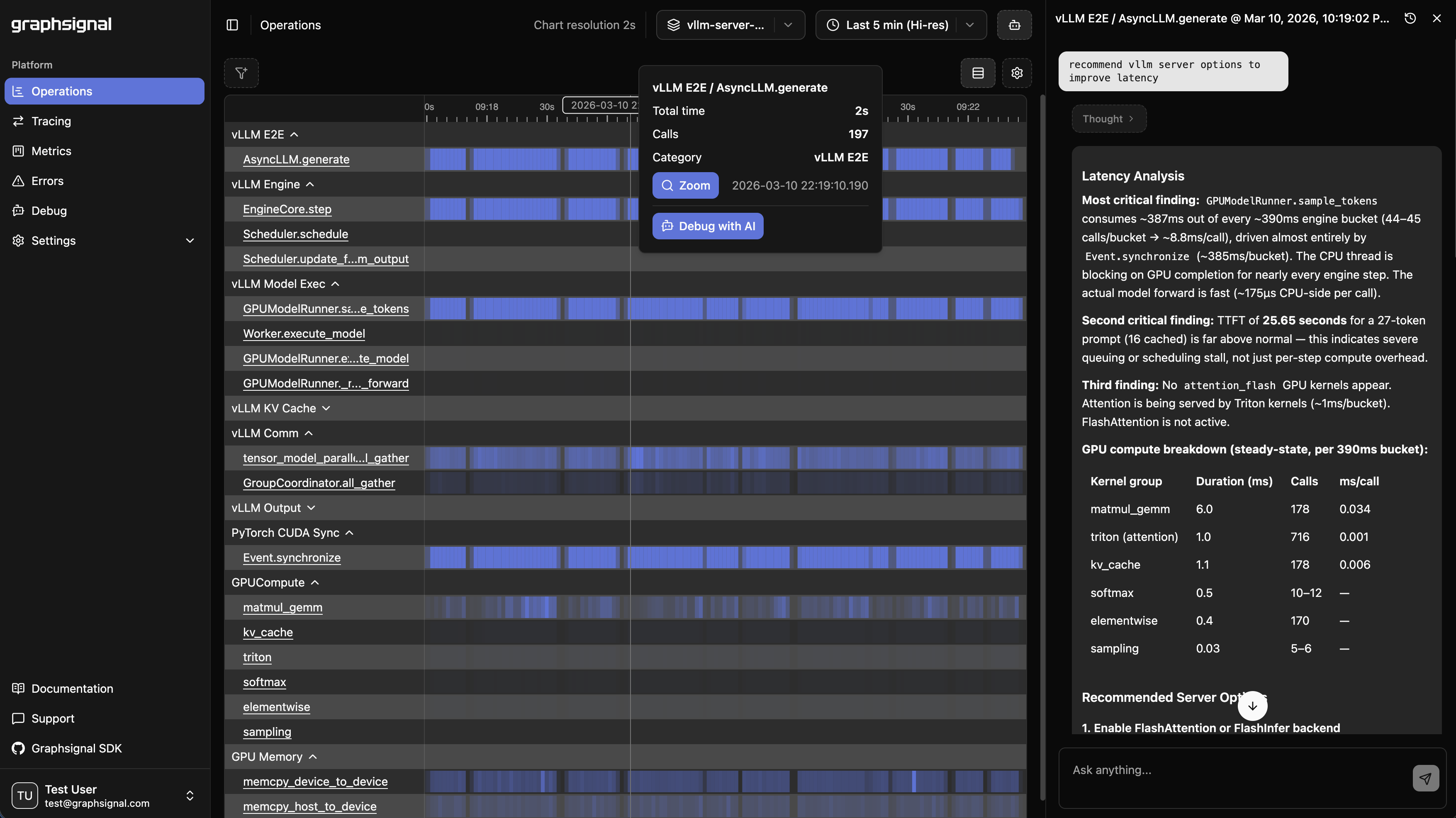
Learn more at graphsignal.com.
Install
uv tool install 'graphsignal[cu12]'   # CUDA 12.x
# or
uv tool install 'graphsignal[cu13]'   # CUDA 13.x
Profile
Wrap your launch command with graphsignal-run:
export GRAPHSIGNAL_API_KEY=<my-api-key>
graphsignal-run vllm serve <model> --port 8001
Environment variables read by the profiler:
| Variable | Purpose |
|---|---|
GRAPHSIGNAL_API_KEY (required) |
Your account API key. |
GRAPHSIGNAL_TAG_<KEY>=<value> |
Arbitrary tag attached to all signals (e.g. GRAPHSIGNAL_TAG_DEPLOYMENT=us-prod). |
Sign up for a free account at graphsignal.com; you'll find the API key in Settings / API Keys.
See the Profiler CLI reference for the full set of options.
Applications that bootstrap themselves can call graphsignal.watch() from Python instead — see the Profiler API reference.
See integration documentation for libraries and inference engines:
Optimize
Log in to Graphsignal to monitor and analyze your application.
Optimize with AI
Install the Graphsignal skill to let your AI coding agent (Claude Code, Codex, or Gemini) fetch and analyze signal context directly from your agent. See AI Optimization for setup instructions.
Overhead
The profiler has minimal impact on production performance. CUPTI activity is collected with low-overhead APIs in a sidecar process, and the in-process injection only writes raw activity records — analysis and upload happen in the sidecar.
Security and Privacy
The profiler only establishes outbound connections to api.graphsignal.com to send data; inbound connections or commands are not possible.
Content and sensitive information, such as prompts and completions, are not recorded.
Troubleshooting
If something doesn't look right, report it to our support team via your account.
In case of connection issues, please make sure outgoing connections to https://api.graphsignal.com are allowed.
Release history Release notifications | RSS feed


Download files
Download the file for your platform. If you're not sure which to choose, learn more about installing packages.
Source Distribution
Built Distribution
Filter files by name, interpreter, ABI, and platform.
If you're not sure about the file name format, learn more about wheel file names.
Copy a direct link to the current filters
File details
Details for the file graphsignal-0.20.1.tar.gz.
File metadata
- Download URL: graphsignal-0.20.1.tar.gz
- Upload date:
- Size: 228.5 kB
- Tags: Source
- Uploaded using Trusted Publishing? No
- Uploaded via: poetry/2.4.1 CPython/3.10.20 Linux/6.17.0-1018-azure
File hashes
| Algorithm | Hash digest | |
|---|---|---|
| SHA256 |
1b2d33b3108d5d4f0c89eaaa4b78205236042d19f0bd7660054a21661b801c4d
|
|
| MD5 |
2f51d9540fc1ee589f2541bb71c7e0ea
|
|
| BLAKE2b-256 |
d65dc47fd851ac6896a45a931199fae895280667bf76bf63b089b6be7dba7d93
|
File details
Details for the file graphsignal-0.20.1-py3-none-any.whl.
File metadata
- Download URL: graphsignal-0.20.1-py3-none-any.whl
- Upload date:
- Size: 250.7 kB
- Tags: Python 3
- Uploaded using Trusted Publishing? No
- Uploaded via: poetry/2.4.1 CPython/3.10.20 Linux/6.17.0-1018-azure
File hashes
| Algorithm | Hash digest | |
|---|---|---|
| SHA256 |
e2aec3587e8a048fe50242d7a17428dd4848e092fe384362e88b2d2cb37b51c0
|
|
| MD5 |
488ec2ef2dd499e978add962a9678221
|
|
| BLAKE2b-256 |
a3a816fed22c603884d23fc487faaa266f28ad3cb16cf0d590519bb426dec72f
|






