
Grass
A calm, zero-config terminal code editor.
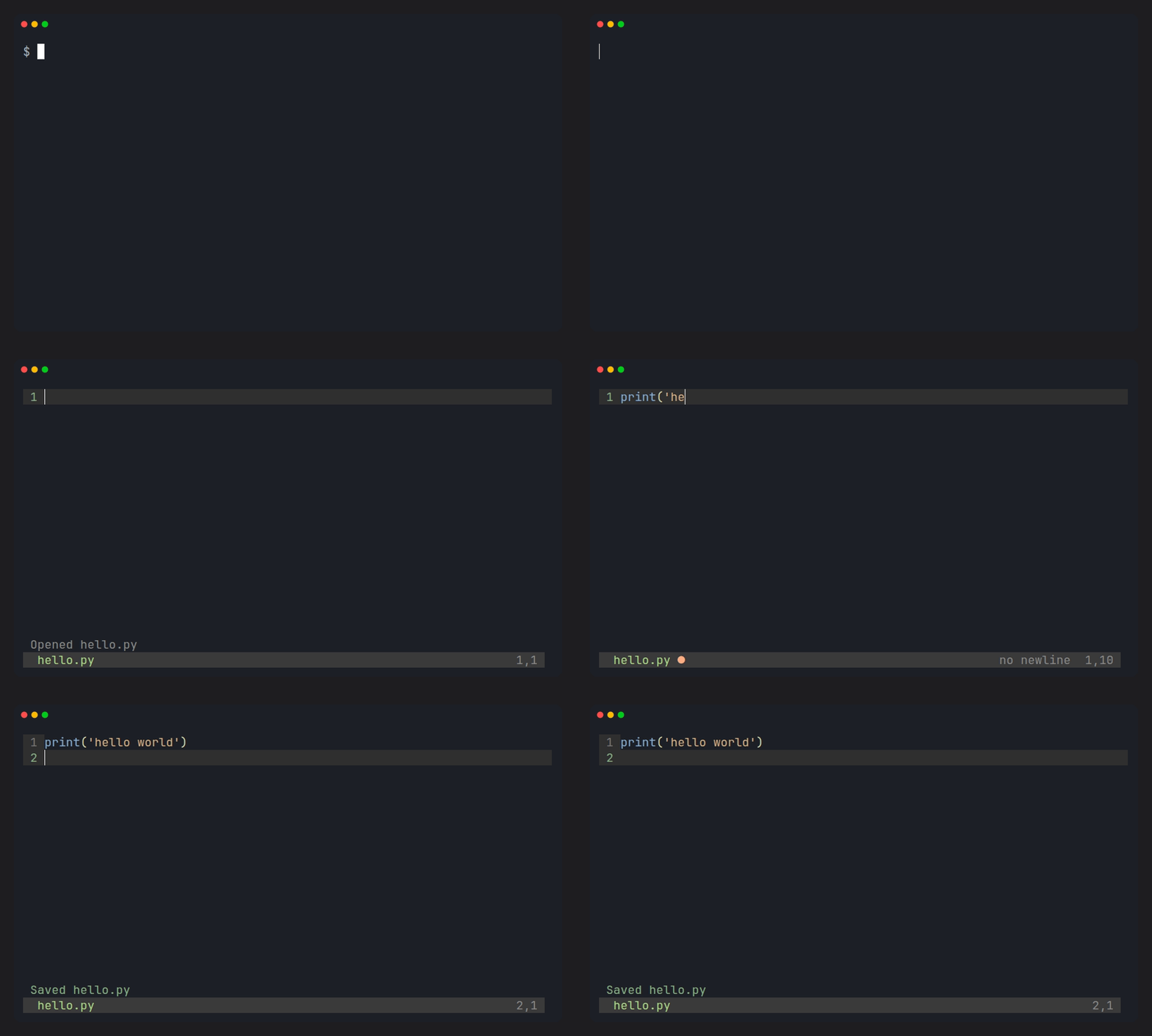
No modes. No config files. Just type.


Why
Nano starts instantly but stays plain. Vim and Helix are powerful, but they ask you to learn an editing language first. Grass sits between them: one mode, one theme, syntax highlighting, and about 1,700 lines of Python you can read in an afternoon.
It is not a Vim replacement. No plugins, no LSP, no mouse. One file at a time, on purpose.
Install
pipx install grass-editor
No pipx? pip install grass-editor also works. On Windows, install curses
support first:
pip install windows-curses
pip install grass-editor
Python 3.9 or newer.
Run
grass hello.py
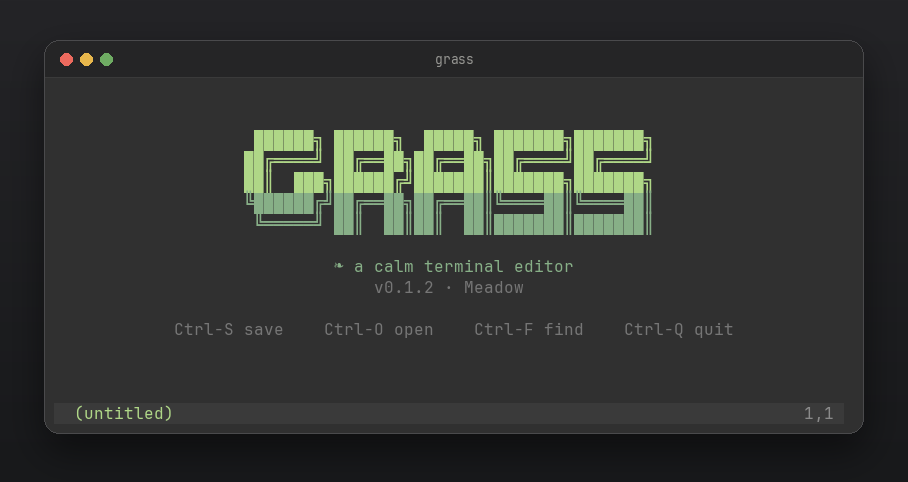
With no file, grass opens the splash. grass --version prints the version.
A look
| Splash | Ctrl-P finder |
|---|---|
 |
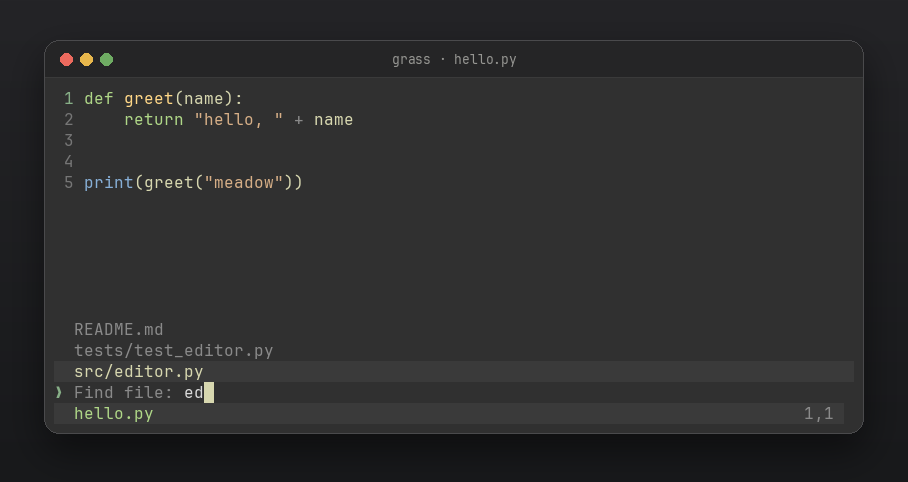 |
One theme, Meadow: warm off-white text, green keywords, gold functions, a dark status bar. It assumes a dark 256-color terminal; basic colors fall back.
Keys
| Key | Action |
|---|---|
| type | edit |
| arrows, Home, End, PageUp, PageDown | move |
| Enter | new line, with auto-indent |
| Tab | indent to the next tab stop |
| Backspace, Delete | delete |
| Ctrl-F | find as you type |
| Ctrl-H | replace all |
| Ctrl-P | fuzzy file finder |
| Ctrl-O | open by path |
| Ctrl-K | cut line |
| Ctrl-U | paste line |
| Ctrl-S | save (asks for a name if new) |
| Ctrl-Z | undo |
| Ctrl-R | redo |
| Ctrl-Q | quit |
Notes
- Always in typing mode, like nano.
- Saves are atomic: a crash cannot leave the original file truncated.
- Tabs are preserved and shown at 4-column stops.
- A file without a trailing newline stays that way. The status bar says
no newline. - Highlighting is limited to the visible area and updates after a short pause, so typing stays fast in large files.
- Highlighting covers C, C++, Perl, JavaScript, TypeScript, Go, Rust, Ruby, Java, shell, HTML, CSS, JSON, YAML, Markdown, and other Pygments languages.
- Wide characters (CJK) and long wrapped lines are not fully supported yet.
Development
git clone https://github.com/mukundzha/grass.git
cd grass
pip install -e .
python tests/run_tests.py
Tests are plain functions with a small custom runner. CI runs on Python 3.9 through 3.13.
License
MIT. See LICENSE.
Issues and PRs are welcome.
1 maintainer

Metadata
1 maintainer
Release files for grass-editor 0.1.4
For a detailed explanation of source distributions (sdists) and built distributions (wheels), please see the package formats documentation.
Source distribution (sdist)
| File | Size | Uploaded | Provenance | |
|---|---|---|---|---|
| grass_editor-0.1.4.tar.gz | 25.7 kB | Without provenance | Details |
Built distribution (wheel)
| File | Interpreter | ABI | Platform | Reset |
|---|---|---|---|---|
| grass_editor-0.1.4-py3-none-any.whl | Python 3 | none | any | Details |
Total release size: 44.0 kB
Release files / grass_editor-0.1.4.tar.gz
| Download URL | grass_editor-0.1.4.tar.gz |
|---|---|
| Size | 25.7 kB |
| Tags | Source |
|
SHA-256 checksum How to use checksums |
6ee892958901612db5392b20a06209ec4c7d00abb34e0edfb8e36f016d58859d
|
|
BLAKE2b-256 checksum How to use checksums |
f0224d97458c062d0500b6ceb328e668ad46699e69bc7ad589b44be325c9b16e
|
| Upload date | |
|
Uploaded using Trusted Publishing? What is trusted publishing? |
No |
| Uploaded via |
twine/7.0.0 CPython/3.14.4
|
Release files / grass_editor-0.1.4-py3-none-any.whl
| Download URL | grass_editor-0.1.4-py3-none-any.whl |
|---|---|
| Size | 18.4 kB |
| Tags | Python 3 |
|
SHA-256 checksum How to use checksums |
f9076e51156745e8ed2a29391f2eb910445019c4d04b9153d29853fd96411447
|
|
BLAKE2b-256 checksum How to use checksums |
d7a94c97357da4f3369c29790963788a043196b6967b07627fe99ee8208da038
|
| Upload date | |
|
Uploaded using Trusted Publishing? What is trusted publishing? |
No |
| Uploaded via |
twine/7.0.0 CPython/3.14.4
|
Security for grass-editor 0.1.4
Provenance
Provenance describes where a file came from. On PyPI, provenance is shared via attestations, which provide a verifiable record of the build or publishing details. View details, limitations and caveats.
No provenance found
None of the files in this release were uploaded with provenance metadata.
A note on package security
PyPI is a repository for distributing packages, not a service for auditing them. While third-party security researchers and our staff do their best to detect and remove malicious packages, PyPI cannot guarantee the quality, security or suitability of any given package.
To learn more about protecting yourself from malicious actors, visit our package security documentation.














