
An easy-to-use documentation site generator for Python packages

Project description

An easy-to-use documentation site generator for Python packages





Great Docs turns your Python package into a polished documentation site in seconds. It auto-discovers your public API, detects your docstring format, generates structured reference pages, and renders a modern site: all from a single command. No templates to configure, no manual page authoring, no build system to learn.
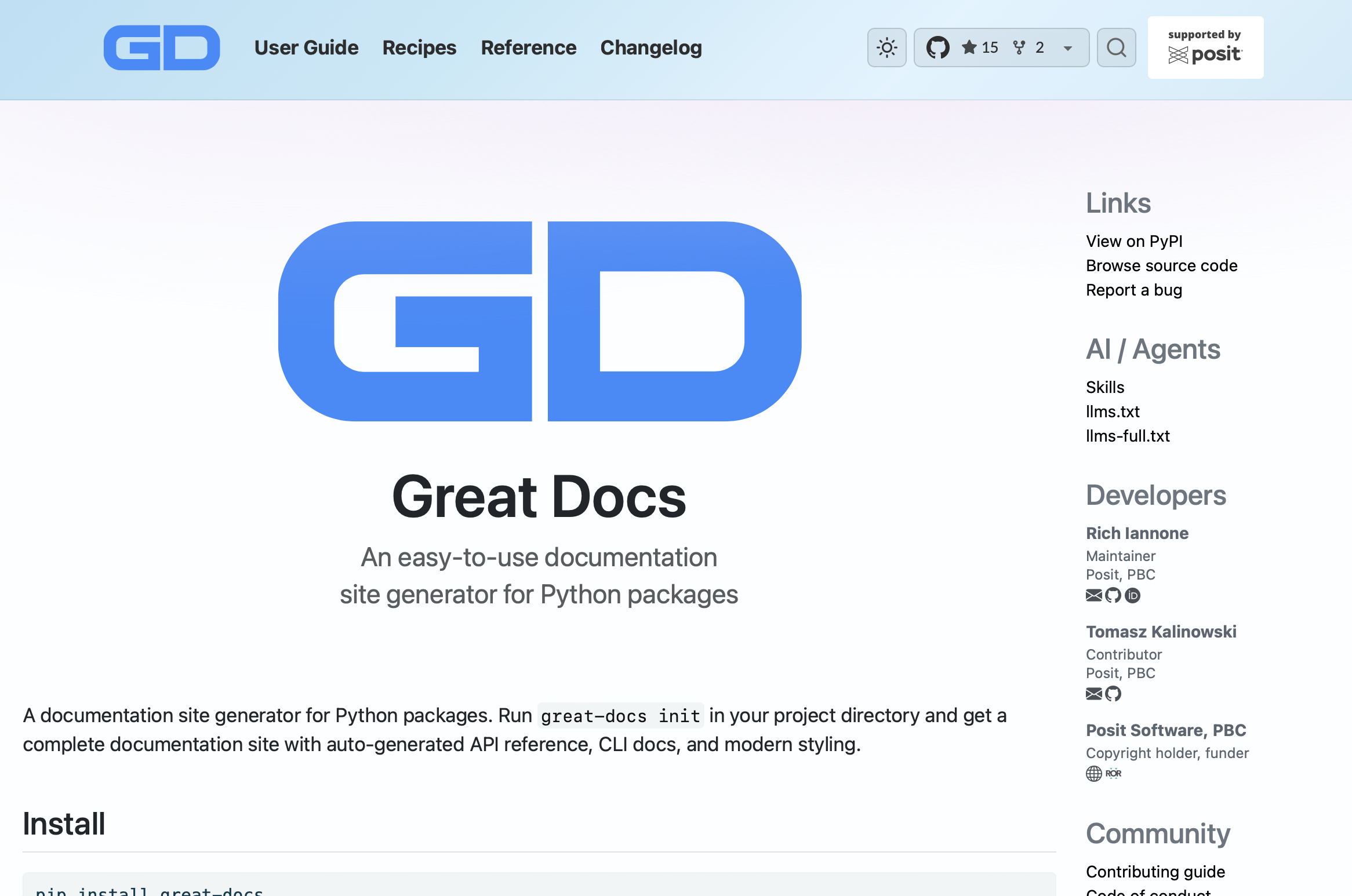
Why Great Docs?
Writing documentation shouldn't be harder than writing the code it describes. Most documentation generators require you to author page templates, organize content by hand, and wire up a build system. Great Docs inverts that: point it at a Python package and it handles the rest.
- Instant setup:
great-docs initinspects your package and generates a complete config - Zero manual authoring: API reference pages are created automatically from your code
- Real documentation, not stubs: renders full parameter tables, return types, examples, and cross-references from your existing docstrings
- Looks great out of the box: gradient navbars, dark mode, responsive layout, GitHub widget, sidebar search
- Deploys anywhere: one command creates a GitHub Actions workflow for GitHub Pages
Get Started in 60 Seconds
Install
pip install great-docs
Initialize, build, and preview
cd your-python-package

great-docs init     # auto-detect package, generate config
great-docs build    # generate and render the site
great-docs preview  # open in your browser at localhost:3000
That's it. Your documentation site is ready.
What Gets Generated
Every site built by Great Docs includes:
Landing Page
Your README is transformed into a landing page with a hero section, metadata sidebar (authors, license, links), and quick-start instructions.
API Reference
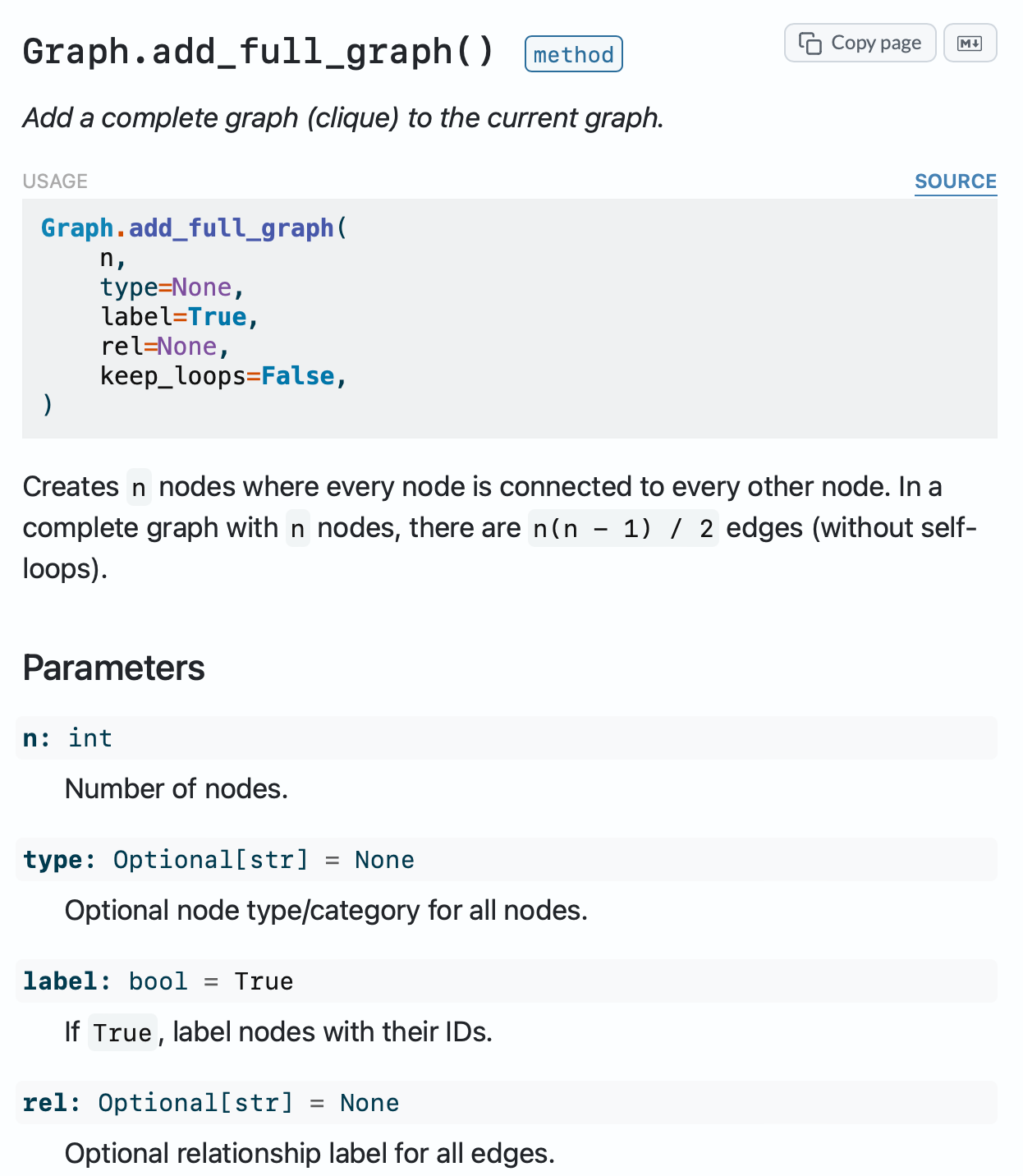
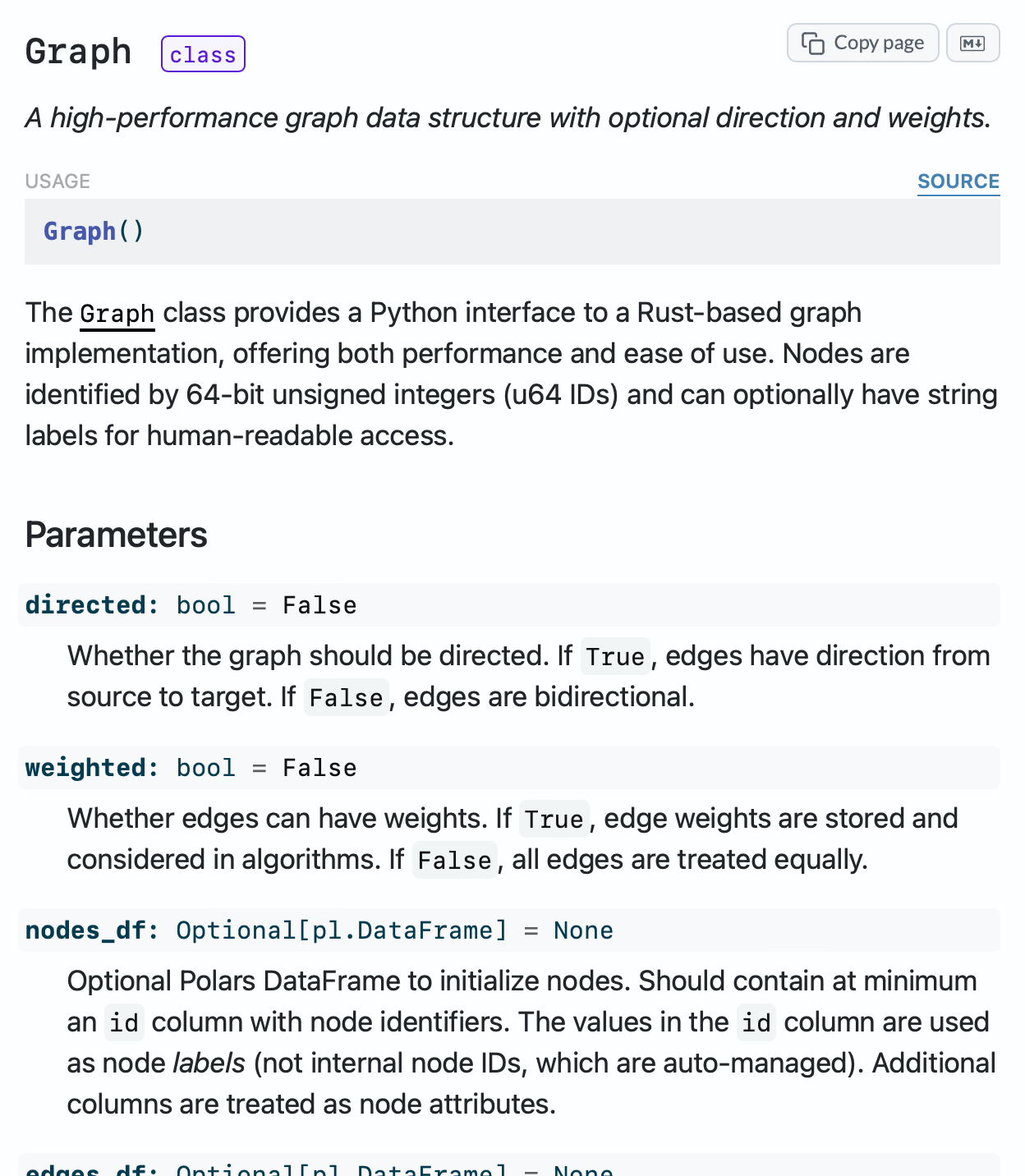
Classes, functions, methods, and attributes are automatically organized into categorized sections. Large classes get dedicated method pages. Every item links back to source code on GitHub.
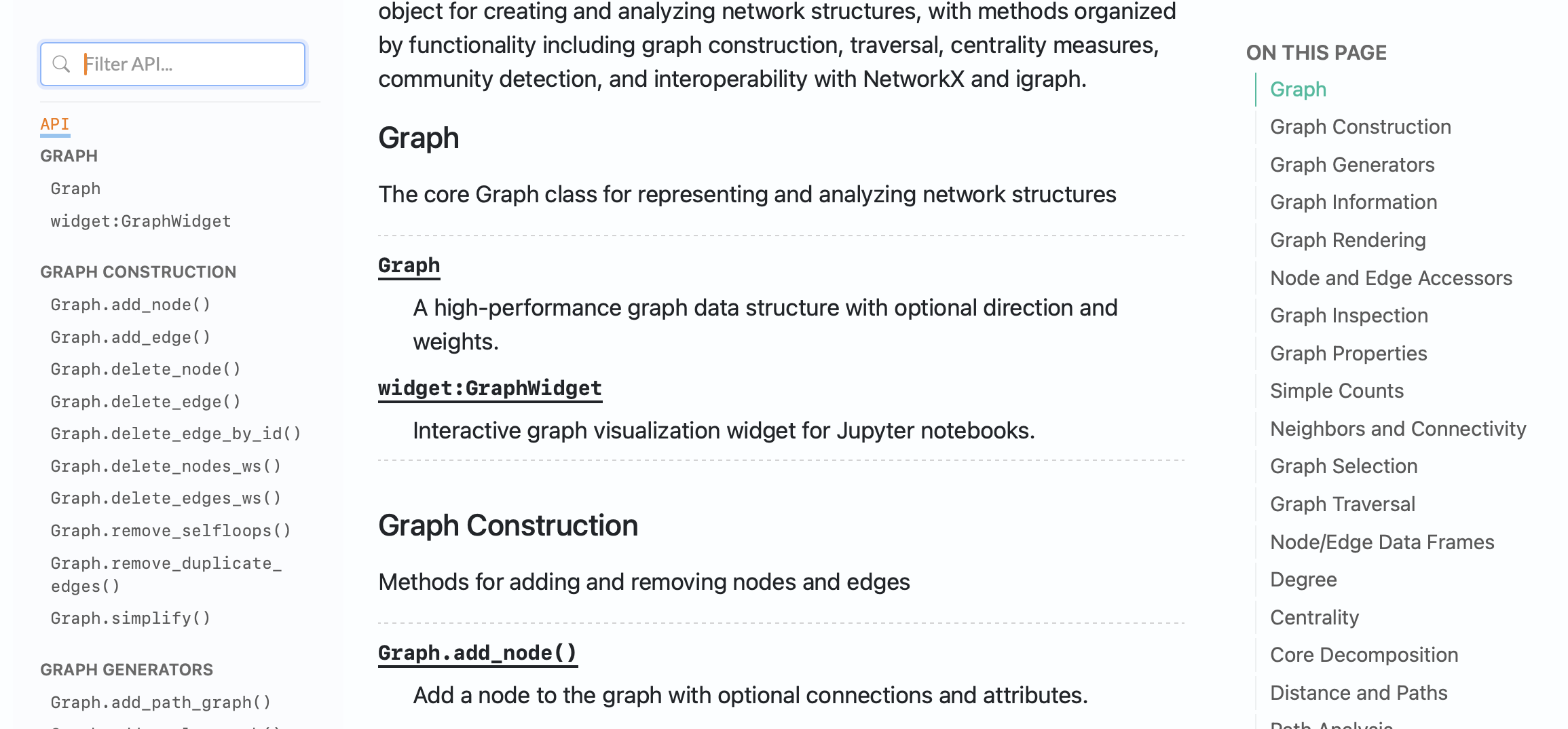
See more: class page and method page
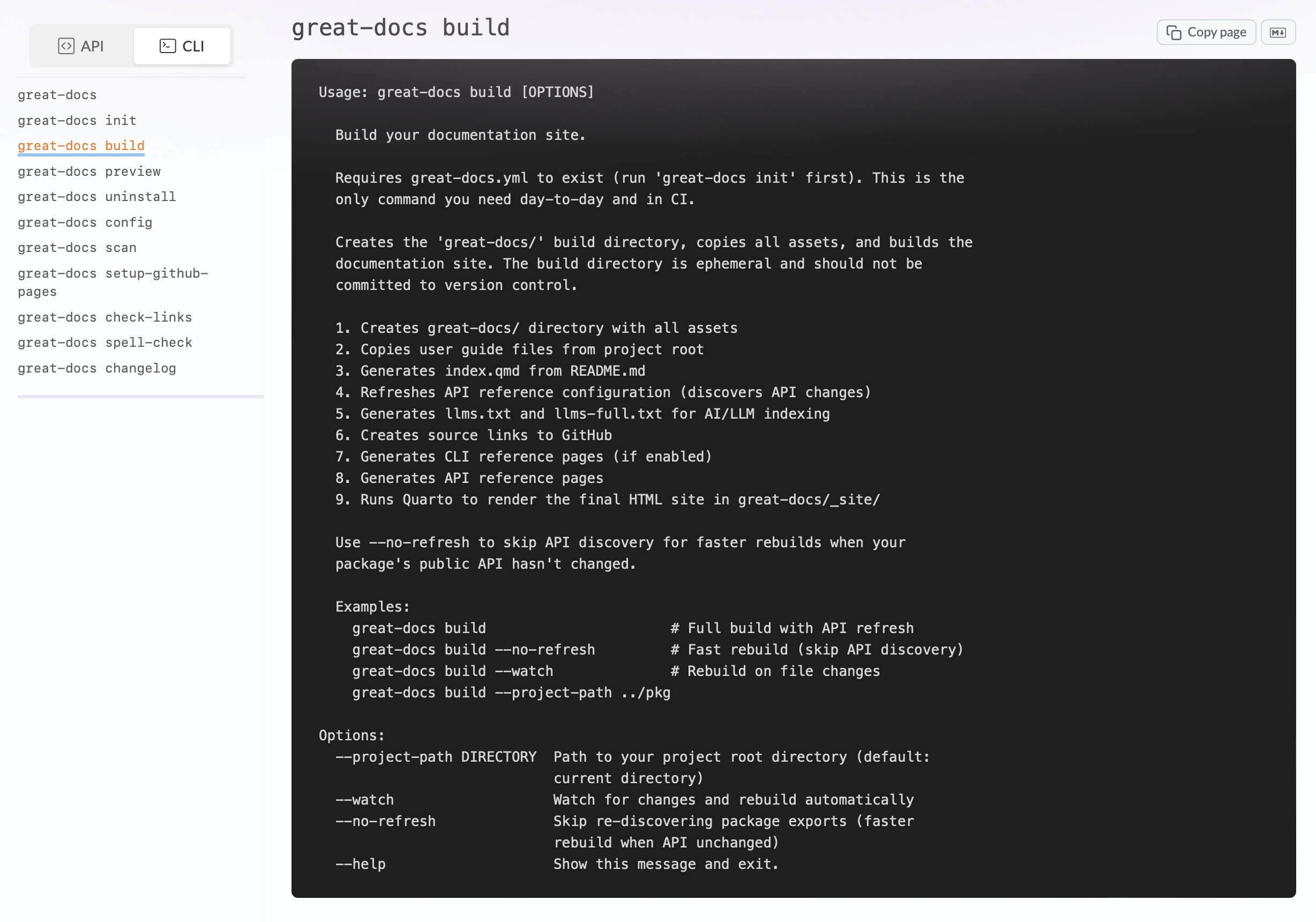
CLI Reference
Click-based CLIs are documented automatically with --help output rendered in terminal style, organized by command group.
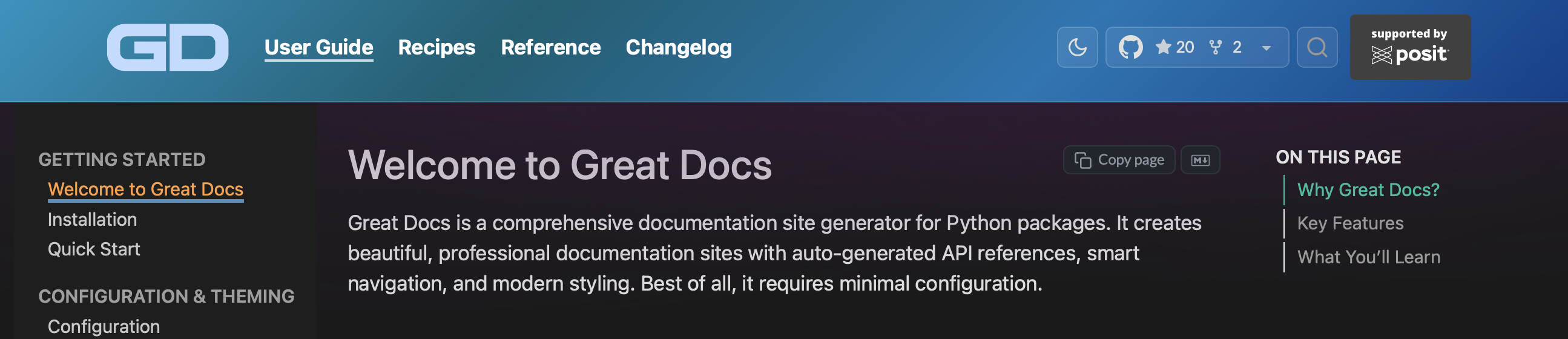
Dark Mode
A persistent dark mode toggle with flash-free loading. Your users' preference is remembered across visits.
Full Feature Set
|
Documentation Generation
|
Site Features
|
|
AI & LLM Integration
|
Configuration & Branding
|
|
Quality & Reliability
|
Deployment
|
Configuration
All configuration lives in a single great-docs.yml file in your project root. The init command generates it for you, but you can customize everything:
# Theming
navbar_style: sky
content_style: lilac
dark_mode_toggle: true

# Branding
display_name: My Package
logo:
  light: assets/logo.svg
  dark: assets/logo-dark.svg

# Announcement banner
announcement:
  content: "v2.0 is here!"
  style: mint
  dismissable: true

# GitHub integration
repo: https://github.com/your-org/your-package # Optional override
github_style: widget

# CLI documentation
cli:
  enabled: true
  module: my_package.cli
  name: cli

# Custom sections
sections:
  - title: Recipes
    dir: recipes
    navbar_after: User Guide
See the Configuration Guide for the full reference.
Deploying to GitHub Pages
great-docs setup-github-pages
This creates a .github/workflows/ file that builds and publishes your site on every push to main. Your docs stay in sync with your code automatically.
Recipes
The documentation includes 18 step-by-step recipes:
| Recipe | Topic |
|---|---|
| Hide Internal Symbols | Control what appears in your API reference |
| Customize API Organization | Structure reference sections your way |
| Document a CLI | Auto-generate CLI reference from Click |
| Cross-Reference Items | Link between documented objects |
| Add Custom CSS | Override styles with your own SCSS |
| Choose Gradient Theme | Pick and customize navbar gradients |
| Add Logo & Favicon | Brand your site with custom icons |
| Customize Announcement Banner | Add dismissible site-wide notices |
| Write Effective Docstrings | Get the most out of auto-generated docs |
| Add Images & Diagrams | Include visuals in your documentation |
| Create Changelog | Pull changelog from GitHub Releases |
| GitHub Pages & CI | Automate deployment with Actions |
| Add Custom Domain | Serve docs from your own domain |
| Install Great Docs Skill | Generate an Agent Skill for your package |
| Build Site with LLM | Use an AI assistant to set up your site |
| Customize Site with LLM | Use an AI assistant to tweak your site |
| Understand llms.txt | Make your docs AI-accessible |
| Fix Common Build Errors | Troubleshoot build issues quickly |
Documentation
Full documentation is available at posit-dev.github.io/great-docs:
- Installation — setup and requirements
- Quick Start — first site in minutes
- Configuration — every option explained
- Theming & Appearance — gradients, colors, dark mode
- API Documentation — how API references are generated
- CLI Documentation — documenting Click CLIs
- Deployment — GitHub Pages and beyond
Requirements
- Python 3.11+
- Quarto (the rendering engine)
Contributing
Contributions are welcome. Please see CONTRIBUTING for guidelines and the Code of Conduct.
License
MIT License. See LICENSE for details.
Built by Posit


Download files
Download the file for your platform. If you're not sure which to choose, learn more about installing packages.
Source Distribution
Built Distribution
Filter files by name, interpreter, ABI, and platform.
If you're not sure about the file name format, learn more about wheel file names.
Copy a direct link to the current filters
File details
Details for the file great_docs-0.3.tar.gz.
File metadata
- Download URL: great_docs-0.3.tar.gz
- Upload date:
- Size: 4.2 MB
- Tags: Source
- Uploaded using Trusted Publishing? No
- Uploaded via: twine/6.1.0 CPython/3.13.7
File hashes
| Algorithm | Hash digest | |
|---|---|---|
| SHA256 |
74096eb835dfc0672ecfc9ec39571f46e16240a08d6def882d18e1acb8773f0e
|
|
| MD5 |
67aae1b706d5580918e96bab7899de67
|
|
| BLAKE2b-256 |
3c72abf7128b7468f288474f8429c39dd0d079cc400037276e1b065d550b5281
|
File details
Details for the file great_docs-0.3-py3-none-any.whl.
File metadata
- Download URL: great_docs-0.3-py3-none-any.whl
- Upload date:
- Size: 331.8 kB
- Tags: Python 3
- Uploaded using Trusted Publishing? No
- Uploaded via: twine/6.1.0 CPython/3.13.7
File hashes
| Algorithm | Hash digest | |
|---|---|---|
| SHA256 |
1ee4536f97db4a0864f38698b80a1828a255685578546a5a80d106e1b035d7d7
|
|
| MD5 |
e67793c79bc0d05832c7c4c8929d5fbc
|
|
| BLAKE2b-256 |
6807d5a224e58135ac41a130374bd20c35a5d3e50eec511a0405f6ebf7a9a8df
|






