



Screenshots
About
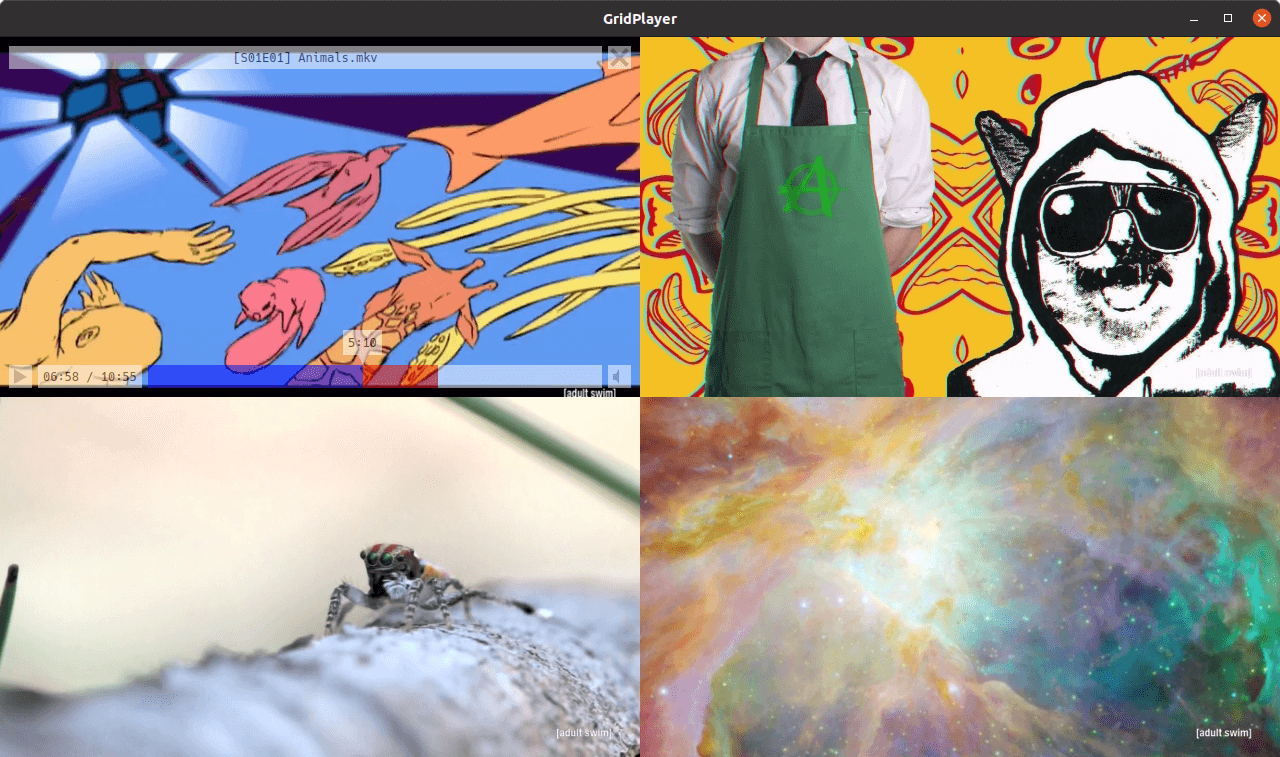
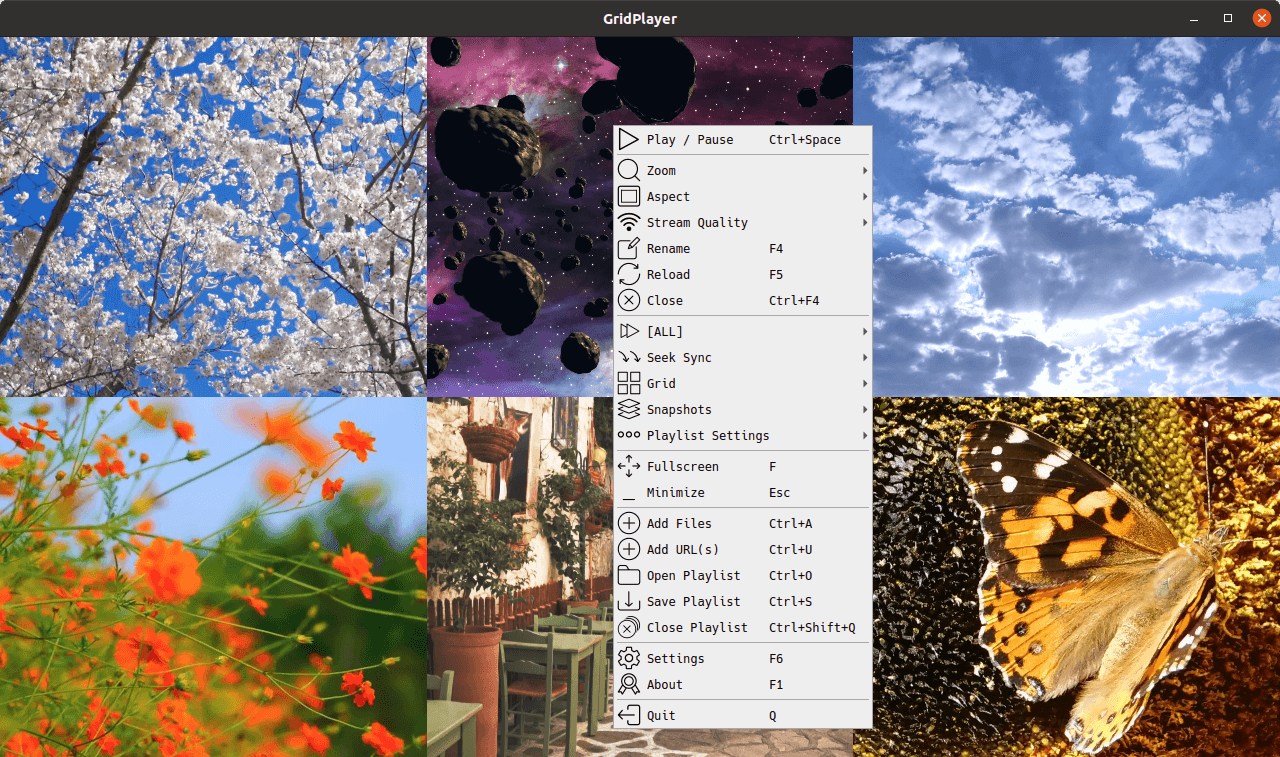
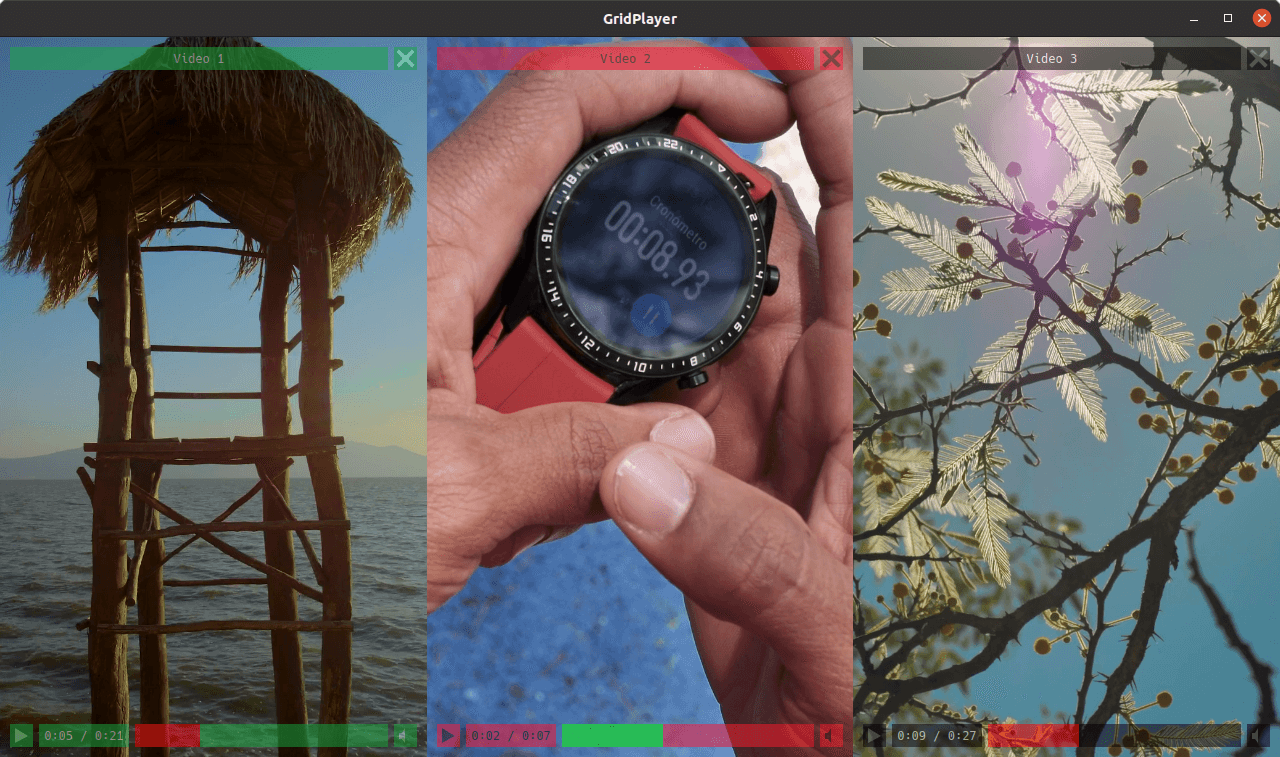
Simple VLC-based media player that can play multiple videos at the same time. You can play as many videos as you like, the only limit is your hardware. It supports all video formats that VLC supports (which is all of them). You can save your playlist retaining information about the position, sound volume, loops, aspect ratio, etc.
Features
- Cross-platform (Linux, Mac, and Windows)
- Support for any video and audio format (VLC)
- Support for (almost) any streaming URLs (streamlink + yt-dlp)
- Hardware & software video decoding
- Control video aspect, playback speed, zoom
- Set loop fragments with frame percision
- Configurable grid layout
- Easy swap videos with drag-n-drop
- Playlist retains settings for each video
Translation
GridPlayer now supports internationalization! Anyone with a handful of free time and desire to support this project is welcome to contribute. No coding skills or special software required, all dialogs are well documented and there are not many strings to translate.
Huge thanks to every contributor!
Installation
Windows


Via scoop:
$ scoop install gridplayer
Compatible with Windows 7, 8, 10, 11.
Linux



For better system integration install via Flathub.
Note on AppImage
The AppImage was built using Ubuntu Focal Fossa libraries, so compatibility is Ubuntu 20+.
You may need to set execute permissions on AppImage file in order to run it:
$ chmod +x GridPlayer-0.5.5-x86_64.AppImage
MacOS

DMG image is not signed and targets Apple Silicon (arm64). You will have to add an exception to run this app.
- How to open an app that hasn’t been notarized or is from an unidentified developer
- Open a Mac app from an unidentified developer
If you get "GridPlayer is damaged and can't be opened" error, run this command in the Terminal app:
$ sudo xattr -rd com.apple.quarantine /Applications/GridPlayer.app
Install with UV
$ uv tool install gridplayer
Python 3.10 or later required.
This type of installation will also require VLC installed (Windows & Mac) or a vlc package (Linux) present in your
system.
Please refer to VLC official page for instructions on how to install it.
Some distros (e.g. Ubuntu) might also require libxcb-xinerama0 package.
From source
$ uv tool install git+https://github.com/vzhd1701/gridplayer.git
The same notes about the Python version and external packages from above apply here.
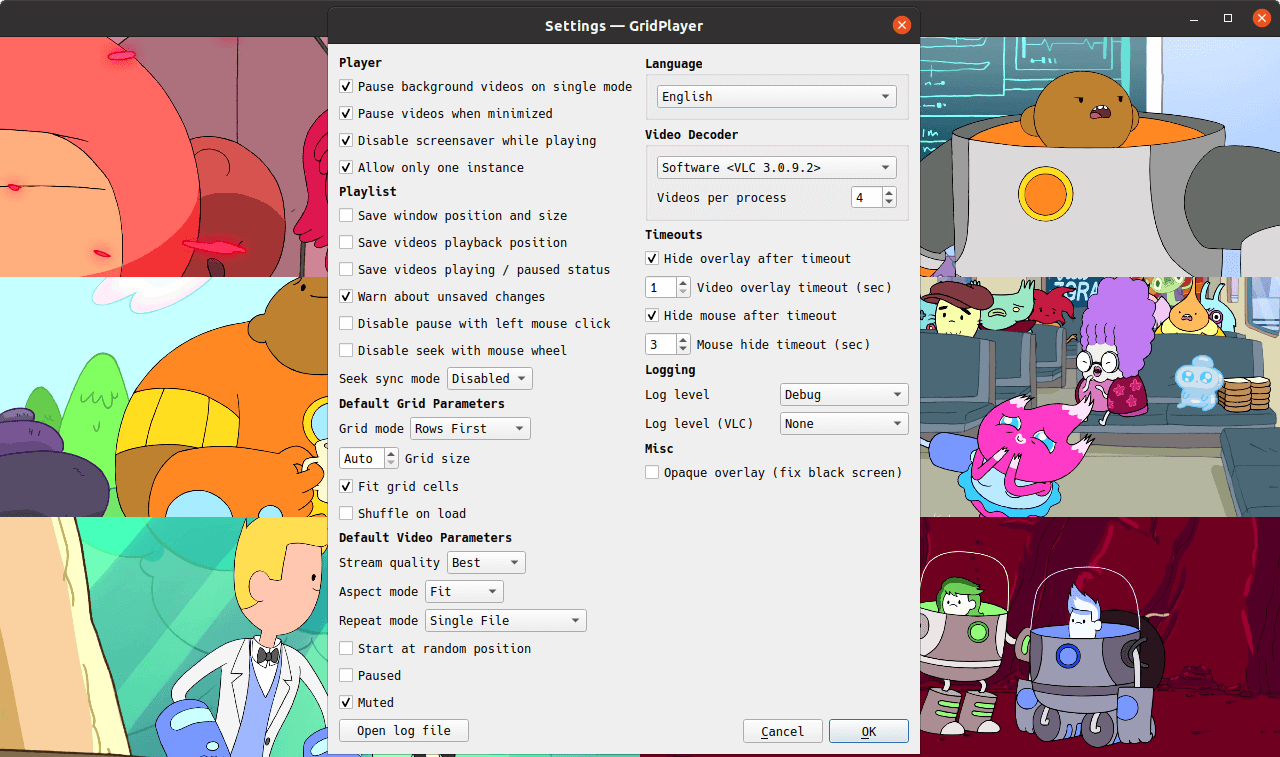
Video Decoder settings
GridPlayer supports two video output modes:
- Hardware (default) mode uses available GPU to render video. This mode offers high performance and is a recommended mode.
- Software mode is entirely independent of GPU and only uses the CPU to render video. This mode may cause a high CPU load with high-resolution videos.
Due to libvlc software library limitations, video decoding is split into parallel processes. You can control how many videos are handled by a single decoder process using the "Videos per process" setting. Setting this option too high may cause a high CPU load and application freeze. The optimal value is 4 videos per process.
There is also "Hardware SP" mode. It handles video decoding within the same process in which GridPlayer runs. It is not recommended to use with many videos (>4-6) because it may cause high CPU load and application freeze.
Due to OS inter-process restrictions, "Hardware SP" is the only available hardware mode in macOS.
Known issues
Linux (Snap): Error when opening a file from the mounted disk
You need to allow GridPlayer snap to access removable storage devices via Snap Store or by running:
$ sudo snap connect gridplayer:removable-media
Linux (Snap): mounted drives are not visible in file selection dialog
You will also see following error if you run GridPlayer from terminal:
GLib-GIO-WARNING **: Error creating IO channel for /proc/self/mountinfo: Permission denied (g-file-error-quark, 2)
To fix this, you need to allow GridPlayer snap to access system mount information and disk quotas via Snap Store or by running:
$ sudo snap connect gridplayer:mount-observe
Linux: black screen issue when using hardware decoder
Switch on "Opaque overlay (fix black screen)" checkbox in settings.
Depending on the window manager, the overlay might be a bit glitchy with the hardware decoder. Enabling compositor might help.
Geting help
If you found a bug or have a feature request, please open a new issue.
If you have a question about the program or have difficulty using it, you are welcome to the discussions page. You can also mail me directly, I'm always happy to help.
Attributions
This software was build using
- Python by Python Software Foundation
- Licensed under Python Software Foundation License
- Qt by Qt Project
- Licensed under GPL 2.0, GPL 3.0, and LGPL 3.0
- VLC by VideoLAN
- Licensed under GPL 2.0 or later
Python packages
- PyQt by Riverbank Computing
- Licensed under Riverbank Commercial License and GPL v3
- python-vlc by Olivier Aubert
- Licensed under GPL 2.0 and LGPL 2.1
- pydantic by Samuel Colvin
- Licensed under MIT License
- streamlink by Christopher Rosell, Streamlink Team
- Licensed under BSD-2-Clause License
- yt-dlp by Contributors
- Licensed under Unlicense License
Graphics
- Hack Font by Source Foundry
- Licensed under MIT License
- Basic Icons by Icongeek26
- Licensed under Flaticon License
- Suru Icons by Sam Hewitt
- Licensed under Creative Commons Attribution-Share Alike 4.0
- Clean App Download Buttons by Tony Thomas
- Licensed under MediaLoot License
- Flag Icons by Panayiotis Lipiridis
- Licensed under MIT License
Translations

VenusGirl 886 words ko
|

Sylvain LOUIS (LOUIS_Sylvain) 886 words fr
|

GBS ~ TECH (Gabriel-BS1) 886 words pt-BR
|

Göran (Granberg) 875 words sv-SE
|

Roy Hendum (royhendum) 875 words no
|

z Z (zxas) 851 words zh-TW
|

Davide V. (davidev1) 752 words it
|

Heimen Stoffels (Vistaus) 751 words nl
|

七篠孝志 (japanese.john.doe.774) 751 words ja
|

DominikPott 751 words de
|

Azoaz6001 751 words ar
|

Yagang Wang (wyg945) 751 words zh-CN
|

Kryštof Baksa (Golbinex) 674 words cs
|

Sergio Varela (IngrownMink4) 652 words es-ES
|

rafal132 (fifi132) 598 words pl
|

a2942 496 words zh-CN
|

LiberiFatali 456 words vi
|

samu112 438 words hu
|

asolis2020 266 words es-ES
|

SolarCTP 164 words it
|

Sebastian Jasiński (PrinceNorris) 163 words pl
|

Manuel (reiss404) 133 words de
|

Armando Gomes (aportuguesecoder) 121 words pt-PT
|

Akronos 112 words cs
|

Владимир Ларин (WackyFox) 108 words he
|
License
This software is licensed under the terms of the GNU General Public License version 3 (GPLv3). Full text of the license is available in the LICENSE file and online.
1 maintainer

Metadata
1 maintainer
Release files for gridplayer 0.5.5
For a detailed explanation of source distributions (sdists) and built distributions (wheels), please see the package formats documentation.
Source distribution (sdist)
| File | Size | Uploaded | Provenance | Actions |
|---|---|---|---|---|
| gridplayer-0.5.5.tar.gz | 2.0 MB | Without provenance | Details for gridplayer-0.5.5.tar.gz |
Built distribution (wheel)
| File | Interpreter | ABI | Platform | Actions Reset |
|---|---|---|---|---|
| gridplayer-0.5.5-py3-none-any.whl | Python 3 | none | any | Details for gridplayer-0.5.5-py3-none-any.whl |
Total release size: 4.1 MB
Release files / gridplayer-0.5.5.tar.gz
| Download URL | gridplayer-0.5.5.tar.gz |
|---|---|
| Size | 2.0 MB |
| Tags | Source |
|
SHA-256 checksum How to use checksums |
599cedee456b9da4bdce1a46a5fea99094c9418d44ee37e54c03ca707c7fbe45
|
|
BLAKE2b-256 checksum How to use checksums |
73e28820fbbecfbd9f002a46bab5b4b8927be0a964061107239d8eef69eb2a49
|
| Upload date | |
|
Uploaded using Trusted Publishing? What is trusted publishing? |
No |
| Uploaded via |
uv/0.11.32 {"installer":{"name":"uv","version":"0.11.32","subcommand":["publish"]},"python":null,"implementation":{"name":null,"version":null},"distro":{"name":"Ubuntu","version":"24.04","id":"noble","libc":null},"system":{"name":null,"release":null},"cpu":null,"openssl_version":null,"setuptools_version":null,"rustc_version":null,"ci":true}
|
Release files / gridplayer-0.5.5-py3-none-any.whl
| Download URL | gridplayer-0.5.5-py3-none-any.whl |
|---|---|
| Size | 2.1 MB |
| Tags | Python 3 |
|
SHA-256 checksum How to use checksums |
63dd818bc4d939d045a5af9bc729613ecddcd0e8892c67cd9dca5d1be522793c
|
|
BLAKE2b-256 checksum How to use checksums |
4402942e3f08ddf26113f3bc2bfc4976cc7797d8eac65b53700b4120d6c3420b
|
| Upload date | |
|
Uploaded using Trusted Publishing? What is trusted publishing? |
No |
| Uploaded via |
uv/0.11.32 {"installer":{"name":"uv","version":"0.11.32","subcommand":["publish"]},"python":null,"implementation":{"name":null,"version":null},"distro":{"name":"Ubuntu","version":"24.04","id":"noble","libc":null},"system":{"name":null,"release":null},"cpu":null,"openssl_version":null,"setuptools_version":null,"rustc_version":null,"ci":true}
|
Security for gridplayer 0.5.5
Provenance
Provenance describes where a file came from. On PyPI, provenance is shared via attestations, which provide a verifiable record of the build or publishing details. View details, limitations and caveats.
No provenance found
None of the files in this release were uploaded with provenance metadata.
A note on package security
PyPI is a repository for distributing packages, not a service for auditing them. While third-party security researchers and our staff do their best to detect and remove malicious packages, PyPI cannot guarantee the quality, security or suitability of any given package.
To learn more about protecting yourself from malicious actors, visit our package security documentation.














