
UI for GroupDocs.Viewer for Python via .NET


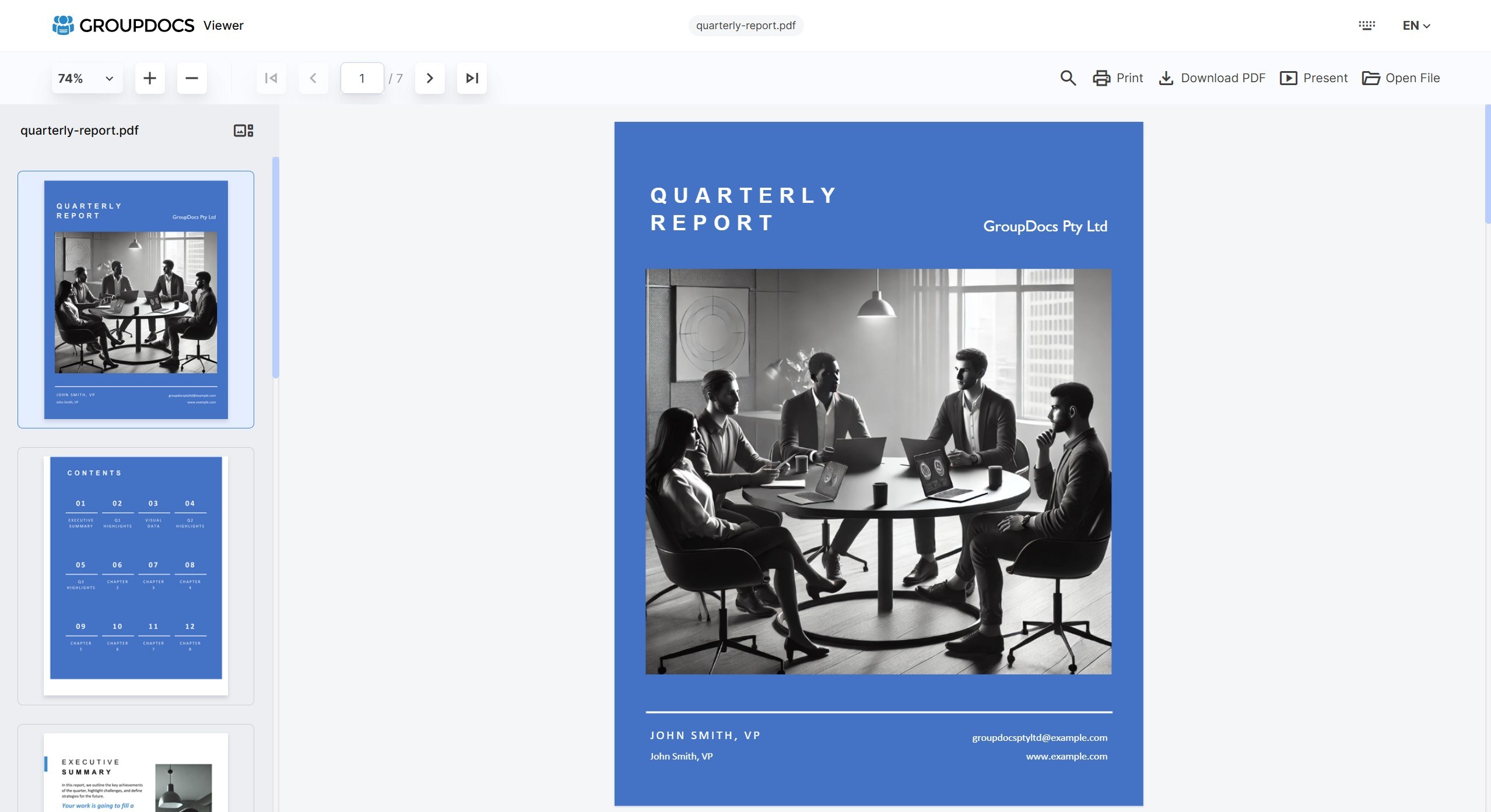
A web UI for groupdocs-viewer-net — view 190+ document and image formats in a browser. Mount inside an existing FastAPI / Flask / Django app, or run standalone via the bundled CLI.
The frontend is the same battle-tested Angular SPA from the GroupDocs.Viewer for .NET UI project, vendored into this package — one pip install and you're done.
Install
pip install groupdocs-viewer-net-ui
Optional cloud-storage / cache backends:
pip install "groupdocs-viewer-net-ui[s3]"      # S3FileStorage
pip install "groupdocs-viewer-net-ui[azure]"   # AzureBlobFileStorage
pip install "groupdocs-viewer-net-ui[redis]"   # RedisCache
pip install "groupdocs-viewer-net-ui[all]"
Run it
CLI (zero config)
groupdocs-viewer-ui serve --files ./documents --cache ./.viewer-cache
# → http://127.0.0.1:8080/viewer/
Docker
docker compose up
# Drop documents into ./documents on the host
In code
from groupdocs_viewer_ui import Config, create_app
from groupdocs_viewer_ui.cache.local import LocalFileCache
from groupdocs_viewer_ui.storage.local import LocalFileStorage
from groupdocs_viewer_ui.viewer.selfhost import SelfHostViewer

storage = LocalFileStorage("./Files")
app = create_app(
    Config(),
    storage=storage,
    cache=LocalFileCache("./Cache"),
    viewer=SelfHostViewer(storage=storage),
)
# Run with: uvicorn myapp:app
create_app() returns a Starlette ASGI app — mount it under FastAPI directly, or bridge to Flask/Django with a2wsgi. See examples/ for runnable patterns.
Configure
Config() accepts knobs for rendering mode, preload count, initial zoom, UI toggles (header, toolbar, thumbnails, search, print, etc.), localization, branding, and routing. See AGENTS.md for the full field reference.
Config(
    rendering_mode="html",        # or "image"
    preload_pages=3,
    initial_zoom="Fit Page",      # or "Fit Width", "Fit Height", "100%", "75%", etc.
    enable_thumbnails=True,
    ui_title="My Document Viewer",
    custom_css="<style>:root { --c-bg-brand: #0d9488; }</style>",
)
Storage backends
Built-in: LocalFileStorage, S3FileStorage ([s3] extra), AzureBlobFileStorage ([azure] extra). Implement the FileStorage protocol for anything else — three async methods. See examples/05_custom_storage/ for a SQLite-backed example.
Cache backends
Built-in: InMemoryCache, LocalFileCache, RedisCache ([redis] extra). When you supply both viewer and cache to create_app(), the viewer is auto-wrapped in a CachingViewer decorator — no manual composition required. Implement the FileCache protocol for custom backends. See examples/06_custom_cache/ for a TTL wrapper.
Authentication
from starlette.exceptions import HTTPException

async def require_session(request):
    if request.cookies.get("session") not in VALID_SESSIONS:
        raise HTTPException(status_code=401, detail="Login required")

app = create_app(..., auth_check=require_session)
The check runs before every /viewer-api/* request. /health, the SPA, and static assets are deliberately not guarded — wrap the whole app yourself if you need broader scope. See examples/07_auth/ for session-cookie + bearer-token patterns.
For rate limiting, pair with slowapi or asgi-ratelimit as standard Starlette middleware.
Examples
| Path | Shows |
|---|---|
examples/01_cli_quickstart/ |
Zero-config CLI demo |
examples/02_fastapi_basic/ |
Mount in FastAPI |
examples/03_flask_basic/ |
Mount in Flask via a2wsgi |
examples/04_custom_branding/ |
Custom logo + CSS |
examples/05_custom_storage/ |
SQLite FileStorage |
examples/06_custom_cache/ |
TTL FileCache decorator |
examples/07_auth/ |
Session cookie + bearer token auth |
Linux
groupdocs-viewer-net needs fonts and fontconfig for rendering (no libgdiplus since 26.9). The bundled Dockerfile installs them; for bare metal:
sudo apt-get install -y libfontconfig1 fontconfig fonts-liberation fonts-dejavu
# MS Project (MPP/MPT/MPX) also needs the Microsoft core fonts (Debian: enable "contrib"):
sudo apt-get install -y ttf-mscorefonts-installer
On Linux/macOS groupdocs-viewer-net runs the cross-platform build of the engine, which renders every format except Photoshop (PSD, PSB), Adobe Illustrator (AI) and OneNote — those are Windows-only. Everything else works on all platforms, including Visio and, since 26.9, Microsoft Project (MPP, MPT, MPX).
Documentation
AGENTS.md— full reference: config fields, protocols, extensibility, gotchasexamples/— runnable end-to-end demos for each integration pattern- GroupDocs.Viewer for Python via .NET docs
Development
pip install -e ".[dev]"
pytest                         # 107 passing (~21s; 5 e2e tests render a real DOCX)
ruff check src tests
mypy src
License
MIT — see LICENSE.
Support
1 maintainer

Release files for groupdocs-viewer-net-ui 26.9.0
For a detailed explanation of source distributions (sdists) and built distributions (wheels), please see the package formats documentation.
Source distribution (sdist)
| File | Size | Uploaded | |
|---|---|---|---|
| groupdocs_viewer_net_ui-26.9.0.tar.gz | 2.5 MB | Details |
Built distribution (wheel)
| File | Interpreter | ABI | Platform | Reset |
|---|---|---|---|---|
| groupdocs_viewer_net_ui-26.9.0-py3-none-any.whl | Python 3 | none | any | Details |
Total release size: 4.1 MB
Release files / groupdocs_viewer_net_ui-26.9.0.tar.gz
| Download URL | groupdocs_viewer_net_ui-26.9.0.tar.gz |
|---|---|
| Size | 2.5 MB |
| Tags | Source |
|
SHA-256 checksum How to use checksums |
c94370a10bf8d213bb79ff8ee4c9bbef7756462d6c014cd1ebf1e3cb5333adf3
|
|
BLAKE2b-256 checksum How to use checksums |
eca7cf5903117d1299899bea17d55406466c52bbf88245aaff4e4a731abdf33b
|
| Upload date | |
|
Uploaded using Trusted Publishing? What is trusted publishing? |
No |
| Uploaded via |
twine/7.0.0 CPython/3.13.14
|
Release files / groupdocs_viewer_net_ui-26.9.0-py3-none-any.whl
| Download URL | groupdocs_viewer_net_ui-26.9.0-py3-none-any.whl |
|---|---|
| Size | 1.7 MB |
| Tags | Python 3 |
|
SHA-256 checksum How to use checksums |
9d04700473e0daf90c3edb363252c417c38efd8f8c3d394a5d54042c13802d23
|
|
BLAKE2b-256 checksum How to use checksums |
209fb41179812406355c292e6c41b6882443b0615faa5b52fced741b985226ed
|
| Upload date | |
|
Uploaded using Trusted Publishing? What is trusted publishing? |
No |
| Uploaded via |
twine/7.0.0 CPython/3.13.14
|














