
GS-DroneGym





Photorealistic drone simulation, synthetic aerial dataset generation, and cross-benchmark trajectory tooling for vision-language-action research.
GS-DroneGym is built around one problem: VLA-AN highlights the visual sim-to-real gap as a major blocker for drone VLA systems, while RaceVLA shows that aerial VLA policies can work but still degrade on safety and generalization. This project turns that motivation into a usable research stack: a drone simulator with 3D Gaussian Splatting rendering, waypoint supervision, task libraries, and now a synthetic VLA-AN-like dataset factory plus shared tooling for GS-DroneGym, LIBERO, and LeRobot-format data.
What This Repo Actually Does
GS-DroneGym can be used in four ways:
- Drone simulator
- run drone navigation tasks with RGB, depth, state, and language instructions
- Interactive viewer
- fly the drone manually and inspect RGB, depth, and top-down trajectories
- Synthetic dataset factory
- generate waypoint-supervised aerial datasets in Parquet shards
- Cross-benchmark data layer
- normalize, inspect, train on, and evaluate GS-DroneGym, LIBERO, and LeRobot-style trajectories
What's New
v0.4.0
The real Gaussian renderer now works, verified on a GPU.
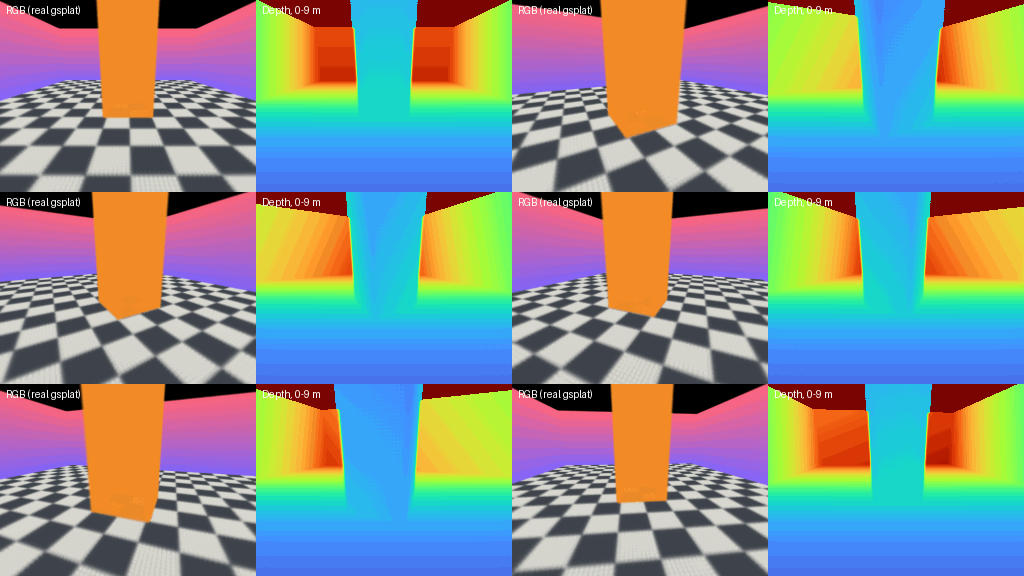
Real gsplat rasterization on an NVIDIA T4: 81,649 Gaussians at 256×192, median 3.55 ms per frame including the copy back to host memory. This is the synthetic test room with a checkerboard floor, not a captured reconstruction. Three defects had kept the renderer from ever producing a correct image: Gaussian scales were passed without their exponential activation, the camera frame was never converted to the vision convention the rasterizer expects, and depth was read from an alpha-accumulated channel. None could surface on the development machine, where gsplat silently falls back to the mock renderer. Reproduce with modal run tools/modal_render_readme_demo.py.
Collision geometry comes from the scene's own Gaussians.
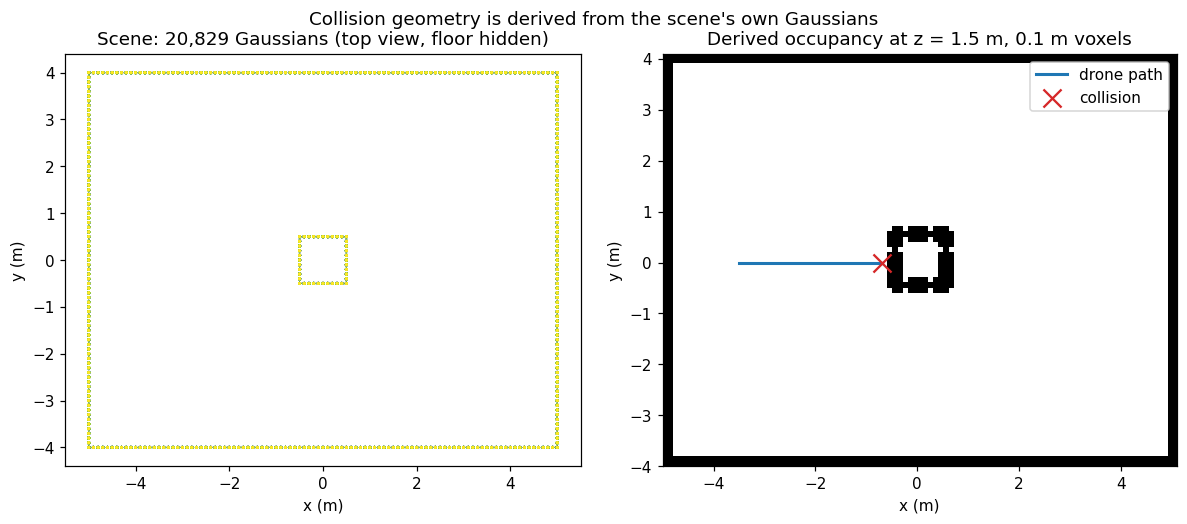
Obstacles used to be hand-authored boxes unrelated to the rendered image. Loading a Gaussian scene now derives navigation bounds and a voxel occupancy grid from that scene, and the drone collides against it. Checked against real rendered depth over 851 rays, the median error is 0.073 m at 0.1 m voxels, with 93.9% of rays within two voxels. Regenerate the figure with python tools/make_scene_geometry_figure.py.
A reproducible environment that standard RL libraries can consume.
- Seeding once and then calling
reset()repeatedly now replays the same episode sequence. Previously only the first episode was reproducible, and augmented frames drifted by up to 43/255 at a fixed seed. - Control, physics and camera rates are independent:
control_hz,physics_hzandcamera_hz, withepisode_time_limit_sexpressed in simulated seconds. instruction_mode="features"exposes a deterministic instruction encoding, so the observation space is allBox.observation_mode="state"skips rendering entirely.- Behavior-cloning instruction features no longer change between processes, and checkpoints record an encoder version.
- Benchmark reports shrank from 621 MB to 1.5 KB by default.
- CI builds the wheel from a clean checkout and tests the installed package on Ubuntu and Windows for Python 3.10 and 3.11.
import gs_dronegym

env = gs_dronegym.make(
    "PointNav-v0",
    scene=None,
    control_hz=10.0,
    camera_hz=5.0,
    instruction_mode="features",
)
obs, info = env.reset(seed=0)
Behavior-cloning results reported before these fixes are unreliable; see paper/claim_map.md.
Earlier releases
v0.1: core quadrotor simulator, renderer stack, tasks, metrics, and viewerv0.2: shared trajectory schema, benchmark adapters, dataset loaders, and behavior cloning baselinev0.3: synthetic VLA-AN-like dataset generation with staged curricula, expert waypoints, safety labels, Parquet shards, debug JSON episodes, preview CLI, and dataset validation
Visual Demos
The demos below run on the CPU mock renderer, which needs no GPU. Its RGB and depth panels are placeholder test signals, not images of a scene; the top-down trajectory panel is the real simulated flight. For output from the real Gaussian renderer, see What's New.
Keyboard control demo
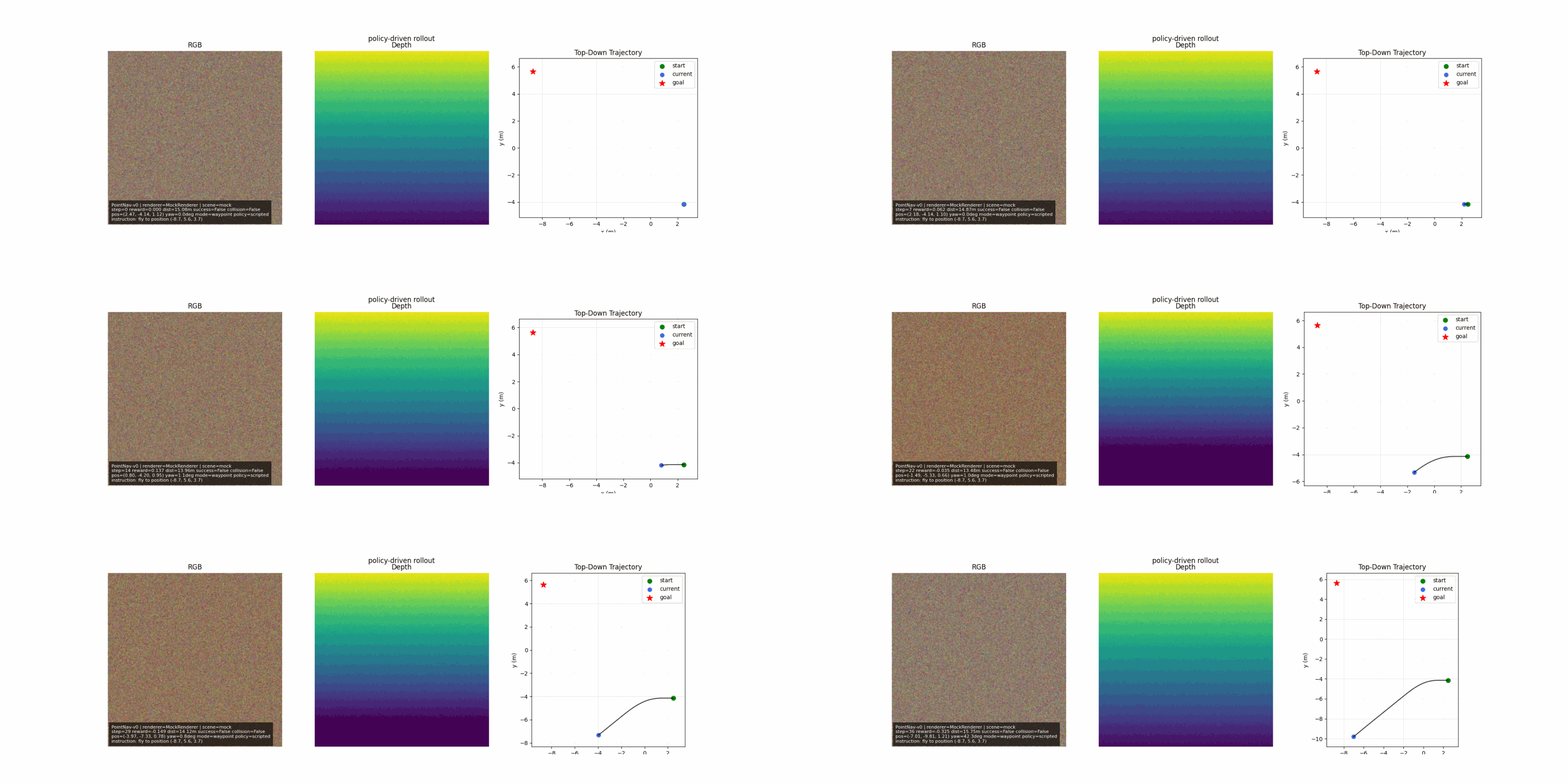
This shows manual waypoint control in the live viewer.
The left and middle panels are the mock renderer's placeholder RGB and depth; the right panel is the top-down flight trace.
As you press movement keys, the path and heading update in real time.
Obstacle slalom
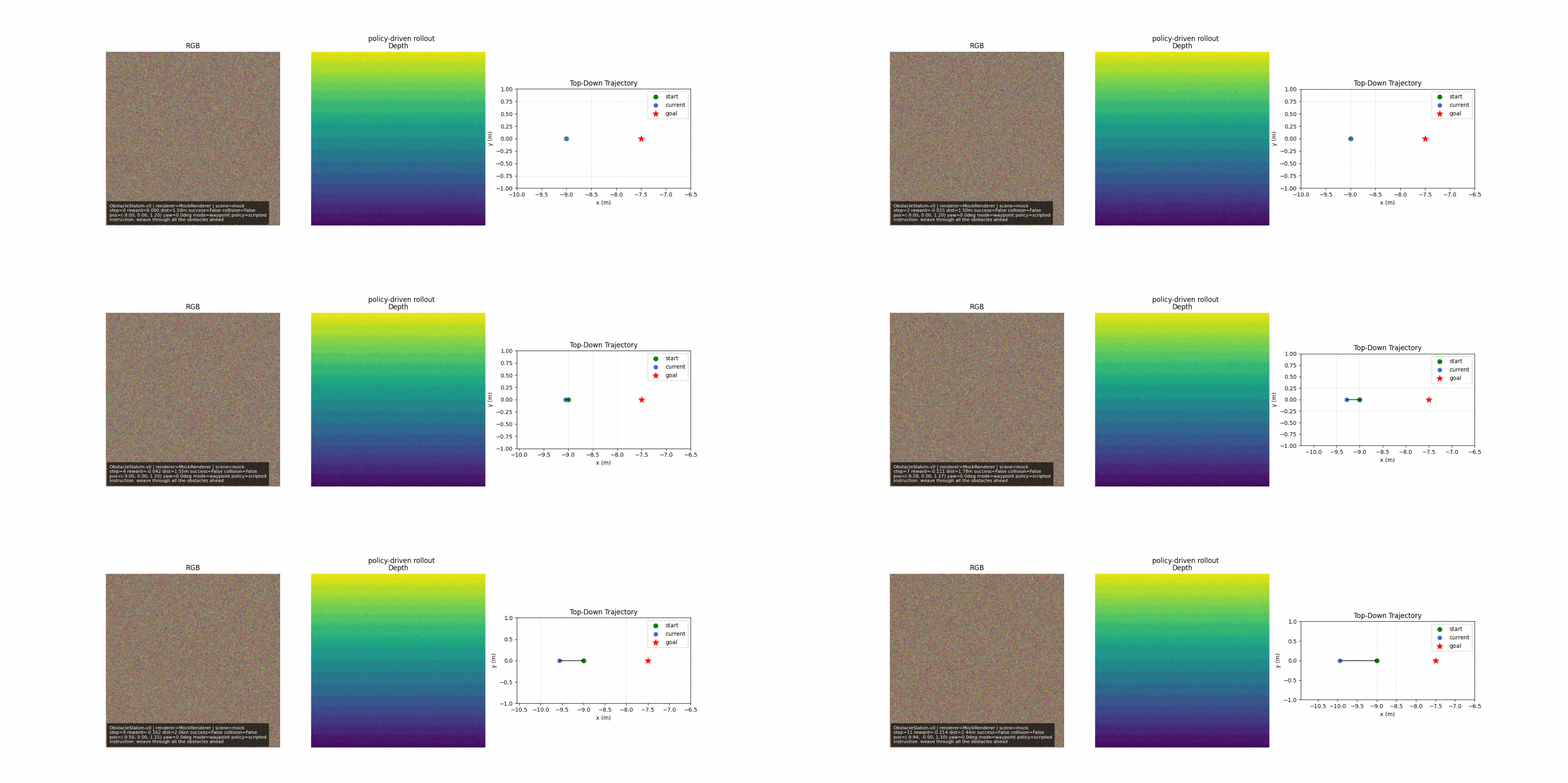
This task checks whether the drone can weave through a structured obstacle course.
The top-down view makes drift and near-collision behavior easy to inspect.
Dynamic follow
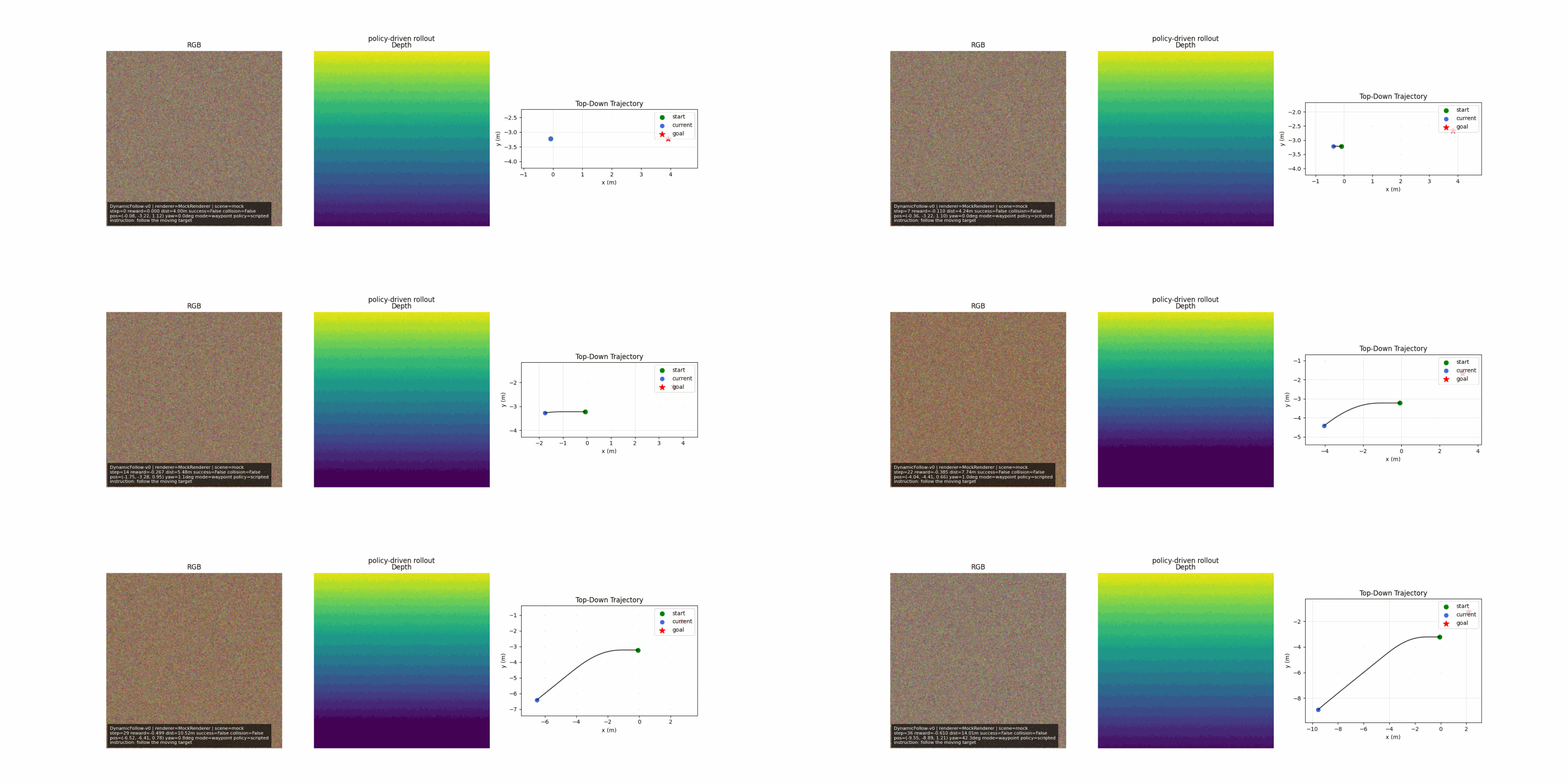
This task is about staying close to a moving target rather than reaching a fixed point.
It is useful for debugging temporal control and tracking lag.
Narrow corridor
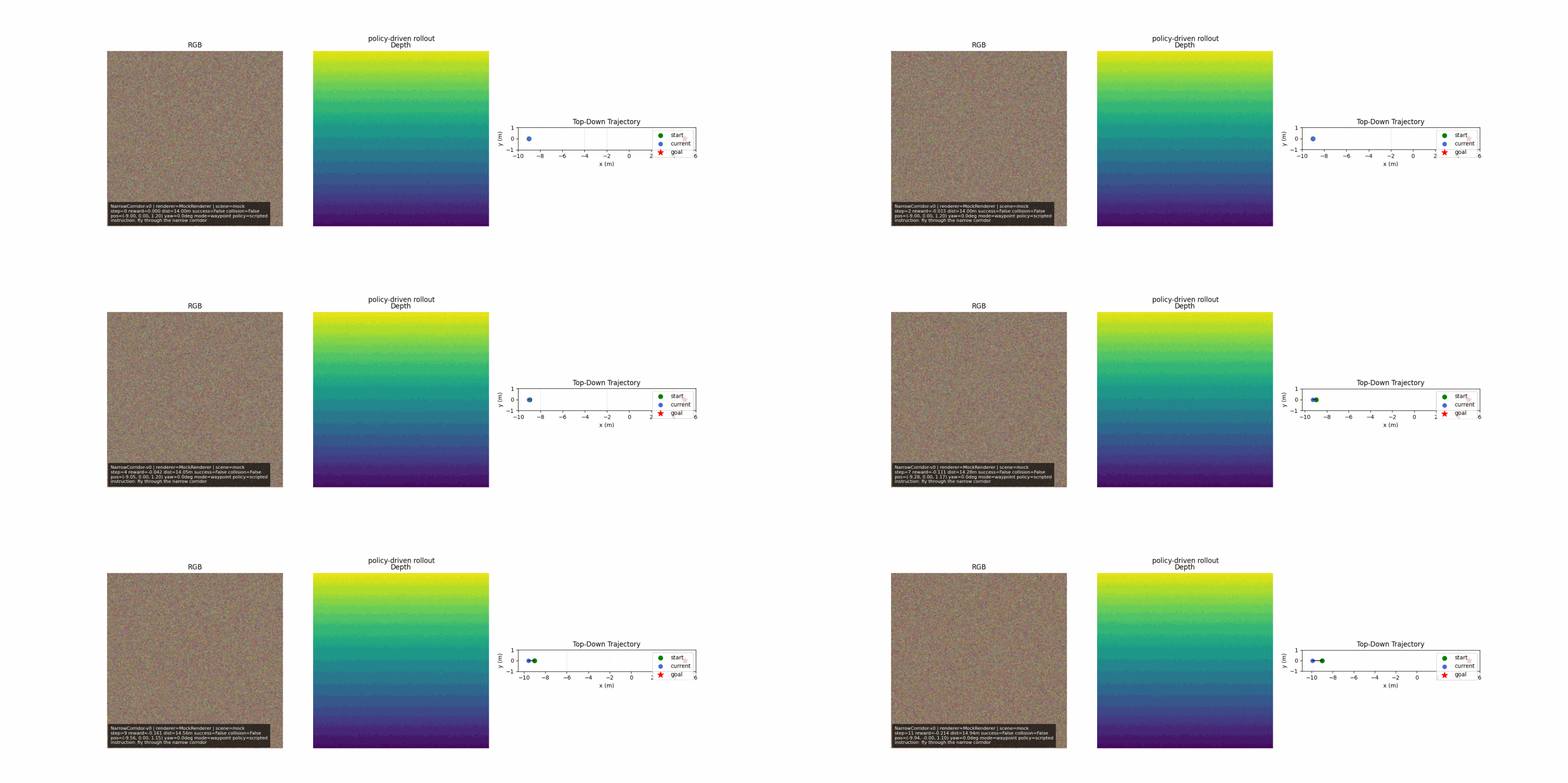
This stresses precision and safety in tight geometry.
You can immediately see whether the drone stays centered or clips the corridor walls.
Install
GS-DroneGym requires Python 3.10 or newer.
Check your Python version first:
python --version
Install from PyPI:
pip install gs-dronegym
Upgrading from 0.3.0: that release predates the renderer, reproducibility and packaging fixes described in What's New. Upgrade with
pip install -U gs-dronegym.
If you see No matching distribution found for gs-dronegym, you are probably using Python 3.9 or older. Create a Python 3.10+ environment and install again:
conda create -n gs-dronegym python=3.11 -y
conda activate gs-dronegym
python -m pip install --upgrade pip
python -m pip install gs-dronegym
Install directly from GitHub:
pip install "gs-dronegym @ git+https://github.com/09Catho/gs-dronegym.git"
For development:
git clone https://github.com/09Catho/gs-dronegym.git
cd gs-dronegym
pip install -e .
For CUDA rendering extras from GitHub:
pip install "gs-dronegym[cuda]"
For LIBERO support:
pip install "gs-dronegym[libero]"
The libero extra only installs shared loader dependencies. Install the official LIBERO environment separately according to the upstream project you are using, because PyPI packages cannot depend on arbitrary GitHub repos.
For LeRobot-format support:
pip install "gs-dronegym[lerobot]"
For all benchmark extras:
pip install "gs-dronegym[benchmarks]"
5-Minute Start
1. Run the simulator
import gs_dronegym

env = gs_dronegym.make("PointNav-v0", scene=None)
obs, info = env.reset(seed=0)
obs, reward, terminated, truncated, info = env.step(env.action_space.sample())

print(obs["instruction"])
print(obs["rgb"].shape, obs["depth"].shape, obs["state"].shape)
2. Open the live viewer
gs-dronegym-live-view --env-id PointNav-v0 --scene None --policy keyboard --action-mode waypoint
Keyboard mapping:
I/K: forward/backJ/L: left/rightU/O: up/downN/M: yaw left/rightP: pauseR: resetEsc: quit
3. Generate a tiny synthetic dataset
gs-dronegym-generate-dataset outputs/synth_dataset --scenes mock://lab_a mock://lab_b --episodes-per-scene 12 --renderer-device cpu --allow-mock-rendering
For a focused Live PointNav debugging dataset, keep only point_nav:
gs-dronegym-generate-dataset outputs/pointnav_debug_dataset --scenes mock://pn_a mock://pn_b --episodes-per-scene 100 --renderer-device cpu --allow-mock-rendering --task-filter point_nav
4. Validate the generated dataset
gs-dronegym-validate-dataset outputs/synth_dataset
Core Workflows
Workflow A: Simulate a drone task
Use this when you want to prototype a policy, debug control logic, or inspect task behavior.
gs-dronegym-live-view --env-id PointNav-v0 --scene None --policy keyboard --action-mode waypoint
Workflow B: Generate synthetic VLA-style data
Use this when you want training data with RGB, depth, drone state, language instruction, expert waypoint, and safety labels.
gs-dronegym-generate-dataset outputs/synth_dataset --scenes mock://lab_a mock://lab_b --episodes-per-scene 12 --renderer-device cpu --allow-mock-rendering
gs-dronegym-validate-dataset outputs/synth_dataset
Workflow C: Preview a dataset task before generating at scale
Use this when you want to inspect a single scenario and save a GIF.
gs-dronegym-preview-dataset-task --scene None --stage stage2_flight_skills --task-id narrow_corridor --steps 40 --save-gif outputs/dataset_preview.gif --allow-mock-rendering
Workflow D: Load a real Gaussian scene
Use this when you already have a Gaussian .ply from Nerfstudio or another 3DGS pipeline.
Status: the real renderer has been verified on a Linux GPU against a synthetic Gaussian scene. Captured reconstructions load through the same path, but their coordinate frame, scale and navigation bounds have not yet been validated. On native Windows,
gsplatcannot build its CUDA extension without MSVC and the renderer falls back to the mock path.
gs-dronegym-live-view --env-id PointNav-v0 --scene C:\path\to\scene.ply --renderer-device cuda --policy keyboard
For synthetic dataset generation on a real scene:
gs-dronegym-generate-dataset outputs/real_dataset --scenes C:\path\to\scene.ply --episodes-per-scene 12 --renderer-device cuda
You can also use the built-in public scene handles. These currently resolve to large NerfBaselines Gaussian Splatting archives hosted on Hugging Face, then cache and extract the contained .ply locally:
python -c "from gs_dronegym.scene import list_scenes; print(list_scenes())"
python -c "from gs_dronegym.scene import get_scene; print(get_scene('room'))"
gs-dronegym-live-view --env-id PointNav-v0 --scene room --renderer-device cuda --policy keyboard
Important: the public archives are multi-GB downloads. Use a local .ply if you already have one, and use mock rendering for quick CPU tests.
Synthetic Dataset Factory
GS-DroneGym v0.3 adds a staged aerial dataset generator designed to approximate the public ingredients described in VLA-AN.
Generated supervision per step:
instructionrgbdepthstateexpert_waypoint = [x, y, z, yaw]- safety labels:
collision_imminentmin_clearance_mrecovery_requiredcollision_occurredsuccess
Curriculum stages:
stage1_scene_comprehensionstage2_flight_skillsstage3_long_horizon_navigation
Output layout:
manifest.jsonsplits.jsonepisodes_debug/media/<split>/<shard>/rgb/*.pngmedia/<split>/<shard>/depth/*.npyparquet/<split>/steps-xxxxx.parquetparquet/<split>/episodes.parquet
Important note: this is a VLA-AN-like approximation, not a claim of exact reproduction of the paper's internal private dataset.
Cross-Benchmark Layer
GS-DroneGym also includes a shared benchmark/data layer for:
- live drone rollouts
- normalized offline trajectories
- LIBERO adapters
- LeRobot-format dataset loading
- behavior cloning
- evaluation reports
Main interfaces:
TaskSpecActionSpecObservationSpecTrajectoryStepTrajectoryEpisodeBenchmarkReportmake_benchmark(...)load_dataset(..., format="gs_dronegym" | "libero" | "lerobot")
Built-In Drone Tasks
| Task | Description | Success Metric | Max Steps |
|---|---|---|---|
PointNav-v0 |
Fly to a sampled 3D coordinate. | Reach goal within 0.5 m. |
200 |
ObjectNav-v0 |
Fly to a language-described region. | Reach region goal within 0.5 m. |
200 |
ObstacleSlalom-v0 |
Pass through five obstacle gates in sequence. | Clear all gates and finish. | 200 |
DynamicFollow-v0 |
Track a moving target. | Stay within 1.0 m for 15 consecutive steps. |
200 |
NarrowCorridor-v0 |
Traverse a tight corridor safely. | Reach corridor exit within 0.5 m. |
200 |
Architecture
flowchart LR
    A["Drone state"] --> B["QuadrotorDynamics"]
    B --> C["CameraModel pose"]
    C --> D["GSplatRenderer / MockRenderer"]
    D --> E["RGB + depth observations"]
    E --> F["Policy / benchmark adapter"]
    F --> G["Waypoint [x, y, z, yaw]"]
    G --> H["WaypointController"]
    H --> I["Thrust + body-rate commands"]
    I --> B
    E --> J["Trajectory schema / dataset writer / reports"]
    K["LIBERO / LeRobot adapters"] --> J
CLI Reference
Inspect a dataset:
gs-dronegym-inspect-dataset path/to/dataset --format gs_dronegym
Train behavior cloning:
gs-dronegym-train-bc path/to/dataset --format gs_dronegym --epochs 3 --checkpoint outputs/policy.pt
Evaluate:
gs-dronegym-evaluate --benchmark gs_dronegym --env-id PointNav-v0 --n-episodes 5
Evaluate the built-in geometric expert before blaming a learned policy:
gs-dronegym-evaluate-expert --env-id PointNav-v0 --scene None --n-episodes 10
Live viewer:
gs-dronegym-live-view --env-id PointNav-v0 --scene None --steps 60
Save a GIF without opening a window:
gs-dronegym-live-view --env-id PointNav-v0 --scene None --steps 60 --no-show --save-gif outputs/live_view.gif
Generate a scripted keyboard-style demo GIF:
gs-dronegym-live-view --env-id PointNav-v0 --scene None --policy scripted --steps 60 --no-show --save-gif outputs/keyboard_demo.gif
Examples
The examples/ folder includes:
export_drone_rollout.pygenerate_synthetic_dataset.pypreview_synthetic_dataset.pylive_viewer.pyload_libero_dataset.pyload_lerobot_dataset.pytrain_bc.pyevaluate_benchmark.py
Real Scene Workflow
If you want real rendering instead of mock rendering:
- use a built-in public scene handle such as
room,garden,bicycle, ortruck, or capture your own room/outdoor space - if using your own capture, build a Gaussian
.plywith Nerfstudio or another 3DGS pipeline - pass the built-in handle or
.plyinto GS-DroneGym - run the viewer or dataset generator on top of that real scene
Example:
gs-dronegym-live-view --env-id PointNav-v0 --scene C:\path\to\scene.ply --renderer-device cuda --policy keyboard
gs-dronegym-live-view --env-id PointNav-v0 --scene room --renderer-device cuda --policy keyboard
Next Phase
Planned work from here:
-
Larger real-scene dataset generation
- better
gsplatbatching - multi-scene GPU scheduling
- stronger resume/checkpoint behavior
- better
-
Richer expert supervision
- stronger recovery labels
- better dynamic-target forecasting
- optional low-level control labels in addition to waypoints
-
Dataset publishing
- dataset cards
- Hugging Face export helpers
- benchmark tables for generated splits
References
- VLA-AN: An Efficient and Onboard Vision-Language-Action Framework for Aerial Navigation in Complex Environments
- RaceVLA: VLA-based Racing Drone Navigation with Human-like Behaviour
- LIBERO: Benchmarking Knowledge Transfer for Lifelong Robot Learning
- LeRobot GitHub
- Hugging Face LeRobot Docs
Development
pip install -e ".[dev]"
python -m ruff check gs_dronegym tests examples paper tools
python -m pytest -q
The core path remains CPU-only and fully testable with MockRenderer. Optional GPU rendering and external benchmark integrations are import-gated.
CI runs these checks on Ubuntu and Windows for Python 3.10 and 3.11. It then builds the wheel from a clean checkout, checks its contents against the tracked sources with tools/check_wheel_contents.py, installs it into a fresh environment and runs tools/wheel_smoke_test.py from outside the source tree. The GPU renderer cannot run on hosted runners and is validated separately with tools/modal_validate_occupancy.py.
Citation
@software{saxena2025gsdronegym,
  author = {Saxena, Atul},
  title  = {GS-DroneGym: Photorealistic Simulation for VLA Drone Navigation},
  year   = {2025},
  url    = {https://github.com/09Catho/gs-dronegym}
}
1 maintainer

Metadata
1 maintainer
Release files for gs-dronegym 0.4.0
For a detailed explanation of source distributions (sdists) and built distributions (wheels), please see the package formats documentation.
Source distribution (sdist)
| File | Size | Uploaded | |
|---|---|---|---|
| gs_dronegym-0.4.0.tar.gz | 111.6 kB | Details |
Built distribution (wheel)
| File | Interpreter | ABI | Platform | Reset |
|---|---|---|---|---|
| gs_dronegym-0.4.0-py3-none-any.whl | Python 3 | none | any | Details |
Total release size: 225.3 kB
Release files / gs_dronegym-0.4.0.tar.gz
| Download URL | gs_dronegym-0.4.0.tar.gz |
|---|---|
| Size | 111.6 kB |
| Tags | Source |
|
SHA-256 checksum How to use checksums |
e34e0836e577b92b12ff087f3e3198c6f8d9b17d1743e35f9ea4bc446ee3d3e0
|
|
BLAKE2b-256 checksum How to use checksums |
5d0b7b7cdf8320851fd8b31225d9e1f8cb83294642ab176340f536e90c033d7f
|
| Upload date | |
|
Uploaded using Trusted Publishing? What is trusted publishing? |
No |
| Uploaded via |
twine/6.2.0 CPython/3.11.0
|
Release files / gs_dronegym-0.4.0-py3-none-any.whl
| Download URL | gs_dronegym-0.4.0-py3-none-any.whl |
|---|---|
| Size | 113.8 kB |
| Tags | Python 3 |
|
SHA-256 checksum How to use checksums |
f11552bca512e2764b58a6fd87485c87757d6eb5f7d7f66e6d414b38bfb4cc8f
|
|
BLAKE2b-256 checksum How to use checksums |
235fec58a631755943926477118d4f33c9a916db68b8aa32d85b9aad919e3fc0
|
| Upload date | |
|
Uploaded using Trusted Publishing? What is trusted publishing? |
No |
| Uploaded via |
twine/6.2.0 CPython/3.11.0
|














