
GSheet Plotter
An interface to plot graphs using data from your Google Spreadsheets.
Features:
- Fetch spreadsheet from ID
- Plot 2D graphs using any two columns
- Export graphs in .png
Quick Links to get up and running
Installation:
Install GSheet Plotter
pip install gsheet_plotter
Create a credentials file(.json) to allow access to GSheet Plotter to access your spreadsheets.
-
Go to Google-Developer-Console and login with your Google account.
-
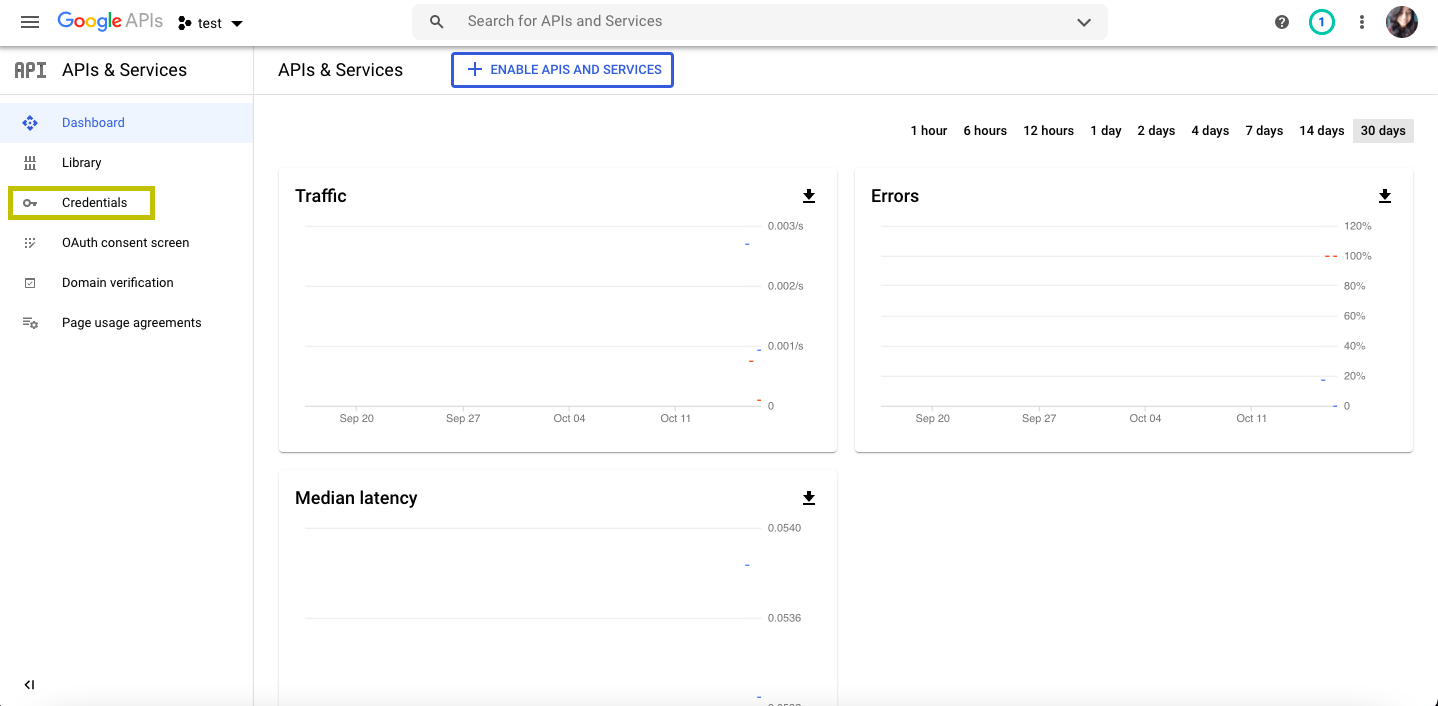
In the left pane click on
Credentials
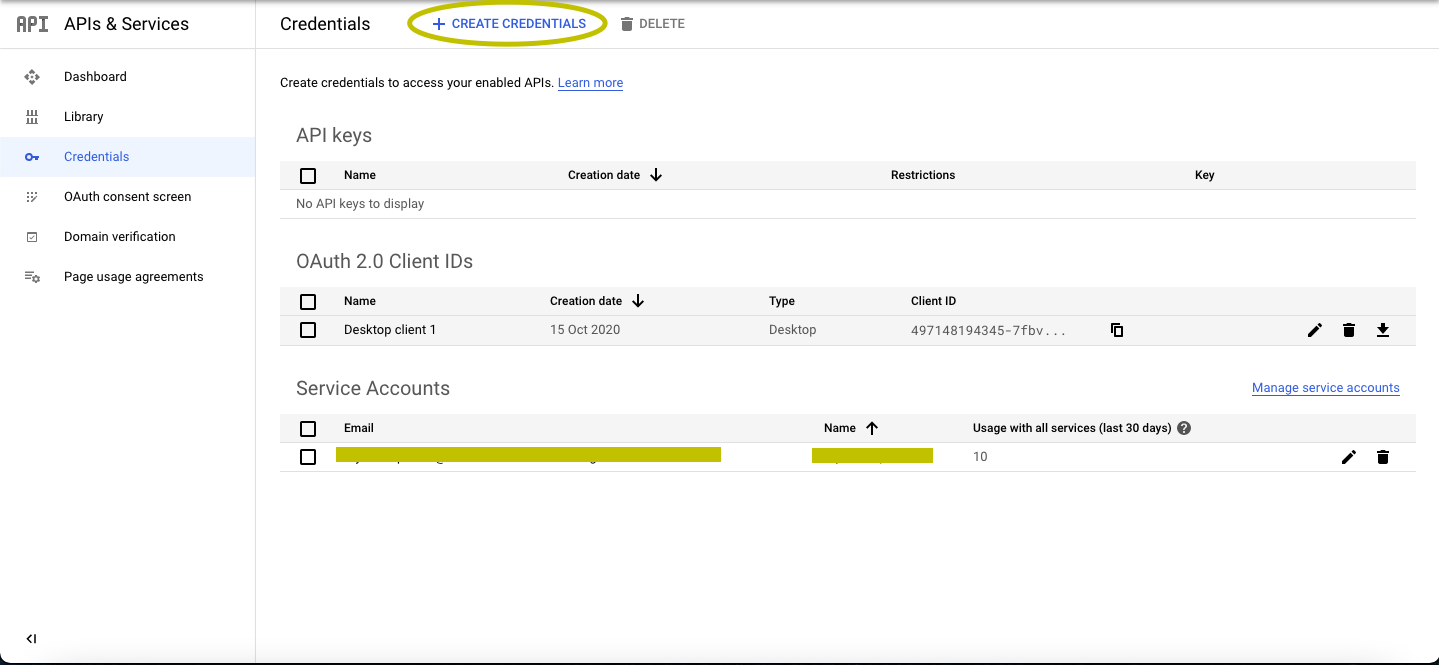
- Click on
Create Credentials
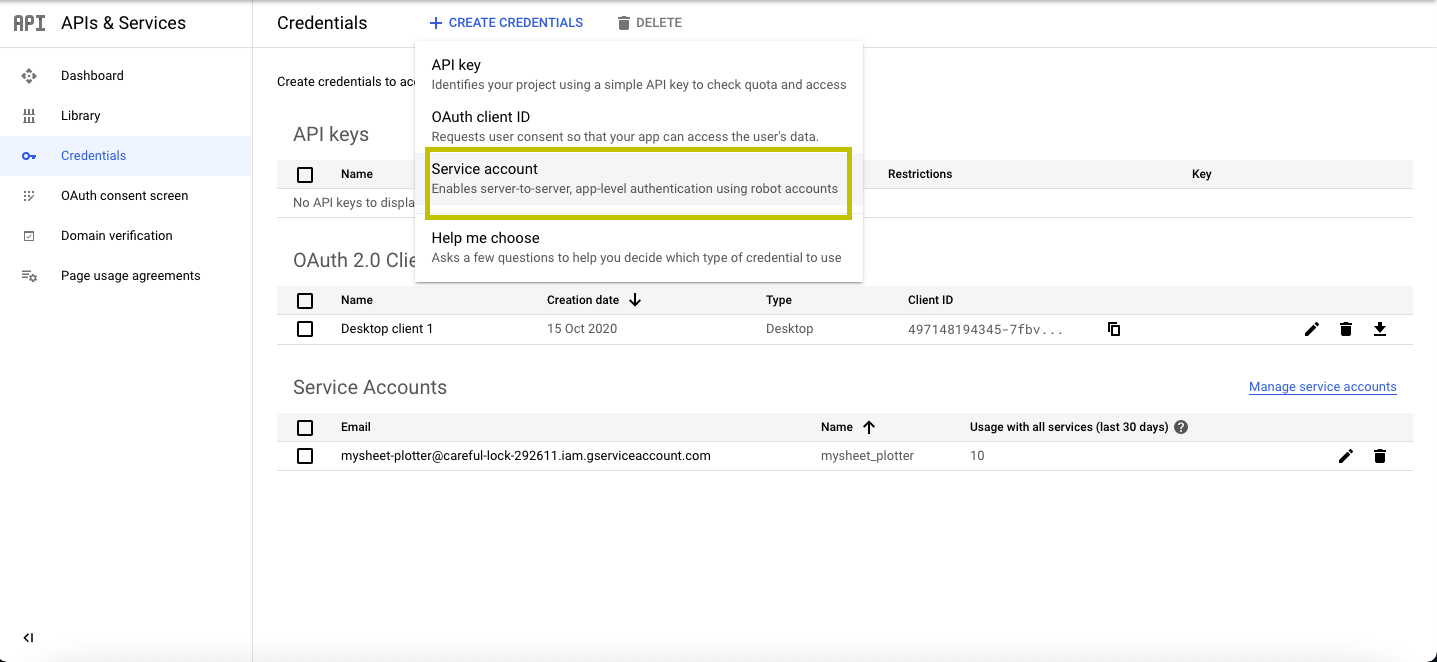
- In the dropdown, choose
Service Account
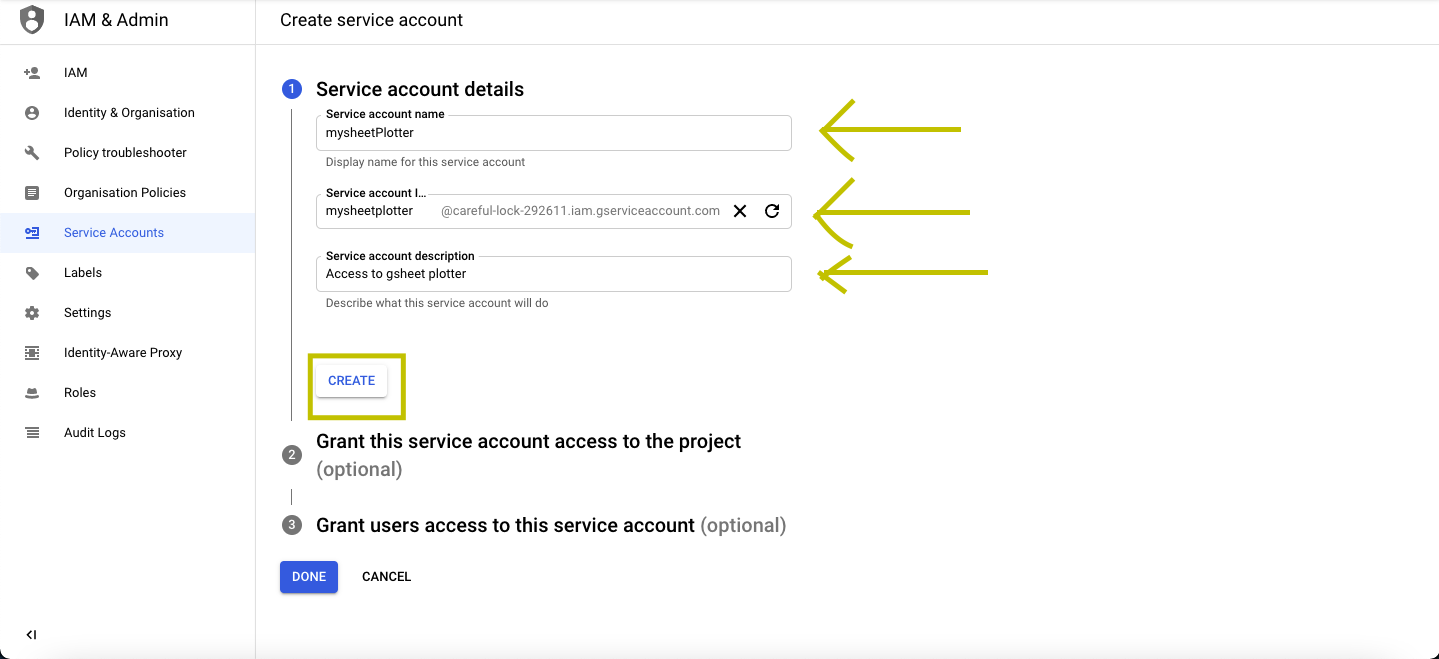
- Fill in the details, and click on
Create
-
Click on
Done -
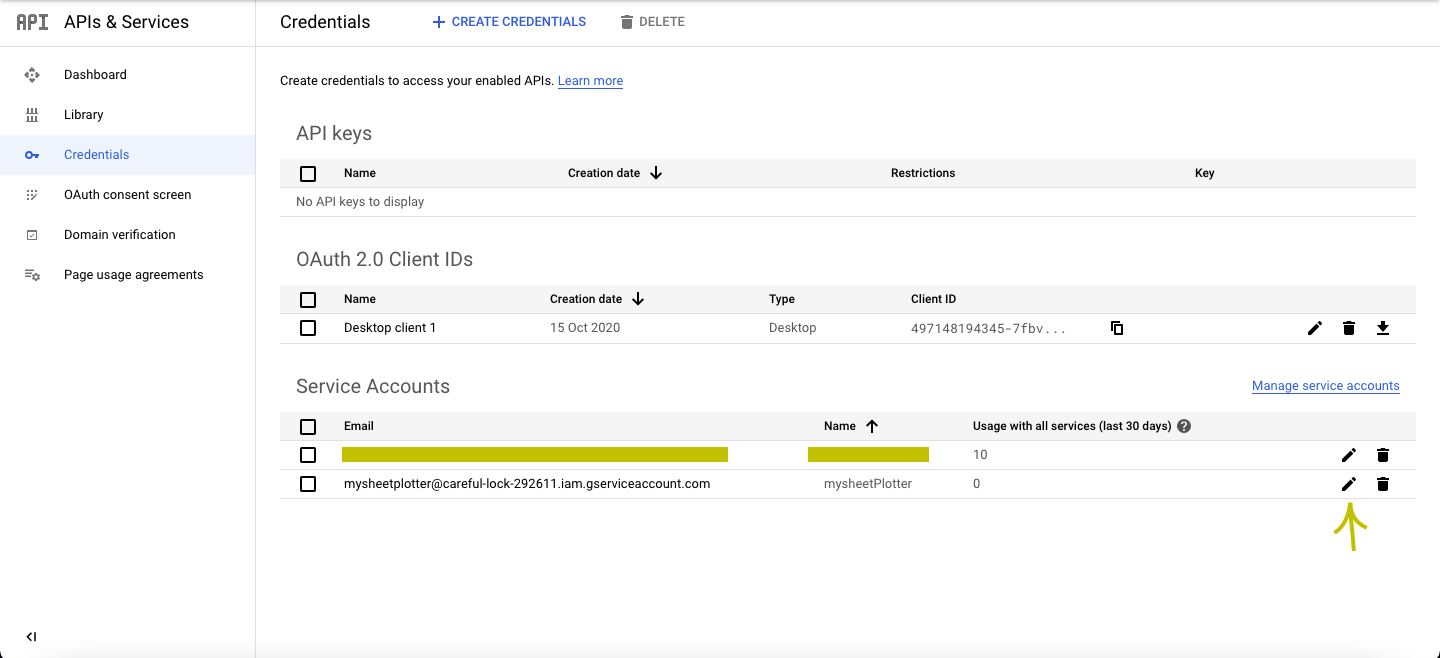
Go back to your dashboard and you'll see new credentials added with the information you entered.
-
Click on the Edit icon
-
Goto Keys on
Add Key. -
Download the JSON file and move to the working directory.
Usage:
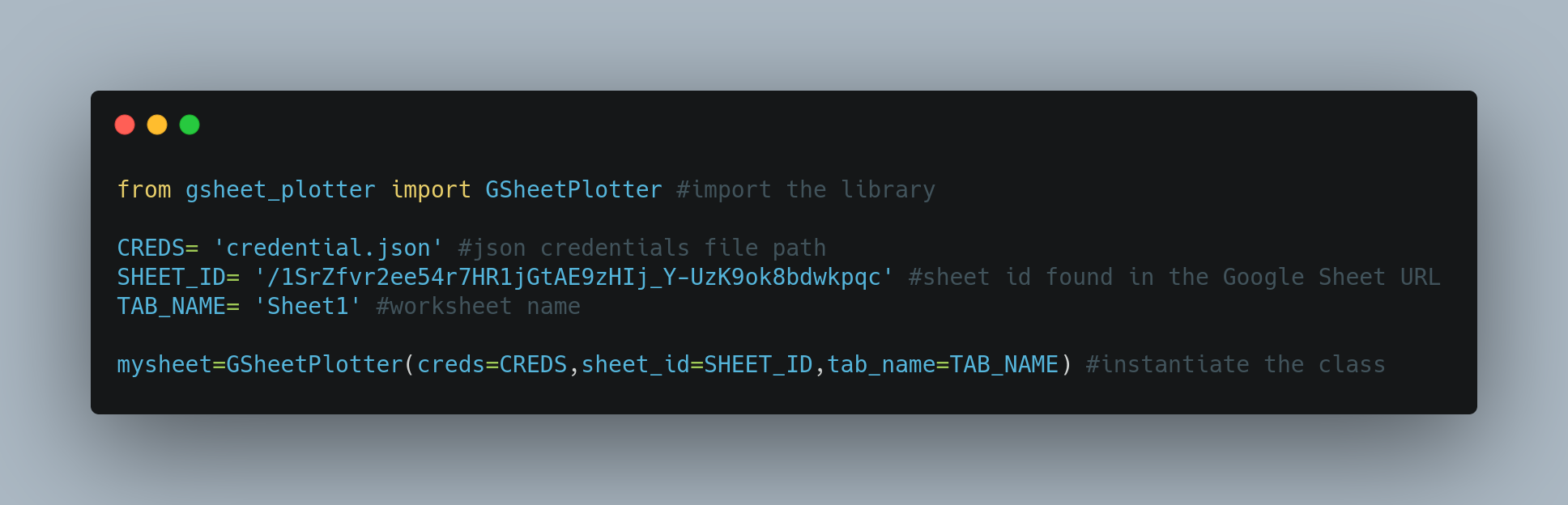
- Instantiate the class by passing Google Service Account json file,Sheet Id found in the Google Sheet URL and the work sheet name
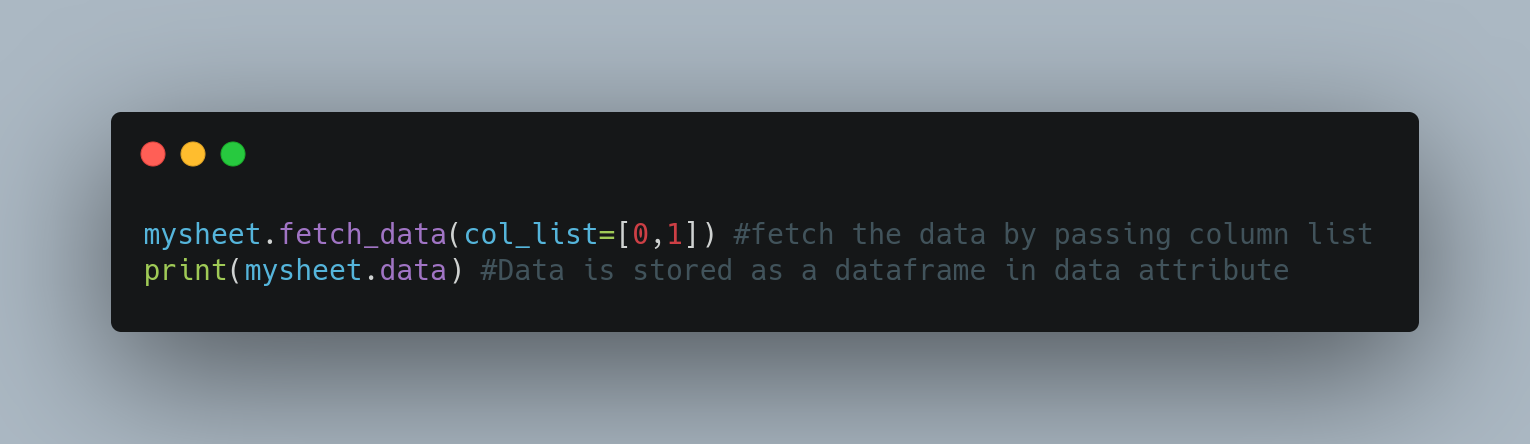
- Fetch data from the sheet to a pandas dataframe. The dataframe is saved in the
dataattribute.
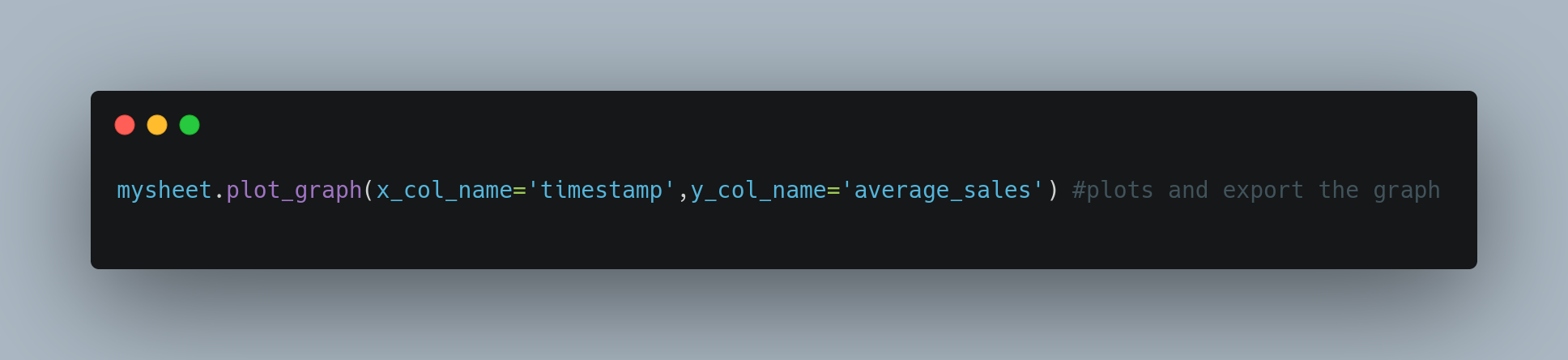
- Plot the graph by using two column names
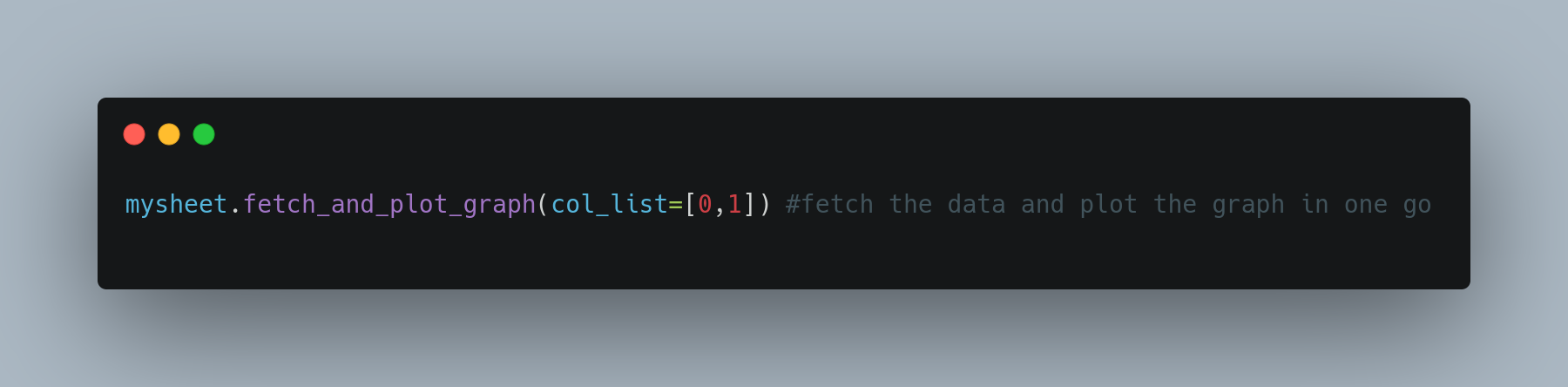
- Additional method- Fetch the data and plot the graph in one go by passing the column list
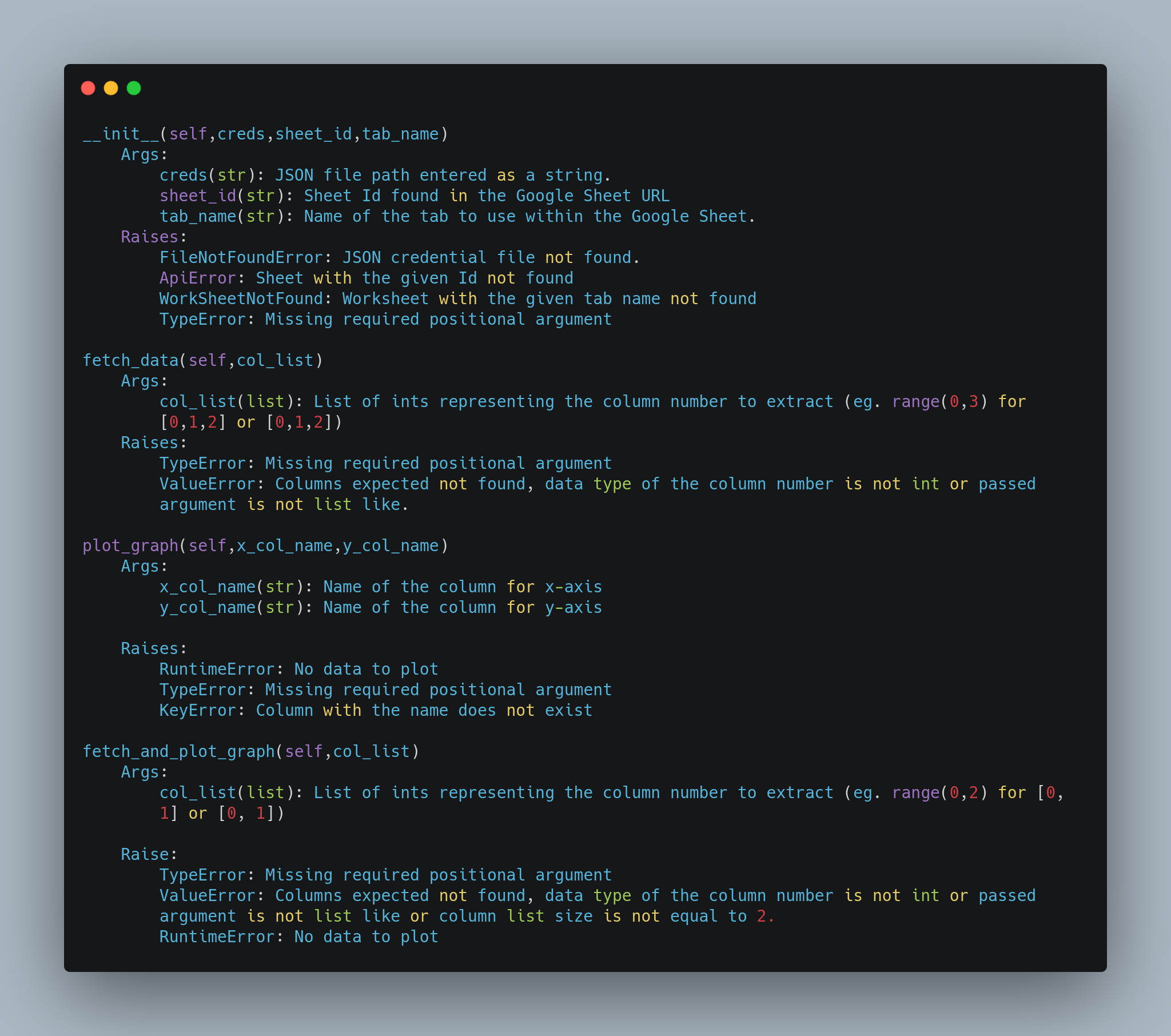
Available methods
1 maintainer

Metadata
1 maintainer
Release files for gsheet-plotter 0.0.1
For a detailed explanation of source distributions (sdists) and built distributions (wheels), please see the package formats documentation.
Source distribution (sdist)
| File | Size | Uploaded | |
|---|---|---|---|
| gsheet_plotter-0.0.1.tar.gz | 3.6 kB | Details |
Built distribution (wheel)
| File | Interpreter | ABI | Platform | Reset |
|---|---|---|---|---|
| gsheet_plotter-0.0.1-py3-none-any.whl | Python 3 | none | any | Details |
Total release size: 19.9 kB
Release files / gsheet_plotter-0.0.1.tar.gz
| Download URL | gsheet_plotter-0.0.1.tar.gz |
|---|---|
| Size | 3.6 kB |
| Tags | Source |
|
SHA-256 checksum How to use checksums |
591a02db4a7d2f419309fa5cf283a90cd72662a0245d82032b03efaefae81388
|
|
BLAKE2b-256 checksum How to use checksums |
9af986b01e0094ca4c1f2af02b07a78b4edb5e609ed61b59b2bf72a856f5b765
|
| Upload date | |
|
Uploaded using Trusted Publishing? What is trusted publishing? |
No |
| Uploaded via |
twine/3.1.1 pkginfo/1.5.0.1 requests/2.22.0 setuptools/42.0.2 requests-toolbelt/0.9.1 tqdm/4.40.2 CPython/3.7.7
|
Release files / gsheet_plotter-0.0.1-py3-none-any.whl
| Download URL | gsheet_plotter-0.0.1-py3-none-any.whl |
|---|---|
| Size | 16.3 kB |
| Tags | Python 3 |
|
SHA-256 checksum How to use checksums |
9c7b0a14feb9a993faa8a996397db417b4933c6c0af088a0fe03c19a3d93f0b5
|
|
BLAKE2b-256 checksum How to use checksums |
687839845d8f5f3a88b8db4a921bcde21b1e46ff05c2efba684cab6ac73e7766
|
| Upload date | |
|
Uploaded using Trusted Publishing? What is trusted publishing? |
No |
| Uploaded via |
twine/3.1.1 pkginfo/1.5.0.1 requests/2.22.0 setuptools/42.0.2 requests-toolbelt/0.9.1 tqdm/4.40.2 CPython/3.7.7
|













