
GTKit - GIS Toolkit

GTKit (GIS Toolkit) is a library designed to streamline GIS (Geographic Information System) releated tasks. Whether it is geometry, GeoDataFrames, images, or mathematical operations, GTKit provides a set of commonly used methods and operations to simplify your workflow. This utility has been curated to include some of the regularly used methods and operations that I, frequently employ.
Features
GTKit offers a range of functionalities to assist you in working with GIS data effectively:
-
Geometry Operations: Perform various geometry-based operations such as splitting a LineString, line referencing, interpolation, extrapolation
-
GeoDataFrame Manipulation
-
Image Processing: Convert images to geometries, Generate Geometries from binary geo referenced mask
-
Mesh Creation: Create Mesh either using images or using LineString.
Installation with pip
External dependencies
- Geopandas - installation
- Rasterio - installation
- GDAL - installation
- Fiona - installation
- Shapely - installation
- Create conda env
conda env create --name gtkit --file=env.yml
conda activate gtkit
- Run:
pip install gtkit
Usage
Import GTKit in your Python script or notebook:
import gtkit
GTKit's modular structure allows you to import specific functionalities as needed for your project.
Examples
| A. |
Generate Bitmap From Shp. Generate Shp From Bitmap. |
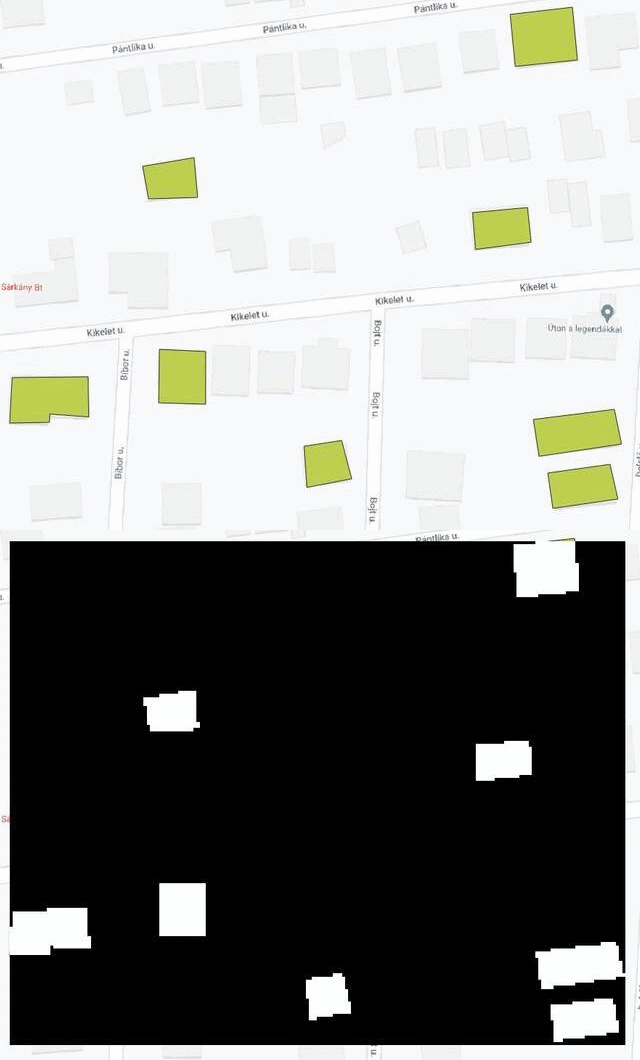
|
|---|---|---|
| B. | Generate mesh around a line string. |

|
| C. | Some geometry Operations. |
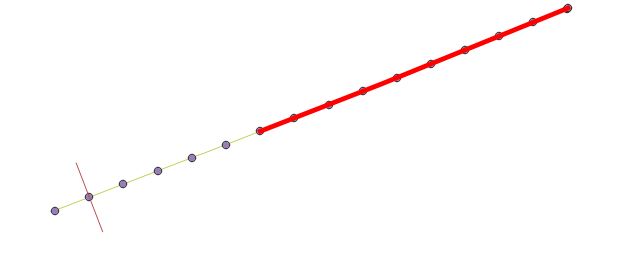
|
Stitch And Split Geo Reference Image
import numpy as np

from gtkit.imgops import georead, geowrite
from gtkit.imgops import StitchNSplitGeo

sns = StitchNSplitGeo(split_size=(256, 256, 3), img_size=(1500, 1500, 3))
image = georead(r"22978945_15.tiff")

stitched_image = np.zeros((1500, 1500, 3))
for win_number, window in sns:
    split_image, meta = sns.split(image, window)
    # ....Processing on image
    stitched_image = sns.stitch(split_image, stitched_image, window)

geowrite(
    save_path=r"new.tiff",
    image=stitched_image,
    transform=image.transform,
    crs=image.crs,
)
Documentation
For detailed information on available methods, classes, and their usage, refer to the GTKit Documentation.
1 maintainer

Metadata
1 maintainer
Release files for gtkit 0.1.1
For a detailed explanation of source distributions (sdists) and built distributions (wheels), please see the package formats documentation.
Source distribution (sdist)
| File | Size | Uploaded | |
|---|---|---|---|
| gtkit-0.1.1.tar.gz | 25.6 kB | Details |
Built distribution (wheel)
| File | Interpreter | ABI | Platform | Reset |
|---|---|---|---|---|
| gtkit-0.1.1-py3-none-any.whl | Python 3 | none | any | Details |
Total release size: 51.5 kB
Release files / gtkit-0.1.1.tar.gz
| Download URL | gtkit-0.1.1.tar.gz |
|---|---|
| Size | 25.6 kB |
| Tags | Source |
|
SHA-256 checksum How to use checksums |
c8b97db783b6096afb8f6ecb680563cdead4f2bc1563cb081f665aa150299ec6
|
|
BLAKE2b-256 checksum How to use checksums |
8c12738561ecf85e486f24875cf0231130beeab1aa4a2c9a4f895ba8710289d8
|
| Upload date | |
|
Uploaded using Trusted Publishing? What is trusted publishing? |
No |
| Uploaded via |
twine/5.0.0 CPython/3.9.18
|
Release files / gtkit-0.1.1-py3-none-any.whl
| Download URL | gtkit-0.1.1-py3-none-any.whl |
|---|---|
| Size | 25.9 kB |
| Tags | Python 3 |
|
SHA-256 checksum How to use checksums |
b81f0497130e3bac39dfc5be1fc971f577f56b08e9beb5681630e58dabdd39bc
|
|
BLAKE2b-256 checksum How to use checksums |
91d76083bbc5e871b99726d26fab51b67562480247348f4da6e084a940781ac2
|
| Upload date | |
|
Uploaded using Trusted Publishing? What is trusted publishing? |
No |
| Uploaded via |
twine/5.0.0 CPython/3.9.18
|














