
gucmail
Your GUC mailbox, in a terminal. Read, write, search, schedule and back up your mail without opening Outlook on the web. Calendar, contacts and tasks come along too. Everything works from the keyboard, and everything is scriptable.
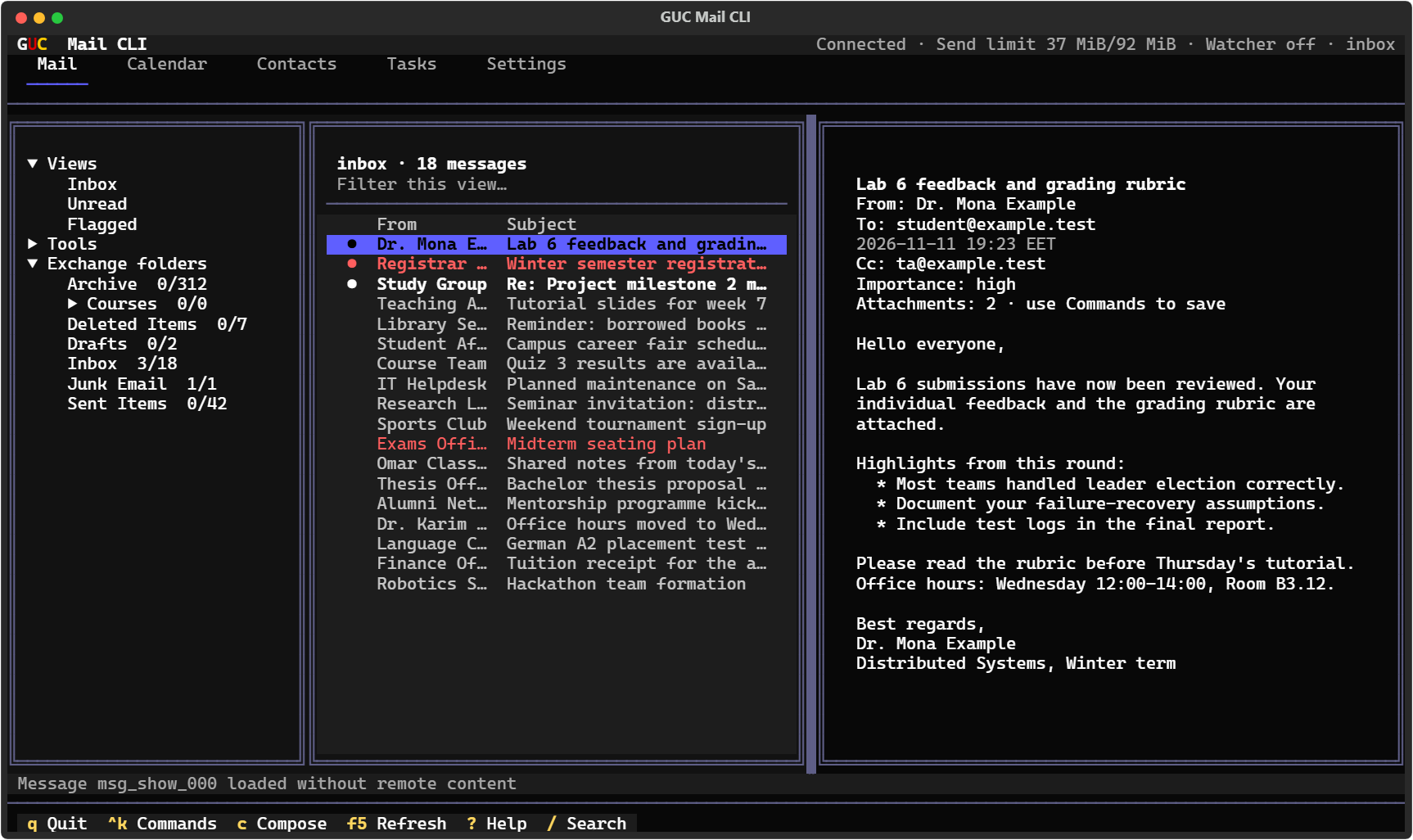
It talks directly to the GUC Exchange server through Exchange Web Services (EWS), the same interface Outlook uses, so there's nothing to install on the server and no third-party cloud in between. Your password stays in Windows Credential Manager, and your mail stays on your machine: gucmail fetches headers in small pages, loads a message only when you open it, and keeps a local cache and search index you can wipe at any time.
It was made for GUC, but nothing in it is GUC-only. It works with any Exchange server that
offers EWS with a username and password, which covers most on-premises Exchange 2013–2019
installations. Point it at yours with gucmail config set endpoint https://mail.example.edu/EWS/Exchange.asmx.
Microsoft 365 isn't supported, because it only allows OAuth sign-in.
This is an independent project. I am not affiliated with the German University in Cairo or Microsoft.
Install
You need Python 3.11 or newer. pipx installs gucmail in its own
environment and puts the gucmail command on your PATH:
py -m pip install --user pipx
py -m pipx ensurepath                 # then open a new terminal
pipx install "gucmail[desktop]"
gucmail login                         # asks for your GUC password, stores it in Windows Credential Manager
gucmail tui                           # opens the full-screen interface
Update with pipx upgrade gucmail. Plain pip install "gucmail[desktop]" works too.
Leave out [desktop] if you don't want Windows notifications.
Get around
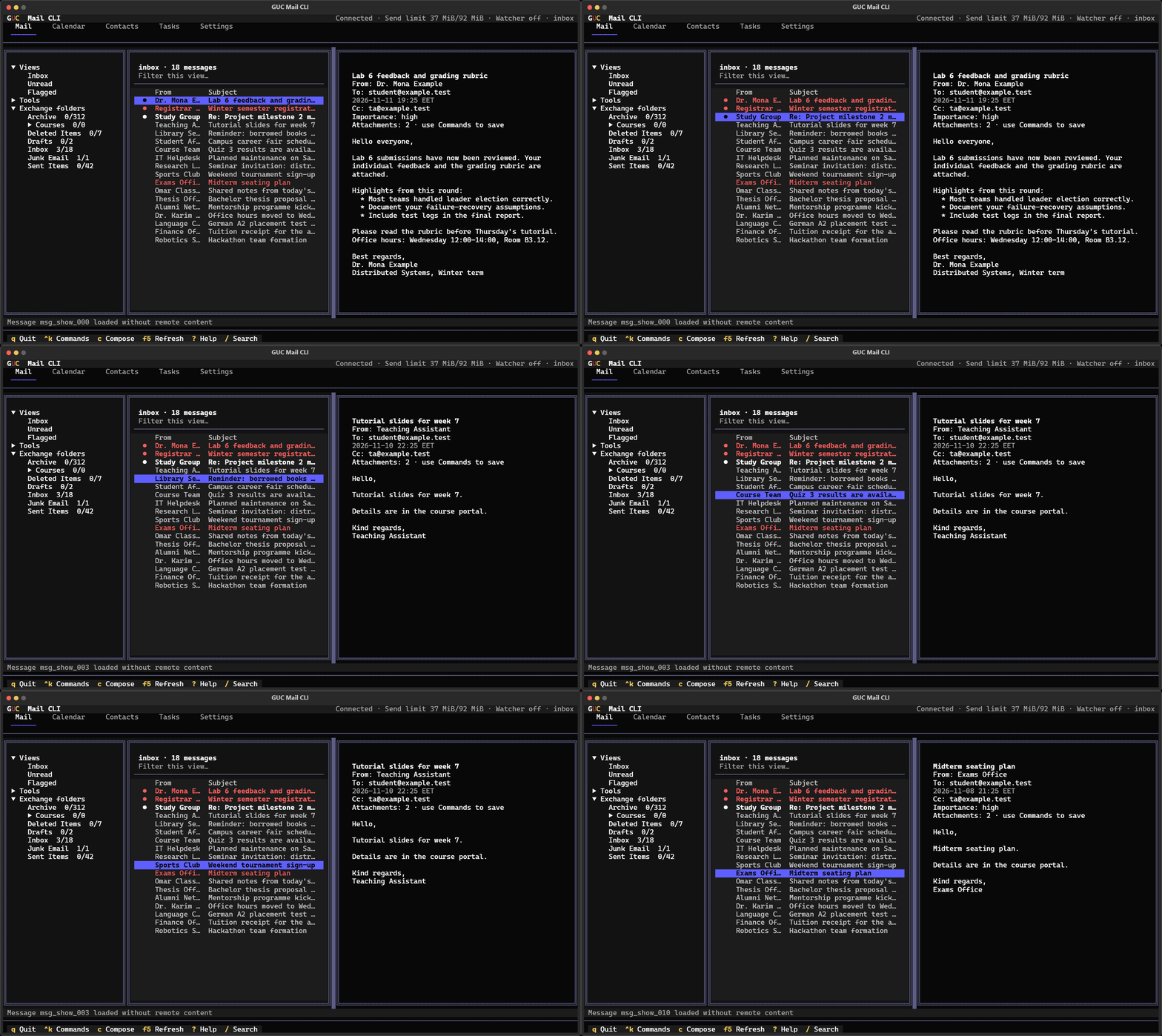
Arrows move. Enter opens. Tab jumps between panes. c composes, r replies, / searches and ? shows every shortcut. Mouse and scroll wheel work too.
Ctrl+K opens the command palette. Type what you want in plain words:
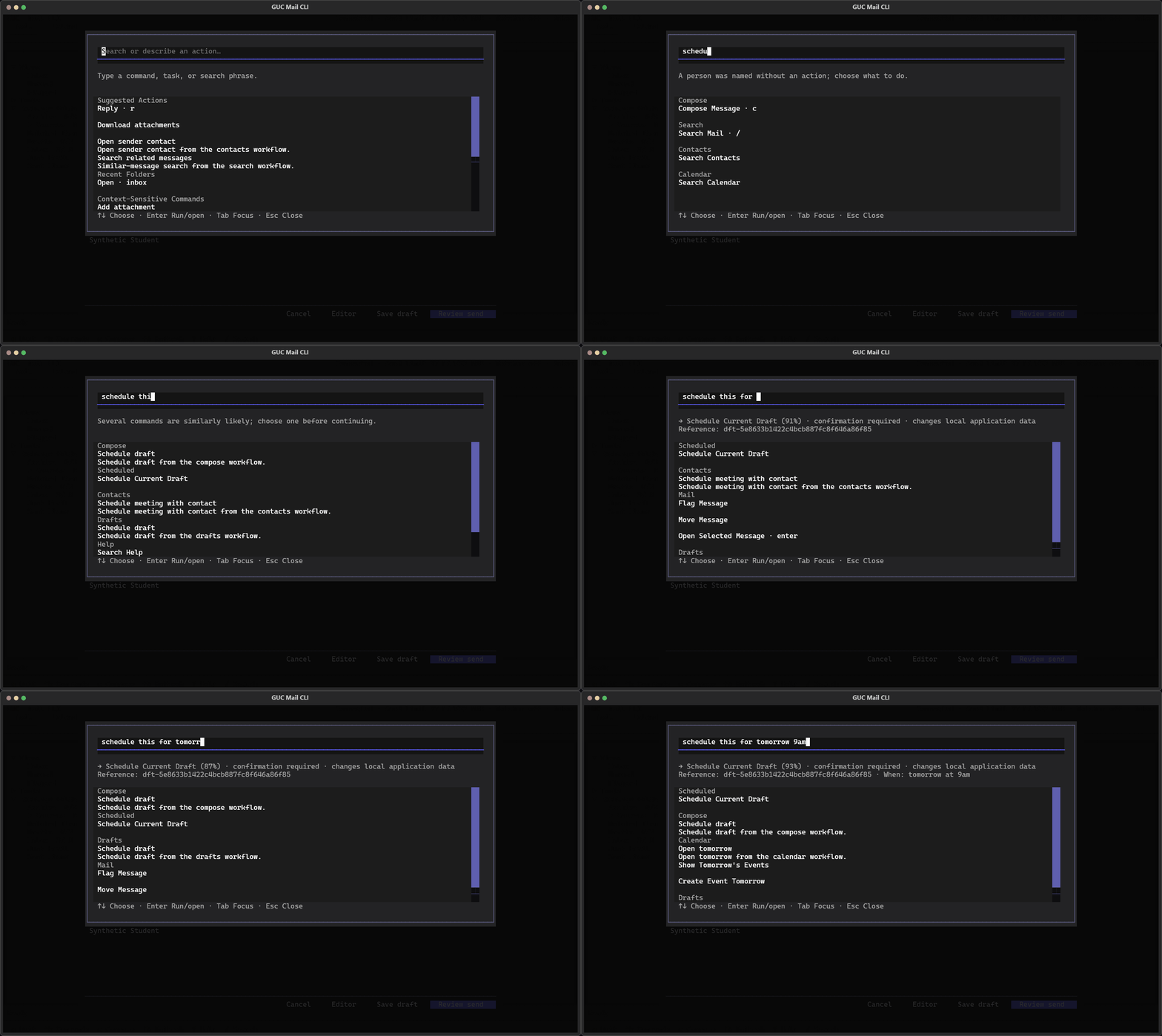
It shows exactly what it understood (Schedule current draft · tomorrow at 9:00) and asks before it does anything. It never guesses at deleting.
Write
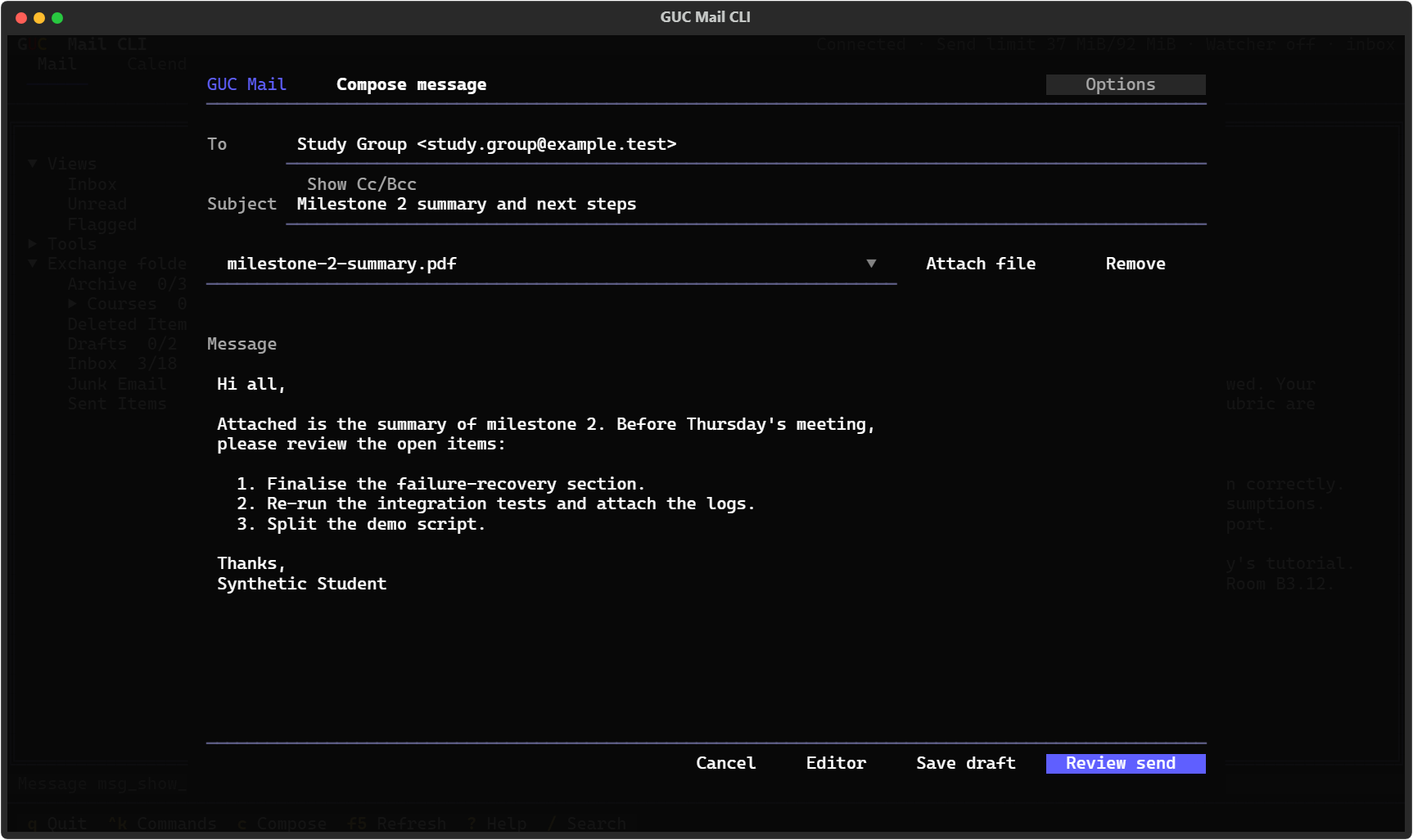
Reply, reply-all and forward. Cc and Bcc, attachments, signatures and importance. Recipients autocomplete from your contacts and recent mail. It warns you about an empty subject, a missing attachment you mentioned ("see attached…") or a typo in an address.
Drafts save themselves, and if your laptop dies mid-sentence, the draft is waiting next time. Undo Send holds a message for a few seconds before it leaves.
Send later
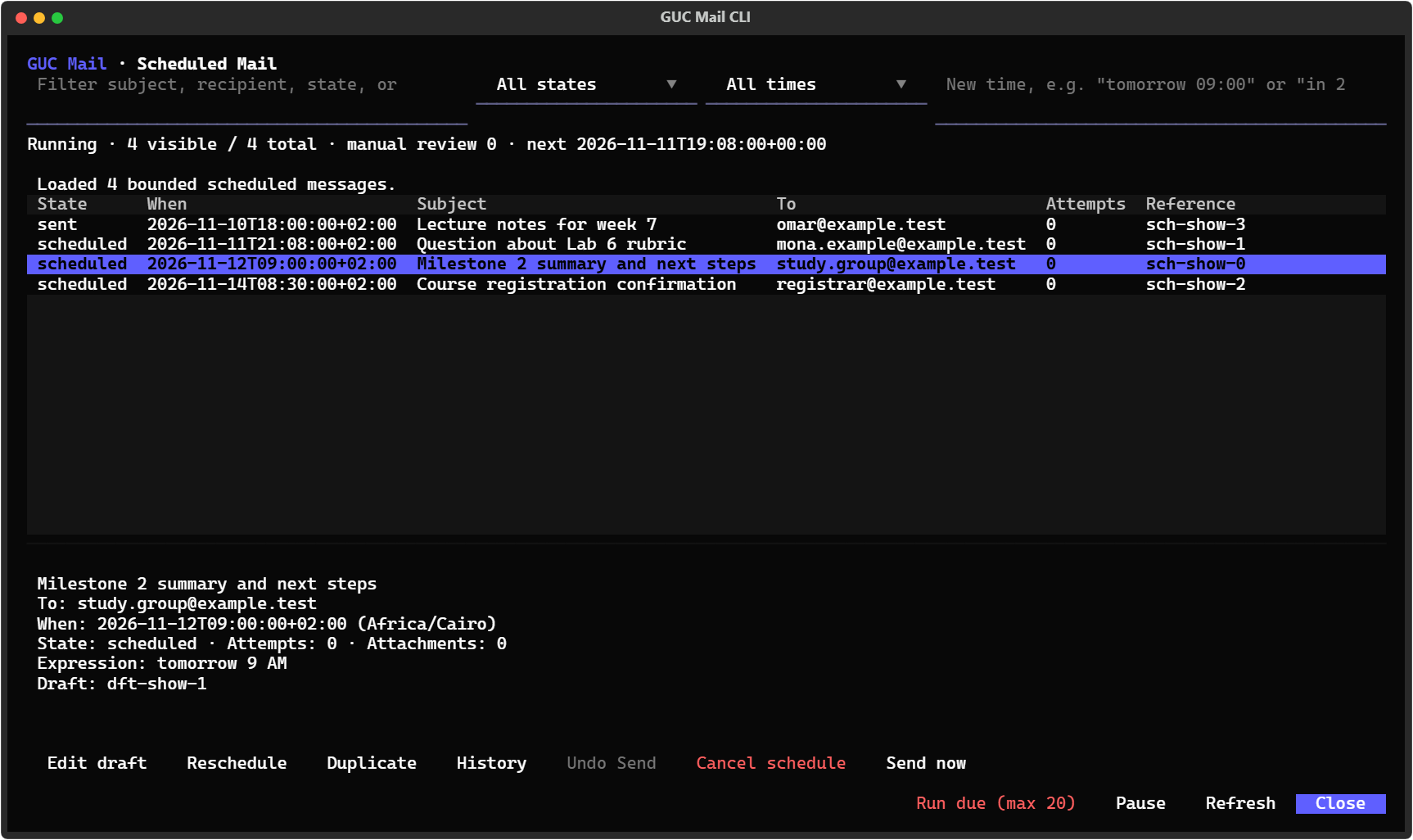
gucmail send --to ta@example.edu --subject "Lab 6" --body-file report.txt --at "Monday 8:30"
gucmail send --to me@example.edu --subject "Reminder" --body "Submit thesis" --in "2 hours"
gucmail scheduled list
It always shows the exact time and time zone before queuing, refuses ambiguous dates like
03/04, and never sends anything twice. It handles Cairo's daylight-saving switch. Messages
go out from your PC, so it needs to be on. A Windows task can take care of that
(how).
Calendar, contacts, tasks
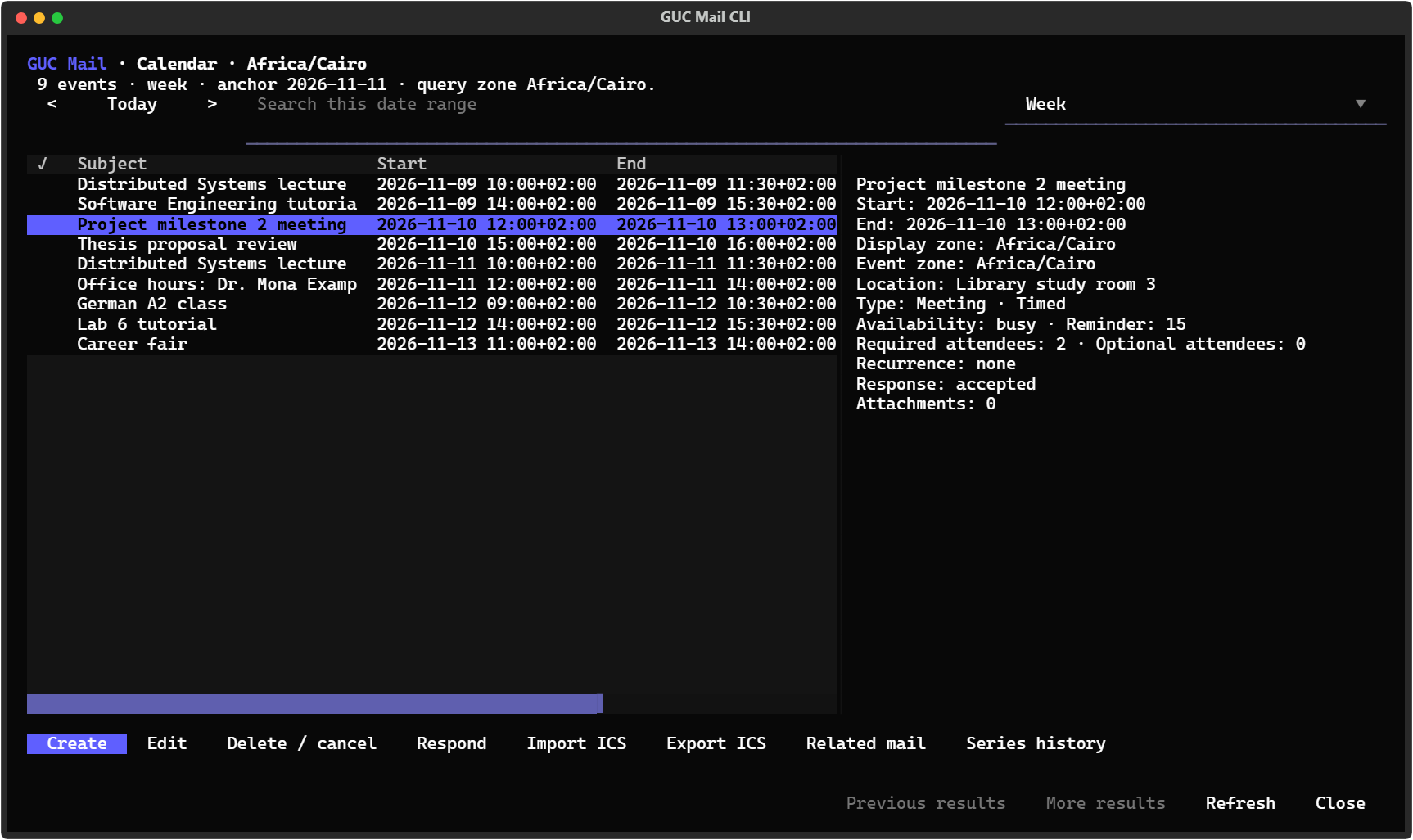
Day, week, month and agenda views. Create events, accept or decline meetings, find a free
slot, catch clashes, and import or export .ics files.
| Contacts | Tasks |
|---|---|
 |
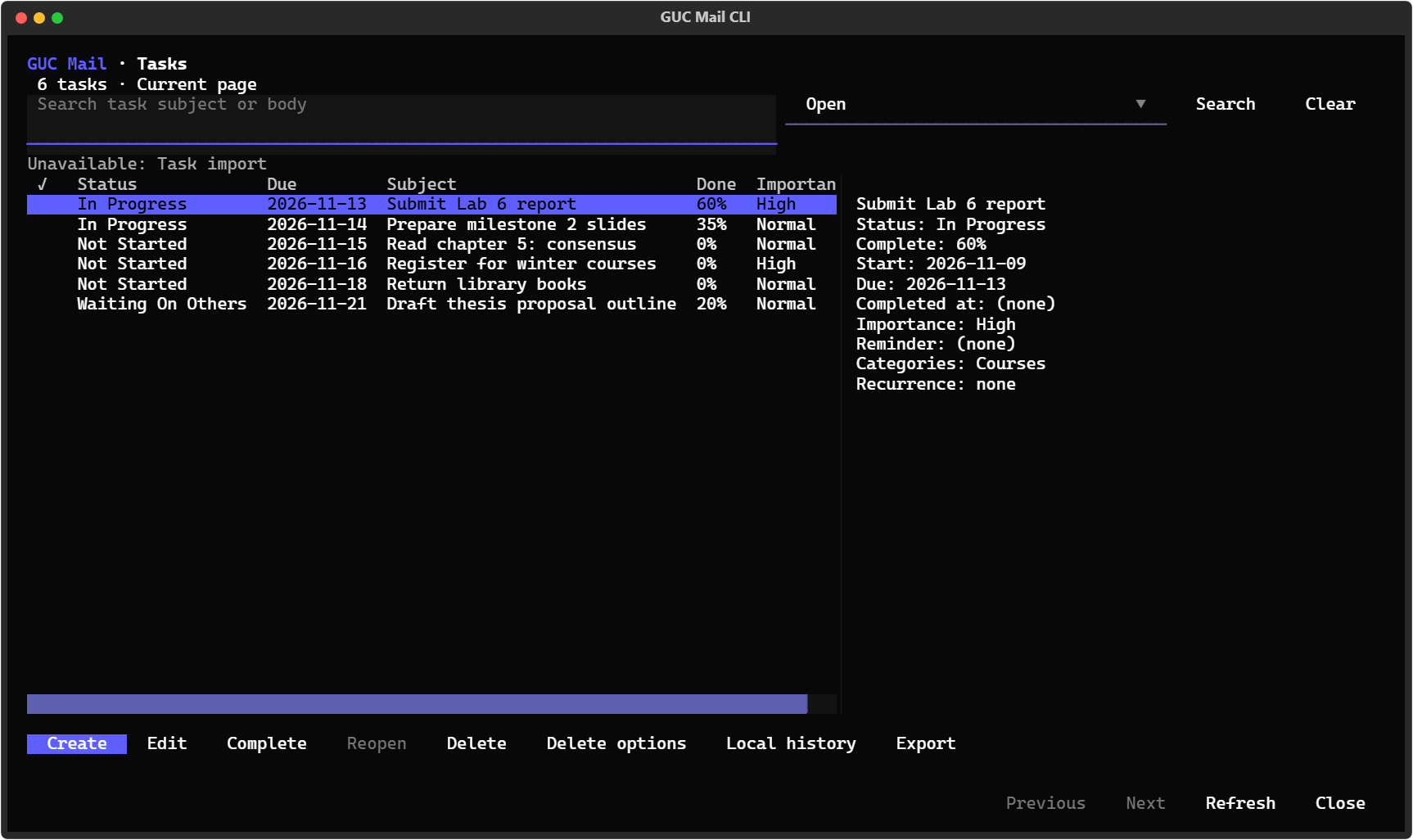 |
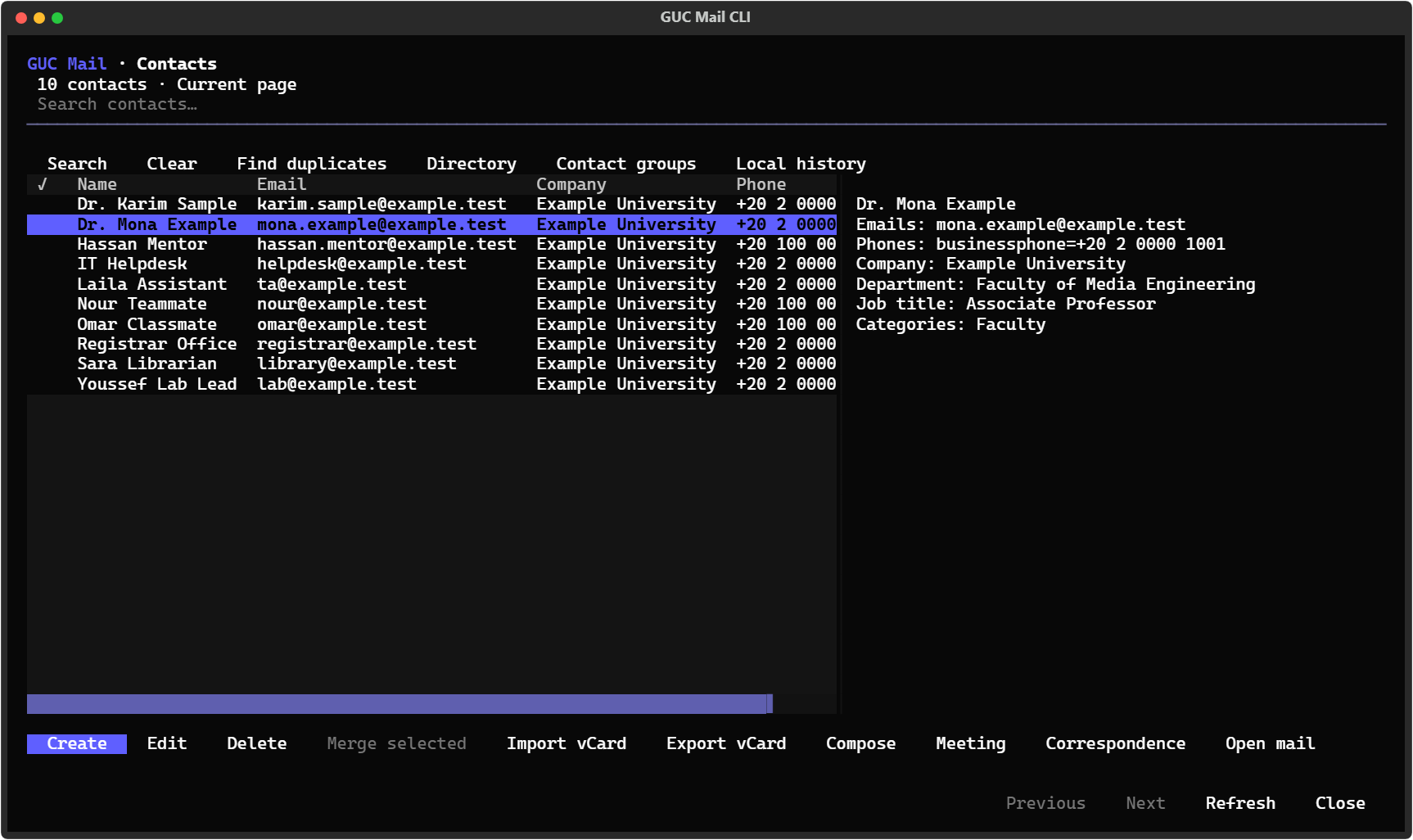
Contacts find duplicates and merge them, and import and export vCards. Tasks have due dates, progress and repeats.
Search
gucmail search --sender "dr. mona" --after 2026-10-01 --has-attachments
gucmail search "rubric" --all-folders
gucmail index build --include-bodies             # build a local full-text index once…
gucmail search --local --fuzzy "gradng rubrik"   # …then search it offline, typos and all
Saved searches, per-folder or whole-mailbox scope, and a search box in every view.
Notifications, even with the terminal closed
A small background watcher checks your Inbox about once a minute and shows a Windows toast for new mail. It runs as a Windows task that starts when you sign in, with no window and no terminal. Clicking a toast opens the message.
In the interface: press Ctrl+K and open notification settings.
- Choose New / setup to create a monitoring profile for your Inbox, then Enable it.
- Under Providers & Privacy, choose Desktop setup…, then Add provider → Desktop.
- Go to Settings, search for start, and choose Start monitoring with Windows → Open setup. Your active profile is filled in. Press Enable… and monitoring starts straight away, then again every time you sign in.
Or from the command line:
gucmail notifications profiles create primary --name "Inbox" --enabled --activate
gucmail notifications desktop setup --apply          # lets Windows show gucmail toasts
gucmail startup enable --profile primary --apply     # the background task
The Desktop provider is added in the interface, as above. Quiet hours, rules ("only mail from @guc.edu.eg with 'exam' in the subject") and signed webhooks are optional. Details.
Backups you can read without a connection
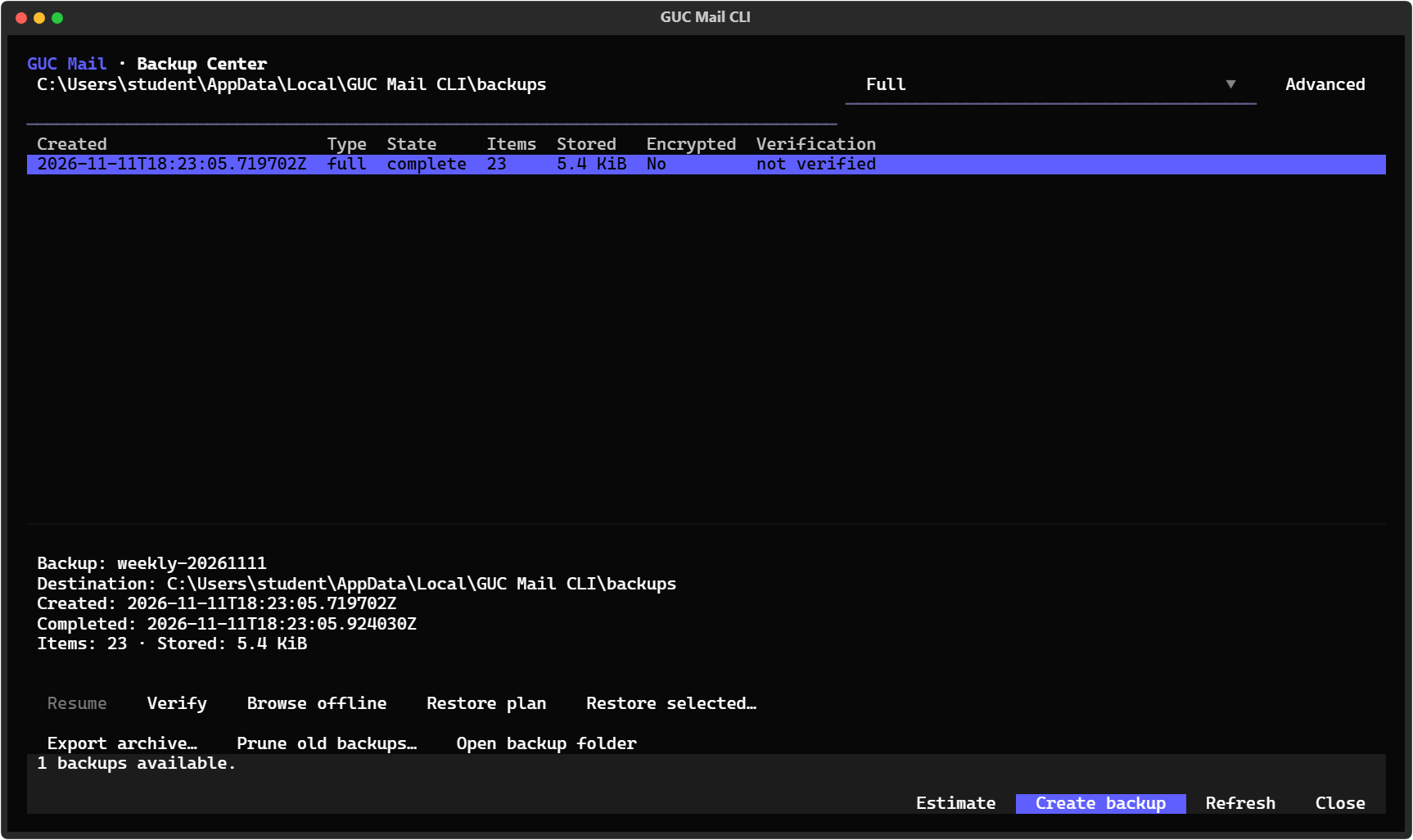
gucmail backup create --encrypt          # full backup, password-protected
gucmail backup incremental               # just what changed since
gucmail backup browse <id>               # read it offline, even with Wi-Fi off
gucmail tui --offline                    # or browse cached mail in the interface
Backups never mark anything read and never change the server. Restores are planned first, with exact counts, and you confirm before anything is written.
Make it yours
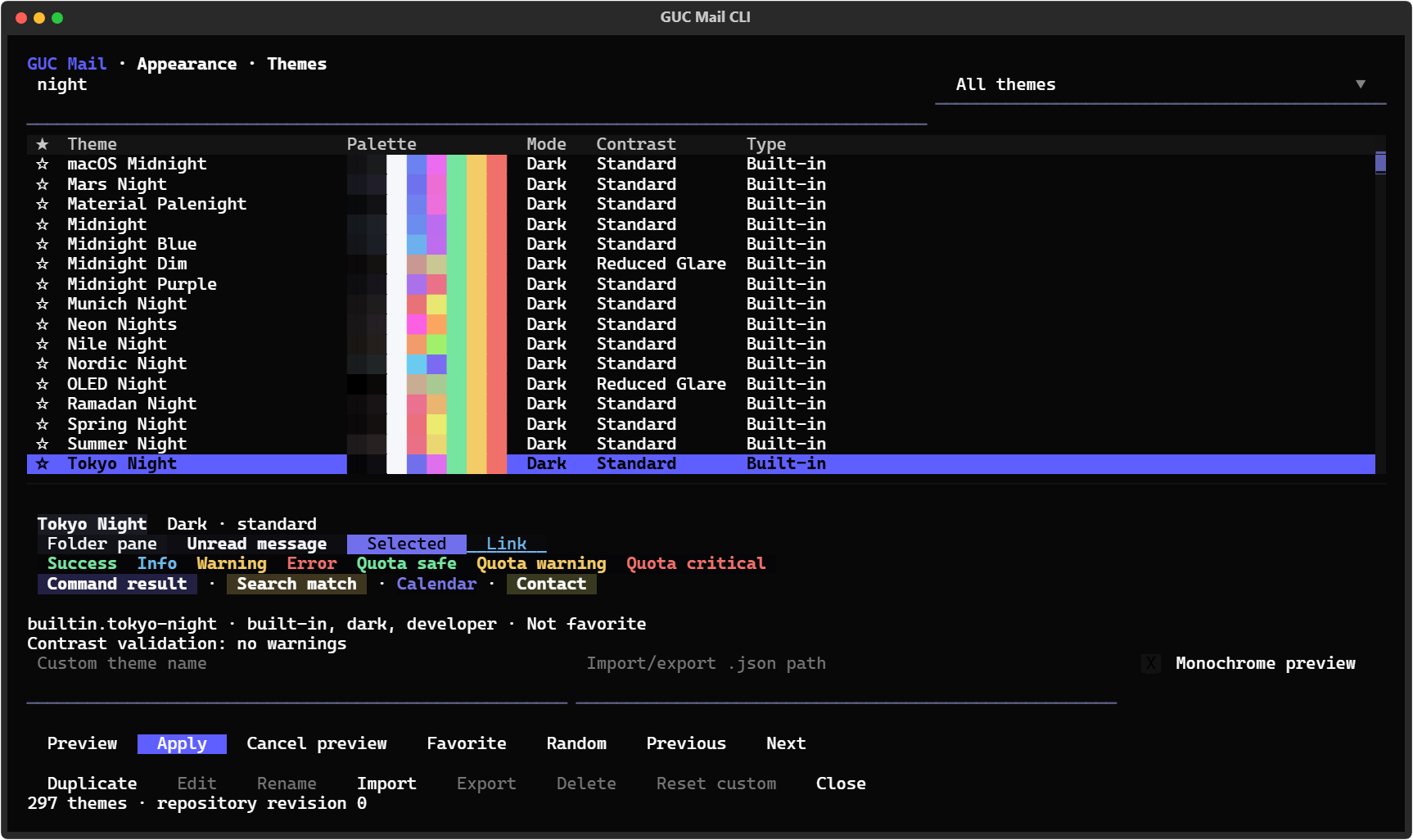
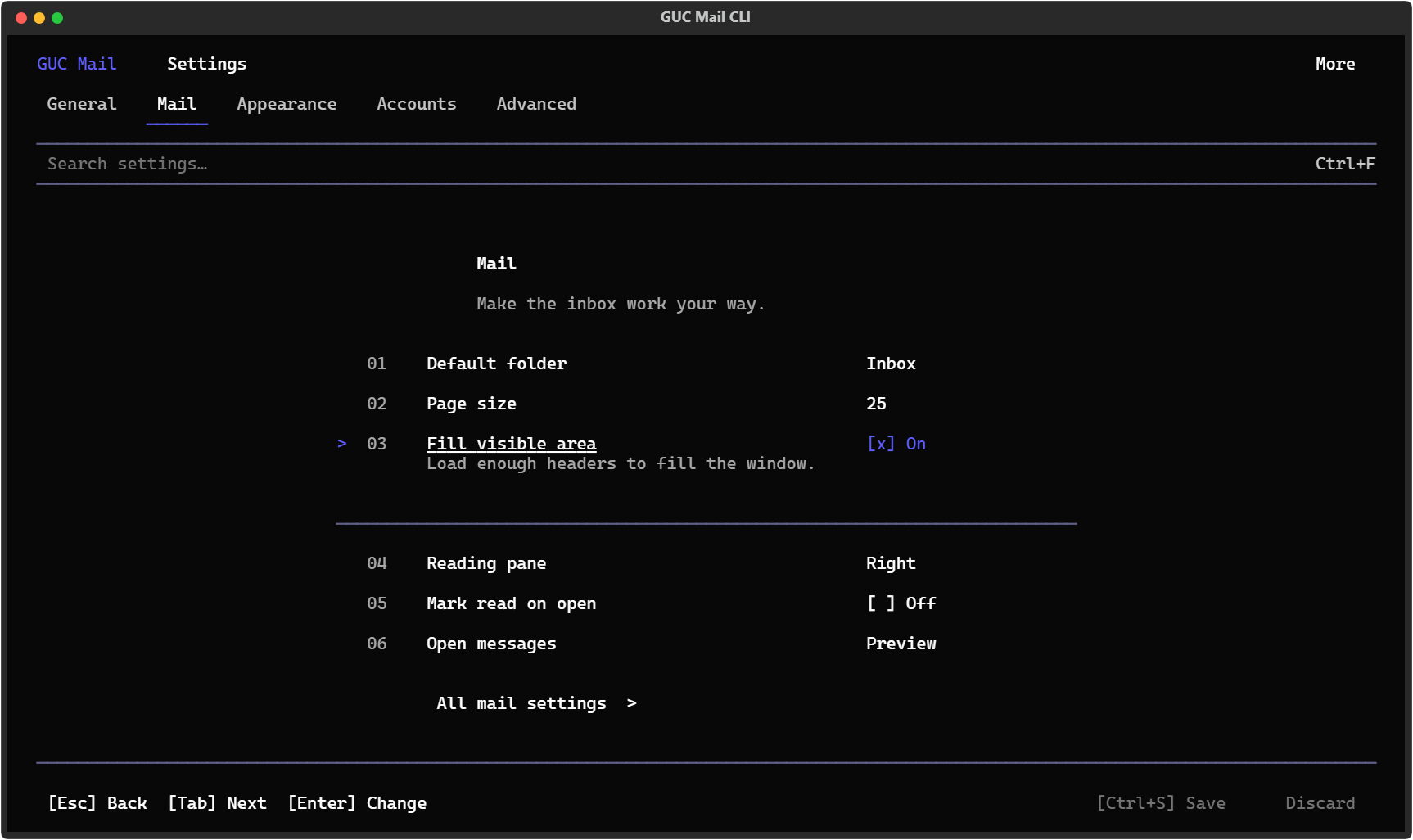
More than 600 themes with live preview, and your own colours or logo. Choose your columns, layouts and keyboard shortcuts in Settings, which you can search.
Scripts and automation
Every command has --json (one envelope) or --ndjson (one record per line), stable exit
codes, --yes for confirmations and --dry-run for anything that changes mail.
gucmail --json messages list --folder inbox --limit 5
gucmail --ndjson search --unread | ConvertFrom-Json | ? type -eq item | % { $_.data.subject }
gucmail --yes messages move msg_12 msg_13 --to "Courses/Distributed Systems"
gucmail quota                              # how full your mailbox is
gucmail doctor                             # checks everything, offline unless you ask
There's more under gucmail --help: rules, automatic replies, insights ("who fills my
mailbox?"), cleanup plans, clustering and an EWS capability browser.
Good to know
- Some features depend on what GUC lets your account do: the directory, free/busy, rules, delegates and quota limits. When the server says no, gucmail tells you so and never invents a value.
- It's tested on Windows 11. Linux and macOS should work but aren't tested yet.
- More: user guide · all commands · troubleshooting · privacy & security · known limits
Licence
MIT License
Copyright (c) 2026 gucmail contributors
Permission is hereby granted, free of charge, to any person obtaining a copy of this software and associated documentation files (the "Software"), to deal in the Software without restriction, including without limitation the rights to use, copy, modify, merge, publish, distribute, sublicense, and/or sell copies of the Software, and to permit persons to whom the Software is furnished to do so, subject to the following conditions:
The above copyright notice and this permission notice shall be included in all copies or substantial portions of the Software.
THE SOFTWARE IS PROVIDED "AS IS", WITHOUT WARRANTY OF ANY KIND, EXPRESS OR IMPLIED, INCLUDING BUT NOT LIMITED TO THE WARRANTIES OF MERCHANTABILITY, FITNESS FOR A PARTICULAR PURPOSE AND NONINFRINGEMENT. IN NO EVENT SHALL THE AUTHORS OR COPYRIGHT HOLDERS BE LIABLE FOR ANY CLAIM, DAMAGES OR OTHER LIABILITY, WHETHER IN AN ACTION OF CONTRACT, TORT OR OTHERWISE, ARISING FROM, OUT OF OR IN CONNECTION WITH THE SOFTWARE OR THE USE OR OTHER DEALINGS IN THE SOFTWARE.
1 maintainer

Metadata
1 maintainer
Release files for gucmail 1.1.4
For a detailed explanation of source distributions (sdists) and built distributions (wheels), please see the package formats documentation.
Source distribution (sdist)
| File | Size | Uploaded | Provenance | Actions |
|---|---|---|---|---|
| gucmail-1.1.4.tar.gz | 3.8 MB | Without provenance | Details for gucmail-1.1.4.tar.gz |
Built distribution (wheel)
| File | Interpreter | ABI | Platform | Actions Reset |
|---|---|---|---|---|
| gucmail-1.1.4-py3-none-any.whl | Python 3 | none | any | Details for gucmail-1.1.4-py3-none-any.whl |
Total release size: 5.4 MB
Release files / gucmail-1.1.4.tar.gz
| Download URL | gucmail-1.1.4.tar.gz |
|---|---|
| Size | 3.8 MB |
| Tags | Source |
|
SHA-256 checksum How to use checksums |
925d87714fae5718ab8aa6123848d7a71437df0c88c07507c668b99207d9574f
|
|
BLAKE2b-256 checksum How to use checksums |
62b09aa80ec4d6f146f301f956de7701ba8b3285653e2533e5aef5299991e5a9
|
| Upload date | |
|
Uploaded using Trusted Publishing? What is trusted publishing? |
No |
| Uploaded via |
twine/7.0.0 CPython/3.11.7
|
Release files / gucmail-1.1.4-py3-none-any.whl
| Download URL | gucmail-1.1.4-py3-none-any.whl |
|---|---|
| Size | 1.5 MB |
| Tags | Python 3 |
|
SHA-256 checksum How to use checksums |
a69689d432e66da1a81a0f200c2640f3e63119cee634c61210e759fad413cd80
|
|
BLAKE2b-256 checksum How to use checksums |
0c1e9a47917e919e1e169376804247b5ff85d0b091b35b6f069103cc4b95c7f3
|
| Upload date | |
|
Uploaded using Trusted Publishing? What is trusted publishing? |
No |
| Uploaded via |
twine/7.0.0 CPython/3.11.7
|
Security for gucmail 1.1.4
Provenance
Provenance describes where a file came from. On PyPI, provenance is shared via attestations, which provide a verifiable record of the build or publishing details. View details, limitations and caveats.
No provenance found
None of the files in this release were uploaded with provenance metadata.
A note on package security
PyPI is a repository for distributing packages, not a service for auditing them. While third-party security researchers and our staff do their best to detect and remove malicious packages, PyPI cannot guarantee the quality, security or suitability of any given package.
To learn more about protecting yourself from malicious actors, visit our package security documentation.














