
guise
Semantic fingerprinting made easy.
To install: pip install guise
Overview
guise is a Python package designed to simplify the process of creating word clouds from text data. It provides tools to transform text into word clouds, allowing for easy visualization of the most prominent words in a given text. The package includes functionalities for text tokenization, word weighting, and customization of word cloud generation.
Key features:
- Create word clouds from text files or strings.
- Customize word tokenization and weighting.
- Control the appearance and content of word clouds.
- Use built-in stopwords and TF-IDF weighting.
The word_cloud_store function
The word_cloud_store is a function that creates a word cloud store from a text store.
(By "store" we mean Mapping (the fancy way of saying dict-like)).
The text store is a mapping from keys to text strings.
The word cloud store is a mapping from keys to word clouds.
Let's have some fun with that...
Clouding the files of guise
from dol import (
    TextFiles,
    filt_iter,
)  # don't worry about installing it, guise comes with dol
import guise
import os

guise_rootdir = os.path.dirname(guise.__file__)
guise_files = filt_iter(TextFiles(guise_rootdir), filt=lambda x: x.endswith(".py"))
list(guise_files)
['util.py',
 'tools.py',
 '__init__.py',
 'word_scoring.py',
 'nlp.py',
 'word_clouds.py',
 'examples/__init__.py',
 'examples/energy_startups/__init__.py']
See that guise_files is a Mapping (that means "dict-like") of text.
We often call that a (text) "store".
The keys are the file names (as seen above with list(guise_files)) and the values are
the contents of the file. See the first 30 characters of 'word_clouds.py'.
guise_files["word_clouds.py"][:30]
'"""Word cloud generation with '
Now, if you give a text store (that is, any Mapping (e.g. dict) of text) to word_cloud_store,
it'll give you back a store with the same keys...
from guise import word_cloud_store

guise_clouds = word_cloud_store(guise_files)
list(guise_clouds)
['util.py',
 'tools.py',
 '__init__.py',
 'word_scoring.py',
 'nlp.py',
 'word_clouds.py',
 'examples/__init__.py',
 'examples/energy_startups/__init__.py']
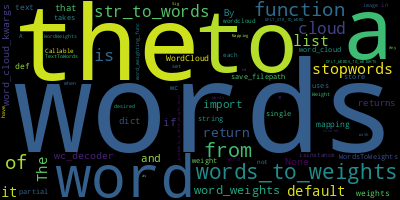
guise_clouds["word_clouds.py"]
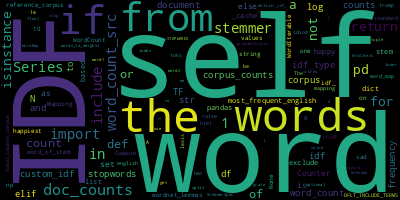
guise_clouds["nlp.py"]
Controlling the words that get into the clouds
Of course, like all good tool, it's simple to use, but you can bend it in many ways, to do many things.
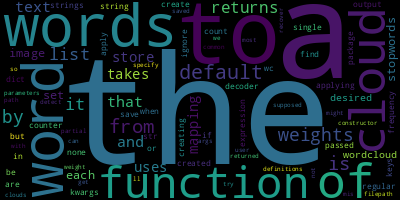
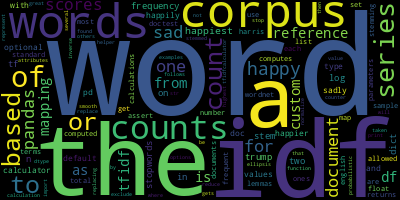
For example, say you didn't like the clouds above. There are too many code bits, underscored words, code-specific names (e.g. "self"). They don't really represent what's in the module. You'd rather that the word clouds have english words in them. Perhaps it's better to not just use the code, but only the doc strings therein...
# Make a function that will extract the docstrings from a Python file
def just_the_docs(python_code, sep="\n"):
    """Extract the docstrings from a Python file.
    All the docstrings: The module's, the classes', the functions'.
    Then concatenate them all into one big string.
    """
    import ast

    module = ast.parse(python_code)
    docstrings = []
    for node in ast.walk(module):
        if isinstance(node, ast.FunctionDef):
            docstrings.append(ast.get_docstring(node))
        elif isinstance(node, ast.ClassDef):
            docstrings.append(ast.get_docstring(node))
    aggregate = sep.join(filter(None, docstrings))
    return (
        aggregate.lower()
    )  # also, let's lower case everything (to count "The" and "the" as the same word)


# Use this little dol tool...
from dol import wrap_kvs

# ... to make a new key-value store that, instead of giving you the contents of the files,
# gives you the docstrings therein.
guise_doc_files = wrap_kvs(guise_files, value_decoder=just_the_docs)

# Now, instead of using the default str_to_words, we'll only extract sequences of letters as words
# (no numbers or underscores, which is the default).

guise_doc_clouds = word_cloud_store(guise_doc_files, str_to_words="[a-zA-Z]+")
# Note: this is equivalent to using str_to_words=re.compile('[a-zA-Z]+').findall
#   or str_to_words=lambda x: re.compile('[a-zA-Z]+').findall(x)
And now gaze at the clouds...
guise_doc_clouds["word_clouds.py"]
guise_doc_clouds["nlp.py"]
Controlling the weight of the words in the cloud
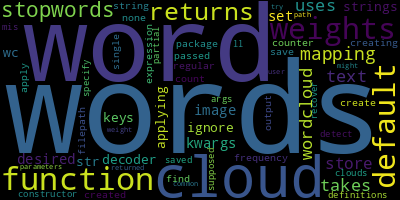
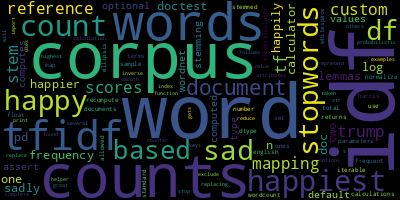
You probably noticed that a significant amount of visual space is taken by common words.
Words like "the", "of", "to" etc. don't really convey much information. Further, maybe the docs still contain some words you'd like to ignore. The NLP concept of "stopwords" takes care of this.
Finally, to really nail the "this word cloud gives us a snap shot of the what the underlying text is about, we probably want to weigh the words, yes, according to how frequently they're used in the text, but also lower the weight according to how frequently they're used in normal language, to really highlight what is particular about the text. This is just the idea of "stop words" made "smooth" (no black/white decision, but a scale).
from guise import STOPWORDS, TFIDFCalculator

# Make a list of stopwords (words to ignore) that includes the default ones plus a few more
my_stopwords = (
    list(STOPWORDS)  # the usual stopwords in English
    + ["dict", "list", "pandas", "series"]  # edit this to add or remove more
)

better_guise_doc_clouds = word_cloud_store(
    guise_doc_files,
    str_to_words="[a-zA-Z]+",
    # remove the stopwords from the word cloud completely
    stopwords=my_stopwords,
    # Use "normal" English word frequencies to weigh the words in such a way that
    # common words are less important
    words_to_weights=TFIDFCalculator("english"),
)
better_guise_doc_clouds["word_clouds.py"]
better_guise_doc_clouds["nlp.py"]
The word_cloud function
The word_cloud_store function uses the word_cloud function to do it's job.
And the word word_cloud function just adds some useful parameters to the already excellent
wordcloud package (wordcloud documentation).
The main raison d'être of word_cloud over the already existing tools of the wordcloud package is
that I wanted to make easier to make parametrized text-sources-to-word-clouds pipelines.
Namely, be able to control better the extraction of text, the corresponding words (a.k.a. "tokenization") and weighting of these words.
from guise import word_cloud
list_of_words = [
    "Rose",
    "rose",
    "to",
    "put",
    "rose",
    "roes",
    "on",
    "her",
    "rows",
    "of",
    "roses",
]
a_word_cloud_obj = word_cloud(list_of_words)
a_word_cloud_obj is a WordCloud object, from which you can do all kinds of things.
See word_cloud's documentation for more information.
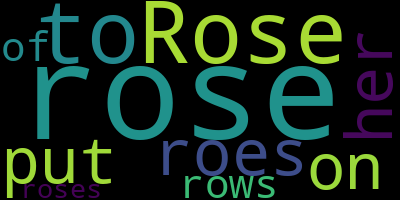
The two main methods we might be interested here are the to_file(...) methods and to_image() method.
The later will give you a PIL.Image object, which namely, displays in a notebook if it's the last statement in the cell.
a_word_cloud_obj.to_image()
Transforming the output
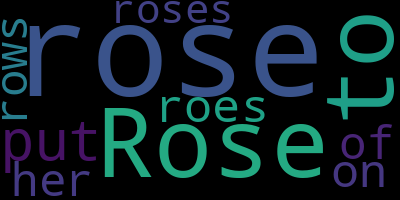
The wc_decoder argument lets you transform the output on the fly.
So if you wanted to get a PIL image object directly, you could do this:
word_cloud(list_of_words, wc_decoder=lambda x: x.to_image())
Always getting the same output
Notice that the output was different, though the input was the same.
That's because there's some randomness builtin the process.
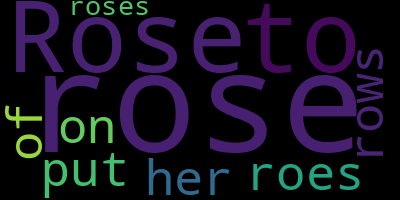
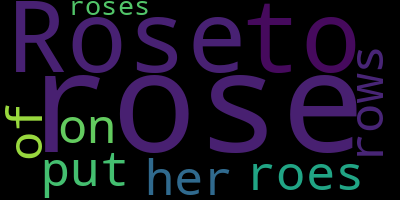
Randomness is often a good thing for creative processes, but if you need consistent outputs, you can fix the random_state.
word_cloud(list_of_words, wc_decoder=lambda x: x.to_image(), random_state=42)
word_cloud(list_of_words, wc_decoder=lambda x: x.to_image(), random_state=42)
Fixing your parameters
Once you know what you want your parameters to be, you can fix them by calling the function without the first words input, and you'll get a function (it's called a "partial" function) with those parameters you specified fixed.
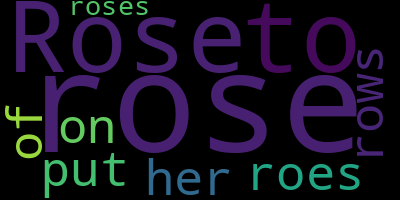
For example, let's make a word_cloud_image that has the wc_decoder and random_state fixed:
word_cloud_image = word_cloud(wc_decoder=lambda x: x.to_image(), random_state=42)

word_cloud_image(list_of_words)
Specifying word weights explicitly
Note that the words are more prominent, depending on the number of times it is repeated.
You can control this "word weight" directly if you specify a {word: weight, ...} dict input.
word_cloud_image({"little": 0.2, "BIG": 20})

# Q: Why does BIG have a weight 100 times little, yet doesn't appear 100 times bigger?
# A: Because of wordcloud internal defaults meant for general aesthetics. You can control this with extra arguments. For example:
word_cloud({"little": 0.2, "BIG": 20}, min_font_size=1, max_font_size=1000).to_image()

Input simple text
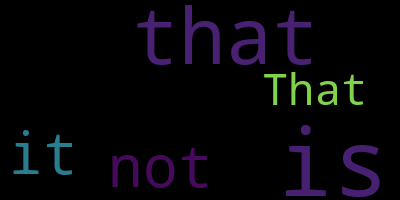
If you input just a string, word_cloud will both extract the words and (count-)weight them for you:
word_cloud_image("That that is is that that is not is not is that it it is.")
Tokenization (from text to words)
quote_1 = "Success is not-final, failure is not-fatal: it is the courage-to-continue that counts."  # – Winston Churchill
word_cloud_image(quote_1)
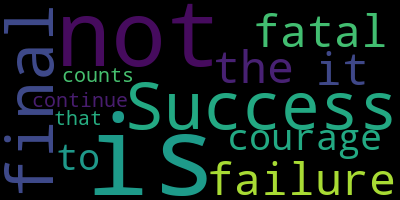
Note how "not-final" was split into two words, "not" and "final", and that no punctuation was included.
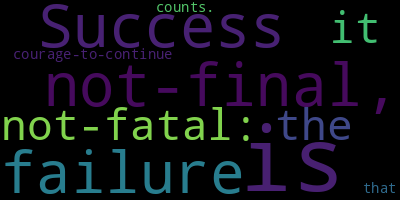
word_cloud has it's own default way of breaking the text into words (this is called "tokenization").
But you can control this by specifying your own str_to_words function.
Say you want to just split over spaces to get your "words" (really "tokens", because you'll get punctuation, composed words, etc.):
word_cloud_image(quote_1, str_to_words=lambda x: x.split(" "))
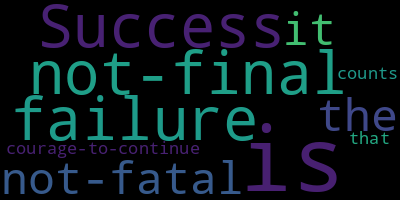
If you specify a string as your str_to_words, it will be considered as a regular expression that defines what a matching word should be.
Here we define a word to be any uninterrupted sequence of letters, numbers or underscores (that's the \w part) or dashes.
word_cloud_image(quote_1, str_to_words="[\w-]+")
Control the weighting of the words
Of course, you can always take your text, tokenize it into words, then put those words through a weighting process, then give it to word_cloud. But if you want that process to happen automatically when given some text, ou can specify str_to_words, as we've seen
above, for the tokenization, and can also specify the word weighting function through the words_to_weights argument.
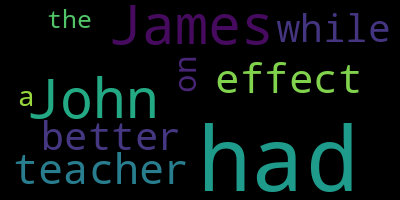
james_had = "James, while John had had 'had,' had had 'had had'; 'had had' had had a better effect on the teacher."

# Let's weight the words by the parity of their length:
word_cloud_image(james_had, words_to_weights=lambda x: 1 + (len(x) % 2))
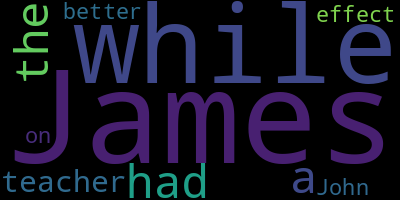
That words_to_weights was a silly one, just for fun.
Usually, you'll put a bit more work in to get a word weighting function that is appropriate
for your narrative.
The guise package offers some tools for making these in the guise.nlp module.
For example, we have the TFIDFCalculator, with which you can weigh words "up" as
their word count increases (the TF part) but also weight them "down" as those words
are considered more common in the particular context you're looking at.
The tool even offers a convenient way to just compare to "general english langauge usage",
using statistics over 333K+ words of a large English corpus.
from guise import TFIDFCalculator

words_to_weights = TFIDFCalculator("english")
word_cloud_image(james_had, words_to_weights=words_to_weights)
1 maintainer

Metadata
1 maintainer
Release files for guise 0.0.12
For a detailed explanation of source distributions (sdists) and built distributions (wheels), please see the package formats documentation.
Source distribution (sdist)
| File | Size | Uploaded | |
|---|---|---|---|
| guise-0.0.12.tar.gz | 5.6 MB | Details |
Built distribution (wheel)
| File | Interpreter | ABI | Platform | Reset |
|---|---|---|---|---|
| guise-0.0.12-py3-none-any.whl | Python 3 | none | any | Details |
Total release size: 5.8 MB
Release files / guise-0.0.12.tar.gz
| Download URL | guise-0.0.12.tar.gz |
|---|---|
| Size | 5.6 MB |
| Tags | Source |
|
SHA-256 checksum How to use checksums |
fe1217e5a13194405dae4229232223a62bd0a4c03d36d2b570c62f8fe360916e
|
|
BLAKE2b-256 checksum How to use checksums |
3294a6d9403e7adcc64eb49e7d6f899b38f4e1c62e3c28c1281d8324833dc789
|
| Upload date | |
|
Uploaded using Trusted Publishing? What is trusted publishing? |
No |
| Uploaded via |
uv/0.11.32 {"installer":{"name":"uv","version":"0.11.32","subcommand":["publish"]},"python":null,"implementation":{"name":null,"version":null},"distro":{"name":"Ubuntu","version":"24.04","id":"noble","libc":null},"system":{"name":null,"release":null},"cpu":null,"openssl_version":null,"setuptools_version":null,"rustc_version":null,"ci":true}
|
Release files / guise-0.0.12-py3-none-any.whl
| Download URL | guise-0.0.12-py3-none-any.whl |
|---|---|
| Size | 117.4 kB |
| Tags | Python 3 |
|
SHA-256 checksum How to use checksums |
ec68d12203e4e04c38e3eb4c2c7c85405b9252133f656e9bfc874a59b3df62fb
|
|
BLAKE2b-256 checksum How to use checksums |
5fcb9e45b05f0ece9f6503ee08f1ef06069b34f8b6d1354defece9fbe6174bb9
|
| Upload date | |
|
Uploaded using Trusted Publishing? What is trusted publishing? |
No |
| Uploaded via |
uv/0.11.32 {"installer":{"name":"uv","version":"0.11.32","subcommand":["publish"]},"python":null,"implementation":{"name":null,"version":null},"distro":{"name":"Ubuntu","version":"24.04","id":"noble","libc":null},"system":{"name":null,"release":null},"cpu":null,"openssl_version":null,"setuptools_version":null,"rustc_version":null,"ci":true}
|














