
Guro: A System Tool-kit for Real-time Monitoring and Analysis
Professional real-time monitoring, thermal analysis, and hardware benchmarking.










Overview
Guro is a sophisticated terminal-based diagnostic toolkit designed for granular system resource monitoring and hardware analysis. Built for engineers and enthusiasts, it provides a desktop-class dashboard experience within the command-line environment, delivering telemetry across Linux, macOS, and Windows, with explicit availability reporting for unsupported sensors.
🌐 Website: guro.pages.dev
Visual Presentation
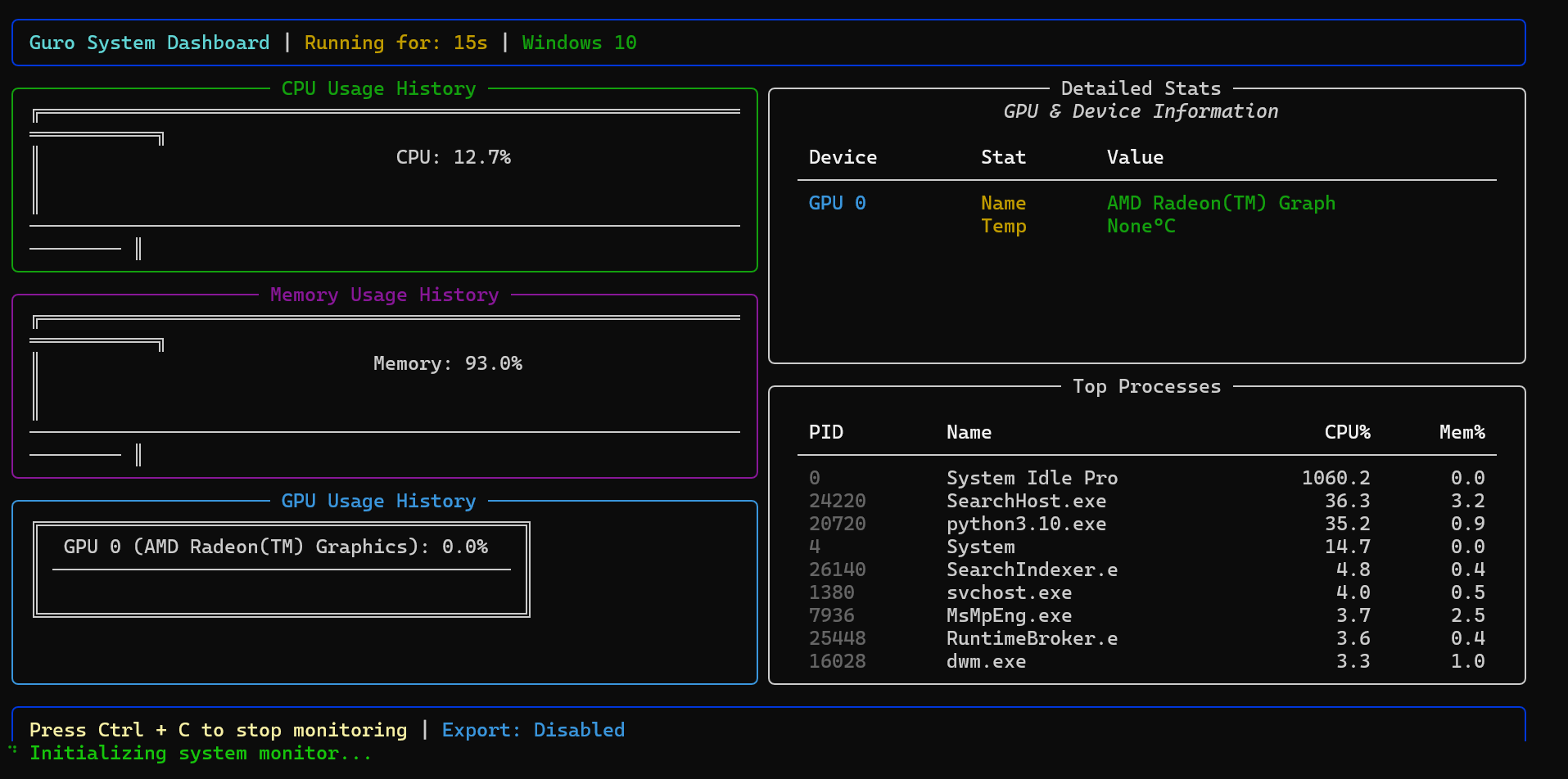
1. Performance Telemetry View
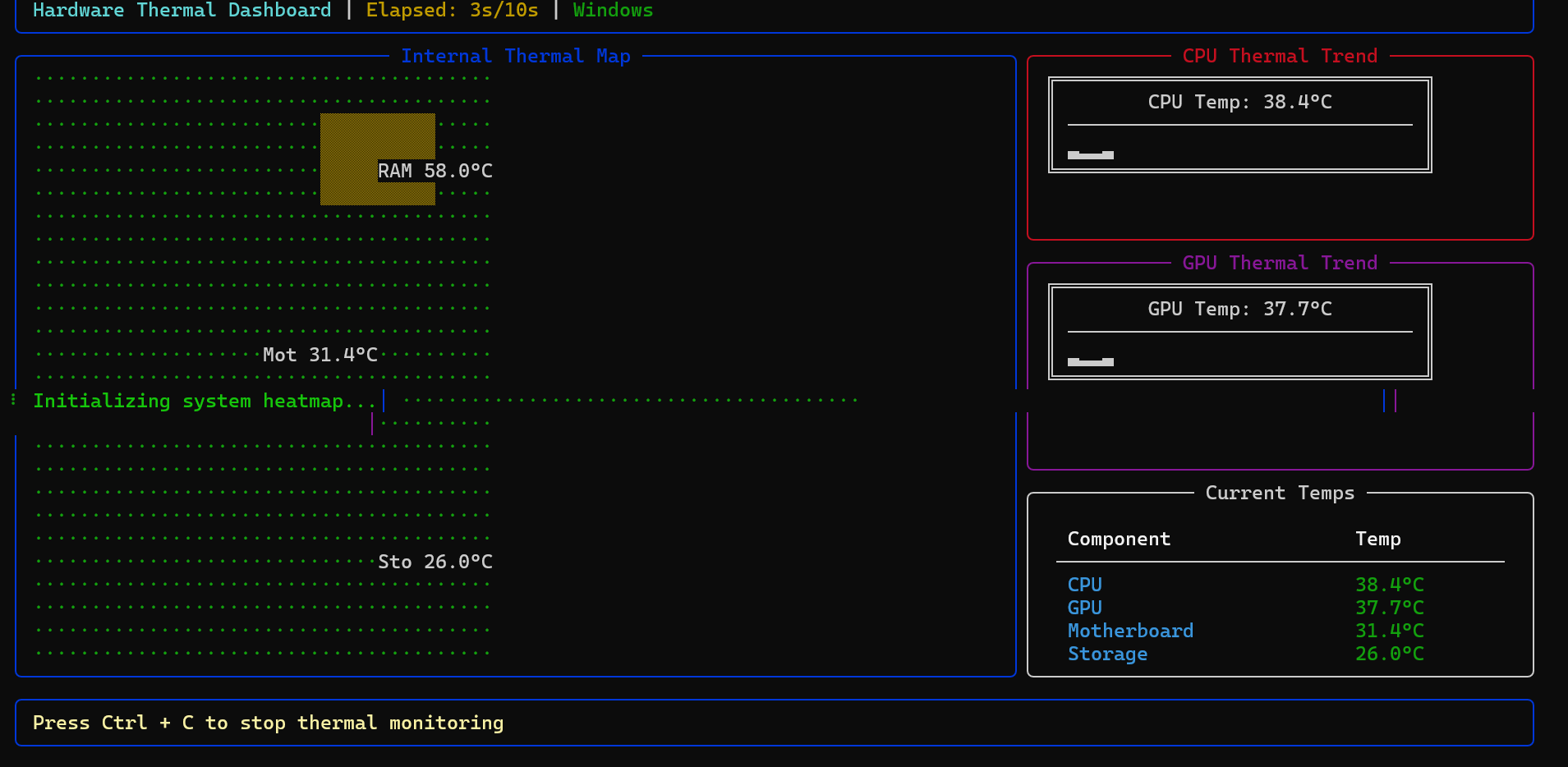
2. Hardware Thermal Schematic
Key Capabilities
Intelligent Monitoring
The performance module utilizes high-frequency sampling to provide real-time ASCII-based historic trending. It shows aggregate CPU utilization, memory usage, GPU metrics where supported, and the ten processes using the most CPU.
Thermal Intelligence
Guro reads Linux hwmon sensors through psutil, OpenHardwareMonitor WMI sensors on Windows, and available powermetrics readings on macOS. NVIDIA temperatures can also come from nvidia-smi. Missing readings display as N/A. The heatmap is a component schematic; its cells do not represent independently measured spatial temperatures. Optional estimates require --estimates and are labeled.
Hardware-Agnostic Benchmarking
CPU benchmarks report NumPy/BLAS matrix throughput; memory benchmarks report copy bandwidth using reusable buffers capped at 32 MiB and 1% of available memory. Runs stop at 90% system memory use or a measured component temperature of 90°C. Thermal coverage depends on exposed sensors and is included in the report. GPU workloads are currently unsupported; guro gpu provides device telemetry.
Network Intelligence
Real-time bandwidth monitoring with per-interface upload/download sparklines, TCP state distribution (ESTABLISHED, LISTEN, TIME_WAIT, etc.), process-level connection tracking, and /proc/net/snmp protocol statistics — all with zero additional dependencies beyond psutil.
Installation
Current release: 1.1.7. See the detailed release notes.
Requires Python 3.9 or newer.
Standard Method
pip install guro
Isolated Environment (Recommended)
pipx install guro
Operational Interface
Access Guro via its unified command-line interface.
| Module | Command | Description |
|---|---|---|
| Doctor | guro doctor |
Reports tools, sensor availability, connection permissions, and GPU capabilities. |
| Monitor | guro monitor |
Launches the interactive system performance dashboard. |
| Thermal | guro heatmap |
Initiates spatial hardware heatmapping and trend analysis. |
| Graphics | guro gpu |
Executes a diagnostic status report for all detected GPUs. |
| Bench | guro benchmark |
Performs high-load system stability and speed testing. |
| Network | guro network |
Real-time dashboard: bandwidth, adapters, TCP states, connections. |
guro network --speed |
Snapshot of current upload/download speeds on all interfaces. | |
guro network --interfaces |
List all network adapters with IP, MAC, speed, and duplex. | |
guro network --connections |
Show active TCP connections with process names and states. |
Structured output and exports
guro doctor --format json
guro monitor --duration 10 --format jsonl --output samples.jsonl
guro heatmap --duration 10 --format json --output temperatures.json
guro network --duration 10 --export --output bandwidth.csv
guro gpu --format json
guro benchmark --type mini --cpu-only --format json --output benchmark.json
--format json writes a JSON array for monitoring sessions and a single JSON value for snapshots and benchmark reports. jsonl writes one JSON value per line. Structured output contains no banners or status spinners. --output writes to a file; otherwise structured output goes to stdout. Errors go to stderr and return a nonzero exit status. Existing destination files are replaced.
CSV (--export) and structured monitoring exports stream and flush each sample. Recent dashboard history is bounded to 60 samples. JSON arrays close on normal completion, Ctrl+C, and handled collection errors; use JSONL for recovery after abrupt process termination. Network speed pairs are [upload_bytes_per_second, download_bytes_per_second]. Connection permissions are reported separately from an empty connection list. Network totals may include virtual and loopback interfaces.
Temperature objects include value (null when unavailable), unit, source, timestamp, and available. --estimates affects only missing heatmap readings; measured readings always take precedence. Estimates are excluded from benchmark safety decisions.
mini and god request total budgets of 30 and 60 seconds. Default runs split time between CPU and memory workloads; --cpu-only uses the full budget for CPU. Collection and individual operations can overrun a deadline. Reports include actual elapsed time, configuration, and an explicit completion/abort outcome. GPU-only requests return unsupported with a nonzero status. Throughput excludes telemetry time; results depend on the NumPy/BLAS build, thread settings, cache behavior, and background load. Memory copy MB/s counts payload bytes copied, not combined read/write bus traffic.
Roadmap
🚀 Coming soon — PRs, ideas, and discussions are warmly welcomed!
| Area | Description |
|---|---|
| GPU Benchmarking 🎮 | ⚠️ NEEDS CONTRIBUTORS! — Native CUDA benchmarks for NVIDIA GPUs: compute performance, memory bandwidth, and thermal profiling. Want to help? |
| Network Diagnostics 🌐 | ✅ Done — Live dashboard with bandwidth sparklines, adapter specs, TCP state analysis, and active connection tracking. |
| Storage I/O 💾 | Real-time disk throughput, IOPS, and queue-depth monitoring for server environments. |
Have a feature in mind? Open an issue or start a discussion — every idea counts.
💖 Why Funding Matters
Testing system-level tooling demands real hardware — high-end GPUs, multi-CPU servers, and diverse cloud VMs for cross-platform validation. Your support helps rent these environments so Guro can be tested thoroughly across Linux, macOS, and Windows.
Community and Development
Guro is an open-source project that adheres to professional development standards.
- Website: guro.pages.dev
- Developer Guide: Comprehensive guidelines can be found in CONTRIBUTING.md.
- Architecture: In-depth module analysis is available in the project documentation.
- License: Released under the MIT License.
- Support: GitHub Sponsors · Buy Me A Coffee
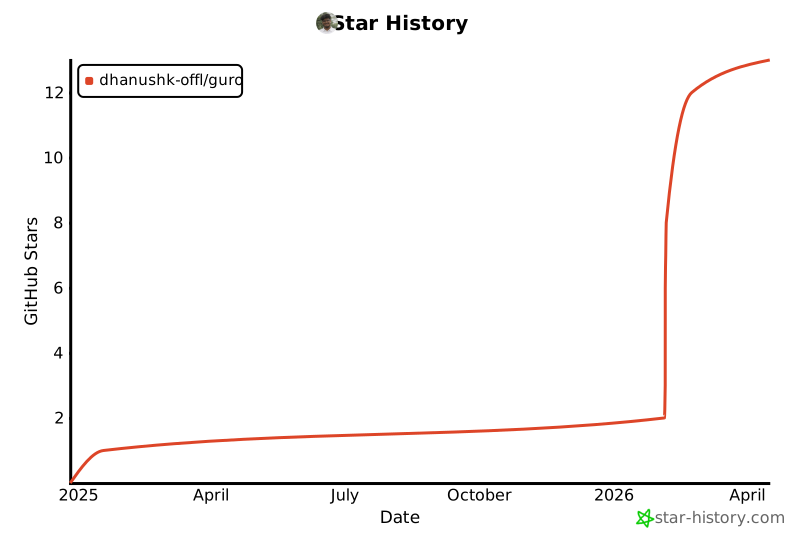
Star History
1 maintainer

Metadata
1 maintainer
Release files for guro 1.1.7
For a detailed explanation of source distributions (sdists) and built distributions (wheels), please see the package formats documentation.
Source distribution (sdist)
| File | Size | Uploaded | Provenance | |
|---|---|---|---|---|
| guro-1.1.7.tar.gz | 52.4 kB | With provenance | Details |
Built distribution (wheel)
| File | Interpreter | ABI | Platform | Reset |
|---|---|---|---|---|
| guro-1.1.7-py3-none-any.whl | Python 3 | none | any | Details |
Total release size: 84.8 kB
Release files / guro-1.1.7.tar.gz
| Download URL | guro-1.1.7.tar.gz |
|---|---|
| Size | 52.4 kB |
| Tags | Source |
|
SHA-256 checksum How to use checksums |
1ba2fee91e3f9c58563e0c956237264284ed3df93bd07d33c5e75a6cacef7456
|
|
BLAKE2b-256 checksum How to use checksums |
cd29af7742d48e378730f2e7a1158d0d0824d83eda283e8e52355e8c90920fa4
|
| Upload date | |
|
Uploaded using Trusted Publishing? What is trusted publishing? |
Yes |
| Uploaded via |
twine/7.0.0 CPython/3.13.16
|
Provenance
Provenance describes where a file came from. On PyPI, provenance is shared via attestations, which provide a verifiable record of the build or publishing details. View details, limitations and caveats.


PyPI Publish Attestation
PyPI verified that this artifact, at this checksum, originated from the publisher listed below.
Signed by GitHub Actions, verified by PyPI on Oct 20, 2026.
Transparency logRelease files / guro-1.1.7-py3-none-any.whl
| Download URL | guro-1.1.7-py3-none-any.whl |
|---|---|
| Size | 32.4 kB |
| Tags | Python 3 |
|
SHA-256 checksum How to use checksums |
5044a8076d704b74016cb779d0ac6863cfef6112fc60d4c19c70c78dc1f23273
|
|
BLAKE2b-256 checksum How to use checksums |
0ccbe259e60eee935f2d5b79e39193e7a7bc431ac10195c6ee0d16c0f4274a11
|
| Upload date | |
|
Uploaded using Trusted Publishing? What is trusted publishing? |
Yes |
| Uploaded via |
twine/7.0.0 CPython/3.13.16
|
Provenance
Provenance describes where a file came from. On PyPI, provenance is shared via attestations, which provide a verifiable record of the build or publishing details. View details, limitations and caveats.
PyPI Publish Attestation
PyPI verified that this artifact, at this checksum, originated from the publisher listed below.
Signed by GitHub Actions, verified by PyPI on Oct 20, 2026.
Transparency logSecurity for guro 1.1.7
Provenance
Provenance describes where a file came from. On PyPI, provenance is shared via attestations, which provide a verifiable record of the build or publishing details. View details, limitations and caveats.
Full provenance
All 2 files in this release have been uploaded with provenance metadata.
Attestation for guro-1.1.7.tar.gz
PyPI Publish Attestation
PyPI verified that this artifact, at this checksum, originated from the publisher listed below.
Signed by GitHub Actions, verified by PyPI on Oct 20, 2026.
Transparency logA note on package security
PyPI is a repository for distributing packages, not a service for auditing them. While third-party security researchers and our staff do their best to detect and remove malicious packages, PyPI cannot guarantee the quality, security or suitability of any given package.
To learn more about protecting yourself from malicious actors, visit our package security documentation.














