
Add your description here

Project description
gym-aloha
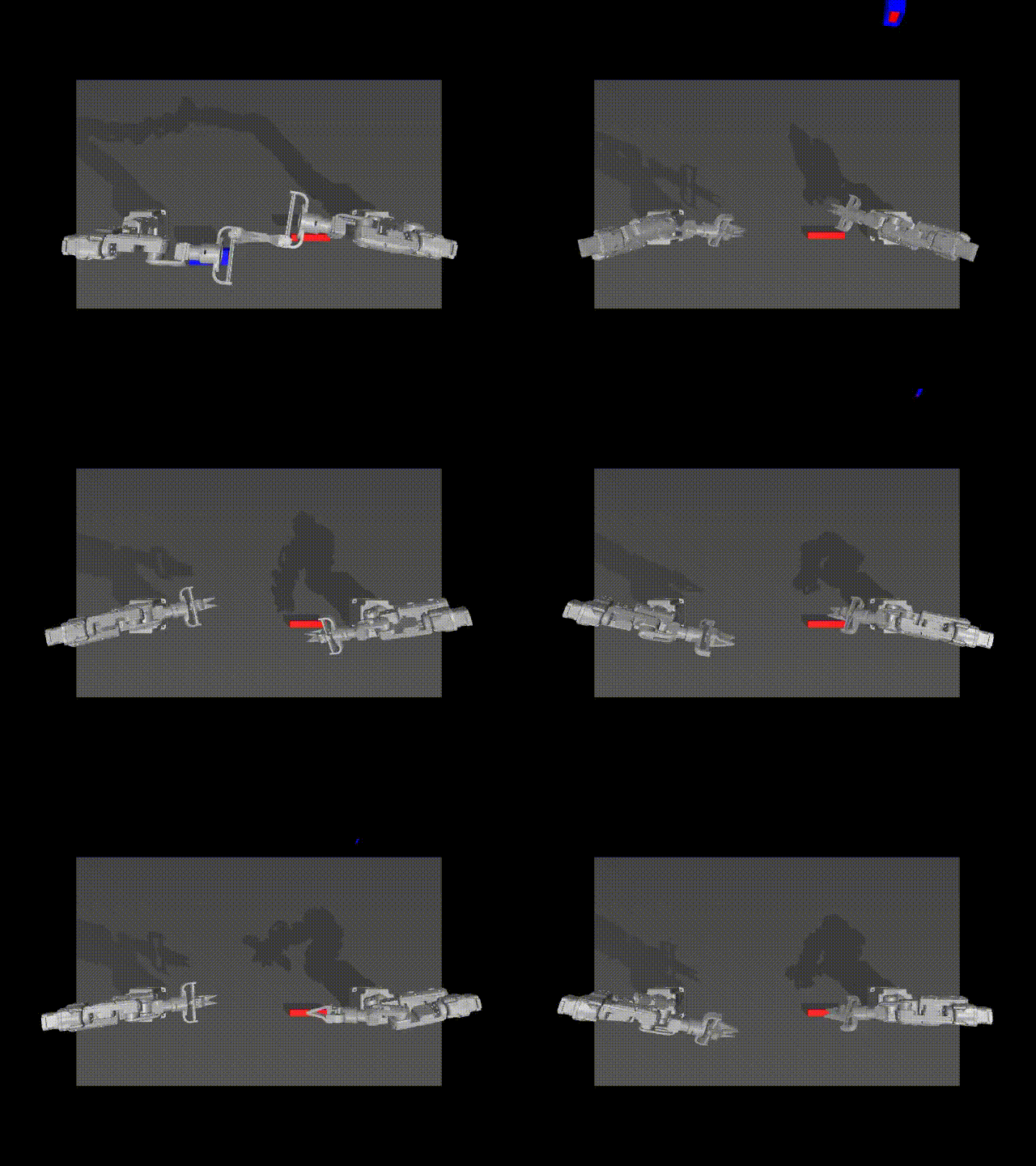
A gym environment for ALOHA with custom dummy robot model
Installation
Install UV then:
git clone https://github.com/aod321/gym-aloha.git
cd gym-aloha
git checkout -b dummy_robot
uv sync
uv add --dev .
Quickstart
uv run example.py
Description
Aloha environment.
Two tasks are available:
- TransferCubeTask: The right arm needs to first pick up the red cube lying on the table, then place it inside the gripper of the other arm.
- InsertionTask: The left and right arms need to pick up the socket and peg respectively, and then insert in mid-air so the peg touches the “pins” inside the socket.
Action Space
The action space consists of continuous values for each arm and gripper, resulting in a 14-dimensional vector:
- Six values for each arm's joint positions (absolute values).
- One value for each gripper's position, normalized between 0 (closed) and 1 (open).
Observation Space
Observations are provided as a dictionary with the following keys:
qposandqvel: Position and velocity data for the arms and grippers.images: Camera feeds from different angles.env_state: Additional environment state information, such as positions of the peg and sockets.
Rewards
- TransferCubeTask:
- 1 point for holding the box with the right gripper.
- 2 points if the box is lifted with the right gripper.
- 3 points for transferring the box to the left gripper.
- 4 points for a successful transfer without touching the table.
- InsertionTask:
- 1 point for touching both the peg and a socket with the grippers.
- 2 points for grasping both without dropping them.
- 3 points if the peg is aligned with and touching the socket.
- 4 points for successful insertion of the peg into the socket.
Success Criteria
Achieving the maximum reward of 4 points.
Starting State
The arms and the items (block, peg, socket) start at a random position and angle.
Arguments
>>> import gymnasium as gym
>>> import gym_aloha
>>> env = gym.make("gym_aloha/AlohaInsertion-v0", obs_type="pixels", render_mode="rgb_array")
>>> env
<TimeLimit<OrderEnforcing<PassiveEnvChecker<AlohaEnv<gym_aloha/AlohaInsertion-v0>>>>>
-
obs_type: (str) The observation type. Can be eitherpixelsorpixels_agent_pos. Default ispixels. -
render_mode: (str) The rendering mode. Onlyrgb_arrayis supported for now. -
observation_width: (int) The width of the observed image. Default is640. -
observation_height: (int) The height of the observed image. Default is480. -
visualization_width: (int) The width of the visualized image. Default is640. -
visualization_height: (int) The height of the visualized image. Default is480.
Contribute
Instead of using pip directly, we use poetry for development purposes to easily track our dependencies.
If you don't have it already, follow the instructions to install it.
Install the project with dev dependencies:
poetry install --all-extras
Follow our style
# install pre-commit hooks
pre-commit install

# apply style and linter checks on staged files
pre-commit
Acknowledgment
gym-aloha is adapted from ALOHA
Release history Release notifications | RSS feed

Download files
Download the file for your platform. If you're not sure which to choose, learn more about installing packages.
Source Distribution
Built Distribution
Filter files by name, interpreter, ABI, and platform.
If you're not sure about the file name format, learn more about wheel file names.
Copy a direct link to the current filters
File details
Details for the file gym_aloha_dummy-0.1.0.tar.gz.
File metadata
- Download URL: gym_aloha_dummy-0.1.0.tar.gz
- Upload date:
- Size: 16.7 kB
- Tags: Source
- Uploaded using Trusted Publishing? No
- Uploaded via: uv/0.5.5
File hashes
| Algorithm | Hash digest | |
|---|---|---|
| SHA256 |
8e2441ff51e4c4dcaf45208a41861263061ff1bdb7201cf282d931e749d9063d
|
|
| MD5 |
429cad14605f1ba71ab3d25a0f4e8a2e
|
|
| BLAKE2b-256 |
1d983653c34b79b547764ec4609f9458db6474edb6c2e313139dc1dfa1ba5fce
|
File details
Details for the file gym_aloha_dummy-0.1.0-py3-none-any.whl.
File metadata
- Download URL: gym_aloha_dummy-0.1.0-py3-none-any.whl
- Upload date:
- Size: 14.5 kB
- Tags: Python 3
- Uploaded using Trusted Publishing? No
- Uploaded via: uv/0.5.5
File hashes
| Algorithm | Hash digest | |
|---|---|---|
| SHA256 |
84304d2ce208a8f2ab738bf139512774d5843a33bfb7aa7846ef6484e6bb5043
|
|
| MD5 |
3ddbfb31fd319fb9c93a1148952c4991
|
|
| BLAKE2b-256 |
05c3294a0ffbe1efd783d9e07f629b4c240dafbb2873d7126bcb5f903aa4f489
|






