

H9A — How Many 9 in 1 to 100
A CLI tool and Python library that counts how many times a digit appears in a range of numbers, with a colorized step-by-step breakdown.



Overview
H9A is an installable Python package that counts how many times a given digit appears in a range of numbers (by default: the digit 9 between 1 and 100). It provides both a h9a command-line tool and an importable library, and it prints each step of the calculation — the per-place counts and the combined total — as styled, colorized output. It is built with rich for console formatting, pyfiglet for an ASCII-art banner, and Pillow for optional terminal-style screenshots.
Screenshot
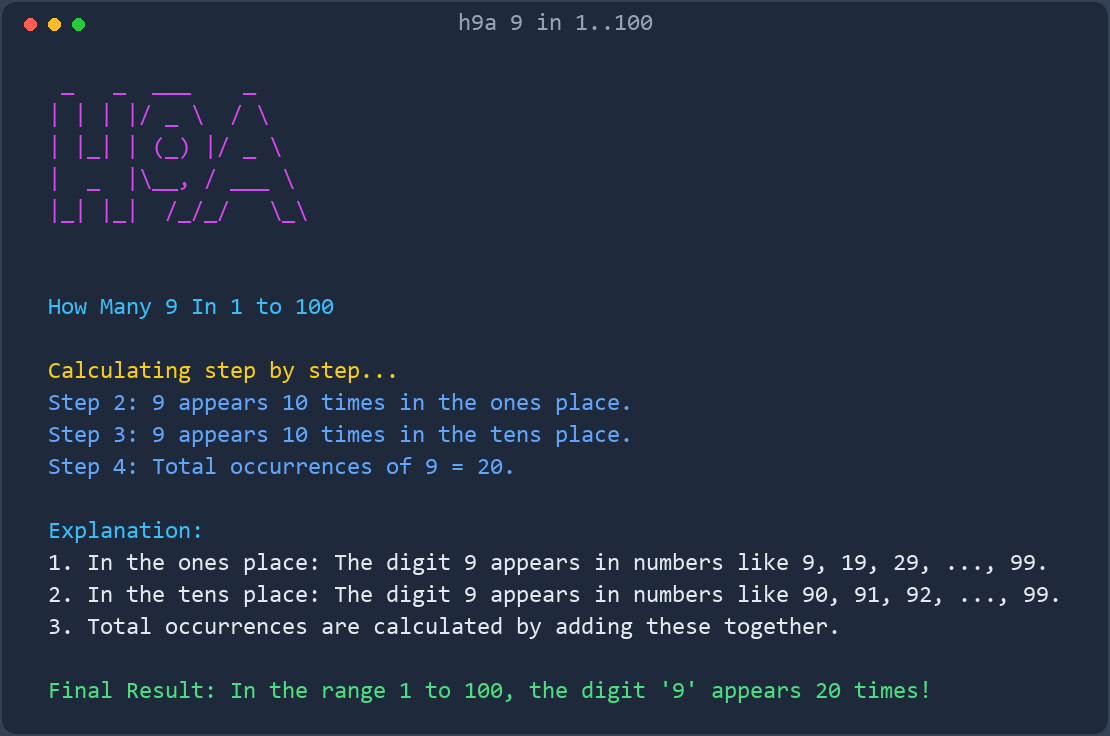
More screenshots: View all screenshots
The screenshot above is generated by the tool itself. Regenerate it at any time with
h9a --screenshot.
Table of Contents
- Overview
- Screenshot
- Key Features
- Installation
- Quick Start
- Usage Examples
- Documentation
- Interface
- Architecture
- Requirements
- Prerequisites
- Development
- Contributing
- Security
- License
- Acknowledgments
Key Features
- Installable package —
pip install h9aprovides theh9acommand and theh9aimportable library (h9a/core.py). - CLI with options —
--digit,--start,--end,--json,--no-color,--screenshot, and--version(h9a/cli.py). - Library API —
count_digit()returns aDigitCountwith a per-place breakdown;build_lines(),render_text(), andgenerate_screenshot()are available to other programs (h9a/__init__.py). - Instant results on huge ranges —
count_digit()uses a closed-form, per-place formula, so ranges like 1 to 1,000,000,000 are counted instantly instead of being iterated number by number. - Step-by-step calculation — prints the count for each decimal place (ones, tens, hundreds, ...) and the running total.
- Colorized output — uses the
richlibrary for styled, readable console output. - ASCII-art banner — renders "H9A" with
pyfiglet(h9a/render.py). - Screenshot generation — renders the output to a terminal-style PNG image with Pillow (
h9a/screenshot.py,Screenshots/home.png).
Installation
From PyPI
python -m pip install h9a
For screenshot support, install the extra:
python -m pip install "h9a[screenshot]"
From the repository
git clone https://github.com/rkriad585/h9a.git
cd h9a
python -m pip install .
For development, install in editable mode with the screenshot extra:
python -m pip install -e .[screenshot]
Dependencies
richpyfigletPillow(optional — only needed for--screenshot/generate_screenshot)
Full instructions are in docs/installation.md.
Quick Start
python -m pip install rich pyfiglet
python -m h9a
If you installed the package, you can also use the console script directly:
h9a
Usage Examples
 _   _  ___    _
| | | |/ _ \  / \
| |_| | (_) |/ _ \
|  _  |\__, / ___ \
|_| |_|  /_/_/   \_\


How Many 9 In 1 to 100

Calculating step by step...
Step 2: 9 appears 10 times in the ones place.
Step 3: 9 appears 10 times in the tens place.
Step 4: Total occurrences of 9 = 20.

Explanation:
1. In the ones place: The digit 9 appears in numbers like 9, 19, 29, ..., 99.
2. In the tens place: The digit 9 appears in numbers like 90, 91, 92, ..., 99.
3. Total occurrences are calculated by adding these together.

Final Result: In the range 1 to 100, the digit '9' appears 20 times!
Count a different digit over a different range:
h9a --digit 5 --start 1 --end 50
Machine-readable output:
h9a --json
{
  "digit": 9,
  "start": 1,
  "end": 100,
  "by_position": {
    "1": 10,
    "10": 10
  },
  "total": 20
}
Documentation
| Document | Description |
|---|---|
| docs/getting-started.md | From a clean environment to the first run. |
| docs/installation.md | Installing the package, dependencies, and the Docker option. |
| docs/usage.md | What the output means, step by step. |
| docs/cli.md | The command-line interface reference. |
| docs/api.md | Using H9A as a Python library. |
| docs/architecture.md | How the package is structured and how it flows. |
| docs/configuration.md | Configuration options (CLI flags; no config files). |
| docs/development.md | Cloning, running, and modifying the source. |
| docs/deployment.md | Running H9A directly, in Docker, or via the automated release pipelines. |
| docs/faq.md | Frequently asked questions. |
| docs/troubleshooting.md | Common errors and fixes. |
| docs/screenshots.md | Screenshot gallery index. |
Interface
Command line
The h9a command takes no positional arguments:
h9a [--digit DIGIT] [--start START] [--end END] [--json] [--no-color] [--screenshot [PATH]] [--version]
| Option | Description |
|---|---|
--digit DIGIT |
Digit (0-9) to count. Default 9. |
--start START |
First number of the range, inclusive. Default 1. |
--end END |
Last number of the range, inclusive. Default 100. |
--json |
Print machine-readable JSON instead of styled text. |
--no-color |
Disable colors in the styled output. |
--screenshot [PATH] |
Render the output to a PNG image (default Screenshots/home.png). |
--version |
Print the version and exit. |
-h, --help |
Show the help text and exit. |
Exit codes: 0 on success, 2 on invalid arguments.
Library
from h9a import count_digit

result = count_digit(digit=9, start=1, end=100)
print(result.total)        # 20
print(result.by_position)  # {1: 10, 10: 10}
See docs/api.md for the full library reference.
Architecture
The project is an installable Python package. The h9a package contains four modules:
flowchart TD
    CLI["h9a/cli.py (argparse)"]
    API["h9a/__init__.py (public API)"]
    Core["h9a/core.py - count_digit()"]
    Render["h9a/render.py - build_lines()"]
    Shot["h9a/screenshot.py - generate_screenshot()"]
    CLI --> Core
    CLI --> Render
    CLI --> Shot
    API --> Core
    API --> Render
    API --> Shot
    Render --> Core
    Shot --> Render
h9a/
├── .github/
│   └── workflows/
│       ├── docs.yml            # documentation -> GitHub Pages
│       └── publish-container.yml  # container -> GHCR
├── Dockerfile
├── LICENSE                 # MIT
├── README.md
├── Screenshots/
│   └── home.png            # generated by `h9a --screenshot`
├── docs/                   # project documentation
├── h9a/                    # installable package
│   ├── __init__.py         # public API
│   ├── __main__.py         # python -m h9a
│   ├── cli.py              # h9a command-line interface
│   ├── core.py             # counting logic
│   ├── render.py           # styled output lines
│   └── screenshot.py       # Pillow screenshot generator
├── logo/
│   └── logo.svg
├── pyproject.toml          # package metadata and h9a entry point
└── tests/                  # pytest suite
Requirements
- Python 3.8 or later
richpyfigletPillow(optional — only for--screenshot/generate_screenshot)
Prerequisites
- A working Python 3.8+ installation with
pip gitto clone the repository- A terminal that supports ANSI colors for the best visual output (colors are optional — the text is readable without them)
Development
git clone https://github.com/rkriad585/h9a.git
cd h9a
python -m pip install -e .[screenshot]
h9a
Run the checks with pytest, ruff, and mypy (installed via python -m pip install -e ".[dev]"). GitHub Actions deploys the documentation to GitHub Pages and publishes the container image to GitHub Container Registry. See docs/development.md.
Contributing
Contributions are welcome. Please read CONTRIBUTING.md and the Code of Conduct before opening a pull request.
Security
Please report security issues privately as described in SECURITY.md.
License
This project is licensed under the MIT License. See the LICENSE file for details.
Acknowledgments
- RK Riad Khan — author and maintainer.
- Built with the
rich,pyfiglet, and Pillow libraries.
1 maintainer

Download files
Download the file for your platform. If you're not sure which to choose, learn more about installing packages.
Source Distribution
Built Distribution
Filter files by name, interpreter, ABI, and platform.
If you're not sure about the file name format, learn more about wheel file names.
Copy a direct link to the current filters
File details
Details for the file h9a-0.2.1.tar.gz.
File metadata
- Download URL: h9a-0.2.1.tar.gz
- Upload date:
- Size: 18.4 kB
- Tags: Source
- Uploaded using Trusted Publishing? No
- Uploaded via: twine/7.0.0 CPython/3.12.7
File hashes
| Algorithm | Hash digest | |
|---|---|---|
| SHA256 |
813e42fda82b3bf0ac3360dcbb8125a7e64deb195d1467c7056ac117bbcf2b83
|
|
| MD5 |
4f327d88a6b37a1fb89596c621606587
|
|
| BLAKE2b-256 |
680b6fceadc1c4453ee739613ac394be631c18f7f820ce864bd257a1b307e50b
|
File details
Details for the file h9a-0.2.1-py3-none-any.whl.
File metadata
- Download URL: h9a-0.2.1-py3-none-any.whl
- Upload date:
- Size: 13.3 kB
- Tags: Python 3
- Uploaded using Trusted Publishing? No
- Uploaded via: twine/7.0.0 CPython/3.12.7
File hashes
| Algorithm | Hash digest | |
|---|---|---|
| SHA256 |
31dc0b36f451fb1421319548336e4ae42e1a81868453b97e023f26a563bf0c50
|
|
| MD5 |
99b50e92bb376fd34f683f5b981d2dda
|
|
| BLAKE2b-256 |
037e3fcbb582ae018e5b73a24be5e8703bfc3ef32e14d6df1470b06703a96ffc
|







