
HackerHelp
HackerHelp is a Python package that provides documentation and tools for penetration testing.
Installation
Install the package via pip:
pip install hackerhelp
Usage
To run the hackerhelp script, simply execute it from the command line:
hackerhelp
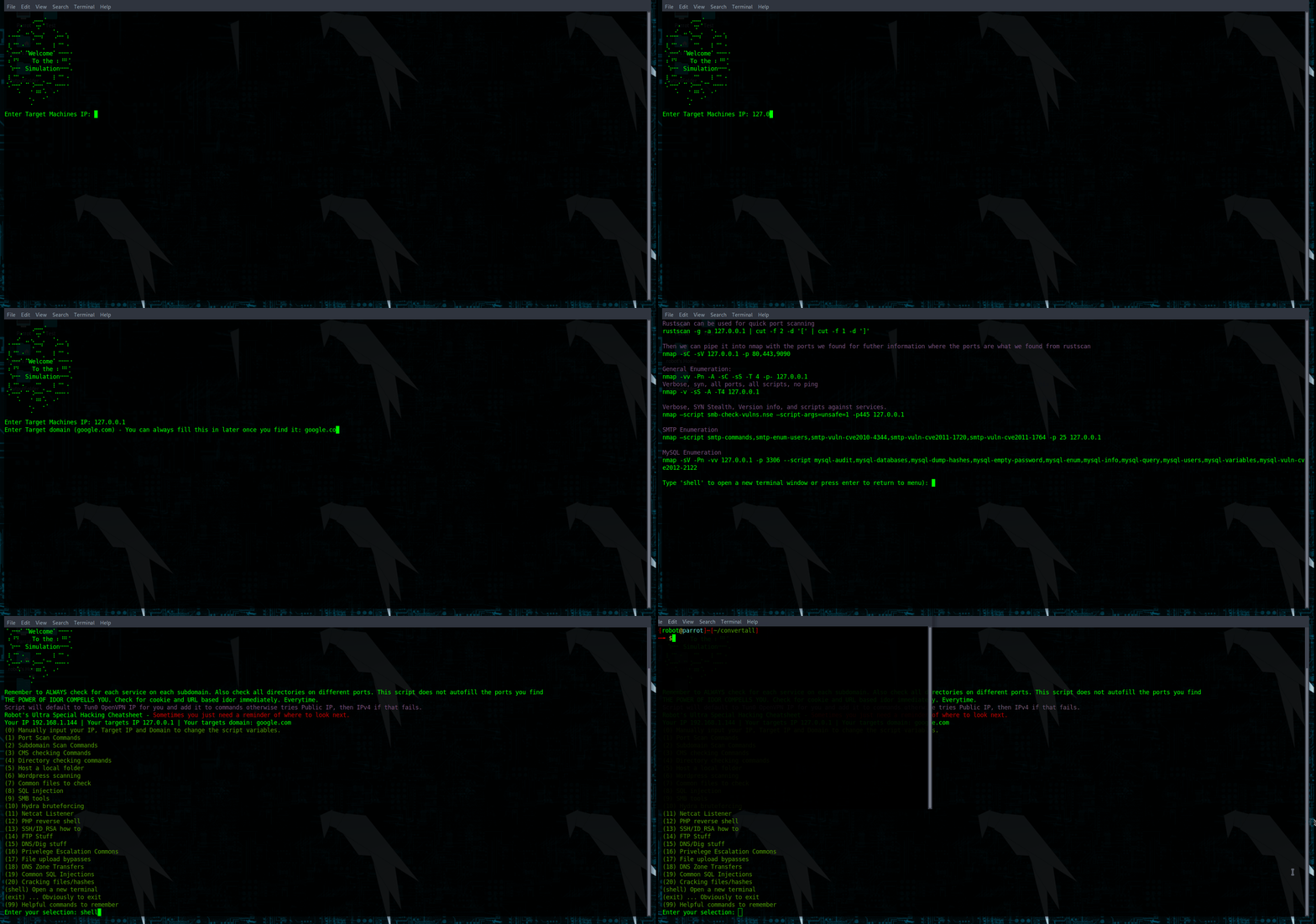
With no arguments provided, the script will automatically attempt to find your VPN IP address, then your public IP address, and finally your IPv4 address. It will then prompt you to enter a target IP address and target website.
Once you have entered your target information, the script will display a menu with different pentesting techniques. The menu options include documentation about each technique, along with example commands that have been updated with the IP address and website information variables for easy copy and pasting.
If you need to manually set your IP address and target information, simply select option 0 from the menu.
In the menu or submenus of the script, you can always type shell to launch a new terminal to copy paste some of the commands across.
Disclaimer
This tool is intended for educational and ethical use only. The author is not responsible for any illegal or unethical use of this tool. Use at your own risk.
1 maintainer

Metadata
1 maintainer
Release files for hackerhelp 0.1
For a detailed explanation of source distributions (sdists) and built distributions (wheels), please see the package formats documentation.
Source distribution (sdist)
| File | Size | Uploaded | Provenance | |
|---|---|---|---|---|
| hackerhelp-0.1.tar.gz | 7.7 kB | Without provenance | Details |
Built distribution (wheel)
| File | Interpreter | ABI | Platform | Reset |
|---|---|---|---|---|
| hackerhelp-0.1-py3-none-any.whl | Python 3 | none | any | Details |
Total release size: 15.7 kB
Release files / hackerhelp-0.1.tar.gz
| Download URL | hackerhelp-0.1.tar.gz |
|---|---|
| Size | 7.7 kB |
| Tags | Source |
|
SHA-256 checksum How to use checksums |
aca26ed80d0e5dc15cf10a17cf26789b5553278bd6f80697eafce68c9fc131b0
|
|
BLAKE2b-256 checksum How to use checksums |
1cd5c7f76d85cdc7cafd96ed9ce225050a928b8560e1586250d31535c8e58070
|
| Upload date | |
|
Uploaded using Trusted Publishing? What is trusted publishing? |
No |
| Uploaded via |
twine/4.0.2 CPython/3.9.2
|
Release files / hackerhelp-0.1-py3-none-any.whl
| Download URL | hackerhelp-0.1-py3-none-any.whl |
|---|---|
| Size | 8.0 kB |
| Tags | Python 3 |
|
SHA-256 checksum How to use checksums |
56fdcb6c122d35d374e4bab98df99dbc8e852ab705b9455ddba647f776a84767
|
|
BLAKE2b-256 checksum How to use checksums |
fcdbf1cdc0641aa11a539e8ff564ce520a547a1ac0f86321638277f4d1a2035d
|
| Upload date | |
|
Uploaded using Trusted Publishing? What is trusted publishing? |
No |
| Uploaded via |
twine/4.0.2 CPython/3.9.2
|
Security for hackerhelp 0.1
Provenance
Provenance describes where a file came from. On PyPI, provenance is shared via attestations, which provide a verifiable record of the build or publishing details. View details, limitations and caveats.
No provenance found
None of the files in this release were uploaded with provenance metadata.
A note on package security
PyPI is a repository for distributing packages, not a service for auditing them. While third-party security researchers and our staff do their best to detect and remove malicious packages, PyPI cannot guarantee the quality, security or suitability of any given package.
To learn more about protecting yourself from malicious actors, visit our package security documentation.













