
Multi coding-agent task dispatcher — a CLI proxy for claude that sends coding tasks to configurable AI backends

Project description
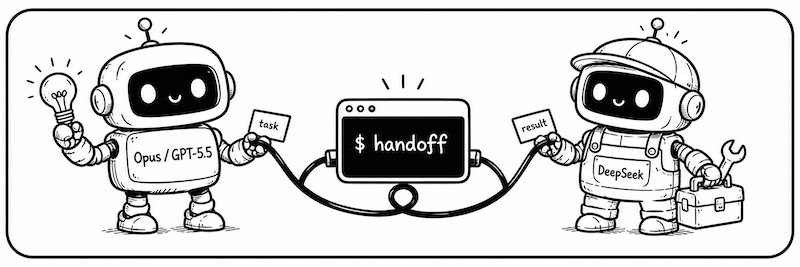
With Handoff, your coding agents can finally work together.
| You're in | Hand off to | Why |
|---|---|---|
| Claude Code / Codex | DeepSeek | It does the simple work fast and cheap; save the expensive quota for decisions |
| DeepSeek | Codex / Opus | Borrow a brain for hard problems, bring the answer back to your session |
No tool-switching, no lost context.
English · 简体中文
Why handoff
If you use more than one coding agent, these will sound familiar:
- 💸 "Claude / Codex: the $20 plan never lasts. The $100 plan costs too much."
— Just say: "Give this task to/handoff-ds." DeepSeek does the work fast and cheap. Save your expensive quota for decisions. - 🤔 "DeepSeek is stuck. I want a second opinion from Codex."
— Just say: "Ask/handoff-codexwhat it thinks." No new terminal. No re-explaining. The answer comes back to your current session. - 🔁 "
/handoff-dsfinished that task. Now I have a follow-up task for it."
— Just say: "Resume the last/handoff-dssession, then do X." It just sends one more message in the old conversation — all the old context is still there.
The math is simple: DeepSeek V4 is as capable as Sonnet, and on OpenCode Go the same money buys 18× the work:
| Option | Relative cost for the same work |
|---|---|
| Claude Sonnet (subscription) | 1× (baseline) |
| DeepSeek official API | 1/3 |
| OpenCode Go (includes DeepSeek V4) | 1/18 |
So: only pay for the SOTA model (Opus / GPT-5.5) — use it to plan and review. Everything else goes to DeepSeek. With handoff, $20 Claude Code (plan + dispatch) + $5 OpenCode Go (execution) ≈ the work of a $200 Claude Code Max.
Quick start
Before you start: handoff works inside Claude Code (CLI or desktop app) or Codex. You need at least one of them installed and logged in.
1. Install
uv tool install handoff-cli
handoff init        # creates the config, links skill / agent files
Upgrade with uv tool upgrade handoff-cli.
2. Set your token
The opus and codex backends reuse your existing Claude Code / Codex logins — zero config. Only DeepSeek needs a token.
For DeepSeek, we recommend the OpenCode Go plan (lowest cost, includes DeepSeek V4). Once you have a key, edit ~/.handoff/config.yaml and change just the ANTHROPIC_AUTH_TOKEN line:
# ~/.handoff/config.yaml — handoff init generates this for you
backends:
  deepseek:                          # ← first = default
    type: claude
    model: deepseek-v4-flash
    pro_model: "deepseek-v4-pro[1m]"
    env:
      ANTHROPIC_BASE_URL: https://api.deepseek.com/anthropic
      ANTHROPIC_AUTH_TOKEN: "sk-..."  # ← change this. Local proxy setup: https://github.com/iTzFaisal/oc-cc-proxy
      ANTHROPIC_MODEL: "{model}"

  opus:                              # local claude login — zero config
    type: claude
    ...
  codex:                             # local codex login — zero config
    type: codex
    ...
3. Dispatch your first task
Go back to Claude Code and say:
Make a plan, then hand it to
/handoff-ds.
The task runs in the background; your session is never blocked. When it finishes, the agent reads the result and reports back.
4. Who you can hand work off to
| What you say | From | Hands off to | Best for |
|---|---|---|---|
/handoff-ds |
Claude Code | DeepSeek V4 | Execution work: writing code, running tests, refactors, bulk edits |
handoff-ds (subagent) |
Codex | DeepSeek V4 | Same as above — use this when you're inside Codex |
/handoff-codex |
Claude Code | Codex (GPT-5.5) | Heavy reasoning, second opinions, hard bugs |
/handoff-opus |
Claude Code | Claude Opus | Decisions that deserve the top model |
Codex has no slash commands — from Codex you invoke the subagent of the same name instead: say "have
handoff-dsexecute the task above."
5. Watch progress / browse history
Inside Claude Code, expand the background shell and you'll see live progress right there — it renders in the shell view and uses none of your main session's context. To browse history or follow a task on its own, use handoff list and handoff tail (see the FAQ below).
FAQ
How do I browse the task list or watch a task's progress?
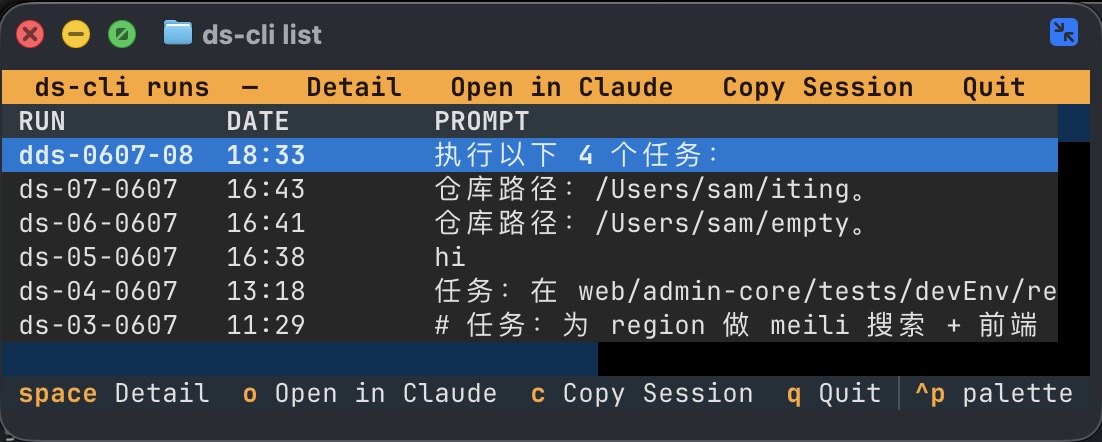
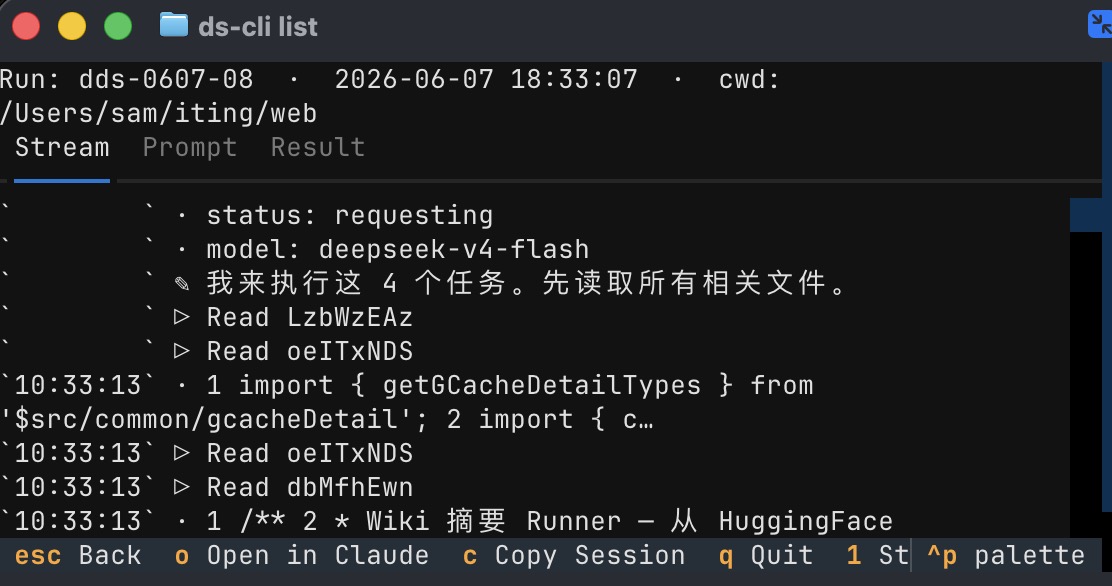
Dispatching and resuming are the AI's job (handoff run / handoff resume under the hood). These two commands are for you — browse the list, watch the progress:
|
|
|
|
|
Can I dispatch several tasks at once?
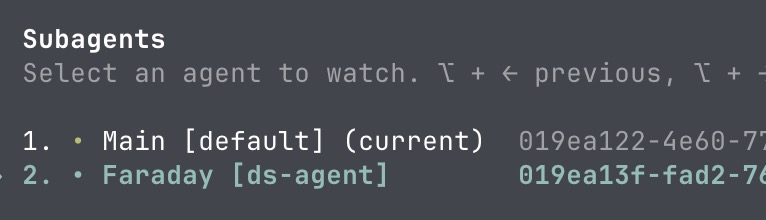
Yes. Have your agent send off several tasks in one message. Each runs on its own and reports back on its own — they never get in each other's way.
No uv / installing from source?
pipx install handoff-cli or pip install handoff-cli work just as well. From source:
git clone https://github.com/dazuiba/handoff && cd handoff
uv tool install -e .
handoff init
How do I add a custom backend / what goes in the env block?
Add one more entry under backends — any Anthropic-compatible endpoint works:
backends:
  kimi:
    type: claude
    model: kimi-k3
    env:
      ANTHROPIC_BASE_URL: https://api.moonshot.cn/anthropic
      ANTHROPIC_AUTH_TOKEN: "${MOONSHOT_API_KEY}"
      ANTHROPIC_MODEL: "{model}"
The env block is entirely yours — every key=value you set is exported before the CLI launches. {model} substitutes the resolved model name, ${ENV_VAR} expands from your shell. Run handoff env to see where everything lives. Full details: configuration docs (Chinese) →.
How does it actually work?
- Your agent hands the whole task to handoff, which runs it in the background — your session never blocks.
- handoff launches the matching CLI (
claude -p/codex exec) in an isolated context and streams the full output to disk. - The main session receives exactly one line:
RESULT=<path-to-result-file>. Progress goes to the background shell view — never into your main context. - On completion the agent gets notified, reads the result file, and reports back to you.
- The
RESULT=path is also a stable handle for the conversation: every follow-up round resumes the same session.
More docs
- CLI reference (Chinese) → — full usage of
run/resume/list/tail/env/init, run-id encoding, on-disk file layout. - Configuration (Chinese) → — mechanism vs data layers, env block,
${ENV}interpolation, include, custom backends. - Design notes (Chinese) → — why Claude Code uses background shells while Codex uses a subagent; the RESULT= protocol.


Download files
Download the file for your platform. If you're not sure which to choose, learn more about installing packages.
Source Distribution
Built Distribution
Filter files by name, interpreter, ABI, and platform.
If you're not sure about the file name format, learn more about wheel file names.
Copy a direct link to the current filters
File details
Details for the file handoff_cli-0.3.5.tar.gz.
File metadata
- Download URL: handoff_cli-0.3.5.tar.gz
- Upload date:
- Size: 689.4 kB
- Tags: Source
- Uploaded using Trusted Publishing? No
- Uploaded via: uv/0.11.21 {"installer":{"name":"uv","version":"0.11.21","subcommand":["publish"]},"python":null,"implementation":{"name":null,"version":null},"distro":{"name":"Ubuntu","version":"24.04","id":"noble","libc":null},"system":{"name":null,"release":null},"cpu":null,"openssl_version":null,"setuptools_version":null,"rustc_version":null,"ci":true}
File hashes
| Algorithm | Hash digest | |
|---|---|---|
| SHA256 |
a625cea0a7e8ab2eea4fbca120fdc517db655c0763e7e2758fb6f3153f9e9d10
|
|
| MD5 |
dc50e2413acdcbd495ce40123f18a306
|
|
| BLAKE2b-256 |
7dac4df9bd63de7b0bd0c90a857239b6dc6ac31185b0a2c25155190dd1943963
|
File details
Details for the file handoff_cli-0.3.5-py3-none-any.whl.
File metadata
- Download URL: handoff_cli-0.3.5-py3-none-any.whl
- Upload date:
- Size: 55.7 kB
- Tags: Python 3
- Uploaded using Trusted Publishing? No
- Uploaded via: uv/0.11.21 {"installer":{"name":"uv","version":"0.11.21","subcommand":["publish"]},"python":null,"implementation":{"name":null,"version":null},"distro":{"name":"Ubuntu","version":"24.04","id":"noble","libc":null},"system":{"name":null,"release":null},"cpu":null,"openssl_version":null,"setuptools_version":null,"rustc_version":null,"ci":true}
File hashes
| Algorithm | Hash digest | |
|---|---|---|
| SHA256 |
922728c03db09be0464fed912ee2a817f88edc5ac4fd8434cf1b350f07540e99
|
|
| MD5 |
7a42bd0276190fed3ad97440f728c0d5
|
|
| BLAKE2b-256 |
e4a390def4036783af50669924a9dda263e85c128634d586721d8ae93e47bce3
|






