
Handwritten LaTeX symbol classifier for the desktop

Project description
Hand TeX




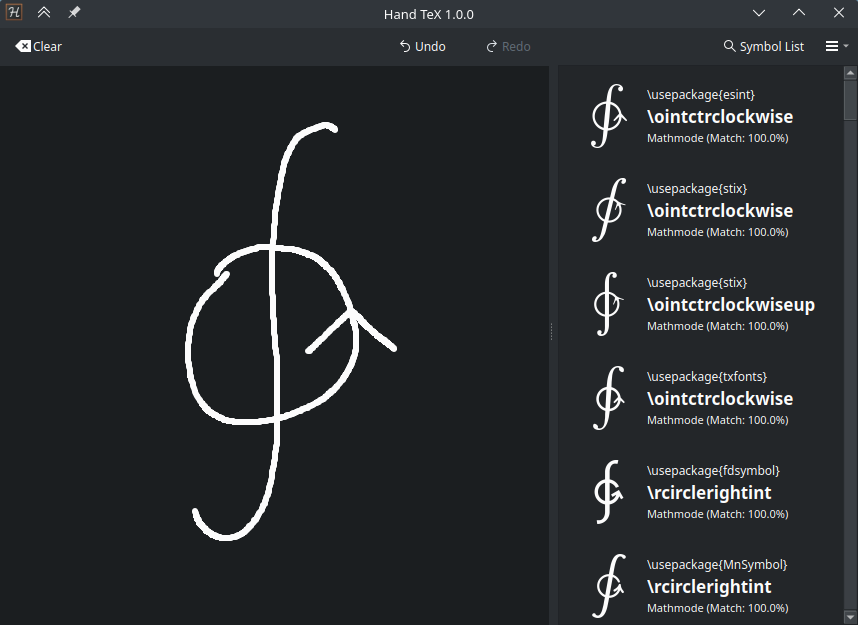
Draw the symbol to find out what LaTeX command to use.
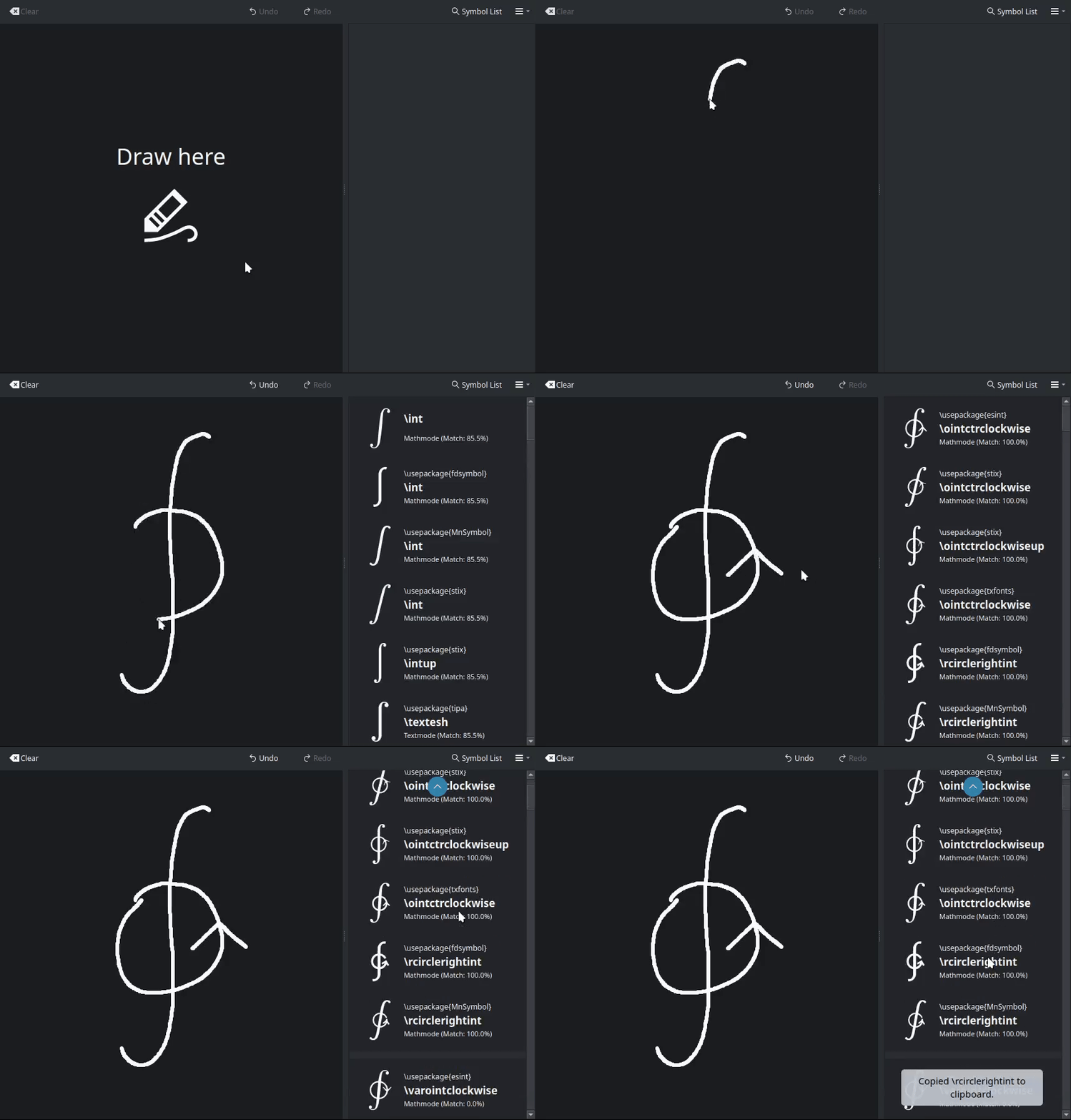
Features
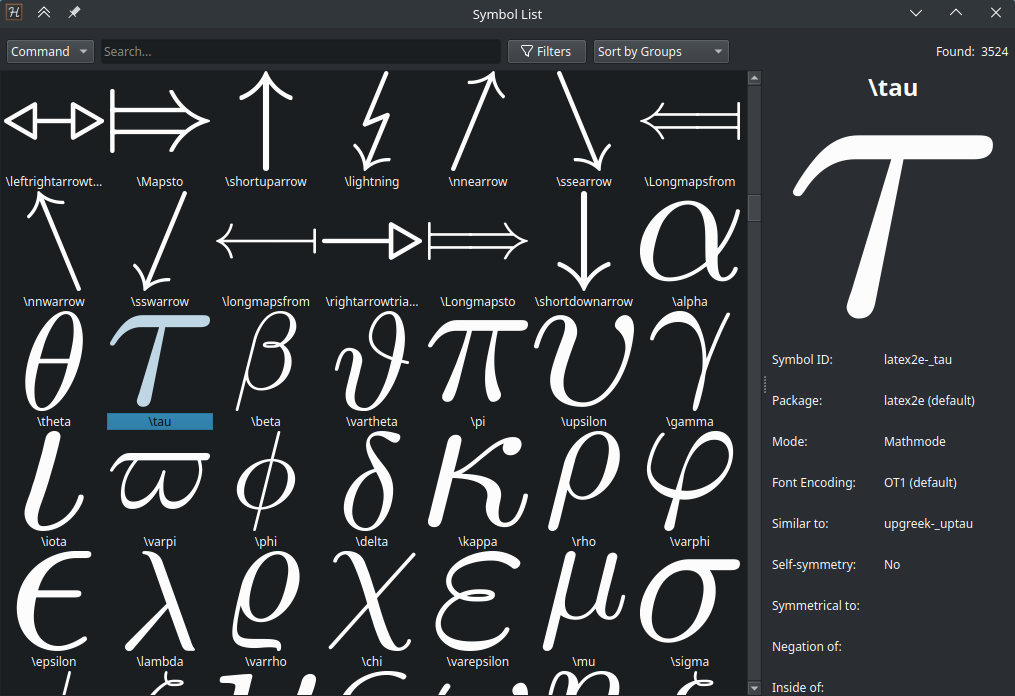
- Over 3500 symbols and their variations, of which over 1700 are unique
- Browse a list of all symbols
- Fully offline
- Supported packages: amsmath, amssymb, bbold, cmll, dsfont, esint, fdsymbol, gensymb, halloweenmath, latex2e, latexsym, logix, marvosym, mathabx, mathdots, mathrsfs, MnSymbol, stix, stix2, stmaryrd, textcomp, tipa, txfonts, upgreek, wasysym
This was inspired by the Detexify project and uses some of the same training data, now with new symbols and additional training data.
Installation
| Platform | Format | Link |
|---|---|---|
| Linux | Flatpak | Coming soon |
| AUR | Coming soon | |
| Windows | Executable | HandTeX.exe |
| All Platforms | Python package | pip install handtex |
The Python package requires Python 3.10 or later. Ensure Python is in your PATH.
If installed with Python, run handtex to start the program.
If that doesn't work, try python -m handtex.main.
Does this work with CUDA?
Yes, but for using Hand TeX, this is not necessary. The model is small enough to run very quickly on a CPU, there is no noticeable difference.
Can I help make more training data?
Yes! In Hand TeX, go to the hamburger menu and select "Help symbol training". This will present you with a symbol to draw. Then just submit your drawing and it will be saved to a .json file. The location for this can be configured. Once you are satisfied with the drawings you have collected, send all of the .json files in one .zip archive to voxel.aur@gmail.com. Thanks!
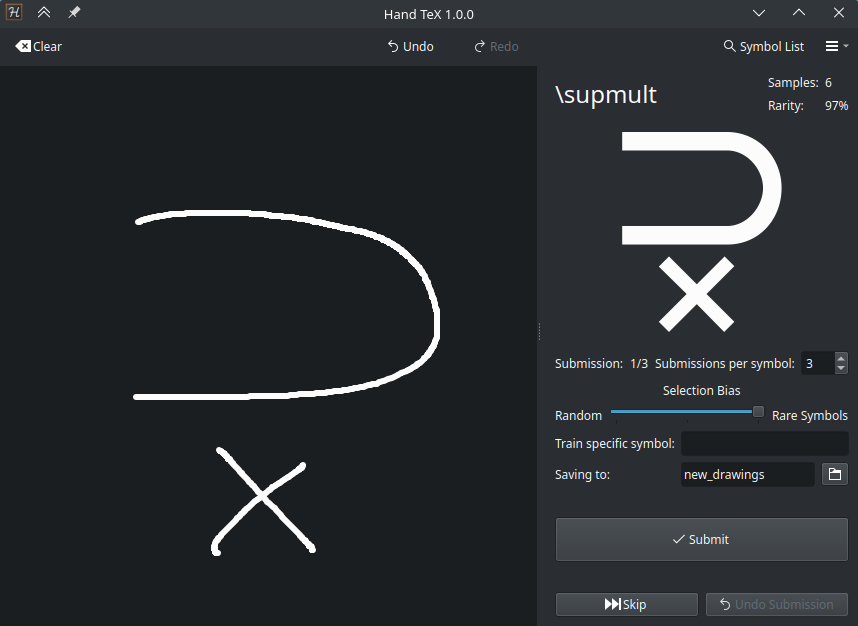
Can I help in other ways?
Yes, help is always appreciated. If you know a thing or two about training models, I would like to know how to improve it further.
If you'd like to suggest new symbols, please open an issue and include drawings you made with the "Help symbol training" feature. To do this for new symbols, just manually enter the symbol name you want to suggest and press skip in the interface. Then draw the symbol and submit it. It would also be nice to include a .tex file that shows the symbol in use, so that it compiles with pdflatex or xelatex.
What is the difference between Hand TeX and Detexify?
Hand TeX supports the same symbols and many more, as it uses a larger dataset. The Detexify model uses time information to know what order you drew the strokes in, and what direction too. This can be useful for common symbols that are drawn in a specific way, but this approach struggles on more complex symbols that don't have a common way to draw them.
Hand TeX renders your strokes to a flat image and uses a convolutional neural network to classify the symbol. This approach ignores the order you draw the strokes in, focusing solely on the shape of the symbol.
The expanded, modified dataset is available under the same license as the original Detexify dataset here.
Running from source
These instructions assume you have Python 3.10 or later installed, as well as a collection of terminal utilities. This will work on any Linux system, or other OS with the appropriate tools installed.
To run from source, clone the repository
git clone https://github.com/VoxelCubes/Hand-TeX.git
cd Hand-TeX
Optionally, create a virtual environment
python -m venv venv
source venv/bin/activate
Install the dependencies
pip install -r requirements.txt
Optionally, if you wish to train and develop, also install the dev dependencies
pip install -r requirements_training.txt
You need a model to run the program. You have two options:
- Download the model from the releases page
mkdir -p handtex/data/model
curl -o handtex/data/model/handtex.safetensors https://github.com/VoxelCubes/Hand-TeX/releases/download/model/handtex.safetensors
curl -o handtex/data/model/encodings.txt https://github.com/VoxelCubes/Hand-TeX/releases/download/model/encoding.txt
- Train the model yourself. This requires the dev dependencies and a lot of time.
mkdir -p training/database
curl -o training/database/handtex.db.tar.xz https://github.com/VoxelCubes/Hand-TeX/releases/download/database/handtex.db.tar.xz
tar -xf training/database/handtex.db.tar.xz -C training/database
PYTHONPATH=. python training/train.py
Finally, run the program
PYTHONPATH=. python handtex/main.py
or
make run
If you have changed anything with the symbols or Qt ui files, you will need to regenerate the resources
make refresh-assets


Download files
Download the file for your platform. If you're not sure which to choose, learn more about installing packages.
Source Distribution
Built Distribution
Filter files by name, interpreter, ABI, and platform.
If you're not sure about the file name format, learn more about wheel file names.
Copy a direct link to the current filters
File details
Details for the file handtex-1.0.2.tar.gz.
File metadata
- Download URL: handtex-1.0.2.tar.gz
- Upload date:
- Size: 3.3 MB
- Tags: Source
- Uploaded using Trusted Publishing? No
- Uploaded via: twine/6.1.0 CPython/3.13.1
File hashes
| Algorithm | Hash digest | |
|---|---|---|
| SHA256 |
d3701da1ec4e9b0f189fd5f51103861305ab506fdf6518fc6582d90f5b6cb7f3
|
|
| MD5 |
d11f42e28088173f4589661f44819c40
|
|
| BLAKE2b-256 |
cc6f6889f7a059c875e4b71cfeb9ee92e48d6eb5da8d17f0d5db449682e0bb75
|
File details
Details for the file handtex-1.0.2-py3-none-any.whl.
File metadata
- Download URL: handtex-1.0.2-py3-none-any.whl
- Upload date:
- Size: 3.3 MB
- Tags: Python 3
- Uploaded using Trusted Publishing? No
- Uploaded via: twine/6.1.0 CPython/3.13.1
File hashes
| Algorithm | Hash digest | |
|---|---|---|
| SHA256 |
f4f07daee84fff752248dcb7226c3da6909c07a656ab3d137fc8ac0c93062dd4
|
|
| MD5 |
4f0ca53d8ee61ac3a0ad83ebbb39fd26
|
|
| BLAKE2b-256 |
05e92e4e2c2895e525b120850921df3ceb912df8ff8f8bf0638ec452b9c8fb85
|






