
Hangman in terminal

Project description
Hangman-Terminal


A classic game of Hangman that you can play right in your terminal! Features fun ASCII art animations and a built-in word list for a simple, engaging experience.
Gameplay Demo
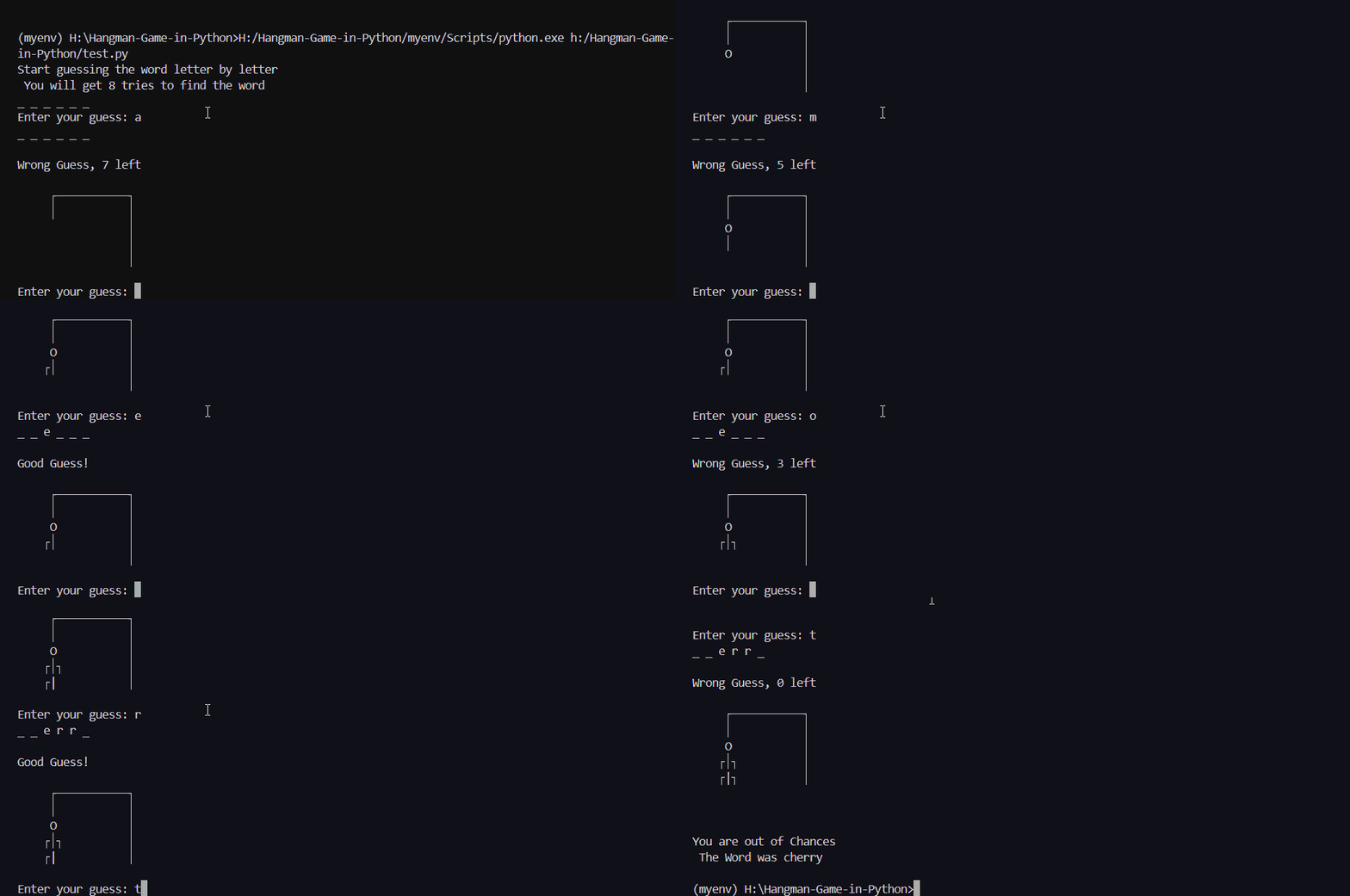
Features
- Classic Hangman Gameplay: Guess letters to solve the hidden word before you run out of attempts.
- ASCII Art Animations: Watch the hangman being drawn with each incorrect guess, all rendered in your terminal.
- Built-in Word List: Comes with a predefined set of words, so you can start playing immediately.
- Lightweight & Simple: No external dependencies needed. Just install and play!
Installation
You can install it easily using pip:
pip install hangman-terminal
Usage
There are two main ways to run the game:
1. From the Command Line:
After installation, you can start the game by simply typing this command in your terminal:
hangman-terminal
2. As a Python Module:
You can also import and run the game from within your own Python script.
import hangman_terminal as
# This will start the game
ht.main()
Contributing
Contributions, issues, and feature requests are welcome! Feel free to check the issues page.


Download files
Download the file for your platform. If you're not sure which to choose, learn more about installing packages.
Source Distributions
Built Distribution
Filter files by name, interpreter, ABI, and platform.
If you're not sure about the file name format, learn more about wheel file names.
Copy a direct link to the current filters
File details
Details for the file hangman_terminal-1.0.0-py3-none-any.whl.
File metadata
- Download URL: hangman_terminal-1.0.0-py3-none-any.whl
- Upload date:
- Size: 4.6 kB
- Tags: Python 3
- Uploaded using Trusted Publishing? No
- Uploaded via: twine/6.2.0 CPython/3.13.5
File hashes
| Algorithm | Hash digest | |
|---|---|---|
| SHA256 |
8122d4e3f43c154ceafebee364f66beb2056d59ab23aa67cdcbfff51438614a5
|
|
| MD5 |
1c36b4e0e15abf8ad6ded2a34899ec32
|
|
| BLAKE2b-256 |
e1212c712d970e1e35dac9fce5f53e29f99775dfb8e4a2ddce9e694d700a93b0
|






