

Harambot
An interactive Yahoo Fantasy sports bot for Discord.





Commands
/ping                           - Gives the latency of harambot.
/RIP                            - Pay respects.
/standings                      - Returns the current standings of the current league.
/roster Team                    - Returns the roster of the given team.
/stats Player                   - Returns the details of the given player.
/trade                          - Create a poll for latest trade for league approval.
/matchups week                  - Returns the matchups for the given week, defaults to the current week.
/waiver days                    - Returns the waiver wire transactions from the previous number of days.
/configure                      - Configure the bot for your guild.
/reports                        - Set what channel transaction reports should be sent to.
/league                         - Set what league the bot should use for commands.
You can find example output of these commands here
Roll your own instance
Prerequisites
In order to properly configure your bot you will need the following:
Visit our wiki for a step by step guide on how to obtain these values.
Generate a key for your local database
Parts of the database are encrypted, which means we need to generate a key. Using the python interactive interpreter, you can generate one by running these three lines inside the interpreter:
from cryptography.fernet import Fernet
fernet_key = Fernet.generate_key()
print(fernet_key.decode())
Your key will appear below.
Run the bot on Render

Run the bot locally using pip package
-
Install the harambot package using pip
pip install harambot -
Export the following environment variables
export DISCORD_TOKEN='[YOUR DISCORD TOKEN]' export YAHOO_KEY='[YOUR YAHOO API CLIENT ID]' export YAHOO_SECRET='[YOUR YAHOO API CLIENT SECRET]' export DATABASE_URL='[YOUR DATABASE URL]' # which can be a pathway to a file, such as 'sqllite:///harambot.db' export HARAMBOT_KEY='[YOUR ENCRYPTION KEY]' # A URL-safe base64-encoded 32-byte key -
Run the bot
harambot
Run the bot locally using docker
-
Pull the latest image from docker hub
docker pull dmcp89/harambot -
Export the following environment variables
export DISCORD_TOKEN='[YOUR DISCORD TOKEN]' export YAHOO_KEY='[YOUR YAHOO API CLIENT ID]' export YAHOO_SECRET='[YOUR YAHOO API CLIENT SECRET]' export DATABASE_URL='[YOUR DATABASE URL]' export HARAMBOT_KEY='[YOUR ENCRYPTION KEY]' # A URL-safe base64-encoded 32-byte key -
Run the bot
 docker run --name harambot \
 -e DISCORD_TOKEN=$DISCORD_TOKEN \
 -e YAHOO_KEY=$YAHOO_KEY \
 -e YAHOO_SECRET=$YAHOO_SECRET \
 -e DATABASE_URL=$DATABASE_URL \
 -e HARAMBOT_KEY=$HARAMBOT_KEY \
 --rm dmcp89/harambot
Setup
Add the bot to your guild
- Generate a OAuth url from the discord developer portal using the bot scope and the following permissions:
- Send Messages
- Send Messages in Threads
- Embed Links
- Attach Files
- Read Message History
- Add Reactions
- Use Slash Commands
- Manage WebHooks
The permission value should be 277562378304
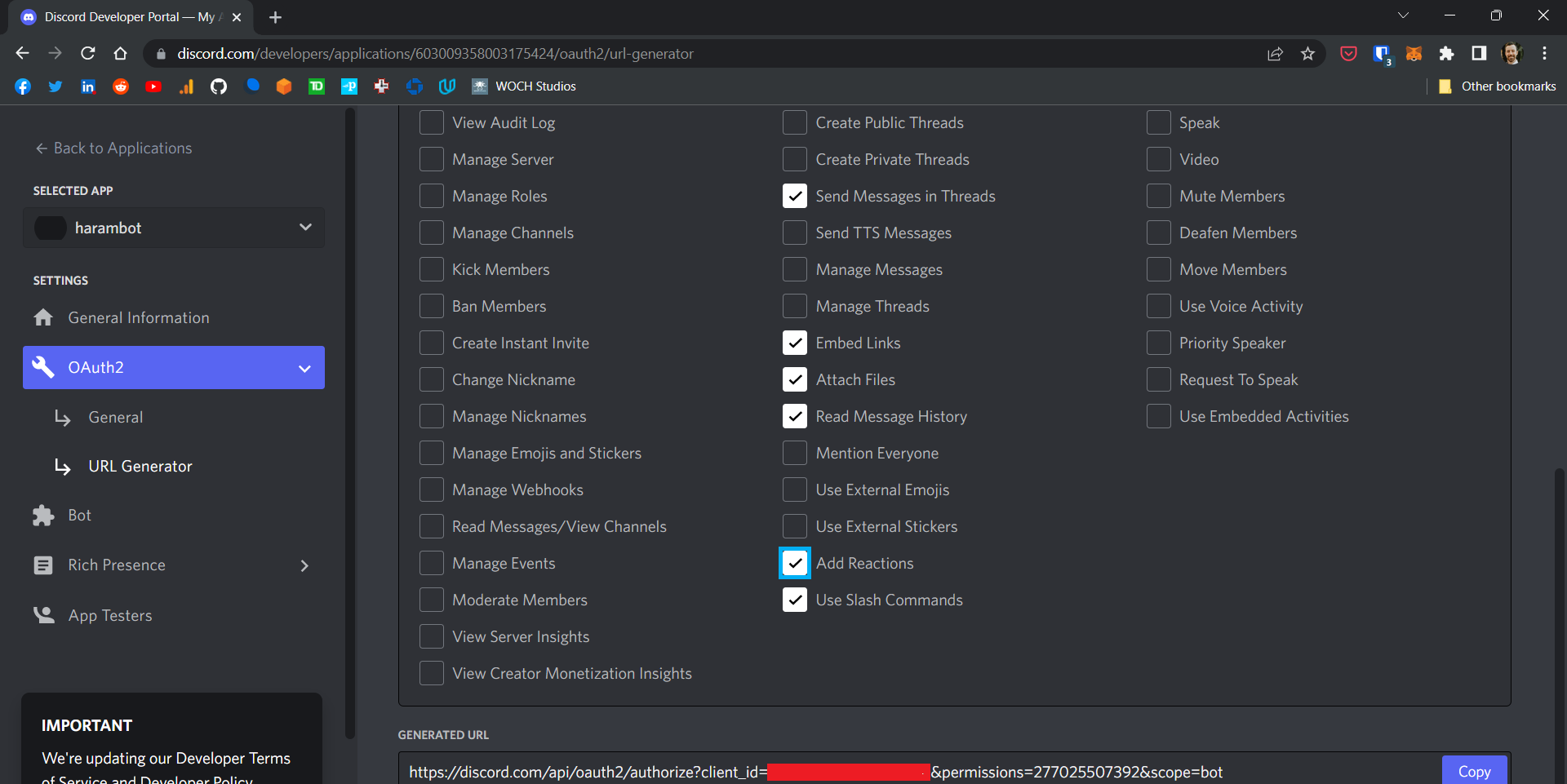
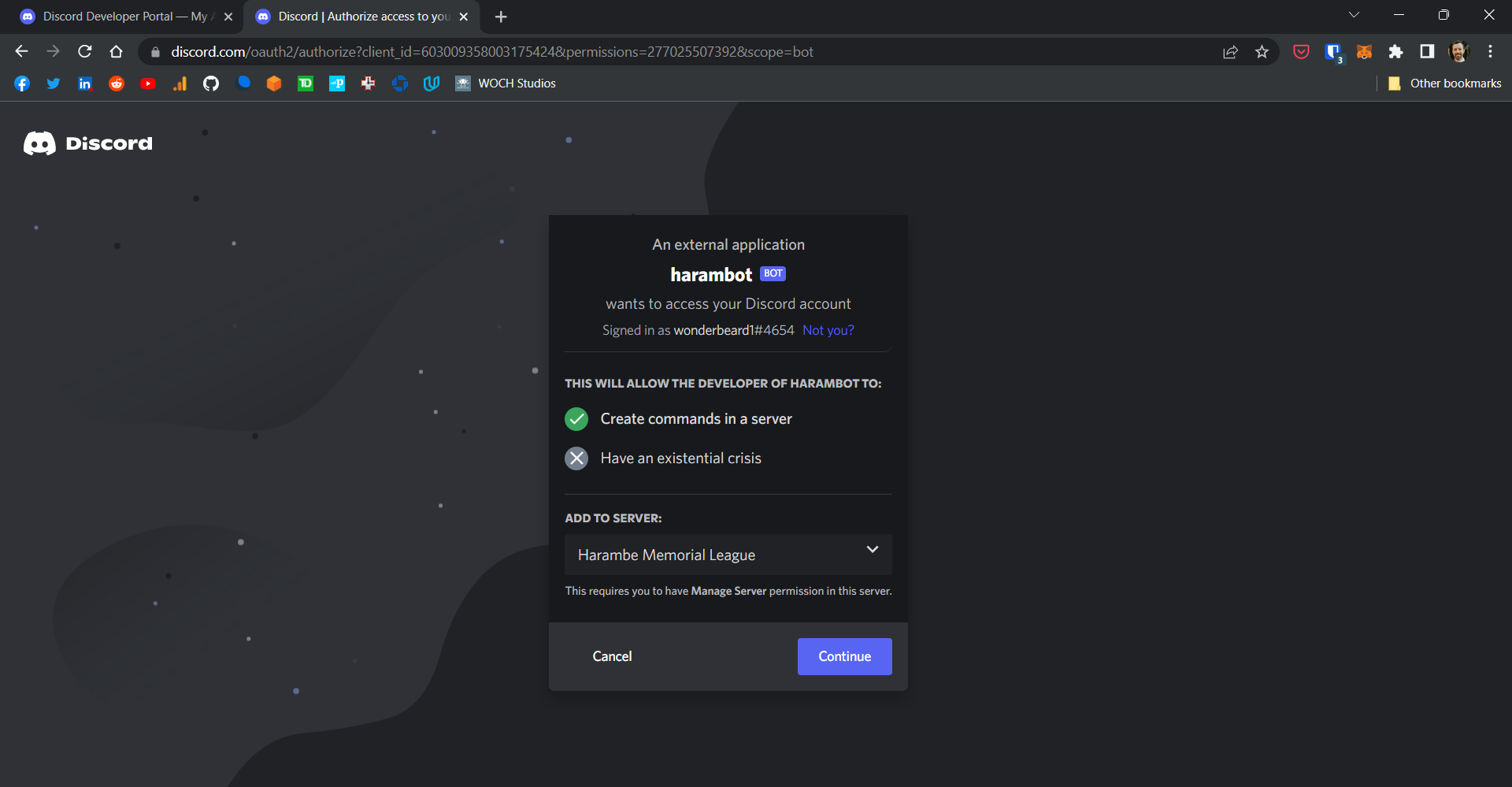
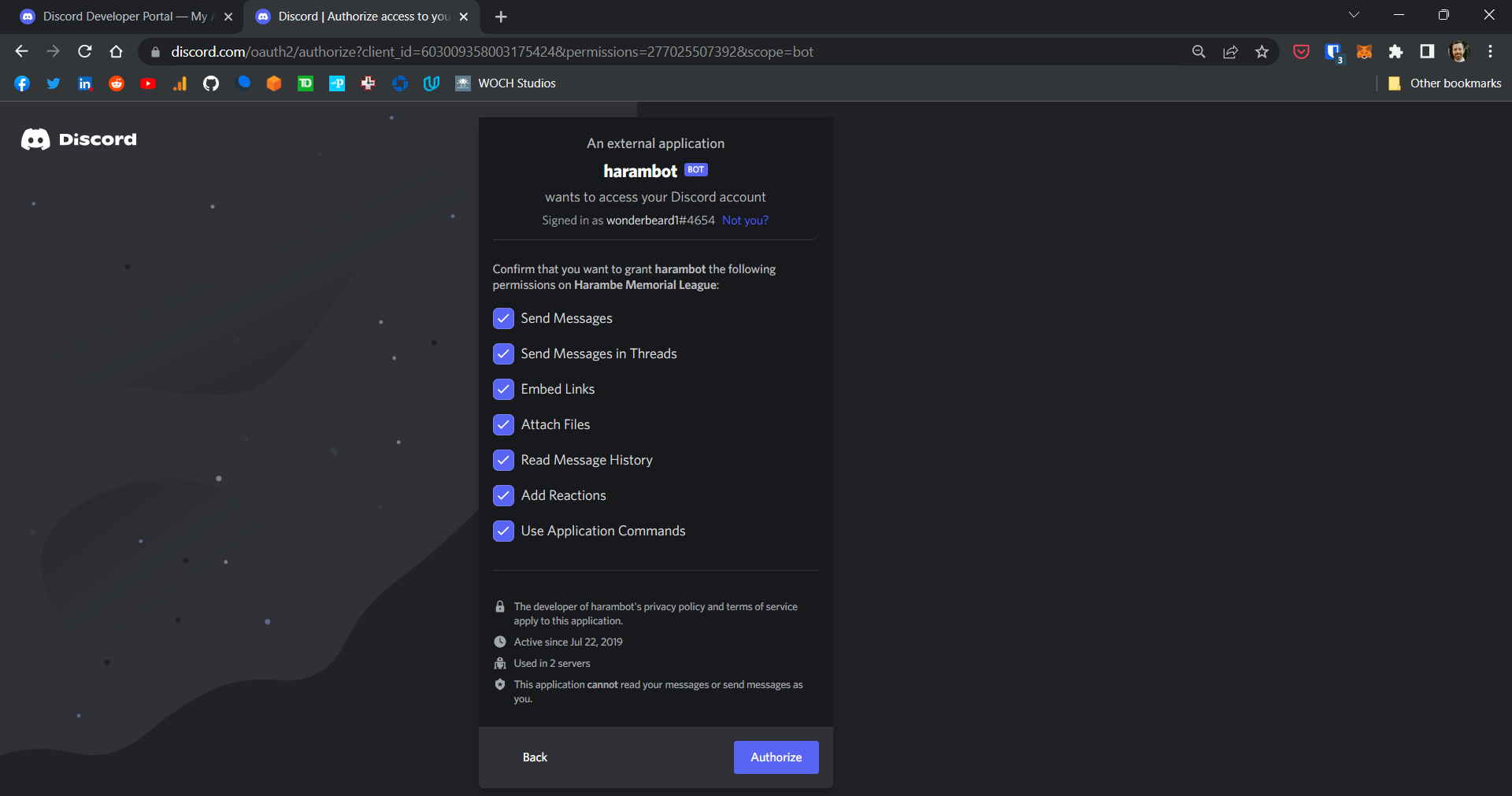
- Navigate to the generated url in a web browser and authorize the bot for your guild
Configure your guild
- Once your bot is added to your guild you can configure it by using the /configure command:
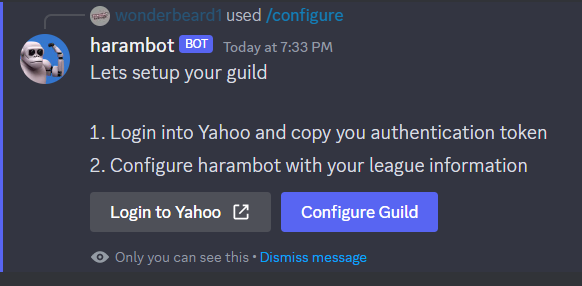
- Use the Login with Yahoo button to authenticate with Yahoo and get your Yahoo token (this is a one time token)
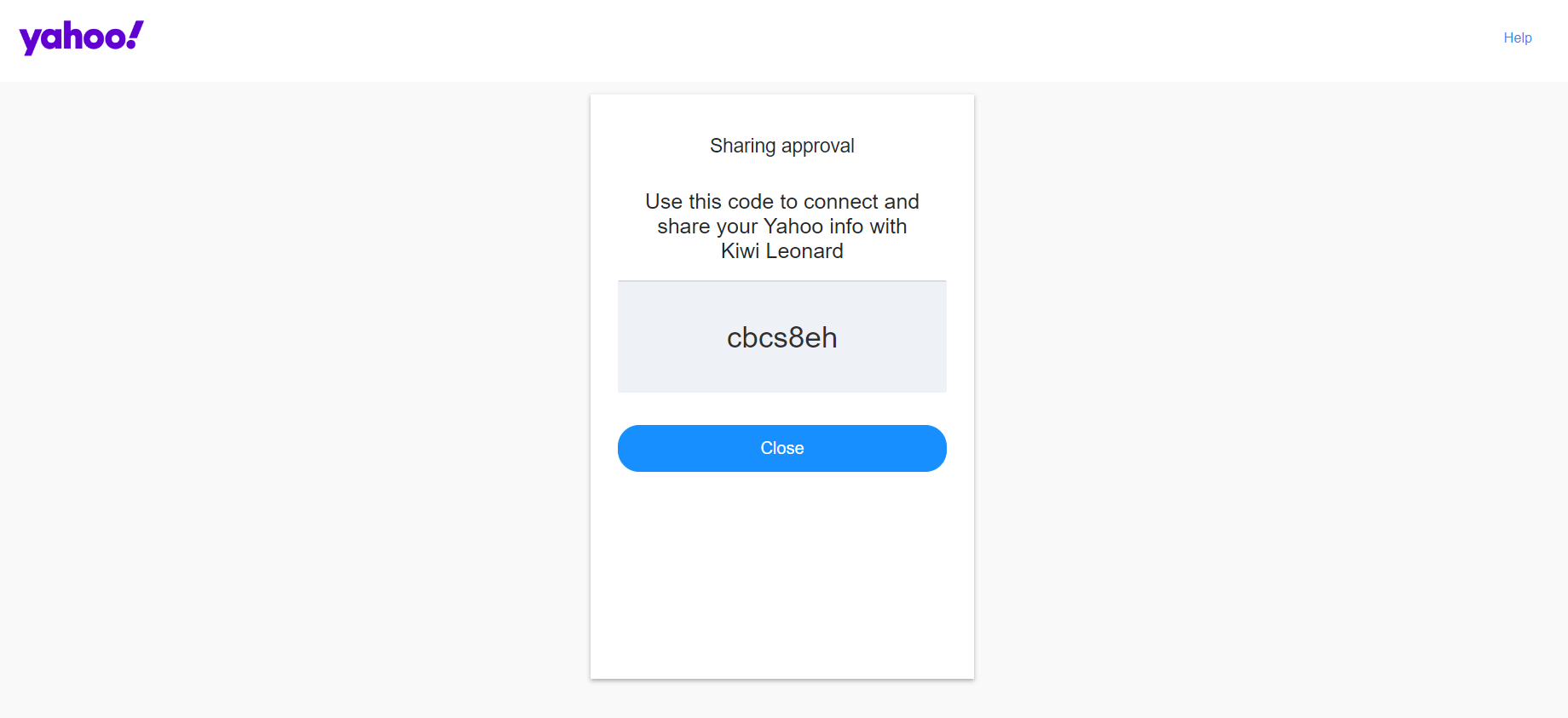
- Use the Configure Guild button to configure your guild for the bot
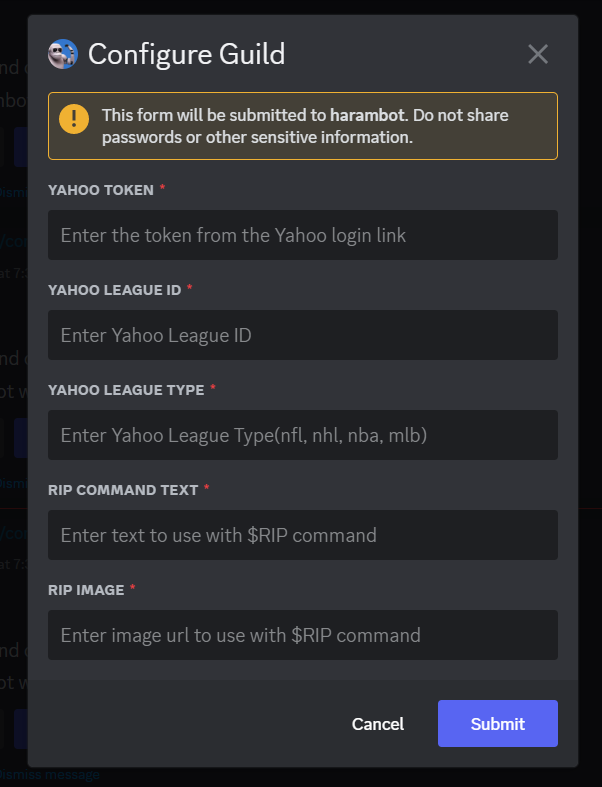
- You can reconfigure your guild by running the configure command and clicking the Configure Guild button.
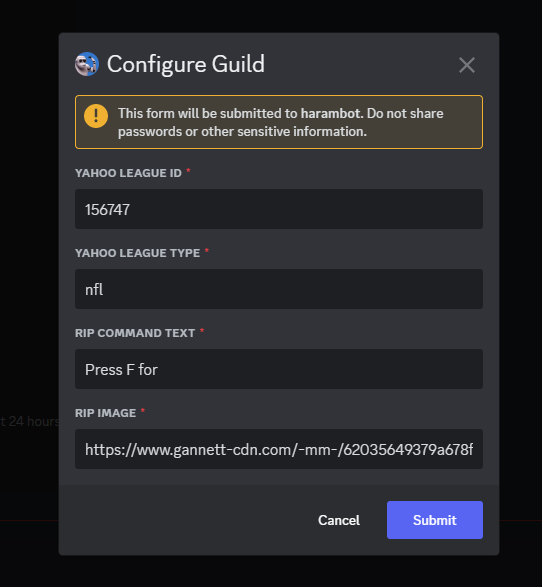
1 maintainer

Metadata
1 maintainer
Release files for harambot 0.5.4
For a detailed explanation of source distributions (sdists) and built distributions (wheels), please see the package formats documentation.
Source distribution (sdist)
| File | Size | Uploaded | |
|---|---|---|---|
| harambot-0.5.4.tar.gz | 6.3 MB | Details |
Built distribution (wheel)
| File | Interpreter | ABI | Platform | Reset |
|---|---|---|---|---|
| harambot-0.5.4-py3-none-any.whl | Python 3 | none | any | Details |
Total release size: 6.4 MB
Release files / harambot-0.5.4.tar.gz
| Download URL | harambot-0.5.4.tar.gz |
|---|---|
| Size | 6.3 MB |
| Tags | Source |
|
SHA-256 checksum How to use checksums |
ba97dc5f6a7c3175f851ae01810b1108f0d854e868a49353d294ebbf5fa292a1
|
|
BLAKE2b-256 checksum How to use checksums |
e4085d61a1ad2bae18b20e9e64be126f7fb36fd6418b8e8dd9bdec03552c454c
|
| Upload date | |
|
Uploaded using Trusted Publishing? What is trusted publishing? |
No |
| Uploaded via |
poetry/2.1.3 CPython/3.10.12 Linux/7.1.1-76070101-generic
|
Release files / harambot-0.5.4-py3-none-any.whl
| Download URL | harambot-0.5.4-py3-none-any.whl |
|---|---|
| Size | 21.0 kB |
| Tags | Python 3 |
|
SHA-256 checksum How to use checksums |
ea9b45ce54faa07e93f348858d38e2211f256969b5fd0f0dbafa545c6cb6c4fb
|
|
BLAKE2b-256 checksum How to use checksums |
20158fee116e0308970cdb8e48738bc3626d7b467dd530c697a3b4185464dad0
|
| Upload date | |
|
Uploaded using Trusted Publishing? What is trusted publishing? |
No |
| Uploaded via |
poetry/2.1.3 CPython/3.10.12 Linux/7.1.1-76070101-generic
|














