
Powerful system monitoring and hardware control application for Linux.

Project description
Hardware Panel
Overview
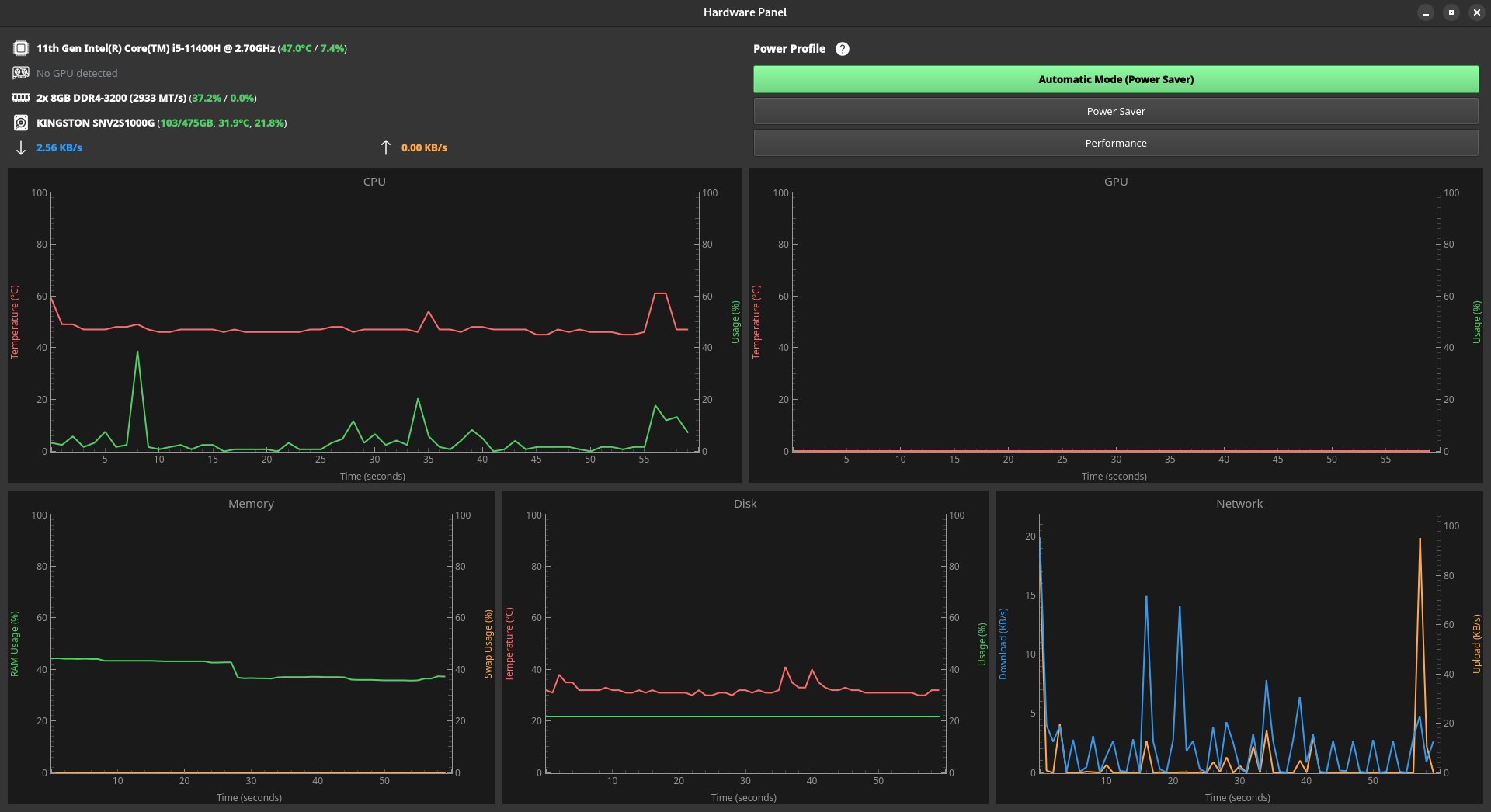
Hardware Panel is a powerful system monitoring and hardware control application for Linux. Built with Python and PyQt5, it provides real-time hardware monitoring and dynamic power profile management through an intuitive interface.
Compatible with all major Linux distributions including Fedora, Ubuntu, Debian, Arch Linux, and others.
Features
Real-Time Monitoring
- CPU: Temperature (Celsius) + Usage (%)
- GPU: Temperature (Celsius) + Usage (%)
- Memory: Usage (%) + Swap (%)
- Disk: Temperature (Celsius) + Usage (%)
- Network: Download (MB/s) + Upload (MB/s)
Historical Data Tracking
- Real-time graphs displaying the last 60 seconds of data
- Interactive crosshair to inspect specific moments
- Precise timestamp display (hours, minutes, seconds)
- Instant value readout at any point on the timeline
Power Profiles
- Automatic Mode: Intelligent power management that adapts to workload
- Power Saver: Optimized for battery life and low power consumption
- Performance: Maximum performance for demanding tasks
Seamless switching between modes without system restart!
Installation
Quick Start
1. Install system dependencies:
# Fedora
sudo dnf install python3-pip lm_sensors kernel-tools

# Ubuntu/Debian
sudo apt install python3-pip lm-sensors linux-cpupower

# Arch Linux
sudo pacman -S python-pip lm_sensors cpupower
2. Install Hardware Panel:
sudo pip install hardware-panel
3. Run the application:
sudo hardware-panel
# or
sudo hwpanel
Note: Root privileges are required for power profile management.
For detailed installation instructions and troubleshooting, see INSTALL.md.
License
This project is licensed under the MIT License - see the LICENSE file for details.


Download files
Download the file for your platform. If you're not sure which to choose, learn more about installing packages.
Source Distribution
Built Distribution
Filter files by name, interpreter, ABI, and platform.
If you're not sure about the file name format, learn more about wheel file names.
Copy a direct link to the current filters
File details
Details for the file hardware_panel-1.0.2.tar.gz.
File metadata
- Download URL: hardware_panel-1.0.2.tar.gz
- Upload date:
- Size: 133.0 kB
- Tags: Source
- Uploaded using Trusted Publishing? No
- Uploaded via: twine/6.2.0 CPython/3.13.5
File hashes
| Algorithm | Hash digest | |
|---|---|---|
| SHA256 |
c145758202e77094916392ccf26d7744b21ca0e80676b84cae76e32d85139910
|
|
| MD5 |
89ce4950c3312f4206a287166e878476
|
|
| BLAKE2b-256 |
43dddf3362e8c78e17f161b67895935745dbcdea588d8b1e68a7e64420718782
|
File details
Details for the file hardware_panel-1.0.2-py3-none-any.whl.
File metadata
- Download URL: hardware_panel-1.0.2-py3-none-any.whl
- Upload date:
- Size: 21.8 kB
- Tags: Python 3
- Uploaded using Trusted Publishing? No
- Uploaded via: twine/6.2.0 CPython/3.13.5
File hashes
| Algorithm | Hash digest | |
|---|---|---|
| SHA256 |
249fa12c69dd128d1aae2581ea5063cf2580caebb95ae3acb15a315d57407e42
|
|
| MD5 |
cb51c5caf431df0a216e62c537f53259
|
|
| BLAKE2b-256 |
5eba23888c7a49198ccfe16e8c87837936bbbe5ad8412647c2778edcd2c3b677
|






