
A package of utilities for parsing, analyzing, and displaying data in har files.
Particularly in relation to helping develop locust performance test scripts.
HarF is heavily biased towards REST(ish) json based apis
Currently the project only provides a CLI and library to help track data through a har file.
The CLI (correlations) displays what data is used where in a har file, some basic filters, and two ways to interact with the data.
For more information use correlations --help to see everything supported by the CLI.
Basic Output
For small har files this basic output is probably sufficient.
For example, if you use the tests/example1.har file with modified filters you will see all the values used in a request. correlations tests/example1.har -x 100
Value ('products') used in:
   "entry_0.request.url[0]"

Value (1) used in:
   "entry_0.response.body[0].id",
   "entry_1.request.url[1]",
   "entry_1.response.body[0].id",
   "entry_2.request.body.productId"

Value ('test') used in:
   "entry_0.response.body[0].name",
   "entry_1.response.body[0].name"

Value ('product') used in:
   "entry_1.request.url[0]"

Value (1.1) used in:
   "entry_1.response.body[0].price"

Value ('cart') used in:
   "entry_2.request.url[0]"
Interactive Output
Once you start getting into larger files with hundreds of requests and dozens of values that need to be tracked the basic output is not all that helpful. HarF provides two ways to interact with the data dynamically.
With -i you will be dropped into a python shell with the har data, correlation info, and some utility functions to inspect and manipulate the data as needed.
And because I am an obsidian nerd -o <vault_path> will output a bunch of markdown files to the vault_path where every request, response, and used value gets their own note and are back-linked through usage.
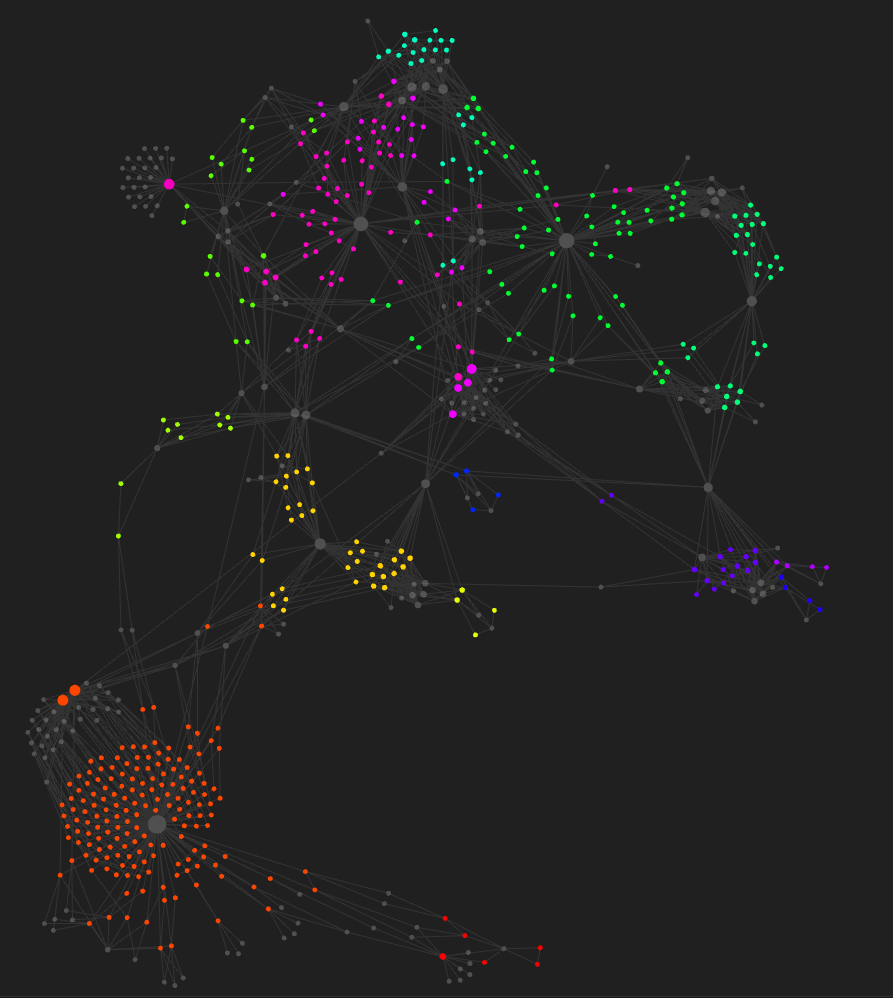
Colors are made from the pageref info where entries on page earlier in the trace are closer to the red end of the rainbow and later requests are closer to the purple/pink end.
Additionally if there are Comment Requests (requests that begin with http://COMMENT) every entry is "re-paged" based on the Comment Request before it and the Comment Requests are removed.
E.G. GET http://COMMENT/homepage; GET http://www.example.com pageref:page_1; becomes GET http://www.example.com pageref:homepage;
1 maintainer

Metadata
1 maintainer
Release files for harf 0.1.1
For a detailed explanation of source distributions (sdists) and built distributions (wheels), please see the package formats documentation.
Source distribution (sdist)
| File | Size | Uploaded | |
|---|---|---|---|
| harf-0.1.1.tar.gz | 11.4 kB | Details |
Built distribution (wheel)
| File | Interpreter | ABI | Platform | Reset |
|---|---|---|---|---|
| harf-0.1.1-py3-none-any.whl | Python 3 | none | any | Details |
Total release size: 22.9 kB
Release files / harf-0.1.1.tar.gz
| Download URL | harf-0.1.1.tar.gz |
|---|---|
| Size | 11.4 kB |
| Tags | Source |
|
SHA-256 checksum How to use checksums |
fbaa634fb53d97d5e67c203f6434fe51fdabcba64b75ff6d6aba702754d9789f
|
|
BLAKE2b-256 checksum How to use checksums |
ab48dee6b2f4ba93b19a40165855730b3b119024cfd2cd78ce2ee3a483b4b460
|
| Upload date | |
|
Uploaded using Trusted Publishing? What is trusted publishing? |
No |
| Uploaded via |
twine/4.0.0 CPython/3.9.13
|
Release files / harf-0.1.1-py3-none-any.whl
| Download URL | harf-0.1.1-py3-none-any.whl |
|---|---|
| Size | 11.5 kB |
| Tags | Python 3 |
|
SHA-256 checksum How to use checksums |
1f5a2ccc6da3a5d7a03da2ee5bddee5faa0e0fa9680707cd09303b9a9f6854b4
|
|
BLAKE2b-256 checksum How to use checksums |
a466f0ecbb9f4cda24198a5cf76bf640adea4c6eefda6ac7927dd2dbae199c62
|
| Upload date | |
|
Uploaded using Trusted Publishing? What is trusted publishing? |
No |
| Uploaded via |
twine/4.0.0 CPython/3.9.13
|














