
A Computational Tool for the Optimal Design and Discovery of Multi-phase Composite Materials
Overview
Composites are ubiquitous in engineering, as they often exhibit enhanced material properties as compared to their individual constituents. This library is intended to be a tool for materials designers who want to explore a new space of materials without incurring huge capital cost.
The hashin_shtrikman_mp library utilizes the tightest theoretical bounds on the effective properties of composite materials with unspecified microstructure – the Hashin-Shtrikman bounds – to identify candidate theoretical materials, find real materials that are close to the candidates, and determine the optimal volume fractions for each of the constituents in the resulting composite.
A genetic algorithm is used to optimize over the user-specified design space. The algorithm simultaneously minimizes absolute error from the desired composite properties and optimally distributes loads across constituent phases. Once the genetic algorithm has returned theoretical candidate materials, hashin_shtrikman_mp searches for real materials in the Materials Project database with properties close to those suggested by the genetic algorithm.
The library has been designed to handle 2- to 10-phase composite design.
Getting Started
Installation
hashin_shtrikan_mp can be installed from PyPi source by running:
pip install hashin_shtrikman_mp
It can also be installed by cloning this repository, then running in the root of the repository:
pip install .
Documentation and Examples
Detailed documentation and example usages for this library can be found here.
Implementation Notes
- Ensure you have valid credentials for the Materials Project API, which you can find by registering yourself with Materials Project – https://next-gen.materialsproject.org/.
- Optimization parameters (number of parents, children, etc.) should be chosen based on the complexity of the desired material properties and computational resources.
- The genetic algorithm's efficiency and effectiveness can vary greatly based on the optimization parameters and the definition of the cost function. Using defaults is recommended.
- Visualization of cost versus generation can provide insights into the convergence behavior of the genetic algorithm. Expect that the exact shape of the convergence plot will change every time the algorithm is run, due to the stochastic nature of the algorithm.
- The library has been designed to handle the design of 2- to 10-phase isotropic and homogeneous composites.
- It is recommended that users restrict the search bounds for universal anisotropy to be between 0.5 and 1.5 for results closer to theory.
Miscellaneous features
mpi4py support is added to append final_dict
To take advantage of mpi parallelization, one can run the following:
pip install mpi4py
In case installation via pip fails, you can use brew + pip instead:
brew install mpi4py
pip install mpi4py
Then run:
mpiexec -n 4 python tests/integration/test_optimization_flow.py
Workflow
User Input
- Collect User Input and instantiate a
UserInputobject with 1) the number of constituent materials desired in the composite, 2) the desired ultimate material properties and 3) upper and lower search bounds for the properties of each constituent material.
Optimization
- Instantiate an
OptimizerObject with Materials Project API credentials and user input. - (Optional) Set Optimization Parameters: The genetic algorithm optimization requires values for the number of parents, children, members in a generation, number of generations, and weights for absolute error and load distribution. It is recommended to use the default settings.
- Set Initial Population: In each generation of the genetic algorithm, instantiate a
Populationobject with the optimization parameters defined in the previous step. Each member of the population represents a candidate set of materials and their respective volume fractions in the composite. - Random Property Assignment: Randomly property values and volume fractions to each member of the population using
Population.set_random_values. Random values are constrained by the bounds provided by the user and by the necessity that the volume fractions sum to unity. - Evaluate Fitness: Evaluate each member according to a cost function which penalizes deviations from desired properties and which penalizes uneven distribution of load. Do this by creating an instance of
Memberfor each member inPopulationand callingMember.get_cost. This concludes generation 1. - Select Top Performers: Sort the members by cost. A lower cost corresponds to a stronger performer and a higher cost to a weak performer. Retain the top
num_parentsmembers and discard the rest. - Breed and Produce Offspring: Pairwise mate the top
num_parentsmembers to producenum_kidsnew members. Once again usingPopulation.set_random_values, augment the population with new, random members to maintain the population size atnum_members. - Evaluate Fitness of New Generation: Evaluate each member according by the same cost function. This concludes generation 2.
- Iterate Over Generations: Repeat the selection of top performers, breeding, and fitness evaluation process for
num_generations.
Visualization and Match Finding
- Obtain Convergence Plot: Observe the monotonic decrease of the lowest cost observed across the population as the generations pass.
- Recommend Theoretical Candidates: After the final generation, for each of the top composite candidates display a table of 1) material properties for each constituent phase, 2) volume fractions for each constituent phase, and 3) the cost of that theoretical candidate.
- Create a Material Properties Dictionary keyed by
mp_idsand their corresponding material properties of interest, gathered using the MP-API. The dictionary will be comprised of real materials that closely resemble the theoretical materials recommended by the genetic algorithm. - Create Populations of Real Composite Candidates: For each set of candidate constituent materials, create a population by varying only the volume fractions of the composite constituents.
- Find the Optimal Volume Fractions by evaluating the population with the same cost function used previously.
- Display of Top-Performing Candidates: Repeat the process for all possible combinations of materials and display the top-performers along with their volume fractions.
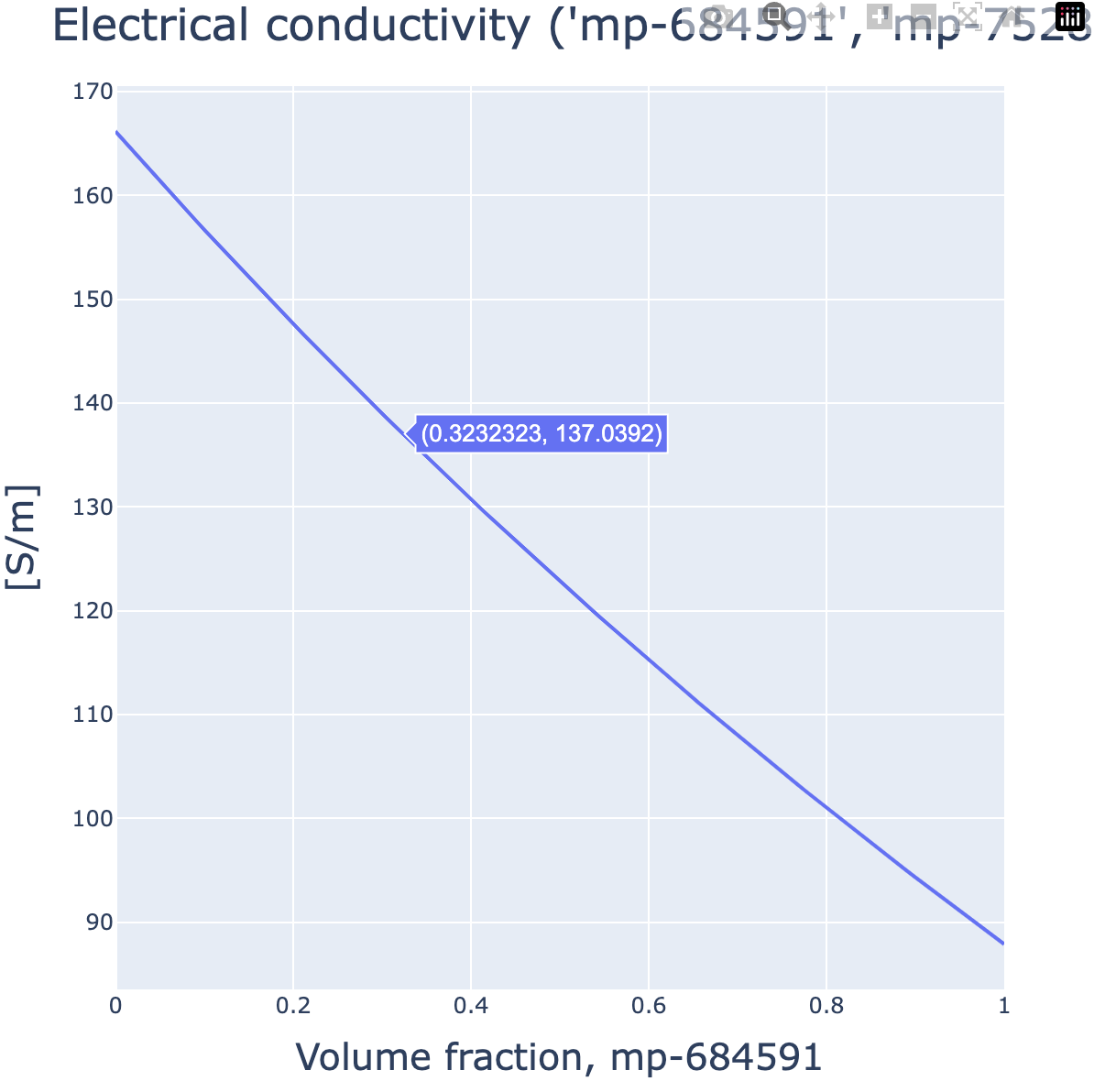
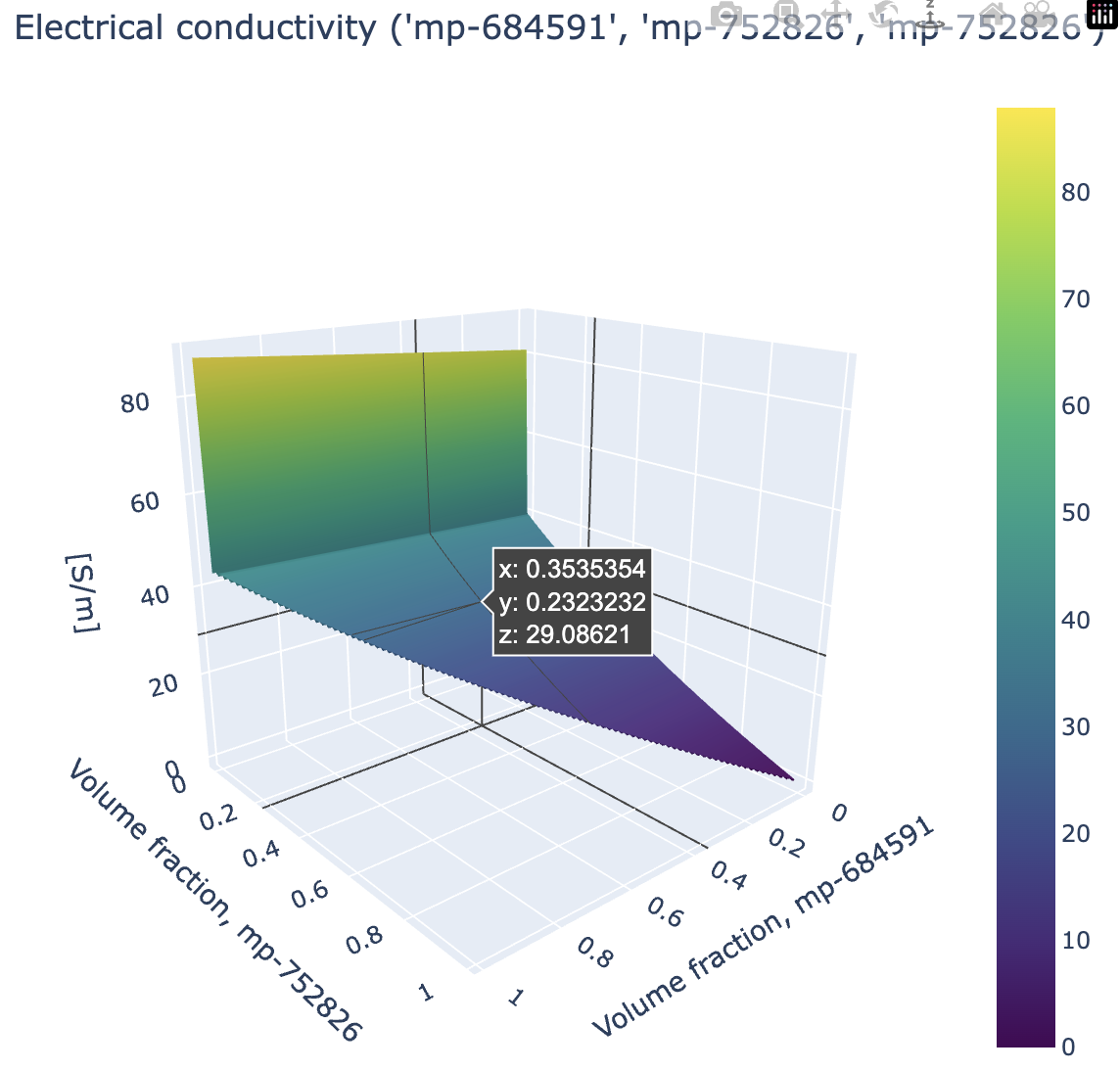
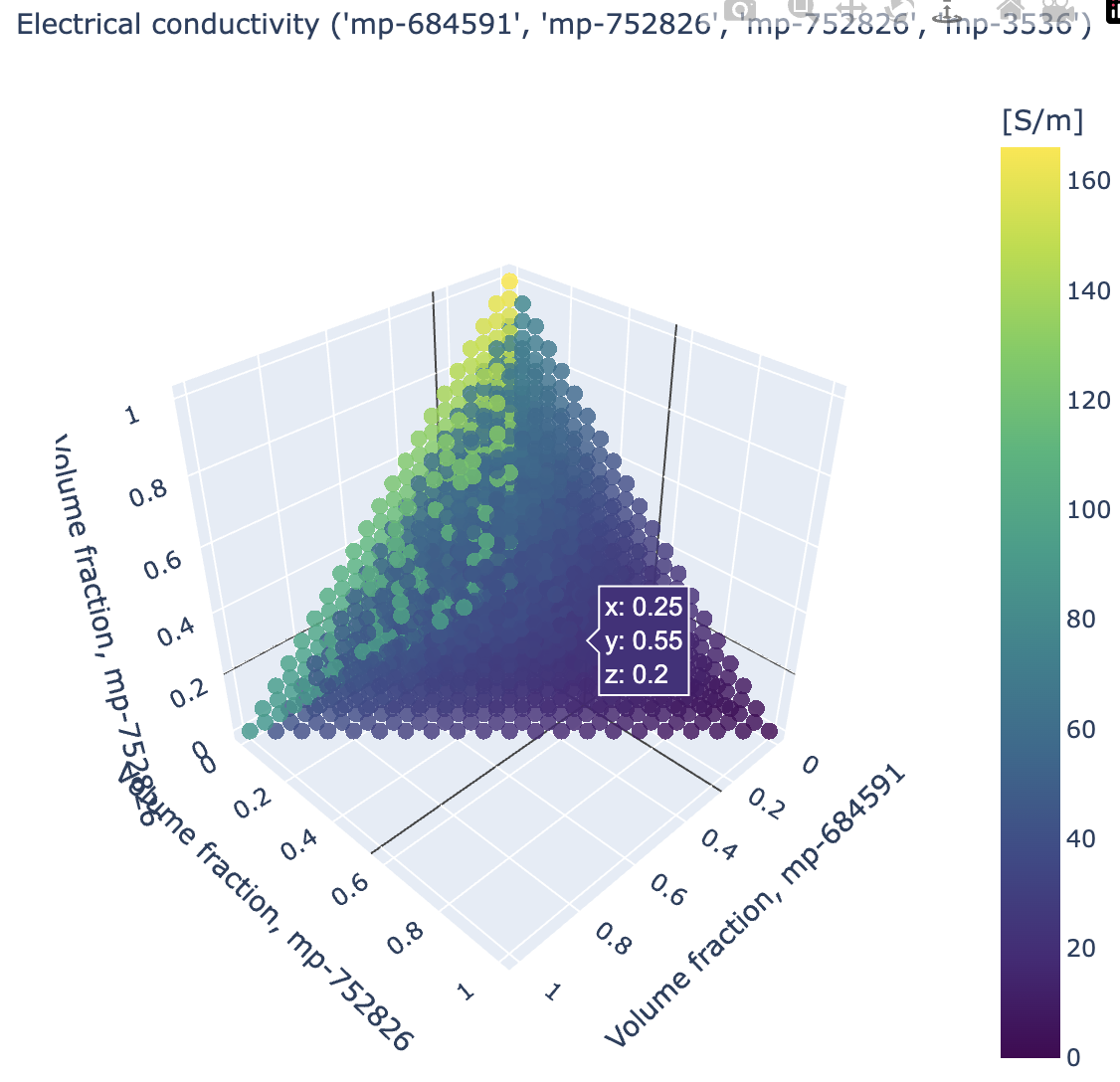
- For 2-, 3-, and 4-phase Composites view the phase diagram for each property of interest and view how changing constituent volume fractions changes the effective composite property.
Example Visualizations
Phase Diagram of Thermal Conductivity for 2-phase Composite
Phase Diagram of Thermal Conductivity for 3-phase Composite
Phase Diagram of Thermal Conductivity for 4-phase Composite
2 maintainers


Metadata
2 maintainers
Release files for hashin-shtrikman-mp 0.1.2
For a detailed explanation of source distributions (sdists) and built distributions (wheels), please see the package formats documentation.
Source distribution (sdist)
| File | Size | Uploaded | Provenance | Actions |
|---|---|---|---|---|
| hashin_shtrikman_mp-0.1.2.tar.gz | 36.4 kB | Without provenance | Details for hashin_shtrikman_mp-0.1.2.tar.gz |
Built distribution (wheel)
| File | Interpreter | ABI | Platform | Actions Reset |
|---|---|---|---|---|
| hashin_shtrikman_mp-0.1.2-py3-none-any.whl | Python 3 | none | any | Details for hashin_shtrikman_mp-0.1.2-py3-none-any.whl |
Total release size: 77.8 kB
Release files / hashin_shtrikman_mp-0.1.2.tar.gz
| Download URL | hashin_shtrikman_mp-0.1.2.tar.gz |
|---|---|
| Size | 36.4 kB |
| Tags | Source |
|
SHA-256 checksum How to use checksums |
2e124fc99f70a18effc73537389dc8b15c86ee164476e880b9450de8e538cdd1
|
|
BLAKE2b-256 checksum How to use checksums |
7afe3f12b02c3d0a8f019c930fe804b97b1f0c8087c17531fb31b6f243d0105a
|
| Upload date | |
|
Uploaded using Trusted Publishing? What is trusted publishing? |
No |
| Uploaded via |
twine/6.1.0 CPython/3.9.18
|
Release files / hashin_shtrikman_mp-0.1.2-py3-none-any.whl
| Download URL | hashin_shtrikman_mp-0.1.2-py3-none-any.whl |
|---|---|
| Size | 41.4 kB |
| Tags | Python 3 |
|
SHA-256 checksum How to use checksums |
99c1bf0fc90b198f74de9b42bbcb1d38d5ae2e4fa838373d0b41cffd2432244b
|
|
BLAKE2b-256 checksum How to use checksums |
6b4eb2e6999bf5e49975e5a7d67b0e52fd50e65d3fb8d2bd99efd90f6c5b9691
|
| Upload date | |
|
Uploaded using Trusted Publishing? What is trusted publishing? |
No |
| Uploaded via |
twine/6.1.0 CPython/3.9.18
|
Security for hashin-shtrikman-mp 0.1.2
Provenance
Provenance describes where a file came from. On PyPI, provenance is shared via attestations, which provide a verifiable record of the build or publishing details. View details, limitations and caveats.
No provenance found
None of the files in this release were uploaded with provenance metadata.
A note on package security
PyPI is a repository for distributing packages, not a service for auditing them. While third-party security researchers and our staff do their best to detect and remove malicious packages, PyPI cannot guarantee the quality, security or suitability of any given package.
To learn more about protecting yourself from malicious actors, visit our package security documentation.














