
Hayabusa Lens




Find what happened in Windows event logs, fast.
Hayabusa Lens is a dashboard for Hayabusa and Chainsaw. Point it at .evtx files and it shows you the alerts, draws the attack as a 3D map, and lets an AI investigator work through the evidence step by step and explain the attack chain in plain English. Every question the AI asks and every answer it gets is kept in an audit trail. It runs in your browser, on your computer.
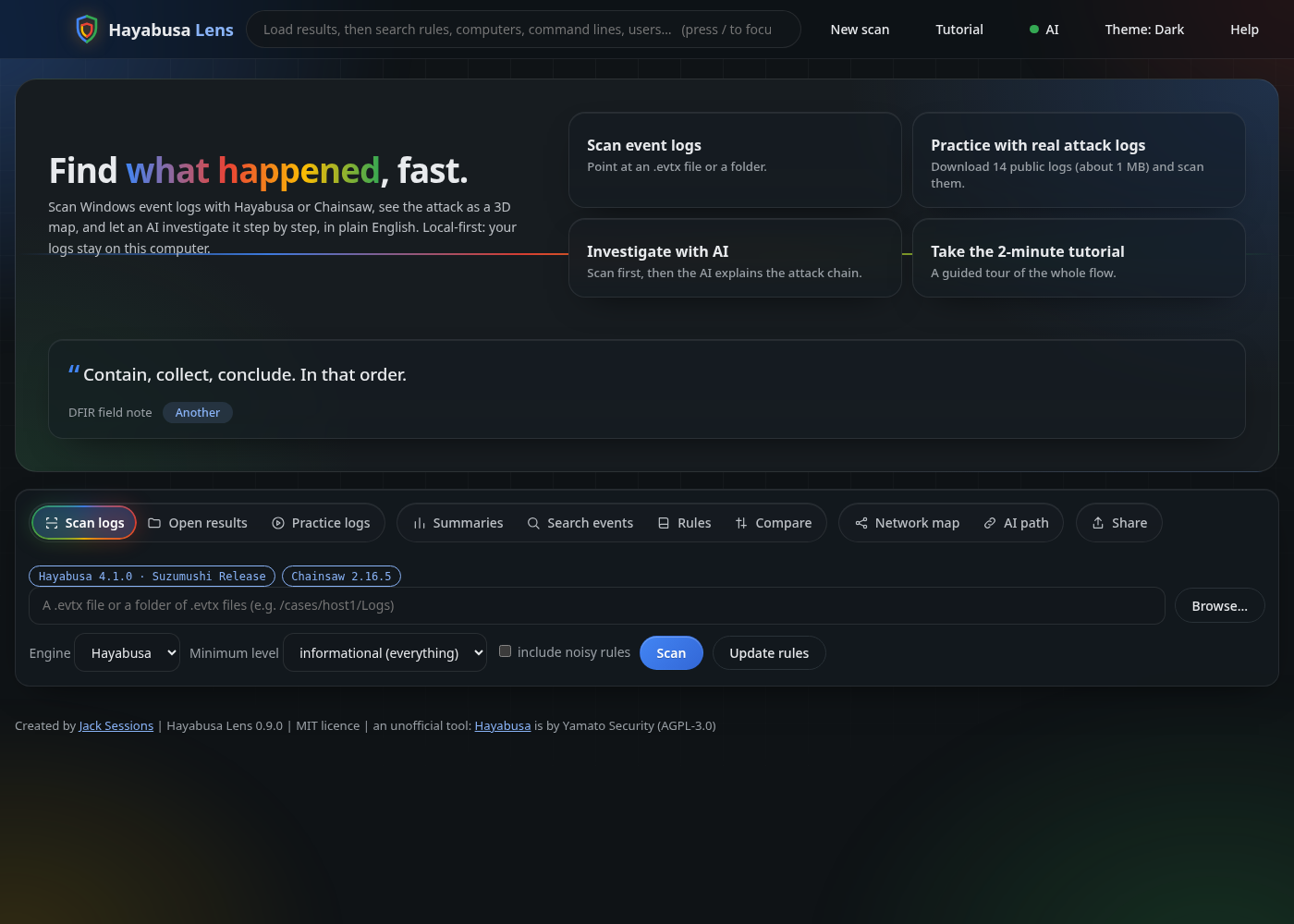
pipx install hayabusa-lens
hayabusa-lens --samples        # downloads 14 public attack logs and scans them
New here? Press the Tutorial button in the app. It is a two-minute guided tour.
Why would anyone use this?
Windows event logs hold the evidence of most intrusions, but a raw .evtx file is unreadable, and the excellent engines that scan them (Hayabusa, Chainsaw) give you a huge spreadsheet. Hayabusa Lens is the fast first look in between.
- You have no SIEM, or no time to set one up. A compromised PC, a CTF, a client machine, a lab. Scan the logs and know in minutes what to worry about.
- You are learning DFIR. Every alert shows the Sigma rule that fired, the ATT&CK tactic, and every field. The AI explains the story in plain English, and the built-in tutorial walks you through it.
- You want AI help without handing your logs to a cloud. The AI can run entirely on your own machine (Ollama), and nothing goes online unless you pick an online model and tick a consent box.
- You need to trust and review what the AI did. Its tools are read-only, and the audit trail records each question, answer, tool call and result, with times. You can export it as Markdown or JSON.
- You already have a SIEM. Export ECS JSON lines or CEF, or send alerts and the AI audit trail to a file, syslog, Elasticsearch/OpenSearch, Splunk or a webhook, after a preview and your confirmation.
What it is not: a SIEM, an EDR, or a replacement for an analyst. It reads the alerts the engine produced (not the raw logs), and an AI can be wrong. Treat its output as a lead to check.
What you get
- Two engines, one dashboard. Hayabusa or Chainsaw, each with a checksum-verified Download it for me button.
- A clear dashboard. Severity tiles, a zoomable timeline, click-to-filter rules, ATT&CK tactics, computers and event IDs, and the detection rule shown right in the event drawer.
- Investigate with AI. The AI explores your results with read-only tools (overview, host, rule, search, timeline, event), decides what to look at next, then writes the attack chain: what happened, where, roughly when, which alert shows it, what is solid and what is a guess. It can run automatically when results load (by default only when a local model is set up).
- AI audit trail. For every step: the question put to the AI, what it answered, the tool it chose, what the tool returned, the time and how long it took. Click a step for the full question and raw answer.
- AI path 3D. The same investigation drawn as a path in 3D.
- Network map 3D. Computers, accounts and addresses from any
.evtxscan, an attack-chain panel (ATT&CK stages in order), numbered attack paths between computers, and Explain buttons. - AI helper, your way. Auto, a local model with Ollama (started for you), Claude (your Claude Code login, no key needed, or an API key), or OpenAI.
- Share. ECS JSON lines, CEF, file, syslog, Elasticsearch/OpenSearch, Splunk HEC, webhook.
- Rule library. SigmaHQ rules you can refresh online or use offline, shown once each with their sources.
- More: compare two scans, search every event, summaries, three themes, built-in Help and Tutorial, CSV/JSON/HTML export.
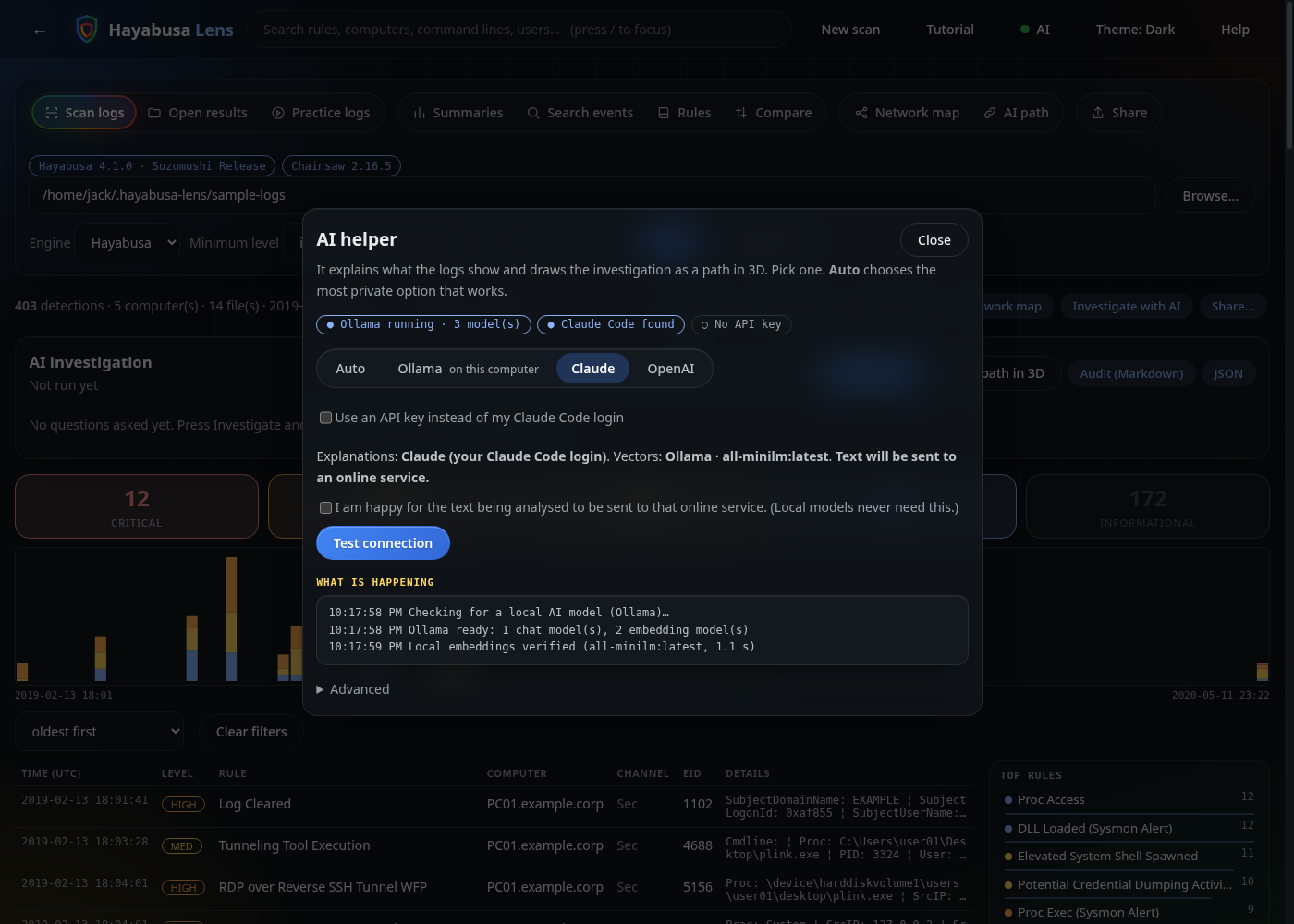
Install and run (Windows, macOS, Linux)
You need Python 3.9 or newer. Hayabusa Lens has no other dependencies. The cleanest install is pipx:
python3 -m pip install --user pipx      # Windows: py -m pip install --user pipx
python3 -m pipx ensurepath              # then open a new terminal
pipx install hayabusa-lens
Update with pipx upgrade hayabusa-lens. Try it without installing: pipx run hayabusa-lens. Latest from GitHub: pipx install git+https://github.com/JackSessions/hayabusa-lens. No pipx? A single-file hayabusa-lens.pyz is attached to each GitHub release and runs with python hayabusa-lens.pyz.
Then:
hayabusa-lens                     # open the app. Press Tutorial, or open the Practice logs tab
hayabusa-lens --install-hayabusa  # (or press "Download it for me" in the app)
Tutorial
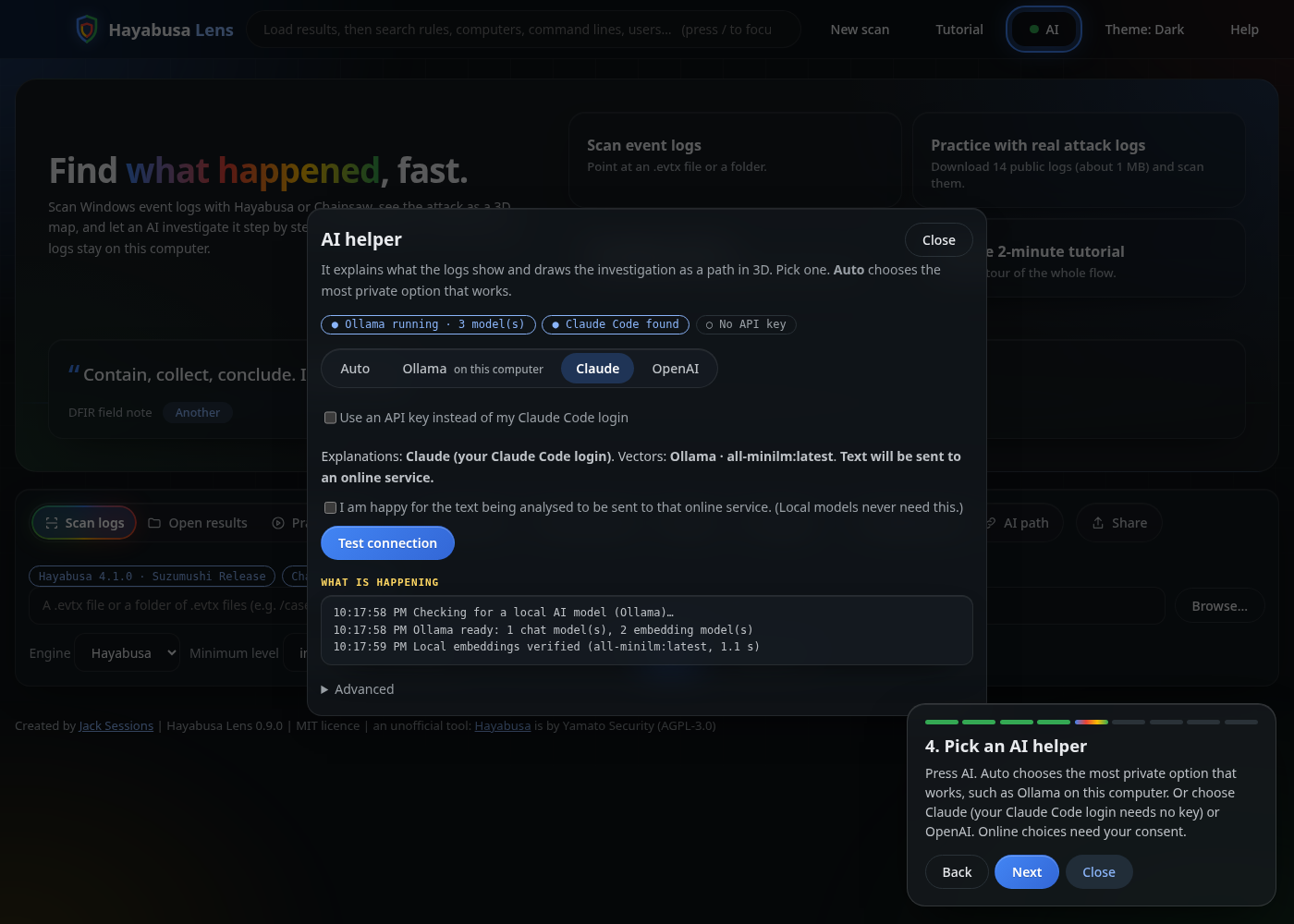
Press Tutorial at the top of the app (it also opens the first time you visit). It highlights the real controls as it goes:
- Get an engine (Hayabusa, optionally Chainsaw).
- Load logs: scan your own
.evtx, or open Practice logs to download 14 public attack-simulation logs (about 1 MB) and scan them. - Read the dashboard: tiles, timeline, rows, and the Sigma rule in the drawer.
- Pick an AI helper.
- Press Investigate and watch the audit trail fill in.
- Open the Network map and AI path.
- Share the findings if you want to.
Hayabusa Lens ships with no sample data. The practice logs are downloaded only when you ask, from the public hayabusa-sample-evtx collection (DeepBlueCLI, EVTX-ATTACK-SAMPLES, EVTX-to-MITRE-Attack, Yamato Security). Because they come from many unrelated machines, the "attack" in them is a mix of simulations, not one incident, and a good AI will tell you so.
Commands
hayabusa-lens                          open the app (Hayabusa is found automatically; Ollama is started if installed)
hayabusa-lens /cases/host1/Logs        scan a folder of .evtx files straight away
hayabusa-lens results.csv              open an existing Hayabusa/Chainsaw timeline
hayabusa-lens --samples                download the practice logs and scan them
hayabusa-lens --install-hayabusa       download Hayabusa for this computer (checksum-verified)
hayabusa-lens --install-chainsaw       optional: Chainsaw with its Sigma rules
hayabusa-lens --get-rules [SET]        fill the rule library (core, core+, core++, all, emerging); add --offline for no internet
hayabusa-lens --no-ai-start            do not start Ollama automatically
hayabusa-lens --hayabusa PATH          use a specific Hayabusa (also --chainsaw PATH)
hayabusa-lens --port N --no-browser    pick a port, print the address instead of opening a browser
hayabusa-lens --version                print the version
hayabusa-lens --help                   every option, with examples
The AI helper
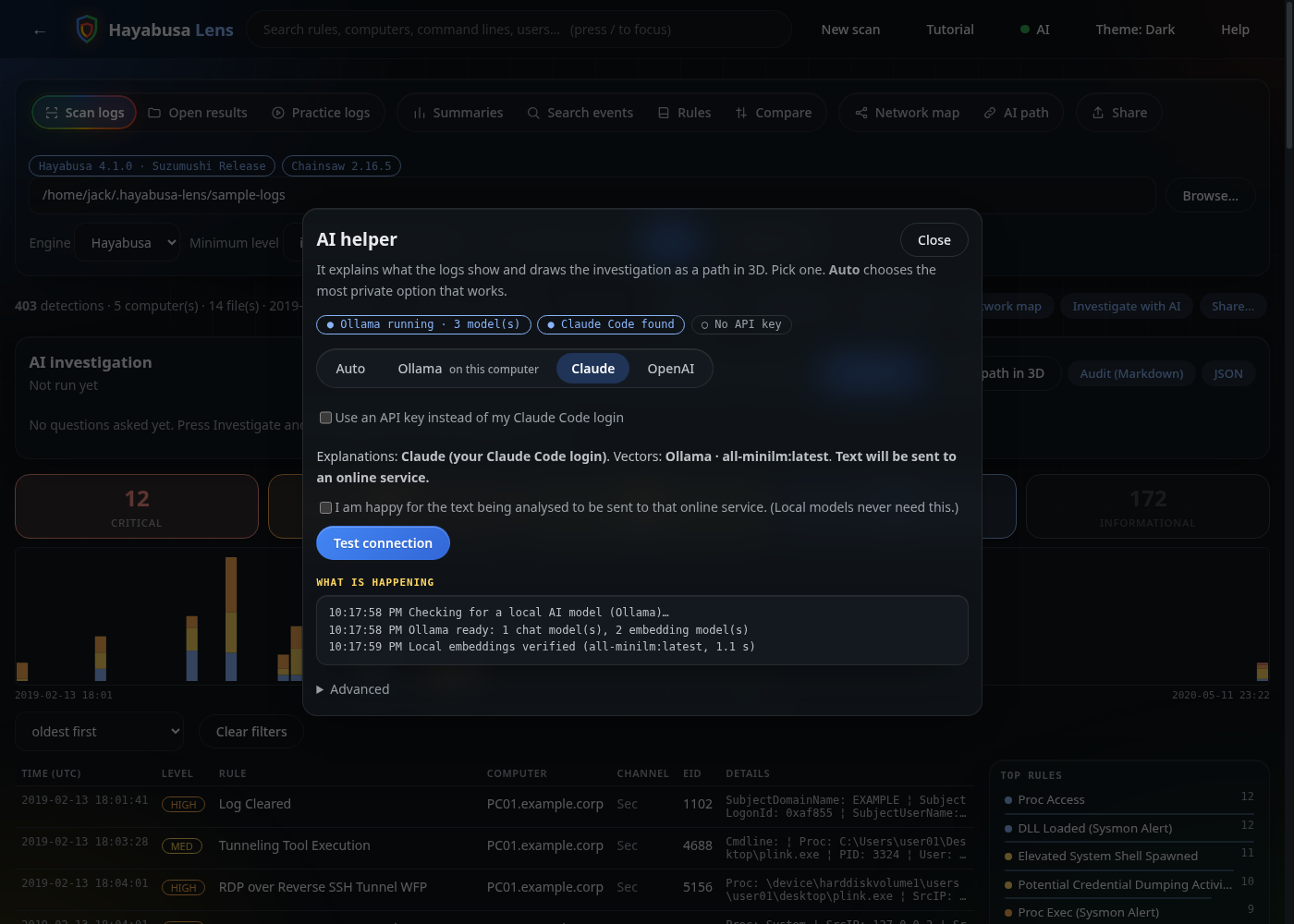
Press AI at the top of the app.
| Choice | What you need | Where text goes |
|---|---|---|
| Auto | Nothing. Picks the most private option that works. | Stays on your computer if Ollama is set up |
| Ollama | Ollama (free). Hayabusa Lens starts it, checks it works, and offers a small download for any missing model. | Stays on your computer |
| Claude | Claude Code logged in (no key), or a Claude API key | Sent to Anthropic. Needs the consent tick |
| OpenAI | An OpenAI API key | Sent to OpenAI. Needs the consent tick |
- API keys. Paste one and press Use key: it is kept in memory until you close the app and is never written to disk. Or set
OPENAI_API_KEY/ANTHROPIC_API_KEYfirst. A Claude.ai or ChatGPT subscription is not an API key. - Claude through Claude Code runs
claude -pwith every tool switched off (--tools "") and no saved session, so text in your logs can never make it run anything. - Test connection makes a tiny real request. What is happening shows what the AI layer is doing.
- Honest expectations. Small local models write shallower reports than Claude or GPT-class models. In testing on the practice logs, Claude noticed they look like a collection of attack simulations rather than one real intrusion, and a 3.8B local model did not.
Investigate with AI and the audit trail
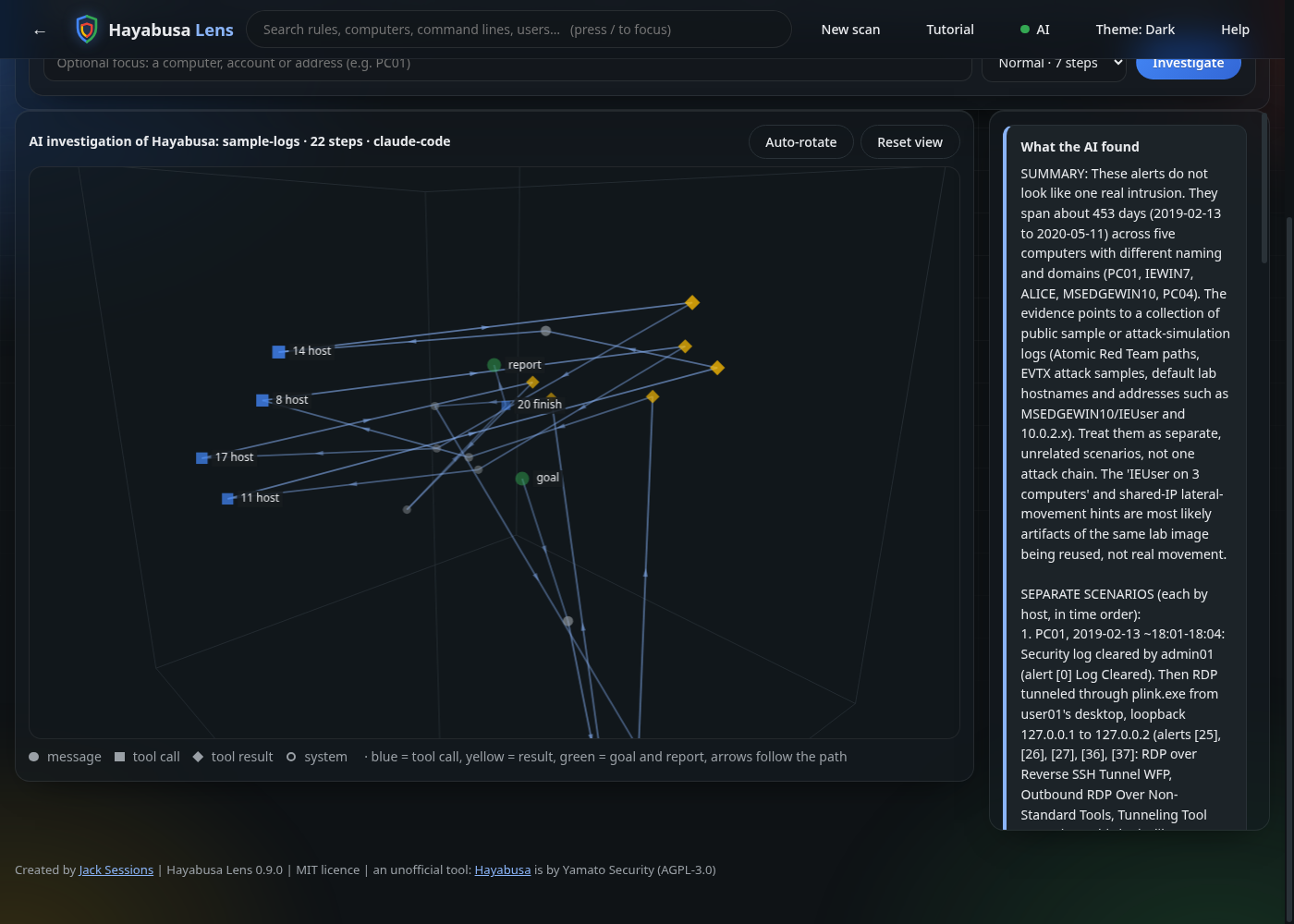
The AI gets a goal and read-only tools over the alerts already in memory: overview, host, rule, search, timeline, event, and finish. Each turn it replies with one JSON action; Hayabusa Lens runs it and gives back the result. The tools cannot run commands, read files or use the network, and tool output is passed back fenced as untrusted data.
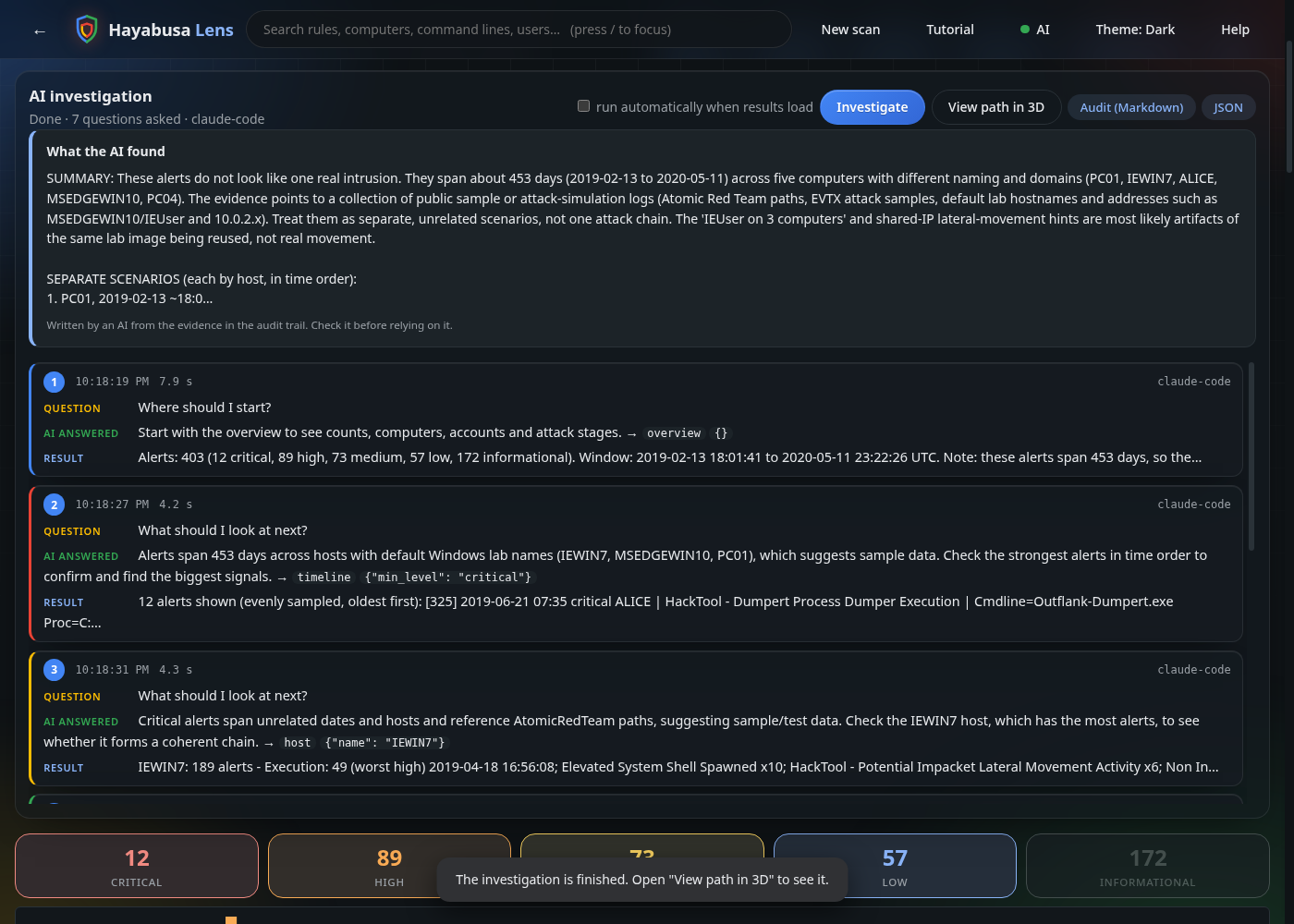
The audit trail shows each question, answer, tool and result, with times. Export it (Audit (Markdown), JSON) or send it to a SIEM from the Share tab. The 3D path draws the same steps: blue squares are tool calls, yellow diamonds are results, green is the goal and the report.
Network map and attack paths
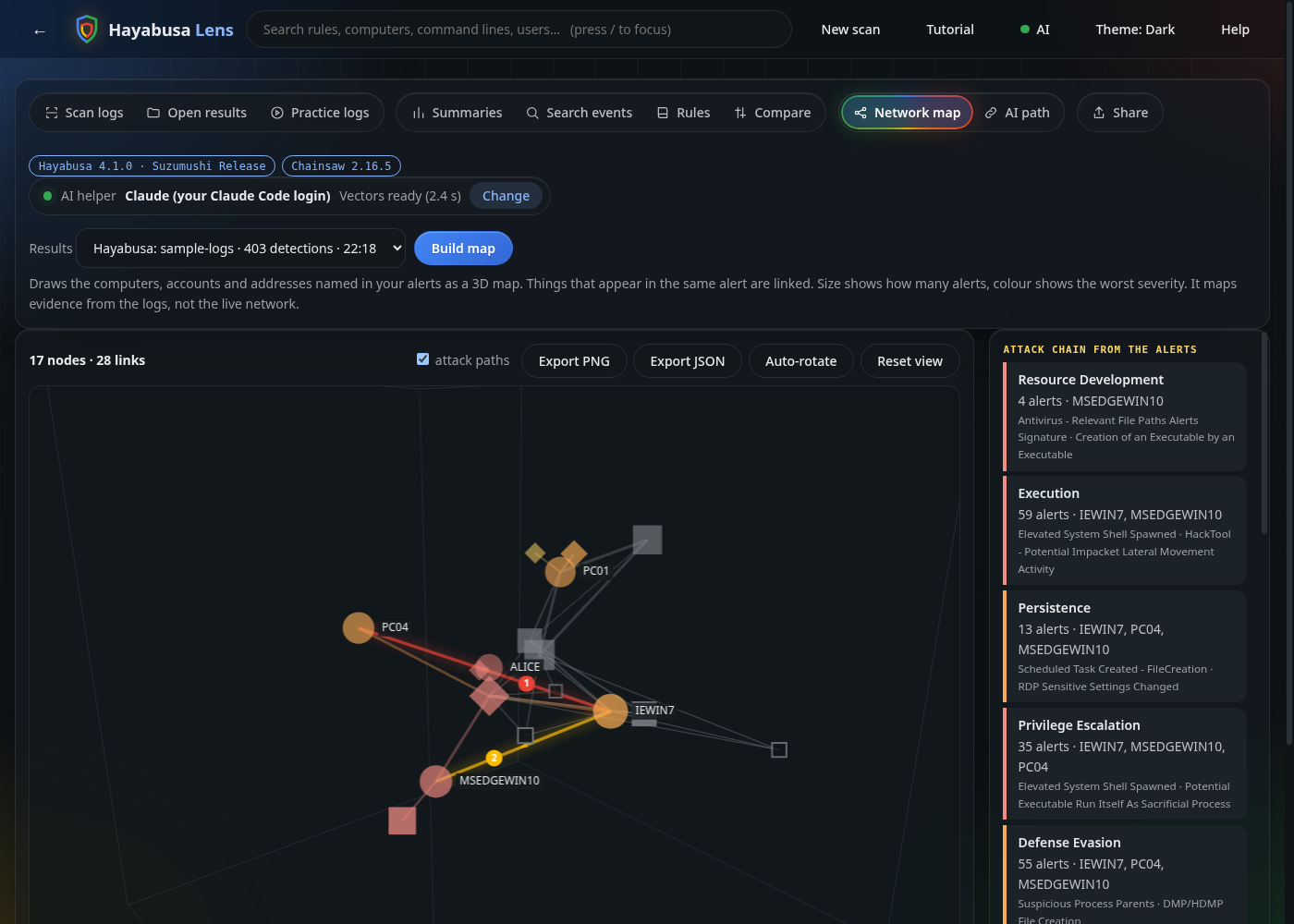
Computers sit on a ring in the order they first raised an alert, with their accounts and addresses around them. Size is alert count, colour is worst severity, diamonds are accounts, squares are addresses (outlined means external). The panel on the right orders the ATT&CK stages seen, with no AI needed. Attack paths (numbered, glowing arrows) follow an account or address from the first computer it appeared on to the next, in time order. They are evidence from the logs, not proof of movement. Explain the attack chain turns it into a plain-English story, and clicking a node lets you explain or investigate just that computer, account or address.
Share with a SIEM (optional)
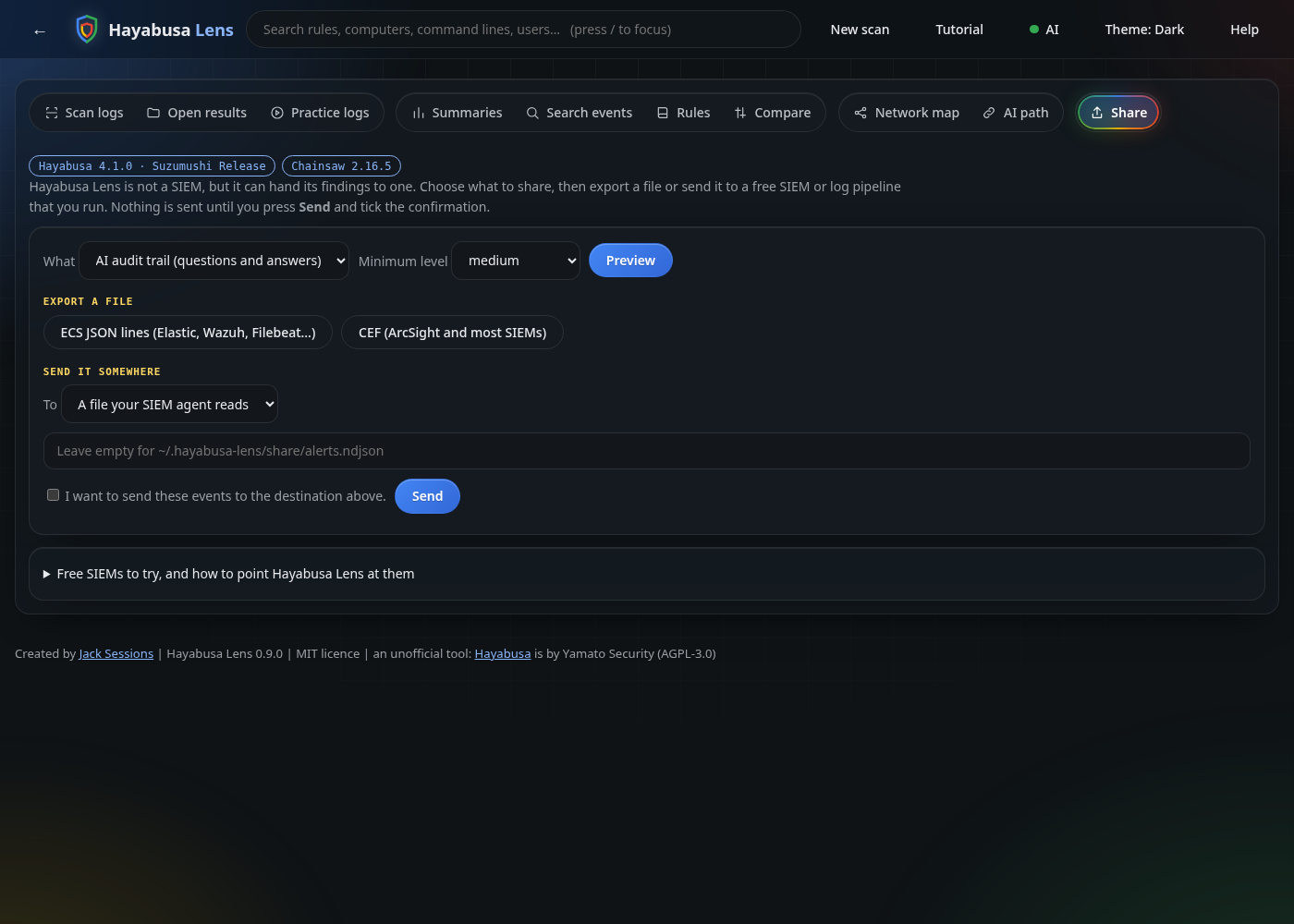
Hayabusa Lens is not a SIEM and keeps no database. The Share tab previews, then exports or sends:
| Destination | Notes |
|---|---|
| File (ECS JSON lines) | Point a Wazuh <localfile> (json), Elastic Agent, Filebeat or Vector at it |
| Syslog UDP/TCP | CEF or JSON; Graylog, Wazuh, Security Onion and most SIEMs |
| Elasticsearch / OpenSearch | _bulk with Authorization: ApiKey … or Basic … |
| Splunk HEC | Authorization: Splunk <token> |
| Webhook | Any URL, JSON array |
Events use ECS field names (event.kind: alert, rule.*, host.name, source.ip, user.name, threat.*). Nothing is sent until you preview, tick the confirmation and press Send. Plain http:// is refused for public addresses and credentials are never saved. Tested against local listeners and fake servers, not every vendor, so start with a small minimum level.
Rule library
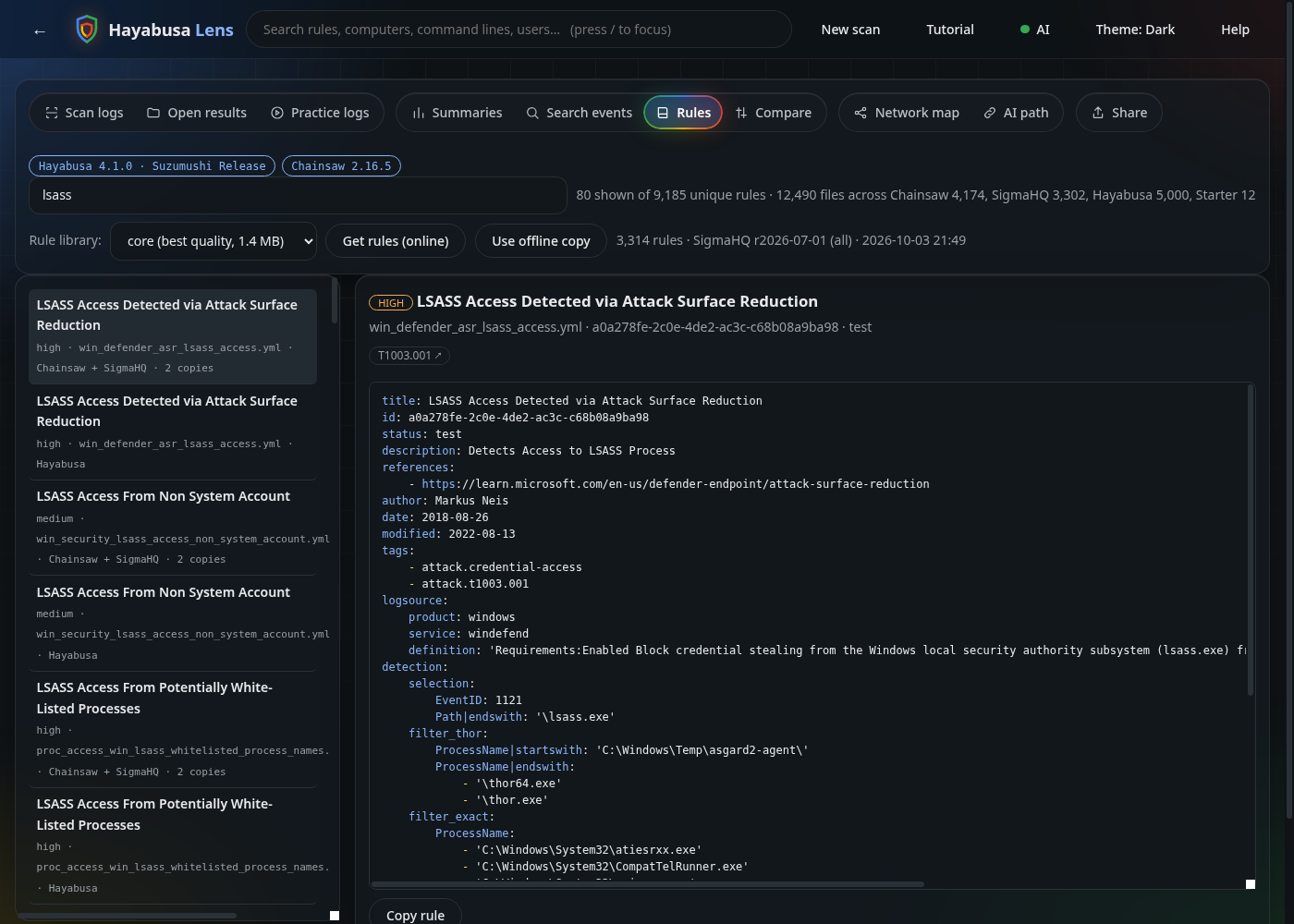
~/.hayabusa-lens/rules is always populated: hayabusa-lens --get-rules fetches the newest SigmaHQ release (checksum-verified), --offline uses the last download or 12 built-in starter rules. The Rules tab lists each rule once (the same Sigma rule ships with Hayabusa, Chainsaw and the library) with where it comes from. Sigma rules belong to the SigmaHQ community (Detection Rule License 1.1).
How it works and privacy
Hayabusa Lens runs hayabusa dfir-timeline (or the older json-timeline / csv-timeline) or chainsaw hunt as a separate process, reads the JSONL it writes, and deletes it. It does not copy or include any Hayabusa or Chainsaw code. A small web server listens on 127.0.0.1 only, with a random one-time token and a host-name check, and only reads files you point it at. See SECURITY.md.
Your logs stay on your computer unless you choose an online AI service and tick the consent box, or press Send on the Share tab. Results are held in memory only.
Tested
python -m unittest discover -s tests -v runs over a hundred tests: loaders, filters, the server's security checks, exports, the Hayabusa and Chainsaw subprocess flows (with stand-in programs), the rule library and de-duplication, the investigator loop and audit trail (with a scripted model), attack paths, the AI layer (fake services, no network), and sharing (real local sockets and fake HTTP servers). In CI, a separate job runs the real Hayabusa on real logs. A manual checklist, including Windows, is in docs/TESTING.md. Windows and macOS are covered by unit tests only; most hands-on testing was on Linux.
Known limitations
- Hayabusa's
pivot-keywords-listandextract-base64are not in the interface yet. - Logs must be Windows
.evtx(or an existing timeline). Hayabusa's JSON-input mode produced no detections in testing, so it is not exposed. - Results live in memory: comfortable for hundreds of thousands of detections, not tens of millions. Use a minimum level for huge scans.
- The investigator sees the alerts the engine produced, not the raw logs, and a model can be wrong.
- Summaries and Search events are Hayabusa-only.
Credit and licence
Created and maintained by Jack Sessions. Parts of the code were written with AI assistance (Claude); the behaviour is covered by the tests above.
This is an unofficial tool and is not affiliated with Yamato Security or WithSecure. Hayabusa is by Yamato Security (AGPL-3.0). Chainsaw is by WithSecure (GPL-3.0). Neither engine is bundled; please credit them and read their licences if you redistribute them. Hayabusa Lens is a separate program under the MIT licence (LICENSE). If you use it in a report, talk or course, please credit Jack Sessions and link https://github.com/JackSessions/hayabusa-lens (CITATION.cff has the details).
Contributions are welcome: see CONTRIBUTING.md.
1 maintainer

Metadata
1 maintainer
Release files for hayabusa-lens 0.9.0
For a detailed explanation of source distributions (sdists) and built distributions (wheels), please see the package formats documentation.
Source distribution (sdist)
| File | Size | Uploaded | |
|---|---|---|---|
| hayabusa_lens-0.9.0.tar.gz | 2.7 MB | Details |
Built distribution (wheel)
| File | Interpreter | ABI | Platform | Reset |
|---|---|---|---|---|
| hayabusa_lens-0.9.0-py3-none-any.whl | Python 3 | none | any | Details |
Total release size: 2.8 MB
Release files / hayabusa_lens-0.9.0.tar.gz
| Download URL | hayabusa_lens-0.9.0.tar.gz |
|---|---|
| Size | 2.7 MB |
| Tags | Source |
|
SHA-256 checksum How to use checksums |
5b6461274ecbbd7bdc4c73082b7335f8940ce8a624a61f54a2644ebdb94d30aa
|
|
BLAKE2b-256 checksum How to use checksums |
472c058edac9ec08a3f6007fd81272d2a8aa72d785d1ff29dc448d812dba356e
|
| Upload date | |
|
Uploaded using Trusted Publishing? What is trusted publishing? |
Yes |
| Uploaded via |
twine/7.0.0 CPython/3.13.14
|
Provenance
Provenance describes where a file came from. On PyPI, provenance is shared via attestations, which provide a verifiable record of the build or publishing details. View details, limitations and caveats.


PyPI Publish Attestation
PyPI verified that this artifact, at this checksum, originated from the publisher listed below.
Signed by GitHub Actions, verified by PyPI on Oct 3, 2026.
Transparency logRelease files / hayabusa_lens-0.9.0-py3-none-any.whl
| Download URL | hayabusa_lens-0.9.0-py3-none-any.whl |
|---|---|
| Size | 122.4 kB |
| Tags | Python 3 |
|
SHA-256 checksum How to use checksums |
0bd68a5447191c709a2c3923e470b3c19f43e0617a6bba9fe26ab58d87d81d89
|
|
BLAKE2b-256 checksum How to use checksums |
d82f1e5be3b62b62340380968e64ddc45afec79f0c0bad64276e82d9b38d65f8
|
| Upload date | |
|
Uploaded using Trusted Publishing? What is trusted publishing? |
Yes |
| Uploaded via |
twine/7.0.0 CPython/3.13.14
|
Provenance
Provenance describes where a file came from. On PyPI, provenance is shared via attestations, which provide a verifiable record of the build or publishing details. View details, limitations and caveats.
PyPI Publish Attestation
PyPI verified that this artifact, at this checksum, originated from the publisher listed below.
Signed by GitHub Actions, verified by PyPI on Oct 3, 2026.
Transparency log












