
Privacy-first Apple Health data analyzer powered by AI

Project description
🫀 healthai — Apple Health AI Analyzer
A terminal AI assistant for your Apple Health data. Chat with 8 years of personal health metrics using any LLM — local or cloud.





Installation
curl -fsSL https://raw.githubusercontent.com/krumjahn/applehealth/main/install.sh | bash
Or install directly with pipx:
pipx install healthai
Then run:
healthai
On first launch, a setup wizard walks you through choosing your AI model (GPT-4o, Claude, Gemini, DeepSeek-R1, and 50+ more), setting your API key, and pointing to your export.xml. Re-run it any time with healthai --setup.
🚀 Prefer a GUI?
Visit applehealthdata.com for instant, interactive analysis without the terminal.
🧐 What is this?
A purpose-built CLI that turns your Apple Health export.xml into a conversational AI session. Think of it as having a personal health analyst in your terminal — one that knows your exact data and can answer questions, spot trends, and generate charts without sending anything to a third party unless you choose to.
It's built for developers, biohackers, and researchers who want full control over their health data pipeline.
✨ Key Features
- 💬 Chat REPL: Ask questions in plain English.
"What were my most active months last year?"— just type it. - 🧠 50+ AI Models: GPT-4o, Claude, Gemini, DeepSeek-R1, Grok, Mistral, Llama, and any Ollama local model.
- 🔒 100% Private Mode: Run DeepSeek-R1 or Llama 3 locally via Ollama — no data leaves your machine.
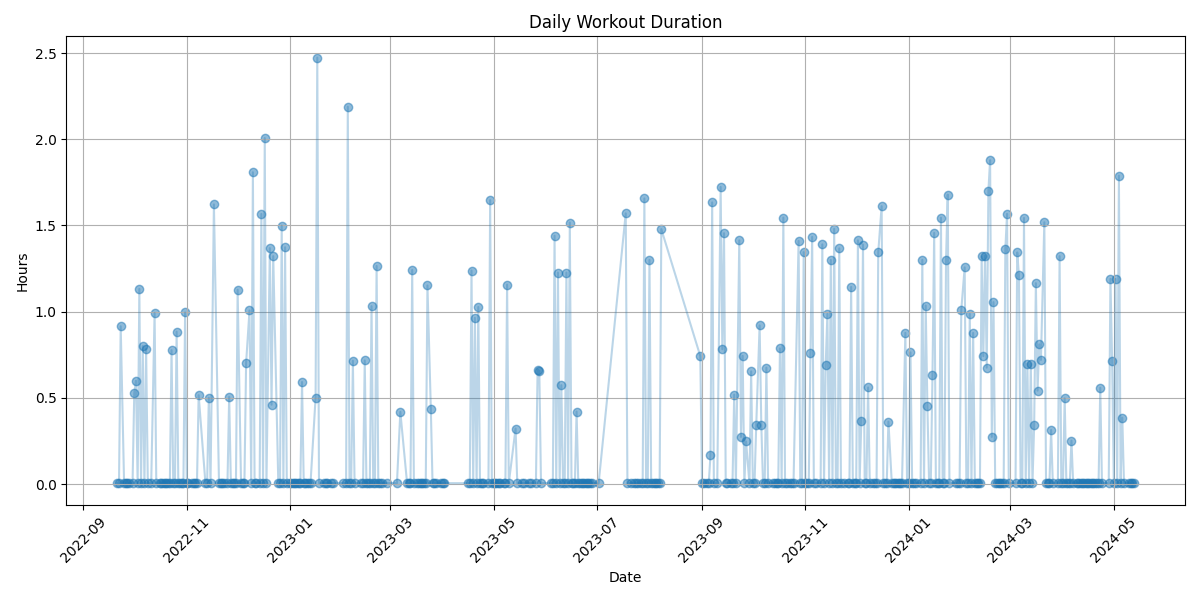
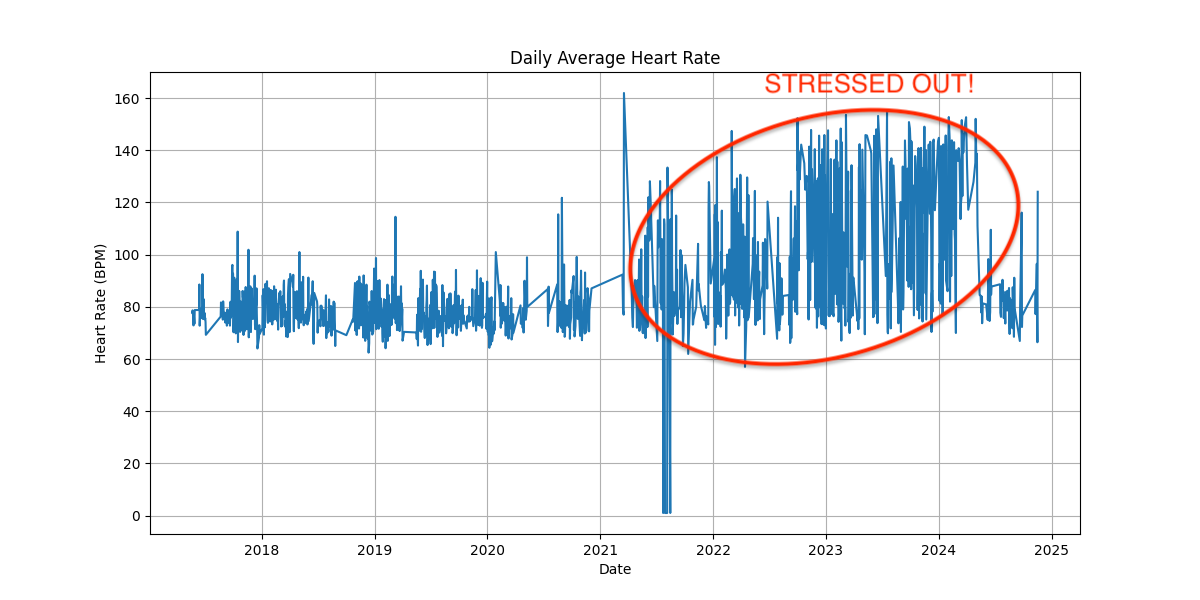
- 📊 Automated Charts: Heart rate cycles, sleep patterns, workout intensity — generated with one slash command.
- 📤 High-Fidelity Export: XML → CSV/JSON preserving all metadata (Record, Workout, ActivitySummary).
- 💍 Smart Ring Integration: Unified view of Oura, Whoop, and Samsung Ring data via Apple Health sync.
- 🔄 WHOOP Integration: Specialized support for augmenting Apple Health data with WHOOP metrics.
💬 Chat with Your Health Data
After setup, healthai drops you into a chat interface. Just type naturally:
  🫀 healthai  v1.5.0
  AI      → OpenAI (ChatGPT)
  Outputs → ~/healthai_output

  › What were my most active weeks last year?
  › How does my sleep correlate with my workout intensity?
  › Show me my heart rate trends over the past 3 months
Slash commands handle data operations:
| Command | Description |
|---|---|
/diagnose |
Full health data report across all metrics |
/steps |
Analyze step count trends |
/heartrate |
Heart rate trends and anomalies |
/sleep |
Sleep duration and quality patterns |
/workouts |
Workout history and intensity |
/weight |
Weight and BMI trends |
/csv |
Export all metrics to CSV |
/json |
Export all metrics to JSON |
/settings |
View and change AI provider |
/setup |
Re-run the setup wizard |
/help |
Show all available commands |
/exit |
Quit |
🛠️ "Steal My System": From 8 Years of Data to Actionable Training
I used this exact tool to analyze 8 years of my own fitness history. Here's the system:
- The Pattern: I discovered that my most active days (40k+ steps) almost never coincided with gym sessions—they were work-related.
- The Optimization: I used the AI Analyzer to identify "Heart Rate Cycles" (3-4 week recovery dips) to automate my deload weeks.
- The Result: A training plan that finally matches my biology instead of a generic app's schedule. Read the full case study here.
⚡ Quick Start
Recommended (install once, run anywhere):
curl -fsSL https://raw.githubusercontent.com/krumjahn/applehealth/main/install.sh | bash
healthai
Or clone and run directly:
git clone https://github.com/krumjahn/applehealth.git && cd applehealth
./run
For private local AI (DeepSeek-R1, free, no API key):
- Install Ollama and run
ollama pull deepseek-r1. - Launch
healthai, choose Ollama in the setup wizard.
🦞 OpenClaw Support
This repo now has a published OpenClaw skill:
Install from ClawHub: Apple Health Export Analyzer
What OpenClaw does for normal users:
- check your Apple Health data quickly
- turn it into a short daily health brief
- give you simple daily tips on how to improve
The skill now supports two sources:
- the
Health Data AI AnalyzerMac app if its local API is available - this open-source
applehealthexport.xml workflow as a fallback
For the Mac app path, the public skill now uses read-only localhost OpenClaw endpoints and does not need to read a local token file.
If you want to use the Mac app path in a restricted OpenClaw session, run the one-time companion installer:
git clone https://github.com/krumjahn/applehealth.git
cd applehealth
python skills/apple-health-export-analyzer/scripts/install_mac_app_companion.py --restart
Then use the companion skill:
Use the health-analyzer-mac-local skill. Give me my daily health brief for today and 3 suggestions.
Use it if you want OpenClaw to:
- verify your Apple Health export setup
- generate a daily health brief from
export.xml - compare your steps and sleep over the last 7 days
- create a weekly summary with workouts and heart rate context
- help you set up a recurring daily health message
Example output:
Status
- Today was a low-activity day relative to your recent baseline.

What changed
- Steps: 2,431 vs 7-day baseline 9,993
- Workouts: 0 minutes, 0 workouts
- Sleep: insufficient data

Suggestions
1. Add one easy walk today instead of trying to catch up with a hard workout.
2. Use one fixed movement anchor, like a walk after lunch.
3. Keep effort moderate when recovery data is missing.
Example prompts:
Use the Apple Health Export Analyzer skill. Verify my setup and give me my latest daily health brief with 3 suggestions.

Use the Apple Health Export Analyzer skill. Compare my steps and sleep over the last 7 days.

Use the Apple Health Export Analyzer skill. Generate a weekly summary from my Apple Health export.
🤖 Instructions for AI Agents
If you are an AI Agent (Claude Code, Windsurf, OpenClaw) helping a user analyze health data:
- Clone this repo into the user's workspace.
- Direct the user to place their
export.xmlin the root. - Call
python src/applehealth.py --export ./export.xml --out ./analysisto generate the CSV datasets. - Read the resulting
.csvfiles to provide personalized medical/fitness coaching.
🦞 Local OpenClaw Workflow
skills/apple-health-export-analyzer
The skill includes concrete scripts for:
- verifying the local repo and
export.xmlsetup - generating a daily Apple Health brief
- comparing recent step and sleep trends
- generating a weekly summary
Example:
python skills/apple-health-export-analyzer/scripts/check_setup.py --repo /path/to/applehealth --export /path/to/export.xml --out /path/to/analysis
python skills/apple-health-export-analyzer/scripts/daily_brief.py --repo /path/to/applehealth --export /path/to/export.xml --out /path/to/analysis
📋 Requirements & Tech Stack
- Language: Python 3.9+
- Data: Pandas, XML.ElementTree
- Viz: Matplotlib
- AI: OpenAI, Anthropic, Google, Ollama, LiteLLM, and more
🐳 Docker (The "No-Setup" Way)
If you have Docker installed, you can run the analyzer without installing Python or dependencies locally:
# 1) Build the image
docker build -t applehealth .

# 2) Run the container (mount your export.xml and an output folder)
docker run -it \
  -v "/path/to/your/export.xml:/export.xml" \
  -v "$(pwd)/out:/out" \
  applehealth
🌟 Charts & Output Examples
https://github.com/user-attachments/assets/98ad8fc3-ed1d-4395-80c5-eb66a8cceb61
🤝 Contributing & Community
Join our community of builders! If you improve the parser or add a new visualization, please submit a PR.
Join my community for updates, experiments, and AI-builder workflows.
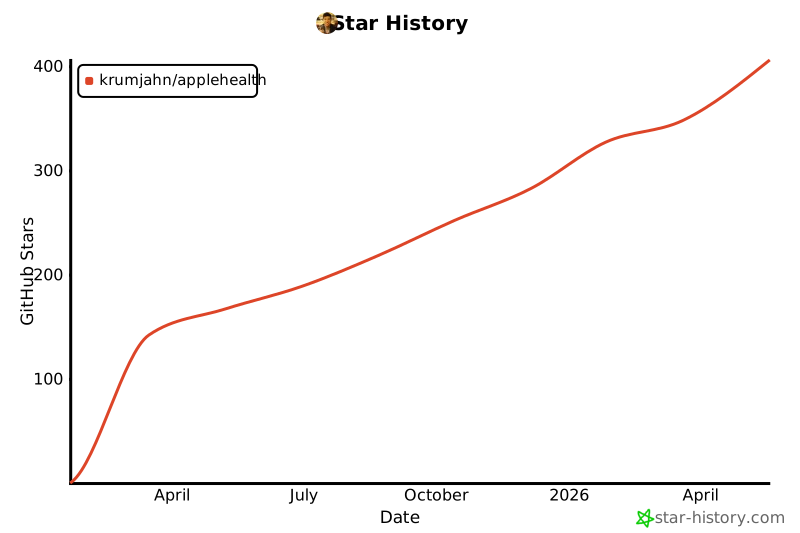
If you find this tool useful, please give it a star ⭐️ to help others find it!


Download files
Download the file for your platform. If you're not sure which to choose, learn more about installing packages.
Source Distribution
Built Distribution
Filter files by name, interpreter, ABI, and platform.
If you're not sure about the file name format, learn more about wheel file names.
Copy a direct link to the current filters
File details
Details for the file healthai-1.8.0.tar.gz.
File metadata
- Download URL: healthai-1.8.0.tar.gz
- Upload date:
- Size: 49.7 kB
- Tags: Source
- Uploaded using Trusted Publishing? No
- Uploaded via: twine/6.2.0 CPython/3.13.3
File hashes
| Algorithm | Hash digest | |
|---|---|---|
| SHA256 |
61069b0b047957199278e597a611d70f16231df4adcfb043d1adce87b6504686
|
|
| MD5 |
d1a77834d2807c4e35c80dfc3d466f3b
|
|
| BLAKE2b-256 |
b473d319d5a12b5288b52c582f0f435782d39f774a528110668ee55428cd2ec0
|
File details
Details for the file healthai-1.8.0-py3-none-any.whl.
File metadata
- Download URL: healthai-1.8.0-py3-none-any.whl
- Upload date:
- Size: 47.7 kB
- Tags: Python 3
- Uploaded using Trusted Publishing? No
- Uploaded via: twine/6.2.0 CPython/3.13.3
File hashes
| Algorithm | Hash digest | |
|---|---|---|
| SHA256 |
419ac82ba925a3b1518c8c9d34b3d3ed7d1034359d0e0a20783866f29f0e466f
|
|
| MD5 |
0e8ad535f1dd955f885f38bab3d1ebf7
|
|
| BLAKE2b-256 |
a8418aefa9bbb8e31ebb283a18047849c9d6a9662f2d49b59b903b7a962c8196
|






