
heatgraph
A terminal heat-map renderer for people who actually like their terminal.
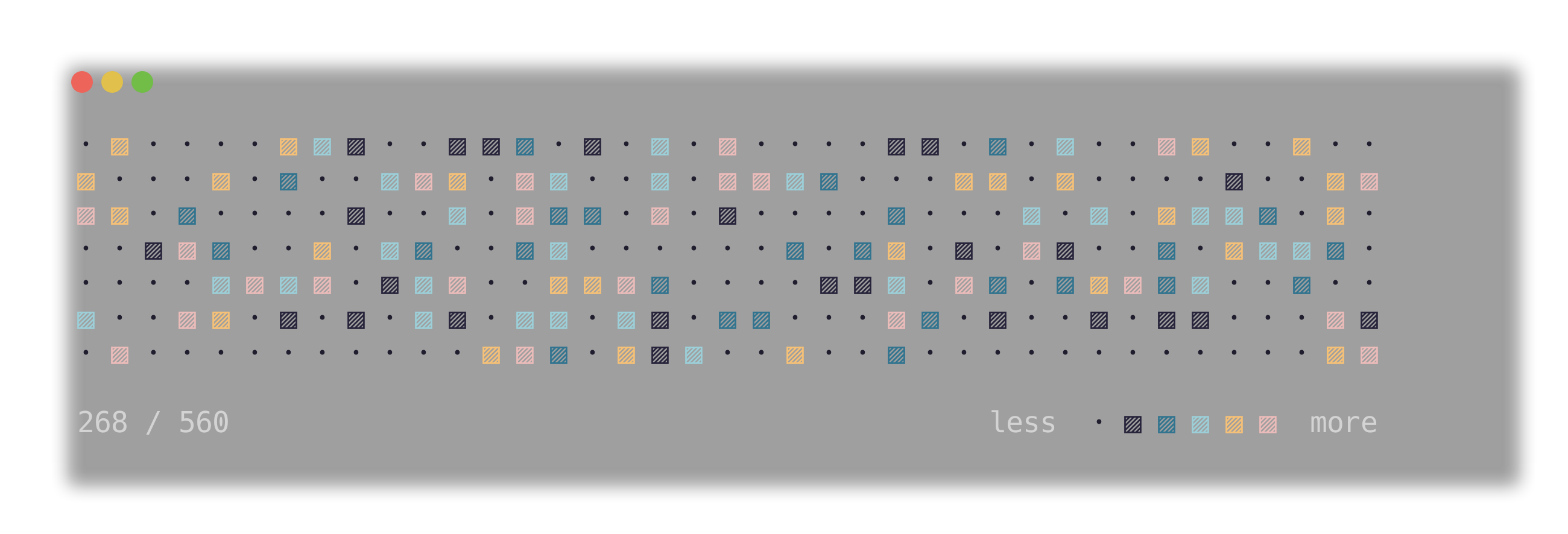
Overview
heatgraph is a lightweight, zero-dependency Python utility that turns
matrix-style data into ANSI heat-maps. It lives at the end of your unix pipe —
because why fire up a Jupyter notebook when you can grep some numbers and pipe
them into a beautiful grid of colored blocks?
- stdin → matrix data → colored ASCII heatmap
- zero runtime dependencies
- fast, composable, and script-friendly
Quick start
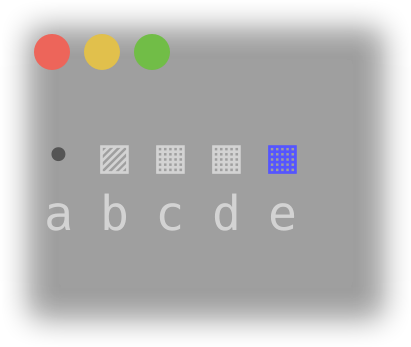
If you have a JSON object with a values array, you're already halfway there:
echo '{"values":[[1,2,3,4,5]],"cols":["a","b","c","d","e"]}' | uvx heatgraph
Examples
The helper commands live in the same package but under a different entry point. With
uvx, that means using--from heatgraph:
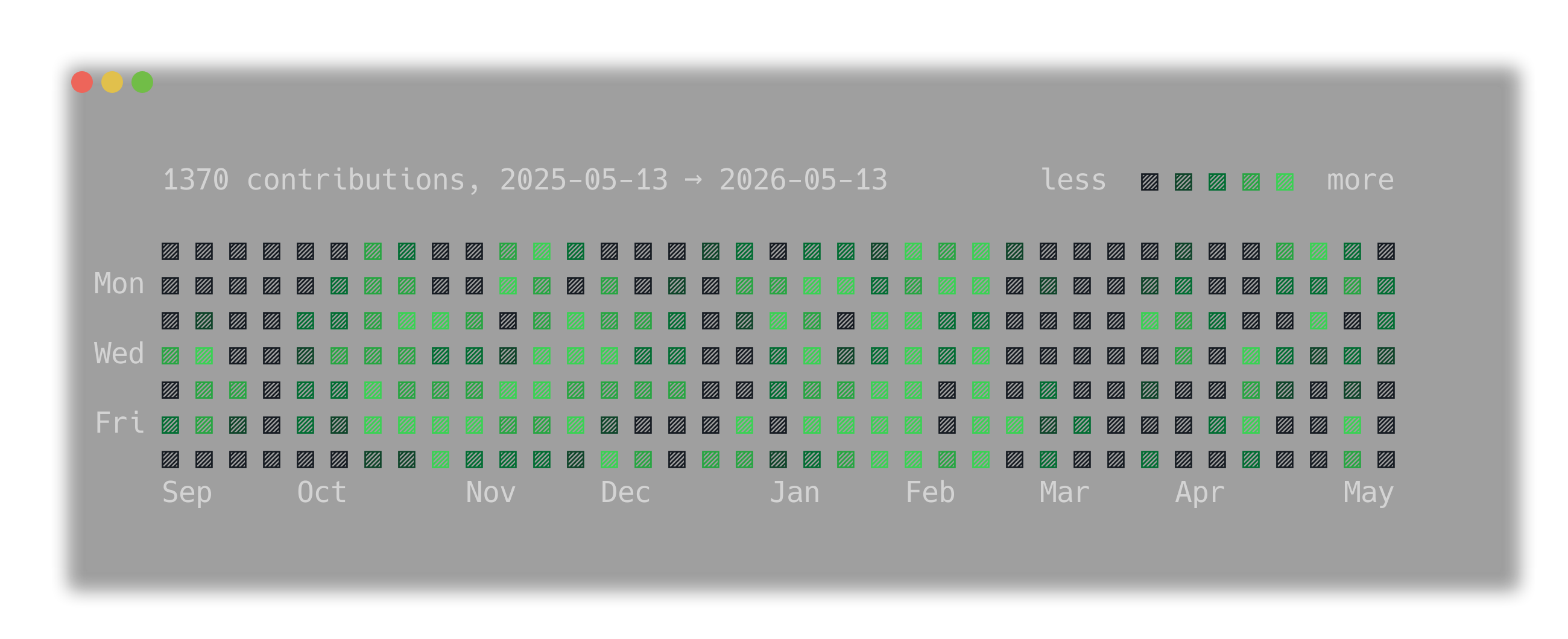
Visualize your GitHub contributions
uvx --from heatgraph heatgraph-helpers gh-contributions <username> --theme github-dark
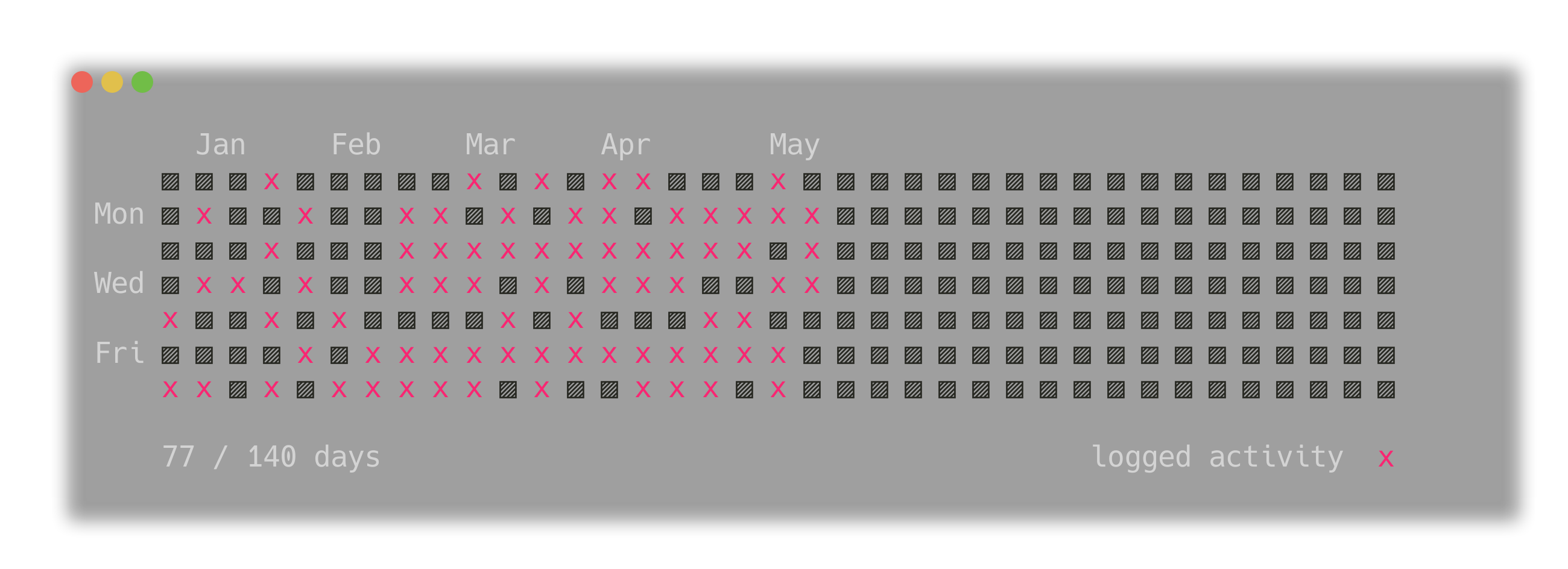
Track a workout routine
uvx --from heatgraph heatgraph-helpers habit-tracker examples/workout-log.md --simple
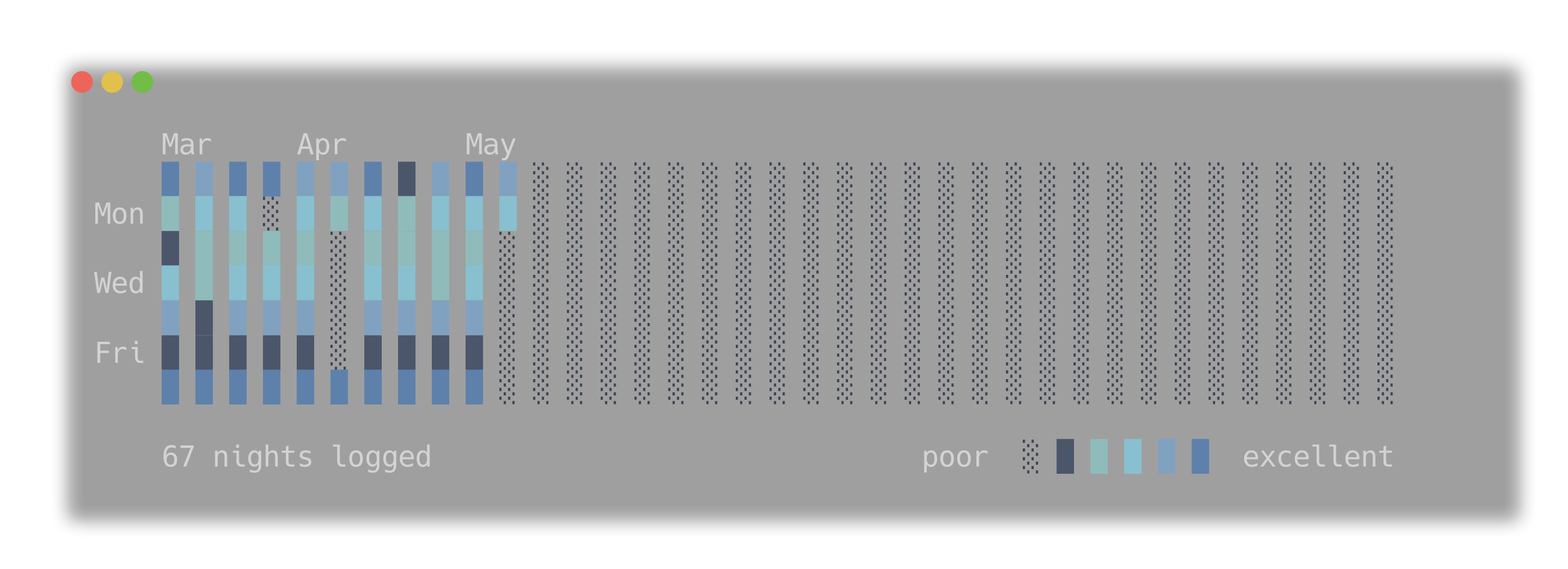
Track your sleep quality
uvx --from heatgraph heatgraph-helpers habit-tracker examples/sleep.log \
  --theme nord --glyphs terminal --normalize quantile \
  --message '[COUNT] nights logged' \
  --legend 'poor  [GRADIENT]  excellent'
Live data with --follow
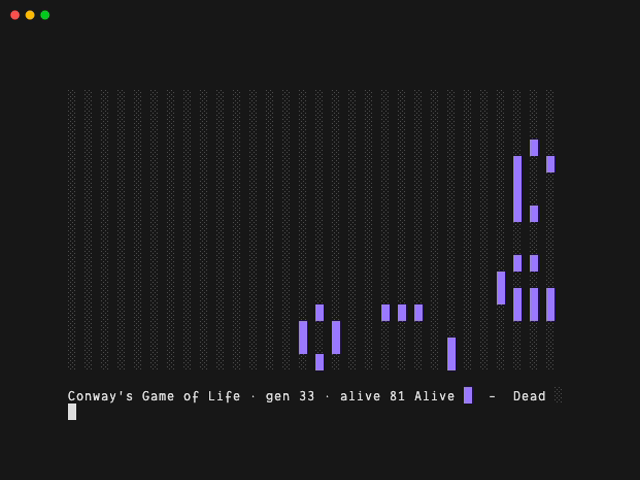
# Conway's Game of Life as the "live data"
uvx --from heatgraph heatgraph-helpers game-of-life | uvx heatgraph --follow --glyphs terminal
Features
- Zero dependencies. Pure Python 3.12+. No
pip installnightmares. - Streaming.
--followreads NDJSON and redraws frames in place — no scrollback flood. - Quantile binning.
--normalize quantilefor the GitHub-contributions look: zero is its own bucket, the rest binned by quantile. - Gamma correction.
--gammato fine-tune the pop of your colors. - Themes. A curated collection so your heatgraphs don't look straight out of 1984. Unless that's the brief.
Docs
| Doc | When to read it |
|---|---|
| docs/CONFIGURATION.md | All CLI flags, precedence rules, where settings come from. |
| docs/CUSTOMIZING.md | Themes, glyph presets, headers, building your own look. |
| docs/SCHEMA.md | The matrix-doc JSON contract and the streaming/NDJSON protocol. |
| docs/CONCEPTS.md | Shared vocabulary — bucket, palette, glyph, direction, and friends. |
License
GPLv3. Keep it free, keep it open, and for the love of god, don't wrap this in a proprietary electron app.
1 maintainer

Metadata
1 maintainer
Release files for heatgraph 0.2.1
For a detailed explanation of source distributions (sdists) and built distributions (wheels), please see the package formats documentation.
Source distribution (sdist)
| File | Size | Uploaded | Provenance | Actions |
|---|---|---|---|---|
| heatgraph-0.2.1.tar.gz | 18.8 kB | Without provenance | Details for heatgraph-0.2.1.tar.gz |
Built distribution (wheel)
| File | Interpreter | ABI | Platform | Actions Reset |
|---|---|---|---|---|
| heatgraph-0.2.1-py3-none-any.whl | Python 3 | none | any | Details for heatgraph-0.2.1-py3-none-any.whl |
Total release size: 48.5 kB
Release files / heatgraph-0.2.1.tar.gz
| Download URL | heatgraph-0.2.1.tar.gz |
|---|---|
| Size | 18.8 kB |
| Tags | Source |
|
SHA-256 checksum How to use checksums |
ab1e9322f471328c1e4884e3fc024f9be013fd7a173049417b44f2bc0b86193b
|
|
BLAKE2b-256 checksum How to use checksums |
397ee5740a4b637dd4af1f862ac259191f3c3fe46ed3c68501d781684d24d14e
|
| Upload date | |
|
Uploaded using Trusted Publishing? What is trusted publishing? |
No |
| Uploaded via |
uv/0.11.6 {"installer":{"name":"uv","version":"0.11.6","subcommand":["publish"]},"python":null,"implementation":{"name":null,"version":null},"distro":{"name":"macOS","version":null,"id":null,"libc":null},"system":{"name":null,"release":null},"cpu":null,"openssl_version":null,"setuptools_version":null,"rustc_version":null,"ci":null}
|
Release files / heatgraph-0.2.1-py3-none-any.whl
| Download URL | heatgraph-0.2.1-py3-none-any.whl |
|---|---|
| Size | 29.7 kB |
| Tags | Python 3 |
|
SHA-256 checksum How to use checksums |
f5f4250bbb94f3f84c387a75bb47d1481dac9bbed42682c419d5dc2c7d27cc8f
|
|
BLAKE2b-256 checksum How to use checksums |
5cc7db1fb57d05d4d8b65b920f532d9b4b7aa2306a16b35d35d6b0158234f7b9
|
| Upload date | |
|
Uploaded using Trusted Publishing? What is trusted publishing? |
No |
| Uploaded via |
uv/0.11.6 {"installer":{"name":"uv","version":"0.11.6","subcommand":["publish"]},"python":null,"implementation":{"name":null,"version":null},"distro":{"name":"macOS","version":null,"id":null,"libc":null},"system":{"name":null,"release":null},"cpu":null,"openssl_version":null,"setuptools_version":null,"rustc_version":null,"ci":null}
|
Security for heatgraph 0.2.1
Provenance
Provenance describes where a file came from. On PyPI, provenance is shared via attestations, which provide a verifiable record of the build or publishing details. View details, limitations and caveats.
No provenance found
None of the files in this release were uploaded with provenance metadata.
A note on package security
PyPI is a repository for distributing packages, not a service for auditing them. While third-party security researchers and our staff do their best to detect and remove malicious packages, PyPI cannot guarantee the quality, security or suitability of any given package.
To learn more about protecting yourself from malicious actors, visit our package security documentation.














