
HERE Location Services for Python












A Python client for HERE Location Services.
Usage
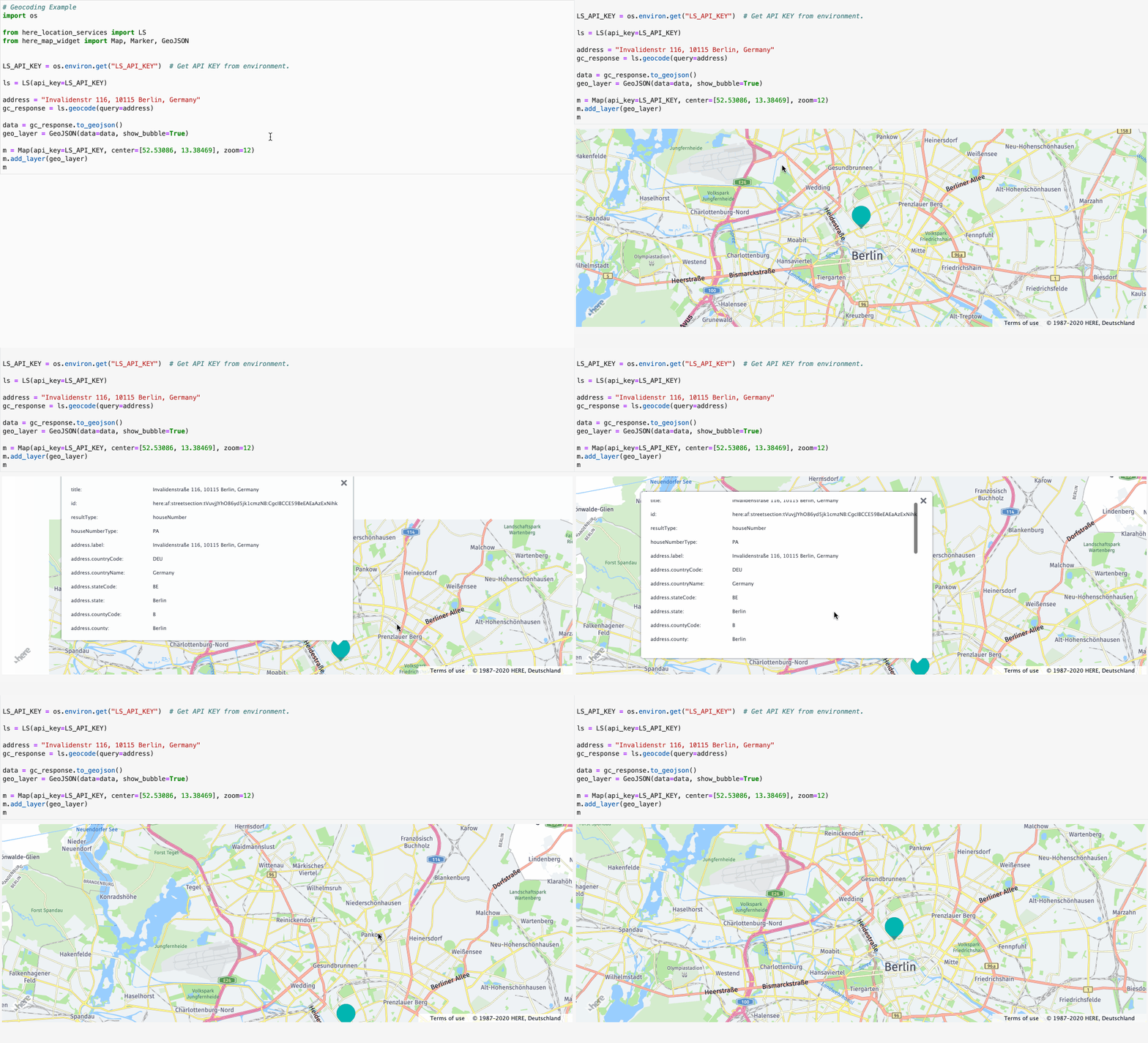
Geocoding using HERE Geocoding & Search API.
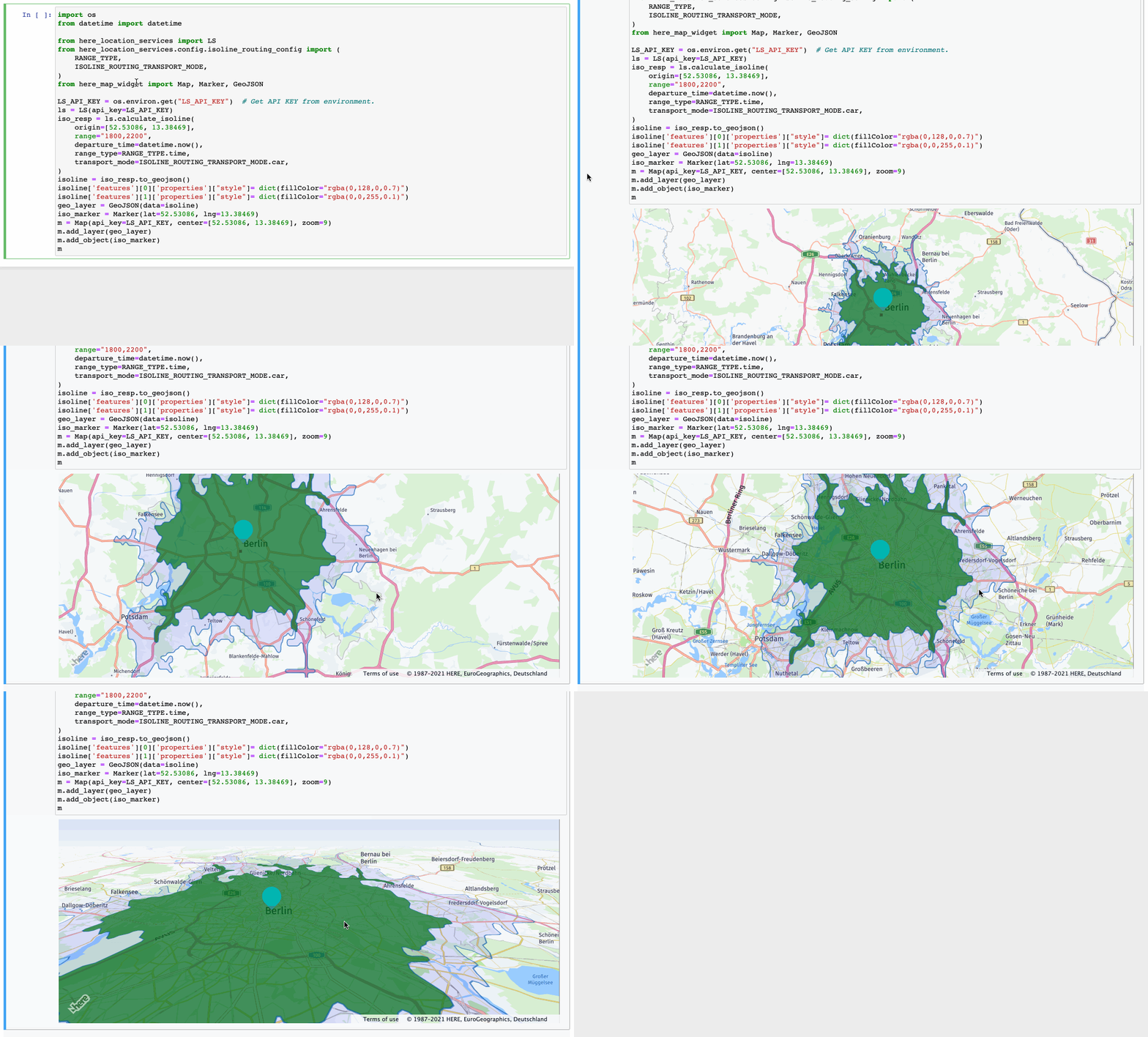
Isolines using HERE Isoline Routing API.
Prerequisites
Before you can install HERE Location Services for Python, run its test-suite, or use the example notebooks to make sure you meet the following prerequisites:
- A Python installation, 3.6+ recommended, with the
pipcommand available to install dependencies. - In order to use Location services APIs, authentication is required.
There are two ways to authenticate:
-
Authentication using an API key:
- For API key-based authentication you will need a HERE developer account, freely available under HERE Developer Portal.
- An API key from the HERE Developer Portal, in an environment variable named
LS_API_KEYwhich you can set like this (with a valid value, of course):$ export LS_API_KEY="MY-LS-API-KEY"
-
OAuth token-based authentication:
- For OAuth token authentication you will need an account on the HERE Platform. To get more details on the HERE Platform account please check our documentation Get a HERE account. Once you have the account follow the below steps to get credentials:
- Go to HERE Platform Applications and Keys and register a new app.
- Create a key for the app and download the generated
credentials. propertiesfile.
The HERE platform generated app credentials should look similar to the example below:
here.user.id = <example_here>
here.client.id = <example_here>
here.access.key.id = <example_here>
here.access.key.secret = <example_here>
here.token.endpoint.url = <example_here>
You can provide your credentials using any of the following methods:
- Default credentials
- Environment variables
- Credentials file
Default credentials
Place the credentials file into
For Linux/MacOS:
$HOME/.here/credentials.propertiesFor Windows:
%USERPROFILE%\.here\credentials.propertiesCode snippet to instantiate LS object:from here_location_services import LS # platform credentials will be picked from the default credentials file's location mentioned above # and api_key should not be set in env variable LS_API_KEY. ls = LS()
Environment Variables
You can override default credentials by assigning values to the following environment variables:
HERE_USER_ID
HERE_CLIENT_ID
HERE_ACCESS_KEY_ID
HERE_ACCESS_KEY_SECRET
HERE_TOKEN_ENDPOINT_URL
Code snippet to instantiate LS object:
from here_location_services import LS
from here_location_services import PlatformCredentials

ls = LS(platform_credentials=PlatformCredentials.from_env())
Credentials File
You can specify any credentials file as an alternative to that found in
~/.here/credentials.properties. An error is generated if there is no file present at the path, or if the file is not properly formatted. Code snippet to instantiate LS object:from here_location_services import LS from here_location_services import PlatformCredentials platform_credentials = PlatformCredentials.from_credentials_file("<Path_to_file>") ls = LS(platform_credentials=platform_credentials)
-
Installation
-
Install
HERE Location Services for Pythonwith conda from the Anaconda conda-forge channel using the below command:$ conda install -c conda-forge here-location-services
-
Install
HERE Location Services for Pythonfrom PyPI using the below command:$ pip install here-location-services
-
Install
HERE Location Services for Pythonfrom GitHub using the below command:$ pip install -e git+https://github.com/heremaps/here-location-services-python#egg=here-location-services
Run Test Suite
Run the test suite using below commands:
$ pip install -r requirements_dev.txt
$ pytest -v --cov=here_location_services tests
Documentation
Documentation is available here.
Run the below commands to build the docs locally:
$ pip install -e .
$ pip install -r requirements_dev.txt
$ sh scripts/build_docs.sh
Hello World Example
The following are tiny "Hello World" like examples that you can run to have a successful first XYZ experience right after installation!
Using API key
import json
import os

from here_location_services import LS


LS_API_KEY = os.environ.get("LS_API_KEY")  # Get API KEY from environment.
ls = LS(api_key=LS_API_KEY)

address = "Invalidenstr 116, 10115 Berlin, Germany"
geo = ls.geocode(query=address)
print(json.dumps(geo.to_geojson(), indent=2, sort_keys=True))
Using OAuth token
import json

from here_location_services import LS
from here_location_services import PlatformCredentials

credentials = PlatformCredentials.from_default()
ls = LS(platform_credentials=credentials)

address = "Invalidenstr 116, 10115 Berlin, Germany"
geo = ls.geocode(query=address)
print(json.dumps(geo.to_geojson(), indent=2, sort_keys=True))
License
Copyright (C) 2019-2021 HERE Europe B.V.
See the License file at the root of this project for license details.
1 maintainer

Metadata
1 maintainer
Release files for here-location-services 0.4.0
For a detailed explanation of source distributions (sdists) and built distributions (wheels), please see the package formats documentation.
Source distribution (sdist)
| File | Size | Uploaded | |
|---|---|---|---|
| here-location-services-0.4.0.tar.gz | 54.9 kB | Details |
Built distribution (wheel)
| File | Interpreter | ABI | Platform | Reset |
|---|---|---|---|---|
| here_location_services-0.4.0-py2.py3-none-any.whl | Python 3, Python 2 | none | any | Details |
Total release size: 113.0 kB
Release files / here-location-services-0.4.0.tar.gz
| Download URL | here-location-services-0.4.0.tar.gz |
|---|---|
| Size | 54.9 kB |
| Tags | Source |
|
SHA-256 checksum How to use checksums |
10523492f15e688e20b13763793171511c7fdfb9e44daef52774644cd6cbe7fb
|
|
BLAKE2b-256 checksum How to use checksums |
49a0edad803a3ec247f7db37070e4793ccc30b67ca935bebf0b78f3998d52958
|
| Upload date | |
|
Uploaded using Trusted Publishing? What is trusted publishing? |
No |
| Uploaded via |
twine/3.4.2 importlib_metadata/4.8.1 pkginfo/1.7.1 requests/2.26.0 requests-toolbelt/0.9.1 tqdm/4.62.2 CPython/3.9.7
|
Release files / here_location_services-0.4.0-py2.py3-none-any.whl
| Download URL | here_location_services-0.4.0-py2.py3-none-any.whl |
|---|---|
| Size | 58.1 kB |
| Tags | Python 2 Python 3 |
|
SHA-256 checksum How to use checksums |
1320ba23dcdef7d720f51f48037b664e380fef5e59f011832dd505738f4b649c
|
|
BLAKE2b-256 checksum How to use checksums |
ad9751ccf032afcf3b3273f5f12db76b03f3e276a1dafaa4f9a850ae81f3a2ac
|
| Upload date | |
|
Uploaded using Trusted Publishing? What is trusted publishing? |
No |
| Uploaded via |
twine/3.4.2 importlib_metadata/4.8.1 pkginfo/1.7.1 requests/2.26.0 requests-toolbelt/0.9.1 tqdm/4.62.2 CPython/3.9.7
|














