
hermes-scout
Search your local files by meaning, not just keywords.
A Hermes Agent plugin and a standalone command line tool.









Ask "where do we handle rate limits?" and get back the relevant paragraphs from your notes, docs or code, even when they never use the words "rate limit". Results come with file paths, line numbers and a similarity score.
hermes-scout works two ways:
- As a Hermes Agent plugin, adding a
scout_searchtool the agent can call. - As a standalone command,
hermes-scout search "..." ~/notes, for anyone with Python.
Embeddings come from any OpenAI-compatible /embeddings endpoint. By default that is a local
Ollama server, so your files never leave your machine and searches cost nothing.

Contents
- Why
- Features
- Quick start
- Command line
- Example
- How it works
- Supported embedding servers
- Settings
- Troubleshooting
- Disclosure
- Roadmap
- Development
- Contributing
- License
Why
Keyword search only finds the words you remember. Notes say "back off and retry", code says
except HTTPError as err: if err.code == 429, and docs say "throttling". You remember none of
those phrasings. Semantic search compares meaning: the query and every passage are turned into
embedding vectors, and the passages pointing in the most similar direction come back first.
Features
- Search by meaning across notes, docs and source code in any folder.
- Local-first. Works out of the box with Ollama, LM Studio, llama.cpp or vLLM on your own machine.
- Fast repeat searches. An incremental index re-embeds only files that changed since the last search.
- Safe by default. Skips hidden files, dependency folders, binaries and every path Hermes's own
file tools refuse to read, such as
.envfiles and credential stores. - Zero dependencies. Python standard library only: nothing extra to install or audit.
- Respects
.gitignore. Files your project ignores (build output, logs, generated code) stay out of the index, at every folder level, with!re-includes, just like git. - Filters. Narrow a search to
*.md,docs/orsrc/**/*.pywithout re-indexing. - Precise results. Every hit names the file, the line range and a cosine similarity score.
- Cross-platform. Tested on Linux, macOS and Windows with Python 3.11 to 3.14.
- Two ways to use it: as a Hermes tool or as a
hermes-scoutcommand in any terminal. - Configurable from the Hermes Desktop settings page or
hermes plugins config hermes-scout.
Quick start
-
Start a local embeddings server (Ollama shown; see other servers):
ollama pull nomic-embed-text
ollama serve            # if it is not already running
-
Install hermes-scout in Hermes:
hermes plugins install hermes-scout
hermes plugins enable hermes-scout
or as a command line tool:
pipx install hermes-scout # or: pip install hermes-scout
-
Search. Ask Hermes:
Search my notes in ~/notes for how I set up backups.
or run:
hermes-scout search "how I set up backups" ~/notes
The first search of a folder builds its index. Later searches only re-read files that changed.
Command line
$ hermes-scout search "how does the client handle rate limiting" ~/project
0.59  notes/retries.md:1-3
      Retry policy
0.18  notes/pasta.md:1-3
      Dinner
| Command | What it does |
|---|---|
hermes-scout search QUERY [PATH] |
Search a folder (default: the current one). -k 10 for more results, -g "*.md" to filter, --json for scripts. |
hermes-scout index [PATH] |
Build or refresh the index ahead of time. |
hermes-scout --version |
Print the version. |
Point it at another server with --base-url and --model, or the SCOUT_BASE_URL and
SCOUT_MODEL environment variables. Hosted endpoints read their key from SCOUT_API_KEY. The
index lives in your user cache folder (~/.cache/hermes-scout/index.db on Linux). Full reference:
Command line docs.
Example
A search across a small project. The model receives this from the tool:
{
  "query": "how does the client handle rate limiting and retries",
  "root": "/home/me/project",
  "model": "nomic-embed-text",
  "results": [
    {
      "path": "notes/retries.md",
      "lines": "1-3",
      "score": 0.5948,
      "text": "Retry policy\n\nWhen the API answers 429 the client waits with exponential backoff and jitter, then retries up to five times."
    },
    {
      "path": "notes/pasta.md",
      "lines": "1-3",
      "score": 0.1849,
      "text": "Dinner\n\nBoil pasta in salted water, add garlic and olive oil."
    }
  ],
  "index": {"indexed_files": 0, "reused_files": 2, "removed_files": 0, "chunks": 2}
}
The relevant note scores far above the unrelated one, and "indexed_files": 0 shows that the
second search reused the index instead of embedding the folder again.
How it works
flowchart LR
    A[Folder of text files] --> B[Split into overlapping<br/>line-aligned chunks]
    B --> C{New or changed<br/>since last search?}
    C -- yes --> D[Embed via<br/>/embeddings endpoint]
    C -- no --> E[(SQLite index)]
    D --> E
    Q[Your question] --> F[Embed the question]
    E --> G[Rank chunks by<br/>cosine similarity]
    F --> G
    G --> R[Top passages with<br/>path, lines, score]
- Chunking. Text files are split into chunks of whole lines (1,200 characters by default). Neighbouring chunks share up to two lines, so a passage that straddles a boundary is still found whole. A line longer than the chunk size is split into pieces, so nothing is cut off.
- Embedding. Chunks are sent to the embeddings endpoint in batches of 32 and stored as float32 vectors with their precomputed norms.
- Incremental index. The index lives in SQLite in the plugin's own data folder
(
<hermes home>/plugin-data/hermes-scout/index.db), keyed by folder and embedding model. Only new or changed files (by modification time and size) are re-embedded, and deleted files are dropped. - Ranking. The question is embedded the same way and chunks are ranked by cosine similarity:
score = (q · c) / (‖q‖ ‖c‖).
Indexes for different embedding models are kept apart, so switching models never mixes vectors.
What gets indexed: common text, documentation, code and config extensions (.md, .txt, .py,
.ts, .go, .rs, .json, .yaml, ...). Skipped: hidden files and folders, dependency and
build folders (node_modules, venv, dist, build, ...), anything a .gitignore file ignores,
symlinks, binary files, files over the size limit, and every path Hermes's file tools refuse to read.
Supported embedding servers
Any server that implements the OpenAI POST /embeddings API works. Set base_url to its /v1 root.
| Server | base_url |
Example embedding_model |
|---|---|---|
| Ollama (default) | http://localhost:11434/v1 |
nomic-embed-text, mxbai-embed-large |
| LM Studio | http://localhost:1234/v1 |
the embedding model you loaded |
llama.cpp server (--embeddings) |
http://localhost:8080/v1 |
the loaded model's name |
| vLLM | http://localhost:8000/v1 |
e.g. BAAI/bge-m3 |
| Hosted OpenAI-compatible APIs | the provider's /v1 URL |
the provider's embedding model (set api_key) |
Settings
In Hermes, edit them in the Desktop app (Settings → Plugins → hermes-scout) or with
hermes plugins config hermes-scout. The command line takes the same settings as flags
(--base-url, --model, --chunk-chars, --max-files, --max-file-kb, --no-gitignore, -k).
| Setting | Default | Meaning |
|---|---|---|
base_url |
http://localhost:11434/v1 |
OpenAI-compatible base URL; the plugin calls <base_url>/embeddings |
embedding_model |
nomic-embed-text |
Model name the endpoint serves |
api_key |
not set | Only for hosted endpoints; stored by Hermes as SCOUT_API_KEY |
top_k |
5 |
Passages returned per search (the model may ask for 1 to 20) |
chunk_chars |
1200 |
Chunk size in characters; applies to files indexed afterwards |
max_files |
2000 |
Files indexed per folder |
max_file_kb |
1000 |
Larger files are skipped |
respect_gitignore |
true |
Skip files and folders that .gitignore files in the searched folder ignore |
Troubleshooting
| Message | Fix |
|---|---|
cannot reach the embeddings server at http://localhost:11434/v1 |
Start Ollama (ollama serve) or point base_url at your server. |
answered HTTP 404 ... model not found |
Pull the model (ollama pull nomic-embed-text) or set embedding_model to one the server has. |
answered HTTP 401 |
A hosted endpoint needs api_key. |
| No results for files you expected | Check the file's extension, size (max_file_kb), that it is not hidden or in a skipped folder, and that no .gitignore ignores it. |
| The first search is slow | Expected for a large folder: every file is embedded once. Later searches only embed changes. |
Disclosure
- Network: file contents (chunks) and search queries are sent to the embeddings endpoint you
configure. The default is a server on your own machine. If you point
base_urlat a hosted API, that service receives the text of the files you search. - Files read: text files under the folder the model asks to search, minus the skipped paths listed above. The plugin never writes to that folder.
- Files written: the index database in the plugin's own data folder only.
- Credentials: the optional API key is read through Hermes's secret store and sent only to the configured endpoint. It is dropped if the endpoint redirects to another origin.
- No telemetry, no background processes, no shell commands, no self-updating.
Roadmap
- Hybrid ranking: combine keyword (BM25) and vector scores.
- Result diversity (MMR) so near-duplicate chunks do not crowd the top results.
- An index statistics command and a way to clear old indexes.
Ideas and bug reports are welcome in Issues.
Development
The search engine (hermes_scout/engine.py) and the HTTP client (hermes_scout/embeddings.py) use
only the Python standard library and do not import Hermes, so the tests run without a Hermes install
or network access:
python -m pip install "pytest>=8,<9" "pytest-cov>=6,<8" "ruff==0.15.10"
python -m pytest --cov=hermes_scout     # 77 tests, no network
ruff check . && ruff format --check .
| Path | Contents |
|---|---|
hermes_scout/__init__.py |
Hermes wiring: tool registration, settings, file-safety checks, storage |
hermes_scout/plugin.yaml |
Plugin manifest read by Hermes |
hermes_scout/engine.py |
Chunking, file walking, the SQLite index and ranking |
hermes_scout/embeddings.py |
OpenAI-compatible embeddings client |
hermes_scout/cli.py |
The hermes-scout command |
docs/ |
The documentation site (MkDocs Material) |
Before a release, check the plugin the way the Hermes catalog does:
hermes plugins validate hermes_scout --install-deps
hermes plugins doctor hermes_scout --ci
Every push runs lint, the tests on Python 3.11 to 3.14 with a 90% coverage floor, CodeQL security analysis and a strict docs build. Publishing a GitHub release uploads the package to PyPI.
Contributing
Bug reports, ideas and pull requests are welcome. Start with CONTRIBUTING.md; the Code of Conduct applies everywhere in this project. Report security problems privately as described in SECURITY.md. Release notes live in CHANGELOG.md.
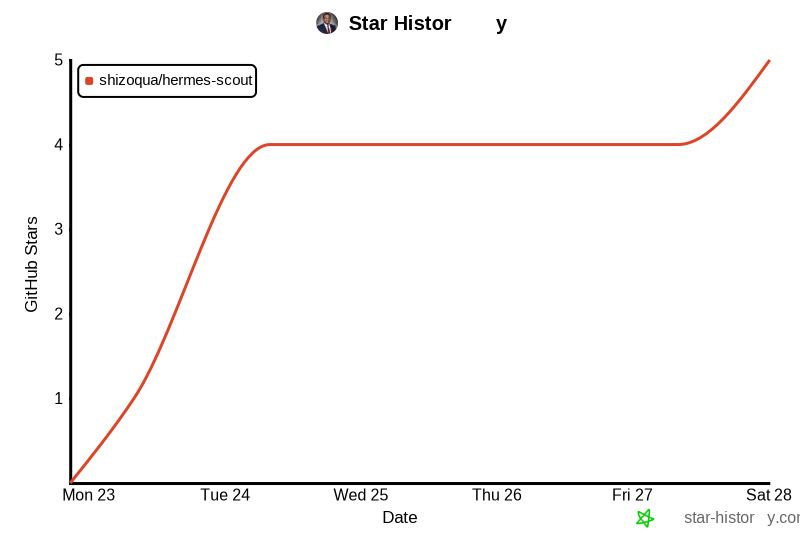
If hermes-scout is useful to you, a star helps other people find it.
License
MIT, see LICENSE. Made by Lanre Shittu. To cite this project, use the "Cite this repository" button on GitHub (CITATION.cff).
1 maintainer

Metadata
1 maintainer
Release files for hermes-scout 0.2.0
For a detailed explanation of source distributions (sdists) and built distributions (wheels), please see the package formats documentation.
Source distribution (sdist)
| File | Size | Uploaded | Provenance | Actions |
|---|---|---|---|---|
| hermes_scout-0.2.0.tar.gz | 32.1 kB | With provenance | Details for hermes_scout-0.2.0.tar.gz |
Built distribution (wheel)
| File | Interpreter | ABI | Platform | Actions Reset |
|---|---|---|---|---|
| hermes_scout-0.2.0-py3-none-any.whl | Python 3 | none | any | Details for hermes_scout-0.2.0-py3-none-any.whl |
Total release size: 55.7 kB
Release files / hermes_scout-0.2.0.tar.gz
| Download URL | hermes_scout-0.2.0.tar.gz |
|---|---|
| Size | 32.1 kB |
| Tags | Source |
|
SHA-256 checksum How to use checksums |
43141ed00b18dccdcbcd01a2a61c06275a582cccb900a6e2c30441c46adc7f38
|
|
BLAKE2b-256 checksum How to use checksums |
154149f0a1b9980573bb42f3b6d5ad3a7c57351e9ea2e9be58db1c9c58035268
|
| Upload date | |
|
Uploaded using Trusted Publishing? What is trusted publishing? |
Yes |
| Uploaded via |
twine/7.0.0 CPython/3.13.16
|
Provenance
Provenance describes where a file came from. On PyPI, provenance is shared via attestations, which provide a verifiable record of the build or publishing details. View details, limitations and caveats.


PyPI Publish Attestation
PyPI verified that this artifact, at this checksum, originated from the publisher listed below.
Signed by GitHub Actions, verified by PyPI on Nov 22, 2026.
Transparency logRelease files / hermes_scout-0.2.0-py3-none-any.whl
| Download URL | hermes_scout-0.2.0-py3-none-any.whl |
|---|---|
| Size | 23.6 kB |
| Tags | Python 3 |
|
SHA-256 checksum How to use checksums |
bb01ccb38ced4c7f6b7cd8f9d3adbb4843268515079115a4587bd98aade1dbae
|
|
BLAKE2b-256 checksum How to use checksums |
deed6affdf248c8795e3f7b22aa42f8ddf4b2364cbf27c451987f3755f174a6d
|
| Upload date | |
|
Uploaded using Trusted Publishing? What is trusted publishing? |
Yes |
| Uploaded via |
twine/7.0.0 CPython/3.13.16
|
Provenance
Provenance describes where a file came from. On PyPI, provenance is shared via attestations, which provide a verifiable record of the build or publishing details. View details, limitations and caveats.
PyPI Publish Attestation
PyPI verified that this artifact, at this checksum, originated from the publisher listed below.
Signed by GitHub Actions, verified by PyPI on Nov 22, 2026.
Transparency logSecurity for hermes-scout 0.2.0
Provenance
Provenance describes where a file came from. On PyPI, provenance is shared via attestations, which provide a verifiable record of the build or publishing details. View details, limitations and caveats.
Full provenance
Both files in this release have been uploaded with provenance metadata.
Attestation for hermes_scout-0.2.0.tar.gz
PyPI Publish Attestation
PyPI verified that this artifact, at this checksum, originated from the publisher listed below.
Signed by GitHub Actions, verified by PyPI on Nov 22, 2026.
Transparency logA note on package security
PyPI is a repository for distributing packages, not a service for auditing them. While third-party security researchers and our staff do their best to detect and remove malicious packages, PyPI cannot guarantee the quality, security or suitability of any given package.
To learn more about protecting yourself from malicious actors, visit our package security documentation.














