
Creates a complete full text historical archive for an RSS or ATOM feed.
Verified details
These details have been verified by PyPIProject links
GitHub Statistics
Maintainers

Project description
history4feed

Overview

It is common for feeds (RSS or XML) to only include a limited number of posts. I generally see the latest 3 - 5 posts of a blog in a feed. For blogs that have been operating for years, this means potentially thousands of posts are missed.
There is no way to page through historic articles using an RSS or ATOM feed (they were not designed for this), which means the first poll of the feed will only contain the limited number of articles in the feed. This limit is defined by the blog owner.
history4feed can be used to create a complete history for a blog and output it as an RSS feed.
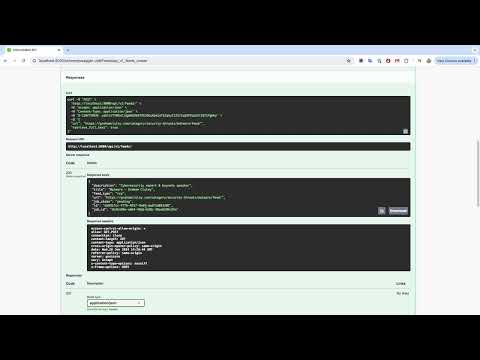
history4feed offers an API interface that;
- takes an RSS / ATOM feed URL
- downloads a Wayback Machine archive for the feed
- identified all unique blog posts in the historic feeds downloaded
- downloads a HTML version of the article content on each page
- stores the post record in the databases
- exposes the posts as JSON or XML RSS
tl;dr
Install
Download and configure
# clone the latest code
git clone https://github.com/muchdogesec/history4feed
Configuration options
history4feed has various settings that are defined in an .env file.
To create a template for the file:
cp .env.example .env
To see more information about how to set the variables, and what they do, read the .env.markdown file.
Build the Docker Image
sudo docker compose build
Start the server
sudo docker compose up
Access the server
The webserver (Django) should now be running on: http://127.0.0.1:8002/
You can access the Swagger UI for the API in a browser at: http://127.0.0.1:8002/api/schema/swagger-ui/
Useful supporting tools
- Full Text, Full Archive RSS Feeds for any Blog
- An up-to-date list of threat intel blogs that post cyber threat intelligence research
- Donate to the Wayback Machine
Support
Minimal support provided via the DOGESEC community.
License
Project details
Verified details
These details have been verified by PyPIProject links
GitHub Statistics
Maintainers
Release history Release notifications | RSS feed


Download files
Download the file for your platform. If you're not sure which to choose, learn more about installing packages.
Source Distribution
Built Distribution
Filter files by name, interpreter, ABI, and platform.
If you're not sure about the file name format, learn more about wheel file names.
Copy a direct link to the current filters
File details
Details for the file history4feed-1.0.2.tar.gz.
File metadata
- Download URL: history4feed-1.0.2.tar.gz
- Upload date:
- Size: 152.4 kB
- Tags: Source
- Uploaded using Trusted Publishing? Yes
- Uploaded via: twine/6.1.0 CPython/3.12.9
File hashes
| Algorithm | Hash digest | |
|---|---|---|
| SHA256 |
a9e73c44a969176903eb0c0a8cfaa3c66d5f52fa4e0798d9ef3439fe34e5489e
|
|
| MD5 |
e5484ee1c63de744978ac66489a6dac9
|
|
| BLAKE2b-256 |
a2f5a128d67fc049f30cea083ee8ff556f3d92990dc545fdfb83b4f40843c1b1
|
Provenance
The following attestation bundles were made for history4feed-1.0.2.tar.gz:
Publisher:
create-release.yml on muchdogesec/history4feed
-
Statement:
-
Statement type:
https://in-toto.io/Statement/v1 -
Predicate type:
https://docs.pypi.org/attestations/publish/v1 -
Subject name:
history4feed-1.0.2.tar.gz -
Subject digest:
a9e73c44a969176903eb0c0a8cfaa3c66d5f52fa4e0798d9ef3439fe34e5489e - Sigstore transparency entry: 309402919
- Sigstore integration time:
-
Permalink:
muchdogesec/history4feed@fc3b6f6360f786a0a9a95f059f3ef29580e74e53 -
Branch / Tag:
refs/heads/main - Owner: https://github.com/muchdogesec
-
Access:
public
-
Token Issuer:
https://token.actions.githubusercontent.com -
Runner Environment:
github-hosted -
Publication workflow:
create-release.yml@fc3b6f6360f786a0a9a95f059f3ef29580e74e53 -
Trigger Event:
push
-
Statement type:
File details
Details for the file history4feed-1.0.2-py3-none-any.whl.
File metadata
- Download URL: history4feed-1.0.2-py3-none-any.whl
- Upload date:
- Size: 44.5 kB
- Tags: Python 3
- Uploaded using Trusted Publishing? Yes
- Uploaded via: twine/6.1.0 CPython/3.12.9
File hashes
| Algorithm | Hash digest | |
|---|---|---|
| SHA256 |
9a4445314f49089440e0b87fd3d3ce793491a42125e8b2d1aaacec9d21448d24
|
|
| MD5 |
ee9debaefb87e43d55494f03e70e97be
|
|
| BLAKE2b-256 |
30e5e0a97793c3d0794d802e2ac1541df45569cc0a53e7e8539fb427db9917a6
|
Provenance
The following attestation bundles were made for history4feed-1.0.2-py3-none-any.whl:
Publisher:
create-release.yml on muchdogesec/history4feed
-
Statement:
-
Statement type:
https://in-toto.io/Statement/v1 -
Predicate type:
https://docs.pypi.org/attestations/publish/v1 -
Subject name:
history4feed-1.0.2-py3-none-any.whl -
Subject digest:
9a4445314f49089440e0b87fd3d3ce793491a42125e8b2d1aaacec9d21448d24 - Sigstore transparency entry: 309402930
- Sigstore integration time:
-
Permalink:
muchdogesec/history4feed@fc3b6f6360f786a0a9a95f059f3ef29580e74e53 -
Branch / Tag:
refs/heads/main - Owner: https://github.com/muchdogesec
-
Access:
public
-
Token Issuer:
https://token.actions.githubusercontent.com -
Runner Environment:
github-hosted -
Publication workflow:
create-release.yml@fc3b6f6360f786a0a9a95f059f3ef29580e74e53 -
Trigger Event:
push
-
Statement type:






