
A Textual TUI to view HLedger data.
Verified details
These details have been verified by PyPIProject links
GitHub Statistics
Maintainers

Project description
hledger-tui




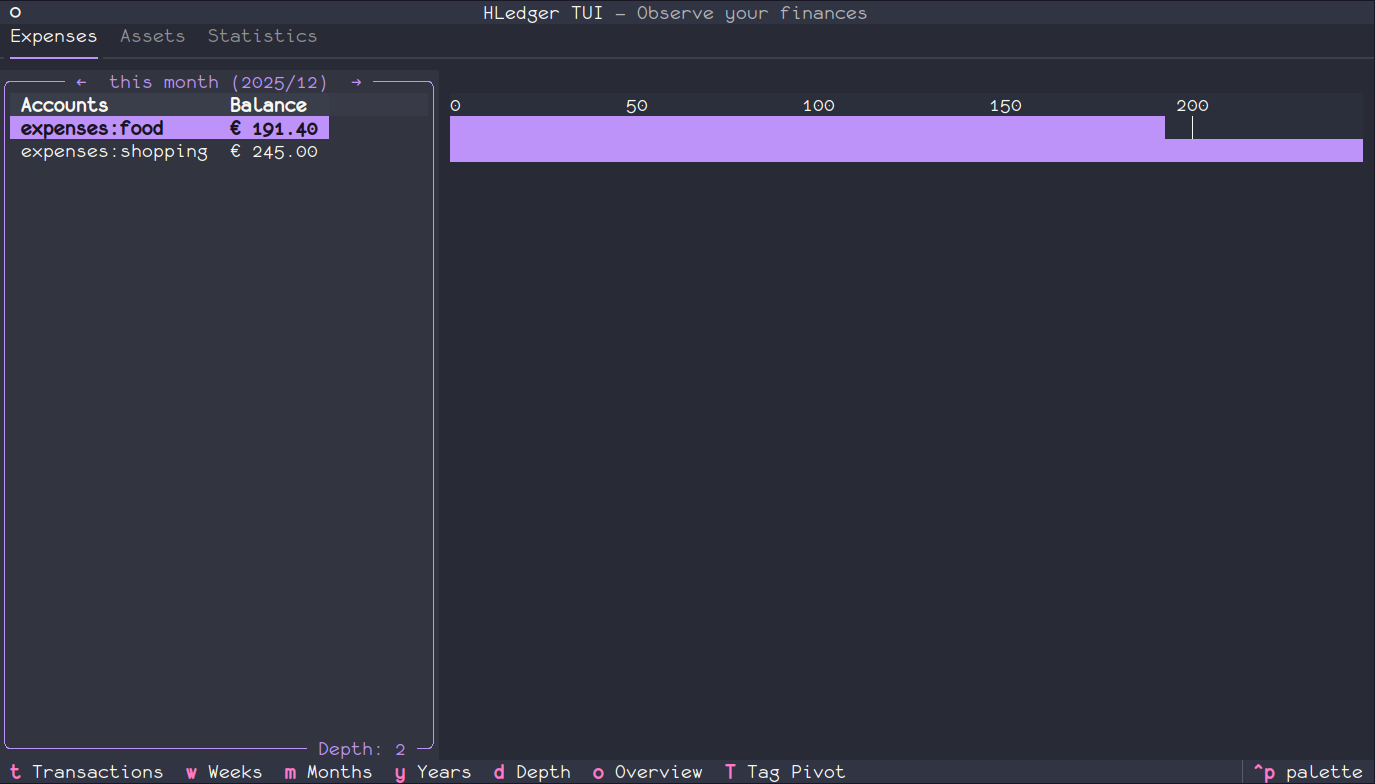
A beautiful, keyboard-driven terminal UI for viewing and analyzing your hledger financial data. Built with Textual, this TUI provides an intuitive interface to explore your expenses, assets, and financial statistics.
Observe your finances without leaving the terminal!
 |
 |
 |
|
 |
 |
 |
 |
✨ Features
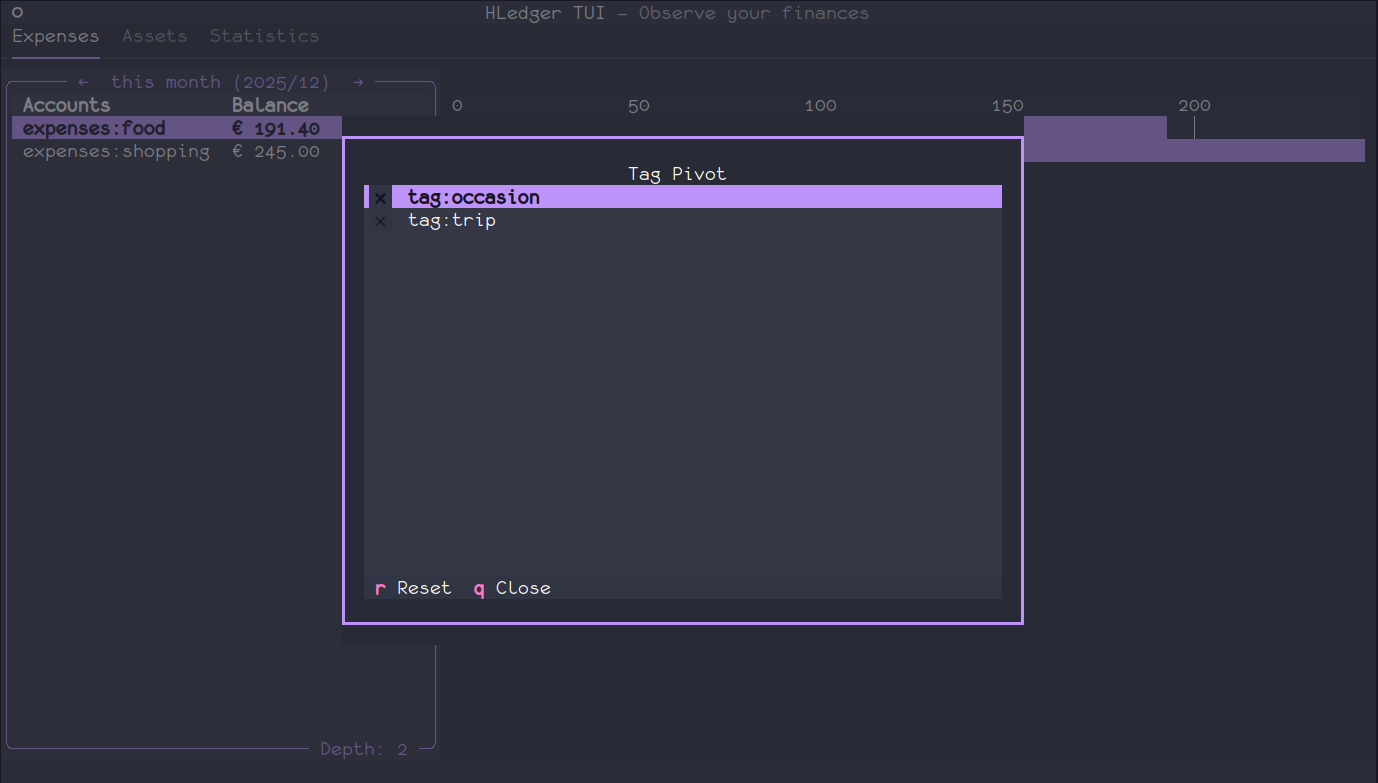
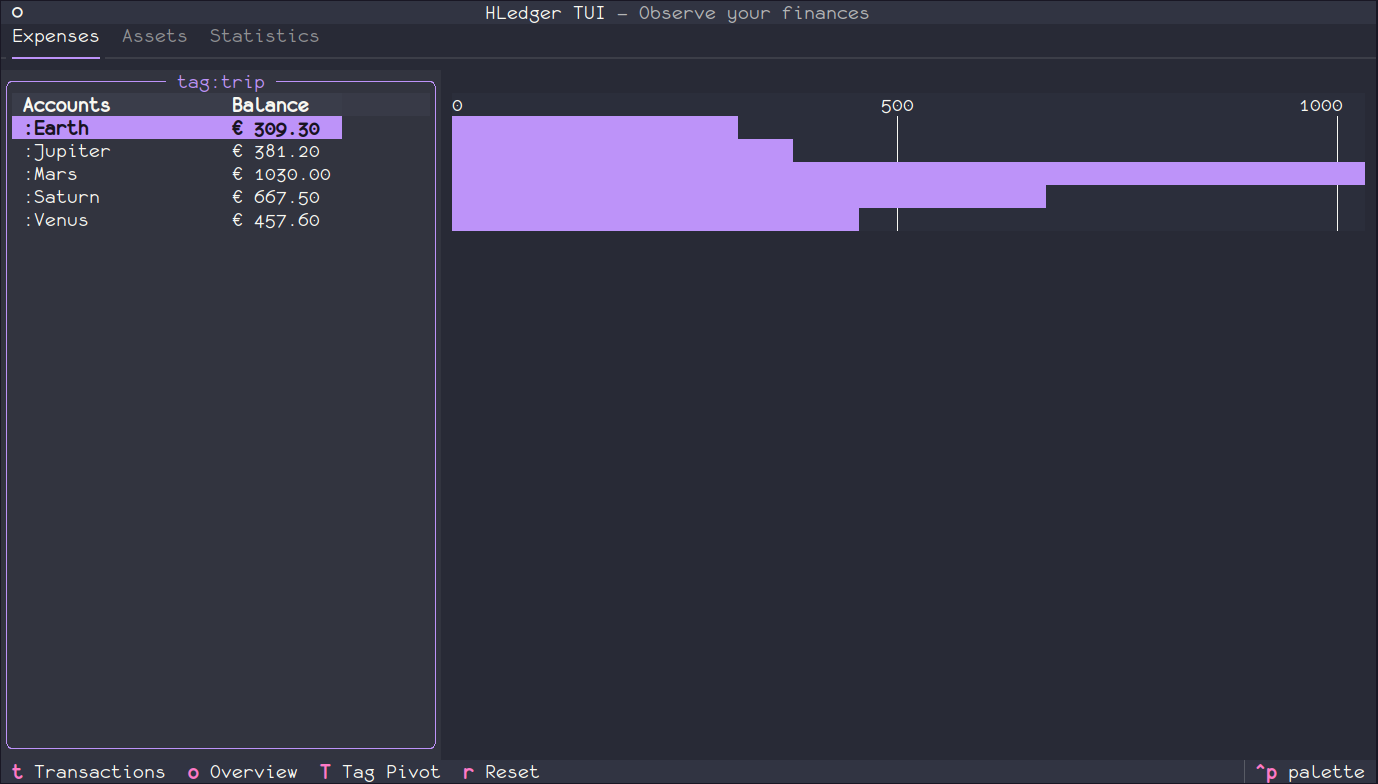
- 📊 Expenses Analysis: Categorized expense tracking with bar charts, tag pivoting, and flexible time period navigation (weeks, months, quarters, years)
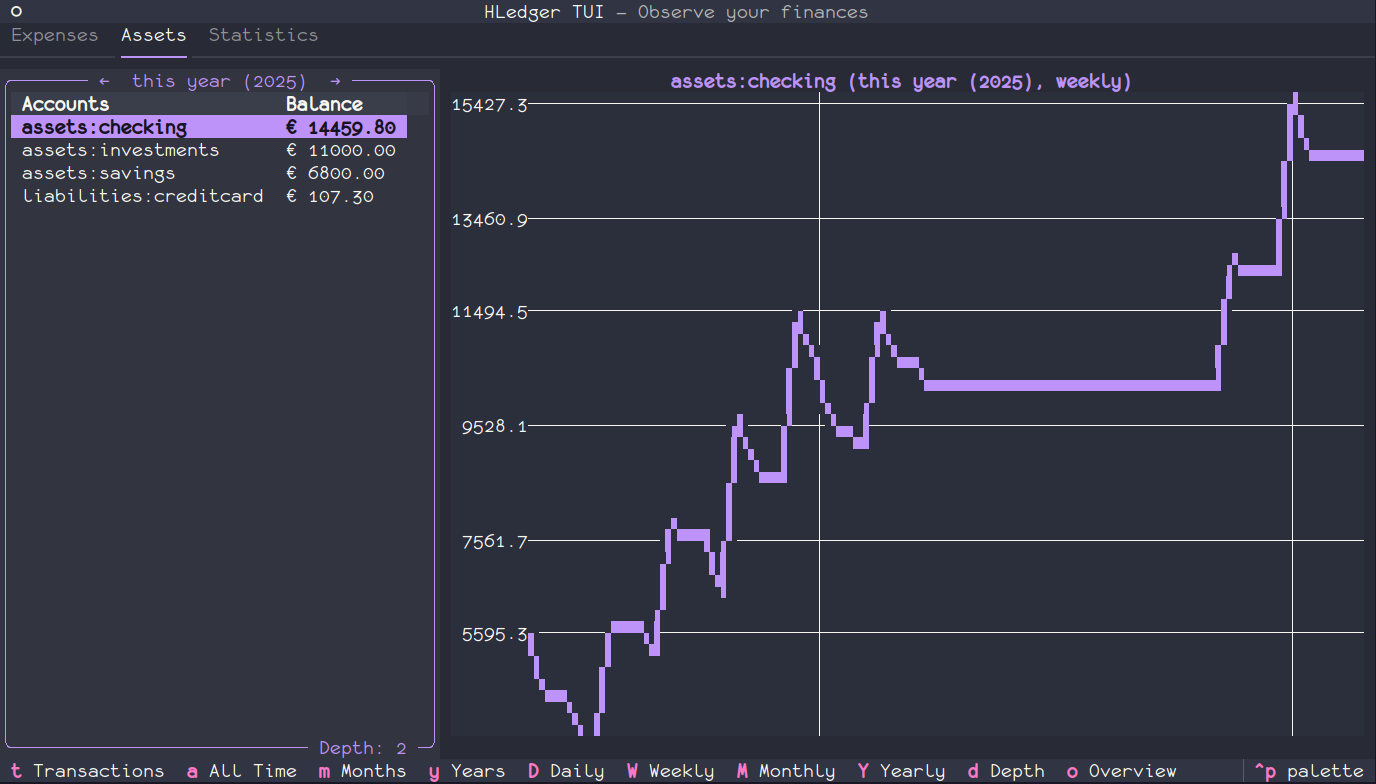
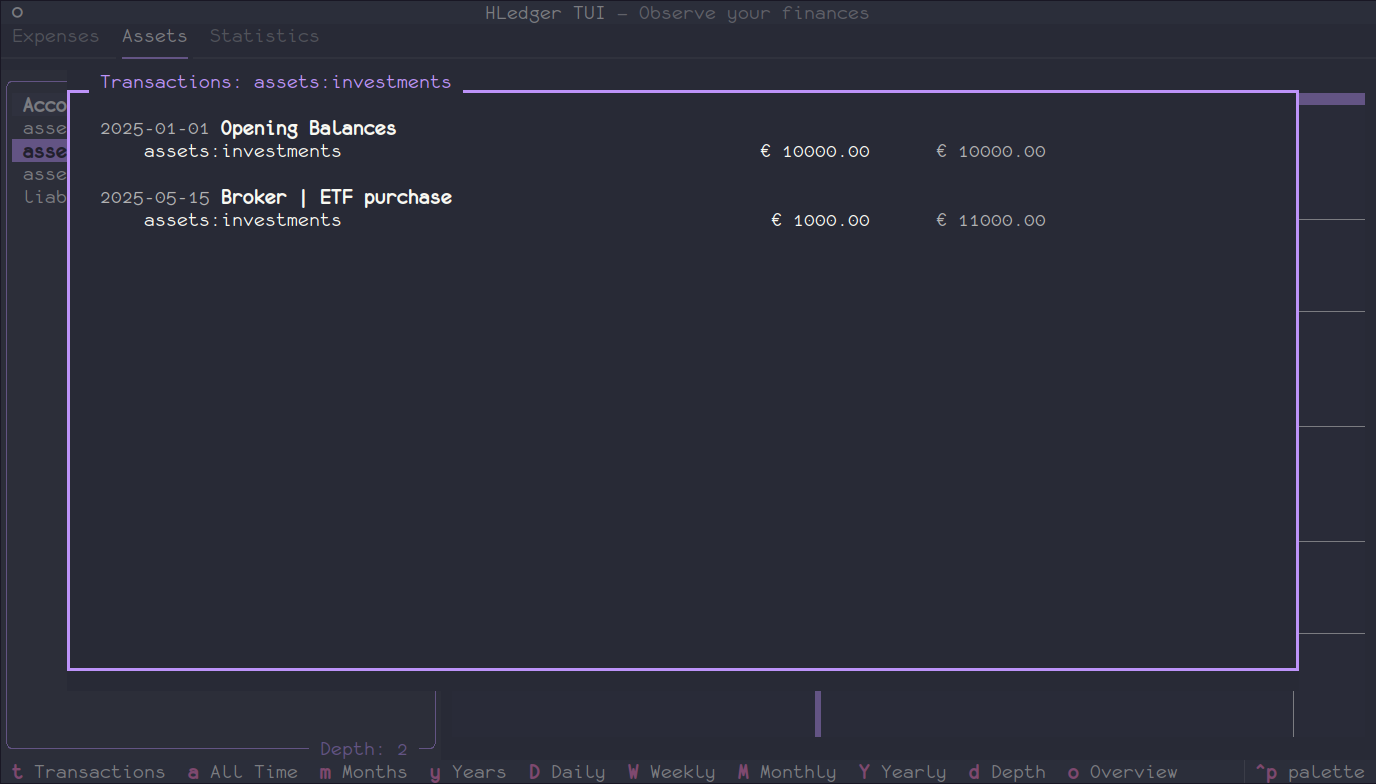
- 💰 Asset Monitoring: Track asset balances over time with interactive line charts and customizable time subdivisions (day, week, month, year)
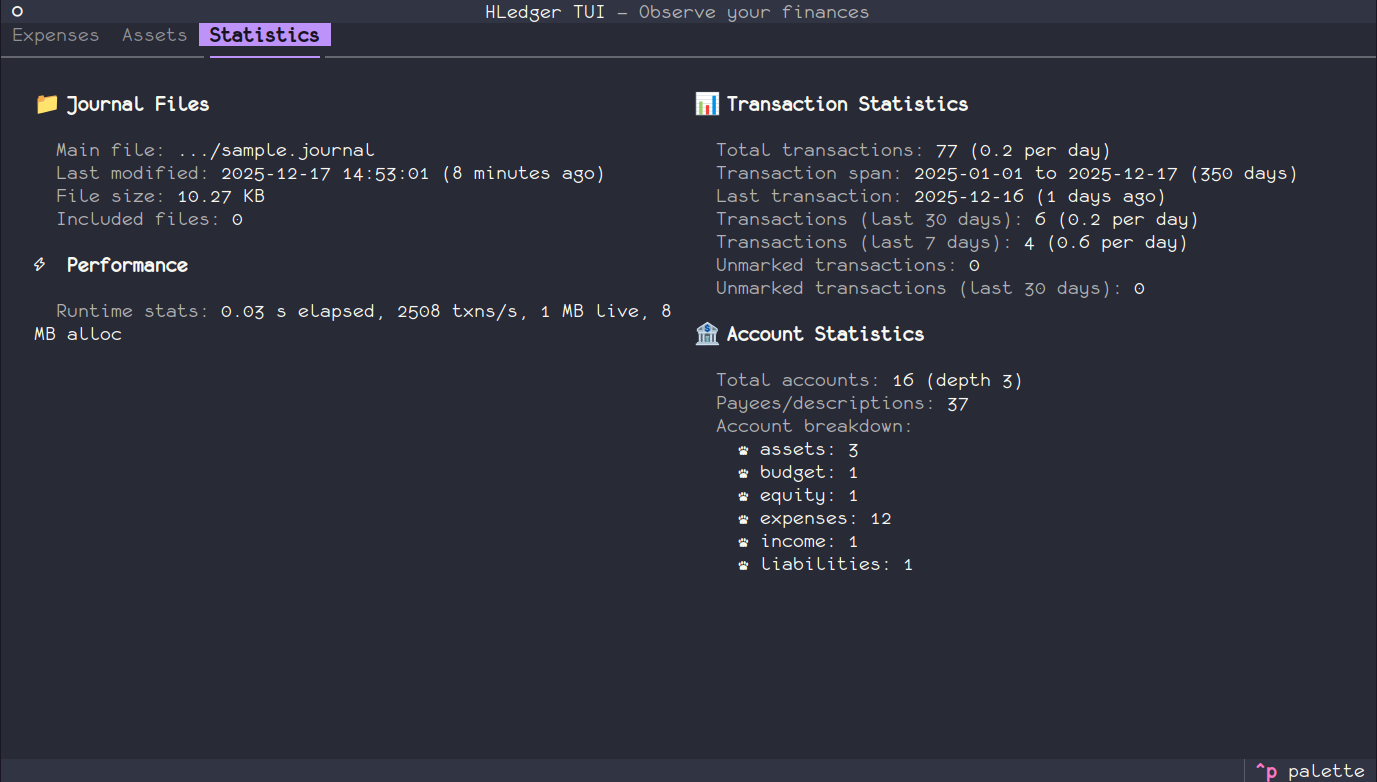
- 📈 Statistics Dashboard: Comprehensive journal insights including account summaries, commodity tracking, and transaction metrics
- 🔍 Detailed Views: Dive into account overviews, transaction lists, and balance histories for any account
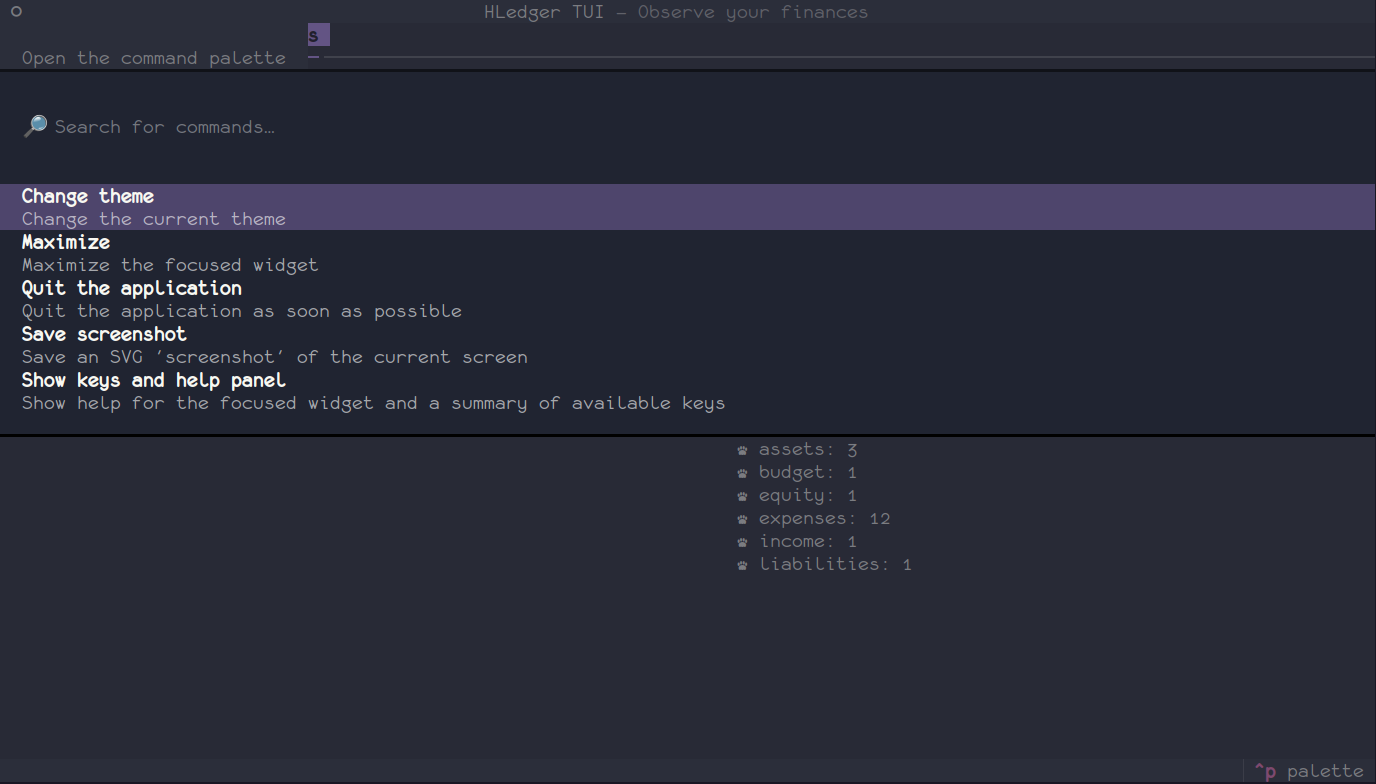
- ⌨️ Keyboard-Driven: Fast navigation with intuitive keyboard shortcuts and context-sensitive footer
- 🎨 Visual Charts: Compare data across accounts and time periods with built-in bar and line charts
📋 Requirements
- Python >= 3.10
- hledger >= 1.25 installed and available on your PATH
- LEDGER_FILE environment variable or
-f/--fileflag specifying your hledger journal file
💾 Installation
pip install hledger-tui
Or try it without installing (requires uv):
uvx hledger-tui
🎮 Usage
-
Set up your environment (optional if using
-fflag):export LEDGER_FILE=/path/to/your/journal.ledger
-
Launch the TUI:
hledger-tui
Or with a specific ledger file:
hledger-tui -f /path/to/your/journal.ledger
Or alternatively:
hledger tui -
Web App Mode (optional):
You can also run hledger-tui as a web application accessible via browser:
hledger-tui --serveThis will start a web server and provide a URL to access the TUI in your browser.
Command-Line Options
-f,--file: Specify the path to your hledger journal file (takes precedence overLEDGER_FILEenvironment variable)--serve: Run the app in web app mode, accessible via browser--help: Show help message with all available options and examples
That's it! Use the keyboard shortcuts shown in the footer to navigate and explore your financial data.
⚙️ Configuration
hledger-tui can be configured using a YAML config file or environment variables. The config file is the recommended approach for most users, while environment variables are useful for temporary overrides or containerized deployments.
When the same setting is specified in multiple places, they are applied in this priority order (highest to lowest):
- Environment variables (e.g.,
HLEDGER_TUI_DEPTH=3) - Config file (
~/.config/hledger-tui/config.yaml) - Default values (built into the application)
Configuration File (Recommended)
Create a config file at the platform-specific location:
- Linux:
~/.config/hledger-tui/config.yaml - macOS:
~/Library/Application Support/hledger-tui/config.yaml - Windows:
%LOCALAPPDATA%\hledger-tui\config.yaml
Example config.yaml:
# Path to hledger file:oOptional if LEDGER_FILE is set, or when using `-f`/`--file`
ledger_file: /path/to/hledger.journal
# Query defaults for filtering results in various tabs
queries:
  assets:
    - acct:assets
  expenses:
    - acct:expenses
  tags:
    - acct:expenses

# Display settings
depth: 2
commodity: ""  # Empty = use market prices; set to "$" or "€" to convert

# Period settings
period:
  unit: months          # Options: weeks, months, quarters, years
  subdivision: weekly   # Options: daily, weekly, monthly, yearly

# Extra options for HLedger commands
extra_options:
  balance: []   # Example: ["--cost", "--depth", "4"]
  register: []  # Example: ["--related", "--cost"]
Environment Variables
You can override any config file setting using environment variables. This is especially useful for CI/CD, containers, or temporary changes.
| Variable | Description | Default | Example |
|---|---|---|---|
LEDGER_FILE |
Path to your hledger journal file (can be overridden with -f flag) |
None | /path/to/journal.ledger |
HLEDGER_TUI_QUERIES_ASSETS |
JSON array of asset query filters | ["acct:assets", "acct:liabilities", ...] |
'["acct:assets", "acct:liabilities"]' |
HLEDGER_TUI_QUERIES_EXPENSES |
JSON array of expense query filters | ["acct:expenses", "not:acct:financial", ...] |
'["acct:expenses", "not:tag:excluded"]' |
HLEDGER_TUI_QUERIES_TAGS |
JSON array of tag query filters | ["acct:expenses"] |
'["acct:expenses", "acct:income"]' |
HLEDGER_TUI_DEPTH |
Default depth for account hierarchy display | 2 |
3 |
HLEDGER_TUI_COMMODITY |
Currency for exchange conversion (empty = use market prices) | `` (empty) | €, $, USD |
HLEDGER_TUI_EXTRA_OPTIONS_BALANCE |
JSON array of extra options for hledger balance command |
[] |
'["--cost", "--depth", "4"]' |
HLEDGER_TUI_EXTRA_OPTIONS_REGISTER |
JSON array of extra options for hledger register command |
[] |
'["--cost", "--related"]' |
Note: List-type environment variables must be in JSON array format. Use single quotes to wrap the JSON string in shell:
export HLEDGER_TUI_QUERIES_EXPENSES='["acct:expenses", "not:acct:financial"]'
💱 Multi-Currency Support
hledger-tui supports journals with multiple currencies, but it can only display one at a time. Terminal plots require a single currency, because trying to display multiple at once would make bar and line charts in the TUI cluttered, or would make lines overlap.
There are three main strategies to handle multi-currency journals.
Automatic Conversion (Default)
When HLEDGER_TUI_COMMODITY is not set (default), hledger-tui uses the --market flag from HLedger to convert all amounts to one currency, based on market prices declared in your journal:
Convert to a Specific Currency
Set HLEDGER_TUI_COMMODITY to convert all amounts to a specific currency using the --exchange HLedger flag.
# Convert everything to euros
export HLEDGER_TUI_COMMODITY="€"
hledger-tui
The currency must exist in hledger commodities --declared or an error will be raised.
Filter Transactions by Currency
Add currency filters to your queries to view only transactions related to a specific commodity:
# Show only euro transactions
export HLEDGER_TUI_QUERIES_EXPENSES="acct:expenses,cur:€"
export HLEDGER_TUI_QUERIES_ASSETS="acct:assets,cur:€"
export HLEDGER_TUI_COMMODITY="€"
hledger-tui
Custom Conversion Options
You can pass additional HLedger options using the HLEDGER_TUI_EXTRA_OPTIONS_BALANCE and HLEDGER_TUI_EXTRA_OPTIONS_REGISTER environment variables. For example, to use cost basis conversion instead of market prices:
# Use cost basis for all balance commands
export HLEDGER_TUI_EXTRA_OPTIONS_BALANCE='["--cost"]'
export HLEDGER_TUI_EXTRA_OPTIONS_REGISTER='["--cost"]'
hledger-tui
These variables accept any valid HLedger command-line options and can be used to customize behavior beyond the built-in settings.
🔧 Development
Prerequisites
Setup
# Clone the repository
git clone https://github.com/lucabello/hledger-tui.git
cd hledger-tui

# Install development dependencies
uv sync --extra dev
Available Commands
Run just to see all available commands:
∮ just
just --list
Available recipes:
    [build]
    build  # Build the project
    clean  # Remove build artifacts, caches, and temporary files

    [dev]
    check  # Run all quality checks
    format # Format the codebase using ruff
    lint   # Lint the codebase using ruff
    run    # Run the app with hledger-tui
    test   # Run tests
🤝 Contributing
Contributions are welcome! Here's how you can help:
- Fork the repository
- Create a feature branch (
git checkout -b feature/amazing-feature) - Make your changes
- Run quality checks (
just check) - Commit your changes (
git commit -m 'Add amazing feature') - Push to the branch (
git push origin feature/amazing-feature) - Open a Pull Request
Please ensure your code follows the project's style guidelines and includes appropriate tests.
📝 License
This project is licensed under the Apache-2.0 License - see the LICENSE file for details.
🙏 Acknowledgments
- hledger - Plain text accounting software
- Textual - Modern TUI framework for Python
- textual-plotext - Charts for Textual
📬 Contact
Project Link: https://github.com/lucabello/hledger-tui
Made with ❤️ for plain text accounting enthusiasts
Project details
Verified details
These details have been verified by PyPIProject links
GitHub Statistics
Maintainers


Download files
Download the file for your platform. If you're not sure which to choose, learn more about installing packages.
Source Distribution
Built Distribution
Filter files by name, interpreter, ABI, and platform.
If you're not sure about the file name format, learn more about wheel file names.
Copy a direct link to the current filters
File details
Details for the file hledger_tui-0.1.3.tar.gz.
File metadata
- Download URL: hledger_tui-0.1.3.tar.gz
- Upload date:
- Size: 31.9 kB
- Tags: Source
- Uploaded using Trusted Publishing? Yes
- Uploaded via: uv/0.11.6 {"installer":{"name":"uv","version":"0.11.6","subcommand":["publish"]},"python":null,"implementation":{"name":null,"version":null},"distro":{"name":"Ubuntu","version":"24.04","id":"noble","libc":null},"system":{"name":null,"release":null},"cpu":null,"openssl_version":null,"setuptools_version":null,"rustc_version":null,"ci":true}
File hashes
| Algorithm | Hash digest | |
|---|---|---|
| SHA256 |
5a1b31ce7fba2664865dedff801c109279525d667a49991c058ad5f4267cff76
|
|
| MD5 |
0df05a583e016ed1c72f13d9ffded370
|
|
| BLAKE2b-256 |
1f2e56cbfe9b80d0fcc24159e155910d845ea93a9e3eb2565b81375dbbe0abf3
|
File details
Details for the file hledger_tui-0.1.3-py3-none-any.whl.
File metadata
- Download URL: hledger_tui-0.1.3-py3-none-any.whl
- Upload date:
- Size: 47.4 kB
- Tags: Python 3
- Uploaded using Trusted Publishing? Yes
- Uploaded via: uv/0.11.6 {"installer":{"name":"uv","version":"0.11.6","subcommand":["publish"]},"python":null,"implementation":{"name":null,"version":null},"distro":{"name":"Ubuntu","version":"24.04","id":"noble","libc":null},"system":{"name":null,"release":null},"cpu":null,"openssl_version":null,"setuptools_version":null,"rustc_version":null,"ci":true}
File hashes
| Algorithm | Hash digest | |
|---|---|---|
| SHA256 |
308b4909154338280517103ee2aea63c30d5875c5a03b71736ec5c313bc64997
|
|
| MD5 |
8bc95c935c86d1f4e8b84e75ebea823e
|
|
| BLAKE2b-256 |
5a20128cc3e15ea8d29cbe4bcb3e46e5c0496379d3187a6ac54f1b0ee3028c3e
|






