
A simple, privacy-focused speech-to-text CLI tool

Project description
hns - A simple, privacy-focused speech-to-text CLI tool
A simple, privacy-focused speech-to-text CLI tool that records your voice, transcribes it locally using faster-whisper, and copies the transcription to your clipboard. Perfect for interacting with Claude Code, VS Code, Slack, or any application where native dictation falls short.
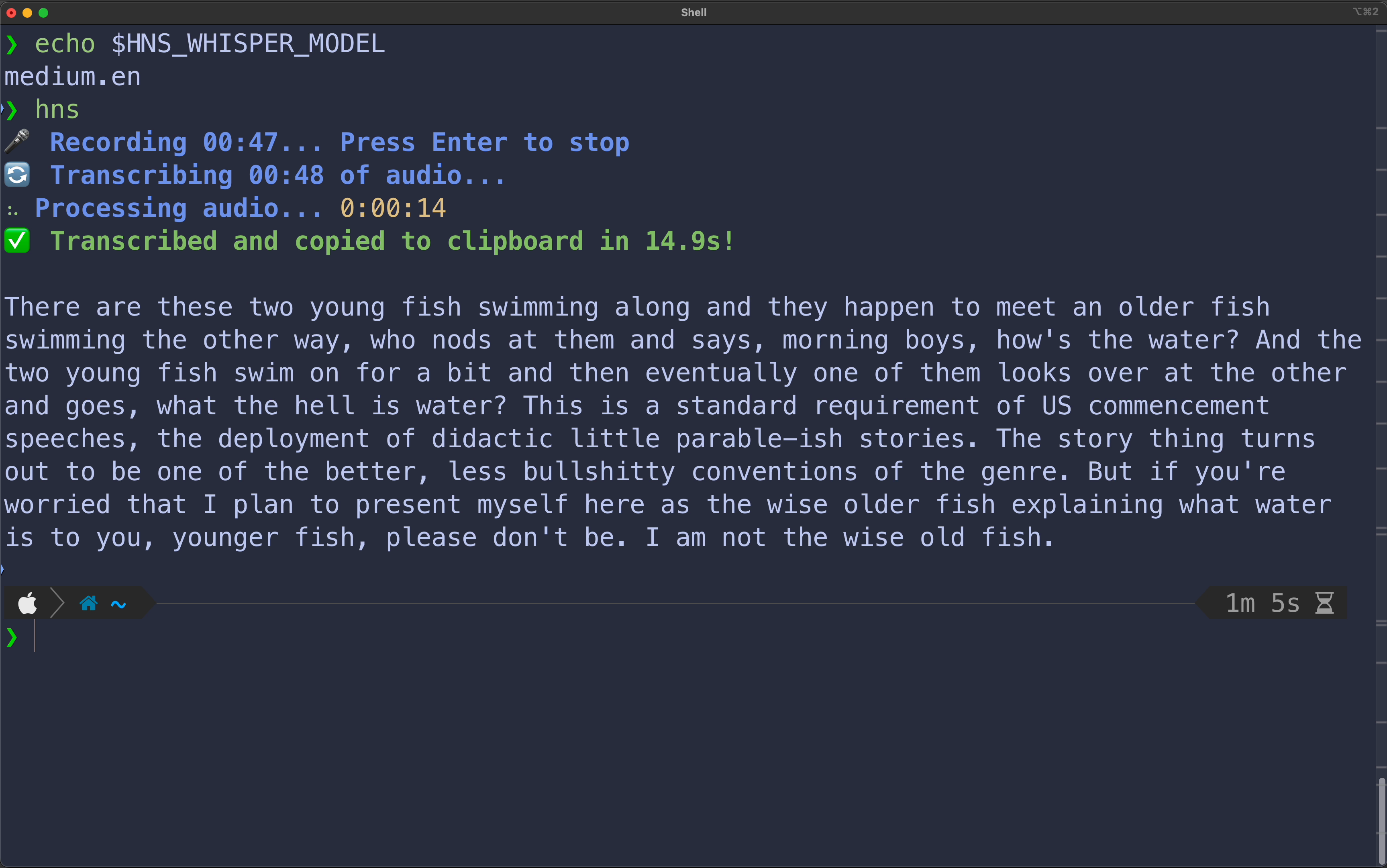
Click the image below to see the demo ⬇️ (warning: demo has sound)
Highlights
- 100% Local & Private: Audio is processed entirely on your local machine. No data leaves your device
- Works Offline: After the initial model download, no internet connection is required
- Instant Clipboard: Transcribed text is automatically copied to your clipboard for immediate pasting
- Multi-Language Support: Transcribe in any language supported by Whisper
- Configurable: Choose models and languages via environment variables
- Focused - Does one thing well: speech → clipboard
- Open Source - MIT licensed, fully transparent
Use Cases
- Claude Code & AI Assistants: Perfect for Claude Code or any AI interface without native dictation. Run
hns, speak your prompt, then paste into Claude Code. - Brain Dump → Structured Output: Ramble your scattered thoughts, then paste into an LLM to organize:
hns  # "So I'm thinking about the refactor... we need to handle auth, but also consider caching..."
# Paste to LLM: "Create a structured plan from these thoughts:"
- Communication: Compose Slack messages, emails, or chat responses hands-free.
- Note-Taking: Quickly capture thoughts and ideas without switching from the keyboard.
- Accessibility: Helpful for users who find typing difficult or painful.
Installation
Install via uv (recommended):
uv tool install hns
or pipx:
pipx install hns
or pip:
pip install --user hns
The first time you run hns, it will download the default Whisper model (base). This requires an internet connection and may take a few moments. Subsequent runs can be fully offline.
Usage
Basic Transcription
- Run the command in your terminal:
hns
- The tool will display
🎤 Recording.... Speak into your microphone. - Press
Enterwhen you have finished. - The transcribed text is automatically copied to your clipboard and printed to the console.
Configuration
Listing Models
To see all available transcription models:
hns --list-models
Setting the Model
Select a model by setting the HNS_WHISPER_MODEL environment variable. The default is base. For higher accuracy, use a larger model like medium or large-v3.
# Use the 'small' model for the current session
export HNS_WHISPER_MODEL="small"
hns
To make the change permanent, add export HNS_WHISPER_MODEL="<model_name>" to your shell profile (.zshrc, .bash_profile, etc.).
Setting the Language
By default, Whisper auto-detects the language. To force a specific language, set the HNS_LANG environment variable.
# Use an environment variable for Japanese
export HNS_LANG="ja"
hns
License
This project is licensed under the MIT License.


Download files
Download the file for your platform. If you're not sure which to choose, learn more about installing packages.
Source Distribution
Built Distribution
Filter files by name, interpreter, ABI, and platform.
If you're not sure about the file name format, learn more about wheel file names.
Copy a direct link to the current filters
File details
Details for the file hns-1.0.6.tar.gz.
File metadata
- Download URL: hns-1.0.6.tar.gz
- Upload date:
- Size: 8.9 kB
- Tags: Source
- Uploaded using Trusted Publishing? No
- Uploaded via: uv/0.9.3
File hashes
| Algorithm | Hash digest | |
|---|---|---|
| SHA256 |
068d60573a523ccc0797224afce3b54295a654a4d10ec0dfe97f6c8a0543011b
|
|
| MD5 |
8c6e29a6764412a587847201e78de9d1
|
|
| BLAKE2b-256 |
efdcd66d56dd86432da38cae38d8ba79c8a6f1ea65640cb04e8a949f2196f5cc
|
File details
Details for the file hns-1.0.6-py3-none-any.whl.
File metadata
- Download URL: hns-1.0.6-py3-none-any.whl
- Upload date:
- Size: 7.7 kB
- Tags: Python 3
- Uploaded using Trusted Publishing? No
- Uploaded via: uv/0.9.3
File hashes
| Algorithm | Hash digest | |
|---|---|---|
| SHA256 |
27bfdb15beb73c0880890493a31d9ba4dc40d1ceb7f1d74111330371b340198d
|
|
| MD5 |
1f396b3f58d3528864dd1b0bedd13390
|
|
| BLAKE2b-256 |
872461f95a5e5fd512bcd4f27cb83791b9c9f0fe6b1a580aa97d657f2a401d17
|






