


HoloViz MCP Server
Let AI agents create interactive visualizations that render live inside your chat — no code required.
Built with FastMCP · Panel · HoloViews · hvPlot · Bokeh



27 MCP tools · 4 interactive UI templates · live streaming · bidirectional interaction
Demo
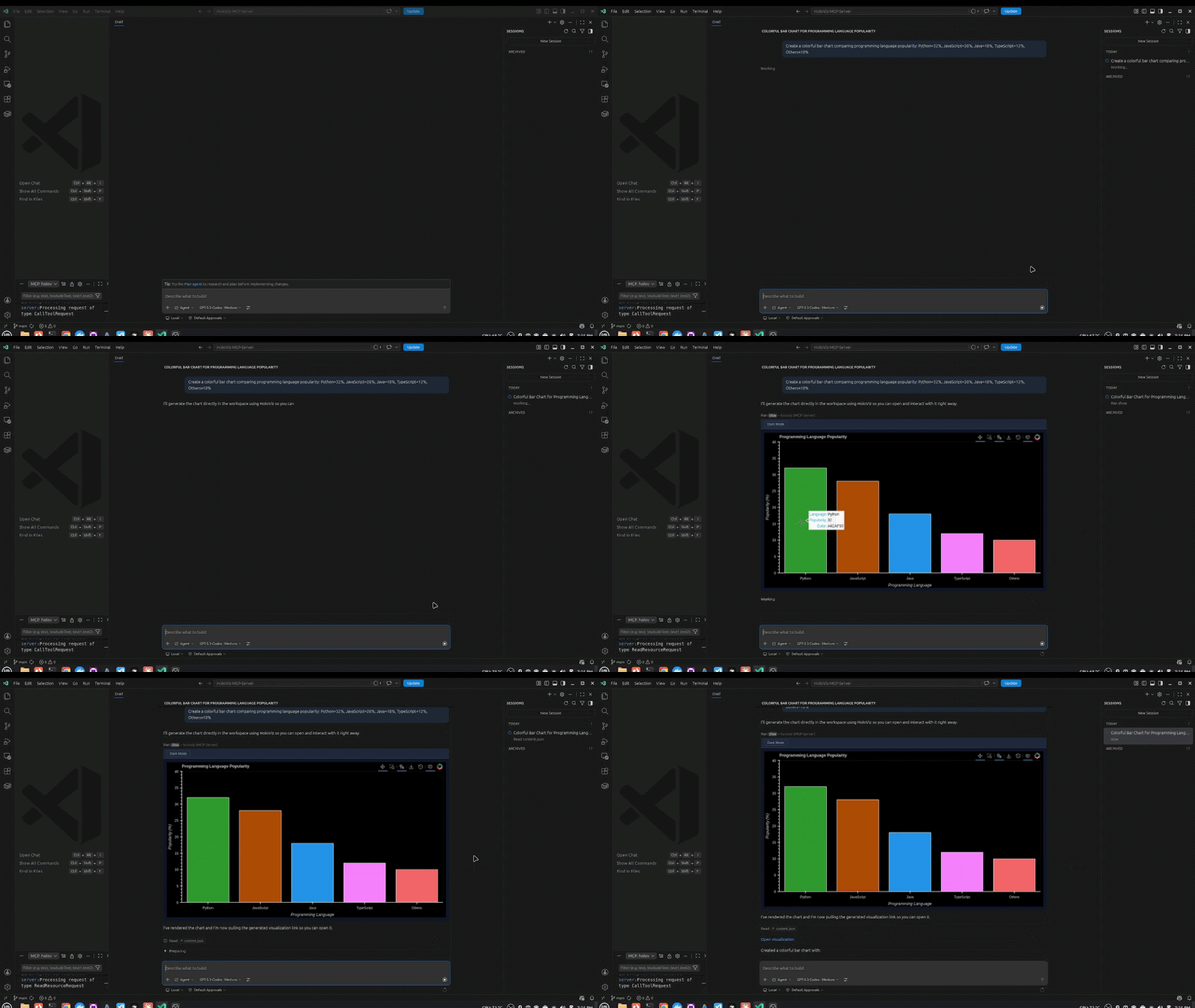
1. Inline Chart
"Create a bar chart comparing programming language popularity: Python=32%, JavaScript=28%, Java=18%, TypeScript=12%, Others=10%"
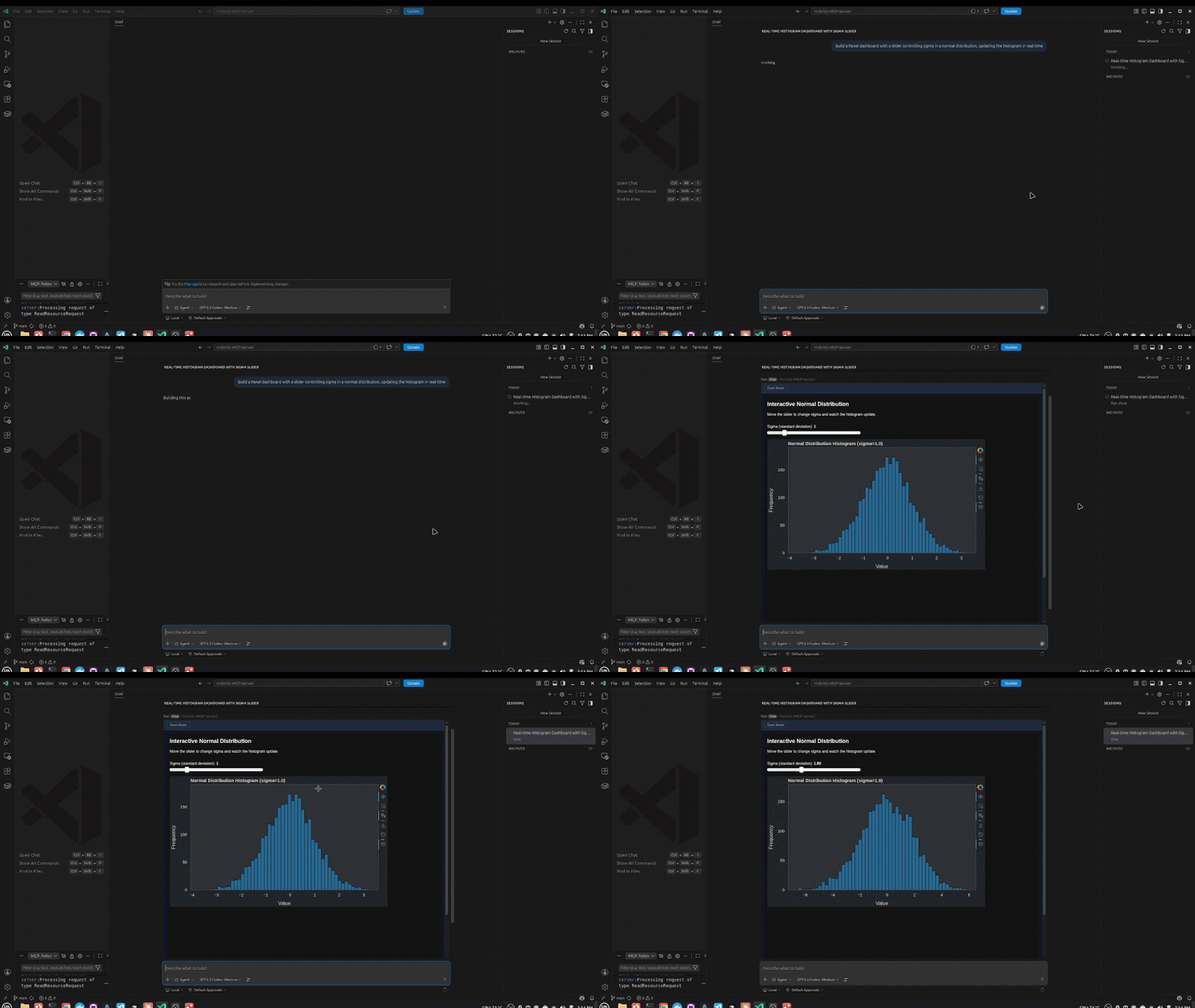
2. Panel Widgets & Interactivity
"Build a Panel dashboard with a slider controlling sigma in a normal distribution, updating the histogram in real time"
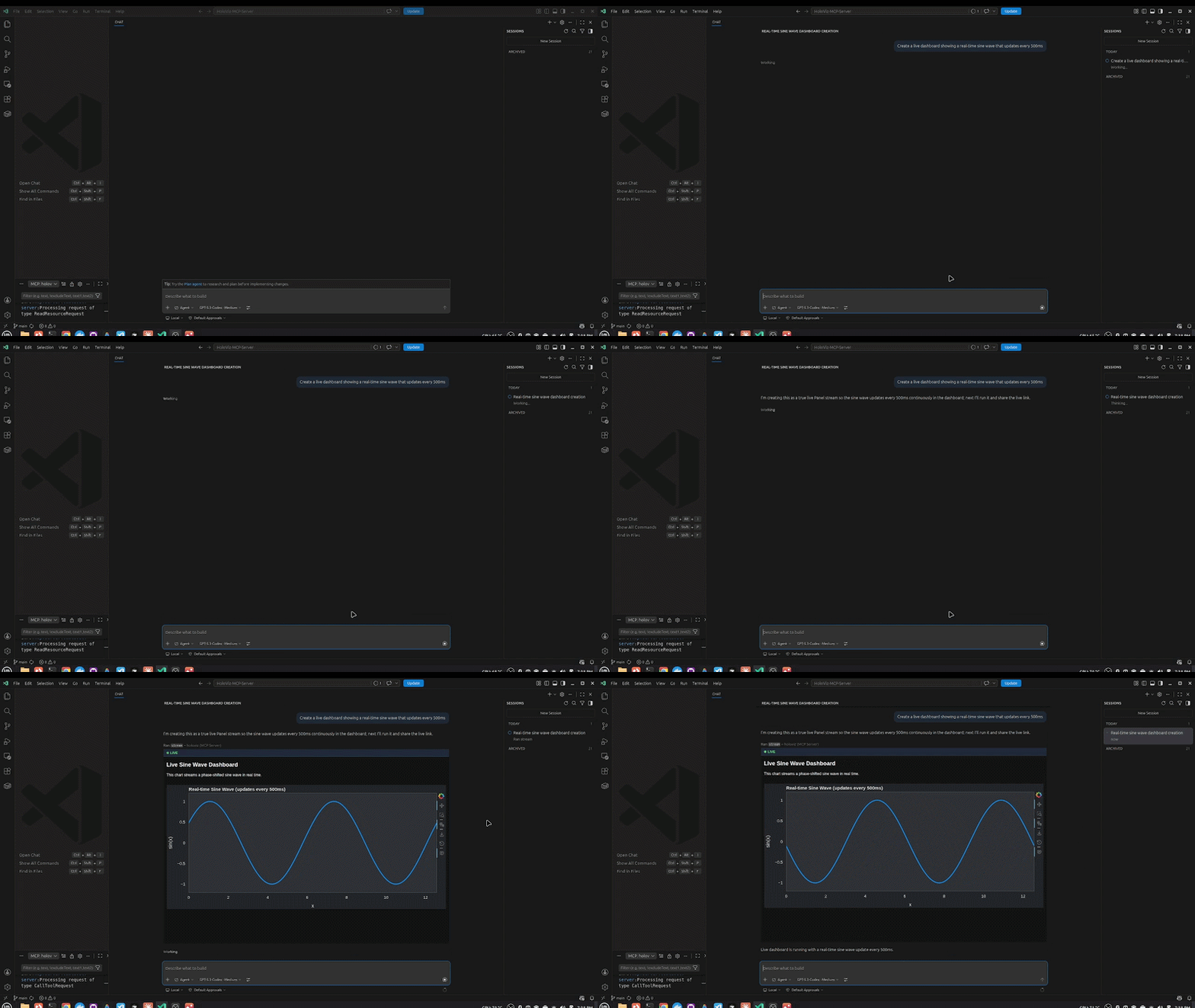
3. Streaming / Live Data
"Create a live dashboard showing a real-time sine wave that updates every 500ms"
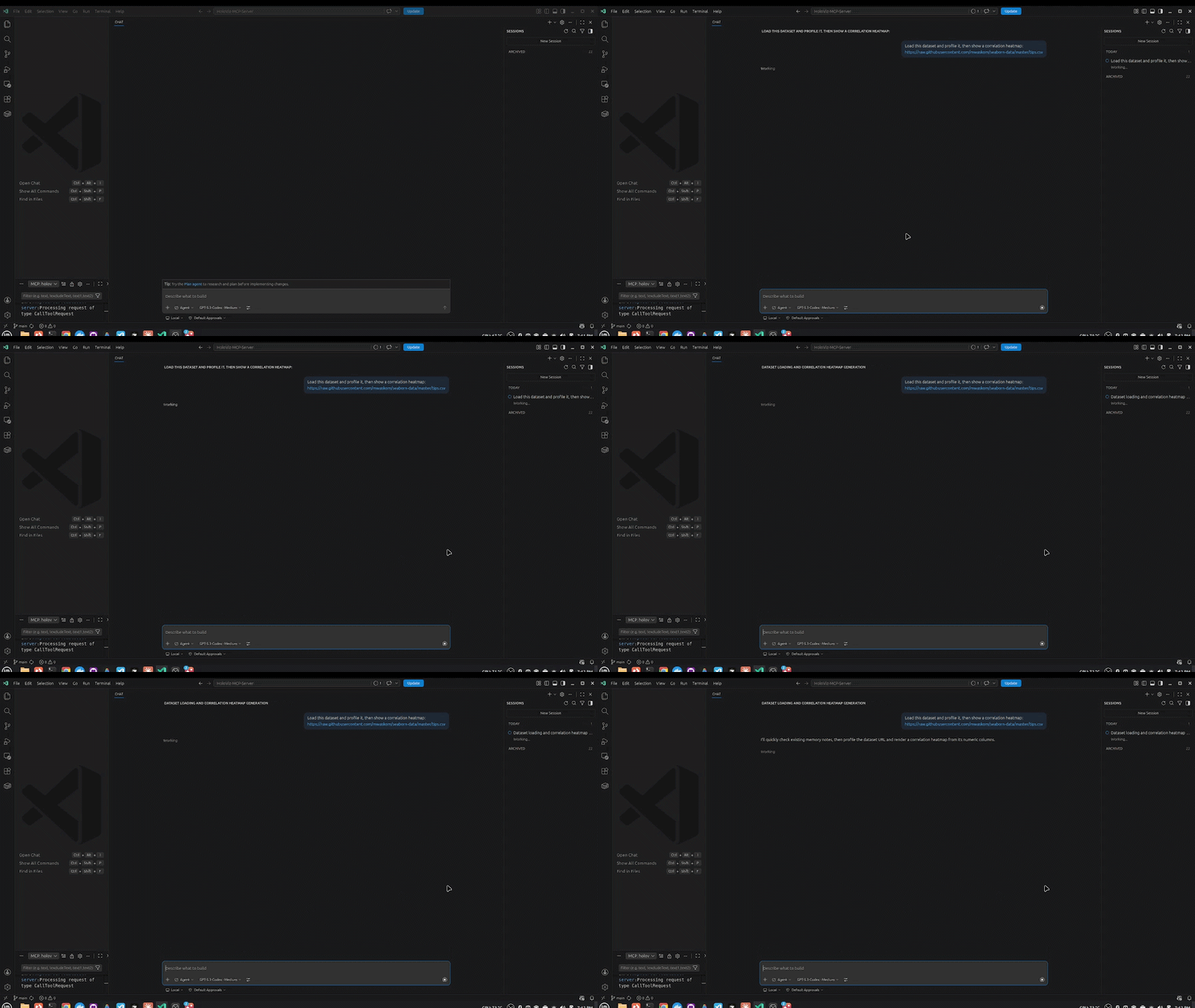
4. Remote Data Loading
"Load this dataset and profile it, then show a correlation heatmap: https://raw.githubusercontent.com/mwaskom/seaborn-data/master/tips.csv"
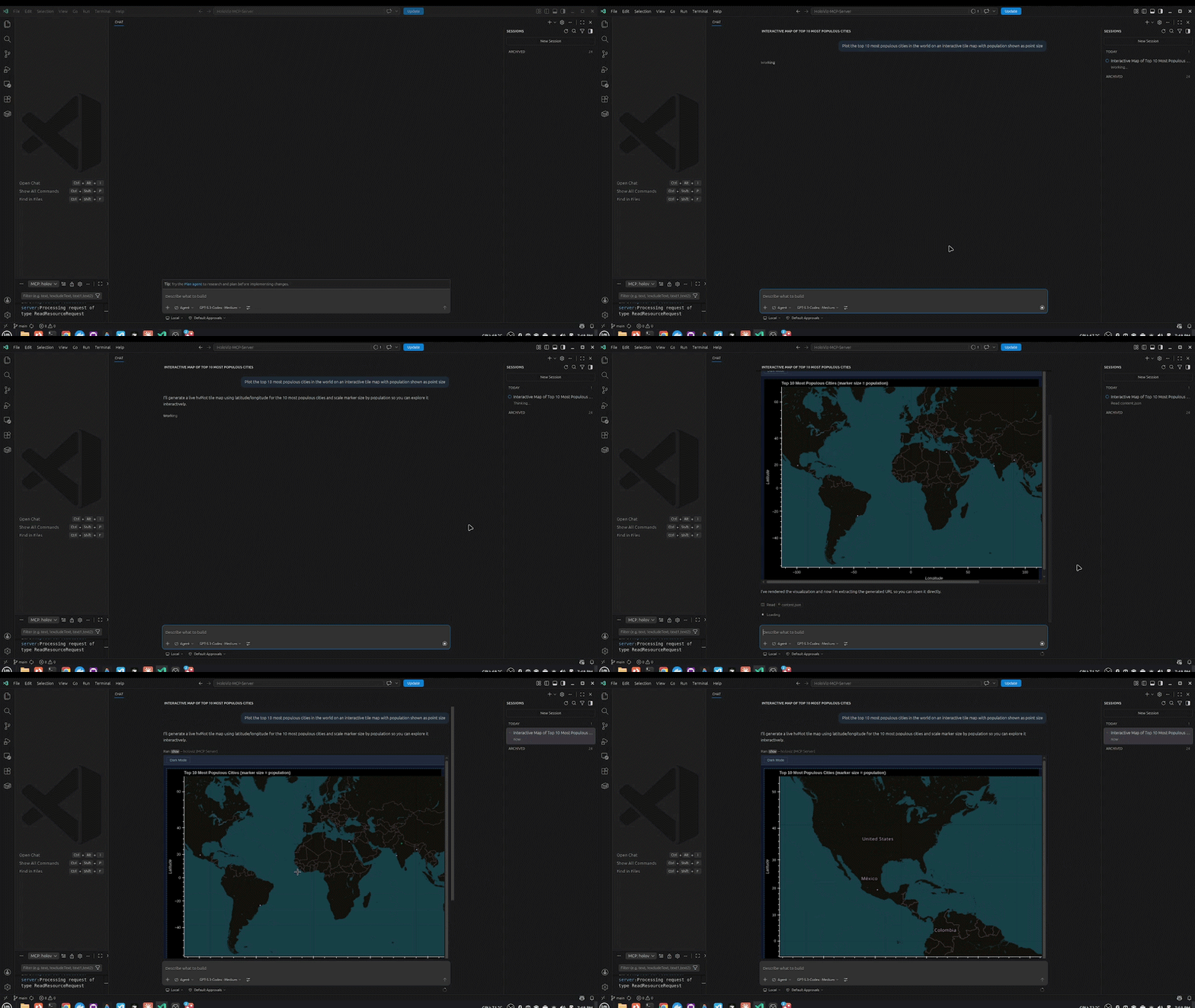
5. Maps
"Plot the top 10 most populous cities in the world on an interactive tile map with population shown as point size"
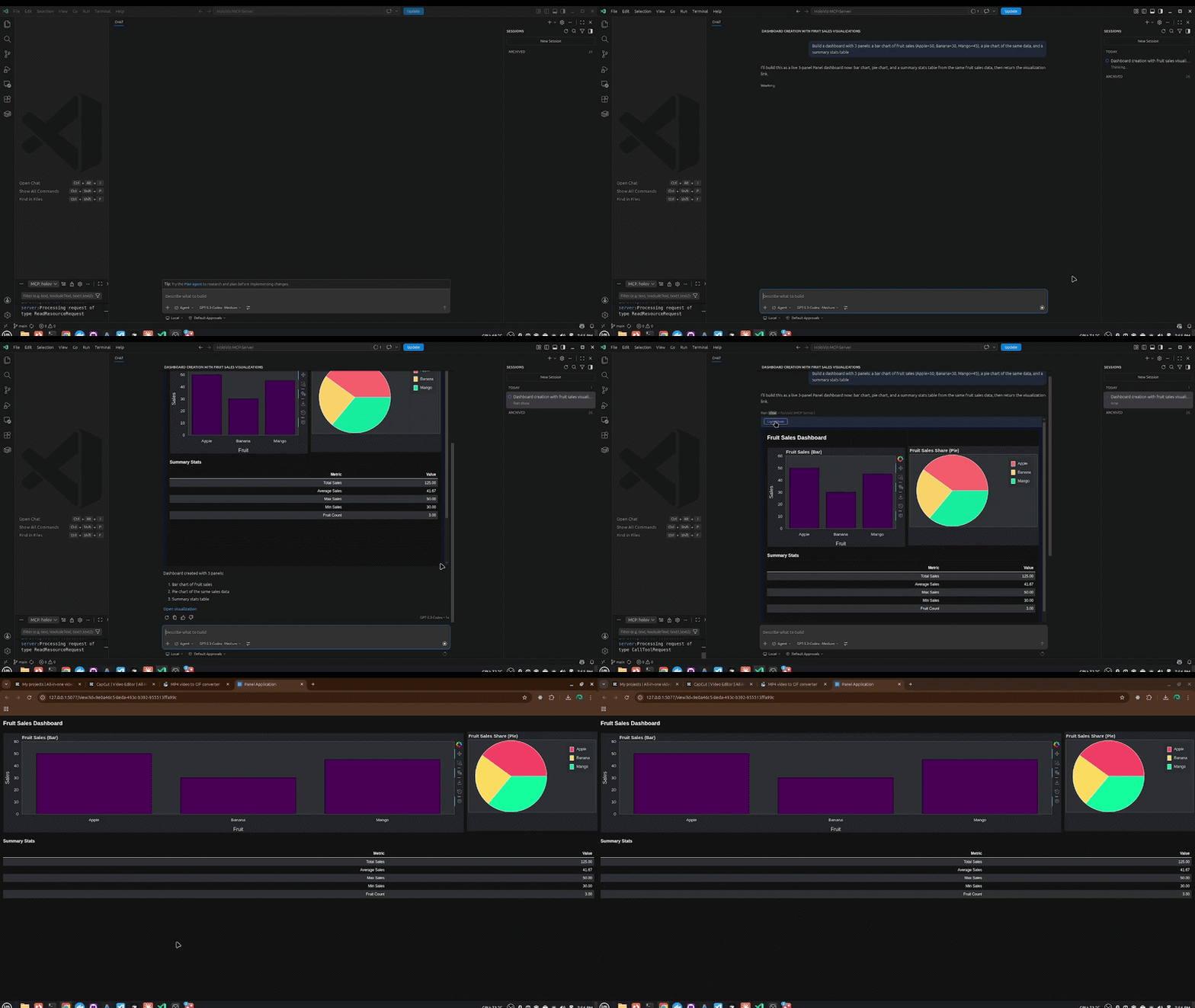
6. Multi-Panel Dashboard
"Build a dashboard with 3 panels: a bar chart of fruit sales (Apple=50, Banana=30, Mango=45), a pie chart of the same data, and a summary stats table"
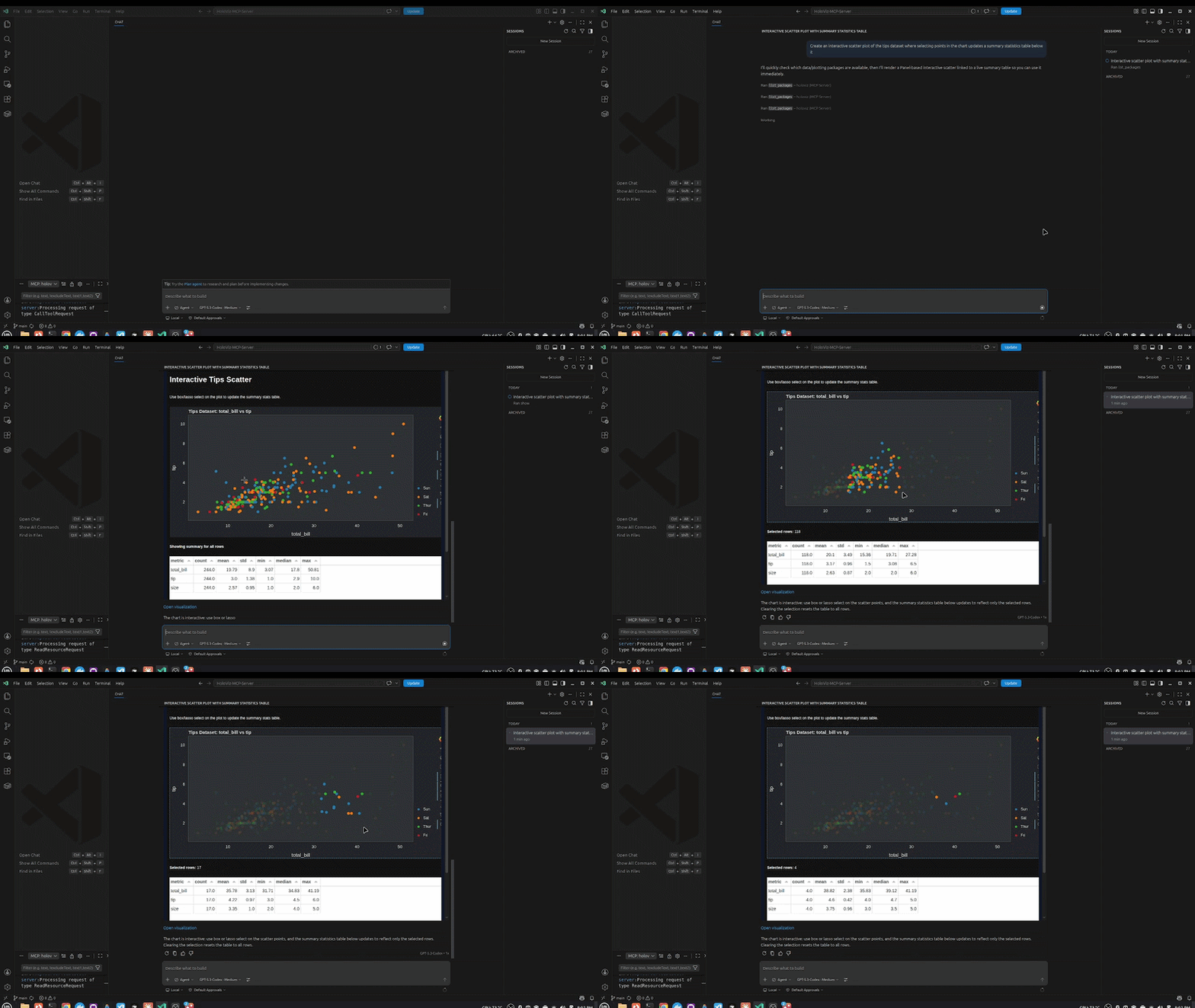
7. Bidirectional Interaction
"Create an interactive scatter plot of the tips dataset where selecting points in the chart updates a summary statistics table below it"
Architecture
This project is designed as an MCP-native visualization platform: LLMs call tools, the server validates and executes visualization code safely, and users get live, interactive UIs inline in chat.
Architecture at a glance
flowchart TB
  subgraph A[LLM Client Layer]
    C1[VS Code Copilot]
    C2[Claude Desktop]
    C3[Cursor]
  end

  subgraph B[MCP Orchestration Layer - FastMCP]
    M1[Core tools
    show stream load_data validate]
    M2[Guided tools
    viz.create dashboard stream multi]
    M3[Introspection tools
    pn.* hvplot.* hv.* skills]
  end

  subgraph V[Validation and Safety Pipeline]
    V1[AST syntax check]
    V2[Ruff security rules + blocked imports]
    V3[Package availability checks]
    V4[Panel extension availability]
    V5[Runtime validation in isolated module]
  end

  subgraph D[Display Runtime - Panel Subprocess]
    D1[REST API
    /api/snippet /api/health]
    D2[Snippet execution and rendering]
    D3[View routes
    /view and feed]
  end

  subgraph P[Persistence Layer]
    P1[SQLite + FTS5 snippets database]
    P2[Metadata status requirements extensions]
  end

  subgraph U[MCP App UI Templates]
    U1[show.html
    chart viewer + interactions]
    U2[dashboard.html
    filters stats table]
    U3[stream.html
    live stream shell]
    U4[multi.html
    multi-chart container]
  end

  subgraph S[HoloViz Stack]
    S1[hvPlot]
    S2[HoloViews]
    S3[Panel]
    S4[Bokeh]
    S5[Param]
  end

  subgraph Data[Data Layer]
    R1[CSV TSV JSON Parquet Excel Zarr]
    R2[Remote URLs
    s3:// https://]
    R3[pandas numpy xarray]
  end

  C1 --> M1
  C2 --> M1
  C3 --> M1
  C1 --> M2
  C2 --> M2
  C3 --> M2
  C1 --> M3
  C2 --> M3
  C3 --> M3

  M1 --> V
  M2 --> V
  V --> D1
  D1 --> D2
  D2 --> P1
  P1 --> P2
  D2 --> U
  D2 --> S
  M1 --> Data
  M2 --> Data
Layer responsibilities
| Layer | Responsibility | Key implementation modules |
|---|---|---|
| LLM Client Layer | Hosts the chat UX and invokes MCP tools | VS Code Copilot, Claude Desktop, Cursor |
| MCP Orchestration | Defines tool surface and namespaces | server/main.py, server/compose.py, server/guided_mcp.py |
| Validation and Safety | Enforces secure code execution before rendering | validation.py, utils.py, display/database.py |
| Display Runtime | Runs Panel as managed subprocess, serves rendered apps | display/manager.py, display/app.py, display/endpoints.py |
| Persistence | Stores every snippet and execution metadata for replay/debug/search | display/database.py |
| MCP App UI | Renders interactive outputs inline in chat sandboxes | templates/show.html, templates/dashboard.html, templates/stream.html, templates/multi.html |
| HoloViz Stack | Visualization abstraction and rendering backend | Panel, HoloViews, hvPlot, Bokeh, Param |
| Data Layer | Ingestion and profiling for local and remote datasets | load_data() tool in server/main.py |
End-to-end flow
- An agent calls a tool such as
show,viz.create, orviz.dashboard. - The server runs a 5-layer validation pipeline (syntax, security, packages, extensions, runtime).
- Validated code/config is sent to the Panel display subprocess via REST.
- The display server executes and persists the snippet in SQLite.
- The tool returns either:
- a Bokeh JSON spec for direct in-chat embedding, or
- a Panel URL rendered in an iframe.
- MCP App templates provide rich UX (filters, theme toggle, exports, click-to-insight).
Installation
Prerequisite: Install
uvfirst:# macOS / Linux curl -LsSf https://astral.sh/uv/install.sh | sh # Windows powershell -ExecutionPolicy ByPass -c "irm https://astral.sh/uv/install.sh | iex" # Or via pip pip install uv
VS Code / Copilot Chat (Recommended)
Add to your global ~/.config/Code - Insiders/User/mcp.json or workspace .vscode/mcp.json:
{
  "servers": {
    "holoviz": {
      "type": "stdio",
      "command": "uvx",
      "args": ["--from", "holoviz-mcp-server", "hvmcp", "mcp"]
    }
  }
}
Open Copilot Chat (Ctrl+Alt+I) → switch to Agent mode → start chatting.
Claude Desktop
Add to ~/Library/Application Support/Claude/claude_desktop_config.json (macOS) or %APPDATA%\Claude\claude_desktop_config.json (Windows):
{
  "mcpServers": {
    "holoviz": {
      "command": "uvx",
      "args": ["--from", "holoviz-mcp-server", "hvmcp", "mcp"]
    }
  }
}
Restart Claude Desktop.
Cursor
Add to ~/.cursor/mcp.json:
{
  "mcpServers": {
    "holoviz": {
      "command": "uvx",
      "args": ["--from", "holoviz-mcp-server", "hvmcp", "mcp"]
    }
  }
}
Claude Code / Other stdio clients
{
  "mcpServers": {
    "holoviz": {
      "command": "uvx",
      "args": ["--from", "holoviz-mcp-server", "hvmcp", "mcp"]
    }
  }
}
Optional: Kaggle & HuggingFace Integration
To load datasets directly from Kaggle or HuggingFace URLs, add credentials to the env section of your config:
{
  "env": {
    "KAGGLE_USERNAME": "your_kaggle_username",
    "KAGGLE_KEY": "your_kaggle_api_key",
    "HF_TOKEN": "your_huggingface_token"
  }
}
- Kaggle token: kaggle.com → Account → Settings → Create New Token
- HuggingFace token: huggingface.co → Settings → Access Tokens → New token (Read role)
HF_TOKEN is optional — only needed for private HuggingFace datasets. If credentials are not provided, Kaggle/HuggingFace URLs will return a friendly message instead of failing silently.
Example prompts once configured:
Load https://www.kaggle.com/datasets/uciml/iris and show a scatter plot colored by species
Load https://huggingface.co/datasets/scikit-learn/iris and show a correlation heatmap
Development Setup
For contributing or running from source:
1. Install Pixi
curl -fsSL https://pixi.sh/install.sh | bash
source ~/.bashrc
2. Clone and install
git clone https://github.com/SuMayaBee/HoloViz-MCP-Server
cd HoloViz-MCP-Server

pixi install
pixi run postinstall
3. Verify
.pixi/envs/default/bin/hvmcp --version
Example Prompts
Simple chart:
Create a bar chart showing: Jan=120, Feb=95, Mar=140, Apr=110
Scatter plot:
Show a scatter plot of 50 random points using hvplot
Full dashboard:
Create a dashboard with this sales data:
products=[Apples, Bananas, Oranges, Grapes],
revenue=[500, 300, 450, 200],
units=[50, 30, 45, 20]
Load a dataset:
Load /path/to/data.csv and create a visualization
Live streaming chart:
Create a live streaming chart that updates every second with random values
Explore available tools:
What hvplot chart types are available?
What Panel widgets are available?
Show me the hvplot skill guide
Tools
| Tool | Description |
|---|---|
show(code) |
Execute Python viz code, render as live UI |
stream(code) |
Execute streaming Panel code with periodic callbacks |
load_data(source) |
Profile a dataset (CSV, Parquet, JSON, S3, etc.) |
validate(code) |
Run 5-layer validation before show() |
viz.create |
High-level: describe a chart in plain config, no Python needed |
viz.dashboard |
Create a multi-panel dashboard from structured config |
viz.stream |
Create a live streaming visualization |
viz.multi |
Create a multi-chart grid with linked selections |
pn.list / pn.get / pn.params / pn.search |
Panel component introspection |
hvplot.list / hvplot.get |
hvPlot chart type discovery |
hv.list / hv.get |
HoloViews element discovery |
skill_list / skill_get |
Access best-practice guides for Panel, hvPlot, HoloViews |
list_packages |
List installed packages in the server environment |
Project Structure
src/holoviz_mcp_server/
├── cli.py               # CLI entry point (hvmcp serve / mcp / status)
├── config.py            # Pydantic config + env var loading
├── validation.py        # 5-layer code validation pipeline
├── utils.py             # Code execution, extension detection utilities
│
├── server/              # MCP server layer (FastMCP)
│   ├── main.py          # Main server + core tools (show, stream, load_data, ...)
│   ├── compose.py       # Mounts all sub-servers with namespaces
│   ├── guided_mcp.py    # viz.* tools (create, dashboard, stream, multi)
│   ├── panel_mcp.py     # pn.* tools
│   ├── hvplot_mcp.py    # hvplot.* tools
│   └── holoviews_mcp.py # hv.* tools
│
├── codegen/             # Code generators (config → Python)
│   └── codegen.py
│
├── introspection/       # Pure Python discovery functions
│   ├── panel.py         # Panel component discovery
│   ├── holoviews.py     # HoloViews element discovery
│   ├── hvplot.py        # hvPlot chart type discovery
│   └── skills.py        # Skill file loading
│
├── display/             # Panel display server (runs as subprocess)
│   ├── app.py           # Panel server entry point
│   ├── manager.py       # Subprocess lifecycle management
│   ├── client.py        # HTTP client (MCP → Panel)
│   ├── database.py      # SQLite + FTS5 persistence
│   ├── endpoints.py     # REST handlers (/api/snippet, /api/health)
│   └── pages/           # Web UI pages (feed, view, add, admin)
│
├── templates/           # MCP App HTML (inline rendering in chat)
│   ├── show.html        # Chart viewer + click-to-insight
│   ├── stream.html      # Live streaming viewer
│   ├── dashboard.html   # Dashboard viewer
│   └── multi.html       # Multi-chart grid
│
└── skills/              # Best-practice guides (SKILL.md files)
    ├── panel/
    ├── hvplot/
    ├── holoviews/
    ├── param/
    └── data/
License
BSD 3-Clause
1 maintainer

Metadata
1 maintainer
Release files for holoviz-mcp-server 0.2.0
For a detailed explanation of source distributions (sdists) and built distributions (wheels), please see the package formats documentation.
Source distribution (sdist)
| File | Size | Uploaded | |
|---|---|---|---|
| holoviz_mcp_server-0.2.0.tar.gz | 148.8 kB | Details |
Built distribution (wheel)
| File | Interpreter | ABI | Platform | Reset |
|---|---|---|---|---|
| holoviz_mcp_server-0.2.0-py3-none-any.whl | Python 3 | none | any | Details |
Total release size: 226.9 kB
Release files / holoviz_mcp_server-0.2.0.tar.gz
| Download URL | holoviz_mcp_server-0.2.0.tar.gz |
|---|---|
| Size | 148.8 kB |
| Tags | Source |
|
SHA-256 checksum How to use checksums |
ea7ecd9251dc169e22d365e84d94d8c1b6951771f4439020a39ede7294fb8477
|
|
BLAKE2b-256 checksum How to use checksums |
69888aa8a4e147607e47e05603a352afaacfb0d6c2c43cf3c6a7b54245dd9205
|
| Upload date | |
|
Uploaded using Trusted Publishing? What is trusted publishing? |
No |
| Uploaded via |
twine/6.2.0 CPython/3.13.12
|
Release files / holoviz_mcp_server-0.2.0-py3-none-any.whl
| Download URL | holoviz_mcp_server-0.2.0-py3-none-any.whl |
|---|---|
| Size | 78.1 kB |
| Tags | Python 3 |
|
SHA-256 checksum How to use checksums |
952b3887b52ab718fcf90a76777302a4f020b66eee915d2335f402319d0d73f4
|
|
BLAKE2b-256 checksum How to use checksums |
04a55a24daeb5724d24d8c4f0ac5b21d2122b6563a46efea221fb8de19f3ff5f
|
| Upload date | |
|
Uploaded using Trusted Publishing? What is trusted publishing? |
No |
| Uploaded via |
twine/6.2.0 CPython/3.13.12
|














