
🍯 HoneyCloud
Adaptive cloud honeypot platform — deploy decoys, monitor attacks in real-time, and score threats with ML.




HoneyCloud is a CLI tool that deploys a real SSH honeypot (via Cowrie + Docker), monitors incoming attack events with MITRE ATT&CK tagging, and scores attacker IPs using a lightweight Isolation Forest anomaly detector.
Note: The project is currently under active development. In order to access the working mock model, you can clone the repository, checkout commit
9389734dea24b06aa3f13a45337b46f164f7d735, and follow the instructions in the README at that specific commit.
Install
pip install honeycloud
Commands
honeycloud deploy
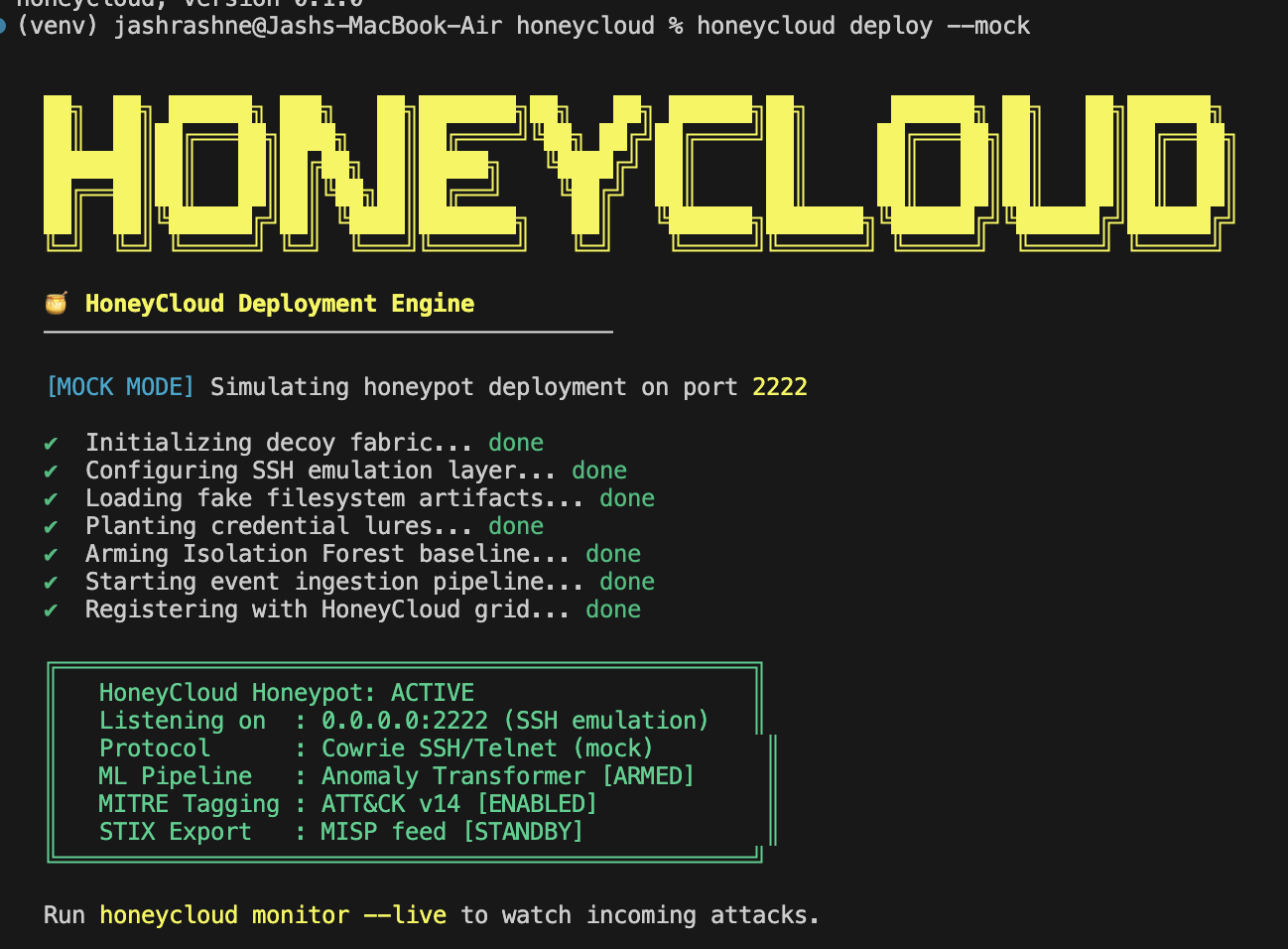
Deploys a Cowrie SSH honeypot. Two modes:
honeycloud deploy --mock          # Simulated deploy — no Docker required
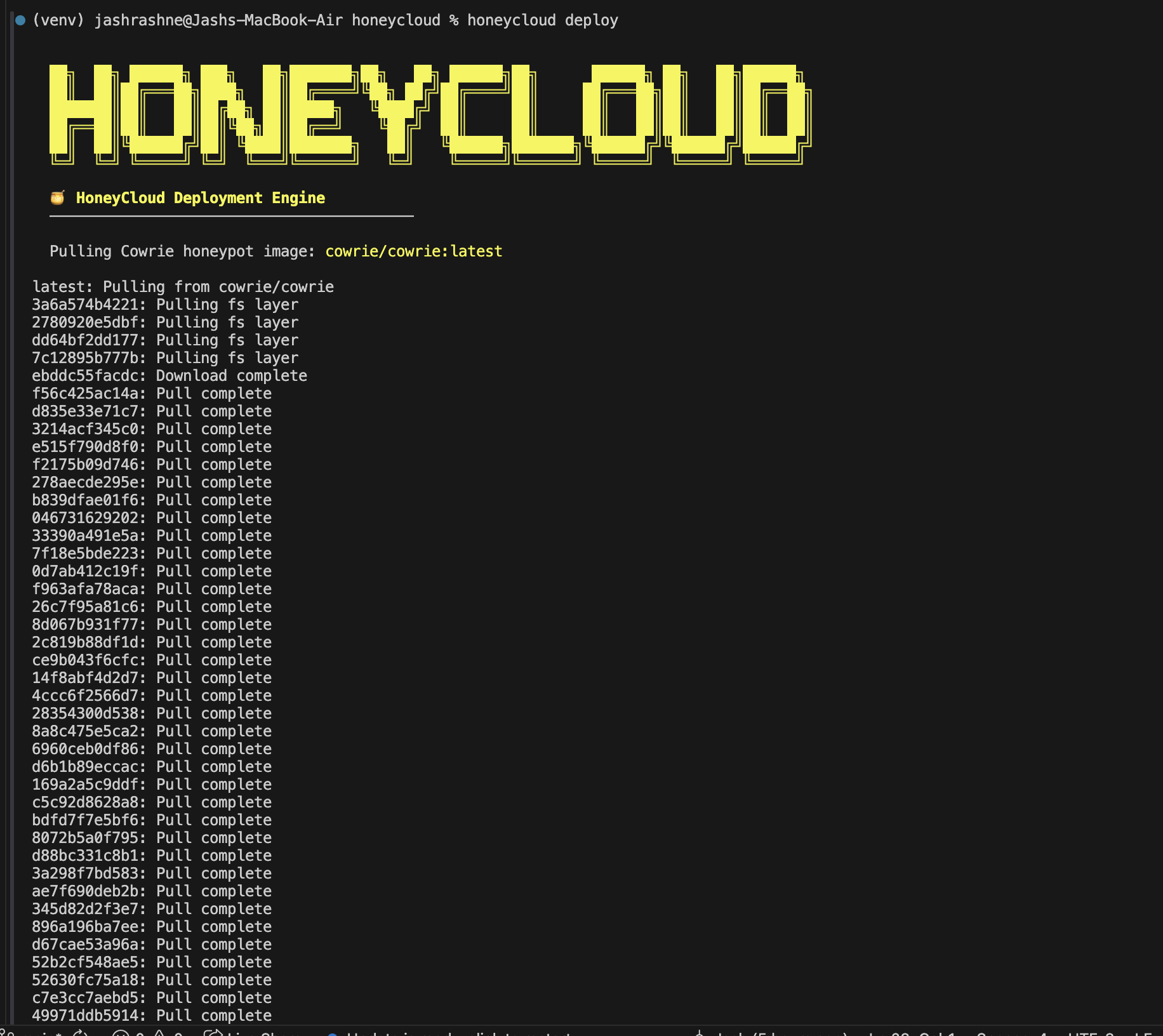
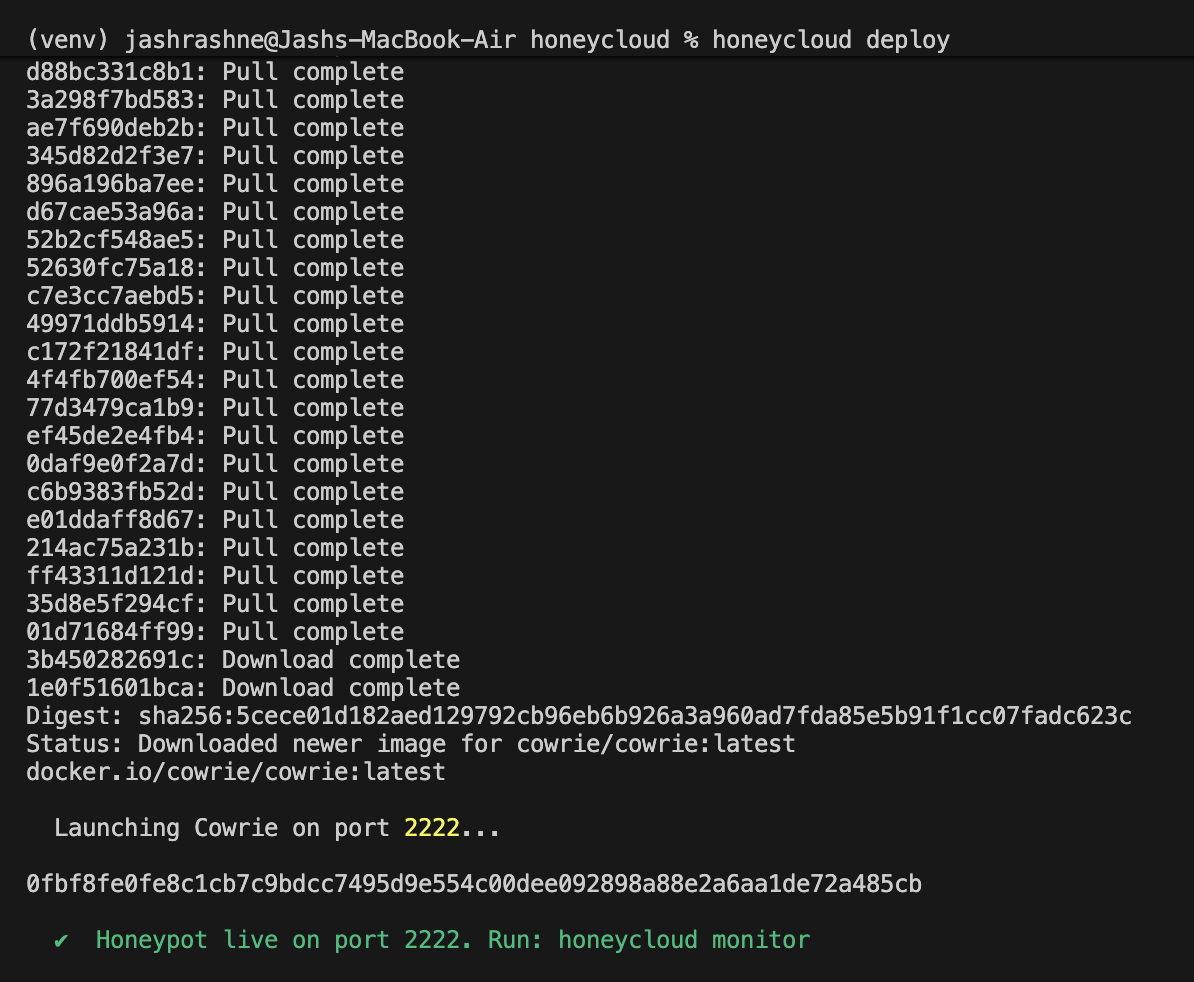
honeycloud deploy                 # Real Cowrie honeypot via Docker (port 2222)
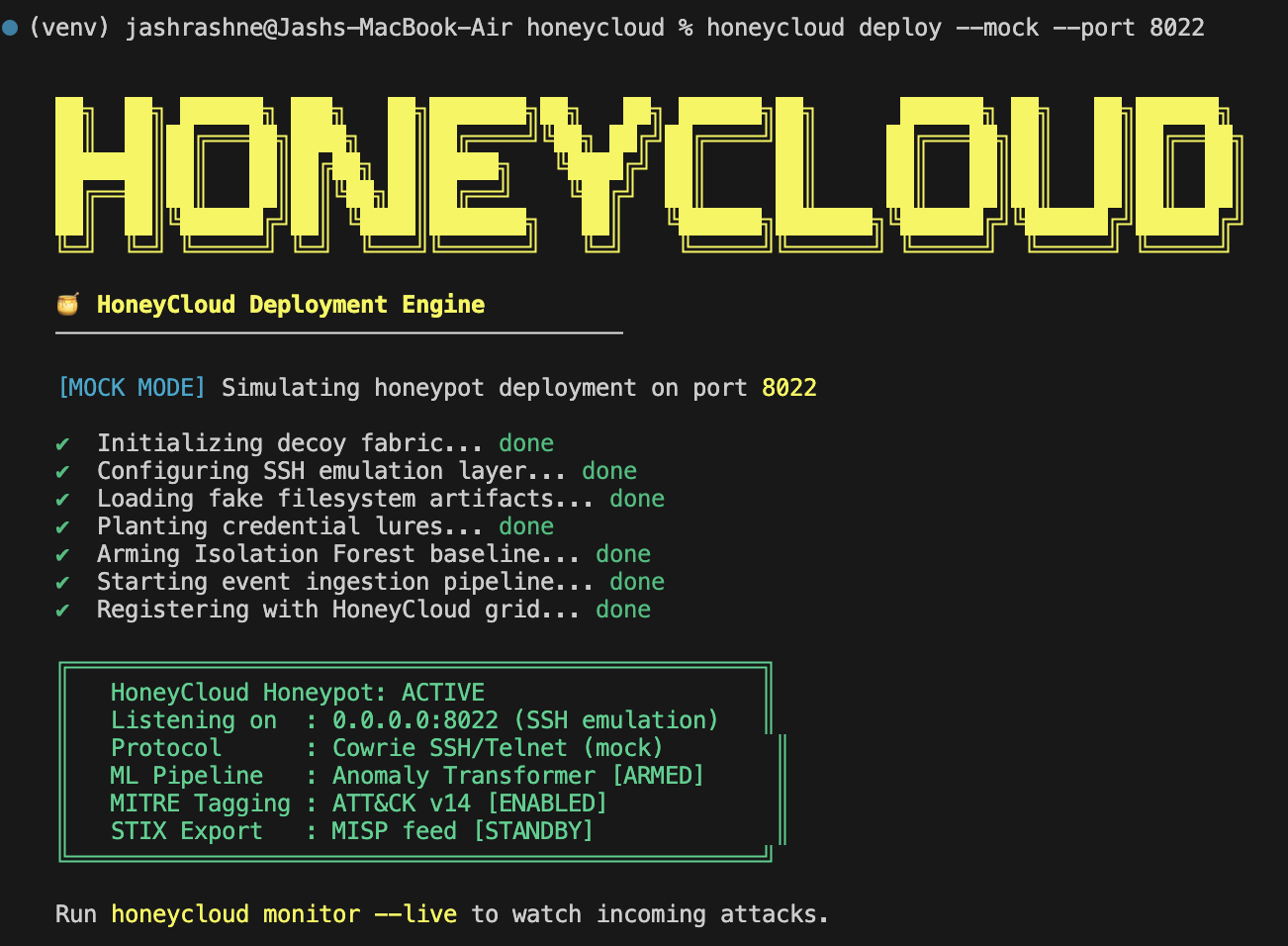
honeycloud deploy --port 8022     # Real Cowrie honeypot on a custom port
Mock mode — simulates the deployment pipeline with animated steps, no Docker needed:
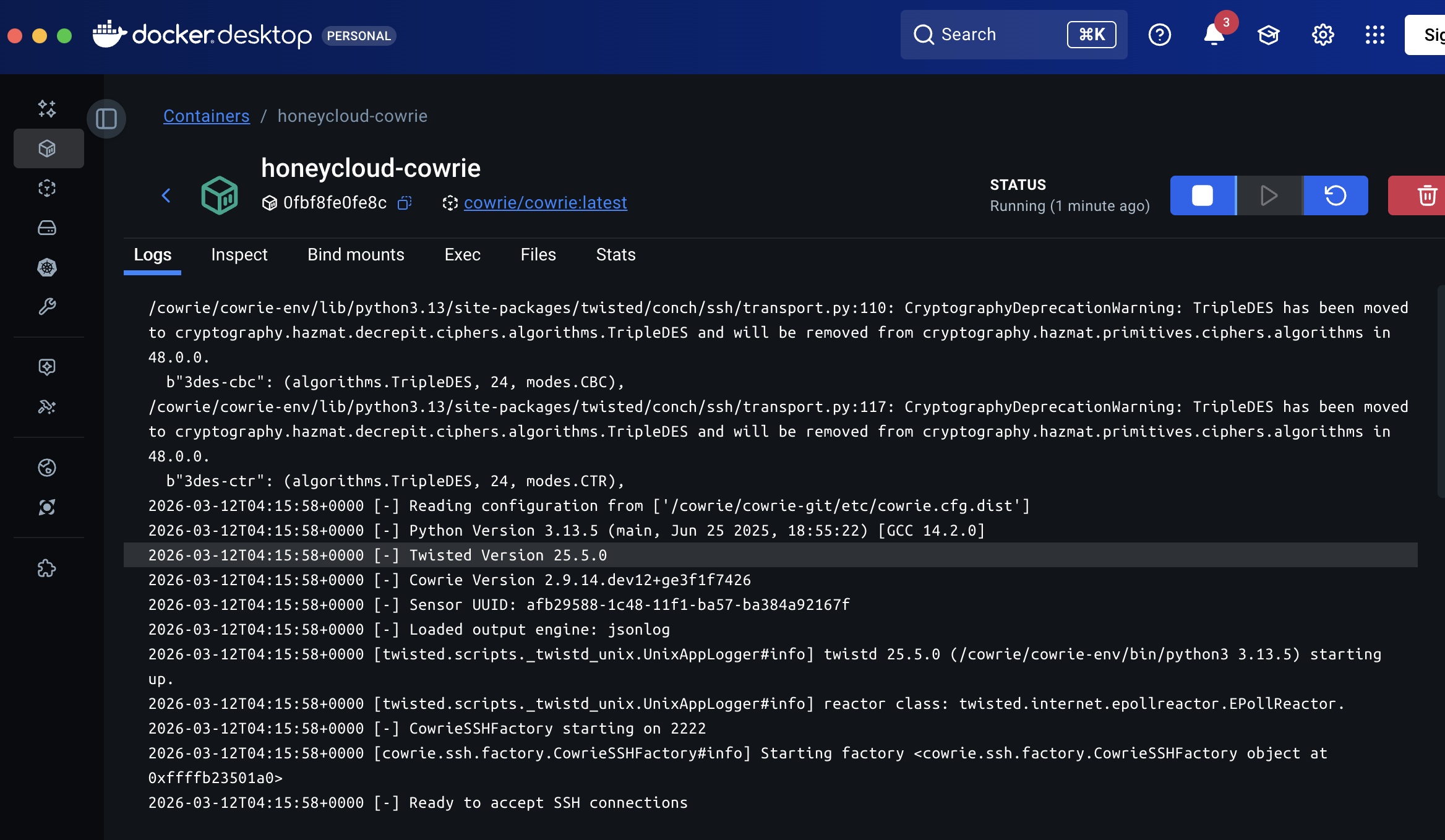
Real Docker deploy — pulls cowrie/cowrie:latest, runs it with --network none (zero egress so attackers can't pivot out). Re-running the command safely detects if the container already exists:
honeycloud monitor
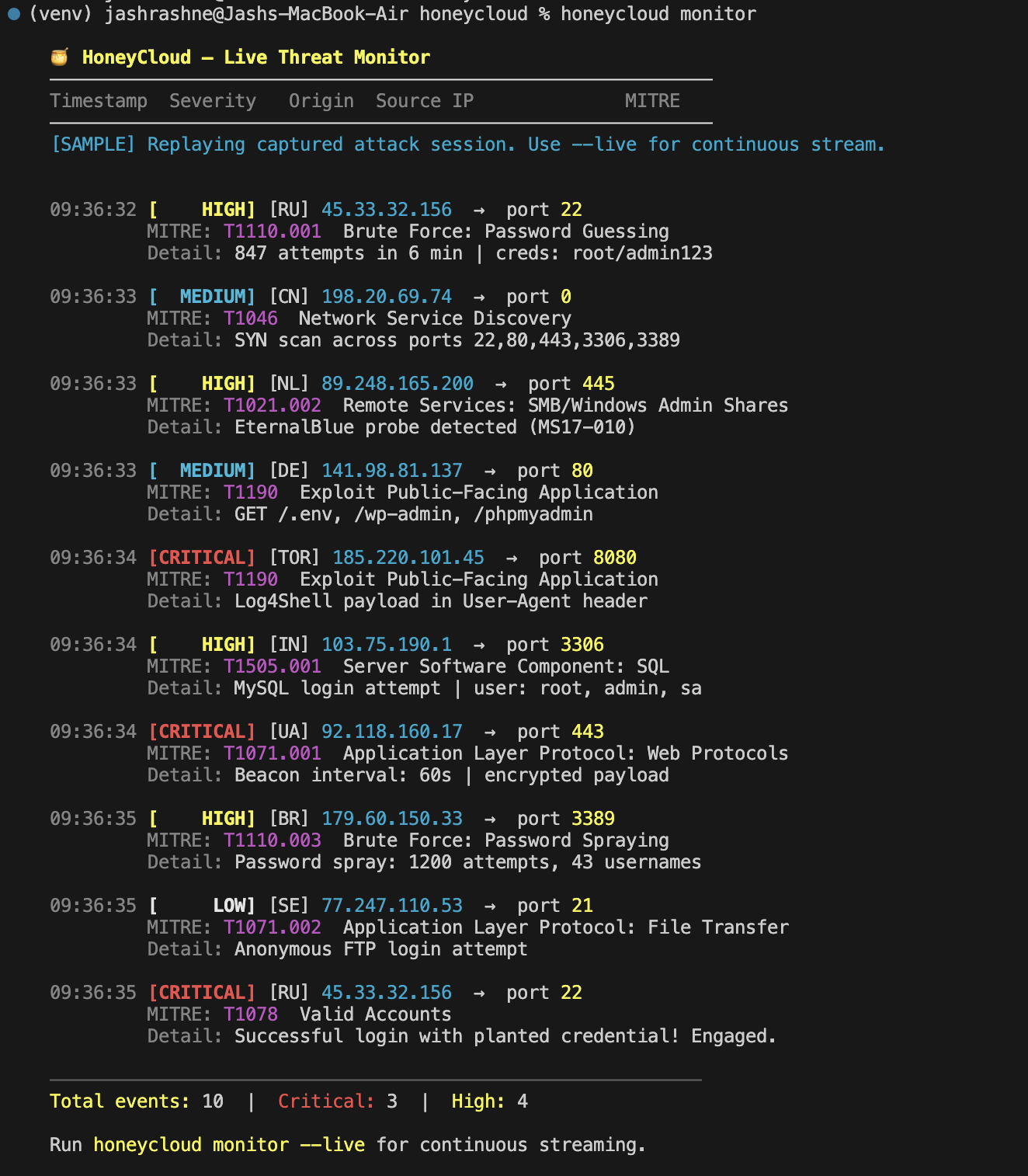
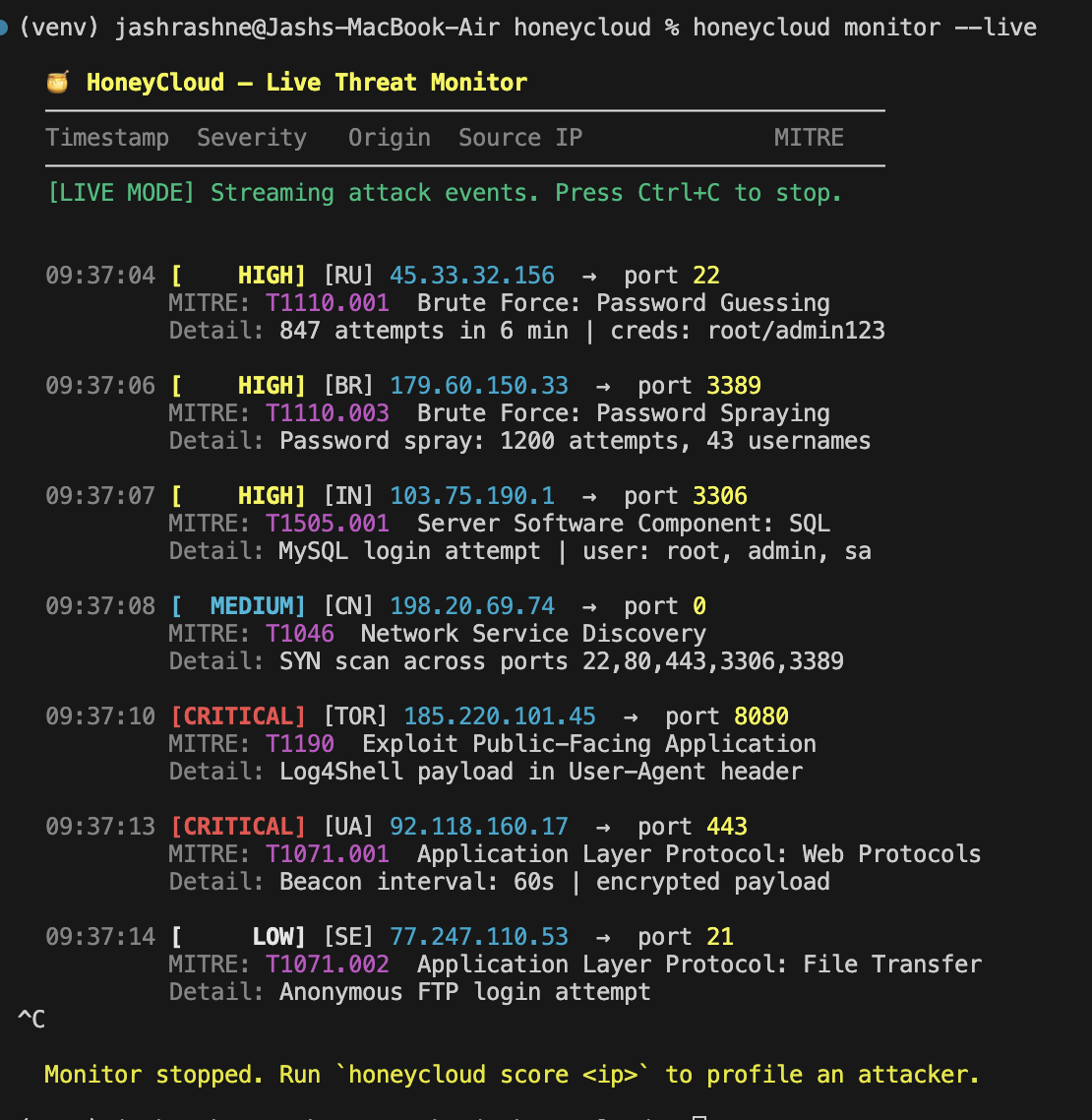
Streams incoming attack events with severity, source IP, country, target port, and MITRE ATT&CK technique.
honeycloud monitor               # Replay a captured attack session
honeycloud monitor --live        # Continuous live stream (Ctrl+C to stop)
honeycloud score <ip>
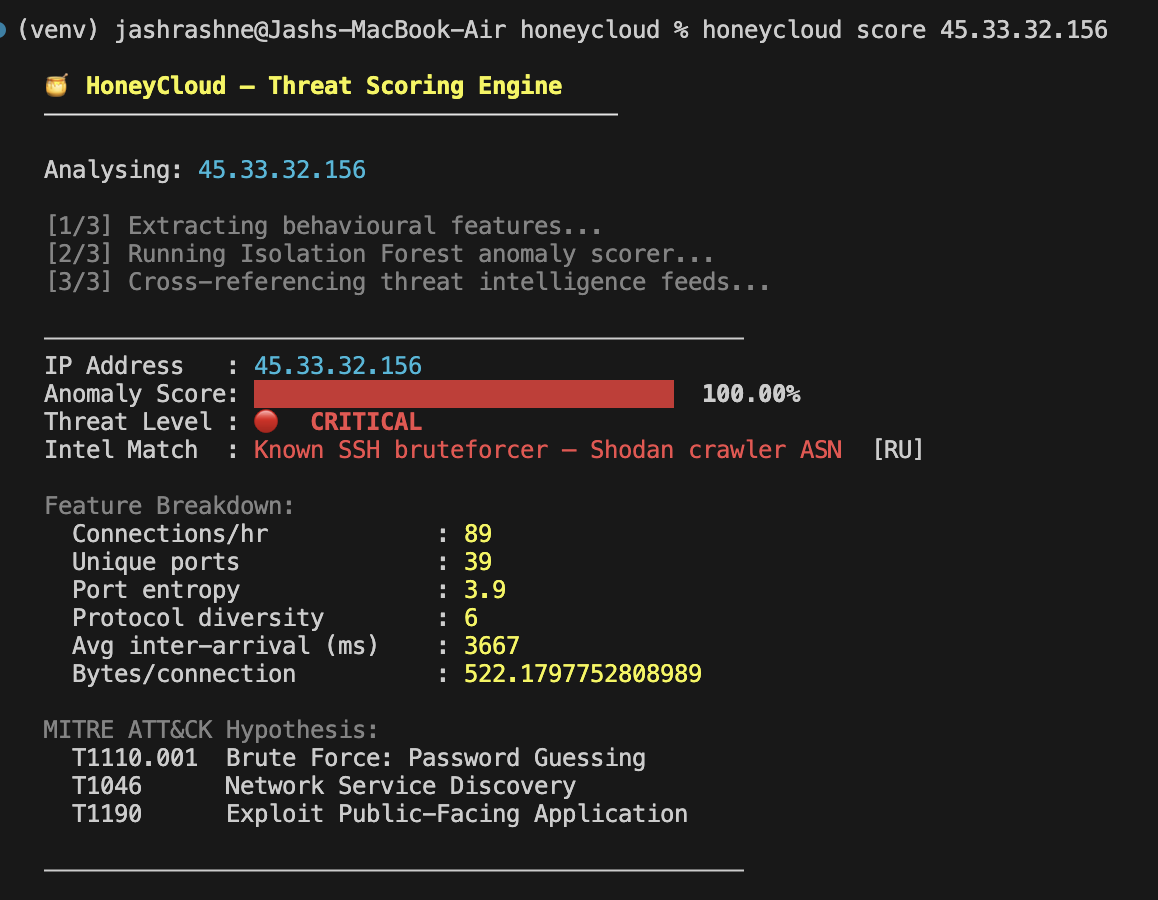
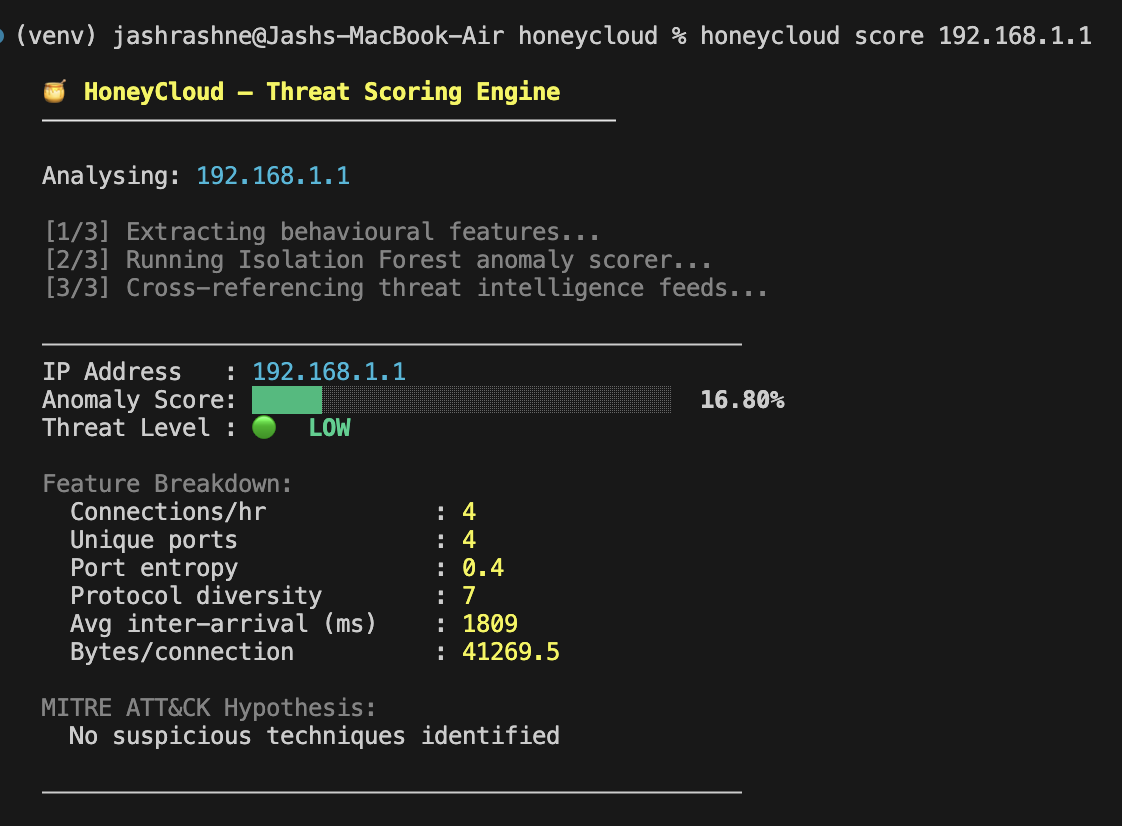
Scores an IP address for threat level using a lightweight Isolation Forest anomaly detector. Extracts behavioural features (connection frequency, port entropy, protocol diversity, inter-arrival time) and cross-references known malicious infrastructure (Shodan, Censys, Tor exit nodes).
honeycloud score 45.33.32.156    # Known SSH bruteforcer → CRITICAL
honeycloud score 192.168.1.1     # Private/internal IP  → LOW
Tests
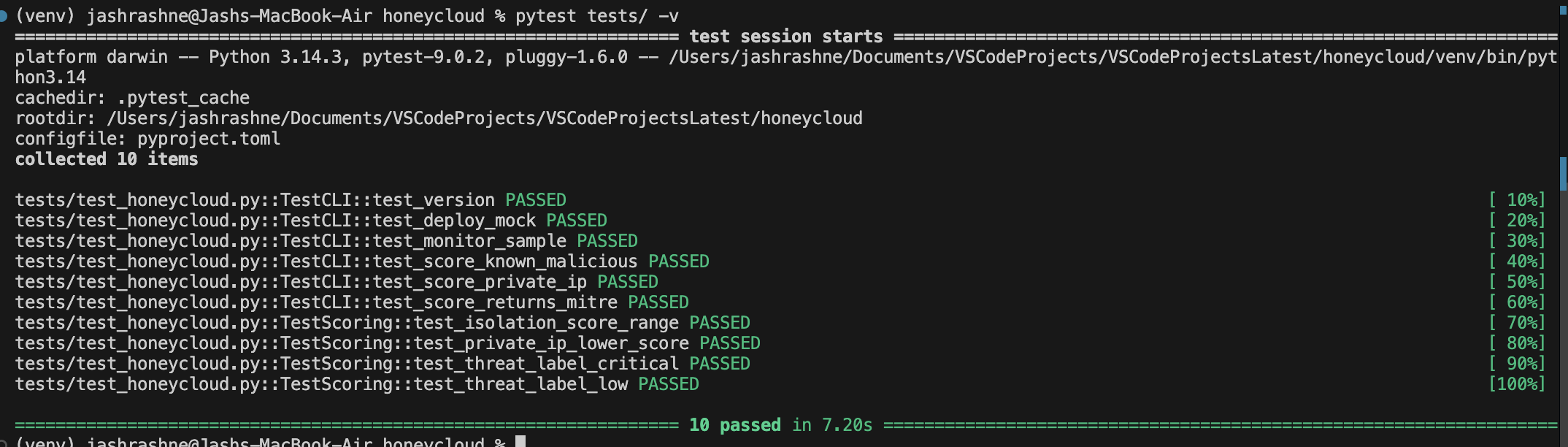
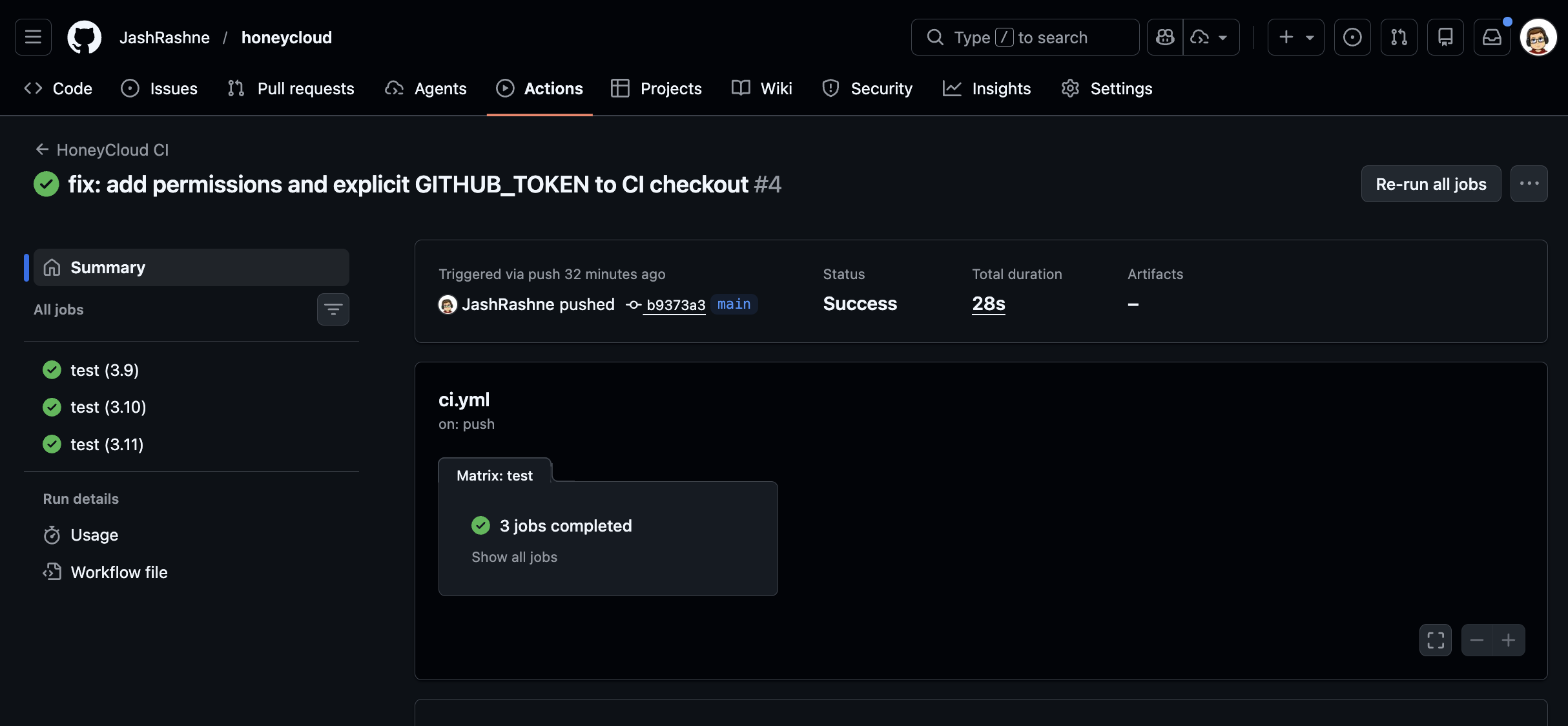
10 tests covering CLI end-to-end behaviour and scoring unit logic. Runs on Python 3.9, 3.10, and 3.11 via GitHub Actions CI.
pip install -e .
pip install pytest
pytest tests/ -v
Architecture
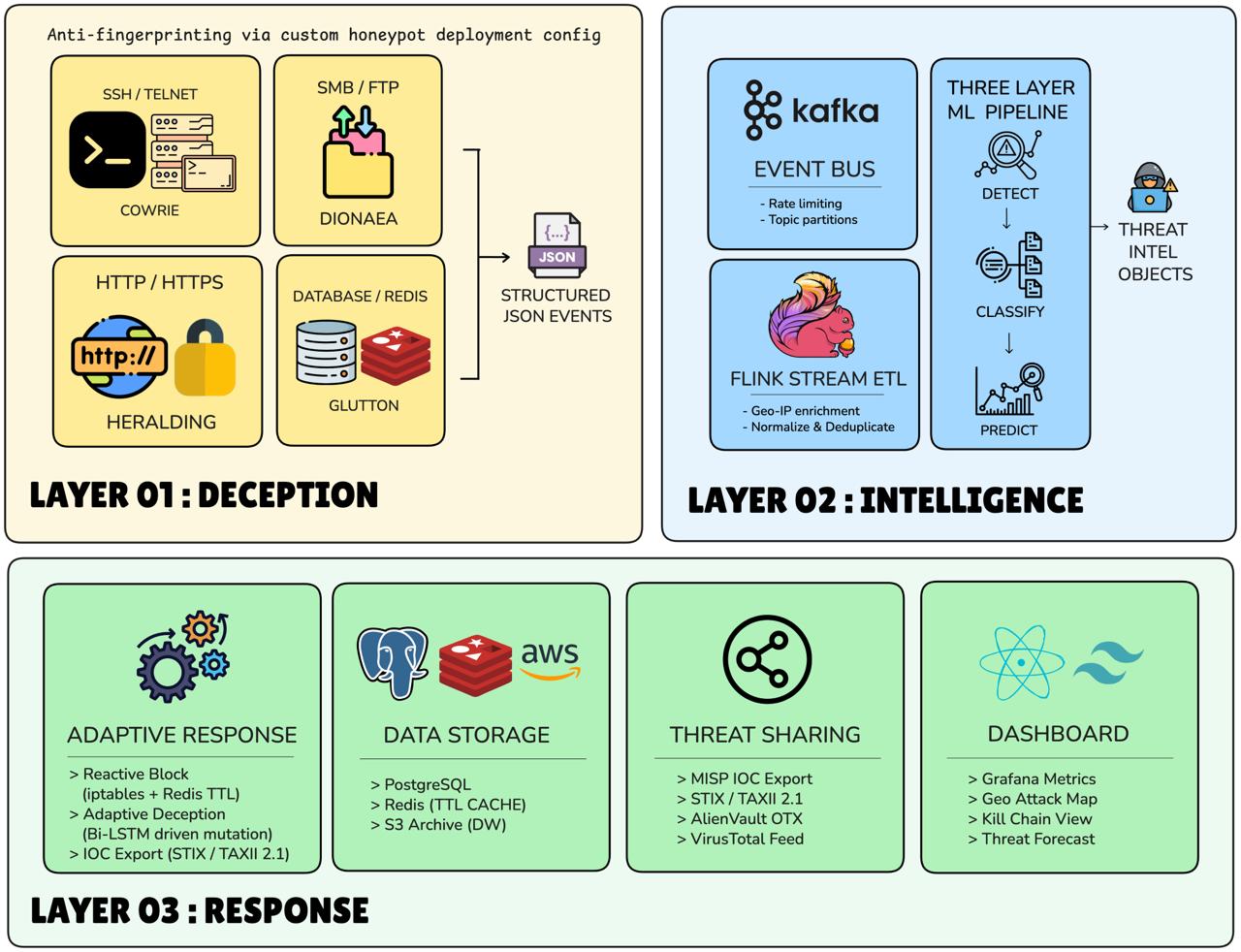
Attacker hits a fake server → event is captured → ML analyzes it → system responds and shares intel.
Layer 01 — Deception
Four fake services running as traps — SSH, SMB/FTP, HTTP, and Database. Each is a real-looking decoy powered by tools like Cowrie and Dionaea. When an attacker connects, every action they take is silently logged as a structured JSON event. They think they're attacking a real server. They're not.
Layer 02 — Intelligence
The JSON events flow into Kafka (a high-speed event queue) which feeds Flink (a stream processor that cleans, enriches, and geo-tags the data). Flink passes the enriched data into the 3-Layer ML Pipeline which detects, classifies, and predicts the attack. Output is a Threat Intel Object — a structured package of everything known about this attacker.
Layer 03 — Response
Four things happen simultaneously with that Threat Intel Object:
- Response Engine — blocks the IP, morphs the honeypot, fires a SIEM alert
- Data Storage — saves everything to PostgreSQL, Redis, and S3
- Threat Sharing — exports IOCs to MISP, VirusTotal, AlienVault
- Dashboard — updates the live Grafana attack map and kill chain view
The ML Pipeline
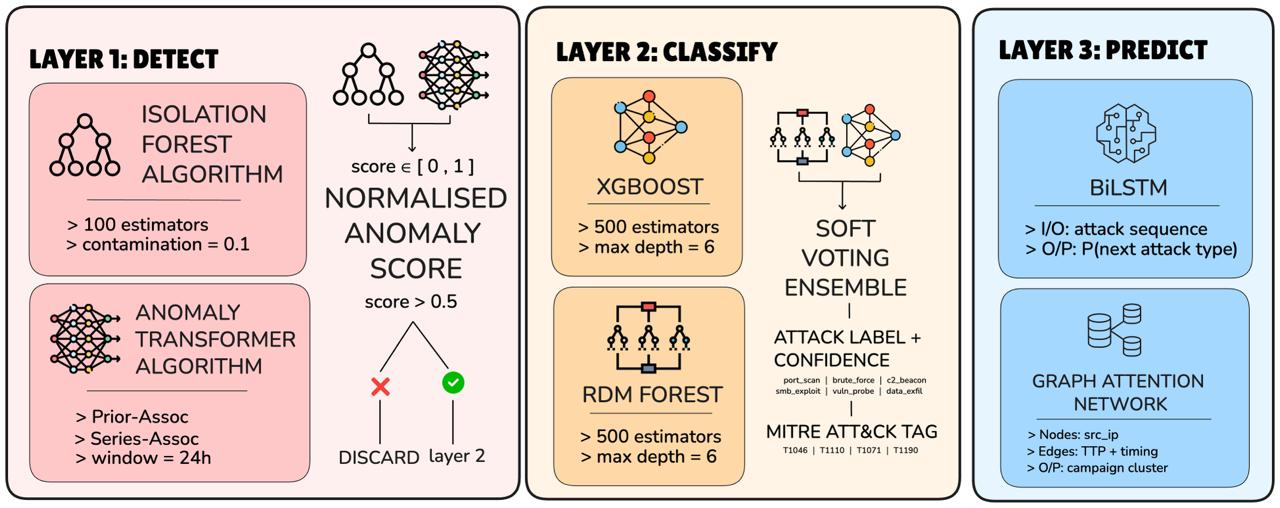
A zoom-in on the intelligence brain:
- Layer 0 — takes 6 behavioral features per connection as input
- Layer 1 — Detect — Isolation Forest + Anomaly Transformer scores how anomalous the event is. Score below 0.5 gets discarded. Above 0.5 moves forward.
- Layer 2 — Classify — XGBoost + Random Forest ensemble labels the attack type and tags it to a MITRE ATT&CK technique
- Layer 3 — Predict — Bi-LSTM predicts the next attack move. GAT connects related IPs into campaign clusters
- Layer X — Output — a clean JSON object with attack type, confidence, MITRE ID, next vector prediction, and campaign ID ready for export
A raw TCP connection enters Layer 01 and exits Layer X as attributed, classified, predicted threat intelligence. The current release implements Layer 01 (Cowrie deploy) and a lightweight Isolation Forest for Layer 1 — Detect. The full pipeline is the planned production architecture.
Datasets
Will be trained and validated on four real-world honeypot capture datasets:
- CIC-Honeynet — T-Pot, 20+ honeypot types
- Hornet-40 — 8 global cities, 40 days, NetFlow (Valeros, 2021)
- Dionaea/AWS — 451k+ protocol-level attack events
- AWS Geo Honeypot — geo-tagged attack corpus
License
MIT
1 maintainer

Metadata
1 maintainer
Release files for honeycloud 0.1.8
For a detailed explanation of source distributions (sdists) and built distributions (wheels), please see the package formats documentation.
Source distribution (sdist)
| File | Size | Uploaded | |
|---|---|---|---|
| honeycloud-0.1.8.tar.gz | 6.4 MB | Details |
Built distribution (wheel)
| File | Interpreter | ABI | Platform | Reset |
|---|---|---|---|---|
| honeycloud-0.1.8-py3-none-any.whl | Python 3 | none | any | Details |
Total release size: 13.1 MB
Release files / honeycloud-0.1.8.tar.gz
| Download URL | honeycloud-0.1.8.tar.gz |
|---|---|
| Size | 6.4 MB |
| Tags | Source |
|
SHA-256 checksum How to use checksums |
57a262e66f06232bd8419a59f75bd9f6988158a787a0faf8c2f25ae9451812d8
|
|
BLAKE2b-256 checksum How to use checksums |
d3b02933de233699b0a52fc967d41d7dbdfae10815643d4e878a854bc6ac21d9
|
| Upload date | |
|
Uploaded using Trusted Publishing? What is trusted publishing? |
No |
| Uploaded via |
twine/6.2.0 CPython/3.14.3
|
Release files / honeycloud-0.1.8-py3-none-any.whl
| Download URL | honeycloud-0.1.8-py3-none-any.whl |
|---|---|
| Size | 6.7 MB |
| Tags | Python 3 |
|
SHA-256 checksum How to use checksums |
c35243487f96e6ed66376f771d2e25b1bad2484e3cf59287bbf530d6f8744ed7
|
|
BLAKE2b-256 checksum How to use checksums |
69249c3f554751db1ca795263b35749013a3c985b78fd9d3580ad373a8970008
|
| Upload date | |
|
Uploaded using Trusted Publishing? What is trusted publishing? |
No |
| Uploaded via |
twine/6.2.0 CPython/3.14.3
|














