
A tool that can convert HTML to an image

Project description
English description follows Japanese.
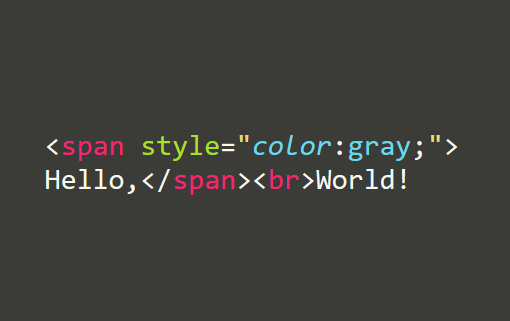
変換イメージ(Conversion Example)
 ▶
▶

概要
html2img は、HTMLを画像に変換するための軽量ツールです。指定された HTML スニペットを描画し、スクリーンショットとして保存します。内部では Playwright を使用しており、ブラウザでの忠実な描画結果を取得できます。
特徴
- HTMLスニペット → PNG画像へ簡単変換
- Playwright を利用して高精度レンダリング
- ビューポートサイズのカスタマイズが可能
- 依存最小、シンプルなAPI設計
インストール方法
pip install html2img
playwright install
⚠️ 注意
2行目の playwright install を忘れると動作しません。
使い方
import html2img

html = '<span style="color:gray;">Hello,</span><br>World!'
html2img(html, "result.png")

# ウインドウサイズ(ビューポート)の指定も可能
html2img(html, "small.png", viewport = (100, 100))
引数
html:描画対象の HTML 文字列filename:保存先の画像ファイル名(PNG推奨)viewport(任意):タプル(幅, 高さ)を指定することでレンダリング領域を調整可能
注意点
- CSSやJavaScriptを含めることも可能ですが、外部リソースへの依存がある場合は動作しないことがあります。
Overview
html2img is a lightweight utility to convert HTML snippets into image files. It renders the given HTML using a real browser engine and captures a screenshot. Internally, it uses Playwright for precise rendering.
Features
- Simple HTML-to-image conversion
- High-fidelity rendering via Playwright
- Optional viewport size configuration
- Minimal API, easy to integrate
Installation
pip install html2img
playwright install
⚠️ Note
You must run playwright install after installing the library to download the necessary browser engines.
Usage
import html2img

html = '<span style="color:gray;">Hello,</span><br>World!'
html2img(html, "result.png")

# You can also specify the window (viewport) size
html2img(html, "small.png", viewport = (100, 100))
Parameters
html: The HTML string to renderfilename: Output file path (PNG recommended)viewport(optional): Tuple(width, height)for controlling the viewport size
Notes
- Supports inline CSS and JavaScript. External resources may not load depending on the environment.
Release history Release notifications | RSS feed


Download files
Download the file for your platform. If you're not sure which to choose, learn more about installing packages.
Source Distribution
Built Distribution
Filter files by name, interpreter, ABI, and platform.
If you're not sure about the file name format, learn more about wheel file names.
Copy a direct link to the current filters
File details
Details for the file html2img-0.0.1.tar.gz.
File metadata
- Download URL: html2img-0.0.1.tar.gz
- Upload date:
- Size: 3.4 kB
- Tags: Source
- Uploaded using Trusted Publishing? No
- Uploaded via: twine/5.1.1 CPython/3.11.3
File hashes
| Algorithm | Hash digest | |
|---|---|---|
| SHA256 |
4e5c6d8a9f7769e1bb70b1937223232b496068ff625ff9a551ba35e8411d2b5e
|
|
| MD5 |
62e87cb102f04fe8d1282637a823b1db
|
|
| BLAKE2b-256 |
632dee2adfc2b92a0d745d14d4e8b463151e4b5b7c0d7f4291a1b2fbeb09c419
|
File details
Details for the file html2img-0.0.1-py3-none-any.whl.
File metadata
- Download URL: html2img-0.0.1-py3-none-any.whl
- Upload date:
- Size: 3.6 kB
- Tags: Python 3
- Uploaded using Trusted Publishing? No
- Uploaded via: twine/5.1.1 CPython/3.11.3
File hashes
| Algorithm | Hash digest | |
|---|---|---|
| SHA256 |
9d1631498353ff2582e160d0030c10312437d3dedb7357fff77780c10edcf3b7
|
|
| MD5 |
5ddbb279ad9087d7b61c049f1f9cc461
|
|
| BLAKE2b-256 |
a7faac4a2826f75c15fe35ef5a003517a101a4d26e915764afb5026687288a84
|






