
HTML Deck
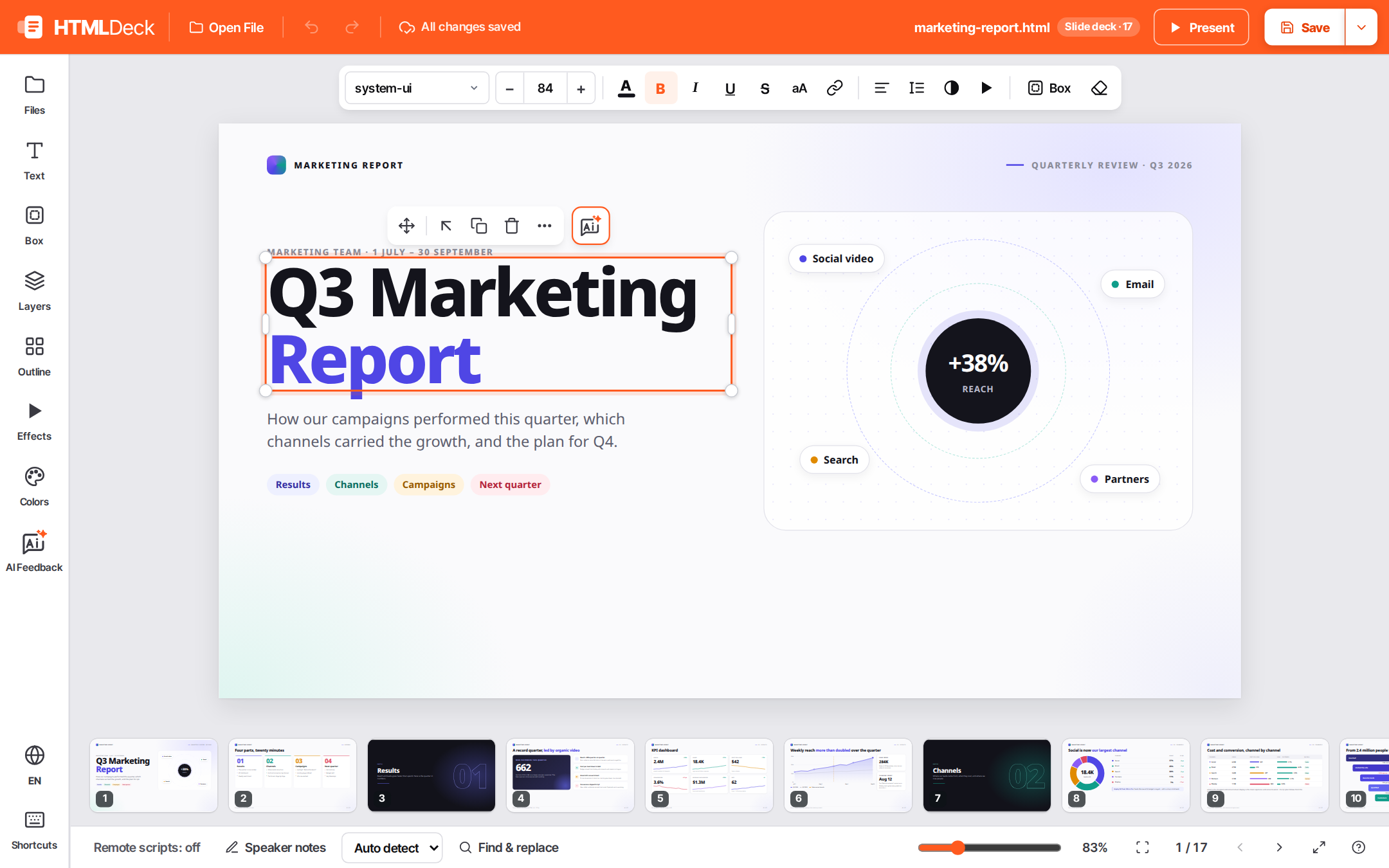
A visual editor for the HTML files in your workspace: slide decks, reports, and pages written by you or by an AI agent.
Click text to edit it, restyle it, move blocks, add effects and present. The file is patched only where you changed it, so a save with no edits is byte-identical.


Why
- Edits stay minimal. HTML Deck patches the source text where you made a change and leaves everything else as it was, including formatting, comments and the agent's own markup. That keeps diffs small and reviewable.
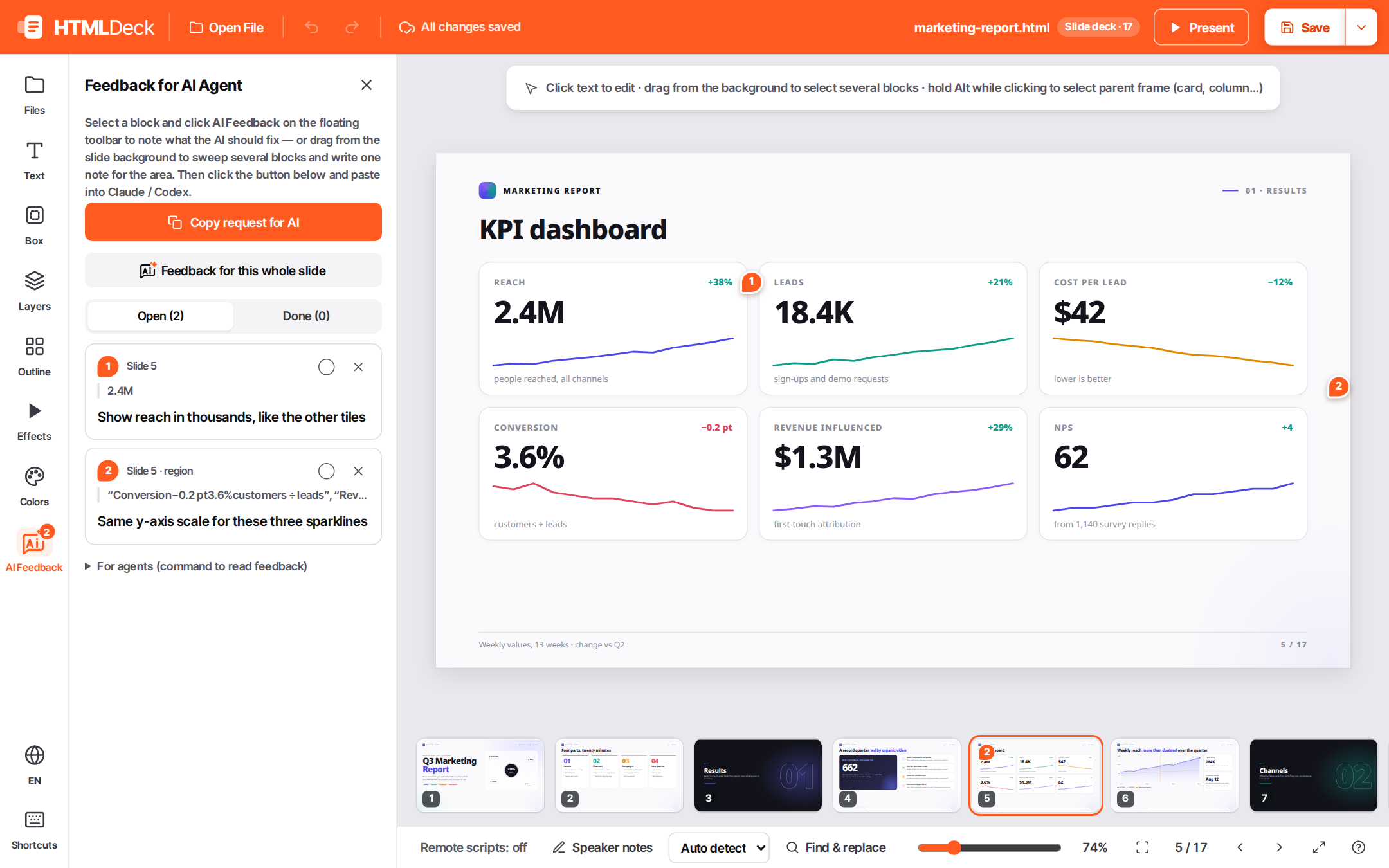
- Works with your agent. Pin a note on any element ("make this shorter"), then ask Claude Code or Codex to apply your HTML Deck notes. The agent reads them, edits the HTML and marks them done.
- Presents the real thing. Presentation runs the deck's own scripts and animations in a separate frame, so presenting never touches the document you are editing.
- Local and dependency-free. One Python 3.11+ standard-library server on
127.0.0.1. Nothing leaves your machine.
 |
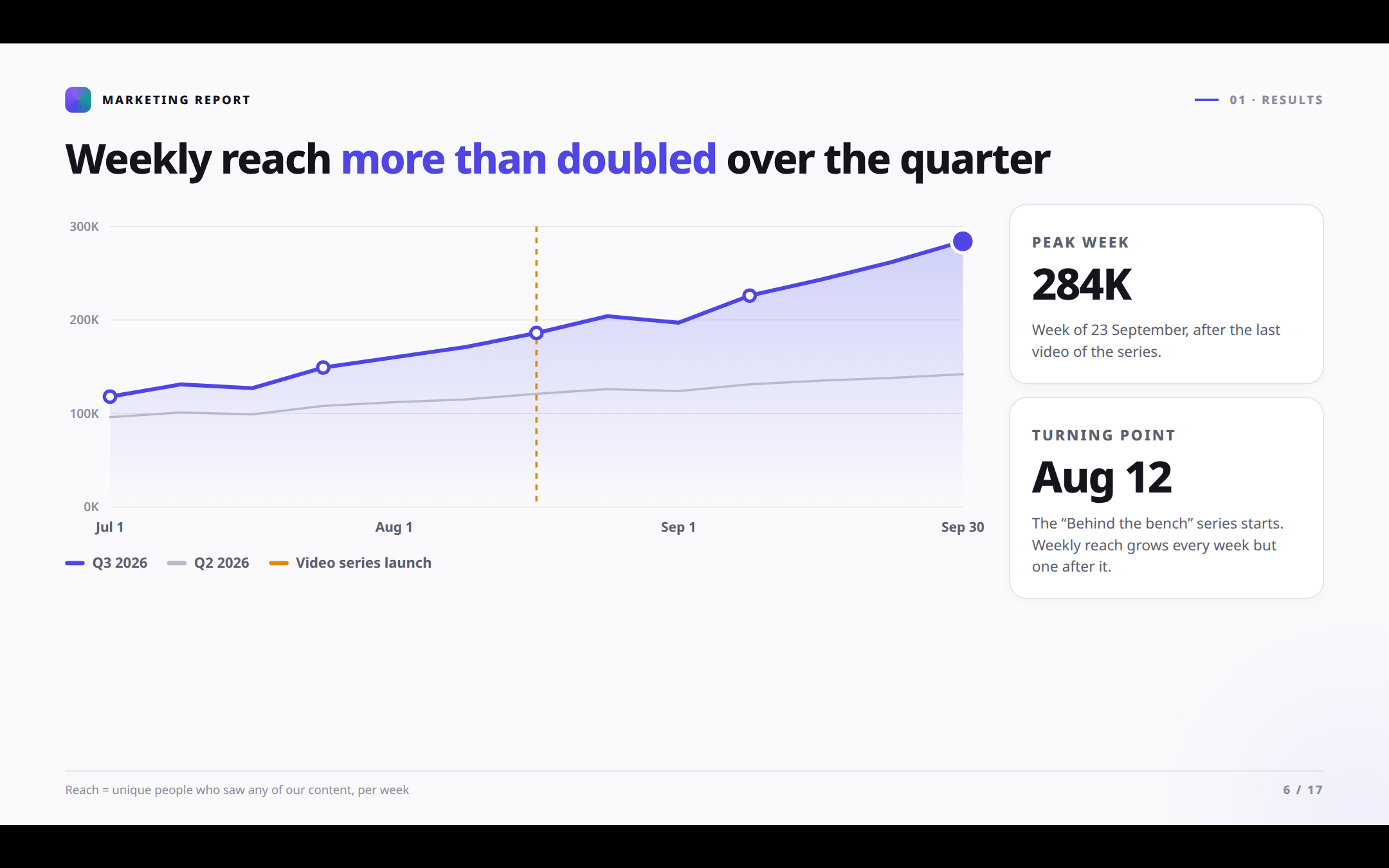 |
| AI Feedback: pin notes for your agent | Present with the deck's own animations |
Install
| Where | Command |
|---|---|
| Claude Code | /plugin marketplace add avis309/html-deck then /plugin install htmldeck@htmldeck |
| Codex | codex plugin marketplace add avis309/html-deck then codex plugin add htmldeck@htmldeck |
| uv | uvx htmldeck (one-off) · uv tool install htmldeck |
| pipx / pip | pipx install htmldeck · pip install htmldeck |
| npm | npx @avis309/htmldeck (one-off) · npm i -g @avis309/htmldeck |
HTML Deck needs Python 3.11+ and nothing else. The npm package and the plugins find Python and run it for you. It works on Linux, macOS and Windows.
Use it with an agent
In Claude Code or Codex:
- Ask the agent to "open slides/q3.html in HTML Deck". Claude Code also has
/htmldeck [file]. - Edit in the browser, and pin AI Feedback notes where you want the agent to change something.
- Ask the agent to "apply my HTML Deck notes".
Run it yourself
cd ~/my-workspace
htmldeck                             # workspace = current folder
htmldeck --file decks/q3.html        # open a document first
htmldeck --root ~/my-workspace --port 8765 --no-browser
To try it on the sample deck from the screenshots (24 slides with anime.js scenes) in a clone of
this repo, run htmldeck --root samples --file ai-foundation-deck.html.
The workspace is the folder HTML Deck runs in, or the folder given with --root. Every path is
relative to it, and nothing outside it is served or written, except the file passed with --file.
Each save keeps a timestamped backup in .htmldeck_bak/ next to the document.
Review notes live beside each document in .htmldeck_notes/<name>.json. Scripts and agents read
and resolve them with:
htmldeck-notes --file decks/q3.html            # list open notes
htmldeck-notes --file decks/q3.html --done ID  # mark one done
What it supports
- Formats: plain HTML pages and reports; decks of
.slideblocks; hand-written Reveal.js decks, including vertical stacks, fragments, notes and backgrounds. Reveal's Markdown slides are read-only. - Safe editing: content that the page's own scripts create or change is locked, and the editor shows why. Animations are frozen while editing. You also get undo/redo and draft recovery.
- Effects: set
data-fxentrance effects (fade, zoom, slide, count-up) from the toolbar. HTML Deck also manages scenes, the document's own animation code. "Enable FX in the file" adds a small inline runtime, so effects still run when the file is opened on its own. - Isolation: presentations run on a second origin that has no access to the editor's API. The edit view blocks remote scripts (from a CDN, for example) unless you trust the file. Workspace files opened directly on the editor origin are sandboxed.
Develop
python3 -m venv .venv && .venv/bin/pip install -e '.[dev]'
npm install
npm run check        # eslint (editor modules) + pytest (server) + browser spec
htmldeck/server.py: HTTP server, workspace guards, save/backup/notes API, preview origin.htmldeck/web/: the editor, as native ES modules with no bundler.js/coreholds the model, serializer and history;js/runtimeholds provenance and motion freeze; alsojs/policy,js/formats(Reveal),js/presentandjs/fx(the effects runtime, which is also inlined into documents).tests/spec/characterization.spec.mjs: black-box Playwright spec over fixtures in a temporary workspace. To run it on another workspace's files too:HTMLDECK_REAL_ROOT=… HTMLDECK_REAL_FILES="a.html,b.html" npm run spec.tools/align-report.mjs:npm run align -- <workspace>reports what share of a workspace's HTML files save as an in-place patch. The rest still save correctly, through a full rewrite that the editor asks you to confirm.- Plugin:
.claude-plugin/,.codex-plugin/,.agents/plugins/(marketplaces),skills/htmldeck/,commands/, andscripts/htmldeck-run[.cmd], which runs this copy with any Python 3.11+. - npm wrapper:
packaging/npm/bundleshtmldeck/at pack time and runs it with the user's Python. - Release: run
python tools/bump_version.py X.Y.Z, commit, then tagvX.Y.Zand push the tag..github/workflows/release.ymlpublishes to PyPI, then npm, then creates the GitHub Release.
License
MIT © Avis
1 maintainer

Metadata
1 maintainer
Release files for htmldeck 0.1.0
For a detailed explanation of source distributions (sdists) and built distributions (wheels), please see the package formats documentation.
Source distribution (sdist)
| File | Size | Uploaded | |
|---|---|---|---|
| htmldeck-0.1.0.tar.gz | 157.2 kB | Details |
Built distribution (wheel)
| File | Interpreter | ABI | Platform | Reset |
|---|---|---|---|---|
| htmldeck-0.1.0-py3-none-any.whl | Python 3 | none | any | Details |
Total release size: 309.4 kB
Release files / htmldeck-0.1.0.tar.gz
| Download URL | htmldeck-0.1.0.tar.gz |
|---|---|
| Size | 157.2 kB |
| Tags | Source |
|
SHA-256 checksum How to use checksums |
7c4f3eee1cd61735062150f981d20c95c595a912c4e56f3202d8179f8723b25d
|
|
BLAKE2b-256 checksum How to use checksums |
c2ae0843d97f72ba60b00aab0cdd68f978714ffac0b3f74ea7fa64f437f369a4
|
| Upload date | |
|
Uploaded using Trusted Publishing? What is trusted publishing? |
Yes |
| Uploaded via |
twine/7.0.0 CPython/3.13.14
|
Provenance
Provenance describes where a file came from. On PyPI, provenance is shared via attestations, which provide a verifiable record of the build or publishing details. View details, limitations and caveats.


PyPI Publish Attestation
PyPI verified that this artifact, at this checksum, originated from the publisher listed below.
Signed by GitHub Actions, verified by PyPI on Oct 2, 2026.
Transparency logRelease files / htmldeck-0.1.0-py3-none-any.whl
| Download URL | htmldeck-0.1.0-py3-none-any.whl |
|---|---|
| Size | 152.1 kB |
| Tags | Python 3 |
|
SHA-256 checksum How to use checksums |
f1a5cfd6e2a2cbd5b4bfbb8a36342d7ccf33c5f0b6299af8ee4509f0224632df
|
|
BLAKE2b-256 checksum How to use checksums |
8d63af9af0f3e92a18ac58c4fc02e607e1bdb953d29d556d7bdaf68531da7421
|
| Upload date | |
|
Uploaded using Trusted Publishing? What is trusted publishing? |
Yes |
| Uploaded via |
twine/7.0.0 CPython/3.13.14
|
Provenance
Provenance describes where a file came from. On PyPI, provenance is shared via attestations, which provide a verifiable record of the build or publishing details. View details, limitations and caveats.
PyPI Publish Attestation
PyPI verified that this artifact, at this checksum, originated from the publisher listed below.
Signed by GitHub Actions, verified by PyPI on Oct 2, 2026.
Transparency log













