
HtmlWebShot




A python3 package which Can Create Images From url, Html-CSS, Svg and from any readable file and texts with many setup features.
Setup & Installation
-
Install HtmlWebShot:
$ pip3 install htmlwebshot
-
Install wkhtmltopdf:
- Debian/Ubuntu:
$ apt-get install wkhtmltopdf -y
- MacOs:
$ brew install homebrew/cask/wkhtmltopdf
- Alternative Support
$ wget https://github.com/1Danish-00/HtmlWebShot/raw/main/script.sh | sh - Win / Arch / Others
click here
- Debian/Ubuntu:
Usage
Import & Instantiate
from htmlwebshot import WebShot
shot = WebShot()
Multiple Arguments
size: (int , int) : tuple : height, width default: full-screenquality: int : between 1 to 100delay: float : delay time in sec to load pageflags: list : know Moreparams: dict : know moreconfig: path setup know more
Simple Method
Using Url
shot.create_pic(url="https://google.com")
Using Html File
shot.create_pic(html="myfile.html", output="picture.jpg")
Using Html with CSS
via files
shot.create_pic(html="myfile.html", css="background.css", output="picture.jpg")
via string
html = """<h1> Hello World </h1>
<p>Write something about the world.</p>"""
css = "body {background: pink;} p {color: red;}"

shot.create_pic(html=html, css=css, output="picture.jpg")
Using Svg Or Any Other Readable File/Text
shot.create_pic(other="violin.svg", output="picture.jpg")
text = "What should I write here???"
shot.create_pic(other=text, size=(100,200))
You can use with async too
await shot.create_pic_async( # parameters are same for both
Some Examples
from htmlwebshot import WebShot
shot = WebShot()

shot.size = (110, 270)
shot.quality = 80  # maximum 100

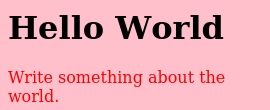
html = """<h1> Hello World </h1>
<p>Write something about the world.</p>"""
css = "body {background: pink;} p {color: red;}"

shot.create_pic(html=html, css=css, output="picture.jpg")
Click Here To See Output Image Of Above Code.
from htmlwebshot import WebShot
shot = WebShot()

shot.quality = 100
shot.params = {"--crop-x":300, "--crop-w": 400}

shot.create_pic(html="profile.html", css="profile.css")
Click Here To See Output Image Of Above Code.

Click For More Examples
from htmlwebshot import WebShot
shot = WebShot()

shot.quality = 85
shot.flags = ["--enable-javascript"]

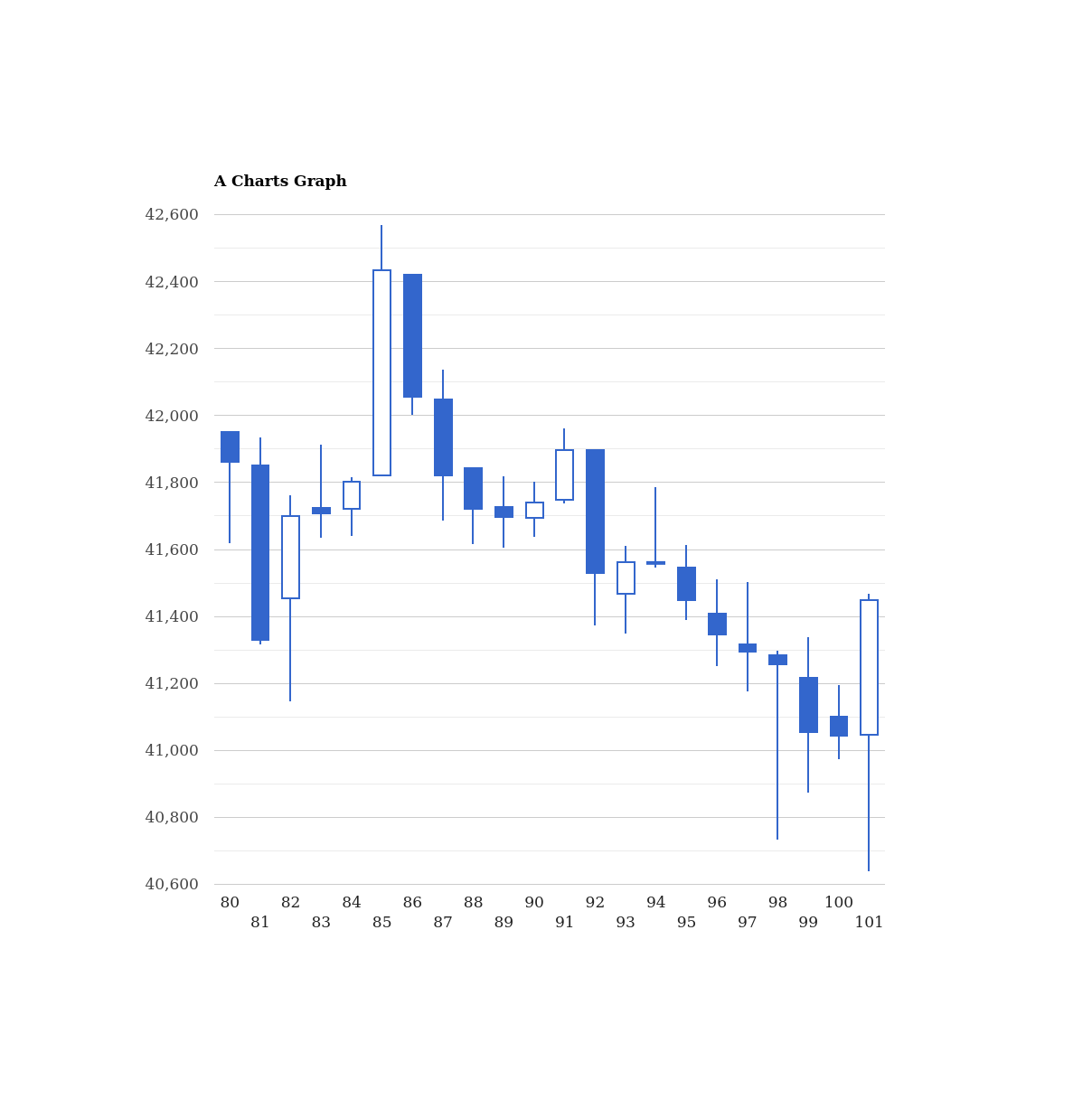
shot.create_pic(html="jsgraph.html")
Click Here To See Output Image Of Above Code.
from htmlwebshot import WebShot
shot = WebShot()

shot.flags = ["--quiet"]
shot.quality = 100

shot.create_pic(other="violin.svg", size=(500,600))
Click Here To See Output Image Of Above Code.

Flags Uses
Click Here To Check All Flags:
--quiet: Be less verbose--disable-smart-width: To force size to be accurate--custom-header-propagation: Add HTTP headers specified by flag--custom-headerfor each resource request--no-custom-header-propagation: Don't Add HTTP headers specified by flag--custom-headerfor each resource request--disable-javascript: Don't allow web pages to run javascript--enable-javascript: Allow web pages to run javascript--proxy-hostname-lookup: Use the proxy for resolving hostnames--stop-slow-scripts: Stop slow running javascripts--no-stop-slow-scripts: Don't Stop slow running javascripts
from htmlwebshot import WebShot
shot = WebShot()
shot.flags = ["--quiet", "--enable-javascript", "--no-stop-slow-scripts"]
Available Params
Click Here To Check All Params options:
--bypass-proxy-for:<value>Bypass proxy for host (repeatable)--cookie:<name><value>Set an additional cookie (repeatable), value should be url encoded.--cookie-jar:<path>Read and write cookies from and to the supplied cookie jar file--crop-h:<int>Set height for cropping--crop-w:<int>Set width for cropping--crop-x:<int>Set x coordinate for cropping--crop-y:<int>Set y coordinate for cropping--custom-header:<name><value>Set an additional HTTP header (repeatable)--encoding:<encoding>Set the default text encoding, for input--format:<format>Output file format--minimum-font-size:<int>Minimum font size--password:<password>HTTP Authentication password--post:<name><value>Add an additional post field (repeatable)--post-file:<name> <path>Post an additional file (repeatable)--proxy:<proxy>Use a proxy--run-script:<js>Run this additional javascript after the page is done loading (repeatable)--ssl-crt-path:<path>Path to the ssl client cert public key in OpenSSL PEM format, optionally followed by intermediate ca and trusted certs--ssl-key-password:<password>Password to ssl client cert private key--ssl-key-path:<path>Path to ssl client cert private key in OpenSSL PEM format--user-style-sheet:<path>Specify a user style sheet, to load with every page--username:<username>HTTP Authentication username--window-status:<windowStatus>Wait until window.status is equal to this string before rendering page--zoom:<float>Use this zoom factor
from htmlwebshot import WebShot
shot = WebShot()
shot.params = {
    "--custom-header": "Accept-Encoding gzip",
    "--minimum-font-size": 50,
    "--format": "png",
    "--zoom": 10,
    }
Config Path
If you installed pkg directly then no need to configure it, It'll auto configure.
But If u installed externally then you have to setup config path.
from htmlwebshot import WebShot, Config
shot = WebShot()
shot.config = Config(wkhtmltopdf="/path/to/wkhtmltopdf", wkhtmltoimage="/path/to/wkhtmltoimage")
2 maintainers


Metadata
2 maintainers
Release files for htmlwebshot 0.1.2
For a detailed explanation of source distributions (sdists) and built distributions (wheels), please see the package formats documentation.
Source distribution (sdist)
| File | Size | Uploaded | |
|---|---|---|---|
| htmlwebshot-0.1.2.tar.gz | 22.6 kB | Details |
Built distribution (wheel)
| File | Interpreter | ABI | Platform | Reset |
|---|---|---|---|---|
| htmlwebshot-0.1.2-py3-none-any.whl | Python 3 | none | any | Details |
Total release size: 43.7 kB
Release files / htmlwebshot-0.1.2.tar.gz
| Download URL | htmlwebshot-0.1.2.tar.gz |
|---|---|
| Size | 22.6 kB |
| Tags | Source |
|
SHA-256 checksum How to use checksums |
76f517de8ae711d5f7abdfc53af1e9177473193244fe5f66d151a79e9a8153ac
|
|
BLAKE2b-256 checksum How to use checksums |
c52ec26fa86fab5139a433f2613e60f14aabb540d8e811991a4edb9b64200150
|
| Upload date | |
|
Uploaded using Trusted Publishing? What is trusted publishing? |
No |
| Uploaded via |
twine/3.4.2 importlib_metadata/4.6.3 pkginfo/1.7.1 requests/2.26.0 requests-toolbelt/0.9.1 tqdm/4.62.0 CPython/3.9.6
|
Release files / htmlwebshot-0.1.2-py3-none-any.whl
| Download URL | htmlwebshot-0.1.2-py3-none-any.whl |
|---|---|
| Size | 21.0 kB |
| Tags | Python 3 |
|
SHA-256 checksum How to use checksums |
1b3dbfba07f437a834eadc82f15ead5c32a80efd7b01a8d4e6f7c035bc090f25
|
|
BLAKE2b-256 checksum How to use checksums |
e7aa511b7bea1693e623ffcf18cf094f903eac246267a38957ffa8630ce8920d
|
| Upload date | |
|
Uploaded using Trusted Publishing? What is trusted publishing? |
No |
| Uploaded via |
twine/3.4.2 importlib_metadata/4.6.3 pkginfo/1.7.1 requests/2.26.0 requests-toolbelt/0.9.1 tqdm/4.62.0 CPython/3.9.6
|














