


httptap
| Releases | CI & Quality | Security | Project Info |
|---|---|---|---|


|



|




|



|
English | 简体中文 | 日本語 | Español
httptap is a rich-powered CLI that dissects an HTTP request into every meaningful phase-DNS, TCP connect, TLS
handshake, server wait, and body transfer and renders the results as a timeline table, compact summary, or
machine-friendly metrics. It is designed for interactive troubleshooting, regression analysis, and recording of
performance baselines.
Table of Contents
- Highlights
- How it compares
- Requirements
- Installation
- Quick Start
- SLO Threshold Checking
- Environment Variables
- Exit Codes
- Releasing
- Sample Output
- JSON Export Structure
- Metrics-only scripting
- Advanced Usage
- Development
- Contributing
- License
- Acknowledgements
- Star History
Highlights
- Phase-by-phase timing – precise measurements built from httpcore trace hooks (with sane fallbacks when metal-level data is unavailable).
- All HTTP methods – GET, POST, PUT, PATCH, DELETE, HEAD, OPTIONS with request body support.
- Request body support – send JSON, XML, or any data inline or from file with automatic Content-Type detection.
- IPv4/IPv6 aware – the resolver and TLS inspector report both the address and its family;
-4/-6restrict resolution to one family, and--resolve HOST:PORT:ADDRpins a host to an address while keeping the originalHostheader and TLS SNI. - TLS insights – certificate CN, SANs, issuer, serial, validity window and expiry countdown, plus cipher suite and protocol version, are captured automatically from the live connection (no extra handshake).
- Multiple output modes – rich waterfall view, compact single-line summaries, or
--metrics-onlyfor scripting. - JSON export – persist full step data (including redirect chains) for later processing, or stream it to stdout with
--json -. - HAR export –
--har PATH(or--har -for stdout) writes the request chain as a HAR 1.2 archive that browser DevTools and HAR viewers can open. - Prometheus and OpenTelemetry export –
--prometheus PATHwrites a node_exporter textfile;--otlp ENDPOINTsends per-phase spans to an OTLP/HTTP collector (requireshttptap[otel]). - SLO threshold checking –
--slo total=500,ttfb=200(or thresholds read from a file with--slo-file) gates CI jobs, cron probes, and readiness checks on per-phase latency budgets; non-zero exit on violation while still rendering the full report. - Scriptable exit codes –
-f/--failexits22on HTTP 4xx/5xx responses, and SLO violations, network errors, and the redirect limit each have their own exit code. - Extensible – clean Protocol interfaces for DNS, TLS, timing, visualization, and export so you can plug in custom behavior.
📣 Exclusive for httptap users: Save 50% on GitKraken Pro. Bundle GitKraken Client, GitLens for VS Code, and powerful CLI tools to accelerate every repo workflow.
How it compares
| Feature | httptap |
curl -w |
httpstat |
httpie |
|---|---|---|---|---|
| Phase-by-phase timing (DNS/TCP/TLS/TTFB) | ✅ | ✅ (format str) | ✅ | ❌ |
| Rich waterfall visualization | ✅ | ❌ | ⚠️ text bars | ❌ |
| Redirect chain with per-step timing | ✅ | ❌ | ❌ | ❌ |
| JSON export (machine-readable) | ✅ | ✅ (-w '%{json}') |
✅ (--format json/jsonl, v1 schema) |
❌ (no metrics) |
| Metrics-only mode for scripting | ✅ | ✅ | ✅ (--format json) |
❌ |
| SLO threshold checking | ✅ (--slo) |
❌ | ✅ (--slo total=500,...) |
❌ |
| TLS certificate inspection (CN, expiry) | ✅ | ⚠️ via -v |
❌ | ❌ |
| IPv4/IPv6 reporting | ✅ family | ⚠️ IP via remote_ip |
⚠️ IP only (remote_ip/remote_port) |
❌ |
| HTTP/2 support | ✅ | ✅ | ⚠️ via curl passthrough | ⚠️ plugin only |
| Proxy with source attribution | ✅ | ⚠️ no attribution | ⚠️ via curl passthrough | ⚠️ no attribution |
| Custom CA bundle | ✅ | ✅ | ⚠️ via curl passthrough | ✅ |
| Extensible Python API | ✅ | ❌ (pycurl ≠ same API) | ❌ | ⚠️ via requests |
| Curl-compatible flags | ✅ | — | ✅ (passes through) | ❌ |
| Zero system dependencies | ✅ | ✅ | needs curl | ✅ |
When to pick what:
httptap— interactive troubleshooting, regression analysis, and scripted baselines with structured JSON.curl -w— one-off shell checks where curl is already the dependency.httpstat— quick visual breakdown on top of an existing curl install.httpie— general-purpose request/response exploration, not latency profiling.
Requirements
- Python 3.11-3.15 (CPython)
- macOS, Linux, or Windows (tested on CPython)
- No system dependencies beyond standard networking
- Code must follow the Google Python Style Guide (docstrings, formatting). See Google Python Style Guide
Installation
Using Homebrew (macOS/Linux)
brew install httptap
Using uvx (Recommended)
uvx --from "httptap[completion]" httptap https://example.com
Using uv
uv pip install httptap
Using pip
pip install httptap
Container image
docker run --rm ghcr.io/ozeranskii/httptap:latest https://example.com
Multi-arch (linux/amd64, linux/arm64), signed with cosign (keyless Sigstore) and shipped with SLSA build provenance.
From source
git clone https://github.com/ozeranskii/httptap.git
cd httptap
uv venv
uv pip install .
Shell completions
Homebrew Installation
If you installed httptap via Homebrew, shell completions are automatically available after installation. Just restart your shell:
# Restart your shell or reload configuration
exec $SHELL
Homebrew automatically installs completions to:
- Bash:
$(brew --prefix)/etc/bash_completion.d/ - Zsh:
$(brew --prefix)/share/zsh/site-functions/
Python Package Installation
If you installed httptap via pip or uv, you need to install the optional completion extras:
-
Install the completion extras:
uv pip install "httptap[completion]"
# or
pip install "httptap[completion]"
-
Activate your virtual environment:
source .venv/bin/activate
-
Run the global activation script for argument completions:
activate-global-python-argcomplete
-
Restart your shell. Completions should now work in both bash and zsh.
Note: The global activation script provides argument completions for bash and zsh only. Other shells are not covered by the script and must be configured separately.
Isolated installs (uv tool, pipx)
uv tool install and pipx install put only the httptap command on your PATH, not argcomplete's helper scripts. Expose them at install time, then register completion for httptap in your shell startup file (e.g. ~/.bashrc or ~/.zshrc):
uv tool install --with-executables-from argcomplete "httptap[completion]"
# or
pipx install --include-resources-from argcomplete "httptap[completion]"

eval "$(register-python-argcomplete httptap)"
Older pipx releases without --include-resources-from can use --include-deps instead.
Usage Examples
Once completions are installed, you can use Tab to autocomplete commands and options:
# Complete command options
httptap --<TAB>
# Shows: --help --version --request --method --data --location --follow --max-time --timeout --no-http2 --http1.1 --fail --ipv4 --ipv6 --resolve --insecure --ignore-ssl --cacert --ca-bundle --proxy --header --compact --metrics-only --json --har --prometheus --otlp --slo --slo-file

# Complete after typing partial option
httptap --fol<TAB>
# Completes to: httptap --follow

# Complete multiple options
httptap --follow --time<TAB>
# Completes to: httptap --follow --timeout
Quick Start
Basic GET Request
Run a single request and display a rich waterfall:
httptap https://httpbin.io/get
POST Request with Data
Send JSON data (auto-detects Content-Type):
httptap https://httpbin.io/post --data '{"name": "John", "email": "john@example.com"}'
Note: When --data is provided without --method, httptap automatically switches to POST (similar to curl).
Curl-compatible flags: httptap accepts the most common curl syntax, so you can often replace curl with httptap directly. Aliases include -X/--request for --method, -L/--location for --follow, -m/--max-time for --timeout, -k/--insecure for --ignore-ssl, -x for --proxy, and --http1.1 for --no-http2. -f/--fail, -4/--ipv4, -6/--ipv6, and --resolve HOST:PORT:ADDR use the same names as in curl. (Not every curl option is supported—stick to these shared flags when swapping commands.)
Load data from file:
httptap https://httpbin.io/post --data @payload.json
Explicitly specify method (bypasses auto-POST):
httptap https://httpbin.io/post --method POST --data '{"status": "active"}'
Other HTTP Methods
PUT request:
httptap https://httpbin.io/put --method PUT --data '{"key": "value"}'
PATCH request:
httptap https://httpbin.io/patch --method PATCH --data '{"field": "updated"}'
DELETE request:
httptap https://httpbin.io/delete --method DELETE
Custom Headers
Add custom headers (repeat -H for multiple values):
httptap \
  -H "Accept: application/json" \
  -H "Authorization: Bearer super-secret" \
  https://httpbin.io/bearer
Header names must be HTTP tokens and values printable ASCII (spaces and tabs allowed). Anything else, such as CR/LF or
non-ASCII text, is rejected with exit code 64 before any request is made.
Redirects and JSON Export
Follow redirect chains and dump metrics to JSON:
httptap --follow --json out/report.json https://httpbin.io/redirect/2
Or export the chain as a HAR 1.2 archive and import it into the browser DevTools Network panel:
httptap --follow --har out/run.har https://httpbin.io/redirect/2
A redirect to a URL that cannot be requested (invalid port, missing host, non-HTTP scheme) ends the chain with a failed
step, Invalid redirect target: …, and exit code 75. Credentials in Location URLs are masked in the output and JSON
export.
Output Modes
Collect compact (single-line) timings suitable for logs:
httptap --compact https://httpbin.io/get
Expose raw metrics for scripts:
httptap --metrics-only https://httpbin.io/get | tee timings.log
Advanced Usage
Programmatic users can inject a custom executor for advanced scenarios. Provide your own RequestExecutor implementation if you need to change how requests are executed (for example, to plug in a different HTTP stack or add tracing).
TLS Certificate Options
Bypass TLS verification when troubleshooting self-signed endpoints:
httptap --ignore-ssl https://self-signed.badssl.com
The flag disables certificate validation and relaxes many handshake constraints so that legacy endpoints (expired/self-signed/hostname mismatches, weak hashes, older TLS versions) still complete. Some algorithms removed from modern OpenSSL builds (for example RC4 or 3DES) may remain unavailable. Use this mode only on trusted networks.
Use a custom CA certificate bundle for internal APIs:
httptap --cacert /path/to/company-ca.pem https://internal-api.company.com
This is useful when testing internal services that use certificates signed by a custom Certificate Authority (CA) that isn't in the system's default trust store. The --cacert option (also available as --ca-bundle) accepts a path to a PEM-formatted CA certificate bundle.
Note: --ignore-ssl and --cacert are mutually exclusive. Use --ignore-ssl to disable all verification, or --cacert to verify with a custom CA bundle.
When --cacert is used, the CLI output marks the connection with TLS CA: custom bundle, and JSON exports include network.tls_custom_ca: true so automation can detect custom trust configuration.
Route traffic through an HTTP/SOCKS proxy (explicit override takes precedence over env vars HTTP_PROXY, HTTPS_PROXY, NO_PROXY):
httptap --proxy socks5h://proxy.local:1080 https://httpbin.io/get
Ignore all proxy environment variables and connect directly:
httptap --proxy "" https://httpbin.io/get
The output and JSON export include the proxy URI and its source so you
can confirm what path was used (e.g., (from arg --proxy),
(from env HTTPS_PROXY), (bypassed by env no_proxy)). Proxy credentials
are masked (http://user:****@proxy:3128). A malformed --proxy value is
rejected with exit code 64.
SLO Threshold Checking
Gate CI jobs, cron probes, and Kubernetes readiness checks on per-phase
latency budgets with --slo KEY=MS[,KEY=MS...]:
httptap --slo total=500,ttfb=200 https://api.example.com/health
- Exits
0when every threshold passes. - Exits
4when at least one threshold is exceeded on the final successful step (intermediate redirects are not evaluated). - Exits
64on malformed specification (unknown key, duplicate key, non-positive value, bad syntax). - The full waterfall / compact / JSON output is always rendered so the evidence for a regression is preserved.
Supported keys: dns, connect, tls, ttfb, wait, xfer, total.
Output extensions:
- Rich / compact — a bordered panel after the waterfall lists the thresholds and any violations (actual, threshold, overrun).
--metrics-only— the final successful step carriesslo=passorslo=fail slo_violations=<keys>tokens.--json— thesummary.sloblock containspass,thresholds_ms, and per-violation{key, threshold_ms, actual_ms, delta_ms}.
# CI gate — fail only on SLO violation, tolerate transient network errors
httptap --slo total=2000,tls=300,ttfb=800 https://staging.example.com/
case $? in
  0) echo "healthy" ;;
  4) echo "SLO violation"; exit 1 ;;
  75) echo "network flake, retrying later" ;;
esac
Full specification, evaluation rules, and recipes: docs.httptap.dev/usage/slo.
Environment Variables
httptap reads the following environment variables at runtime. The proxy
variables can be overridden with -x/--proxy or ignored with --proxy "", and
the proxy source used for each request is recorded in the output and JSON
export. The color variables have no CLI equivalent.
| Variable | Purpose | Overridden by |
|---|---|---|
HTTP_PROXY / http_proxy |
Proxy URL used for http:// targets. |
-x/--proxy |
HTTPS_PROXY / https_proxy |
Proxy URL used for https:// targets. |
-x/--proxy |
ALL_PROXY / all_proxy |
Fallback proxy URL when scheme-specific variables are unset. | -x/--proxy |
NO_PROXY / no_proxy |
Comma-separated exclusion list: * matches every host, example.com the host and its subdomains, .example.com subdomains only. No CIDR ranges. Bypassed hosts connect direct. |
-x/--proxy, --proxy "" |
NO_COLOR |
Disables ANSI colors in all Rich output (honors the NO_COLOR convention). | — |
FORCE_COLOR |
Forces colored output even when stdout is not a TTY (Rich convention). | — |
TERM=dumb |
Rich downgrades to plain-text rendering. | — |
Precedence for proxy configuration: explicit
-x/--proxyor--proxy ""(disables env) →NO_PROXYexclusion (direct connection) → the variable matching the URL scheme (HTTPS_PROXYorHTTP_PROXY) →ALL_PROXY→ direct connection. Lowercase variables take priority over uppercase ones. A proxy variable without a scheme (proxy.local:3128) is treated ashttp://; one that is not a valid proxy URL fails the request with a network error (exit code75).
Exit Codes
httptap follows the BSD sysexits.h convention so it integrates cleanly with
shell pipelines, CI jobs, and systemd services.
| Code | Symbol | Meaning |
|---|---|---|
0 |
EX_OK |
Success. |
4 |
— | SLO threshold violation (request succeeded but too slow). |
22 |
— | HTTP 4xx/5xx response when -f / --fail is used. |
47 |
— | Maximum redirects followed. |
64 |
EX_USAGE |
Invalid command-line arguments. |
70 |
EX_SOFTWARE |
Internal error (unexpected exception, bug). |
73 |
EX_CANTCREAT |
--json or --har output file could not be written. |
75 |
EX_TEMPFAIL |
Network / TLS error (partial output may still be rendered). |
128 + N |
Signal offset | Killed by signal N (e.g., 130 for SIGINT / Ctrl-C). |
When several conditions apply, the highest-priority code wins:
70 > 47 > 75 > 73 > 22 > 4 > 0. Invalid arguments (64) are
reported before any request is made. See
SLO exit codes for the full
precedence table.
Example — fail a CI job only on usage errors, tolerating transient network issues:
httptap --metrics-only https://api.example.com/health
rc=$?
if [ "$rc" = 64 ] || [ "$rc" = 70 ]; then
  exit "$rc"
fi
Releasing
Releases are cut by the manually triggered Release workflow (GitHub Actions → Release → Run workflow) with
either an exact version (e.g., 0.3.0) or a patch/minor/major bump:
- Prepare – bumps the version with
uv version, refreshesuv.lock, prepends thegit-cliffchangelog entry toCHANGELOG.md, and creates a gitsign-signed release commit and tag locally. Nothing is pushed yet. - Build – runs the full test suite on the unpushed tag, builds the wheel and sdist, generates the SBOMs (CycloneDX, SPDX), OpenVEX document, and man page, and attests build provenance.
- Push – only after the build and attestation succeed, fast-forwards
mainto the release commit and pushes the tag. Ifmainmoved during the release, the push fails and nothing is published. - Publish – uploads to TestPyPI and then PyPI via Trusted Publishing (OIDC), pushes the signed multi-arch container image to GHCR, and creates the GitHub Release with the wheel, sdist, SBOM, VEX, and man page.
Prerequisites (GitHub environments, Trusted Publishing, deploy key) and job details are in the release process documentation.
Sample Output

The redirect summary includes a total row:

JSON Export Structure
{
  "schema_version": 1,
  "httptap_version": "0.6.3",
  "timestamp": "2026-09-18T08:00:00Z",
  "initial_url": "https://httpbin.io/redirect/2",
  "total_steps": 3,
  "steps": [
    {
      "url": "https://httpbin.io/redirect/2",
      "step_number": 1,
      "request": {
        "method": "GET",
        "headers": {},
        "body_bytes": 0
      },
      "timing": {
        "dns_ms": 8.947208058089018,
        "connect_ms": 96.97712492197752,
        "tls_ms": 194.56583401188254,
        "ttfb_ms": 445.9513339679688,
        "total_ms": 447.3437919514254,
        "wait_ms": 145.46116697601974,
        "xfer_ms": 1.392457983456552,
        "is_estimated": false
      },
      "network": {
        "ip": "44.211.11.205",
        "ip_family": "IPv4",
        "http_version": "HTTP/2.0",
        "tls_version": "TLSv1.2",
        "tls_cipher": "ECDHE-RSA-AES128-GCM-SHA256",
        "cert_cn": "httpbin.io",
        "cert_days_left": 41,
        "cert_sans": ["httpbin.io", "*.httpbin.io"],
        "cert_issuer": "WE1",
        "cert_serial": "05BB0F0AA84C8FECE0E72D805BA7A5D2B",
        "cert_not_before": "2026-08-01T00:00:00+00:00",
        "cert_not_after": "2026-10-30T00:00:00+00:00",
        "tls_verified": true,
        "tls_custom_ca": false,
        "proxy_url": null,
        "proxy_source": null
      },
      "response": {
        "status": 302,
        "bytes": 0,
        "content_type": null,
        "server": null,
        "date": "2026-09-18T07:59:59+00:00",
        "location": "/relative-redirect/1",
        "headers": {
          "access-control-allow-credentials": "true",
          "access-control-allow-origin": "*",
          "location": "/relative-redirect/1",
          "date": "Fri, 18 Sep 2026 07:59:59 GMT",
          "content-length": "0"
        }
      },
      "error": null,
      "note": null,
      "redirect_limit_reached": false,
      "proxy": null
    },
    {
      "url": "https://httpbin.io/relative-redirect/1",
      "step_number": 2,
      "request": {
        "method": "GET",
        "headers": {},
        "body_bytes": 0
      },
      "timing": {
        "dns_ms": 2.6895420160144567,
        "connect_ms": 97.51500003039837,
        "tls_ms": 193.99016606621444,
        "ttfb_ms": 400.2034160075709,
        "total_ms": 400.60841606464237,
        "wait_ms": 106.00870789494365,
        "xfer_ms": 0.4050000570714474,
        "is_estimated": false
      },
      "network": {
        "ip": "44.211.11.205",
        "ip_family": "IPv4",
        "http_version": "HTTP/2.0",
        "tls_version": "TLSv1.2",
        "tls_cipher": "ECDHE-RSA-AES128-GCM-SHA256",
        "cert_cn": "httpbin.io",
        "cert_days_left": 41,
        "cert_sans": ["httpbin.io", "*.httpbin.io"],
        "cert_issuer": "WE1",
        "cert_serial": "05BB0F0AA84C8FECE0E72D805BA7A5D2B",
        "cert_not_before": "2026-08-01T00:00:00+00:00",
        "cert_not_after": "2026-10-30T00:00:00+00:00",
        "tls_verified": true,
        "tls_custom_ca": false,
        "proxy_url": null,
        "proxy_source": null
      },
      "response": {
        "status": 302,
        "bytes": 0,
        "content_type": null,
        "server": null,
        "date": "2026-09-18T07:59:59+00:00",
        "location": "/get",
        "headers": {
          "access-control-allow-credentials": "true",
          "access-control-allow-origin": "*",
          "location": "/get",
          "date": "Fri, 18 Sep 2026 07:59:59 GMT",
          "content-length": "0"
        }
      },
      "error": null,
      "note": null,
      "redirect_limit_reached": false,
      "proxy": null
    },
    {
      "url": "https://httpbin.io/get",
      "step_number": 3,
      "request": {
        "method": "GET",
        "headers": {},
        "body_bytes": 0
      },
      "timing": {
        "dns_ms": 2.643457963131368,
        "connect_ms": 97.36416593659669,
        "tls_ms": 197.3062080796808,
        "ttfb_ms": 403.2038329169154,
        "total_ms": 403.9644579170272,
        "wait_ms": 105.89000093750656,
        "xfer_ms": 0.7606250001117587,
        "is_estimated": false
      },
      "network": {
        "ip": "52.70.33.41",
        "ip_family": "IPv4",
        "http_version": "HTTP/2.0",
        "tls_version": "TLSv1.2",
        "tls_cipher": "ECDHE-RSA-AES128-GCM-SHA256",
        "cert_cn": "httpbin.io",
        "cert_days_left": 41,
        "cert_sans": ["httpbin.io", "*.httpbin.io"],
        "cert_issuer": "WE1",
        "cert_serial": "05BB0F0AA84C8FECE0E72D805BA7A5D2B",
        "cert_not_before": "2026-08-01T00:00:00+00:00",
        "cert_not_after": "2026-10-30T00:00:00+00:00",
        "tls_verified": true,
        "tls_custom_ca": false,
        "proxy_url": null,
        "proxy_source": null
      },
      "response": {
        "status": 200,
        "bytes": 389,
        "content_type": "application/json; charset=utf-8",
        "server": null,
        "date": "2026-09-18T08:00:00+00:00",
        "location": null,
        "headers": {
          "access-control-allow-credentials": "true",
          "access-control-allow-origin": "*",
          "content-type": "application/json; charset=utf-8",
          "date": "Fri, 18 Sep 2026 08:00:00 GMT",
          "content-length": "389"
        }
      },
      "error": null,
      "note": null,
      "redirect_limit_reached": false,
      "proxy": null
    }
  ],
  "summary": {
    "total_time_ms": 1251.916665933095,
    "final_status": 200,
    "final_url": "https://httpbin.io/get",
    "final_bytes": 389,
    "errors": 0
  }
}
Metrics-only scripting
httptap --metrics-only https://httpbin.io/get
Step 1: dns=30.1 connect=97.3 tls=199.0 ttfb=472.2 total=476.0 status=200 bytes=389 ip=44.211.11.205 family=IPv4 tls_version=TLSv1.2 proxy=direct
Advanced Usage
Custom Implementations
Swap in your own resolver or TLS inspector (anything satisfying the Protocol from httptap.interfaces):
from httptap import HTTPTapAnalyzer, SystemDNSResolver


class HardcodedDNS(SystemDNSResolver):
    def resolve(self, host, port, timeout):
        return "93.184.216.34", "IPv4", 0.1


analyzer = HTTPTapAnalyzer(dns_resolver=HardcodedDNS())
steps = analyzer.analyze_url("https://httpbin.io")
HardcodedDNS overrides only resolve(), so httptap calls it instead of the inherited resolve_all() and connects to
that single address. Override resolve_all() as well to return several addresses for connection fallback, and raise
DNSResolutionError when a name cannot be resolved; see
Protocol Interfaces.
Development
git clone https://github.com/ozeranskii/httptap.git
cd httptap
uv sync
uv run pytest
uv run ruff check
uv run ruff format .
The test suite does not need outbound network access: HTTP calls are mocked with pytest-httpx, and TLS and proxy tests use local servers.
The end-to-end tests in tests/e2e run the httptap CLI as a subprocess against local HTTP, TLS, proxy and OTLP servers, so they need no outbound network access either. A plain uv run pytest skips them; run them with:
uv run --extra otel pytest tests/e2e --no-cov -n auto
Contributing
- Fork and clone the repo.
- Create a feature branch.
- Run
pytestandruffbefore committing. - Submit a pull request with a clear description and any relevant screenshots or benchmarks.
We welcome bug reports, feature proposals, doc improvements, and creative new visualizations or exporters.
License
Apache License 2.0 © Sergei Ozeranskii. See LICENSE for details.
Acknowledgements
- Built on the shoulders of fantastic libraries: httpx, httpcore, cryptography, and Rich.
- Inspired by the tooling ecosystem around web performance (e.g., DevTools waterfalls,
curl --trace). - Special thanks to everyone who opens issues, shares ideas, or contributes patches.
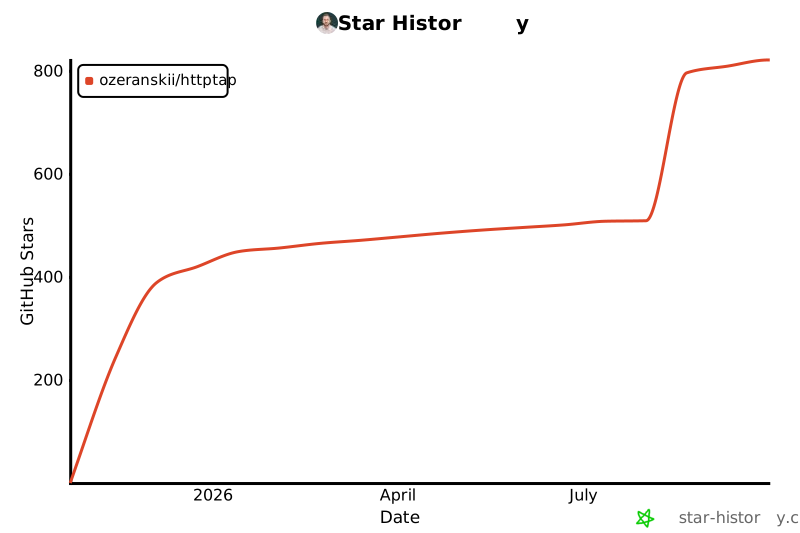
Star History
1 maintainer

Metadata
1 maintainer
Release files for httptap 0.8.1
For a detailed explanation of source distributions (sdists) and built distributions (wheels), please see the package formats documentation.
Source distribution (sdist)
| File | Size | Uploaded | |
|---|---|---|---|
| httptap-0.8.1.tar.gz | 100.3 kB | Details |
Built distribution (wheel)
| File | Interpreter | ABI | Platform | Reset |
|---|---|---|---|---|
| httptap-0.8.1-py3-none-any.whl | Python 3 | none | any | Details |
Total release size: 201.3 kB
Release files / httptap-0.8.1.tar.gz
| Download URL | httptap-0.8.1.tar.gz |
|---|---|
| Size | 100.3 kB |
| Tags | Source |
|
SHA-256 checksum How to use checksums |
ba7bda55669fbaadd82b9cf75add4bf378306eb7fb0c2b2caef097fa14de24d2
|
|
BLAKE2b-256 checksum How to use checksums |
b954fffa661a21fdca07c8817565fdd8dcda621f02f1aedd4648f2397c5c1571
|
| Upload date | |
|
Uploaded using Trusted Publishing? What is trusted publishing? |
Yes |
| Uploaded via |
twine/7.0.0 CPython/3.13.14
|
Provenance
Provenance describes where a file came from. On PyPI, provenance is shared via attestations, which provide a verifiable record of the build or publishing details. View details, limitations and caveats.


PyPI Publish Attestation
PyPI verified that this artifact, at this checksum, originated from the publisher listed below.
Signed by GitHub Actions, verified by PyPI on Oct 9, 2026.
Transparency logRelease files / httptap-0.8.1-py3-none-any.whl
| Download URL | httptap-0.8.1-py3-none-any.whl |
|---|---|
| Size | 101.0 kB |
| Tags | Python 3 |
|
SHA-256 checksum How to use checksums |
d6c57c231f447eaa0b8b6335714cb2bc230e8e81d06bb6282bb7702e2c71f431
|
|
BLAKE2b-256 checksum How to use checksums |
497c964f2de02fa6b2dc0835cd08ee97838fc9ec6d71d7220dc049ecf062eb7a
|
| Upload date | |
|
Uploaded using Trusted Publishing? What is trusted publishing? |
Yes |
| Uploaded via |
twine/7.0.0 CPython/3.13.14
|
Provenance
Provenance describes where a file came from. On PyPI, provenance is shared via attestations, which provide a verifiable record of the build or publishing details. View details, limitations and caveats.
PyPI Publish Attestation
PyPI verified that this artifact, at this checksum, originated from the publisher listed below.
Signed by GitHub Actions, verified by PyPI on Oct 9, 2026.
Transparency log













