
Friendly fork of the next generation HTTP client.


Project description
HTTPXYZ - A friendly fork of the next-generation HTTP client for Python.
HTTPXYZ (pronounced "HTTP-ex-why-zee") is a fully featured HTTP client library for Python 3. It includes an integrated command line client, has support for both HTTP/1.1 and HTTP/2, and provides both sync and async APIs.
About this fork
HTTPXYZ is a fork of HTTPX. HTTPX had no release after November 2024 while bugs affecting real-world usage went unresolved. Our goal is stability: bug fixes only, no breaking API changes.
We mean no harm to the original author or contributors — HTTPX is excellent work. For the full story, see Why we forked HTTPX.
Migrating from HTTPX
For most users, migration is a one-line change:
import httpxyz as httpx
That's it, HTTPXYZ is a drop-in replacement, all APIs, exceptions, and behaviour are identical.
If you want to use HTTPXYZ natively:
import httpxyz
r = httpxyz.get("https://www.example.org/")
Transparent httpx aliasing
Importing httpxyz automatically registers itself as sys.modules["httpx"]. This means that any third-party library which does import httpx internally will receive httpxyz instead, as long as httpxyz was imported first:
import httpxyz          # registers httpxyz as sys.modules["httpx"]
import some_library     # internally does `import httpx` — gets httpxyz
isinstance checks against httpx classes will therefore pass for httpxyz objects, even in code you don't control. See HTTPX Compatibility for full details, including how to set this up correctly when using respx in pytest.
Using HTTPXYZ
Install HTTPXYZ using pip:
$ pip install httpxyz
Now, let's get started:
>>> import httpxyz
>>> r = httpxyz.get('https://www.example.org/')
>>> r
<Response [200 OK]>
>>> r.status_code
200
>>> r.headers['content-type']
'text/html; charset=UTF-8'
>>> r.text
'<!doctype html>\n<html>\n<head>\n<title>Example Domain</title>...'
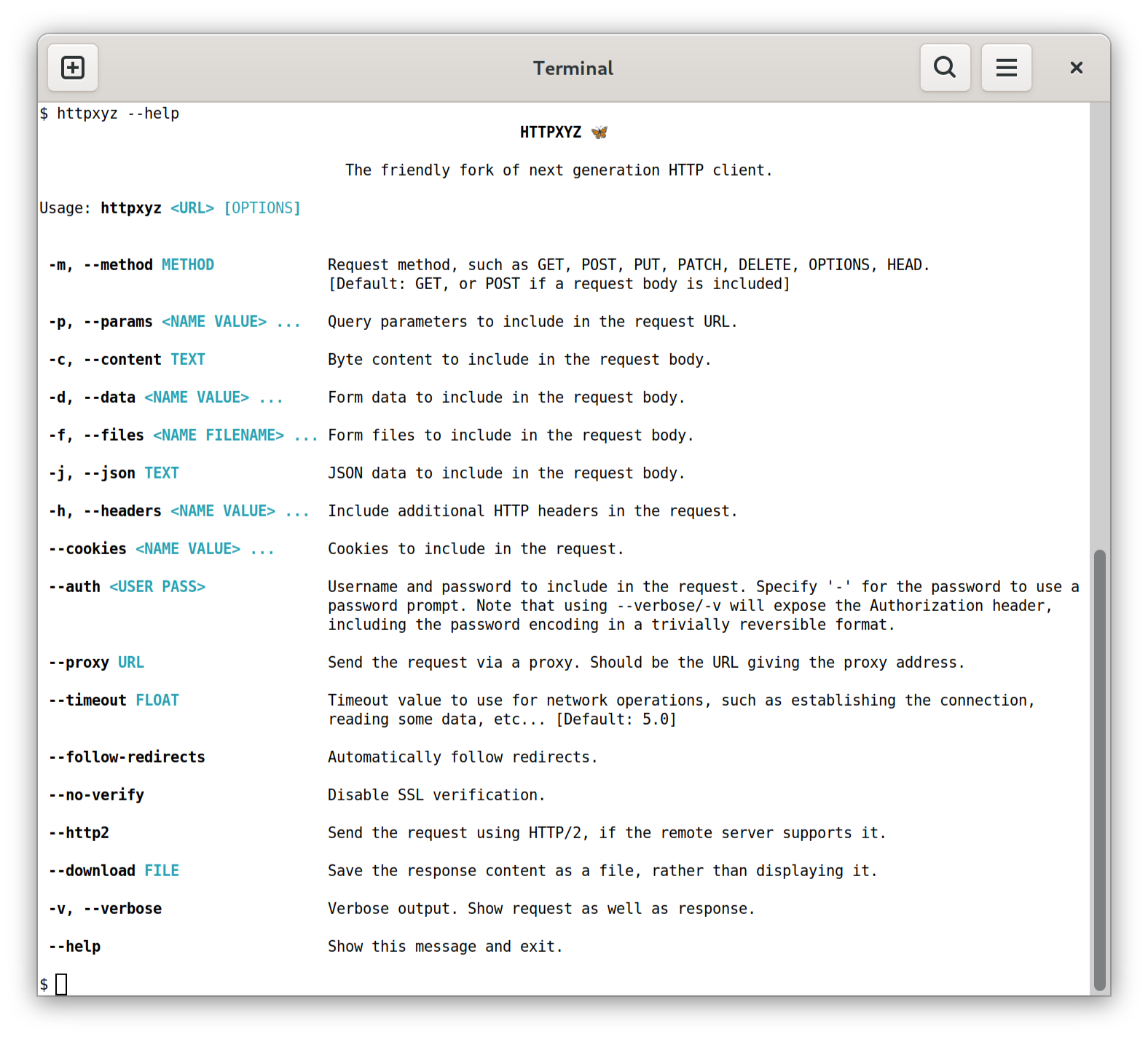
Or, using the command-line client.
$ pip install 'httpxyz[cli]' # The command line client is an optional dependency.
Which now allows us to use HTTPXYZ directly from the command-line...
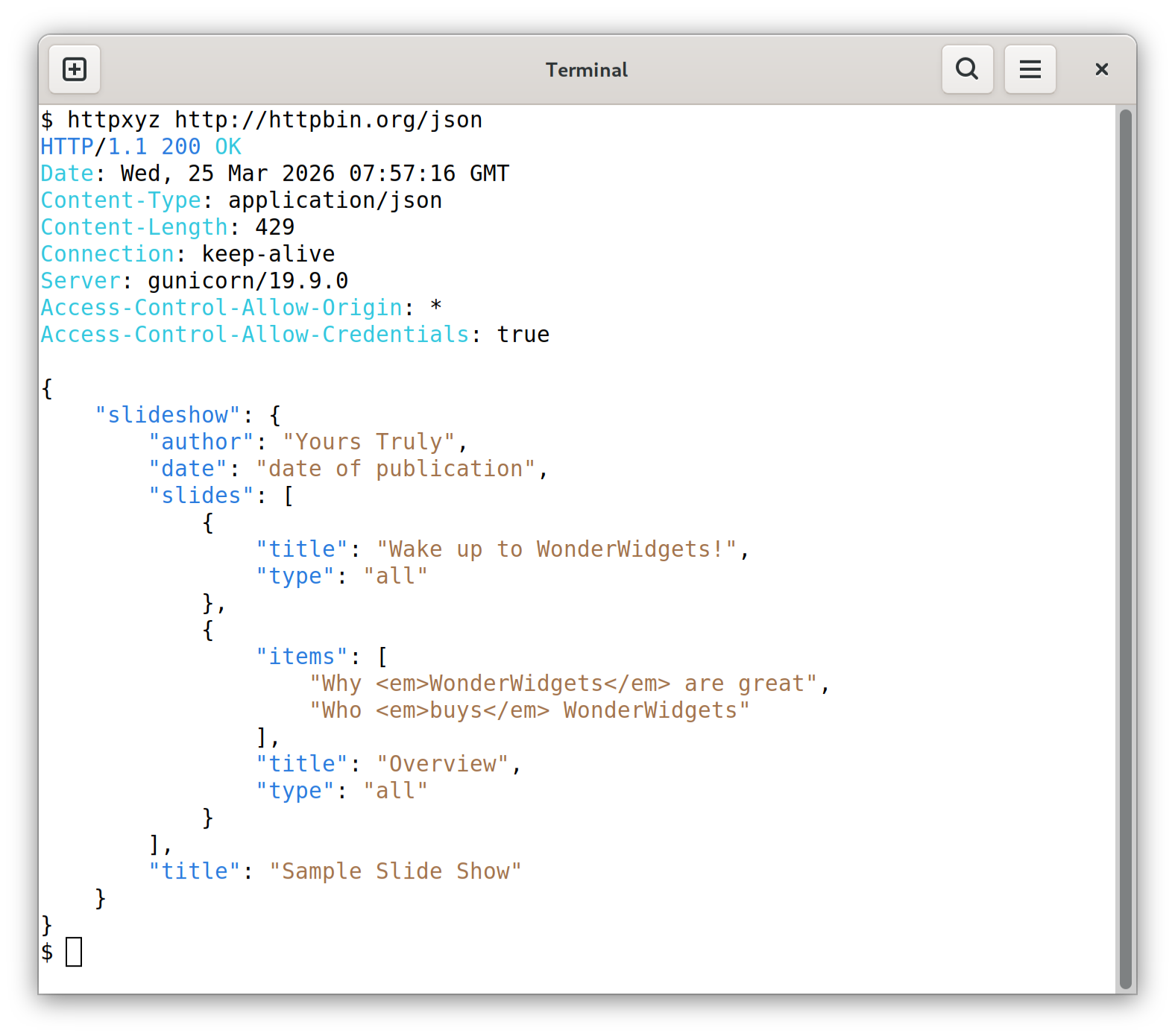
Sending a request...
Features
HTTPXYZ builds on the well-established usability of requests, and gives you:
- A broadly requests-compatible API.
- An integrated command-line client.
- HTTP/1.1 and HTTP/2 support.
- Standard synchronous interface, but with async support if you need it.
- Ability to make requests directly to WSGI applications or ASGI applications.
- Strict timeouts everywhere.
- Fully type annotated.
- 100% test coverage.
Plus all the standard features of requests...
- International Domains and URLs
- Keep-Alive & Connection Pooling
- Sessions with Cookie Persistence
- Browser-style SSL Verification
- Basic/Digest Authentication
- Elegant Key/Value Cookies
- Automatic Decompression
- Automatic Content Decoding
- Unicode Response Bodies
- Multipart File Uploads
- HTTP(S) Proxy Support
- Connection Timeouts
- Streaming Downloads
- .netrc Support
- Chunked Requests
Installation
Install with pip:
$ pip install httpxyz
Or, to include the optional HTTP/2 support, use:
$ pip install httpxyz[http2]
HTTPXYZ requires Python 3.9+.
Documentation
Project documentation is available at https://httpxyz.org/.
For a run-through of all the basics, head over to the QuickStart.
For more advanced topics, see the Advanced Usage section, the async support section, or the HTTP/2 section.
The Developer Interface provides a comprehensive API reference.
To find out about tools that integrate with HTTPXYZ, see Third Party Packages.
Contribute
If you want to contribute with HTTPXYZ check out the Contributing Guide to learn how to start.
Dependencies
The HTTPXYZ project relies on these excellent libraries:
httpcore- The underlying transport implementation forhttpxyz.h11- HTTP/1.1 support.
certifi- SSL certificates.idna- Internationalized domain name support.sniffio- Async library autodetection.
As well as these optional installs:
h2- HTTP/2 support. (Optional, withhttpxyz[http2])socksio- SOCKS proxy support. (Optional, withhttpxyz[socks])rich- Rich terminal support. (Optional, withhttpxyz[cli])click- Command line client support. (Optional, withhttpxyz[cli])brotliorbrotlicffi- Decoding for "brotli" compressed responses. (Optional, withhttpxyz[brotli])zstandard- Decoding for "zstd" compressed responses. (Optional, withhttpxyz[zstd])
A huge amount of credit is due to requests for the API layout that
much of this work follows, as well as to urllib3 for plenty of design
inspiration around the lower-level networking details.
HTTPXYZ is BSD licensed code.
Designed & crafted with care.
— 🦋 —
Release Information
Now registers as httpx in sys.modules
httpxyz now registers itself as httpx using the sys.modules.setdefault() pattern (pioneered by Pillow). This means packages that checks for httpx types at runtime work seamlessly with httpxyz without any changes.
Added
- pytest plugin makes it easy to use respx and similar tools in test suites (#20).
- Added "Why forking?" page explaining the rationale for forking from httpx.
- Debug-level logging for
sys.modulesregistration so you can see what httpxyz is doing at startup (#25). httpxyzCLI tool now assumes https:// when scheme is not specified on URLs. i.e.httpxyz example.comnow will request from https://example.com (#22).
Fixed
create_ssl_context:ctx.load_cert_chainwas incorrectly skipped whenverifywas passed as a string httpx/3718, #14.- Fixed unquote() crashing on empty unquoted values when parsing digest auth headers httpx/3771, #9.
- Handle IDNA errors gracefully: the original host is preserved on decode errors httpx/3710, #12.
- Store elapsed time on stream wrapper to avoid reference cycles, prevents escessive memory usage in some scenarios. #19
- CLI's
_mainmodule is now lazily imported, speeding up non-CLI usage httpx/3547, #13 - Tests now run on a random port instead of 8000, avoiding conflicts with other local services, #21


Download files
Download the file for your platform. If you're not sure which to choose, learn more about installing packages.
Source Distribution
Built Distribution
Filter files by name, interpreter, ABI, and platform.
If you're not sure about the file name format, learn more about wheel file names.
Copy a direct link to the current filters
File details
Details for the file httpxyz-0.30.0.tar.gz.
File metadata
- Download URL: httpxyz-0.30.0.tar.gz
- Upload date:
- Size: 146.2 kB
- Tags: Source
- Uploaded using Trusted Publishing? No
- Uploaded via: twine/6.2.0 CPython/3.14.3
File hashes
| Algorithm | Hash digest | |
|---|---|---|
| SHA256 |
e1428daf3d3971a0e3dd66e09badc76549d6b4754aad06a999ba72fbbf4b3ff6
|
|
| MD5 |
ee0b6b14824b4c2e8aff5e57eda49837
|
|
| BLAKE2b-256 |
e5843fd3013275ca39e9b5468d94860e1018da6969678f8aacb8889af7101983
|
File details
Details for the file httpxyz-0.30.0-py3-none-any.whl.
File metadata
- Download URL: httpxyz-0.30.0-py3-none-any.whl
- Upload date:
- Size: 75.9 kB
- Tags: Python 3
- Uploaded using Trusted Publishing? No
- Uploaded via: twine/6.2.0 CPython/3.14.3
File hashes
| Algorithm | Hash digest | |
|---|---|---|
| SHA256 |
4251f35fc1049acde8b36d46a141241b0ff38f685042f2ee0b32225a4d9a0fae
|
|
| MD5 |
321d10b167e9b88d4e9a4468f20fa00c
|
|
| BLAKE2b-256 |
ce8fd2d87f54348075ccf962d8729bc52ed961da0e3332fb28d5316f42095b52
|






