
Huemon




Zabbix monitoring with low-level discovery for Philips Hue networks.
Requirements
- Zabbix server 5.0+
- Zabbix agent 5.0+
- Python 3.9+ on Zabbix agent machine
Installation
pip3 install huemon
Configuration
- Copy
config.example.ymlfromsrc/huemonto/path/to/config.yml - Make necessary changes
- Provide the path through environment variable
HUEMON_CONFIG_PATH
Plugins
Create a command or discovery plugin by implementing HueCommand or Discovery respectively and copy the file to the configured path in plugins.commands.path or plugins.discoveries.path of the configuration file.
Zabbix agent configuration
# file:/path/to/zabbix/agent/conf.d/hue.conf

UserParameter=hue.discovery[*],HUEMON_CONFIG_PATH=/path/to/config.yml python3 -m huemon discover $1
UserParameter=hue.value[*],HUEMON_CONFIG_PATH=/path/to/config.yml python3 -m huemon $1 $2 $3
Or Docker
# file:/path/to/zabbix/agent/conf.d/hue.conf

UserParameter=hue.discovery[*],docker-compose run huemon discover $1
UserParameter=hue.value[*],docker-compose run huemon $1 $2 $3
Or agent mode
# file:/path/to/zabbix/agent/conf.d/hue.conf

UserParameter=hue.discovery[*],curl http://127.0.0.1:8000/discover?q=$1
UserParameter=hue.value[*],curl http://127.0.0.1:8000/$1?q=$2\&q=$3
Configure Systemd service
An installer that configures Huemon as a Systemd service is included in this repository. It uses /etc/huemon/config.yml as the configuration path.
assets/service-installer.sh install
Usage
Shell
HUEMON_CONFIG_PATH=/path/to/config.yml python3 -m huemon discover lights
Or agent mode
HUEMON_CONFIG_PATH=/path/to/config.yml python3 -m huemon agent start
Docker
Provide a configuration path for the huemon-config volume in docker-compose.yml before running the commands below.
docker-compose run huemon discover lights
Or agent mode
docker-compose up -d
Screenshots
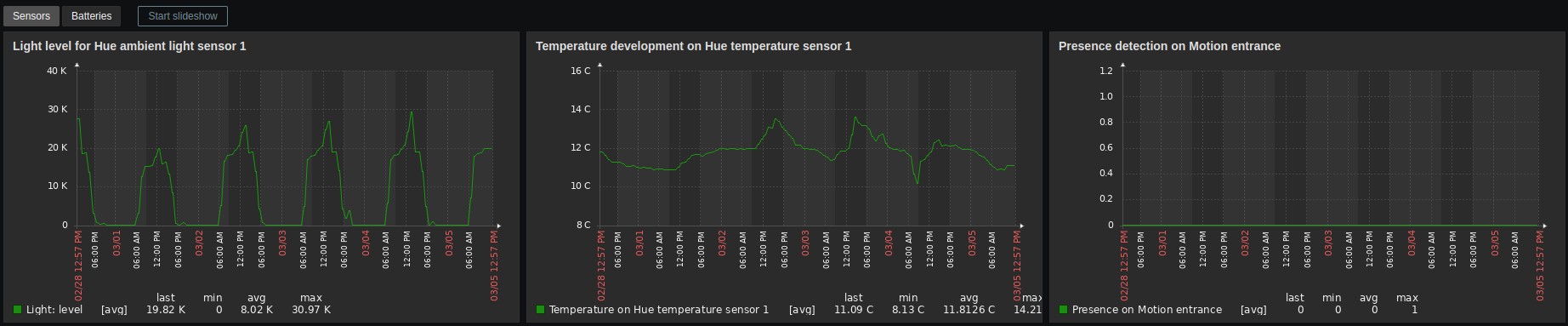
Dashboards
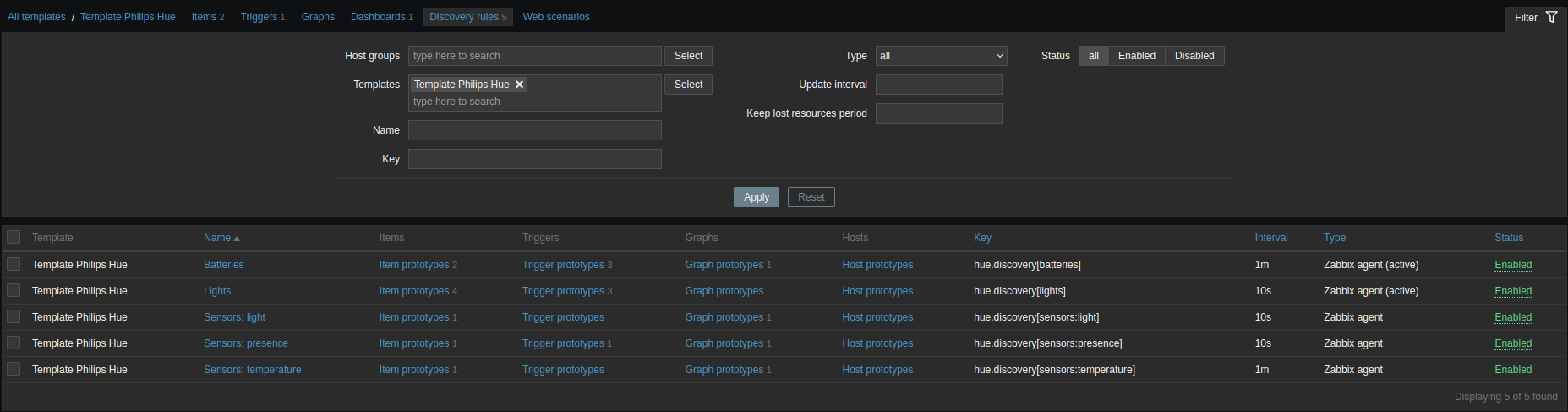
Discoveries

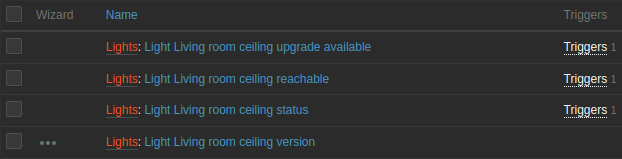

Template
Contributing
See the contributing guide to learn how to contribute to the repository and the development workflow.
Code of Conduct
Contributor Code of Conduct. By participating in this project you agree to abide by its terms.
License
MPL-2.0
1 maintainer

Metadata
1 maintainer
Release files for huemon 2.0.4
For a detailed explanation of source distributions (sdists) and built distributions (wheels), please see the package formats documentation.
Source distribution (sdist)
| File | Size | Uploaded | |
|---|---|---|---|
| huemon-2.0.4.tar.gz | 18.4 kB | Details |
Built distribution (wheel)
| File | Interpreter | ABI | Platform | Reset |
|---|---|---|---|---|
| huemon-2.0.4-py3-none-any.whl | Python 3 | none | any | Details |
Total release size: 53.8 kB
Release files / huemon-2.0.4.tar.gz
| Download URL | huemon-2.0.4.tar.gz |
|---|---|
| Size | 18.4 kB |
| Tags | Source |
|
SHA-256 checksum How to use checksums |
754cfb7bd2bbeec082ffb8c61fd000e782f4c4875cfa1b10f25cad51407133c8
|
|
BLAKE2b-256 checksum How to use checksums |
c8dc4924ffe8ac54f09af07ee332dbc2ed984ddfec5c0fd11913e5fa5b148cf3
|
| Upload date | |
|
Uploaded using Trusted Publishing? What is trusted publishing? |
No |
| Uploaded via |
poetry/1.8.5 CPython/3.9.20 Linux/6.5.0-1025-azure
|
Release files / huemon-2.0.4-py3-none-any.whl
| Download URL | huemon-2.0.4-py3-none-any.whl |
|---|---|
| Size | 35.4 kB |
| Tags | Python 3 |
|
SHA-256 checksum How to use checksums |
ce14be7619f7726ad209980da94703cda7cb9685ad30bb78c29c48fc969cf999
|
|
BLAKE2b-256 checksum How to use checksums |
f6c3ff5bac9f8cf0316cf0535d6abb610c9fb620b3569388df8b55f5828aa887
|
| Upload date | |
|
Uploaded using Trusted Publishing? What is trusted publishing? |
No |
| Uploaded via |
poetry/1.8.5 CPython/3.9.20 Linux/6.5.0-1025-azure
|














