

a lightweight alternative.
huey is:
a task queue
written in python
clean and simple API
huey has:
support for redis (or valkey/redict), postgres, sqlite, file-system, or in-memory storage
zero dependencies (redis-py required to use redis-like brokers, psycopg for postgres).
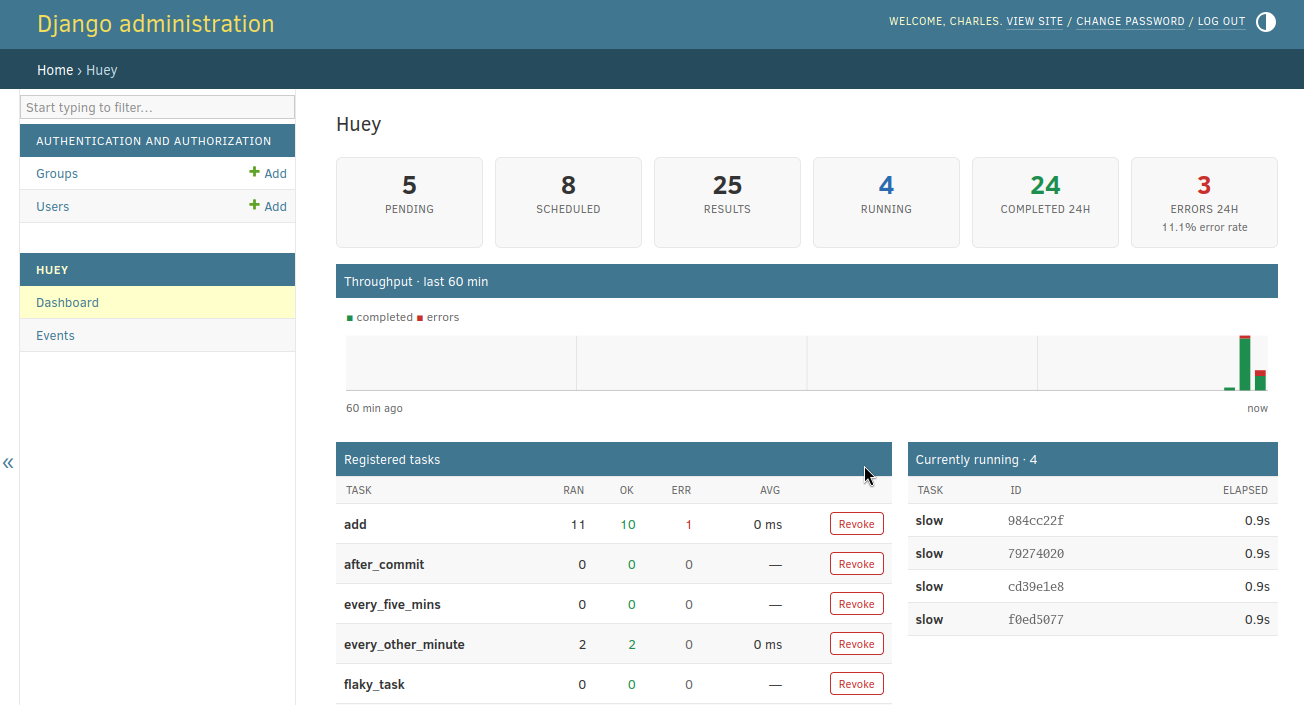
django integration (native or via django.tasks) with admin integration for visibility and management.
huey supports:
multi-process, multi-thread or greenlet task execution models
schedule tasks to execute at a given time, or after a given delay
schedule recurring tasks, like a crontab
automatically retry tasks that fail
task prioritization
task result storage
task expiration
task locking, rate-limits and timeouts
task pipelines and chains
groups (fan-out), chords (map / reduce)

At a glance
from huey import RedisHuey, crontab

# Or PostgresHuey, SqliteHuey, FileHuey, etc...
huey = RedisHuey('my-app', host='redis.myapp.com')

@huey.task()
def add_numbers(a, b):
    return a + b

@huey.task(retries=2, retry_delay=60)
def flaky_task(url):
    # This task might fail, in which case it will be retried up to 2 times
    # with a delay of 60s between retries.
    return this_might_fail(url)

@huey.periodic_task(crontab(minute='0', hour='3'))
def nightly_backup():
    sync_all_data()
Calling a task-decorated function will enqueue the function call for execution by the consumer. A special result handle is returned immediately, which can be used to fetch the result once the task is finished:
>>> from demo import add_numbers
>>> res = add_numbers(1, 2)
>>> res
<Result: task 6b6f36fc-da0d-4069-b46c-c0d4ccff1df6>

>>> res()
3
Tasks can be scheduled to run in the future:
>>> res = add_numbers.schedule((2, 3), delay=10)  # Will be run in ~10s.
>>> res(blocking=True)  # Will block until task finishes, in ~10s.
5
For much more, check out the guide or take a look at the example code.
Running the consumer
Run the consumer with four worker processes:
$ huey_consumer my_app.huey -k process -w 4To run the consumer with a single worker thread (default):
$ huey_consumer my_app.hueyIf your work-loads are mostly IO-bound, you can run the consumer with threads or greenlets instead. Because greenlets are so lightweight, you can run quite a few of them efficiently:
$ huey_consumer my_app.huey -k greenlet -w 32Storage
Huey’s design and feature-set were informed by the capabilities of the Redis database. Redis is a fantastic fit for a lightweight task queueing library like Huey: it’s self-contained, versatile, and can be a multi-purpose solution for other web-application tasks like caching, event publishing, analytics, rate-limiting, and more.
Although Huey was designed with Redis in mind, the storage system implements a simple API and many other tools could be used instead of Redis if that’s your preference.
Huey comes with builtin support for Redis, Postgres, Sqlite, File-system, and in-memory storage.
Frameworks
Huey provides Django integration either natively or via django.tasks. Huey also provides an optional admin integration for Django:
Huey also provides flask-peewee admin integration based on the same underlying stat-tracking system:
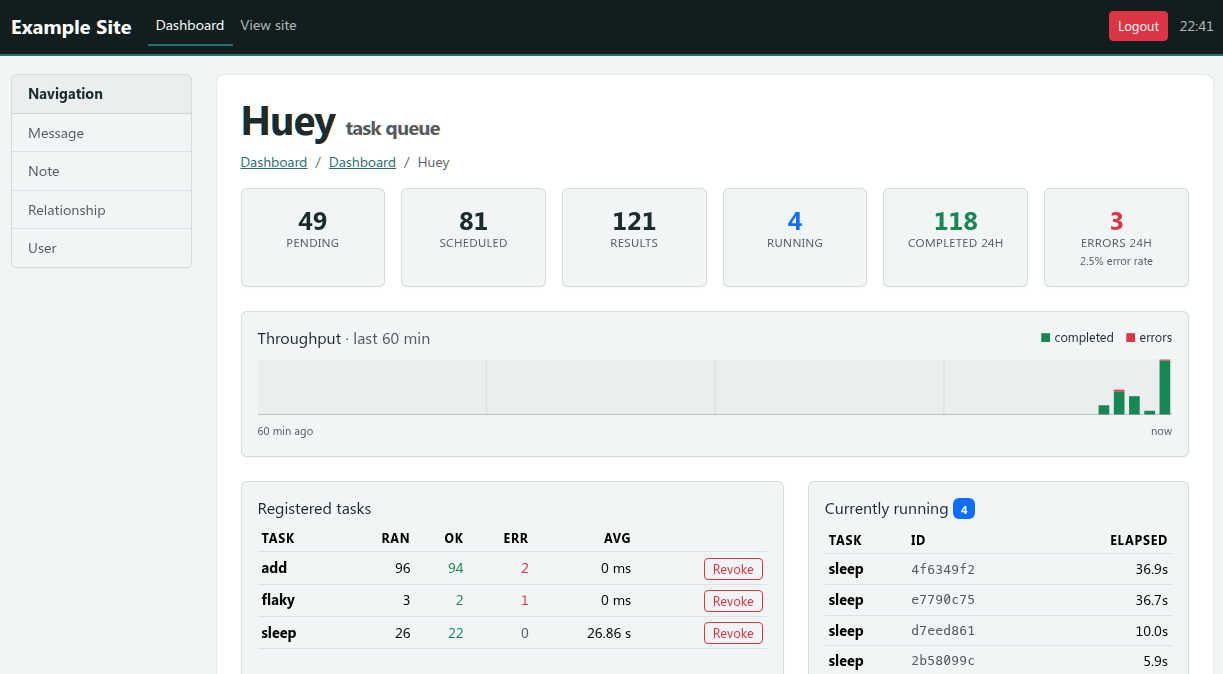
Other frameworks can use the stats extension to collect and display this information.
Documentation
Project page
See source code and issue tracker on Github.
Huey is named in honor of my cat:

1 maintainer

Release files for huey 3.4.0
For a detailed explanation of source distributions (sdists) and built distributions (wheels), please see the package formats documentation.
Source distribution (sdist)
| File | Size | Uploaded | |
|---|---|---|---|
| huey-3.4.0.tar.gz | 630.0 kB | Details |
Built distribution (wheel)
| File | Interpreter | ABI | Platform | Reset |
|---|---|---|---|---|
| huey-3.4.0-py3-none-any.whl | Python 3 | none | any | Details |
Total release size: 766.5 kB
Release files / huey-3.4.0.tar.gz
| Download URL | huey-3.4.0.tar.gz |
|---|---|
| Size | 630.0 kB |
| Tags | Source |
|
SHA-256 checksum How to use checksums |
ac9b02e741f13da4092ea19bcaafc73669e97d3153914d2fed2868df144f6dfa
|
|
BLAKE2b-256 checksum How to use checksums |
57251281d8f3febc30b5facbfc5e4163447241711591c094dac642d32c827eb0
|
| Upload date | |
|
Uploaded using Trusted Publishing? What is trusted publishing? |
No |
| Uploaded via |
twine/7.0.0 CPython/3.13.14
|
Release files / huey-3.4.0-py3-none-any.whl
| Download URL | huey-3.4.0-py3-none-any.whl |
|---|---|
| Size | 136.5 kB |
| Tags | Python 3 |
|
SHA-256 checksum How to use checksums |
d0580762397744026f83baae5f2b97a62474a62b8565ac75bbafefe72f9c784f
|
|
BLAKE2b-256 checksum How to use checksums |
5731cee585bd4d1e39947a426a6736f4e17d22b454952370fb9cf48eb3103085
|
| Upload date | |
|
Uploaded using Trusted Publishing? What is trusted publishing? |
No |
| Uploaded via |
twine/7.0.0 CPython/3.13.14
|














