
hugpy — run your own models, your own way
A self-hosted LLM console and OpenAI-compatible API in a single process.
Model registry & downloads, streaming chat, an OpenAI-compatible /v1 surface
with on-site API keys, and a GPU worker fleet with cross-machine RPC sharding —
all served by one command, with no nginx and no Node required. From 0.2.6 every
operator setting lives in the hugpy database, and a planner prices every quant
on every worker before anything loads.
pip install hugpy
hugpy serve            # console at http://localhost:7002/ , API at /api/v1
hugpy is the meta distribution: a normal install brings in the complete,
lockstep hugpy-* module family used by development. The implementation remains
split into focused distributions, while extras add optional native, GPU, model
runner, and service dependencies for a particular machine profile.
Table of contents
- Why hugpy
- Screenshots
- What's new in 0.2.6
- The distributions
- Install
- Quickstart
- OpenAI-compatible API
- Command-line interface
- GPU worker fleet & sharding
- Allocation, the planner and discovery
- Discord bot
- Configuration
- Storage & paths
- Authentication
- Platform notes
- Links & license
Why hugpy
Most "run a model" tools stop at load-and-infer. hugpy is the operational layer around self-hosting:
- One process, whole product.
hugpy serveruns the API, the web console, model downloads, chat, and the OpenAI/v1surface. No reverse proxy, no separate frontend build. - OpenAI-compatible. Point any OpenAI SDK at your box —
base_url+ anhp_…key and you're done. - Bring your own GPUs. Join any machine to a central as a worker
(
hugpy worker), or lend its GPU to a cross-machine shard pool so models larger than one card can run across several boxes over RPC. - Placement you can read. Every quant gets a stored verdict per worker: which modes fit, the GPU/RAM split and the context ceiling per KV cache type. Explicit placement uses llama.cpp's own layer counts.
- One install, configurable runtime. The base install carries the complete Hugpy module family; native engines, GPU runners, and optional media stacks are opt-in extras that the code lazy-imports only when used.
Screenshots
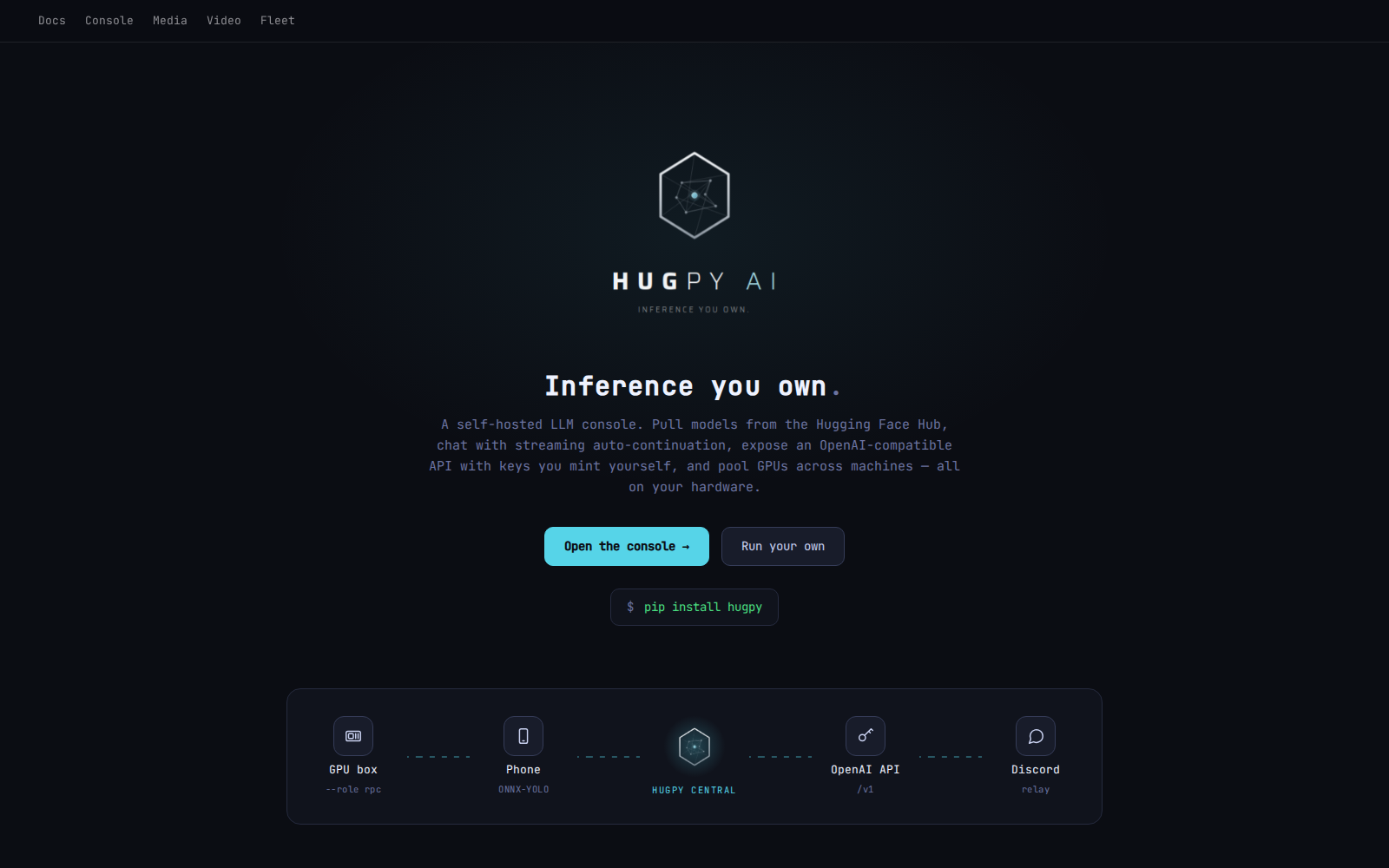
The landing page: pip install hugpy, with central at the hub of GPU boxes, phones, the OpenAI-compatible API and Discord.
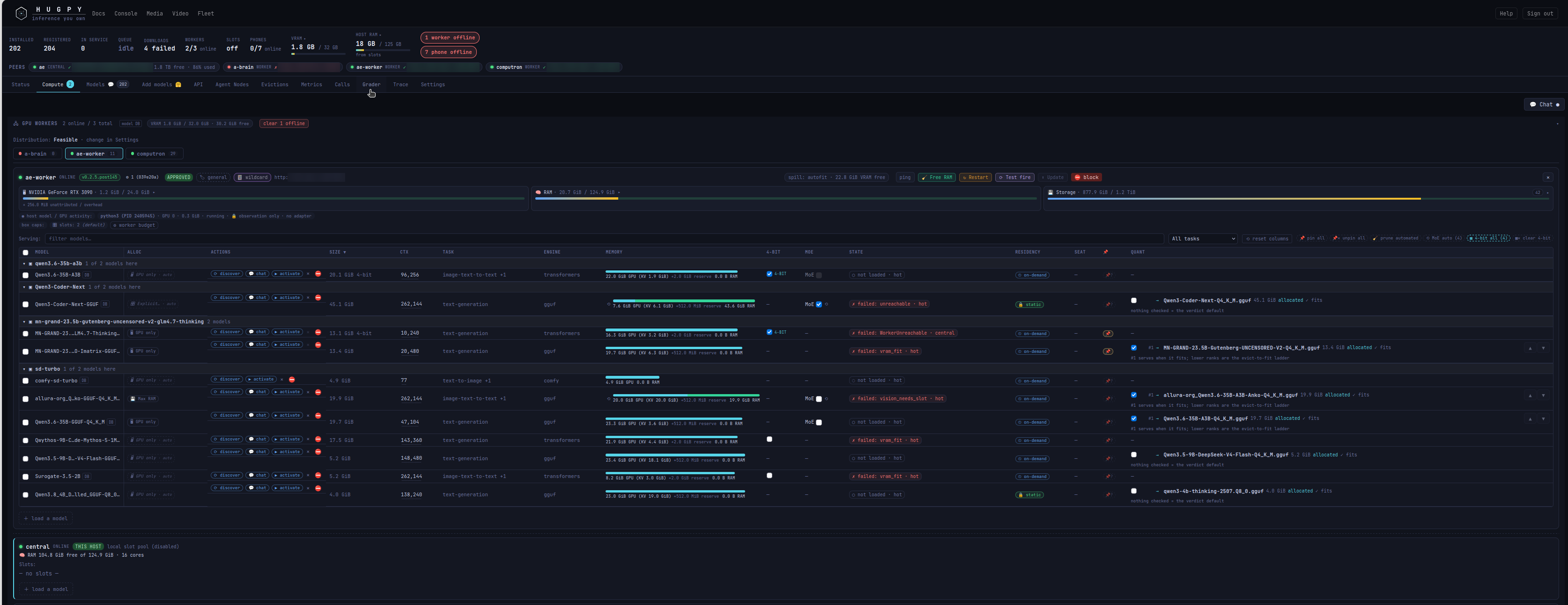
The Compute tab, one worker's allocation rows: allocation mode, targeted discover, size, context, the GPU and RAM memory bar, 4-bit, MoE, state, residency, pin, and each pair's ranked quant list.
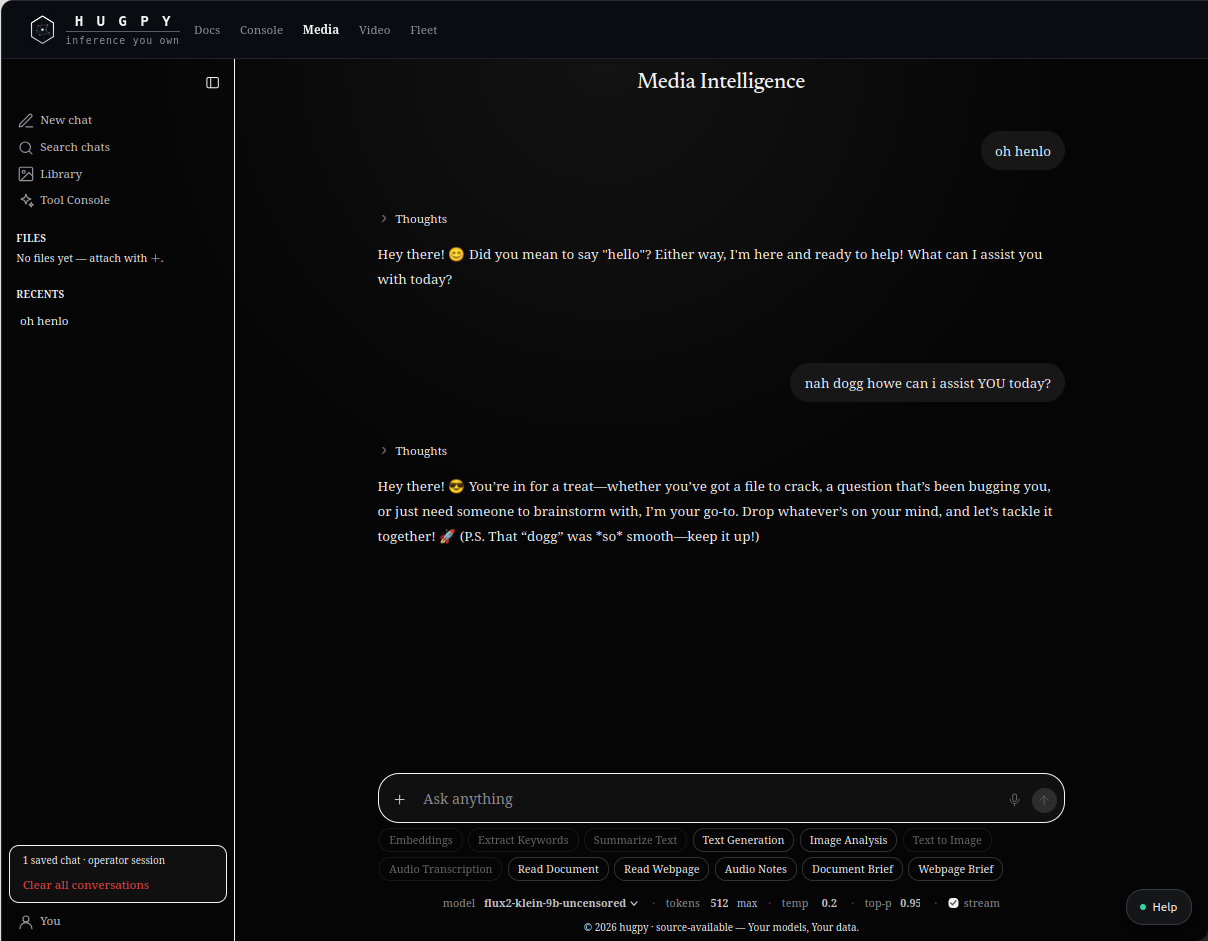
Media Intelligence: chat with any served model, plus embeddings, keywords, summaries, image analysis, transcription, and document and webpage briefs.
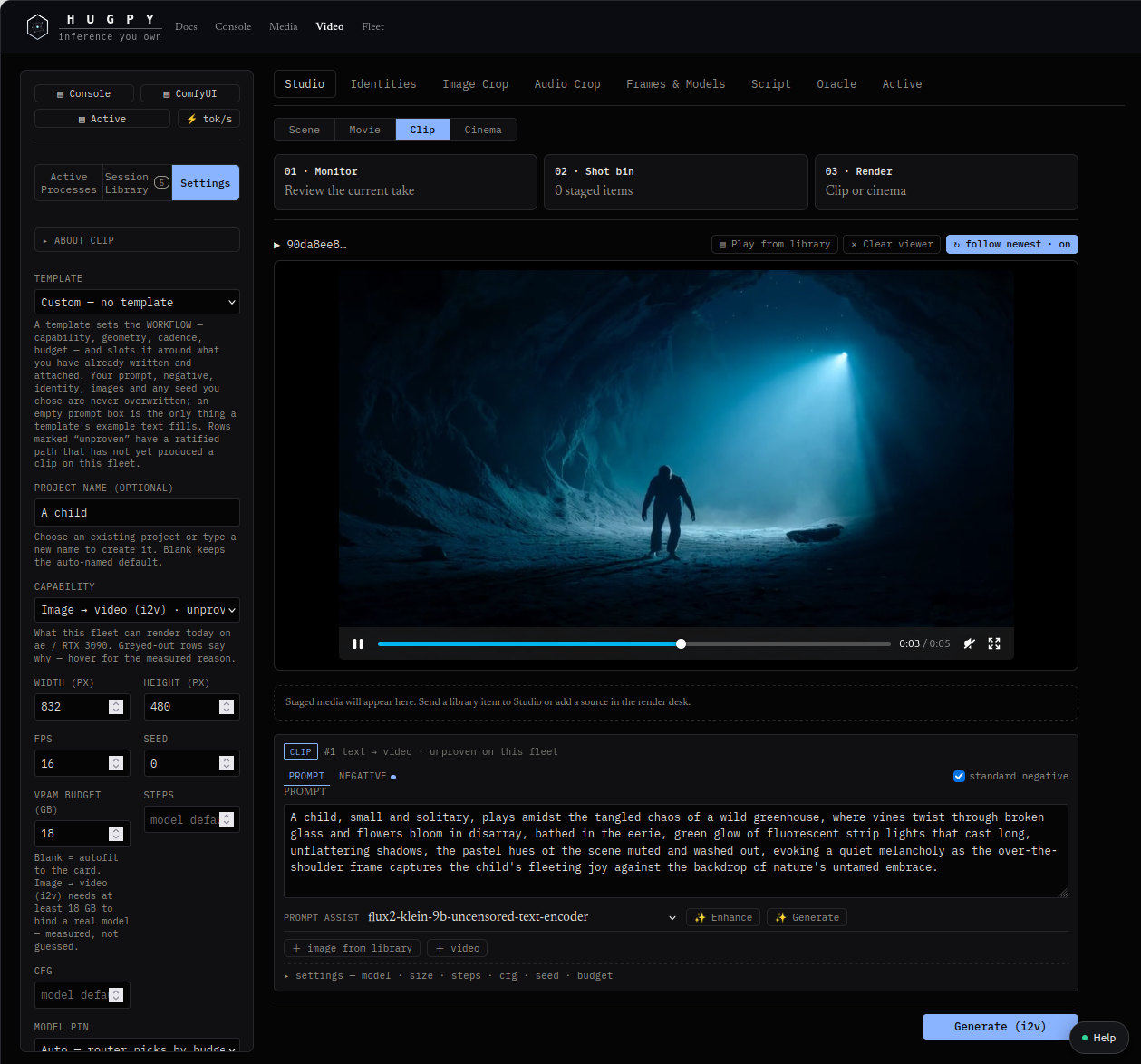
The video studio: image-to-video clips with a VRAM budget, prompt assist from a served model, and the render desk.
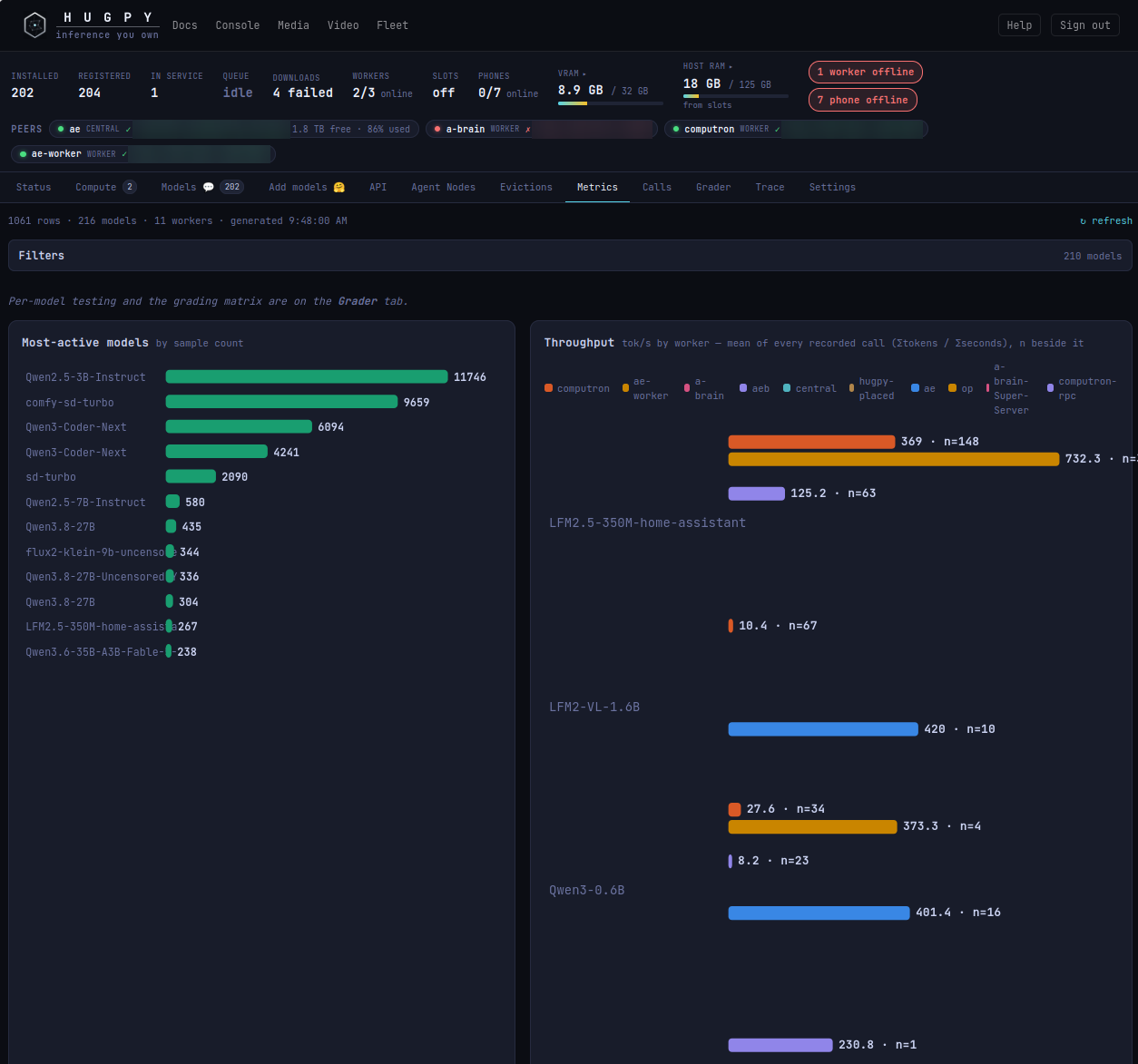
Metrics: the most-active models and measured throughput per worker, from every recorded call.
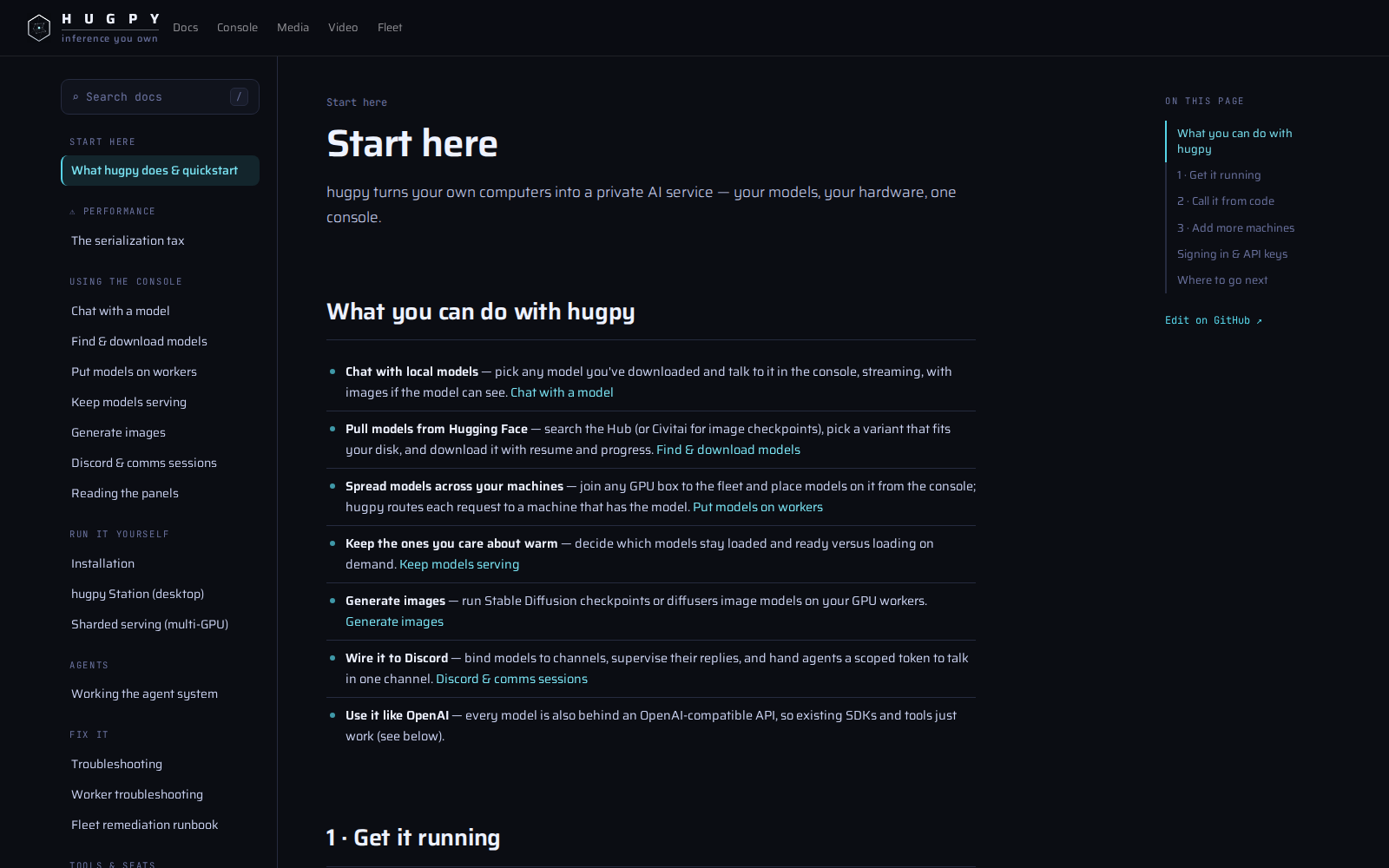
The built-in docs: start here, using the console, running it yourself, agents and troubleshooting.
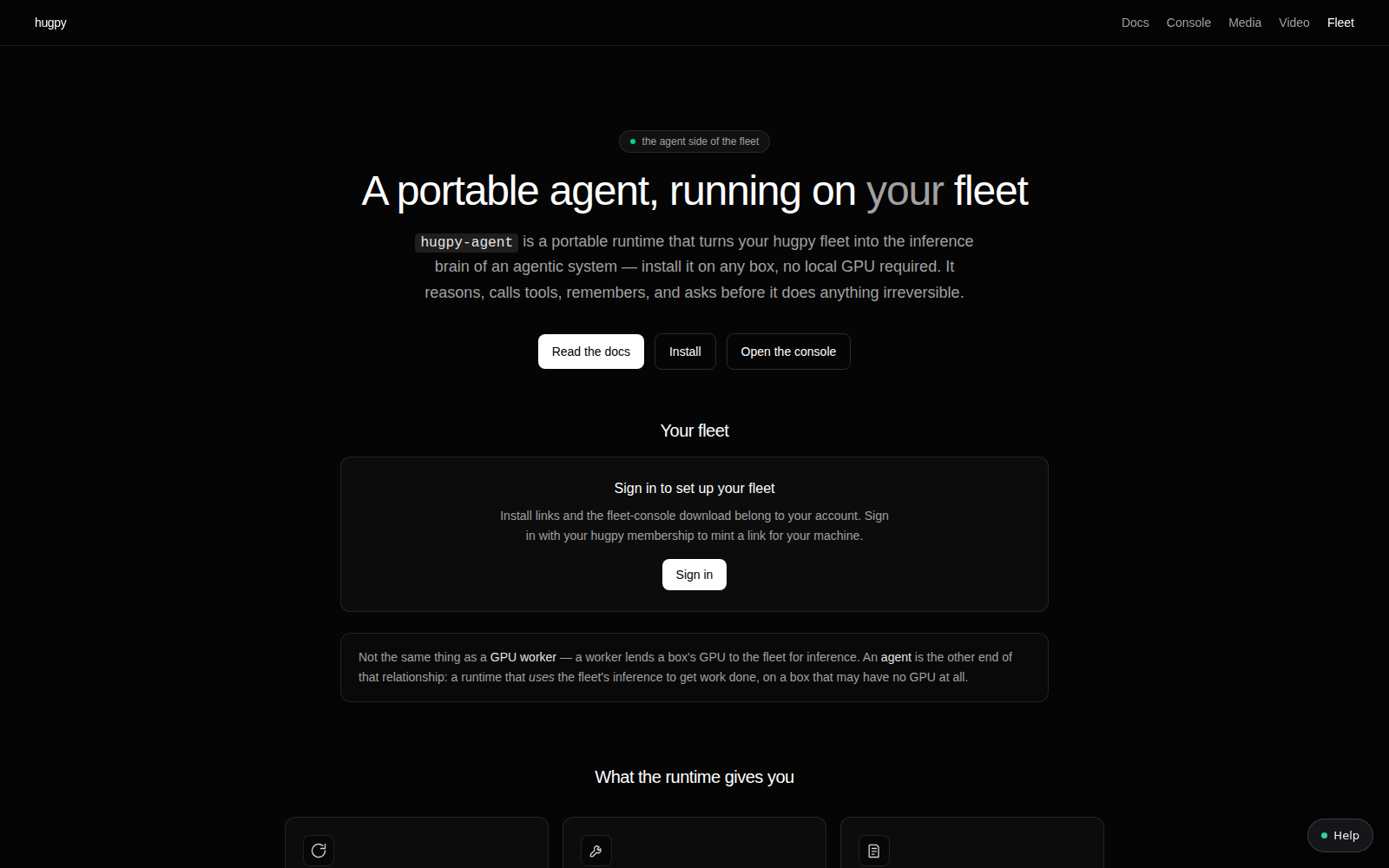
The Fleet page for hugpy-agent, the portable agent runtime that uses the fleet's inference from any box.
What's new in 0.2.6
0.2.6 is a ground-up change in where hugpy keeps its state. Every operator setting now lives in the hugpy database, the console reads and writes that database directly, and central converges to it. Highlights:
- The database is the source of truth. Model designation, per-worker
allocation knobs, pins, drive inventory and model-wide serving settings are
rows in PostgreSQL (
HUGPY_REGISTRY_DB=pg). The old JSON stores for assignments, the worker catalog and serve overrides are frozen. Central converges to the database in the background, so a restart no longer drops unpinned state and the console never waits on central's lock. - One row per model and worker. Each (model, worker) pair carries its own context target, KV cache type, flash attention, quant choice, MoE split, 4-bit load and placement. A pair is either assigned (routing may use it) or also pinned (an operator lock that automation may neither unassign nor retune). Every designation records where it came from: operator, wildcard, inventory, relay, benchmark or agent.
- A planner that prices every quant on every worker. For each weights file
hugpy stamps the facts once into the model's
hugpy.json: size, MoE structure, per-layer attention and expert bytes, and KV cost per token. The planner turns those facts and each worker's budget into a stored verdict per quant: which allocation modes fit, the auto mode, the largest context each mode can hold for each KV cache type, and the explicit layer band. The console shows these verdicts; it no longer guesses. - Explicit placement in llama.cpp terms. The explicit mode sets layer
counts, not percentages: attention layers on the GPU (
--n-gpu-layers), expert layers kept in RAM (--n-cpu-moe), an expert-split toggle for MoE models, and a prefer-RAM or prefer-GPU choice for where the leftover band goes. Modes that cannot fit are disabled with the verdict's reason. - A ranked quant list per pair. Tick the quants a worker may serve and rank them. Rank 1 serves when it fits at the pair's context and KV type; the server picks the first listed quant that fits. The lower ranks are the ladder for evict-to-fit, so a polite eviction can step down to a smaller quant (server-side step-down is the next release).
- Targeted discovery. One click on a model's row re-reads that model's
files: it makes sure the folder has a
hugpy.json, resyncs the quant list, re-stamps the weights facts and recomputes the verdicts on every worker. The full Discover models pass now ends with the same planner pass over the whole store. - Split GGUF quants are first-class. A quant shipped as
-00001-of-0000N.ggufshards is priced from its shard set like any single file, so large sharded MoE models get verdicts and explicit placement. - Smaller fixes. Exact MoE pricing with structural KV, worker budgets in 0.01 GiB steps, a VRAM limit that never exceeds the worker's reported cap, a context ceiling that follows the chosen mode and KV type, test-fire filters, and Station install links that hand down both the hugpy API key and the toolserver key.
The distributions
hugpy is split into independently installable packages with one owner per concern. Arrows are Python import direction; HTTP between deployed services does not create a dependency.
| Distribution | Import name | Owns |
|---|---|---|
hugpy-platform |
hugpy_platform |
stdlib-first foundation: central URL, env values, app dirs, hardware probes, pydantic shim |
hugpy-tools |
hugpy_tools |
stdlib-only capability suite for agents: safe file/path ops, text chunking and diffing, hashing, structured-data read/write, webpage assessment |
hugpy-control |
hugpy_control |
control-plane records: bus, jobs, principals, settings |
hugpy-storage |
hugpy_storage |
download queue/daemon, HF transport and token, model sync, physical inventory, on-disk layout |
hugpy-engine |
hugpy_engine |
prompt-to-reply path, model registry/classification and the model database, the planner (weights facts, per-quant verdicts), allocation, eviction, spill, native llama.cpp engines, task and placement seams |
hugpy-media |
hugpy_media |
embeddings, summaries, keywords, speech, TTS, vision, image generation, document/URL extraction |
hugpy-video |
hugpy_video |
media library and bus, job lifecycle, ffmpeg/synthetic/studio runners |
hugpy-oracle |
hugpy_oracle |
creative planning, model selection, DAG runtime, repair/evaluation, ledgers |
hugpy-fleet |
hugpy_fleet |
central worker registry, peers, enrollment, heartbeats, evictions, doctrine; full/GGUF/phone workers |
hugpy-curation |
hugpy_curation |
discovery dossiers and the search/screen/download/smoke/judge review pipeline |
hugpy-ops |
hugpy_ops |
sentinel, chaos runner, keeper REPL, todo keeper, provisioner |
hugpy-discord |
hugpy_discord |
the Discord bot (an HTTP client of a central) |
hugpy-server |
hugpy_server |
Flask composition root: routes, auth, SSE, API keys, the built web console |
hugpy |
hugpy |
this package: the hugpy/hpy commands and the install profiles below |
Install
pip install hugpy # complete lockstep Hugpy module family
Add runtime capabilities with extras. The profiles compose, so hugpy[all] is
a superset of hugpy[server] and hugpy[gpu-worker].
| Extra | Pulls | Use it for |
|---|---|---|
server |
hugpy-server, hugpy-fleet, hugpy-engine[gguf], hugpy-media, hugpy-video, hugpy-oracle, hugpy-curation, hugpy-storage, hugpy-control, hugpy-discord[bot], gunicorn/waitress |
A central/coordinator box (hugpy serve) |
worker |
hugpy-fleet, hugpy-engine[gguf], hugpy-storage, hugpy-control |
The minimum for hugpy worker / hugpy gguf-worker |
cpu-worker |
worker + native + validate + hugpy-engine[transformers] + hugpy-media[transformers,embed,audio,keywords,extract,vision] |
CPU transformers box |
gpu-worker |
cpu-worker + gpu + hugpy-engine[finetune] + hugpy-media[all] + hugpy-video[render] |
GPU box: adds image generation, fine-tuning, video runners |
bot |
hugpy-discord[bot] (discord.py, python-dotenv) |
The Discord bot arm (hugpy bot) |
ops |
hugpy-ops |
hugpy keeper, sentinel, chaos, provision |
media |
hugpy-media[all] |
The full server-side media toolset |
video |
hugpy-video[render], hugpy-oracle |
Video intelligence and the Oracle |
storage |
hugpy-storage |
hugpy download, hugpy storage … |
gguf (llama) |
hugpy-engine[gguf] (llama-cpp-python) |
In-process GGUF inference |
native-engine |
hugpy-engine |
hugpy install-engine (native llama-server / rpc-server) |
transformers |
hugpy-engine[transformers], hugpy-media[transformers] |
Transformers/PyTorch backends |
vision, embed, keywords, audio, imagegen, extract, tts |
the matching hugpy-media[...] extra |
Individual media capabilities |
finetune |
hugpy-engine[finetune] (peft) |
Fine-tuning helpers |
gpu |
pynvml |
Richer GPU probing (else falls back to nvidia-smi) |
validate |
pydantic>=2 |
Real pydantic validation (omit on Termux) |
native |
psutil, pyyaml, numpy, pillow, bcrypt | Compiled deps with no Android wheel |
all |
server + gpu-worker + ops + video + media + bot + native-engine |
Full desktop/server install |
pip install "hugpy[gguf]"               # local GGUF inference
pip install "hugpy[server]"             # a coordinator that hosts the console + fleet
pip install "hugpy[gpu-worker]"         # a GPU worker box (or: hugpy install-deps)
pip install "hugpy[all]"                # everything
CUDA-accelerated engine (rebuild llama-cpp-python against CUDA):
CMAKE_ARGS="-DGGML_CUDA=on" pip install --force-reinstall --no-cache-dir llama-cpp-python
Requires Python ≥ 3.10.
Quickstart
# 1. start the console + API (single-operator, no login wall by default)
hugpy serve --host 0.0.0.0 --port 7002

# 2. open the console
#    → http://localhost:7002/

# 3. (optional) provision the native llama.cpp binaries for the serve drivers
hugpy install-engine            # add --cuda for a CUDA build
Download a model and chat from the console, or drive it over the API below.
OpenAI-compatible API
hugpy serve exposes an OpenAI-compatible surface at both /v1 and /api/v1.
Python (OpenAI SDK)
from openai import OpenAI

client = OpenAI(
    base_url="http://localhost:7002/v1",   # or https://your-hugpy/api/v1
    api_key="hp_your_key_here",            # mint keys in the console
)

resp = client.chat.completions.create(
    model="your-model-key",
    messages=[{"role": "user", "content": "Say hello in one line."}],
    stream=True,
)
for chunk in resp:
    print(chunk.choices[0].delta.content or "", end="")
curl
# list models
curl http://localhost:7002/v1/models -H "Authorization: Bearer hp_your_key_here"

# chat completion (streaming)
curl http://localhost:7002/v1/chat/completions \
  -H "Authorization: Bearer hp_your_key_here" \
  -H "Content-Type: application/json" \
  -d '{"model":"your-model-key","messages":[{"role":"user","content":"hello"}],"stream":true}'
API keys. Keys (hp_…) are minted and revoked in the console (or via the
same-origin /keys endpoints). A require_key flag decides whether /v1 calls
must present Authorization: Bearer hp_…. The /v1 surface is public/
programmatic; the console's own routes (model management, jobs, workers) live on
the same origin and are governed by the site's auth mode, not /v1 keys.
Every path is reachable both bare (/health) and /api-prefixed
(/api/health).
Model database routes. The console's own allocation writes go straight to the database and are operator-gated:
GET  /api/models/database?q=&limit=                        models with pairs, verdicts and quant facts
POST /api/models/database/<model>/workers/<worker>/knobs   {"set": {...}, "unset": [...]}
POST /api/models/database/<model>/knobs                    the same, on every assigned pair
POST /api/models/database/<model>/workers/<worker>/assigned  {"assigned": true|false, "source"?: "..."}
POST /api/models/database/<model>/workers/<worker>/pinned    {"pinned": true|false}
POST /api/models/database/<model>/discover                 targeted discovery for one model
<model> is the database id or the model name.
Command-line interface
hugpy installs two entry points. hugpy is the product command; each
subcommand is implemented by the distribution named in the right-hand column
and imported only when you run it. A missing owner answers with the extra to
install, never a traceback.
hugpy serve              run the console + API in one process          hugpy-server
hugpy worker             join this machine to a central as a worker    hugpy-fleet
hugpy gguf-worker        GGUF-only worker (llama.cpp, no torch)        hugpy-fleet
hugpy phone-brick        the phone-brick arm                          hugpy-fleet
hugpy bot                run the Discord bot                          hugpy-discord
hugpy download KEY...    pull catalog models into the model store      hugpy-storage
hugpy storage ...        download daemon, sync from a central, status  hugpy-storage
hugpy chat "prompt"      stream a chat from a central (stdlib only)    —
hugpy keeper             terminal keeper REPL                          hugpy-ops
hugpy sentinel|chaos|provision                                         hugpy-ops
hugpy oracle ...         steward self-check, hook installation         hugpy-oracle
hugpy curation ...       dossiers and the review pipeline              hugpy-curation
hugpy video ...          media job bus, self tests                     hugpy-video
hugpy install-engine     download or build the native llama.cpp binaries  hugpy-engine
hugpy reclassify-images  re-stamp image-model tasks                    hugpy-engine
hugpy install-deps       pip install hugpy[gpu-worker|cpu-worker]      —
hugpy version            show installed hugpy distributions            —
hpy is a stdlib-only fleet browser and emergency-inference client that talks
HTTP to a running central (HUGPY_URL, HUGPY_KEY):
hpy                       overview: workers + warm models
hpy workers | models | where MODEL
hpy call MODEL "prompt"   chat with a model (pin a worker with -w)
hpy ask "prompt"          emergency inference: warm -> on-disk -> catalog, with fallback
hugpy serve
hugpy serve [--host 0.0.0.0] [--port 7002] [--threads 8]
            [--auth open|external] [--origins a.com,b.com] [--debug]
Serves via gunicorn on POSIX, waitress on Windows, and falls back to the Flask dev server if neither is installed.
hugpy install-engine
hugpy install-engine [--cuda] [--build-from-source] [--tag <release>] [--jobs N] [--force]
Fetches a prebuilt llama-server / rpc-server (or builds from source with
--build-from-source, which needs git + cmake).
GPU worker fleet & sharding
Turn any GPU box into capacity for a central instance:
pip install "hugpy[gpu-worker]"                   # or: hugpy install-deps
hugpy worker --central https://your-hugpy/        # join as a worker
For models larger than a single card, hugpy can split a GGUF model across
machines over llama.cpp RPC: the central's allocator coordinates a pool of
rpc-server backends. This is opt-in (HUGPY_SHARD_MODELS) and configured with
HUGPY_RPC_SERVERS / HUGPY_TENSOR_SPLIT (see Configuration).
All flags after worker are passed straight to the worker agent's own parser
(hugpy worker --help).
Admission, dedicated pools & self-update
- Admission. A newly-joined worker is
pendingand serves nothing until an operator Admits it in the console. SetHUGPY_WORKER_ENROLL_REQUIRED=1to also require a one-time enrollment token (WORKER_ENROLL_TOKEN). - Dedicated pools. Reserve a worker for one app by starting it with
WORKER_POOL=<name>: it then serves only requests tagged for that pool. Pooled workers eagerly pre-warm their assigned models (WORKER_PRELOAD). - Self-update. Workers converge to the central's target version via
pip install -U+ re-exec — from PyPI by default, or from central's bundled PEP-503 index (--pkg-index <central>/api/llm/pip/simple). - Even a phone can help.
hugpy phone-brickruns ONNX object detection across cheap Android phones, and a phone can join the shard pool as arole=rpcllama.cpp backend (PHONE_BRICK_RPC=1).
Joining a remote box over WireGuard (one step)
A GPU box outside the hub's LAN joins the fleet over a WireGuard tunnel. On the hub, the operator generates a self-contained join script:
hugpy-fleet join-code a-brain > a-brain.join.sh # allocates 10.66.0.x, mints a token
Copy that one file to the box and run it as root:
sudo bash a-brain.join.sh
It installs wireguard-tools, brings up the tunnel (hub-only route — never a full
tunnel), opens the worker port to the hub, checks it can reach central, then runs
the normal worker installer. Two operator one-time steps on the hub are required
first (install the wg-peer helper + allow the tunnel to central). See
docs/WORKER-WIREGUARD.md
for the full flow and revocation.
Allocation, the planner and discovery
hugpy decides where and how a model runs from three stored layers, all in the database:
- Weights facts, once per file. Stamped into the model folder's
hugpy.jsonand mirrored into the database: size, quant, shard count, MoE structure (expert count, expert and non-expert bytes, bytes per layer) and the KV cost per token. - Verdicts, once per quant, per worker, per budget. For every allocation
mode the planner records whether it fits, the GPU and RAM split, and the
largest context it can hold for each KV cache type (
f16,q8_0,q4_0). It also records the auto mode and, for MoE GGUF models, the explicit layer band. A verdict is recomputed only when the file or the worker's budget changes. - Pair knobs, set by the operator on the (model, worker) row: context target, KV cache type, flash attention, the ranked quant list, MoE split, 4-bit load, allocation mode and explicit layer counts.
The five allocation modes:
| Mode | Meaning |
|---|---|
gpu-only |
The whole model on the GPU |
max-gpu |
As many layers on the GPU as fit, the rest in RAM |
max-ram |
RAM first, keeping only what helps on the GPU |
ram-only |
CPU inference, nothing on the GPU |
explicit |
Exact layer counts: attention on the GPU, experts in RAM, and a spill preference |
Auto picks the first mode whose verdict fits and holds the context target. Clearing an allocation drops only the placement knobs; context, KV cache and the quant choice stay.
Discovery is how hugpy re-reads the disk. Discover models walks the
whole store and ends with a change-driven planner pass. Targeted discovery
(the per-model button, or POST /api/models/database/<model>/discover) does
the same for one model, forced: it guarantees a hugpy.json, resyncs the quant
list, re-stamps the facts and recomputes every worker's verdicts.
Discord bot
The bot arm drives a hugpy central over HTTP — it can point at this machine or a remote central.
pip install "hugpy[bot]"
hugpy bot --central http://127.0.0.1:7002 --env /path/to/.env
The .env supplies DISCORD_TOKEN and bot settings (or set HUGPY_BOT_ENV).
Restrict slash-command sync to one guild with --guild <id>.
Configuration
hugpy is configured by environment variables. The most useful:
| Variable | Purpose |
|---|---|
DEFAULT_ROOT |
Root directory for model weights, manifests, and data |
HUGPY_AUTH_MODE |
open (default, no login wall) or external (front a real auth service) |
HUGPY_REGISTRY_DB / HUGPY_REGISTRY_PG_DSN |
pg turns on the model database (the source of truth for designation, pair knobs, pins and verdicts); the DSN in URI form |
HUGPY_PLANNER_DSN |
Database the planner writes to when run outside central (defaults to the local hugpy database) |
HUGPY_AUTO_DOWNLOAD |
Auto-fetch missing models on demand |
HUGPY_BASE_URL |
Central base URL used by hugpy bot / hugpy chat / clients |
HUGPY_DATA_DIR / HUGPY_CONFIG_DIR / HUGPY_CACHE_DIR |
Per-OS data/config/cache overrides |
HUGPY_ENGINE_DIR / HUGPY_ENGINE_TAG |
Native engine location / llama.cpp release tag |
HUGPY_N_GPU / HUGPY_N_GPU_LAYERS / HUGPY_MAIN_GPU |
GPU offload controls |
HUGPY_TENSOR_SPLIT |
Per-GPU split for multi-GPU / sharded serving |
HUGPY_SHARD_MODELS |
Enable cross-machine GGUF sharding |
HUGPY_RPC_SERVERS / HUGPY_SHARD_PORT_BASE |
RPC backend pool for sharding |
WORKER_POOL / WORKER_PRELOAD |
Reserve a worker for a dedicated pool; eager-warm its models |
HUGPY_WORKER_ENROLL_REQUIRED / WORKER_PKG_INDEX |
Require enrollment tokens; worker self-update index |
PHONE_BRICK_RPC |
Let a phone join the shard pool as a role=rpc backend |
HUGPY_SSE_HEARTBEAT_SECS / HUGPY_MAX_CONTINUATIONS |
SSE keepalive; unbounded-continuation clamp |
HUGPY_MAX_UPLOAD_MB |
Max upload size for /uploads (default 100) |
HUGPY_UI_DIST |
Override the path to the built web console |
CLI flags take precedence over the corresponding environment variables (e.g.
hugpy serve --auth external sets HUGPY_AUTH_MODE).
Storage & paths
Large artifacts (weights, snapshots, caches) live under DEFAULT_ROOT (or the
per-OS data dir resolved via platformdirs). Point DEFAULT_ROOT at a big,
shared volume for server installs rather than your home directory. The built
web console ships inside the hugpy-server wheel, so no separate asset hosting
is needed.
Authentication
open(default): single-operator instance, no login wall. The/v1API-key system still gates programmatic access.external: the console authenticates against a separate auth service. hugpy includes a same-origin auth proxy so the session cookie stays first-party. Toggle withHUGPY_AUTH_PROXY; point it at the upstream withHUGPY_AUTH_BASE.
Platform notes
- Base install is wheels-only and runs on Linux, macOS, Windows, and Termux/aarch64 (as a coordinator). Heavy stacks are extras.
- Windows: served via
waitress(gunicorn is POSIX-only). The CLI falls back to the Flask dev server if neither is present. - Android/Termux: the GGUF engine, OCR and some vision wheels are not available; install those extras only on desktop/server.
Mobile / Termux (Android)
hugpy[worker] installs and imports on Termux as a coordinator/worker. The one
historical blocker was pydantic_core (pydantic v2's Rust core), which has no
Termux wheel; hugpy-platform ships a pure-Python pydantic fallback that is
used automatically, so the import succeeds with no Rust toolchain. The shim
covers model construction and serialization but does not validate types.
For full validation install hugpy[validate] after pkg install rust binutils.
Links & license
- Homepage: https://hugpy.ai
License: Source-Available (see LICENSE). Copyright © 2026 putkoff
(hugpy.ai). All rights reserved.
1 maintainer

Metadata
1 maintainer
Release files for hugpy 0.2.6
For a detailed explanation of source distributions (sdists) and built distributions (wheels), please see the package formats documentation.
Source distribution (sdist)
| File | Size | Uploaded | |
|---|---|---|---|
| hugpy-0.2.6.tar.gz | 48.1 kB | Details |
Built distribution (wheel)
| File | Interpreter | ABI | Platform | Reset |
|---|---|---|---|---|
| hugpy-0.2.6-py3-none-any.whl | Python 3 | none | any | Details |
Total release size: 76.8 kB
Release files / hugpy-0.2.6.tar.gz
| Download URL | hugpy-0.2.6.tar.gz |
|---|---|
| Size | 48.1 kB |
| Tags | Source |
|
SHA-256 checksum How to use checksums |
b1f48cdeca6bac406b3d2c71d040a1a31d759da4cb56ab82c6ab8742ff8e7c0b
|
|
BLAKE2b-256 checksum How to use checksums |
4922ac81a2148b063204bc0ff2d90dba7bbf1eadb77801f14ce6f17c0c4e7652
|
| Upload date | |
|
Uploaded using Trusted Publishing? What is trusted publishing? |
No |
| Uploaded via |
twine/6.2.0 CPython/3.13.12
|
Release files / hugpy-0.2.6-py3-none-any.whl
| Download URL | hugpy-0.2.6-py3-none-any.whl |
|---|---|
| Size | 28.8 kB |
| Tags | Python 3 |
|
SHA-256 checksum How to use checksums |
3f6eba1fc4f12ee9fd34bb6859ccaa9cd46bf3ad905cdfeb54f44c17d712895b
|
|
BLAKE2b-256 checksum How to use checksums |
f0b1ef2681ebc52f420471b61de159e20639131c5b1fb96fc1cc1a10faf89a77
|
| Upload date | |
|
Uploaded using Trusted Publishing? What is trusted publishing? |
No |
| Uploaded via |
twine/6.2.0 CPython/3.13.12
|














