
A Python package for creating Gradio applications with Hyperbolic AI models

Project description
hyperbolic-gradio
is a Python package that makes it very easy for developers to create machine learning apps that are powered by Hyperbolic AI's API.
Installation
You can install hyperbolic-gradio directly using pip:
pip install hyperbolic-gradio
That's it!
Basic Usage
Just like if you were to use the hyperbolic API, you should first save your Hyperbolic API key to this environment variable:
export HYPERBOLIC_API_KEY=<your token>
Then in a Python file, write:
import gradio as gr
import hyperbolic_gradio

gr.load(
    name='meta-llama/Meta-Llama-3-70B-Instruct',
    src=hyperbolic_gradio.registry,
).launch()
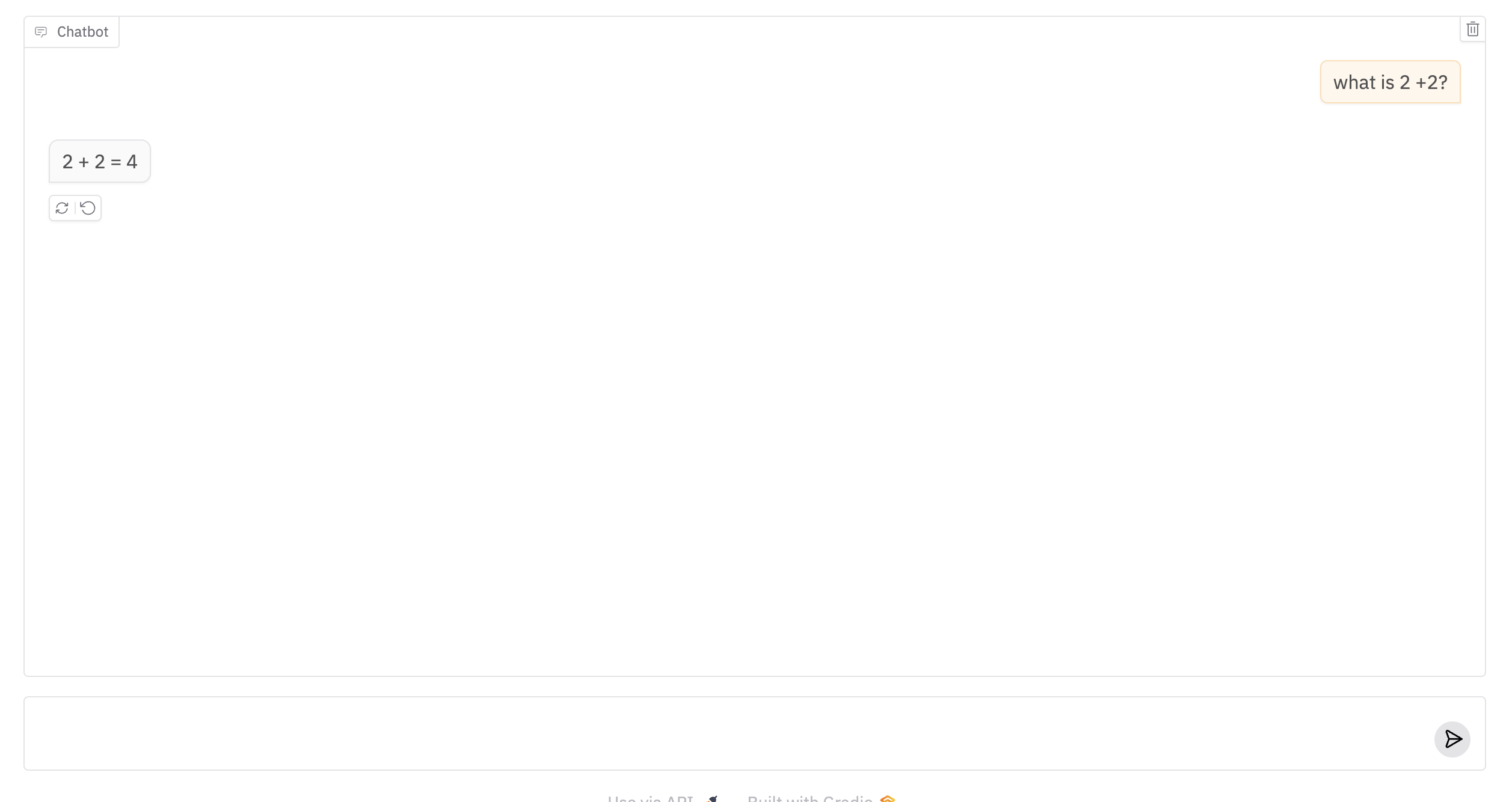
Run the Python file, and you should see a Gradio Interface connected to the model on Hyperbolic AI!
Customization
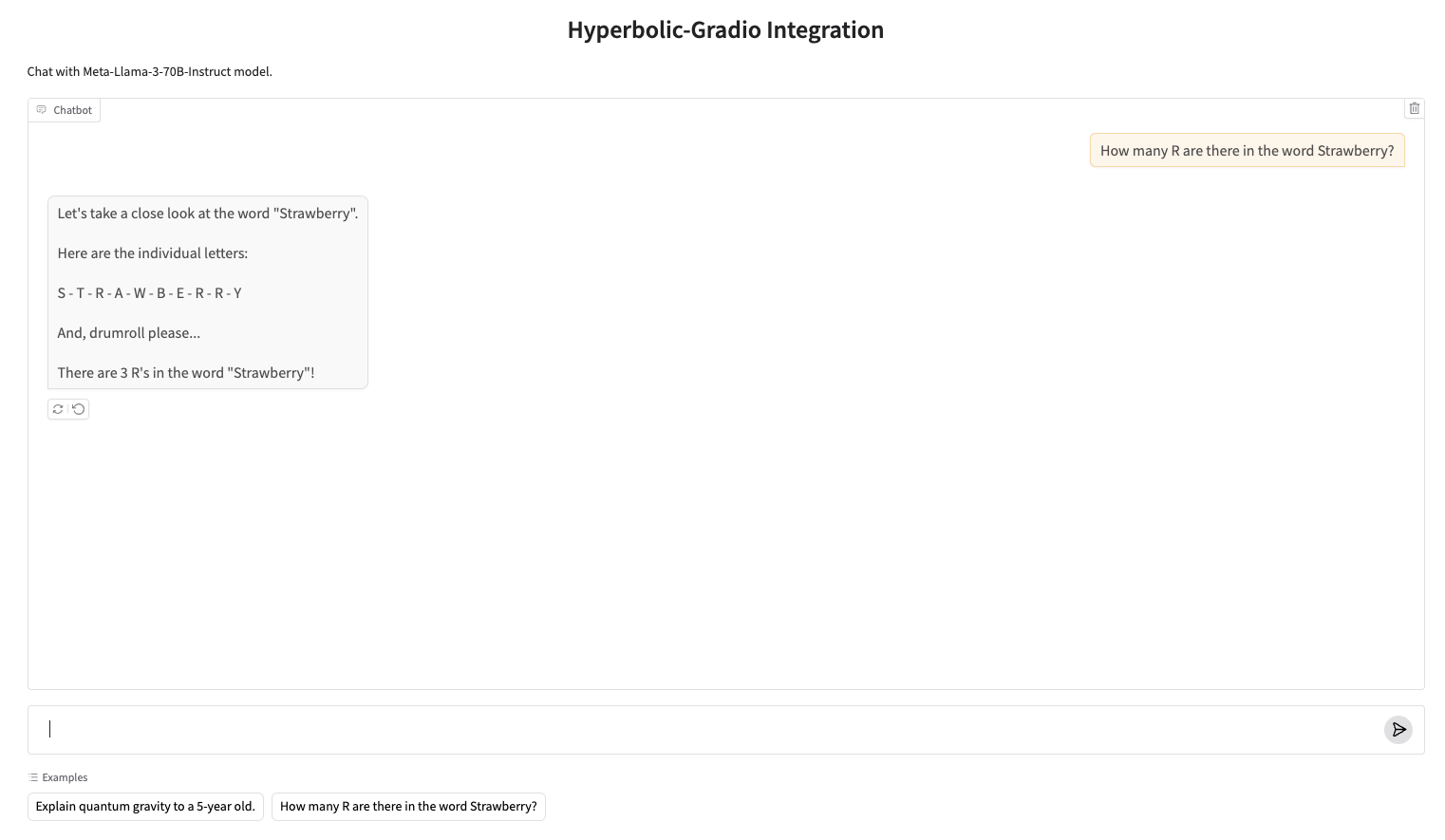
Once you can create a Gradio UI from an Hyperbolic API endpoint, you can customize it by setting your own input and output components, or any other arguments to gr.Interface. For example, the screenshot below was generated with:
import gradio as gr
import hyperbolic_gradio

gr.load(
    name='meta-llama/Meta-Llama-3-70B-Instruct',
    src=hyperbolic_gradio.registry,
    title='Hyperbolic-Gradio Integration',
    description="Chat with Meta-Llama-3-70B-Instruct model.",
    examples=["Explain quantum gravity to a 5-year old.", "How many R are there in the word Strawberry?"]
).launch()
Composition
Or use your loaded Interface within larger Gradio Web UIs, e.g.
import gradio as gr
import hyperbolic_gradio

with gr.Blocks() as demo:
    with gr.Tab("Meta-Llama-3-70B-Instruct"):
        gr.load('meta-llama/Meta-Llama-3-70B-Instruct', src=hyperbolic_gradio.registry)
    with gr.Tab("Llama-3.2-3B-Instruct"):
        gr.load('meta-llama/Llama-3.2-3B-Instruct', src=hyperbolic_gradio.registry)

demo.launch()
Under the Hood
The hyperbolic-gradio Python library has two dependencies: hyperbolic and gradio. It defines a "registry" function hyperbolic_gradio.registry, which takes in a model name and returns a Gradio app.
Supported Models in Hyperbolic AI
All chat API models supported by Hyperbolic AI are compatible with this integration. For a comprehensive list of available models and their specifications, please refer to the Hyperbolic AI Models documentation.
Note: if you are getting a 401 authentication error, then the Hyperbolic API Client is not able to get the API token from the environment variable. This happened to me as well, in which case save it in your Python session, like this:
import os

os.environ["HYPERBOLIC_API_KEY"] = ...


Download files
Download the file for your platform. If you're not sure which to choose, learn more about installing packages.
Source Distribution
Built Distribution
Filter files by name, interpreter, ABI, and platform.
If you're not sure about the file name format, learn more about wheel file names.
Copy a direct link to the current filters
File details
Details for the file hyperbolic_gradio-0.0.5.tar.gz.
File metadata
- Download URL: hyperbolic_gradio-0.0.5.tar.gz
- Upload date:
- Size: 269.1 kB
- Tags: Source
- Uploaded using Trusted Publishing? No
- Uploaded via: twine/5.1.1 CPython/3.11.4
File hashes
| Algorithm | Hash digest | |
|---|---|---|
| SHA256 |
7408c9a1d7ed7c84457e5aab8d37f4a8525fedf2bb0ec26aace6a008e70a24f9
|
|
| MD5 |
58ed8b2bf921d754ff4192680042de84
|
|
| BLAKE2b-256 |
0e242c9c79945f5b31c0af008640456a4751989f686cf7be8a173aee84b2175e
|
File details
Details for the file hyperbolic_gradio-0.0.5-py3-none-any.whl.
File metadata
- Download URL: hyperbolic_gradio-0.0.5-py3-none-any.whl
- Upload date:
- Size: 3.5 kB
- Tags: Python 3
- Uploaded using Trusted Publishing? No
- Uploaded via: twine/5.1.1 CPython/3.11.4
File hashes
| Algorithm | Hash digest | |
|---|---|---|
| SHA256 |
1a0e4ec013502abec97659b7a1032a609fb0ce6f2912c7b187304130ea7d6a01
|
|
| MD5 |
d8e7ac1fe8d1ffeb6f0db6b50d8a9509
|
|
| BLAKE2b-256 |
ccd94ea932bc11b41a3826c5d3e38e87d89d404c938776679b363084ade578a7
|






