
ia-router
A router that splits your tasks across the official CLIs of the AI subscriptions you already pay for (claude, codex, agy from Antigravity), deciding with objective metrics from respected portals instead of by gut feeling.
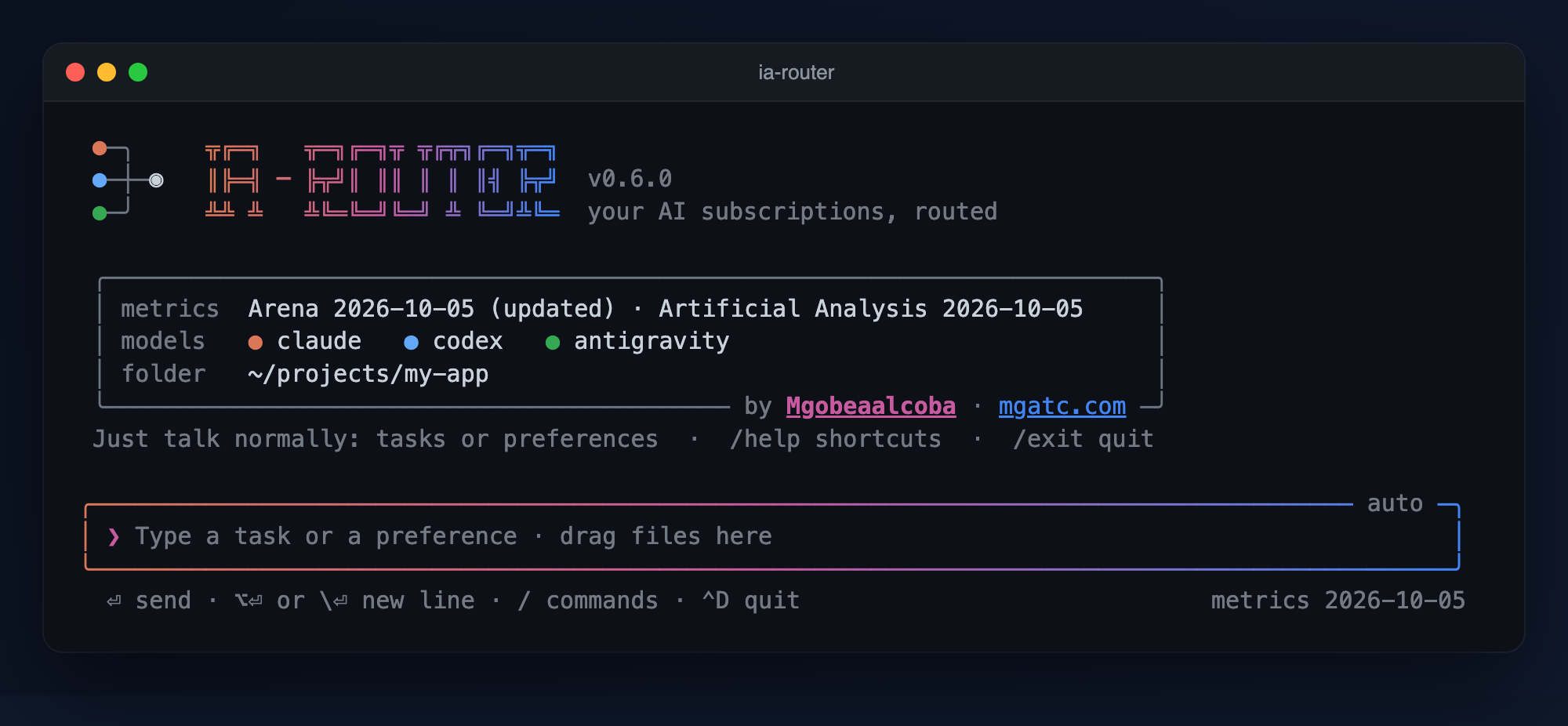
It opens like claude: you type a task and it is routed on its own to the best model according to the metrics. If you want, you answer a few questions about what you prioritize for each kind of task (accuracy, speed or cost) and the routing is rebuilt.
- It already ships with metrics: the software bundles the latest snapshot of Arena; it routes with data from the first use, with no network.
- Updating is your action, and it is visible: on startup, if the metrics are more than 7 days old, it offers to update them, showing every step and what changed in the routing.
- No external dependencies: only the Python standard library (3.9 or higher; the tests pass on 3.9 and 3.14).
- It never touches OAuth tokens: each CLI uses its own login and its own subscription. "Allow everything" flags are never turned on.
- By Mgobeaalcoba · mgatc.com — GitHub
Full usage guide, with examples and troubleshooting: docs/USAGE.md. If you are an AI agent or you are going to contribute: AGENTS.md.
Where to find it
| Website | mgatc.com/en/recursos/ia-router: what it is, use cases and installation (also in Spanish) |
| PyPI | pypi.org/project/ia-router: pipx install ia-router |
| Homebrew | Mgobeaalcoba/homebrew-tap: brew install Mgobeaalcoba/tap/ia-router |
| Code | github.com/Mgobeaalcoba/ia-suscription-router |
| Usage guide | docs/USAGE.md |
| Changes | CHANGELOG.md |
| Problems and ideas | Issues |
| License | Apache-2.0 · NOTICE · how to cite it |
How it decides
your task ──► classify ──► score per model ──► pick the best ──► run its CLI
             (by rules)    (metrics + your      (with fallback    (with your login
                            priorities)          on rate limit)    and your quota)
| Dimension | Where it comes from |
|---|---|
| Accuracy | Arena: Elo per category (coding, hard prompts, math, writing, long context, vision…) with a margin of error. Differences within the margin reward nobody. |
| Speed | Artificial Analysis (tokens/s). Requires its free key. |
| Cost | Price per million tokens (Artificial Analysis or Arena): a proxy for quota consumption. |
Speed and cost use a logarithmic scale (2 points less for every doubling versus the best of your models). A dimension only counts if there is data for all your models. Details in docs/USAGE.md.
Installation
Tested on macOS (it should also work on Linux), with Python 3.9 or higher. There are two ways to install it, pick one:
Option A · Homebrew (macOS)
brew install Mgobeaalcoba/tap/ia-router
It is equivalent to brew tap Mgobeaalcoba/tap && brew install ia-router. Homebrew installs Python if needed.
Option B · pip or pipx (any system with Python 3.9+)
pipx install ia-router                  # recommended: installs it isolated and puts the `ia-router` command on your PATH
python3 -m pip install --user ia-router # alternative with pip
If you do not have pipx: brew install pipx && pipx ensurepath (macOS) or python3 -m pip install --user pipx && python3 -m pipx ensurepath. Then open a new terminal.
Check that it worked
ia-router --version     # ia-router 0.6.0
ia-router doctor        # which CLIs you have installed and which model each one uses (spends no quota)
You need at least one of the official CLIs installed and logged in (claude, codex or agy); the router does not install them for you.
Update and uninstall
| Homebrew | pipx | pip | |
|---|---|---|---|
| Update | brew upgrade ia-router |
pipx upgrade ia-router |
python3 -m pip install -U ia-router |
| Uninstall | brew uninstall ia-router |
pipx uninstall ia-router |
python3 -m pip uninstall ia-router |
Uninstalling does not delete your data (~/.ia-router: downloaded metrics, priorities, history). To start from scratch: rm -r ~/.ia-router.
If ia-router: command not found shows up after installing with pip or pipx, the scripts directory is missing from your PATH (usually ~/.local/bin): run pipx ensurepath and open a new terminal.
From the source code (Mgobeaalcoba/ia-suscription-router): git clone https://github.com/Mgobeaalcoba/ia-suscription-router.git && cd ia-suscription-router && python3 cli.py.
First use
ia-router # opens the chat
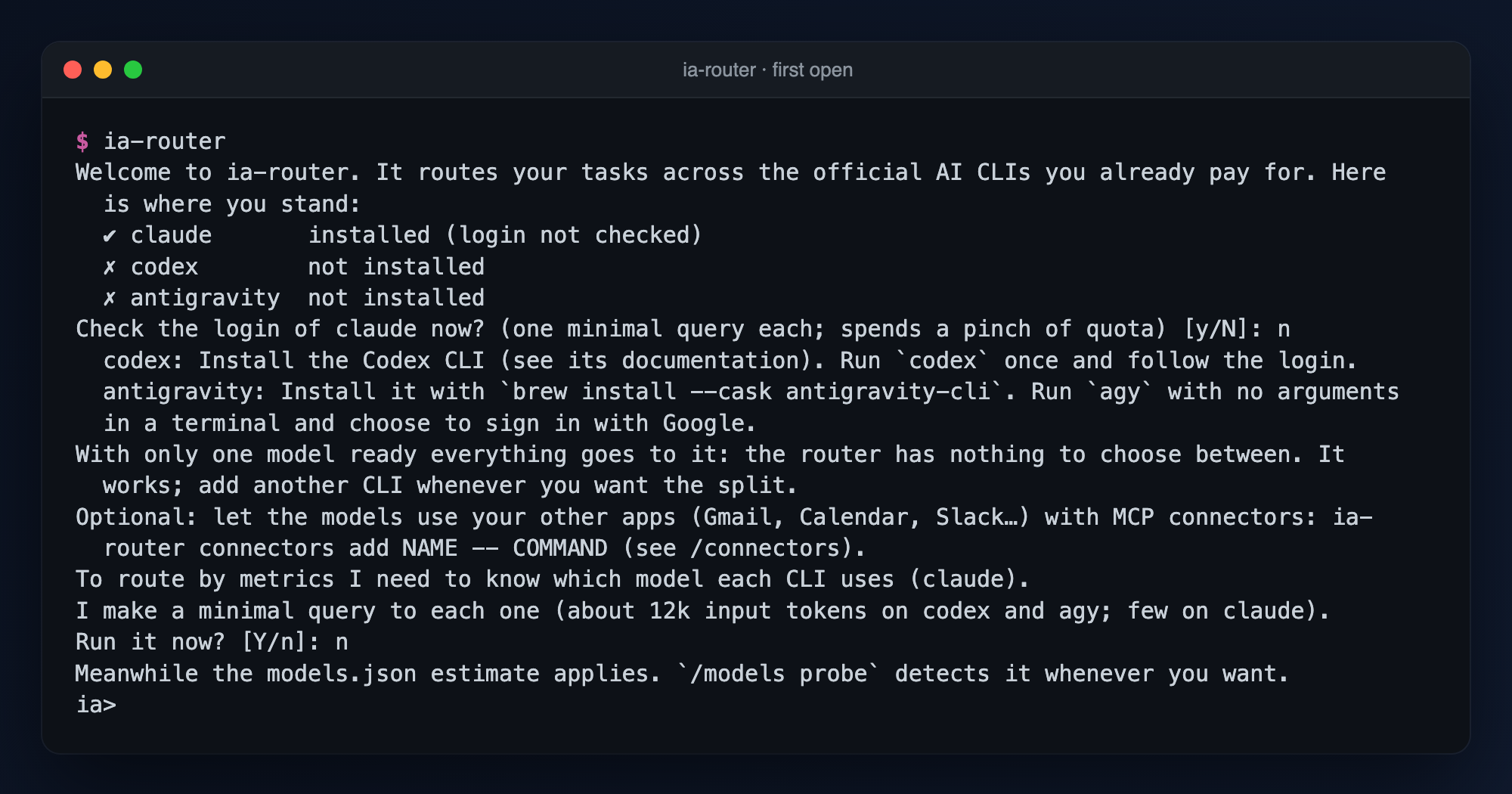
If a CLI is missing or logged out, the first open tells you the exact step for each one (/setup or ia-router setup repeat that check any time). The router never installs a CLI or logs in for you.
On open it asks you (always before spending anything): which model each CLI uses (a minimal query to each one, only the first time), whether you want to update the metrics if they are old, and, once, whether you want to answer the priority questions.
ia ❯ Fix this bug in my Python function            ← routed on its own
ia ❯ /scores coding                                ← what the router picks and why
ia ❯ /priorities                                   ← what you prioritize for each kind of task
ia ❯ /metrics refresh                              ← update the metrics (with visibility)
Update the metrics and turn on speed/cost (.env)
ia-router metrics refresh # reads ~11 public arena.ai pages (≈ 1 minute)
Arena provides accuracy. To add speed and cost (and be able to prioritize them) use the Artificial Analysis API, which has a free plan (1,000 requests per day):
mkdir -p ~/.ia-router && cp .env.example ~/.ia-router/.env      # installed with pip/brew (or `.env` in the repo folder if you use a clone)
# edit that file and paste your key:   ARTIFICIAL_ANALYSIS_API_KEY=your_key
ia-router metrics refresh        # now it also brings speed, price and benchmarks
The .env is never pushed to git (it is in .gitignore); .env.example is. A variable already defined in your environment takes priority over the file. Artificial Analysis asks for attribution: the router shows it every time it uses its data.
Commands
| Command | What it does |
|---|---|
(no arguments) / chat |
Conversational mode. |
ask "task" [-m model] [-c file] [--dry-run] |
Routes and runs, with fallback. |
route "task" |
Shows which model it would pick, without running. |
scores [category] |
Score per model and category; with a category, the breakdown. |
metrics [refresh] [--force] |
Where the data comes from and which entry each model was matched with; refresh updates it. |
priorities |
Questions: what you prioritize for each kind of task. |
setup |
Which official CLIs are installed and logged in, and the exact step for the missing ones. |
usage |
Tokens and estimated cost per model, and how close each is to the rate limit you already hit. |
sessions [list|show|delete|clear] |
Saved conversations (ia-router --continue resumes the last). |
doctor [--probe] |
Installed CLIs and which model each one uses; with --probe, real login and latency. |
stats |
Success, latency, rate limits and tokens per model. |
connectors [list|add|remove|enable|disable|test|install] |
MCP connectors (Gmail, Calendar, Slack…) that every model can use. |
mcp |
MCP server (stdio): exposes the router itself as tools. |
reset-cooldowns |
Clears rate-limit or auth cooldowns. |
Also: piped input and --json for scripts (cat error.log | ia-router ask "what is wrong?" --json), ask --compare to run one task on two models, a usage meter (ia-router usage), saved sessions (ia-router --continue) and streaming answers.
Also: its own input box with history and multiple lines, dragged files (text as context; images and PDFs by path), every answer with the exact model and the tokens, and markdown rendered like a README on GitHub.
The task classifier understands tasks written in English and in Spanish; the whole interface is in English.
Files
| File | Role |
|---|---|
ia_router/cli.py · cli.py |
Subcommands (the installed command is ia-router); cli.py is a shortcut from a clone. |
pyproject.toml · packaging/homebrew/ |
PyPI package and Homebrew formula template. |
LICENSE · NOTICE · CITATION.cff |
Apache-2.0, mandatory attribution and how to cite it. |
ia_router/data/models.json |
Models: commands, usage flags, timeouts and last-resort estimates. |
.env.example |
Optional variables (Artificial Analysis key). Copy to .env. |
ia_router/metrics.py |
Arena and Artificial Analysis: download, matching by real model and 0-10 values. |
ia_router/data/arena.json |
Arena snapshot bundled with the software (CC BY 4.0). |
ia_router/scoring.py · priorities.py |
Score per category, weights and the priorities questionnaire. |
ia_router/core.py · router.py |
Orchestration, classification and ranking. |
ia_router/adapters.py · probe.py · setup.py |
CLI execution (model and tokens, rate limit, login), the probe, and the first-run onboarding. |
ia_router/chat.py · editor.py · select.py |
Chat, input box and option selector. |
ia_router/attachments.py · render.py · banner.py |
Dragged files, rendered markdown and the header. |
ia_router/connectors.py |
MCP connectors: registry, proxy server that aggregates them, per-CLI injection. |
ia_router/usage.py · sessions.py · stream.py |
Usage meter, saved sessions and live streaming output. |
ia_router/envfile.py · state.py · mcp_server.py |
.env reader, state and log, MCP server. |
tools/update_snapshot.py |
For whoever maintains the repo: regenerates the Arena snapshot before publishing. |
tests/ |
392 tests and fake CLIs (tests/fake_bin). |
Connectors: let any model use your other apps (MCP)
Register MCP servers once and every model can use them: Gmail, Calendar, Slack, GitHub, your own tools…
ia-router connectors add gmail --env GMAIL_TOKEN='${GMAIL_TOKEN}' -- npx -y @your/gmail-mcp-server
ia-router connectors add crm --url https://crm.example.com/mcp --header 'Authorization: Bearer ${CRM_KEY}'
ia-router connectors test        # starts them and lists their tools (spends no model quota)
ia-router connectors templates   # ready-made ones: filesystem, memory, github (official servers only)
In automatic mode each task gets only the connectors it needs (a Gmail connector for an email task, none for a coding task).
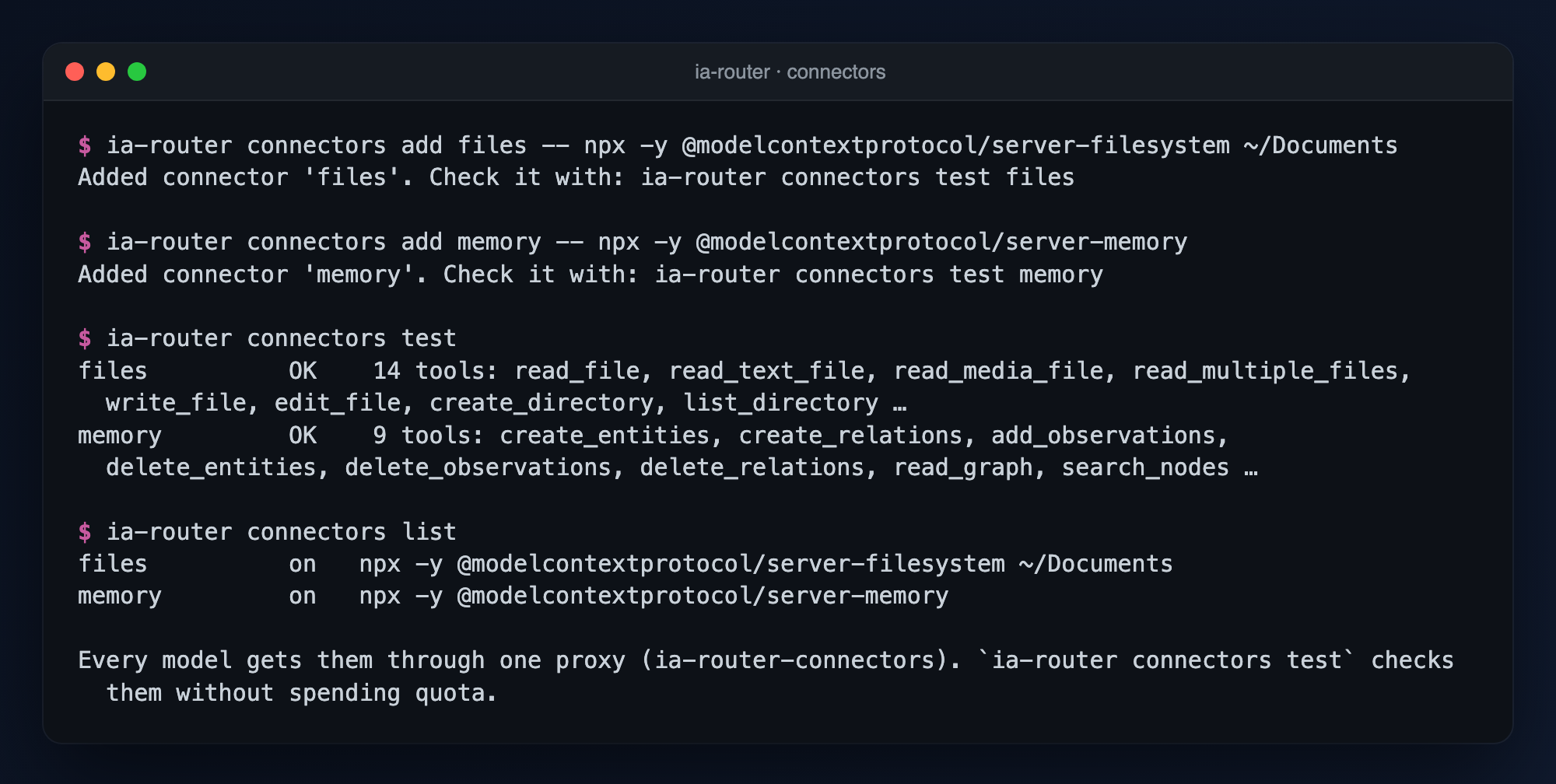
The router runs one proxy MCP server that aggregates all your connectors and hands it to claude and codex on every call (no config files are touched); for agy register it once with ia-router connectors install agy (it also adds a scoped allow rule to agy's settings). The router never handles OAuth tokens: each MCP server does its own login. Connectors can read and write (a model can send an email if you ask), so use /connectors off or a deny list when you do not want that. Details in docs/USAGE.md.
Using it from Claude Code (MCP)
claude mcp add ia-router -- python3 ~/Documents/ia-suscription-router/cli.py mcp
Tools: route_task, ask_model, list_models.
Known limits
| Topic | Detail |
|---|---|
| Arena | It measures human preference, not correct answers, and publishes variants per effort level that may not match your CLI's (marked as approximate). It reads public arena.ai pages: if their format changes, it says so and continues with what it had. |
| Frontier models | Accuracy differences usually fall within the margin of error; there speed and cost break the tie, and they require the Artificial Analysis key. |
| Artificial Analysis | Verified against its real API. It does not publish every index for every model: the router uses the benchmarks that cover yours. If your CLI does not report its effort level, it picks the usual one and marks it as approximate. |
| Cost | It is the list price per token: a proxy for quota consumption, not your real quota. |
| Antigravity | agy -p does not read the prompt from stdin nor open files by path in non-interactive mode, and it fails if it asks for a tool it cannot authorize. |
| Terms of use | Meant for personal use at a human pace. If you distribute it to third parties, review each provider's terms (Anthropic requires an API key for third-party products). |
| Chat | Conversations are saved locally so you can resume them (turn it off with ROUTER_NO_SESSIONS=1); the model only sees the last few turns of the history. Streaming shows raw text first and swaps in the rendered answer when it fits on screen. |
Third-party data
The metrics are shown with their attribution: Arena (arena.ai, leaderboard-dataset dataset, CC BY 4.0) and Artificial Analysis.
Contributing
Contributions are welcome: read CONTRIBUTING.md (environment, rules, and commit sign-off with the DCO: git commit -s) and AGENTS.md.
License and how to cite
Apache License 2.0: you can use, modify and redistribute it, keeping the NOTICE file and the attribution to its author (section 4 of the license). Third-party data keeps its own licenses (see above).
To cite it in a work: CITATION.cff (GitHub shows it as Cite this repository).
ia-router, by Mgobeaalcoba (2026). https://www.mgatc.com/recursos/ia-router/
1 maintainer

Metadata
1 maintainer
Release files for ia-router 0.6.0
For a detailed explanation of source distributions (sdists) and built distributions (wheels), please see the package formats documentation.
Source distribution (sdist)
| File | Size | Uploaded | |
|---|---|---|---|
| ia_router-0.6.0.tar.gz | 284.0 kB | Details |
Built distribution (wheel)
| File | Interpreter | ABI | Platform | Reset |
|---|---|---|---|---|
| ia_router-0.6.0-py3-none-any.whl | Python 3 | none | any | Details |
Total release size: 527.9 kB
Release files / ia_router-0.6.0.tar.gz
| Download URL | ia_router-0.6.0.tar.gz |
|---|---|
| Size | 284.0 kB |
| Tags | Source |
|
SHA-256 checksum How to use checksums |
d02fe3ee5794f13ed4cddc501da7f1a9e7556289ca823d157d4a05e5878c85ac
|
|
BLAKE2b-256 checksum How to use checksums |
87c1bc49a331bf9d95a755653baecda12b020c934d41f170347336f96acf3a14
|
| Upload date | |
|
Uploaded using Trusted Publishing? What is trusted publishing? |
No |
| Uploaded via |
twine/7.0.0 CPython/3.14.8
|
Release files / ia_router-0.6.0-py3-none-any.whl
| Download URL | ia_router-0.6.0-py3-none-any.whl |
|---|---|
| Size | 243.9 kB |
| Tags | Python 3 |
|
SHA-256 checksum How to use checksums |
fe6f93d0328d6cff4e45bcaeea389fe4a2046fad964353cf7630342e490309d5
|
|
BLAKE2b-256 checksum How to use checksums |
ac88ba152608cc12586fef4839da488eee7fb2cb443b36c44eac7ee35b41ca3c
|
| Upload date | |
|
Uploaded using Trusted Publishing? What is trusted publishing? |
No |
| Uploaded via |
twine/7.0.0 CPython/3.14.8
|














