
restful framework with bottle

Project description
Table of Contents
- Introduction
- Quickstart
- Running builtin server
- Binding to gunicorn
- Env parameters
- Welcome Page
- Ice-cream commands
- Migration commands
- Authentication
- Filtering
- RBAC-in-icecream
- Caching
- Relations
- Full Text Search
ICE CREAM



 ICE-CREAM framework for Bottle designed to simplify building restful API. It is structured such that any part of the core functionality can be customized to suit the needs of your project.
Quickstart:
#install it from Pypi:
pip install icecreamy

#to make icecream project, run:
make_project

#make migration
python manage.py  makemigrations init

#to migrate
alembic upgrade head

#runing server
python manage.py runserver
and access to http://localhost:8888/api
Builtin server:
To run bottle builtin server with commands:
python manage.py runserver
python manage.py runserver 127.0.0.1:8000
Binding to Gunicorn:
To bind icecream to gunicorn:
gunicorn --workers=2 'manage:wsgi_app()'
.Env Parameters:
Copy and rename .env_example to .env and change the variable as project needs. Or you can add the parameters manually into the .env file To generate a .env file these values are required:
| Variable Name | Description |
|---|---|
| host | icecream host |
| port | icecream port |
| db_name | your database db_name |
| db_type | sqlite or postgres |
| db_user | your database username |
| db_pass | your database password |
| db_host | your database host |
| db_port | your database port |
| project_secret | needs for jwt authentication |
| jwt_ttl | jwt time to live |
| sentry_dsn | sentry address (logging tool), it can be |
| media_files | static media folder |
already ice-cream is working with Postgres
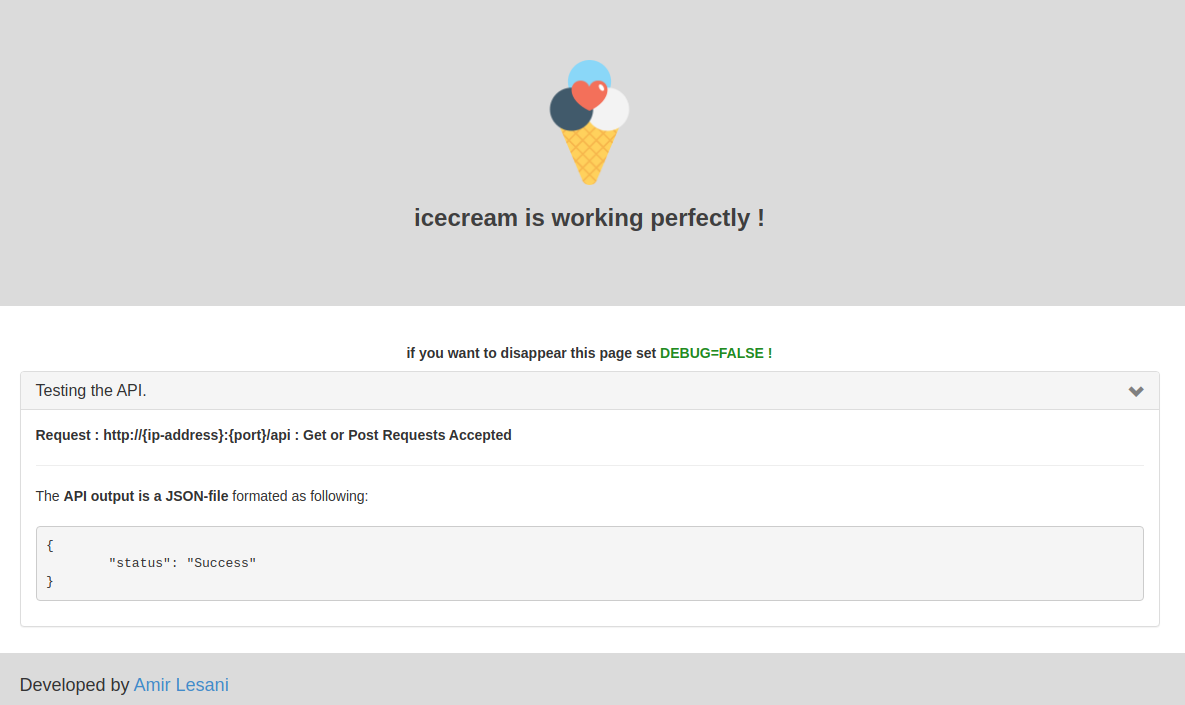
Welcome Page:
Now you need to check that your website is running. Open your browser (Firefox, Chrome, Safari, Internet Explorer or whatever you use) and enter this address:
browser http://127.0.0.1:8000/api
Congratulations! You've just created your first website and run it using a web server!
ice-cream commands:
To create superuser:
python manage.py createsuperuser
To create new app:
python manage.py startapp app_name
then register app in settings.py
Migration Commands:
To make migration:
python manage.py makemigrations your_message
To migrate:
alembic upgrade head
Authentication:
Unlike some more typical uses of JWTs, this module only generates authentication tokens that will verify the user who is requesting one of your ICECREAM protected API resources. The actual request parameters themselves are not included in the JWT claims which means they are not signed and may be tampered with. To implement user authentication in your application, you need to override the AuthBackend() class in authentication.py in the users folder. to obtaining token and refresh token it needs to get it from the route allocated in JWTProviderPlugin
To using authentication needs to using . Add the following URL pattern:
core.route('/users', 'GET', get_users, apply=[jwt_auth_required])
Filtering:
ICECREAM is using py-mongosql to apply filters query to get a query from URL need to use this function
query = get_query_from_url("query")
then apply query into MongoFilter like what we did in foo_app
filtered_query = MongoFilter(Room, rooms_query, query).filter()
The following are some quick examples of making filtered GET requests from different types of clients. More complete documentation is in the subsequent link. In these examples, each client will filter by instances of the model Room which sorted by name.
http://127.0.0.1:8000/rooms/filter?query={"sort":"name-",}
This link has more complete versions of these examples.
py-mongosql
File serving:
To serving files first need to create a static folder in the root of the project:
 Create a folder like :
/statics/media/
After that register the address in the .env:
media_files = /statics/media/
RBAC in ICECREAM:
Role-based User Access Control
in ICECREAM an access control model is abstracted into two CSV files. So switching or upgrading the authorization mechanism for a project is just as simple as modifying a CSV file. You can customize your own access control model by combining the available models. we assume we had 2 roles.
we define roles into roles.csv :
| admin | staff |
|---|
in the next step we will define our policy in model_rules:
| role | operation | object_you_want to modify |
|---|
like this:
| staff | create | message |
|---|
so in the last step we pass the Model to the ACLHandler and pass the current user to check permission as bellow:
aclh = ACLHandler(Resource=Message)
identity = aclh.get_identity(current_user)
Caching in ICECREAM:
Caching refers to storing the server response in the client itself so that a client need not make a server request for the same resource again and again.ICECREAM using Redis to do caching, Redis has more sophisticated mechanisms as it has been described as a "data structure store", thus making it more powerful and flexible. Redis also has a larger advantage because you can store data in any form. In the ICECREAM When the function runs, it checks if the view key is in the cache. If the key exists, then the app retrieves the data from the cache and returns it. If not, ICECREAM queries the database and then stashes the result in the cache with the view key. The first time this function is run, ICECREAM will query the database and render the template, and then will also make a network call to Redis to store the data in the cache. Each subsequent call to the function will completely bypass the database and business logic and will query the Redis cache. To cache view functions you will use the cache_for(), decorator.
    @cache_for(24 * 60, cache_key_func='full_path')
    def get_user(pk, db_session):
        user = get_object_or_404(User, db_session, User.id == pk)
        result = user_serializer.dump(user)
        return HTTPResponse(status=200, body=result)
or you can pass the decorator in the router
core.route('/users', 'GET', get_users,apply=[cache_for(24 * 60, cache_key_func='full_path')])
Relations in ICECREAM:
ICECREAM is using SQLAlchemy ORM to see how the relationship is working you can check this gist quickly
SQLAlchemy basic relationship patterns
Full text search in ICECREAM:
Full-text search is a more advanced way to search a database. Full-text search quickly finds all instances of a term (word) in a table without having to scan rows and without having to know which column a term is stored in. Full-text search works by using text indexes. to provide full-text search ICECREAM integrated with SQLAlchemy-Searchable, it provides full-text search capabilities for SQLAlchemy models. Currently, it only supports PostgreSQL. to start a full-text search first we should follow these steps:
as the first step we should define the model in-app :
class Article(Base):
    __tablename__ = 'article'
    id = Column(Integer, primary_key=True)
        name = Column(Unicode(255))
        content = Column(sa.UnicodeText)
        search_vector = Column(TSVectorType('name', 'content'))
after define models, need to add these lines to ICECREAM settings:
searches_index = [
    ('article', 'search_vector', ['name','content'])
]
and in the last step, it can be sweet as an icecream
article1 = Article(name=u'First article', content=u'This is the first article')
article2 = Article(name=u'Second article', content=u'This is the second article')
session.add(article1)
session.add(article2)
session.commit()

query = session.query(Article)

query = search(query, 'first')

print query.first().name
# First article
Optionally specify sort=True to get results in order of relevance (ts_rank_cd):
query = search(query, 'first', sort=True)
When making changes to your database schema you have to make sure the associated search triggers and trigger functions get updated also. ICECREAM offers a helper command called index_search for this. to perform this, its calling SQLAlchemy-Searchable sync_trigger after every
alembic upgrade head
to perform search trigger, should run this command :
python manage.py index_search
Release history Release notifications | RSS feed


Download files
Download the file for your platform. If you're not sure which to choose, learn more about installing packages.
Source Distribution
Built Distribution
Filter files by name, interpreter, ABI, and platform.
If you're not sure about the file name format, learn more about wheel file names.
Copy a direct link to the current filters
File details
Details for the file icecreamy-0.0.6.4.2.tar.gz.
File metadata
- Download URL: icecreamy-0.0.6.4.2.tar.gz
- Upload date:
- Size: 45.6 kB
- Tags: Source
- Uploaded using Trusted Publishing? No
- Uploaded via: twine/3.8.0 pkginfo/1.8.2 readme-renderer/33.0 requests/2.27.1 requests-toolbelt/0.9.1 urllib3/1.26.8 tqdm/4.63.0 importlib-metadata/4.11.2 keyring/23.5.0 rfc3986/2.0.0 colorama/0.4.4 CPython/3.7.3
File hashes
| Algorithm | Hash digest | |
|---|---|---|
| SHA256 |
28908162752fb700390fa814434de82a83f814408a28314f3b3a9351f107f4a0
|
|
| MD5 |
86b92b733114ac703ee0c87a44c837e4
|
|
| BLAKE2b-256 |
71c6739c4cd27c4e19f9b71138b64ebda7261e3d8ef01c94db53a1e6fb336508
|
File details
Details for the file icecreamy-0.0.6.4.2-py3-none-any.whl.
File metadata
- Download URL: icecreamy-0.0.6.4.2-py3-none-any.whl
- Upload date:
- Size: 51.2 kB
- Tags: Python 3
- Uploaded using Trusted Publishing? No
- Uploaded via: twine/3.8.0 pkginfo/1.8.2 readme-renderer/33.0 requests/2.27.1 requests-toolbelt/0.9.1 urllib3/1.26.8 tqdm/4.63.0 importlib-metadata/4.11.2 keyring/23.5.0 rfc3986/2.0.0 colorama/0.4.4 CPython/3.7.3
File hashes
| Algorithm | Hash digest | |
|---|---|---|
| SHA256 |
6405041dabe70c89a13f85003206150f802e7fc75cc31dc1d56144261902e935
|
|
| MD5 |
501061867167a0ec69777c97c12dfc13
|
|
| BLAKE2b-256 |
f81274b5f9f6d0b66e3fa1513d26b672b412f12417549177d97a1a4a5b2534c1
|






